ShopifyQL syntax reference
ShopifyQL is Shopify's query language built for commerce. This reference documents the ShopifyQL syntax that you can use to query merchant store data and build analytics and reporting tools.
Anchor to OverviewOverview
ShopifyQL's query syntax lets you create custom queries against store data. You can use ShopifyQL queries through the GraphQL Admin API, with Python scripts, directly in code editors, or through Shopify's analytics tools.
Anchor to Glossary of termsGlossary of terms
| Term | Definition |
|---|---|
| Dimension | An attribute that segments data so that it can be sorted and presented more clearly. |
| Keyword | Syntax that defines what query operation to perform. |
| Metric | A quantitative measurement of data, such as sales totals, order counts, or profit. |
| Parameter | Syntax that defines what data to return. |
| Operator | Syntax for performing logical or arithmetic operations on the query data. |
Anchor to Core syntax rulesCore syntax rules
Your query must include FROM and SHOW keywords with parameters. All other keywords are optional, but must follow a specific sequence:
FROMSHOWWHERESINCEandUNTIL, orDURINGGROUP BYTIMESERIESCOMPARE TOHAVINGORDER BYLIMITWITH(TOTALS,GROUP_TOTALS,PERCENT_CHANGE,CUMULATIVE_VALUES,CURRENCY,TIMEZONE)VISUALIZEandTYPE
Anchor to Formatting conventionsFormatting conventions
ShopifyQL uses two-level indentation where FROM and VISUALIZE are top-level keywords, and all other keywords are indented under FROM. The following example shows the formatting pattern:
Anchor to FROM and SHOWFROM and SHOW
The simplest query requires only these two keywords. FROM specifies dataset tables; SHOW selects columns to extract.
Anchor to WHEREWHERE
Filters data by dimensions before aggregation. The WHERE keyword only supports dimensions, not metrics. Values must be wrapped in single quotes ('), not double quotes.
Anchor to Comparison operatorsComparison operators
=(equal to)!=(not equal to)<(less than)>(greater than)<=(less than or equal to)>=(greater than or equal to)
Anchor to Logical operatorsLogical operators
ANDORNOT
Anchor to String matchingString matching
STARTS WITHENDS WITHCONTAINS
Anchor to MATCHES operatorMATCHES operator
The MATCHES operator is currently only available in customer segmentation and isn't supported in Shopify Analytics.
Use the MATCHES to filter for collections of related entities, consistent with customer segmentation syntax. Use MATCHES and NOT MATCHES for semi-join expressions with named parameters:
Each parameter can only be used once per MATCHES filter. For example, WHERE orders_placed MATCHES (date > -365d, date < today) isn't valid because date is used twice.
Filter by order activity
FROM customers
SHOW customer_email, total_orders
WHERE orders_placed MATCHES (date > -365d)Filter by email engagement
FROM customers
SHOW customer_email, email_subscription_status
WHERE shopify_email.opened MATCHES (activity_id = 5240029206, date > -30d)Exclude customers
FROM customers
SHOW customer_email
WHERE products_purchased NOT MATCHES (date > -365d)Anchor to Available semi-join expressionsAvailable semi-join expressions
| Expression | Parameters | Description |
|---|---|---|
products_purchased | id, tag, category, date, sum_quantity, count | Products purchased by customers. |
orders_placed | date, amount, location_id, app_id, count, sum_amount | Orders placed by customers. |
shopify_email.opened | activity_id, date, count | Email open events. |
shopify_email.clicked | activity_id, date, count | Email click events. |
shopify_email.bounced | activity_id, date, count | Email bounced events. |
shopify_email.marked_as_spam | activity_id, date, count | Email marked as spam events. |
shopify_email.unsubscribed | activity_id, date, count | Email unsubscribed events. |
storefront.product_viewed | id, date, count | Customer events for products viewed. |
storefront.collection_viewed | id, date, count | Customer events for collections viewed. |
store_credit_accounts | currency, balance, next_expiry_date, last_credit_date | Customers who have a balance on a store. |
customer_within_distance | coordinates, distance_km or distance_mi | Customer address within distance. |
Anchor to GROUP BYGROUP BY
Segments metrics by dimensions. If a dimension is used in the SHOW keyword, then it must also be included in the GROUP BY keyword.
Anchor to Time dimensionsTime dimensions
Available grouping options: second, minute, hour, day, week, month, quarter, year, hour_of_day, day_of_week, week_of_year, month_of_year
Anchor to TIMESERIESTIMESERIES
Distinguishes grouping by time dimensions and backfills dates in a query where data gaps exist.
Anchor to Valid optionsValid options
dayday_of_weekhourhour_of_dayminutemonthmonth_of_yearquarterweekweek_of_yearyear
Anchor to HAVINGHAVING
Filters grouped results by metrics after aggregation. The HAVING keyword only supports metrics, not dimensions. Unlike WHERE, HAVING can reference aliases and aggregate functions. Requires GROUP BY or TIMESERIES.
Anchor to WITHWITH
You can use WITH to change keyword behavior using these modifiers:
TOTALS: Top-level metric summaries before dimensional breakdown.GROUP_TOTALS: Subtotals for grouped aggregations.PERCENT_CHANGE: Adds percentage change columns withCOMPARE TO.CUMULATIVE_VALUES: Generates running total columns for additive metrics.CURRENCY: Displays data in specified currency codes (three-letter format).TIMEZONE: Displays data in specified timezone (IANA format, for example,America/New_York).
Totals modifier
FROM sales
SHOW total_sales
GROUP BY billing_region
WITH TOTALSCumulative values
FROM sales
SHOW net_sales
DURING last_month
TIMESERIES day
WITH CUMULATIVE_VALUESAnchor to CUMULATIVE_VALUESCUMULATIVE_ VALUES
When WITH CUMULATIVE_VALUES is specified, ShopifyQL automatically adds cumulative columns for each eligible additive metric using the naming pattern: {metric_name}__cumulative.
Cumulative values require TIMESERIES or ORDER BY <time> to establish time-based ordering:
- Eligible metrics can be ordered by time, such as
net_sales,gross_sales,orders,units_sold,customers,sessions,revenue,taxes,shipping,discounts, orreturns. - Ineligible metrics are those that can't be ordered by time, such as
average_order_value,conversion_rate,cart_abandonment_rate, orgrowth_rate.
In this example, the net_sales column tracks sales on each day while the net_sales_cumulative column tracks cumulative sales:
| day | net_sales | net_sales__cumulative |
|---|---|---|
| 2024-12-01 | $1,200.00 | $1,200.00 |
| 2024-12-02 | $950.00 | $2,150.00 |
| 2024-12-03 | $1,400.00 | $3,550.00 |
Anchor to SINCE and UNTILSINCE and UNTIL
Filter by time periods. If SINCE lacks UNTIL, defaults to today.
Anchor to Offset operatorsOffset operators
-{#}s(seconds)-{#}min(minutes)-{#}h(hours)-{#}d(days)-{#}w(weeks)-{#}m(months)-{#}q(quarters)-{#}y(years)- Specific dates:
yyyy-MM-dd
Anchor to Date functionsDate functions
startOfDay()startOfMonth()startOfWeek()startOfQuarter()startOfYear()
Anchor to DURINGDURING
Simplifies date filtering using named ranges instead of SINCE/UNTIL combinations.
Anchor to Named rangesNamed ranges
Available named ranges include today, yesterday, this_week, last_week, this_weekend, last_weekend, this_month, last_month, this_quarter, last_quarter, this_year, last_year, and bfcmYYYY.
Anchor to COMPARE TOCOMPARE TO
Compares data across multiple date ranges. Supports absolute dates, named dates, offset dates, and multiple comparisons.
Year-over-year comparison
FROM sales
SHOW net_sales, product_title
SINCE -1m
UNTIL -0m
GROUP BY product_title
TIMESERIES day
COMPARE TO previous_yearMatch day of week
FROM sales
SHOW total_sales
SINCE -7d
TIMESERIES day
COMPARE TO previous_year_match_day_of_weekAnchor to Comparison optionsComparison options
previous_period: The directly preceding period.previous_year: Same calendar dates one year ago.previous_month: Same calendar dates one month ago.this_month: The current month.last_month: The previous month.previous_year_match_day_of_week: Same days of the week, shifted back 52 weeks.
The previous_year_match_day_of_week option aligns days of the week when making year-over-year comparisons, which is important for retail reporting where weekday patterns are significant.
Anchor to BenchmarksBenchmarks
You can compare your store's data against benchmarks for specific metrics within reports using COMPARE TO benchmarks. For more information, see the benchmarks documentation.
Anchor to ORDER BYORDER BY
Specifies sort direction using ASC (ascending) or DESC (descending).
Anchor to LIMITLIMIT
Restricts returned rows (defaults to 1000). Optional OFFSET parameter skips rows.
Anchor to VISUALIZE and TYPEVISUALIZE and TYPE
Renders data graphically. If TYPE isn't included in your query, then ShopifyQL automatically selects the most suitable visualization. Use MAX to limit the number of data points displayed.
Line chart
FROM sales
SHOW gross_sales
TIMESERIES month
VISUALIZE gross_sales TYPE lineBar chart with limit
FROM sales
SHOW total_sales
GROUP BY product_title
VISUALIZE total_sales TYPE bar MAX 5Anchor to Supported visualization typesSupported visualization types
| Type | Description |
|---|---|
bar | Vertical bar chart. |
horizontal_bar | Horizontal bar chart. |
grouped_bar | Grouped vertical bars. |
horizontal_grouped_bar | Grouped horizontal bars. |
stacked_bar | Stacked vertical bars. |
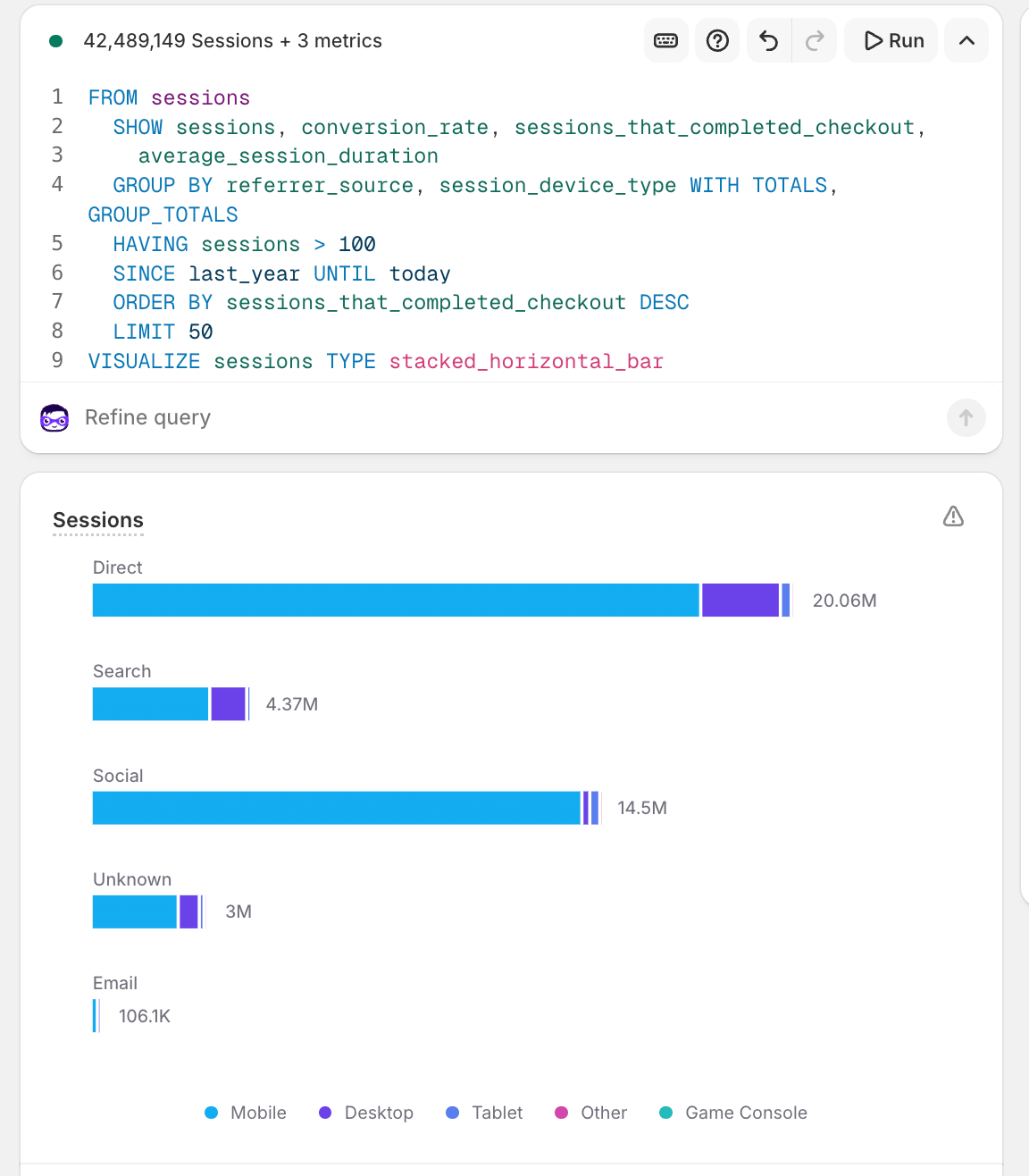
stacked_horizontal_bar | Stacked horizontal bars. |
single_stacked_bar | Single stacked bar. |
line | Line chart. |
stacked_area | Stacked area chart. |
histogram | Histogram distribution. |
donut | Circular chart with center hole. |
funnel | Step by step view through a process. |
heatmap | Two-dimensional grid. |
single_metric | Single metric display. |
list | List display. |
list_with_dimension_values | List with dimension values. |
table | Tabular data. |
rfm_grid | RFM (Recency, Frequency, Monetary) segmentation grid for customer analysis. |
Anchor to Visualization modifiersVisualization modifiers
MAX number: Limits the number of data points in the visualization.LIMIT number: Deprecated alias forMAX.
Anchor to AS (aliases)AS (aliases)
Renames columns with aliases. Quote aliases containing spaces.
Anchor to TOP NTOP N
Displays top items by category, grouping remainder as "Other."
Anchor to OptionsOptions
ONLY TOP N: Hides remainder.TOP N OVERALL: Ranks across full range.
Anchor to Mathematical operatorsMathematical operators
Perform arithmetic on metrics: +, -, ×, ÷
Anchor to Implicit joinsImplicit joins
ShopifyQL automatically joins multiple tables intelligently. Join field must have the same name in all joined schemas and must be in GROUP BY.
Anchor to CommentsComments
Add comments to your queries for documentation.
Single-line comments
-- This is a comment
FROM sales
SHOW total_salesMulti-line comments
/* This is a
multi-line comment */
FROM sales
SHOW total_salesAnchor to Multi-store reportingMulti-store reporting
Organizations with multiple stores can query across stores.
Anchor to Segment query languageSegment query language
The segment query language is a different implementation of ShopifyQL that uses a subset of ShopifyQL. The segment query language only uses the WHERE clause from ShopifyQL to filter customers by their attributes.
You can use the segment query language to create a collection of customers that are filtered out by specific criteria. Filtered customers in a collection are called "segment members", and the collections of filtered customers are called "segments". Merchants can create segments in the Shopify admin.
For a complete reference of the segment query language, refer to the segment query language reference.