Save bar
App Bridge isn't versioned with Polaris. App Bridge APIs and web components are identical in every App Home reference version.
App Bridge isn't versioned with Polaris. App Bridge APIs and web components are identical in every App Home reference version.
Enable automatic save bar integration for HTML forms by adding the data-save-bar attribute to your form element. When form data changes, a save bar automatically appears, prompting users to save or discard their changes.
Alternatively, use the Save Bar API for programmatic control over the save bar behavior. Choose one approach or the other. Don't combine data-save-bar with programmatic methods on the same page.
To put a save bar in an <s-app-window>, add data-save-bar to a form inside the window. The save bar then opens and closes with the window. Don't use a <ui-save-bar> on the parent page and show it from inside the window: that bar belongs to the parent page, so it appears behind the window and merchants can't see or click Save or Discard. See Save bar in an iframe window.
The save bar functionality requires the full App Bridge UI library to be loaded using a script tag.
The save bar functionality requires the full App Bridge UI library to be loaded using a script tag.
Anchor to Use casesUse cases
- Form change tracking: Automatically detect unsaved form changes and display a save bar using the
data-save-barattribute. - Save and discard: Provide merchants with clear save and discard actions when form data has been modified.
- Discard confirmation: Add a confirmation dialog before discarding changes to prevent accidental data loss.
- Form reset handling: Listen for form submit and reset events to handle save and discard actions.
Anchor to AttributesAttributes
Add these attributes to your <form> element to enable save bar integration.
- Anchor to data-discard-confirmationdata-discard-confirmationdata-discard-confirmationbooleanboolean
Shows a confirmation dialog when the discard button is clicked, requiring merchants to confirm before losing their changes. The dialog prevents accidental data loss by adding a second step before reset. Commonly used for forms with significant data entry, multi-step workflows, or when changes cannot be easily recreated.
- Anchor to data-save-bardata-save-bardata-save-barbooleanboolean
Enables automatic save bar integration. When present, the save bar appears whenever any form input value changes from its initial state. The save bar automatically hides when the form is submitted or reset. Commonly used for settings pages, product editors, or any form where merchants need visual feedback about unsaved changes.
- Anchor to onresetonresetonreset(event: Event) => void(event: Event) => void
Handler called when the form is reset via the save bar's discard button. Receives a standard
Eventthat can be prevented withfor custom discard logic. Commonly used for reverting form fields to their original values, clearing temporary state, or confirming discard actions programmatically.- Anchor to onsubmitonsubmitonsubmit(event: SubmitEvent) => void(event: SubmitEvent) => void
Handler called when the form is submitted via the save bar's save button. Receives a standard
that can be prevented withfor custom async save logic. Commonly used for API calls to persist data, form validation before save, or showing success/error toasts after the operation completes.
Anchor to ExamplesExamples
Anchor to Form with automatic save barForm with automatic save bar
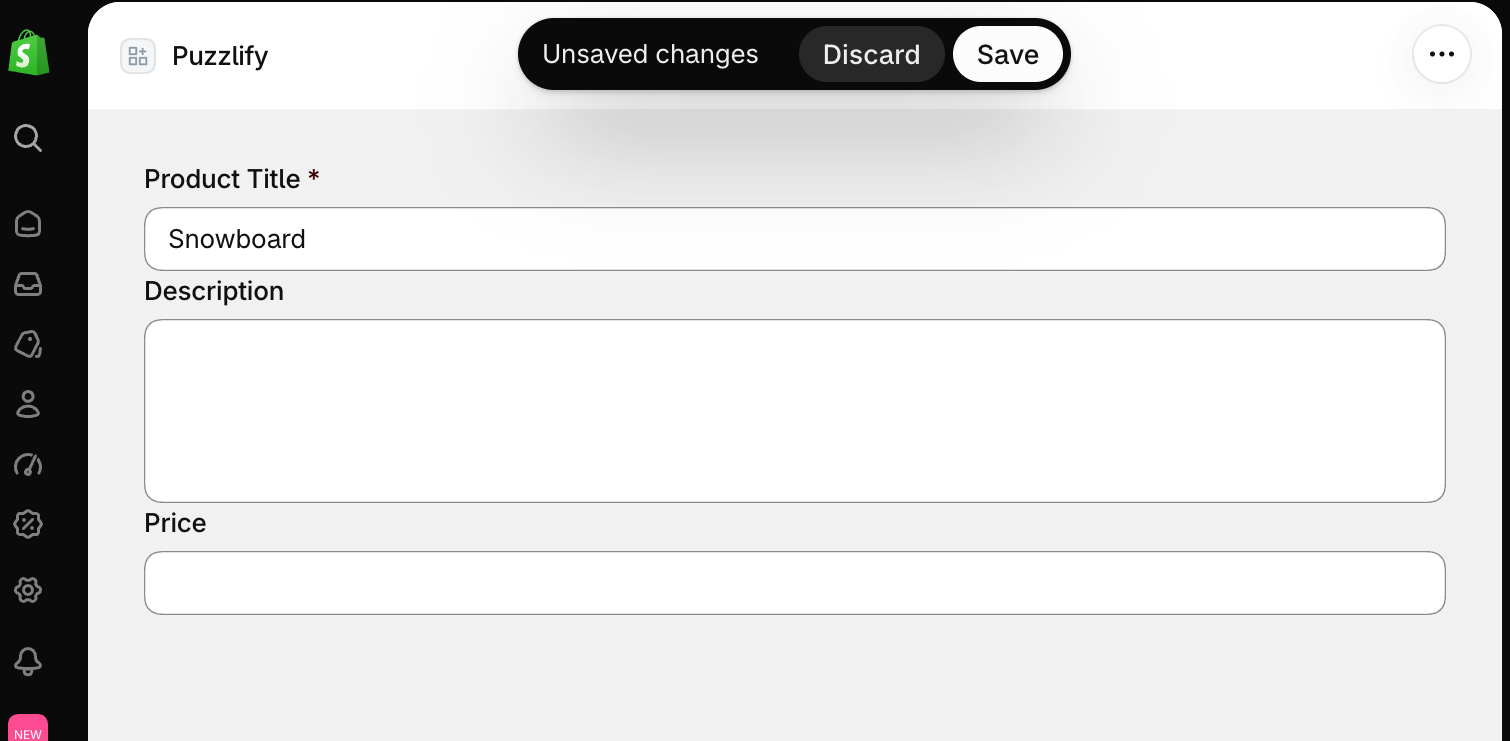
Add the data-save-bar attribute to a form to automatically show a save bar when form data changes.
Form with automatic save bar
html
Anchor to Submit and reset handlersSubmit and reset handlers
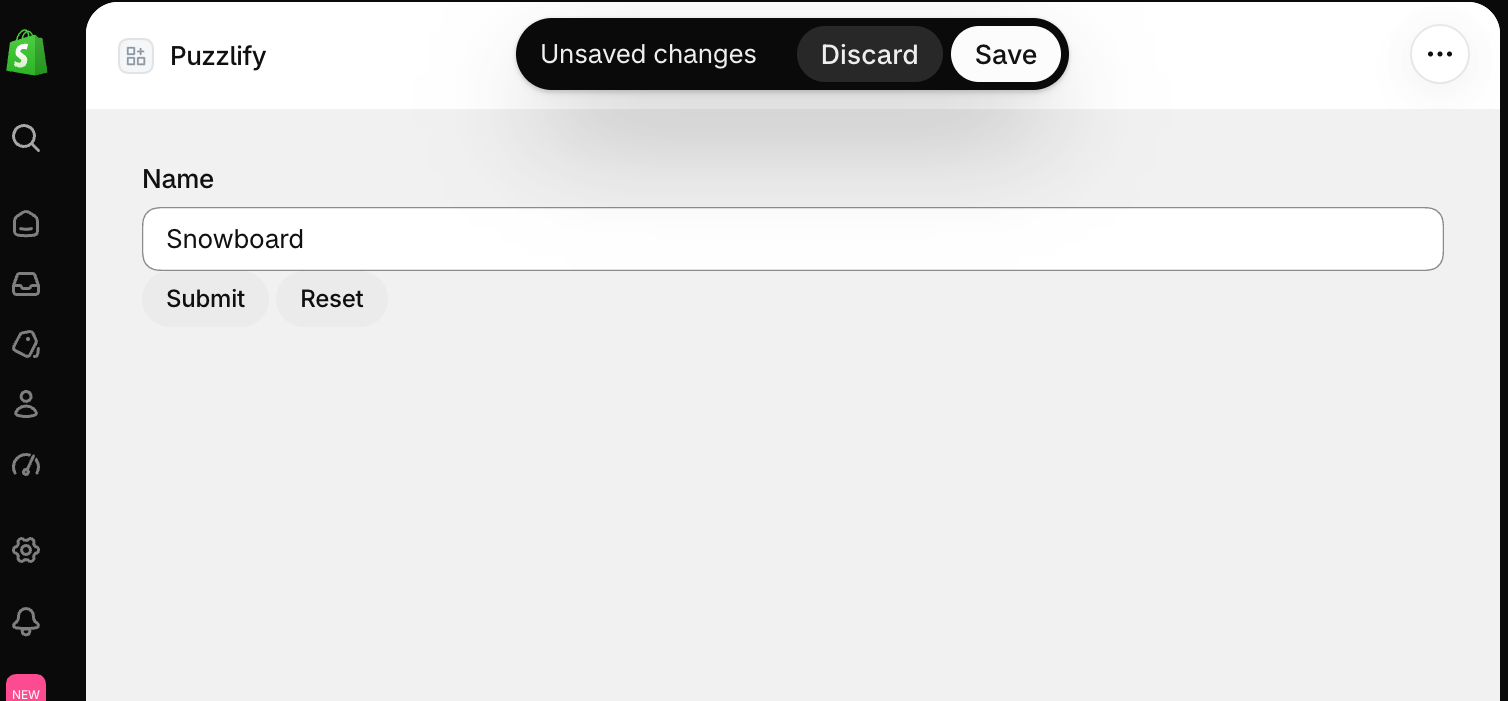
Handle form submission and reset using standard HTML form events.
Submit and reset handlers
html
Anchor to Discard confirmationDiscard confirmation
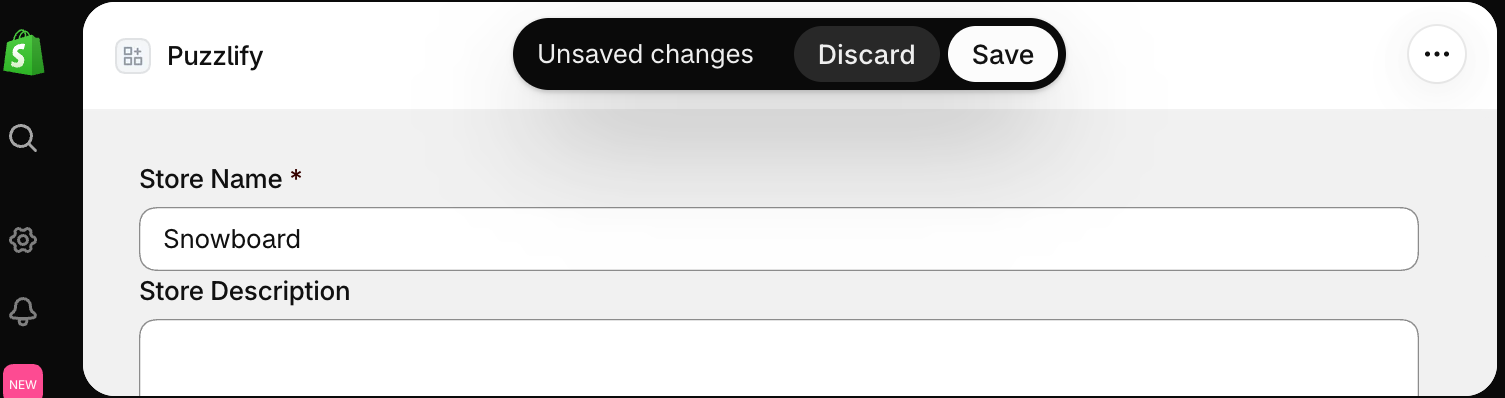
Add data-discard-confirmation to show a confirmation dialog when the discard button is clicked, preventing accidental data loss.
Discard confirmation
html
Anchor to Save bar in an iframe windowSave bar in an iframe window
Define a <ui-save-bar> on the parent page with a unique id, then call shopify.saveBar.show(id) from inside the iframe when changes are detected, and shopify.saveBar.hide(id) after save or discard. This bar belongs to the parent page, not the window, so it appears behind an open app window and merchants can't see or click Save or Discard. To give the window its own save bar, add data-save-bar to a form inside the window.
Parent page
// @validate-ignore: ButtonHTMLAttributes<HTMLButtonElement>
function ParentPage() {
  const saveBarId = 'modal-save-bar';

  const handleSave = async () => {
    await fetch('/api/save', {method: 'POST'});
    shopify.saveBar.hide(saveBarId);
  };

  const handleDiscard = () => {
    shopify.saveBar.hide(saveBarId);
  };

  return (
    <s-page heading="Settings">
      <ui-save-bar id={saveBarId}>
        <button variant="primary" onClick={handleSave}>Save</button>
        <button onClick={handleDiscard}>Discard</button>
      </ui-save-bar>
      <s-app-window src="/settings" />
    </s-page>
  );
}
/settings route
function SettingsPage() {
  return (
    <s-section heading="Configuration">
      <s-text-field
        label="Store name"
        onInput={() => shopify.saveBar.show('modal-save-bar')}
      />
    </s-section>
  );
}
Anchor to Best practicesBest practices
- Always provide discard functionality: Allow merchants to revert changes by handling the discard action or using form reset.
- Show loading states during save: Use the Loading API to indicate when an async save operation is in progress.
- Use
data-discard-confirmationfor destructive forms: Add a confirmation dialog when discarding changes would result in significant data loss. - Keep a window's save bar inside the window: For
<s-app-window src="...">content, adddata-save-barto a form inside the window so the save bar opens and closes with it. A<ui-save-bar>on the parent page belongs to the parent page, so it appears behind the window. See Save bar in an iframe window.