Version 2025-07 is the last API version to support React-based UI components. Later versions use Polaris web components, native UI elements with built-in accessibility, better performance, and consistent styling with Shopify's design system. Check out the upgrade guide to upgrade your extension and avoid being blocked from updating your extension after October 1st 2026.
Form
The form component wraps form controls and enables implicit submission, allowing customers to submit from any input by pressing Enter.
Unlike an HTML form element, this component doesn't support configuring the descendant fields to be submitted via HTTP automatically. Instead, you must provide an onSubmit callback that performs the necessary HTTP requests in JavaScript.
Supported targets
- Customer
Account::Kitchen Sink - customer-account.
footer. render-after - customer-account.
order-index. announcement. render - customer-account.
order-index. block. render - customer-account.
order-status. announcement. render - customer-account.
order-status. block. render - customer-account.
order-status. cart-line-item. render-after - customer-account.
order-status. cart-line-list. render-after - customer-account.
order-status. customer-information. render-after - customer-account.
order-status. fulfillment-details. render-after - customer-account.
order-status. payment-details. render-after - customer-account.
order-status. return-details. render-after - customer-account.
order-status. unfulfilled-items. render-after - customer-account.
order. action. menu-item. render - customer-account.
order. action. render - customer-account.
order. page. render - customer-account.
page. render - customer-account.
profile. addresses. render-after - customer-account.
profile. announcement. render - customer-account.
profile. block. render - customer-account.
profile. company-details. render-after - customer-account.
profile. company-location-addresses. render-after - customer-account.
profile. company-location-payment. render-after - customer-account.
profile. company-location-staff. render-after - customer-account.
profile. payment. render-after
Supported targets
- Customer
Account::Kitchen Sink - customer-account.
footer. render-after - customer-account.
order-index. announcement. render - customer-account.
order-index. block. render - customer-account.
order-status. announcement. render - customer-account.
order-status. block. render - customer-account.
order-status. cart-line-item. render-after - customer-account.
order-status. cart-line-list. render-after - customer-account.
order-status. customer-information. render-after - customer-account.
order-status. fulfillment-details. render-after - customer-account.
order-status. payment-details. render-after - customer-account.
order-status. return-details. render-after - customer-account.
order-status. unfulfilled-items. render-after - customer-account.
order. action. menu-item. render - customer-account.
order. action. render - customer-account.
order. page. render - customer-account.
page. render - customer-account.
profile. addresses. render-after - customer-account.
profile. announcement. render - customer-account.
profile. block. render - customer-account.
profile. company-details. render-after - customer-account.
profile. company-location-addresses. render-after - customer-account.
profile. company-location-payment. render-after - customer-account.
profile. company-location-staff. render-after - customer-account.
profile. payment. render-after
Anchor to Use casesUse cases
- Data collection: Wrap multiple inputs into a single submittable group.
- Implicit submission: Let customers press Enter from any field to submit.
- Multi-field layouts: Combine text fields, selects, and checkboxes in one form.
- Field validation: Validate all fields together before processing a submission.
Anchor to PropertiesProperties
Configure the following properties on the Form component.
- Anchor to onSubmiton
Submiton Submit () => void() => voidrequiredrequired A callback fired when the form is submitted.
- Anchor to disableddisableddisabledbooleanboolean
Whether the form is disabled, preventing submission and the implicit submit behavior from inputs. When set to
true, pressing Enter in a field will not submit the form.- Anchor to idididstringstring
An optional override for the autogenerated form ID.
Anchor to ExamplesExamples
Use form to group related input fields that submit together. This example shows a basic form with text fields and a submit button.
Group fields with a submit button
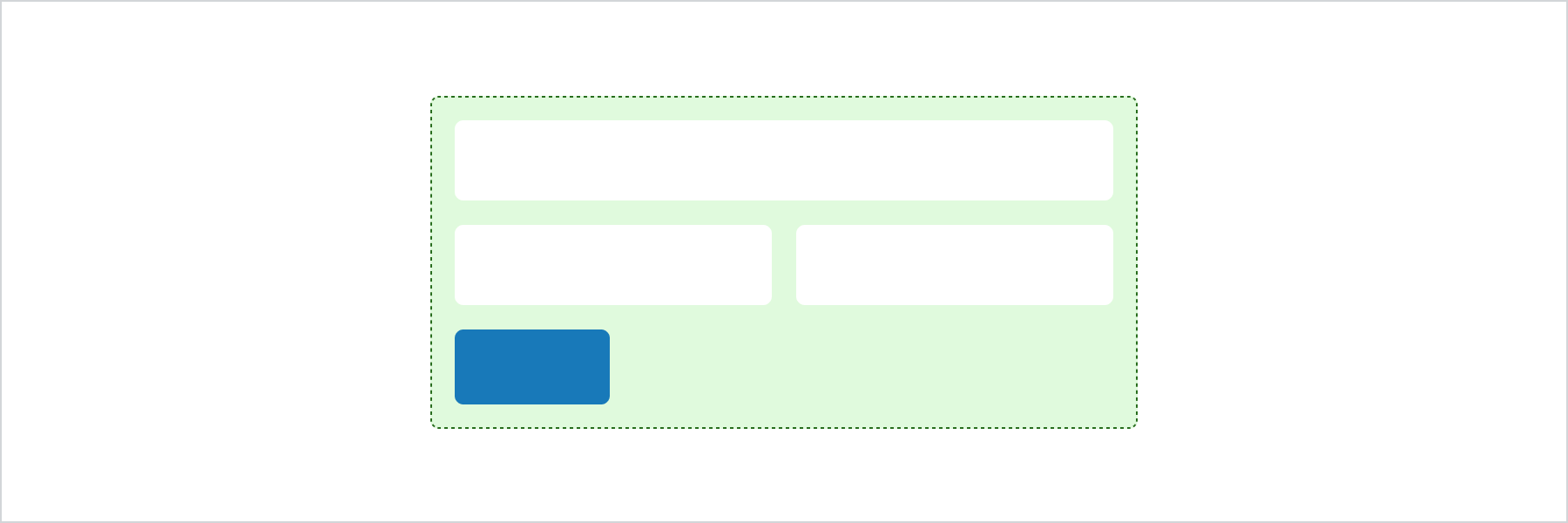
Group fields with a submit button
React
import {
  reactExtension,
  BlockSpacer,
  Button,
  Form,
  Grid,
  GridItem,
  TextField,
  View,
} from '@shopify/ui-extensions-react/customer-account';

export default reactExtension(
  'customer-account.page.render',
  () => <Extension />,
);

function Extension() {
  return (
    <Form
      onSubmit={() =>
        console.log('onSubmit event')
      }
    >
      <Grid
        columns={['50%', '50%']}
        spacing="base"
      >
        <View>
          <TextField label="First name" />
        </View>
        <View>
          <TextField label="Last name" />
        </View>
        <GridItem columnSpan={2}>
          <TextField label="Company" />
        </GridItem>
      </Grid>
      <BlockSpacer spacing="base" />
      <Button accessibilityRole="submit">
        Submit
      </Button>
    </Form>
  );
}
JS
import {
  extension,
  BlockSpacer,
  Button,
  Form,
  Grid,
  GridItem,
  TextField,
  View,
} from '@shopify/ui-extensions/customer-account';

export default extension('customer-account.page.render', (root) => {
  const fields = root.createComponent(
    Grid,
    {columns: ['50%', '50%'], spacing: 'base'},
    [
      root.createComponent(
        View,
        undefined,
        root.createComponent(TextField, {label: 'First name'}),
      ),
      root.createComponent(
        View,
        undefined,
        root.createComponent(TextField, {label: 'Last name'}),
      ),
      root.createComponent(
        GridItem,
        {columnSpan: 2},
        root.createComponent(TextField, {label: 'Company'}),
      ),
    ],
  );
  const spacer = root.createComponent(BlockSpacer, {spacing: 'base'});
  const button = root.createComponent(
    Button,
    {accessibilityRole: 'submit'},
    'Submit',
  );

  const form = root.createComponent(
    Form,
    {onSubmit: () => console.log('onSubmit event')},
    [fields, spacer, button],
  );

  root.appendChild(form);
});
Anchor to Best practicesBest practices
- Place one submit button per form: Include a single submit button at the end of the form to keep the submission flow clear.
- Register a submit handler: Form doesn't submit data over HTTP. Provide an
onSubmitcallback to process form data programmatically. - Group related fields: Wrap only related inputs in a single form. Use separate forms for independent data collection tasks.
Anchor to LimitationsLimitations
- Doesn't automatically submit data using HTTP.
- Each form supports only one submit button.