Form
The form component wraps form controls and enables implicit submission, allowing customers to submit from any input by pressing Enter. Use form to group related input fields and handle form submission through JavaScript event handlers.
Unlike HTML forms, form doesn't automatically submit data using HTTP—you must register a submit event to process form data programmatically.
Form doesn't automatically submit data over HTTP. Register a submit event handler to process form data in your extension.
Supported targets
- customer-account.
footer. render-after - customer-account.
order-index. announcement. render - customer-account.
order-index. block. render - customer-account.
order-status. announcement. render - customer-account.
order-status. block. render - customer-account.
order-status. cart-line-item. render-after - customer-account.
order-status. cart-line-list. render-after - customer-account.
order-status. customer-information. render-after - customer-account.
order-status. fulfillment-details. render-after - customer-account.
order-status. payment-details. render-after - customer-account.
order-status. return-details. render-after - customer-account.
order-status. unfulfilled-items. render-after - customer-account.
order. action. menu-item. render - customer-account.
order. action. render - customer-account.
order. page. render - customer-account.
page. render - customer-account.
profile. addresses. render-after - customer-account.
profile. announcement. render - customer-account.
profile. block. render - customer-account.
profile. company-details. render-after - customer-account.
profile. company-location-addresses. render-after - customer-account.
profile. company-location-payment. render-after - customer-account.
profile. company-location-staff. render-after - customer-account.
profile. payment. render-after
Supported targets
- customer-account.
footer. render-after - customer-account.
order-index. announcement. render - customer-account.
order-index. block. render - customer-account.
order-status. announcement. render - customer-account.
order-status. block. render - customer-account.
order-status. cart-line-item. render-after - customer-account.
order-status. cart-line-list. render-after - customer-account.
order-status. customer-information. render-after - customer-account.
order-status. fulfillment-details. render-after - customer-account.
order-status. payment-details. render-after - customer-account.
order-status. return-details. render-after - customer-account.
order-status. unfulfilled-items. render-after - customer-account.
order. action. menu-item. render - customer-account.
order. action. render - customer-account.
order. page. render - customer-account.
page. render - customer-account.
profile. addresses. render-after - customer-account.
profile. announcement. render - customer-account.
profile. block. render - customer-account.
profile. company-details. render-after - customer-account.
profile. company-location-addresses. render-after - customer-account.
profile. company-location-payment. render-after - customer-account.
profile. company-location-staff. render-after - customer-account.
profile. payment. render-after
Anchor to Use casesUse cases
- Data collection: Group related inputs like name, email, and message for a single submission.
- Implicit submission: Allow customers to press Enter from any field to submit the form without clicking a button.
- Multi-field layouts: Combine text fields, select menus, and text areas in a structured form with a submit button.
- Field validation: Display specific error messages on individual fields to guide customers toward valid input.
Anchor to PropertiesProperties
Configure the following properties on the form component.
- Anchor to idididstringstring
A unique identifier for the element. Use this to reference the element in JavaScript, link labels to form controls, or target specific elements for styling or scripting.
Anchor to EventsEvents
The form component provides event callbacks for handling user interactions. Learn more about handling events.
- Anchor to submitsubmitsubmitCallbackEventListener<typeof tagName>CallbackEventListener<typeof tagName>
A callback fired when the form is submitted.
CallbackEventListener
A typed event listener for custom element events. The listener receives a `CallbackEvent` with the correct `currentTarget` type for the associated custom element tag.
(EventListener & {
      (event: CallbackEvent<TTagName, TEvent>): void;
    }) | null
CallbackEvent
An event type that narrows the `currentTarget` to the specific HTML element associated with the custom element tag. This provides type-safe event handling in callback listeners.
TEvent & {
  currentTarget: HTMLElementTagNameMap[TTagName];
}
Anchor to ExamplesExamples
Anchor to Submit a basic formSubmit a basic form
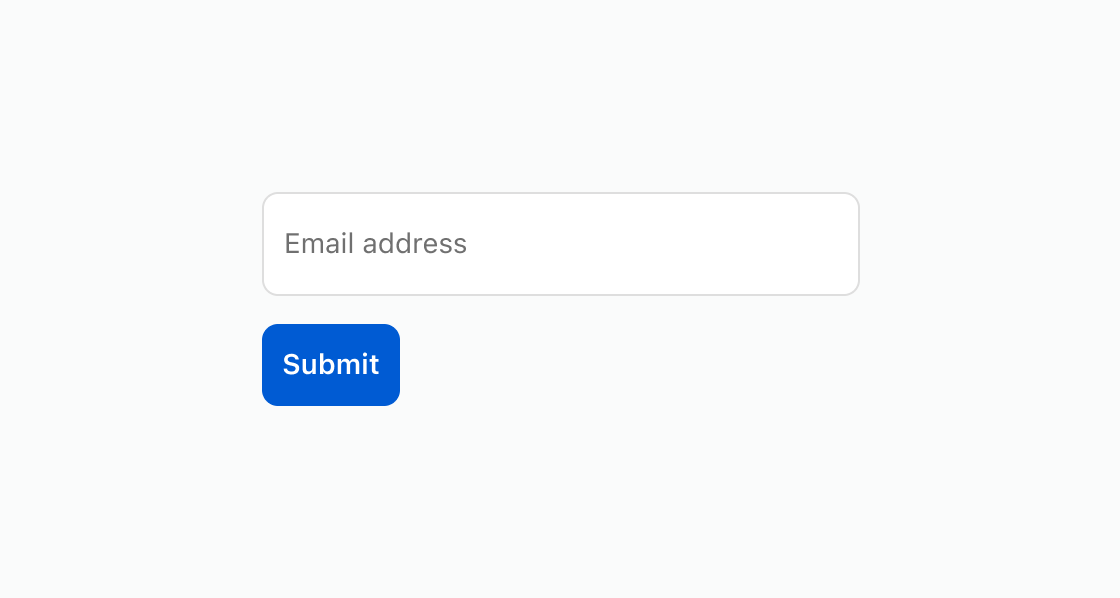
Group input fields that submit together when a customer presses Enter or clicks a submit button. This example shows a basic form with a text field and submit button.Submit a basic form
html
Anchor to Show field validation errorsShow field validation errors
Display specific error messages on individual fields to guide customers toward valid input. This example shows a form with required fields and inline validation errors.html
Anchor to Combine different field typesCombine different field types
Mix text inputs with selects and checkboxes to capture different kinds of customer input. This example combines a text field, a select dropdown, and a checkbox.html
Anchor to Best practicesBest practices
- Place one submit button per form: Include a single submit button at the end of the form to keep the submission flow clear.
- Register a submit handler: Form doesn't submit data over HTTP. Register a
submitevent listener to process form data programmatically. - Group related fields: Wrap only related inputs in a single form. Use separate forms for independent data collection tasks.