---
title: Image group
description: >-
The image group component displays up to four images in a grid or stacked
layout. Use image group to showcase collections of related images, such as
products in a wishlist or subscription.
api_version: 2026-04
source_url:
html: >-
https://shopify.dev/docs/api/customer-account-ui-extensions/latest/web-components/media-and-visuals/image-group
md: >-
https://shopify.dev/docs/api/customer-account-ui-extensions/latest/web-components/media-and-visuals/image-group.md
---
# Image group
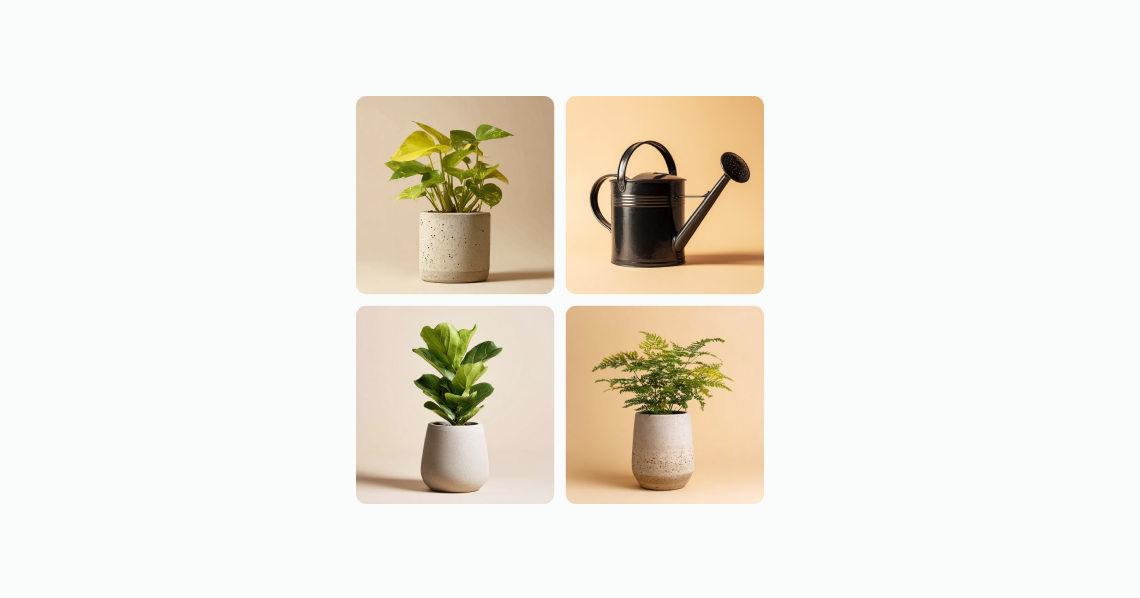
The image group component displays up to four images in a grid or stacked layout. Use image group to showcase collections of related images, such as products in a wishlist or subscription. The images display as a grid when used within a [section](https://shopify.dev/docs/api/customer-account-ui-extensions/latest/web-components/layout-and-structure/section) component.
When there are more than four images, the component indicates how many additional images aren't displayed, giving customers a clear sense of the full collection size.
Image group displays a maximum of four images. Additional images are represented by a count indicator rather than being shown. All images in the group share the same display size — individual sizing or aspect ratio overrides aren't supported.
### Support Targets (24)
### Supported targets
* [customer-account.footer.render-after](https://shopify.dev/docs/api/customer-account-ui-extensions/2026-04/targets/footer#footer-render-after-)
* [customer-account.order-index.announcement.render](https://shopify.dev/docs/api/customer-account-ui-extensions/2026-04/targets/order-actions#order-index-announcement-)
* [customer-account.order-index.block.render](https://shopify.dev/docs/api/customer-account-ui-extensions/2026-04/targets/order-actions#order-index-block-)
* [customer-account.order-status.announcement.render](https://shopify.dev/docs/api/customer-account-ui-extensions/2026-04/targets/order-status#order-status-announcement-)
* [customer-account.order-status.block.render](https://shopify.dev/docs/api/customer-account-ui-extensions/2026-04/targets/order-status#order-status-block-)
* [customer-account.order-status.cart-line-item.render-after](https://shopify.dev/docs/api/customer-account-ui-extensions/2026-04/targets/order-status#cart-line-item-render-after-)
* [customer-account.order-status.cart-line-list.render-after](https://shopify.dev/docs/api/customer-account-ui-extensions/2026-04/targets/order-status#cart-line-list-render-after-)
* [customer-account.order-status.customer-information.render-after](https://shopify.dev/docs/api/customer-account-ui-extensions/2026-04/targets/order-status#customer-information-render-after-)
* [customer-account.order-status.fulfillment-details.render-after](https://shopify.dev/docs/api/customer-account-ui-extensions/2026-04/targets/fulfillment-status#fulfillment-status-targets)
* [customer-account.order-status.payment-details.render-after](https://shopify.dev/docs/api/customer-account-ui-extensions/2026-04/targets/payments-and-returns#payments-and-returns-targets)
* [customer-account.order-status.return-details.render-after](https://shopify.dev/docs/api/customer-account-ui-extensions/2026-04/targets/payments-and-returns#return-details-render-after-)
* [customer-account.order-status.unfulfilled-items.render-after](https://shopify.dev/docs/api/customer-account-ui-extensions/2026-04/targets/fulfillment-status#unfulfilled-items-render-after-)
* [customer-account.order.action.menu-item.render](https://shopify.dev/docs/api/customer-account-ui-extensions/2026-04/targets/order-actions#order-action-menu-item-)
* [customer-account.order.action.render](https://shopify.dev/docs/api/customer-account-ui-extensions/2026-04/targets/order-actions#order-action-)
* [customer-account.order.page.render](https://shopify.dev/docs/api/customer-account-ui-extensions/2026-04/targets/full-page#order-specific-full-page-)
* [customer-account.page.render](https://shopify.dev/docs/api/customer-account-ui-extensions/2026-04/targets/full-page#customer-account-full-page-)
* [customer-account.profile.addresses.render-after](https://shopify.dev/docs/api/customer-account-ui-extensions/2026-04/targets/profile-page-default#profile-page-default-targets-)
* [customer-account.profile.announcement.render](https://shopify.dev/docs/api/customer-account-ui-extensions/2026-04/targets/profile-page-default#profile-announcement-)
* [customer-account.profile.block.render](https://shopify.dev/docs/api/customer-account-ui-extensions/2026-04/targets/profile-page-default#profile-block-)
* [customer-account.profile.company-details.render-after](https://shopify.dev/docs/api/customer-account-ui-extensions/2026-04/targets/profile-page-b2b#profile-page-b2b-targets-)
* [customer-account.profile.company-location-addresses.render-after](https://shopify.dev/docs/api/customer-account-ui-extensions/2026-04/targets/profile-page-b2b#company-location-addresses-render-after-)
* [customer-account.profile.company-location-payment.render-after](https://shopify.dev/docs/api/customer-account-ui-extensions/2026-04/targets/profile-page-b2b#company-location-payment-render-after-)
* [customer-account.profile.company-location-staff.render-after](https://shopify.dev/docs/api/customer-account-ui-extensions/2026-04/targets/profile-page-b2b#company-location-staff-render-after-)
* customer-account.profile.payment.render-after
#### Use cases
* **Order summaries**: Display product images from a recent order in a compact visual group.
* **Wishlists and collections**: Show a preview of saved items with a count of additional products.
* **Subscription overviews**: Present the products included in a recurring subscription.
* **Visual previews**: Provide a quick visual snapshot of related items without taking up significant space.
***
## Properties
Configure the following properties on the image group component.
* **id**
**string**
A unique identifier for the element. Use this to target the element with CSS, JavaScript, or accessibility attributes. The `id` must be unique within the document.
* **totalItems**
**number**
The total number of items that the image group represents. When this value exceeds the number of visible images, the component displays a badge showing the remaining count (for example, "+3"), indicating there are more images than currently displayed.
***
## Examples
### Display an image group
Show a collection of related images in a compact layout. This example displays four product images in the default arrangement.
## Display an image group
## html
```html
```
### Display subscription items
Show subscription items with delivery details. This example places an image group inside a [section](https://shopify.dev/docs/api/customer-account-ui-extensions/latest/web-components/layout-and-structure/section) alongside the next delivery date and pricing information.
## html
```html
Monthly subscription
Next delivery: April 15, 2026
2 items · $45.00/month
```
***
## Best practices
* **Write concise alt text for each image**: Describe what's important about each image so all customers can understand the content, even when using assistive technologies.
* **Optimize performance**: Compress images and use modern formats like WebP. Consider lazy loading to reduce initial load times, especially when displaying multiple groups on a page.
* **Preserve visual breathing room**: Maintain consistent spacing around the group so images don't feel crowded or overwhelming within the layout.
* **Use consistent image dimensions**: Provide images with similar aspect ratios to maintain a clean, uniform grid appearance.
***