---
title: Product thumbnail
description: >-
The product thumbnail component displays small preview images representing
products. Use product thumbnail to provide visual identification in lists,
order summaries, or cards where space is constrained and quick recognition is
important.
api_version: 2026-04
api_name: customer-account-ui-extensions
source_url:
html: >-
https://shopify.dev/docs/api/customer-account-ui-extensions/latest/web-components/media-and-visuals/product-thumbnail
md: >-
https://shopify.dev/docs/api/customer-account-ui-extensions/latest/web-components/media-and-visuals/product-thumbnail.md
---
# Product thumbnail
The product thumbnail component displays small preview images representing products. Use product thumbnail to provide visual identification in lists, order summaries, or cards where space is constrained and quick recognition is important.
Product thumbnails provide a visual preview of items so customers can quickly identify products. For full-size images, use [image](https://shopify.dev/docs/api/customer-account-ui-extensions/latest/web-components/media-and-visuals/image). For user profile images, use [avatar](https://shopify.dev/docs/api/customer-account-ui-extensions/latest/web-components/media-and-visuals/avatar). To display multiple product images in a compact layout, use [image group](https://shopify.dev/docs/api/customer-account-ui-extensions/latest/web-components/media-and-visuals/image-group).
Product thumbnails render at a fixed aspect ratio and use center cropping for non-square images, which might cut off important details near the edges. Cross-origin images require proper CORS headers from the host. Custom placeholder graphics aren't available.
### Support Targets (24)
### Supported targets
* [customer-account.footer.render-after](https://shopify.dev/docs/api/customer-account-ui-extensions/2026-04/targets/footer#footer-render-after-)
* [customer-account.order-index.announcement.render](https://shopify.dev/docs/api/customer-account-ui-extensions/2026-04/targets/order-actions#order-index-announcement-)
* [customer-account.order-index.block.render](https://shopify.dev/docs/api/customer-account-ui-extensions/2026-04/targets/order-actions#order-index-block-)
* [customer-account.order-status.announcement.render](https://shopify.dev/docs/api/customer-account-ui-extensions/2026-04/targets/order-status#order-status-announcement-)
* [customer-account.order-status.block.render](https://shopify.dev/docs/api/customer-account-ui-extensions/2026-04/targets/order-status#order-status-block-)
* [customer-account.order-status.cart-line-item.render-after](https://shopify.dev/docs/api/customer-account-ui-extensions/2026-04/targets/order-status#cart-line-item-render-after-)
* [customer-account.order-status.cart-line-list.render-after](https://shopify.dev/docs/api/customer-account-ui-extensions/2026-04/targets/order-status#cart-line-list-render-after-)
* [customer-account.order-status.customer-information.render-after](https://shopify.dev/docs/api/customer-account-ui-extensions/2026-04/targets/order-status#customer-information-render-after-)
* [customer-account.order-status.fulfillment-details.render-after](https://shopify.dev/docs/api/customer-account-ui-extensions/2026-04/targets/fulfillment-status#fulfillment-status-targets)
* [customer-account.order-status.payment-details.render-after](https://shopify.dev/docs/api/customer-account-ui-extensions/2026-04/targets/payments-and-returns#payments-and-returns-targets)
* [customer-account.order-status.return-details.render-after](https://shopify.dev/docs/api/customer-account-ui-extensions/2026-04/targets/payments-and-returns#return-details-render-after-)
* [customer-account.order-status.unfulfilled-items.render-after](https://shopify.dev/docs/api/customer-account-ui-extensions/2026-04/targets/fulfillment-status#unfulfilled-items-render-after-)
* [customer-account.order.action.menu-item.render](https://shopify.dev/docs/api/customer-account-ui-extensions/2026-04/targets/order-actions#order-action-menu-item-)
* [customer-account.order.action.render](https://shopify.dev/docs/api/customer-account-ui-extensions/2026-04/targets/order-actions#order-action-)
* [customer-account.order.page.render](https://shopify.dev/docs/api/customer-account-ui-extensions/2026-04/targets/full-page#order-specific-full-page-)
* [customer-account.page.render](https://shopify.dev/docs/api/customer-account-ui-extensions/2026-04/targets/full-page#customer-account-full-page-)
* [customer-account.profile.addresses.render-after](https://shopify.dev/docs/api/customer-account-ui-extensions/2026-04/targets/profile-page-default#profile-page-default-targets-)
* [customer-account.profile.announcement.render](https://shopify.dev/docs/api/customer-account-ui-extensions/2026-04/targets/profile-page-default#profile-announcement-)
* [customer-account.profile.block.render](https://shopify.dev/docs/api/customer-account-ui-extensions/2026-04/targets/profile-page-default#profile-block-)
* [customer-account.profile.company-details.render-after](https://shopify.dev/docs/api/customer-account-ui-extensions/2026-04/targets/profile-page-b2b#profile-page-b2b-targets-)
* [customer-account.profile.company-location-addresses.render-after](https://shopify.dev/docs/api/customer-account-ui-extensions/2026-04/targets/profile-page-b2b#company-location-addresses-render-after-)
* [customer-account.profile.company-location-payment.render-after](https://shopify.dev/docs/api/customer-account-ui-extensions/2026-04/targets/profile-page-b2b#company-location-payment-render-after-)
* [customer-account.profile.company-location-staff.render-after](https://shopify.dev/docs/api/customer-account-ui-extensions/2026-04/targets/profile-page-b2b#company-location-staff-render-after-)
* customer-account.profile.payment.render-after
#### Use cases
* **Order details**: Display product images alongside order line items for quick identification.
* **Wishlists and saved items**: Show product previews in saved product lists.
* **Subscription products**: Present the products included in a recurring subscription.
* **Recommendations**: Display suggested product thumbnails in upsell or cross-sell sections.
***
## Properties
Configure the following properties on the product thumbnail component.
* **alt**
**string**
**Default: ''**
Alternative text that describes the image for accessibility.
Provides a text description of the image for users with assistive technology and serves as a fallback when the image fails to load. A well-written description enables people with visual impairments to understand non-text content.
When a screen reader encounters an image, it reads this description aloud. When an image fails to load, this text displays on screen, helping all users understand what content was intended.
Learn more about [writing effective alt text](https://www.shopify.com/ca/blog/image-alt-text#4) and the [alt attribute](https://developer.mozilla.org/en-US/docs/Web/HTML/Element/img#alt).
* **size**
**'base' | 'small' | 'small-100'**
**Default: 'base'**
The size of the product thumbnail image.
* `'base'`: Default size that works well in most contexts.
* `'small'`: Small thumbnail, good for secondary contexts or tight layouts.
* `'small-100'`: Extra small thumbnail for compact displays or dense lists.
* **sizes**
**string**
A set of media conditions and their corresponding sizes. Learn more about the [sizes attribute](https://developer.mozilla.org/en-US/docs/Web/HTML/Element/img#sizes).
* **src**
**string**
The image source (either a remote URL or a local file resource).
When the image is loading or no `src` is provided, a placeholder is rendered. Learn more about the [src attribute](https://developer.mozilla.org/en-US/docs/Web/HTML/Element/img#src).
* **srcSet**
**string**
A set of image sources and their width or pixel density descriptors. Learn more about the [srcset attribute](https://developer.mozilla.org/en-US/docs/Web/HTML/Element/img#srcset). This overrides the `src` property.
* **totalItems**
**number**
The total number of items that the product thumbnail represents. When this value exceeds 1, the component displays a badge showing the count, useful for representing bundled products or quantities.
***
## Examples
### Display a product thumbnail
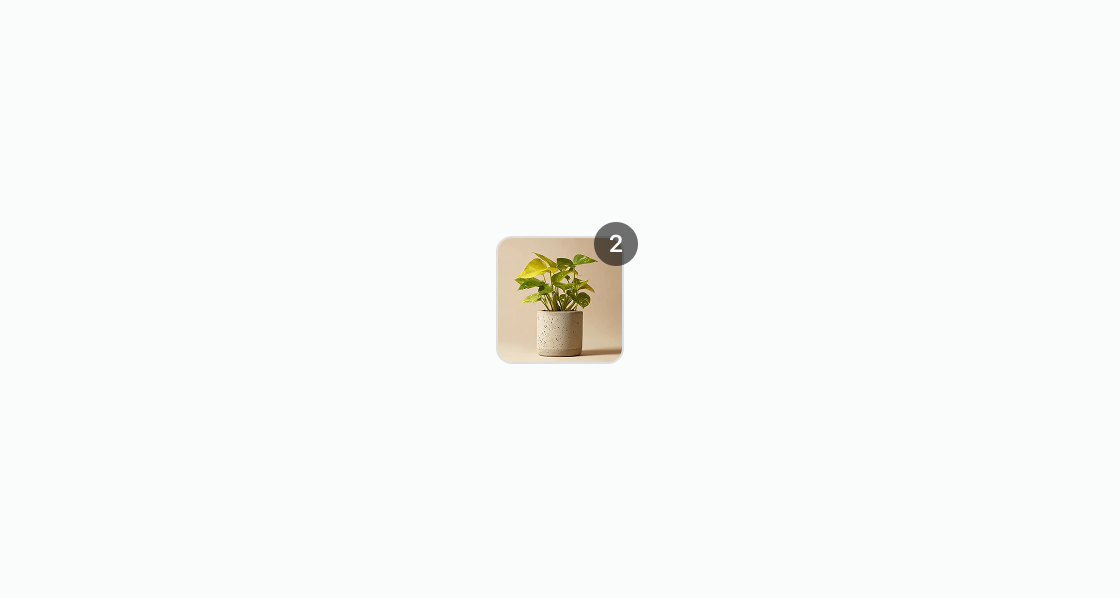
Display a small preview image for a product. This example presents a basic product thumbnail with a source URL and alt text for accessibility.
## Display a product thumbnail
## html
```html
```
### Show an empty state
Handle products without images gracefully. This example shows an empty thumbnail placeholder alongside product details when no image is available.
## html
```html
Custom order
Image unavailable
```
### Adjust the size
Compare available thumbnail sizes side by side. This example displays the same product at `small-100`, `small`, and `base` sizes aligned along the bottom edge.
## html
```html
```
### Display in an order summary
Build an order summary with product thumbnails, names, quantities, and prices. This example shows two line items inside a [section](https://shopify.dev/docs/api/customer-account-ui-extensions/latest/web-components/layout-and-structure/section) with each product displayed alongside its details.
## html
```html
Order #1234
Indoor Plant
Qty: 1 · $24.99
White Sneakers
Qty: 1 · $89.00
```
***
## Best practices
* **Use high-quality product images**: Use optimized product images that ensure visual clarity and fast loading. Maintain a consistent aspect ratio for product thumbnails to avoid distortion or stretching.
* **Maintain visual consistency**: Keep a consistent visual style for product thumbnails throughout your extension. This consistency helps customers recognize and associate thumbnails with product offerings.
* **Always provide descriptive alt text**: Write alt text that describes the product, such as "Blue cotton t-shirt with crew neck." Avoid generic labels like "product image" or "thumbnail."
* **Choose appropriate sizes for your context**: Smaller thumbnails work better in dense layouts like lists, while larger sizes suit product-focused interfaces. Consider the customer's task and the information density when choosing a size.
***