Cart Transform Function API
A cart represents the merchandise that a customer intends to purchase, and the estimated cost associated with the cart. Transforming a cart refers to changing the pricing and presentation of items in a cart. To modify the appearance of cart items, such as updating titles and images, changing prices, and bundling items, you can only use the Cart Transform API.
Shopify Functions enable you to customize Shopify's backend logic. The Cart Transform API integrates this logic into the checkout flow.
Use the API to add product bundles to a store or break down bundled products into individual components, with associated data such as buyer identity, quantity, cost, and subscription information.
You can install a maximum of one cart transform function per app on each store. If a store has cart transform functions from more than one app, all of them run. See Multiple operations for what happens when operations from different apps target the same cart line.
You can install a maximum of one cart transform function per app on each store. If a store has cart transform functions from more than one app, all of them run. See Multiple operations for what happens when operations from different apps target the same cart line.
Anchor to Use casesUse cases
- Expand a cart line item to display the bundled items it contains.
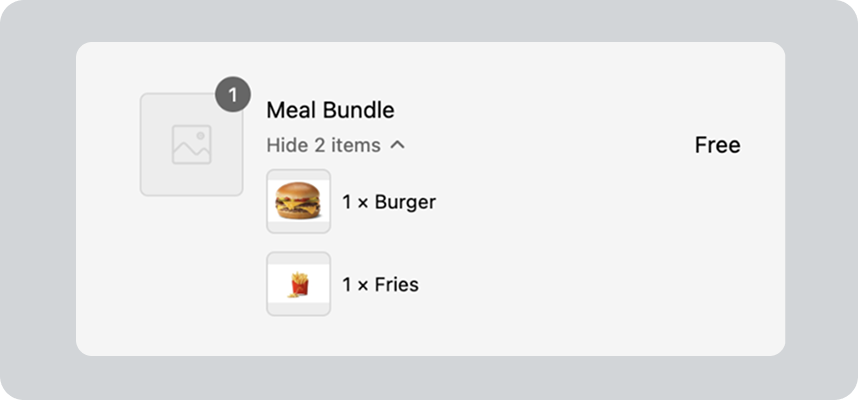
- Merge multiple cart lines into a single line that represents a bundle.
- Update the presentation of line items in a cart to override their price, title, or image.
Only development stores or stores on a Shopify Plus plan can use apps with lineUpdate operations.
Only development stores or stores on a Shopify Plus plan can use apps with lineUpdate operations.
Function target
Cart
Only development stores or stores on a Shopify Plus plan can use apps with update operations.
Only development stores or stores on a Shopify Plus plan can use apps with update operations.
- B2B: Supported
- Cart: Supported
- Checkout: Partially supported
- Create Order API: Not supported
- Draft Order (Admin): Supported
- Draft Order (Checkout): Supported
- Order Edit (Admin): Not supported
- Order Edit (Checkout): Not supported
- POS: Partially supported
ProductVariant.requiresComponentsboolean has to betruefor complete cartTransform support on POS. - Pre-order and Try Before You Buy: Not supported
- Shopify Admin: Supported
- Storefront: Supported
- Storefront Accelerated Checkout: Supported
- Subscription (Recurring Orders): Not supported
- B2B: Supported
- Cart: Supported
- Checkout: Partially supported
- Create Order API: Not supported
- Draft Order (Admin): Supported
- Draft Order (Checkout): Supported
- Order Edit (Admin): Not supported
- Order Edit (Checkout): Not supported
- POS: Partially supported
ProductVariant.requiresComponentsboolean has to betruefor complete cartTransform support on POS. - Pre-order and Try Before You Buy: Not supported
- Shopify Admin: Supported
- Storefront: Supported
- Storefront Accelerated Checkout: Supported
- Subscription (Recurring Orders): Not supported
Anchor to Getting startedGetting started
Scaffolding the function using Shopify CLI will automatically configure your TOML file. You can alter the default configuration to customize the way your function operates.
Terminal


Anchor to TargetsTargets
A target is an identifier in shopify.extension.toml that specifies where you're injecting code into Shopify Functions
APIs, or other parts of the Shopify platform. Each target is composed of three to four namespaces. The name begins with
a broad Shopify context and ends with the behavior of the extensible element.
Anchor to Run targetRun target
cart.transform.run
The run target modifies the pricing and presentation of items in a cart either using Shopify data or hardcoded values. The target returns a list of operations to be applied to cart line items.
For example, you might use this to automatically add a warranty when a specific product is added to a cart.
- Input
- Anchor to InputInputOBJECT
The
Inputobject is the complete GraphQL schema that your function can query as input to customize the presentation of items in a cart. Your function receives only the fields that you request in the input query. To optimize performance, we highly recommend that you request only the fields that your function requires.Hide fields
- Anchor to cartcart•Cart!non-null
The cart where the Function is running. A cart contains the merchandise that a customer intends to purchase and information about the customer, such as the customer's email address and phone number.
Show fields
- Anchor to attributeattribute•Attribute
The custom attributes associated with a cart to store additional information. Cart attributes allow you to collect specific information from customers on the Cart page, such as order notes, gift wrapping requests, or custom product details. Attributes are stored as key-value pairs.
Show arguments and fields
- •String
The key of the cart attribute to retrieve. For example,
.
Arguments
- •String!non-null
The key or name of the attribute. For example,
.- Anchor to valuevalue•String
The value of the attribute. For example,
"true".
Fields
- •
- Anchor to billingAddressbilling•
Address MailingAddress The billing address associated with the cart.
Show fields
- Anchor to address1address1•String
The first line of the address. Typically the street address or PO Box number.
- Anchor to address2address2•String
The second line of the address. Typically the number of the apartment, suite, or unit.
- Anchor to citycity•String
The name of the city, district, village, or town.
- Anchor to companycompany•String
The name of the customer's company or organization.
- Anchor to countryCodecountry•
Code CountryCode The two-letter code for the country of the address. For example, US.
Show enum values
AC, AD, AE, AF, AG, AI, AL, AM, AN, AO, AR, AT, AU, AW, AX, AZ, BA, BB, BD, BE, BF, BG, BH, BI, BJ, BL, BM, BN, BO, BQ, BR, BS, BT, BV, BW, BY, BZ, CA, CC, CD, CF, CG, CH, CI, CK, CL, CM, CN, CO, CR, CU, CV, CW, CX, CY, CZ, DE, DJ, DK, DM, DO, DZ, EC, EE, EG, EH, ER, ES, ET, FI, FJ, FK, FO, FR, GA, GB, GD, GE, GF, GG, GH, GI, GL, GM, GN, GP, GQ, GR, GS, GT, GW, GY, HK, HM, HN, HR, HT, HU, ID, IE, IL, IM, IN, IO, IQ, IR, IS, IT, JE, JM, JO, JP, KE, KG, KH, KI, KM, KN, KP, KR, KW, KY, KZ, LA, LB, LC, LI, LK, LR, LS, LT, LU, LV, LY, MA, MC, MD, ME, MF, MG, MK, ML, MM, MN, MO, MQ, MR, MS, MT, MU, MV, MW, MX, MY, MZ, NA, NC, NE, NF, NG, NI, NL, NO, NP, NR, NU, NZ, OM, PA, PE, PF, PG, PH, PK, PL, PM, PN, PS, PT, PY, QA, RE, RO, RS, RU, RW, SA, SB, SC, SD, SE, SG, SH, SI, SJ, SK, SL, SM, SN, SO, SR, SS, ST, SV, SX, SY, SZ, TA, TC, TD, TF, TG, TH, TJ, TK, TL, TM, TN, TO, TR, TT, TV, TW, TZ, UA, UG, UM, US, UY, UZ, VA, VC, VE, VG, VN, VU, WF, WS, XK, YE, YT, ZA, ZM, ZW, ZZ- Anchor to firstNamefirst•
Name String The first name of the customer.
- Anchor to lastNamelast•
Name String The last name of the customer.
- Anchor to latitudelatitude•Float
The approximate latitude of the address.
- Anchor to longitudelongitude•Float
The approximate longitude of the address.
- Anchor to namename•String
The full name of the customer, based on firstName and lastName.
- Anchor to phonephone•String
A unique phone number for the customer. Formatted using E.164 standard. For example, +16135551111.
- Anchor to provinceCodeprovince•
Code String The alphanumeric code for the region. For example, ON.
- •String
The zip or postal code of the address.
- Anchor to marketmarket•MarketDeprecated
Show fields
- Anchor to handlehandle•Handle!non-null
A human-readable unique string for the market automatically generated from its title.
- •ID!non-null
A globally-unique identifier.
- Anchor to metafieldmetafield•Metafield
A custom field that stores additional information about a Shopify resource, such as products, orders, and many more. Using metafields with Shopify Functions enables you to customize the checkout experience.
Show arguments and fields
- Anchor to namespacenamespace•String
A category that organizes a group of metafields. Namespaces are used to prevent naming conflicts between different apps or different parts of the same app. If omitted, then the app-reserved namespace is used.
- •String!required
The unique identifier for the metafield within its namespace. A metafield is composed of a namespace and a key, in the format
namespace.key.
Arguments
- Anchor to jsonValuejson•
Value JSON!non-null The data that's stored in the metafield, using JSON format.
- Anchor to typetype•String!non-null
The type of data that the metafield stores in the
valuefield.- Anchor to valuevalue•String!non-null
The data that's stored in the metafield. The data is always stored as a string, regardless of the metafield's type.
Fields
- Anchor to regionsregions•[Market
Region!]! non-null A geographic region which comprises a market.
Show fields
- Anchor to namename•String
The name of the region in the language of the current localization.
- Anchor to buyerIdentitybuyer•
Identity BuyerIdentity Information about the customer that's interacting with the cart. It includes details such as the customer's email and phone number, and the total amount of money the customer has spent in the store. This information helps personalize the checkout experience and ensures that accurate pricing and delivery options are displayed to customers.
Show fields
- Anchor to customercustomer•Customer
The customer that's interacting with the cart.
Show fields
- Anchor to amountSpentamount•
Spent MoneyV2! non-null The total amount that the customer has spent on orders. The amount is converted from the shop's currency to the currency of the cart using a market rate.
Show fields
- Anchor to amountamount•Decimal!non-null
A monetary value in decimal format, allowing for precise representation of cents or fractional currency. For example, 12.99.
- Anchor to currencyCodecurrency•
Code CurrencyCode! non-null The three-letter currency code that represents a world currency used in a store. Currency codes include standard standard ISO 4217 codes, legacy codes, and non-standard codes. For example, USD.
Show enum values
AED, AFN, ALL, AMD, AOA, ARS, AUD, AWG, AZN, BAM, BBD, BDT, BGN, BHD, BIF, BMD, BND, BOB, BRL, BSD, BTN, BWP, BYN, BZD, CAD, CDF, CHF, CLP, CNY, COP, CRC, CVE, CZK, DJF, DKK, DOP, DZD, EGP, ERN, ETB, EUR, FJD, FKP, GBP, GEL, GHS, GIP, GMD, GNF, GTQ, GYD, HKD, HNL, HRK, HTG, HUF, IDR, ILS, INR, IQD, IRR, ISK, JEP, JMD, JOD, JPY, KES, KGS, KHR, KID, KMF, KRW, KWD, KYD, KZT, LAK, LBP, LKR, LRD, LSL, LTL, LVL, LYD, MAD, MDL, MGA, MKD, MMK, MNT, MOP, MRU, MUR, MVR, MWK, MXN, MYR, MZN, NAD, NGN, NIO, NOK, NPR, NZD, OMR, PAB, PEN, PGK, PHP, PKR, PLN, PYG, QAR, RON, RSD, RUB, RWF, SAR, SBD, SCR, SDG, SEK, SGD, SHP, SLL, SOS, SRD, SSP, STN, SYP, SZL, THB, TJS, TMT, TND, TOP, TRY, TTD, TWD, TZS, UAH, UGX, USD, USDC, UYU, UZS, VED, VES, VND, VUV, WST, XAF, XCD, XCG, XOF, XPF, XXX, YER, ZAR, ZMW, ANG, BYR, STD, VEF
- Anchor to createdAtcreated•
At DateTime! non-null The date and time (ISO 8601 format) at which the customer was created in Shopify.
- Anchor to displayNamedisplay•
Name String!non-null The full name of the customer, based on the values for
and. Ifandaren't specified, then the value is the customer's email address. If the email address isn't specified, then the value is the customer's phone number.- Anchor to emailemail•String
The customer's email address.
- Anchor to firstNamefirst•
Name String The customer's first name.
- Anchor to hasAnyTaghas•
Any Tag Boolean!non-null Whether the customer is associated with any of the specified tags. The customer must have at least one tag from the list to return
true.Show arguments
- •[String!]!requiredDefault:[]
A comma-separated list of searchable keywords that are associated with the customer. For example,
"VIP, Gold"returns customers with either theVIPorGoldtag.
Arguments
- •
- Anchor to hasTagshas•
Tags [HasTag Response!]! non-null Whether the customer is associated with the specified tags.
Show arguments and fields
- •[String!]!requiredDefault:[]
A comma-separated list of searchable keywords that are associated with the customer. For example,
"VIP, Gold"returns customers with both theVIPandGoldtags.
Arguments
- Anchor to hasTaghas•
Tag Boolean!non-null Whether the Shopify resource has the tag.
- •String!non-null
A searchable keyword that's associated with a Shopify resource, such as a product or customer. For example, a merchant might apply the
sportsandsummertags to products that are associated with sportswear for summer.
Fields
- •
- •ID!non-null
A globally-unique ID for the customer.
- Anchor to lastNamelast•
Name String The customer's last name.
- Anchor to metafieldmetafield•Metafield
A custom field that stores additional information about a Shopify resource, such as products, orders, and many more. Using metafields with Shopify Functions enables you to customize the checkout experience.
Show arguments and fields
- Anchor to namespacenamespace•String
A category that organizes a group of metafields. Namespaces are used to prevent naming conflicts between different apps or different parts of the same app. If omitted, then the app-reserved namespace is used.
- •String!required
The unique identifier for the metafield within its namespace. A metafield is composed of a namespace and a key, in the format
namespace.key.
Arguments
- Anchor to jsonValuejson•
Value JSON!non-null The data that's stored in the metafield, using JSON format.
- Anchor to typetype•String!non-null
The type of data that the metafield stores in the
valuefield.- Anchor to valuevalue•String!non-null
The data that's stored in the metafield. The data is always stored as a string, regardless of the metafield's type.
Fields
- Anchor to numberOfOrdersnumber•
Of Orders Int!non-null The total number of orders that the customer has made at the store.
- Anchor to emailemail•String
The email address of the customer that's interacting with the cart.
- Anchor to isAuthenticatedis•
Authenticated Boolean!non-null Whether the customer is authenticated through their customer account.
- Anchor to phonephone•String
The phone number of the customer that's interacting with the cart.
- Anchor to purchasingCompanypurchasing•
Company PurchasingCompany The company of a B2B customer that's interacting with the cart. Used to manage and track purchases made by businesses rather than individual customers.
Show fields
- Anchor to companycompany•Company!non-null
The company associated to the order or draft order.
Show fields
- Anchor to createdAtcreated•
At DateTime! non-null The date and time (ISO 8601 format) at which the company was created in Shopify.
- Anchor to externalIdexternal•
Id String A unique externally-supplied ID for the company.
- •ID!non-null
The ID of the company.
- Anchor to metafieldmetafield•Metafield
A custom field that stores additional information about a Shopify resource, such as products, orders, and many more. Using metafields with Shopify Functions enables you to customize the checkout experience.
Show arguments and fields
- Anchor to namespacenamespace•String
A category that organizes a group of metafields. Namespaces are used to prevent naming conflicts between different apps or different parts of the same app. If omitted, then the app-reserved namespace is used.
- •String!required
The unique identifier for the metafield within its namespace. A metafield is composed of a namespace and a key, in the format
namespace.key.
Arguments
- Anchor to jsonValuejson•
Value JSON!non-null The data that's stored in the metafield, using JSON format.
- Anchor to typetype•String!non-null
The type of data that the metafield stores in the
valuefield.- Anchor to valuevalue•String!non-null
The data that's stored in the metafield. The data is always stored as a string, regardless of the metafield's type.
Fields
- Anchor to namename•String!non-null
The name of the company.
- Anchor to updatedAtupdated•
At DateTime! non-null The date and time (ISO 8601 format) at which the company was last modified.
- Anchor to contactcontact•Company
Contact The company contact associated to the order or draft order.
Show fields
- Anchor to createdAtcreated•
At DateTime! non-null The date and time (ISO 8601 format) at which the company contact was created in Shopify.
- •ID!non-null
The ID of the company.
- Anchor to localelocale•String
The company contact's locale (language).
- Anchor to titletitle•String
The company contact's job title.
- Anchor to updatedAtupdated•
At DateTime! non-null The date and time (ISO 8601 format) at which the company contact was last modified.
- Anchor to locationlocation•Company
Location! non-null The company location associated to the order or draft order.
Show fields
- Anchor to createdAtcreated•
At DateTime! non-null The date and time (ISO 8601 format) at which the company location was created in Shopify.
- Anchor to externalIdexternal•
Id String A unique externally-supplied ID for the company.
- •ID!non-null
The ID of the company.
- Anchor to localelocale•String
The preferred locale of the company location.
- Anchor to metafieldmetafield•Metafield
A custom field that stores additional information about a Shopify resource, such as products, orders, and many more. Using metafields with Shopify Functions enables you to customize the checkout experience.
Show arguments and fields
- Anchor to namespacenamespace•String
A category that organizes a group of metafields. Namespaces are used to prevent naming conflicts between different apps or different parts of the same app. If omitted, then the app-reserved namespace is used.
- •String!required
The unique identifier for the metafield within its namespace. A metafield is composed of a namespace and a key, in the format
namespace.key.
Arguments
- Anchor to jsonValuejson•
Value JSON!non-null The data that's stored in the metafield, using JSON format.
- Anchor to typetype•String!non-null
The type of data that the metafield stores in the
valuefield.- Anchor to valuevalue•String!non-null
The data that's stored in the metafield. The data is always stored as a string, regardless of the metafield's type.
Fields
- Anchor to namename•String!non-null
The name of the company location.
- Anchor to ordersCountorders•
Count Int!non-null The number of orders placed at this company location.
- Anchor to totalSpenttotal•
Spent MoneyV2! non-null The total amount spent at this company location.
Show fields
- Anchor to amountamount•Decimal!non-null
A monetary value in decimal format, allowing for precise representation of cents or fractional currency. For example, 12.99.
- Anchor to currencyCodecurrency•
Code CurrencyCode! non-null The three-letter currency code that represents a world currency used in a store. Currency codes include standard standard ISO 4217 codes, legacy codes, and non-standard codes. For example, USD.
Show enum values
AED, AFN, ALL, AMD, AOA, ARS, AUD, AWG, AZN, BAM, BBD, BDT, BGN, BHD, BIF, BMD, BND, BOB, BRL, BSD, BTN, BWP, BYN, BZD, CAD, CDF, CHF, CLP, CNY, COP, CRC, CVE, CZK, DJF, DKK, DOP, DZD, EGP, ERN, ETB, EUR, FJD, FKP, GBP, GEL, GHS, GIP, GMD, GNF, GTQ, GYD, HKD, HNL, HRK, HTG, HUF, IDR, ILS, INR, IQD, IRR, ISK, JEP, JMD, JOD, JPY, KES, KGS, KHR, KID, KMF, KRW, KWD, KYD, KZT, LAK, LBP, LKR, LRD, LSL, LTL, LVL, LYD, MAD, MDL, MGA, MKD, MMK, MNT, MOP, MRU, MUR, MVR, MWK, MXN, MYR, MZN, NAD, NGN, NIO, NOK, NPR, NZD, OMR, PAB, PEN, PGK, PHP, PKR, PLN, PYG, QAR, RON, RSD, RUB, RWF, SAR, SBD, SCR, SDG, SEK, SGD, SHP, SLL, SOS, SRD, SSP, STN, SYP, SZL, THB, TJS, TMT, TND, TOP, TRY, TTD, TWD, TZS, UAH, UGX, USD, USDC, UYU, UZS, VED, VES, VND, VUV, WST, XAF, XCD, XCG, XOF, XPF, XXX, YER, ZAR, ZMW, ANG, BYR, STD, VEF
- Anchor to updatedAtupdated•
At DateTime! non-null The date and time (ISO 8601 format) at which the company location was last modified.
- Anchor to shopUsershop•
User ShopUser Represents the Shop User corresponding to the customer within the shop, if the buyer is a Shop User. Can be used to request Shop User metafields.
Show fields
- Anchor to metafieldmetafield•Metafield
A custom field that stores additional information about a Shopify resource, such as products, orders, and many more. Using metafields with Shopify Functions enables you to customize the checkout experience.
Show arguments and fields
- Anchor to namespacenamespace•String
A category that organizes a group of metafields. Namespaces are used to prevent naming conflicts between different apps or different parts of the same app. If omitted, then the app-reserved namespace is used.
- •String!required
The unique identifier for the metafield within its namespace. A metafield is composed of a namespace and a key, in the format
namespace.key.
Arguments
- Anchor to jsonValuejson•
Value JSON!non-null The data that's stored in the metafield, using JSON format.
- Anchor to typetype•String!non-null
The type of data that the metafield stores in the
valuefield.- Anchor to valuevalue•String!non-null
The data that's stored in the metafield. The data is always stored as a string, regardless of the metafield's type.
Fields
- Anchor to lineslines•[Cart
Line!]! non-null The items in a cart that the customer intends to purchase. A cart line is an entry in the customer's cart that represents a single unit of a product variant. For example, if a customer adds two different sizes of the same t-shirt to their cart, then each size is represented as a separate cart line.
Show fields
- Anchor to attributeattribute•Attribute
The custom attributes associated with a cart to store additional information. Cart attributes allow you to collect specific information from customers on the Cart page, such as order notes, gift wrapping requests, or custom product details. Attributes are stored as key-value pairs.
Cart line attributes are equivalent to the
object in Liquid.Show arguments and fields
- •String
The key of the cart attribute to retrieve. For example,
.
Arguments
- •String!non-null
The key or name of the attribute. For example,
.- Anchor to valuevalue•String
The value of the attribute. For example,
"true".
Fields
- •
- Anchor to costcost•Cart
Line Cost! non-null The cost of an item in a cart that the customer intends to purchase. Cart lines are entries in the customer's cart that represent a single unit of a product variant. For example, if a customer adds two different sizes of the same t-shirt to their cart, then each size is represented as a separate cart line.
Show fields
- Anchor to amountPerQuantityamount•
Per Quantity MoneyV2! non-null The cost of a single unit. For example, if a customer purchases three units of a product that are priced at $10 each, then the
is $10.Show fields
- Anchor to amountamount•Decimal!non-null
A monetary value in decimal format, allowing for precise representation of cents or fractional currency. For example, 12.99.
- Anchor to currencyCodecurrency•
Code CurrencyCode! non-null The three-letter currency code that represents a world currency used in a store. Currency codes include standard standard ISO 4217 codes, legacy codes, and non-standard codes. For example, USD.
Show enum values
AED, AFN, ALL, AMD, AOA, ARS, AUD, AWG, AZN, BAM, BBD, BDT, BGN, BHD, BIF, BMD, BND, BOB, BRL, BSD, BTN, BWP, BYN, BZD, CAD, CDF, CHF, CLP, CNY, COP, CRC, CVE, CZK, DJF, DKK, DOP, DZD, EGP, ERN, ETB, EUR, FJD, FKP, GBP, GEL, GHS, GIP, GMD, GNF, GTQ, GYD, HKD, HNL, HRK, HTG, HUF, IDR, ILS, INR, IQD, IRR, ISK, JEP, JMD, JOD, JPY, KES, KGS, KHR, KID, KMF, KRW, KWD, KYD, KZT, LAK, LBP, LKR, LRD, LSL, LTL, LVL, LYD, MAD, MDL, MGA, MKD, MMK, MNT, MOP, MRU, MUR, MVR, MWK, MXN, MYR, MZN, NAD, NGN, NIO, NOK, NPR, NZD, OMR, PAB, PEN, PGK, PHP, PKR, PLN, PYG, QAR, RON, RSD, RUB, RWF, SAR, SBD, SCR, SDG, SEK, SGD, SHP, SLL, SOS, SRD, SSP, STN, SYP, SZL, THB, TJS, TMT, TND, TOP, TRY, TTD, TWD, TZS, UAH, UGX, USD, USDC, UYU, UZS, VED, VES, VND, VUV, WST, XAF, XCD, XCG, XOF, XPF, XXX, YER, ZAR, ZMW, ANG, BYR, STD, VEF
- Anchor to compareAtAmountPerQuantitycompare•
At Amount Per Quantity MoneyV2 The
price of a single unit before any discounts are applied. This field is used to calculate and display savings for customers. For example, if a product'sis $25 and its current price is $20, then the customer sees a $5 discount. This value can change based on the buyer's identity and isnullwhen the value is hidden from buyers.Show fields
- Anchor to amountamount•Decimal!non-null
A monetary value in decimal format, allowing for precise representation of cents or fractional currency. For example, 12.99.
- Anchor to currencyCodecurrency•
Code CurrencyCode! non-null The three-letter currency code that represents a world currency used in a store. Currency codes include standard standard ISO 4217 codes, legacy codes, and non-standard codes. For example, USD.
Show enum values
AED, AFN, ALL, AMD, AOA, ARS, AUD, AWG, AZN, BAM, BBD, BDT, BGN, BHD, BIF, BMD, BND, BOB, BRL, BSD, BTN, BWP, BYN, BZD, CAD, CDF, CHF, CLP, CNY, COP, CRC, CVE, CZK, DJF, DKK, DOP, DZD, EGP, ERN, ETB, EUR, FJD, FKP, GBP, GEL, GHS, GIP, GMD, GNF, GTQ, GYD, HKD, HNL, HRK, HTG, HUF, IDR, ILS, INR, IQD, IRR, ISK, JEP, JMD, JOD, JPY, KES, KGS, KHR, KID, KMF, KRW, KWD, KYD, KZT, LAK, LBP, LKR, LRD, LSL, LTL, LVL, LYD, MAD, MDL, MGA, MKD, MMK, MNT, MOP, MRU, MUR, MVR, MWK, MXN, MYR, MZN, NAD, NGN, NIO, NOK, NPR, NZD, OMR, PAB, PEN, PGK, PHP, PKR, PLN, PYG, QAR, RON, RSD, RUB, RWF, SAR, SBD, SCR, SDG, SEK, SGD, SHP, SLL, SOS, SRD, SSP, STN, SYP, SZL, THB, TJS, TMT, TND, TOP, TRY, TTD, TWD, TZS, UAH, UGX, USD, USDC, UYU, UZS, VED, VES, VND, VUV, WST, XAF, XCD, XCG, XOF, XPF, XXX, YER, ZAR, ZMW, ANG, BYR, STD, VEF
- Anchor to subtotalAmountsubtotal•
Amount MoneyV2! non-null The cost of items in the cart before applying any discounts to certain items. This amount serves as the starting point for calculating any potential savings customers might receive through promotions or discounts.
Show fields
- Anchor to amountamount•Decimal!non-null
A monetary value in decimal format, allowing for precise representation of cents or fractional currency. For example, 12.99.
- Anchor to currencyCodecurrency•
Code CurrencyCode! non-null The three-letter currency code that represents a world currency used in a store. Currency codes include standard standard ISO 4217 codes, legacy codes, and non-standard codes. For example, USD.
Show enum values
AED, AFN, ALL, AMD, AOA, ARS, AUD, AWG, AZN, BAM, BBD, BDT, BGN, BHD, BIF, BMD, BND, BOB, BRL, BSD, BTN, BWP, BYN, BZD, CAD, CDF, CHF, CLP, CNY, COP, CRC, CVE, CZK, DJF, DKK, DOP, DZD, EGP, ERN, ETB, EUR, FJD, FKP, GBP, GEL, GHS, GIP, GMD, GNF, GTQ, GYD, HKD, HNL, HRK, HTG, HUF, IDR, ILS, INR, IQD, IRR, ISK, JEP, JMD, JOD, JPY, KES, KGS, KHR, KID, KMF, KRW, KWD, KYD, KZT, LAK, LBP, LKR, LRD, LSL, LTL, LVL, LYD, MAD, MDL, MGA, MKD, MMK, MNT, MOP, MRU, MUR, MVR, MWK, MXN, MYR, MZN, NAD, NGN, NIO, NOK, NPR, NZD, OMR, PAB, PEN, PGK, PHP, PKR, PLN, PYG, QAR, RON, RSD, RUB, RWF, SAR, SBD, SCR, SDG, SEK, SGD, SHP, SLL, SOS, SRD, SSP, STN, SYP, SZL, THB, TJS, TMT, TND, TOP, TRY, TTD, TWD, TZS, UAH, UGX, USD, USDC, UYU, UZS, VED, VES, VND, VUV, WST, XAF, XCD, XCG, XOF, XPF, XXX, YER, ZAR, ZMW, ANG, BYR, STD, VEF
- Anchor to totalAmounttotal•
Amount MoneyV2! non-null The total cost of items in a cart.
Show fields
- Anchor to amountamount•Decimal!non-null
A monetary value in decimal format, allowing for precise representation of cents or fractional currency. For example, 12.99.
- Anchor to currencyCodecurrency•
Code CurrencyCode! non-null The three-letter currency code that represents a world currency used in a store. Currency codes include standard standard ISO 4217 codes, legacy codes, and non-standard codes. For example, USD.
Show enum values
AED, AFN, ALL, AMD, AOA, ARS, AUD, AWG, AZN, BAM, BBD, BDT, BGN, BHD, BIF, BMD, BND, BOB, BRL, BSD, BTN, BWP, BYN, BZD, CAD, CDF, CHF, CLP, CNY, COP, CRC, CVE, CZK, DJF, DKK, DOP, DZD, EGP, ERN, ETB, EUR, FJD, FKP, GBP, GEL, GHS, GIP, GMD, GNF, GTQ, GYD, HKD, HNL, HRK, HTG, HUF, IDR, ILS, INR, IQD, IRR, ISK, JEP, JMD, JOD, JPY, KES, KGS, KHR, KID, KMF, KRW, KWD, KYD, KZT, LAK, LBP, LKR, LRD, LSL, LTL, LVL, LYD, MAD, MDL, MGA, MKD, MMK, MNT, MOP, MRU, MUR, MVR, MWK, MXN, MYR, MZN, NAD, NGN, NIO, NOK, NPR, NZD, OMR, PAB, PEN, PGK, PHP, PKR, PLN, PYG, QAR, RON, RSD, RUB, RWF, SAR, SBD, SCR, SDG, SEK, SGD, SHP, SLL, SOS, SRD, SSP, STN, SYP, SZL, THB, TJS, TMT, TND, TOP, TRY, TTD, TWD, TZS, UAH, UGX, USD, USDC, UYU, UZS, VED, VES, VND, VUV, WST, XAF, XCD, XCG, XOF, XPF, XXX, YER, ZAR, ZMW, ANG, BYR, STD, VEF
- Anchor to discountAllocationsdiscount•
Allocations [DiscountAllocation!]! non-null The discounts that have been applied to the cart line.
Show fields
- Anchor to discountApplicationdiscount•
Application DiscountApplication! non-null The discount that was applied.
Show fields
- Anchor to allocationMethodallocation•
Method DiscountApplication Allocation Method! non-null The method by which the discount's value is allocated to its entitled items.
Show enum values
ACROSS, EACH- Anchor to metafieldmetafield•Metafield
A custom field that stores additional information about a Shopify resource, such as products, orders, and many more. Using metafields with Shopify Functions enables you to customize the checkout experience.
Show arguments and fields
- Anchor to namespacenamespace•String
A category that organizes a group of metafields. Namespaces are used to prevent naming conflicts between different apps or different parts of the same app. If omitted, then the app-reserved namespace is used.
- •String!required
The unique identifier for the metafield within its namespace. A metafield is composed of a namespace and a key, in the format
namespace.key.
Arguments
- Anchor to jsonValuejson•
Value JSON!non-null The data that's stored in the metafield, using JSON format.
- Anchor to typetype•String!non-null
The type of data that the metafield stores in the
valuefield.- Anchor to valuevalue•String!non-null
The data that's stored in the metafield. The data is always stored as a string, regardless of the metafield's type.
Fields
- Anchor to targetSelectiontarget•
Selection DiscountApplication Target Selection! non-null The lines on the cart targeted by the discount.
Show enum values
ALL, ENTITLED, EXPLICIT- Anchor to targetTypetarget•
Type DiscountApplication Target! non-null The type of line (i.e. line item or shipping line) on a cart that the discount is applicable towards.
Show enum values
LINE_ITEM, SHIPPING_LINE- Anchor to totalAllocatedAmounttotal•
Allocated Amount MoneyV2! non-null The total allocated amount of the discount across all items.
Show fields
- Anchor to amountamount•Decimal!non-null
A monetary value in decimal format, allowing for precise representation of cents or fractional currency. For example, 12.99.
- Anchor to currencyCodecurrency•
Code CurrencyCode! non-null The three-letter currency code that represents a world currency used in a store. Currency codes include standard standard ISO 4217 codes, legacy codes, and non-standard codes. For example, USD.
Show enum values
AED, AFN, ALL, AMD, AOA, ARS, AUD, AWG, AZN, BAM, BBD, BDT, BGN, BHD, BIF, BMD, BND, BOB, BRL, BSD, BTN, BWP, BYN, BZD, CAD, CDF, CHF, CLP, CNY, COP, CRC, CVE, CZK, DJF, DKK, DOP, DZD, EGP, ERN, ETB, EUR, FJD, FKP, GBP, GEL, GHS, GIP, GMD, GNF, GTQ, GYD, HKD, HNL, HRK, HTG, HUF, IDR, ILS, INR, IQD, IRR, ISK, JEP, JMD, JOD, JPY, KES, KGS, KHR, KID, KMF, KRW, KWD, KYD, KZT, LAK, LBP, LKR, LRD, LSL, LTL, LVL, LYD, MAD, MDL, MGA, MKD, MMK, MNT, MOP, MRU, MUR, MVR, MWK, MXN, MYR, MZN, NAD, NGN, NIO, NOK, NPR, NZD, OMR, PAB, PEN, PGK, PHP, PKR, PLN, PYG, QAR, RON, RSD, RUB, RWF, SAR, SBD, SCR, SDG, SEK, SGD, SHP, SLL, SOS, SRD, SSP, STN, SYP, SZL, THB, TJS, TMT, TND, TOP, TRY, TTD, TWD, TZS, UAH, UGX, USD, USDC, UYU, UZS, VED, VES, VND, VUV, WST, XAF, XCD, XCG, XOF, XPF, XXX, YER, ZAR, ZMW, ANG, BYR, STD, VEF
- Anchor to valuevalue•Pricing
Value! non-null The value of the discount.
Show union types
- Anchor to MoneyV2•OBJECTMoney
V2 A precise monetary value and its associated currency. Combines a decimal amount with a three-letter currency code to express prices, costs, and other financial values throughout the API. For example, 12.99 USD.
Show fields
- Anchor to amountamount•Decimal!non-null
A monetary value in decimal format, allowing for precise representation of cents or fractional currency. For example, 12.99.
- Anchor to currencyCodecurrency•
Code CurrencyCode! non-null The three-letter currency code that represents a world currency used in a store. Currency codes include standard standard ISO 4217 codes, legacy codes, and non-standard codes. For example, USD.
Show enum values
AED, AFN, ALL, AMD, AOA, ARS, AUD, AWG, AZN, BAM, BBD, BDT, BGN, BHD, BIF, BMD, BND, BOB, BRL, BSD, BTN, BWP, BYN, BZD, CAD, CDF, CHF, CLP, CNY, COP, CRC, CVE, CZK, DJF, DKK, DOP, DZD, EGP, ERN, ETB, EUR, FJD, FKP, GBP, GEL, GHS, GIP, GMD, GNF, GTQ, GYD, HKD, HNL, HRK, HTG, HUF, IDR, ILS, INR, IQD, IRR, ISK, JEP, JMD, JOD, JPY, KES, KGS, KHR, KID, KMF, KRW, KWD, KYD, KZT, LAK, LBP, LKR, LRD, LSL, LTL, LVL, LYD, MAD, MDL, MGA, MKD, MMK, MNT, MOP, MRU, MUR, MVR, MWK, MXN, MYR, MZN, NAD, NGN, NIO, NOK, NPR, NZD, OMR, PAB, PEN, PGK, PHP, PKR, PLN, PYG, QAR, RON, RSD, RUB, RWF, SAR, SBD, SCR, SDG, SEK, SGD, SHP, SLL, SOS, SRD, SSP, STN, SYP, SZL, THB, TJS, TMT, TND, TOP, TRY, TTD, TWD, TZS, UAH, UGX, USD, USDC, UYU, UZS, VED, VES, VND, VUV, WST, XAF, XCD, XCG, XOF, XPF, XXX, YER, ZAR, ZMW, ANG, BYR, STD, VEF
- Anchor to PricingPercentageValue•OBJECTPricing
Percentage Value The percentage value of a discount.
Show fields
- Anchor to valuevalue•Decimal!non-null
The percentage value of the discount.
- Anchor to discountedAmountdiscounted•
Amount MoneyV2! non-null The amount that was discounted.
Show fields
- Anchor to amountamount•Decimal!non-null
A monetary value in decimal format, allowing for precise representation of cents or fractional currency. For example, 12.99.
- Anchor to currencyCodecurrency•
Code CurrencyCode! non-null The three-letter currency code that represents a world currency used in a store. Currency codes include standard standard ISO 4217 codes, legacy codes, and non-standard codes. For example, USD.
Show enum values
AED, AFN, ALL, AMD, AOA, ARS, AUD, AWG, AZN, BAM, BBD, BDT, BGN, BHD, BIF, BMD, BND, BOB, BRL, BSD, BTN, BWP, BYN, BZD, CAD, CDF, CHF, CLP, CNY, COP, CRC, CVE, CZK, DJF, DKK, DOP, DZD, EGP, ERN, ETB, EUR, FJD, FKP, GBP, GEL, GHS, GIP, GMD, GNF, GTQ, GYD, HKD, HNL, HRK, HTG, HUF, IDR, ILS, INR, IQD, IRR, ISK, JEP, JMD, JOD, JPY, KES, KGS, KHR, KID, KMF, KRW, KWD, KYD, KZT, LAK, LBP, LKR, LRD, LSL, LTL, LVL, LYD, MAD, MDL, MGA, MKD, MMK, MNT, MOP, MRU, MUR, MVR, MWK, MXN, MYR, MZN, NAD, NGN, NIO, NOK, NPR, NZD, OMR, PAB, PEN, PGK, PHP, PKR, PLN, PYG, QAR, RON, RSD, RUB, RWF, SAR, SBD, SCR, SDG, SEK, SGD, SHP, SLL, SOS, SRD, SSP, STN, SYP, SZL, THB, TJS, TMT, TND, TOP, TRY, TTD, TWD, TZS, UAH, UGX, USD, USDC, UYU, UZS, VED, VES, VND, VUV, WST, XAF, XCD, XCG, XOF, XPF, XXX, YER, ZAR, ZMW, ANG, BYR, STD, VEF
- •ID!non-null
The ID of the cart line.
- Anchor to merchandisemerchandise•Merchandise!non-null
The item that the customer intends to purchase.
Show union types
- Anchor to CustomProduct•OBJECTCustom
Product A custom product represents a product that doesn't map to Shopify's standard product categories. For example, you can use a custom product to manage gift cards, shipping requirements, localized product information, or weight measurements and conversions.
Show fields
- Anchor to isGiftCardis•
Gift Card Boolean!non-null Whether the merchandise is a gift card.
- Anchor to requiresShippingrequires•
Shipping Boolean!non-null Whether the item needs to be shipped to the customer. For example, a digital gift card doesn't need to be shipped, but a t-shirt does need to be shipped.
- Anchor to titletitle•String!non-null
The localized name for the product that displays to customers. The title is used to construct the product's handle, which is a unique, human-readable string of the product's title. For example, if a product is titled "Black Sunglasses", then the handle is
black-sunglasses.- Anchor to weightweight•Float
The product variant's weight, in the system of measurement set in the
field.- Anchor to weightUnitweight•
Unit WeightUnit! non-null The unit of measurement for weight.
Show enum values
GRAMS, KILOGRAMS, OUNCES, POUNDS
- Anchor to ProductVariant•OBJECTProduct
Variant A specific version of a product that comes in more than one option, such as size or color. For example, if a merchant sells t-shirts with options for size and color, then a small, blue t-shirt would be one product variant and a large, blue t-shirt would be another.
Show fields
- •ID!non-null
A globally-unique ID for the product variant.
- Anchor to inAnyCollectionin•
Any Collection Boolean!non-null Whether the product variant is in any of the specified collections. The variant must be in at least one collection from the list to return
true. A variant is considered to be in a collection when the variant itself is a member of the collection, or when its product is a member of the collection.A collection is a group of products that can be displayed in online stores and other sales channels in categories, which makes it easy for customers to find them. For example, an athletics store might create different collections for running attire and accessories.
Show arguments
- •[ID!]!requiredDefault:[]
A list of globally-unique collection IDs to check membership against. For example,
,.
Arguments
- •
- Anchor to inCollectionsin•
Collections [CollectionMembership!]! non-null Whether the product variant is in each of the specified collections. A variant is considered to be in a collection when the variant itself is a member of the collection, or when its product is a member of the collection.
A collection is a group of products that can be displayed in online stores and other sales channels in categories, which makes it easy for customers to find them. For example, an athletics store might create different collections for running attire and accessories.
Show arguments and fields
- •[ID!]!requiredDefault:[]
A list of globally-unique collection IDs to check membership against. For example,
,.
Arguments
- Anchor to collectionIdcollection•
Id ID!non-null A globally-unique ID for the collection.
- Anchor to isMemberis•
Member Boolean!non-null Whether the product is in the specified collection.
Fields
- •
- Anchor to metafieldmetafield•Metafield
A custom field that stores additional information about a Shopify resource, such as products, orders, and many more. Using metafields with Shopify Functions enables you to customize the checkout experience.
Show arguments and fields
- Anchor to namespacenamespace•String
A category that organizes a group of metafields. Namespaces are used to prevent naming conflicts between different apps or different parts of the same app. If omitted, then the app-reserved namespace is used.
- •String!required
The unique identifier for the metafield within its namespace. A metafield is composed of a namespace and a key, in the format
namespace.key.
Arguments
- Anchor to jsonValuejson•
Value JSON!non-null The data that's stored in the metafield, using JSON format.
- Anchor to typetype•String!non-null
The type of data that the metafield stores in the
valuefield.- Anchor to valuevalue•String!non-null
The data that's stored in the metafield. The data is always stored as a string, regardless of the metafield's type.
Fields
- Anchor to productproduct•Product!non-null
The product associated with the product variant. For example, if a merchant sells t-shirts with options for size and color, then a small, blue t-shirt would be one product variant and a large, blue t-shirt would be another. The product associated with the product variant would be the t-shirt itself.
Show fields
- Anchor to handlehandle•Handle!non-null
A unique, human-readable string of the product's title. A handle can contain letters, hyphens (
-), and numbers, but not spaces. The handle is used in the online store URL for the product. For example, if a product is titled "Black Sunglasses", then the handle isblack-sunglasses.- Anchor to hasAnyTaghas•
Any Tag Boolean!non-null Whether the product is associated with any of the specified tags. The product must have at least one tag from the list to return
true.Show arguments
- •[String!]!requiredDefault:[]
A comma-separated list of searchable keywords that are associated with the product. For example,
"sports, summer"returns products with either thesportsorsummertag.
Arguments
- •
- Anchor to hasTagshas•
Tags [HasTag Response!]! non-null Whether the product is associated with the specified tags.
Show arguments and fields
- •[String!]!requiredDefault:[]
A comma-separated list of searchable keywords that are associated with the product. For example,
"sports, summer"returns products with both thesportsandsummertags.
Arguments
- Anchor to hasTaghas•
Tag Boolean!non-null Whether the Shopify resource has the tag.
- •String!non-null
A searchable keyword that's associated with a Shopify resource, such as a product or customer. For example, a merchant might apply the
sportsandsummertags to products that are associated with sportswear for summer.
Fields
- •
- •ID!non-null
A globally-unique ID for the product.
- Anchor to inAnyCollectionin•
Any Collection Boolean!non-null Whether the product is in any of the specified collections. The product must be in at least one collection from the list to return
true.A collection is a group of products that can be displayed in online stores and other sales channels in categories, which makes it easy for customers to find them. For example, an athletics store might create different collections for running attire and accessories.
Show arguments
- •[ID!]!requiredDefault:[]
A comma-separated list of globally-unique collection IDs that are associated with the product. For example,
,.
Arguments
- •
- Anchor to inCollectionsin•
Collections [CollectionMembership!]! non-null Whether the product is in the specified collections. The product must be in all of the collections in the list to return
true.A collection is a group of products that can be displayed in online stores and other sales channels in categories, which makes it easy for customers to find them. For example, an athletics store might create different collections for running attire and accessories.
Show arguments and fields
- •[ID!]!requiredDefault:[]
A comma-separated list of globally-unique collection IDs that are associated with the product. For example,
,.
Arguments
- Anchor to collectionIdcollection•
Id ID!non-null A globally-unique ID for the collection.
- Anchor to isMemberis•
Member Boolean!non-null Whether the product is in the specified collection.
Fields
- •
- Anchor to isGiftCardis•
Gift Card Boolean!non-null Whether the product is a gift card.
- Anchor to metafieldmetafield•Metafield
A custom field that stores additional information about a Shopify resource, such as products, orders, and many more. Using metafields with Shopify Functions enables you to customize the checkout experience.
Show arguments and fields
- Anchor to namespacenamespace•String
A category that organizes a group of metafields. Namespaces are used to prevent naming conflicts between different apps or different parts of the same app. If omitted, then the app-reserved namespace is used.
- •String!required
The unique identifier for the metafield within its namespace. A metafield is composed of a namespace and a key, in the format
namespace.key.
Arguments
- Anchor to jsonValuejson•
Value JSON!non-null The data that's stored in the metafield, using JSON format.
- Anchor to typetype•String!non-null
The type of data that the metafield stores in the
valuefield.- Anchor to valuevalue•String!non-null
The data that's stored in the metafield. The data is always stored as a string, regardless of the metafield's type.
Fields
- Anchor to productTypeproduct•
Type String A custom category for a product. Product types allow merchants to define categories other than the ones available in Shopify's standard product categories.
- Anchor to titletitle•String!non-null
The localized name for the product that displays to customers. The title is used to construct the product's handle, which is a unique, human-readable string of the product's title. For example, if a product is titled "Black Sunglasses", then the handle is
black-sunglasses.- Anchor to vendorvendor•String
The name of the product's vendor.
- Anchor to requiresShippingrequires•
Shipping Boolean!non-null Whether the item needs to be shipped to the customer. For example, a digital gift card doesn't need to be shipped, but a t-shirt does need to be shipped.
- •String
A case-sensitive identifier for the product variant in the merchant's store. For example,
"BBC-1". A product variant must have a SKU to be connected to a fulfillment service.- Anchor to titletitle•String
The localized name for the product variant that displays to customers.
- Anchor to weightweight•Float
The product variant's weight, in the system of measurement set in the
field.- Anchor to weightUnitweight•
Unit WeightUnit! non-null The unit of measurement for weight.
Show enum values
GRAMS, KILOGRAMS, OUNCES, POUNDS
- •
- Anchor to parentRelationshipparent•
Relationship CartLine Parent Relationship The nested relationship between this line and its parent line, if any.
Show fields
- Anchor to parentparent•Cart
Line! non-null The parent line in the relationship.
- Anchor to quantityquantity•Int!non-null
The quantity of the item that the customer intends to purchase.
- Anchor to sellingPlanAllocationselling•
Plan Allocation SellingPlan Allocation The selling plan associated with the cart line, including information about how a product variant can be sold and purchased.
Show fields
- Anchor to priceAdjustmentsprice•
Adjustments [SellingPlan Allocation Price Adjustment!]! non-null A list of price adjustments, with a maximum of two. When there are two, the first price adjustment goes into effect at the time of purchase, while the second one starts after a certain number of orders. A price adjustment represents how a selling plan affects pricing when a variant is purchased with a selling plan. Prices display in the customer's currency if the shop is configured for it.
Show fields
- Anchor to perDeliveryPriceper•
Delivery Price MoneyV2! non-null The effective price for a single delivery. For example, for a prepaid subscription plan that includes 6 deliveries at the price of $48.00, the per delivery price is $8.00.
Show fields
- Anchor to amountamount•Decimal!non-null
A monetary value in decimal format, allowing for precise representation of cents or fractional currency. For example, 12.99.
- Anchor to currencyCodecurrency•
Code CurrencyCode! non-null The three-letter currency code that represents a world currency used in a store. Currency codes include standard standard ISO 4217 codes, legacy codes, and non-standard codes. For example, USD.
Show enum values
AED, AFN, ALL, AMD, AOA, ARS, AUD, AWG, AZN, BAM, BBD, BDT, BGN, BHD, BIF, BMD, BND, BOB, BRL, BSD, BTN, BWP, BYN, BZD, CAD, CDF, CHF, CLP, CNY, COP, CRC, CVE, CZK, DJF, DKK, DOP, DZD, EGP, ERN, ETB, EUR, FJD, FKP, GBP, GEL, GHS, GIP, GMD, GNF, GTQ, GYD, HKD, HNL, HRK, HTG, HUF, IDR, ILS, INR, IQD, IRR, ISK, JEP, JMD, JOD, JPY, KES, KGS, KHR, KID, KMF, KRW, KWD, KYD, KZT, LAK, LBP, LKR, LRD, LSL, LTL, LVL, LYD, MAD, MDL, MGA, MKD, MMK, MNT, MOP, MRU, MUR, MVR, MWK, MXN, MYR, MZN, NAD, NGN, NIO, NOK, NPR, NZD, OMR, PAB, PEN, PGK, PHP, PKR, PLN, PYG, QAR, RON, RSD, RUB, RWF, SAR, SBD, SCR, SDG, SEK, SGD, SHP, SLL, SOS, SRD, SSP, STN, SYP, SZL, THB, TJS, TMT, TND, TOP, TRY, TTD, TWD, TZS, UAH, UGX, USD, USDC, UYU, UZS, VED, VES, VND, VUV, WST, XAF, XCD, XCG, XOF, XPF, XXX, YER, ZAR, ZMW, ANG, BYR, STD, VEF
- Anchor to priceprice•Money
V2! non-null The price of the variant when it's purchased with a selling plan For example, for a prepaid subscription plan that includes 6 deliveries of $10.00 granola, where the customer gets 20% off, the price is 6 x $10.00 x 0.80 = $48.00.
Show fields
- Anchor to amountamount•Decimal!non-null
A monetary value in decimal format, allowing for precise representation of cents or fractional currency. For example, 12.99.
- Anchor to currencyCodecurrency•
Code CurrencyCode! non-null The three-letter currency code that represents a world currency used in a store. Currency codes include standard standard ISO 4217 codes, legacy codes, and non-standard codes. For example, USD.
Show enum values
AED, AFN, ALL, AMD, AOA, ARS, AUD, AWG, AZN, BAM, BBD, BDT, BGN, BHD, BIF, BMD, BND, BOB, BRL, BSD, BTN, BWP, BYN, BZD, CAD, CDF, CHF, CLP, CNY, COP, CRC, CVE, CZK, DJF, DKK, DOP, DZD, EGP, ERN, ETB, EUR, FJD, FKP, GBP, GEL, GHS, GIP, GMD, GNF, GTQ, GYD, HKD, HNL, HRK, HTG, HUF, IDR, ILS, INR, IQD, IRR, ISK, JEP, JMD, JOD, JPY, KES, KGS, KHR, KID, KMF, KRW, KWD, KYD, KZT, LAK, LBP, LKR, LRD, LSL, LTL, LVL, LYD, MAD, MDL, MGA, MKD, MMK, MNT, MOP, MRU, MUR, MVR, MWK, MXN, MYR, MZN, NAD, NGN, NIO, NOK, NPR, NZD, OMR, PAB, PEN, PGK, PHP, PKR, PLN, PYG, QAR, RON, RSD, RUB, RWF, SAR, SBD, SCR, SDG, SEK, SGD, SHP, SLL, SOS, SRD, SSP, STN, SYP, SZL, THB, TJS, TMT, TND, TOP, TRY, TTD, TWD, TZS, UAH, UGX, USD, USDC, UYU, UZS, VED, VES, VND, VUV, WST, XAF, XCD, XCG, XOF, XPF, XXX, YER, ZAR, ZMW, ANG, BYR, STD, VEF
- Anchor to sellingPlanselling•
Plan SellingPlan! non-null A representation of how products and variants can be sold and purchased. For example, an individual selling plan could be '6 weeks of prepaid granola, delivered weekly'.
Show fields
- Anchor to descriptiondescription•String
The description of the selling plan.
- •ID!non-null
A globally-unique identifier.
- Anchor to metafieldmetafield•Metafield
A custom field that stores additional information about a Shopify resource, such as products, orders, and many more. Using metafields with Shopify Functions enables you to customize the checkout experience.
Show arguments and fields
- Anchor to namespacenamespace•String
A category that organizes a group of metafields. Namespaces are used to prevent naming conflicts between different apps or different parts of the same app. If omitted, then the app-reserved namespace is used.
- •String!required
The unique identifier for the metafield within its namespace. A metafield is composed of a namespace and a key, in the format
namespace.key.
Arguments
- Anchor to jsonValuejson•
Value JSON!non-null The data that's stored in the metafield, using JSON format.
- Anchor to typetype•String!non-null
The type of data that the metafield stores in the
valuefield.- Anchor to valuevalue•String!non-null
The data that's stored in the metafield. The data is always stored as a string, regardless of the metafield's type.
Fields
- Anchor to namename•String!non-null
The name of the selling plan. For example, '6 weeks of prepaid granola, delivered weekly'.
- Anchor to recurringDeliveriesrecurring•
Deliveries Boolean!non-null Whether purchasing the selling plan will result in multiple deliveries.
- Anchor to metafieldmetafield•Metafield
A custom field that stores additional information about a Shopify resource, such as products, orders, and many more. Using metafields with Shopify Functions enables you to customize the checkout experience.
Show arguments and fields
- Anchor to namespacenamespace•String
A category that organizes a group of metafields. Namespaces are used to prevent naming conflicts between different apps or different parts of the same app. If omitted, then the app-reserved namespace is used.
- •String!required
The unique identifier for the metafield within its namespace. A metafield is composed of a namespace and a key, in the format
namespace.key.
Arguments
- Anchor to jsonValuejson•
Value JSON!non-null The data that's stored in the metafield, using JSON format.
- Anchor to typetype•String!non-null
The type of data that the metafield stores in the
valuefield.- Anchor to valuevalue•String!non-null
The data that's stored in the metafield. The data is always stored as a string, regardless of the metafield's type.
Fields
- Anchor to retailLocationretail•
Location Location The physical location where a retail order is created or completed.
Show fields
- Anchor to addressaddress•Location
Address! non-null The address of this location.
Show fields
- Anchor to address1address1•String
The first line of the address for the location.
- Anchor to address2address2•String
The second line of the address for the location.
- Anchor to citycity•String
The city of the location.
- Anchor to countrycountry•String
The country of the location.
- Anchor to countryCodecountry•
Code String The country code of the location.
- Anchor to formattedformatted•[String!]!non-null
A formatted version of the address for the location.
- Anchor to latitudelatitude•Float
The approximate latitude coordinates of the location.
- Anchor to longitudelongitude•Float
The approximate longitude coordinates of the location.
- Anchor to phonephone•String
The phone number of the location.
- Anchor to provinceprovince•String
The province of the location.
- Anchor to provinceCodeprovince•
Code String The code for the province, state, or district of the address of the location.
- •String
The ZIP code of the location.
- Anchor to handlehandle•Handle!non-null
The location handle.
- •ID!non-null
The location id.
- Anchor to metafieldmetafield•Metafield
A custom field that stores additional information about a Shopify resource, such as products, orders, and many more. Using metafields with Shopify Functions enables you to customize the checkout experience.
Show arguments and fields
- Anchor to namespacenamespace•String
A category that organizes a group of metafields. Namespaces are used to prevent naming conflicts between different apps or different parts of the same app. If omitted, then the app-reserved namespace is used.
- •String!required
The unique identifier for the metafield within its namespace. A metafield is composed of a namespace and a key, in the format
namespace.key.
Arguments
- Anchor to jsonValuejson•
Value JSON!non-null The data that's stored in the metafield, using JSON format.
- Anchor to typetype•String!non-null
The type of data that the metafield stores in the
valuefield.- Anchor to valuevalue•String!non-null
The data that's stored in the metafield. The data is always stored as a string, regardless of the metafield's type.
Fields
- Anchor to namename•String!non-null
The name of the location.
- Anchor to cartTransformcart•
Transform CartTransform! non-null A customization that changes the pricing and presentation of items in a cart. For example, you can modify the appearance of cart items, such as updating titles and images, or bundling items.
Show fields
- Anchor to metafieldmetafield•Metafield
A custom field that stores additional information about a Shopify resource, such as products, orders, and many more. Using metafields with Shopify Functions enables you to customize the checkout experience.
Show arguments and fields
- Anchor to namespacenamespace•String
A category that organizes a group of metafields. Namespaces are used to prevent naming conflicts between different apps or different parts of the same app. If omitted, then the app-reserved namespace is used.
- •String!required
The unique identifier for the metafield within its namespace. A metafield is composed of a namespace and a key, in the format
namespace.key.
Arguments
- Anchor to jsonValuejson•
Value JSON!non-null The data that's stored in the metafield, using JSON format.
- Anchor to typetype•String!non-null
The type of data that the metafield stores in the
valuefield.- Anchor to valuevalue•String!non-null
The data that's stored in the metafield. The data is always stored as a string, regardless of the metafield's type.
Fields
- Anchor to localizationlocalization•Localization!non-null
The regional and language settings that determine how the Function handles currency, numbers, dates, and other locale-specific values during discount calculations. These settings are based on the store's configured localization practices.
Show fields
- Anchor to countrycountry•Country!non-null
The country for which the store is customized, reflecting local preferences and regulations. Localization might influence the language, currency, and product offerings available in a store to enhance the shopping experience for customers in that region.
Show fields
- Anchor to isoCodeiso•
Code CountryCode! non-null The ISO code of the country.
Show enum values
AC, AD, AE, AF, AG, AI, AL, AM, AN, AO, AR, AT, AU, AW, AX, AZ, BA, BB, BD, BE, BF, BG, BH, BI, BJ, BL, BM, BN, BO, BQ, BR, BS, BT, BV, BW, BY, BZ, CA, CC, CD, CF, CG, CH, CI, CK, CL, CM, CN, CO, CR, CU, CV, CW, CX, CY, CZ, DE, DJ, DK, DM, DO, DZ, EC, EE, EG, EH, ER, ES, ET, FI, FJ, FK, FO, FR, GA, GB, GD, GE, GF, GG, GH, GI, GL, GM, GN, GP, GQ, GR, GS, GT, GW, GY, HK, HM, HN, HR, HT, HU, ID, IE, IL, IM, IN, IO, IQ, IR, IS, IT, JE, JM, JO, JP, KE, KG, KH, KI, KM, KN, KP, KR, KW, KY, KZ, LA, LB, LC, LI, LK, LR, LS, LT, LU, LV, LY, MA, MC, MD, ME, MF, MG, MK, ML, MM, MN, MO, MQ, MR, MS, MT, MU, MV, MW, MX, MY, MZ, NA, NC, NE, NF, NG, NI, NL, NO, NP, NR, NU, NZ, OM, PA, PE, PF, PG, PH, PK, PL, PM, PN, PS, PT, PY, QA, RE, RO, RS, RU, RW, SA, SB, SC, SD, SE, SG, SH, SI, SJ, SK, SL, SM, SN, SO, SR, SS, ST, SV, SX, SY, SZ, TA, TC, TD, TF, TG, TH, TJ, TK, TL, TM, TN, TO, TR, TT, TV, TW, TZ, UA, UG, UM, US, UY, UZ, VA, VC, VE, VG, VN, VU, WF, WS, XK, YE, YT, ZA, ZM, ZW, ZZ
- Anchor to languagelanguage•Language!non-null
The language for which the store is customized, ensuring content is tailored to local customers. This includes product descriptions and customer communications that resonate with the target audience.
Show fields
- Anchor to isoCodeiso•
Code LanguageCode! non-null The ISO code.
Show enum values
AF, AK, AM, AR, AS, AZ, BE, BG, BM, BN, BO, BR, BS, CA, CE, CKB, CS, CU, CY, DA, DE, DZ, EE, EL, EN, EO, ES, ET, EU, FA, FF, FI, FIL, FO, FR, FY, GA, GD, GL, GU, GV, HA, HE, HI, HR, HU, HY, IA, ID, IG, II, IS, IT, JA, JV, KA, KI, KK, KL, KM, KN, KO, KS, KU, KW, KY, LB, LG, LN, LO, LT, LU, LV, MG, MI, MK, ML, MN, MR, MS, MT, MY, NB, ND, NE, NL, NN, NO, OM, OR, OS, PA, PL, PS, PT, PT_BR, PT_PT, QU, RM, RN, RO, RU, RW, SA, SC, SD, SE, SG, SI, SK, SL, SN, SO, SQ, SR, SU, SV, SW, TA, TE, TG, TH, TI, TK, TO, TR, TT, UG, UK, UR, UZ, VI, VO, WO, XH, YI, YO, ZH, ZH_CN, ZH_TW, ZU
- Anchor to marketmarket•Market!non-nullDeprecated
Show fields
- Anchor to handlehandle•Handle!non-null
A human-readable unique string for the market automatically generated from its title.
- •ID!non-null
A globally-unique identifier.
- Anchor to metafieldmetafield•Metafield
A custom field that stores additional information about a Shopify resource, such as products, orders, and many more. Using metafields with Shopify Functions enables you to customize the checkout experience.
Show arguments and fields
- Anchor to namespacenamespace•String
A category that organizes a group of metafields. Namespaces are used to prevent naming conflicts between different apps or different parts of the same app. If omitted, then the app-reserved namespace is used.
- •String!required
The unique identifier for the metafield within its namespace. A metafield is composed of a namespace and a key, in the format
namespace.key.
Arguments
- Anchor to jsonValuejson•
Value JSON!non-null The data that's stored in the metafield, using JSON format.
- Anchor to typetype•String!non-null
The type of data that the metafield stores in the
valuefield.- Anchor to valuevalue•String!non-null
The data that's stored in the metafield. The data is always stored as a string, regardless of the metafield's type.
Fields
- Anchor to regionsregions•[Market
Region!]! non-null A geographic region which comprises a market.
Show fields
- Anchor to namename•String
The name of the region in the language of the current localization.
- Anchor to presentmentCurrencyRatepresentment•
Currency Rate Decimal!non-null The exchange rate used to convert discounts between the shop's default currency and the currency that displays to the customer during checkout. For example, if a store operates in USD but a customer is viewing discounts in EUR, then the presentment currency rate handles this conversion for accurate pricing.
- Anchor to shopshop•Shop!non-null
Information about the shop where the Function is running, including the shop's timezone setting and associated metafields.
Show fields
- Anchor to localTimelocal•
Time LocalTime! non-null The current time based on the store's timezone setting.
Show fields
- Anchor to datedate•Date!non-null
The current date relative to the parent object.
- Anchor to dateTimeAfterdate•
Time After Boolean!non-null Returns true if the current date and time is at or past the given date and time, and false otherwise.
Show arguments
- Anchor to dateTimedate•
Time DateTime Without Timezone! required The date and time to compare against, assumed to be in the timezone of the parent object.
Arguments
- Anchor to dateTimeBeforedate•
Time Before Boolean!non-null Returns true if the current date and time is before the given date and time, and false otherwise.
Show arguments
- Anchor to dateTimedate•
Time DateTime Without Timezone! required The date and time to compare against, assumed to be in the timezone of the parent timezone.
Arguments
- Anchor to dateTimeBetweendate•
Time Between Boolean!non-null Returns true if the current date and time is between the two given date and times, and false otherwise.
Show arguments
- Anchor to startDateTimestart•
Date Time DateTime Without Timezone! required The lower bound time to compare against, assumed to be in the timezone of the parent timezone.
- Anchor to endDateTimeend•
Date Time DateTime Without Timezone! required The upper bound time to compare against, assumed to be in the timezone of the parent timezone.
Arguments
- Anchor to timeAftertime•
After Boolean!non-null Returns true if the current time is at or past the given time, and false otherwise.
Show arguments
- Anchor to timetime•Time
Without Timezone! required The time to compare against, assumed to be in the timezone of the parent timezone.
Arguments
- Anchor to timeBeforetime•
Before Boolean!non-null Returns true if the current time is at or past the given time, and false otherwise.
Show arguments
- Anchor to timetime•Time
Without Timezone! required The time to compare against, assumed to be in the timezone of the parent timezone.
Arguments
- Anchor to timeBetweentime•
Between Boolean!non-null Returns true if the current time is between the two given times, and false otherwise.
Show arguments
- Anchor to startTimestart•
Time TimeWithout Timezone! required The lower bound time to compare against, assumed to be in the timezone of the parent timezone.
- Anchor to endTimeend•
Time TimeWithout Timezone! required The upper bound time to compare against, assumed to be in the timezone of the parent timezone.
Arguments
- Anchor to metafieldmetafield•Metafield
A custom field that stores additional information about a Shopify resource, such as products, orders, and many more. Using metafields with Shopify Functions enables you to customize the checkout experience.
Show arguments and fields
- Anchor to namespacenamespace•String
A category that organizes a group of metafields. Namespaces are used to prevent naming conflicts between different apps or different parts of the same app. If omitted, then the app-reserved namespace is used.
- •String!required
The unique identifier for the metafield within its namespace. A metafield is composed of a namespace and a key, in the format
namespace.key.
Arguments
- Anchor to jsonValuejson•
Value JSON!non-null The data that's stored in the metafield, using JSON format.
- Anchor to typetype•String!non-null
The type of data that the metafield stores in the
valuefield.- Anchor to valuevalue•String!non-null
The data that's stored in the metafield. The data is always stored as a string, regardless of the metafield's type.
Fields
- Anchor to metaobjectmetaobject•Metaobject
Fetch a specific Metaobject by one of its unique identifiers. Only app-owned metaobjects with the $app reserved prefix are accessible to functions.
Show arguments and fields
- Anchor to handlehandle•Metaobject
Handle Input The handle and type of the metaobject.
Show fields
- Anchor to handlehandle•String!non-null
The handle of the metaobject to retrieve.
- Anchor to typetype•String!non-null
The type of the metaobject. Must match an existing metaobject definition type.
- •ID
The ID of the metaobject.
Arguments
- Anchor to fieldfield•Metaobject
Field The field for an object key, or null if the key has no field definition.
Show arguments and fields
- •String!required
The metaobject key to access.
Arguments
- Anchor to jsonValuejson•
Value JSON The assigned field value in JSON format.
- •String!non-null
The object key of this field.
- Anchor to typetype•String!non-null
The type of the field.
- Anchor to valuevalue•String
The assigned field value, always stored as a string regardless of the field type.
Fields
- •
- Anchor to handlehandle•String!non-null
The unique handle of the metaobject, useful as a custom ID.
- Anchor to typetype•String!non-null
The type of the metaobject.
Fields
Anchor to Run functionRun function
The logic that processes the input data to generate a standardized list of operations that change the pricing and presentation of items in a cart.
Each operation specifies how to display the items in a cart. Shopify processes your response to present the cart items to customers during checkout, including data such as price and quantity.
This return must follow the schema defined in the CartTransformRunResult object.
- CartTransformRunResult
- OBJECT
The
CartTransformRunResultobject is the output of the function run target. The object contains the operations to change the pricing and presentation of items in a cart.Hide fields
- Anchor to operationsoperations•[Operation!]!non-null
The ordered list of operations to apply to the cart. For example, you can expand a cart line item to display its bundled items, merge multiple cart lines into a single line representing a bundle, and update the presentation of line items in the cart to override their price, title, or image.
Hide fields
- Anchor to lineExpandline•
Expand LineExpand Operation An operation that expands a single cart line item to form a bundle of components.
Show fields
- Anchor to cartLineIdcart•
Line Id ID!non-null A globally-unique ID for a line item in a cart. A cart line represents a single unit of a product variant that a customer intends to purchase.
- Anchor to expandedCartItemsexpanded•
Cart Items [ExpandedItem!]! non-null The cart items to expand. Each item in the list is a component of the bundle. A bundle is a group of products that are sold together as a single unit.
Show fields
- Anchor to attributesattributes•[Attribute
Output!] The custom attributes associated with a cart line to store additional information. Cart attributes allow you to collect specific information from customers on the Cart page, such as order notes, gift wrapping requests, or custom product details. Attributes are stored as key-value pairs.
Show fields
- •String!non-null
The key of the cart line attribute to retrieve. For example,
.- Anchor to valuevalue•String!non-null
The value of the cart line attribute to retrieve. For example,
"true".
- •
- Anchor to merchandiseIdmerchandise•
Id ID!non-null A globally-unique ID for the product variant that represents the expanded item.
- Anchor to priceprice•Expanded
Item Price Adjustment A change to the original price of the expanded item. Price adjustments include discounts or additional charges that affect the final price the customer pays. Price adjustments are often used for promotions, special offers, or any price changes that the customer qualifies for.
Show fields
- Anchor to adjustmentadjustment•Expanded
Item Price Adjustment Value! non-null The value of the price adjustment to apply to the expanded item.
Show fields
- Anchor to fixedPricePerUnitfixed•
Price Per Unit ExpandedItem Fixed Price Per Unit Adjustment A fixed price per unit adjustment to apply to the expanded item.
Show fields
- Anchor to amountamount•Decimal!non-null
The fixed price amount per quantity of the expanded item in presentment currency.
- Anchor to quantityquantity•Int!non-null
The quantity of the expanded item. The maximum quantity is 2000.
- Anchor to imageimage•Image
Input The image that replaces the existing image for the group of cart line items. The image must have a publicly accessible URL.
Show fields
- •URL!non-null
The URL of the image.
- •
- Anchor to priceprice•Price
Adjustment A change to the original price of a group of items. Price adjustments include discounts or additional charges that affect the final price the customer pays. Price adjustments are often used for promotions, special offers, or any price changes that the customer qualifies for.
Show fields
- Anchor to percentageDecreasepercentage•
Decrease PriceAdjustment Value The percentage price decrease of the price adjustment.
Show fields
- Anchor to valuevalue•Decimal!non-null
The value of the price adjustment.
- Anchor to titletitle•String
The title that replaces the existing title for the cart line item. If you don't provide a title, then the title of the product variant is used.
- Anchor to linesMergelines•
Merge LinesMerge Operation An operation that merges multiple cart line items into a single line, representing a bundle of components.
Show fields
- Anchor to attributesattributes•[Attribute
Output!] The custom attributes associated with a cart line to store additional information. Cart attributes allow you to collect specific information from customers on the Cart page, such as order notes, gift wrapping requests, or custom product details. Attributes are stored as key-value pairs.
Show fields
- •String!non-null
The key of the cart line attribute to retrieve. For example,
.- Anchor to valuevalue•String!non-null
The value of the cart line attribute to retrieve. For example,
"true".
- •
- Anchor to cartLinescart•
Lines [CartLine Input!]! non-null The cart items to merge. Each item in the list is a component of the bundle.
Show fields
- Anchor to cartLineIdcart•
Line Id ID!non-null A globally-unique ID for a line item in a cart. A cart line represents a single unit of a product variant that a customer intends to purchase.
- Anchor to quantityquantity•Int!non-null
The quantity of the cart line to be merged.The max quantity is 2000.
- Anchor to imageimage•Image
Input The image that replaces the existing image for the group of cart line items. The image must have a publicly accessible URL.
Show fields
- •URL!non-null
The URL of the image.
- •
- Anchor to parentVariantIdparent•
Variant Id ID!non-null The globally-unique ID of the product variant that represents the collection of cart line items.
- Anchor to priceprice•Price
Adjustment A change to the original price of a group of items. Price adjustments include discounts or additional charges that affect the final price the customer pays. Price adjustments are often used for promotions, special offers, or any price changes that the customer qualifies for.
Show fields
- Anchor to percentageDecreasepercentage•
Decrease PriceAdjustment Value The percentage price decrease of the price adjustment.
Show fields
- Anchor to valuevalue•Decimal!non-null
The value of the price adjustment.
- Anchor to titletitle•String
The title that replaces the existing title for a group of cart line items. If you don't provide a title, then the title of the parent variant is used.
- Anchor to lineUpdateline•
Update LineUpdate Operation An operation that allows you to override the price, title, and image of a cart line item. Only stores on a Shopify Plus plan can use apps with
updateoperations.Show fields
- Anchor to cartLineIdcart•
Line Id ID!non-null A globally-unique ID for a line item in a cart. A cart line represents a single unit of a product variant that a customer intends to purchase.
- Anchor to imageimage•Image
Input The image that replaces the existing image for the cart line item. The image must have a publicly accessible URL. This image is visible in checkout only and is not persisted to orders.
Show fields
- •URL!non-null
The URL of the image.
- •
- Anchor to priceprice•Line
Update Operation Price Adjustment A change to an item's original price. Price adjustments include discounts or additional charges that affect the final price the customer pays. Price adjustments are often used for promotions, special offers, or any price changes for which the customer qualifies.
Show fields
- Anchor to adjustmentadjustment•Line
Update Operation Price Adjustment Value! non-null The price adjustment per unit to apply to the cart line item.
Show fields
- Anchor to fixedPricePerUnitfixed•
Price Per Unit LineUpdate Operation Fixed Price Per Unit Adjustment A fixed price per unit adjustment to apply to a cart line.
Show fields
- Anchor to amountamount•Decimal!non-null
The fixed price amount per quantity of the cart line item in presentment currency.
- Anchor to titletitle•String
The title that replaces the existing title for the cart line item. If you don't provide a title, then the title of the product variant is used.
Add gift wrapping to cart items
# Cart Transform Expand Operation Example: Gift Wrap Add-on This example demonstrates how to implement an optional gift-wrapping add-on using the Cart Transform expand operation. ## How it Works 1. A customer adds an item to their cart with the "Gift Wrap" attribute 2. The cart transform function checks for this attribute 3. The cart line is expanded to add the $5 gift wrap add-on ## Implementation Details The function works by: 1. Checking each cart line for the "Gift Wrap" attribute 2. If "Gift Wrap: Yes" is found, it expands the cart line to include the gift wrap product 3. The gift wrap is added as a separate line item with a fixed price of $5Entrypoint (Rust)
use shopify_function::prelude::*;
use std::process;

pub mod cart_transform_run;

#[typegen("./schema.graphql")]
pub mod schema {
    #[query("./src/cart_transform_run.graphql",
      custom_scalar_overrides = {
          "Input.cart.lines.merchandise.product.giftWrapCost.jsonValue" => super::cart_transform_run::Money,
          "Input.cartTransform.configuration.jsonValue" => super::cart_transform_run::Configuration,
      }
  )]
    pub mod cart_transform_run {}
}

fn main() {
    log!("Please invoke a named export.");
    process::abort();
}
cart.transform.run
Input Query (Rust)
query Input {
  presentmentCurrencyRate
  cart {
    lines {
      id
      quantity
      cost {
        amountPerQuantity {
          amount
          currencyCode
        }
      }
      # Access the cart line attribute to decide if we should add a warranty
      giftWrapAdded: attribute(key: "Gift Wrap Added") {
        value
      }
      merchandise {
        __typename
        ... on ProductVariant {
          id
          title
          product {
            # Access the metafield value to determine the cost of the gift wrap
            giftWrapCost: metafield(namespace: "$app", key: "cost") {
              type
              jsonValue
            }
          }
        }
      }
    }
  }
  cartTransform {
    # Access the function configuration that holds the gift wrap variant ID
    configuration: metafield(namespace: "$app", key: "function-configuration") {
      jsonValue
    }
  }
}
Input Query (JavaScript)
query RunInput {
  presentmentCurrencyRate
  cart {
    lines {
      id
      quantity
      cost {
        amountPerQuantity {
          amount
          currencyCode
        }
      }
      # Access the cart line attribute to decide if we should add a warranty
      giftWrapAdded: attribute(key: "Gift Wrap Added") {
        value
      }
      merchandise {
        __typename
        ... on ProductVariant {
          id
          title
          product {
            # Access the metafield value to determine the cost of the gift wrap
            giftWrapCost: metafield(namespace: "$app", key: "cost") {
              type
              jsonValue
            }
          }
        }
      }
    }
  }
  cartTransform {
    # Access the function configuration that holds the gift wrap variant ID
    configuration: metafield(namespace: "$app", key: "function-configuration") {
      jsonValue
    }
  }
}
Input Object (Rust)
{
  "presentmentCurrencyRate": "1.0",
  "cart": {
    "lines": [
      {
        "id": "gid://shopify/CartLine/1",
        "quantity": 1,
        "cost": {
          "amountPerQuantity": {
            "amount": "100.0",
            "currencyCode": "CAD"
          }
        },
        "giftWrapAdded": {
          "value": "No"
        },
        "merchandise": {
          "__typename": "ProductVariant",
          "id": "gid://shopify/ProductVariant/1099",
          "title": "Something that is not wrapped",
          "product": {
            "giftWrapCost": {
              "type": "money",
              "jsonValue": {
                "amount": "5.00",
                "currencyCode": "CAD"
              }
            }
          }
        }
      },
      {
        "id": "gid://shopify/CartLine/2",
        "quantity": 5,
        "cost": {
          "amountPerQuantity": {
            "amount": "100.0",
            "currencyCode": "CAD"
          }
        },
        "giftWrapAdded": {
          "value": "Yes"
        },
        "merchandise": {
          "__typename": "ProductVariant",
          "id": "gid://shopify/ProductVariant/456",
          "title": "Something that is wrapped",
          "product": {
            "giftWrapCost": {
              "type": "money",
              "jsonValue": {
                "amount": "5.00",
                "currencyCode": "CAD"
              }
            }
          }
        }
      }
    ]
  },
  "cartTransform": {
    "configuration": {
      "jsonValue": {
        "giftWrapVariantId": "gid://shopify/ProductVariant/2"
      }
    }
  }
}
Input Object (JavaScript)
{
  "presentmentCurrencyRate": "1.0",
  "cart": {
    "lines": [
      {
        "id": "gid://shopify/CartLine/1",
        "quantity": 1,
        "cost": {
          "amountPerQuantity": {
            "amount": "100.0",
            "currencyCode": "CAD"
          }
        },
        "giftWrapAdded": {
          "value": "No"
        },
        "merchandise": {
          "__typename": "ProductVariant",
          "id": "gid://shopify/ProductVariant/1099",
          "title": "Something that is not wrapped",
          "product": {
            "giftWrapCost": {
              "type": "money",
              "jsonValue": {
                "amount": "5.00",
                "currencyCode": "CAD"
              }
            }
          }
        }
      },
      {
        "id": "gid://shopify/CartLine/2",
        "quantity": 5,
        "cost": {
          "amountPerQuantity": {
            "amount": "100.0",
            "currencyCode": "CAD"
          }
        },
        "giftWrapAdded": {
          "value": "Yes"
        },
        "merchandise": {
          "__typename": "ProductVariant",
          "id": "gid://shopify/ProductVariant/456",
          "title": "Something that is wrapped",
          "product": {
            "giftWrapCost": {
              "type": "money",
              "jsonValue": {
                "amount": "5.00",
                "currencyCode": "CAD"
              }
            }
          }
        }
      }
    ]
  },
  "cartTransform": {
    "configuration": {
      "jsonValue": {
        "giftWrapVariantId": "gid://shopify/ProductVariant/2"
      }
    }
  }
}
Function Code (Rust)
use crate::schema;
use shopify_function::prelude::*;
use shopify_function::Result;

#[derive(Debug, Deserialize)]
#[shopify_function(rename_all = "camelCase")]
pub struct Money {
    pub amount: String,
    pub currency_code: String,
}

#[derive(Debug, Deserialize)]
#[shopify_function(rename_all = "camelCase")]
pub struct Configuration {
    gift_wrap_variant_id: String,
}

#[shopify_function]
fn cart_transform_run(
    input: schema::cart_transform_run::Input,
) -> Result<schema::CartTransformRunResult> {
    let presentment_currency_rate_f64 = input.presentment_currency_rate().0;
    let cart_operations: Vec<schema::Operation> = get_update_cart_operations(
        input.cart(),
        input.cart_transform(),
        presentment_currency_rate_f64,
    );

    Ok(schema::CartTransformRunResult {
        operations: cart_operations,
    })
}

fn get_update_cart_operations(
    cart: &schema::cart_transform_run::input::Cart,
    cart_transform: &schema::cart_transform_run::input::CartTransform,
    presentment_currency_rate: f64,
) -> Vec<schema::Operation> {
    cart.lines()
        .iter()
        .filter_map(|line| {
            let gift_wrap_added = get_gift_wrap_added(line);
            let gift_wrap_cost = get_gift_wrap_cost(line);
            let configuration = &cart_transform.configuration();
            if let (
                schema::cart_transform_run::input::cart::lines::Merchandise::ProductVariant(
                    variant,
                ),
                Some(configuration),
            ) = (&line.merchandise(), configuration)
            {
                if gift_wrap_added && gift_wrap_cost > 0.0 {
                    let original_item = schema::ExpandedItem {
                        merchandise_id: variant.id().clone(),
                        quantity: 1,
                        price: Some(schema::ExpandedItemPriceAdjustment {
                            adjustment: schema::ExpandedItemPriceAdjustmentValue::FixedPricePerUnit(
                                schema::ExpandedItemFixedPricePerUnitAdjustment {
                                    amount: Decimal(line.cost().amount_per_quantity().amount().0),
                                },
                            ),
                        }),
                        attributes: None,
                    };
                    let expanded_cart_item = schema::ExpandedItem {
                        merchandise_id: configuration.json_value().gift_wrap_variant_id.clone(),
                        quantity: 1,
                        price: Some(schema::ExpandedItemPriceAdjustment {
                            adjustment: schema::ExpandedItemPriceAdjustmentValue::FixedPricePerUnit(
                                schema::ExpandedItemFixedPricePerUnitAdjustment {
                                    amount: Decimal(gift_wrap_cost * presentment_currency_rate),
                                },
                            ),
                        }),
                        attributes: None,
                    };
                    let expand_operation = schema::LineExpandOperation {
                        cart_line_id: line.id().clone(),
                        title: variant.title().to_owned().cloned(),
                        image: None,
                        price: None,
                        expanded_cart_items: vec![original_item, expanded_cart_item],
                    };
                    Some(schema::Operation::LineExpand(expand_operation))
                } else {
                    None
                }
            } else {
                None
            }
        })
        .collect()
}

fn get_gift_wrap_added(line: &schema::cart_transform_run::input::cart::Lines) -> bool {
    match &line.gift_wrap_added() {
        Some(input_cart_lines_gift_wrap_added) => match &input_cart_lines_gift_wrap_added.value() {
            Some(text) => text.as_str() == "Yes",
            None => false,
        },
        None => false,
    }
}

fn get_gift_wrap_cost(line: &schema::cart_transform_run::input::cart::Lines) -> f64 {
    match &line.merchandise() {
        schema::cart_transform_run::input::cart::lines::Merchandise::ProductVariant(variant) => {
            if let Some(gift_wrap_cost) = variant.product().gift_wrap_cost() {
                let money = gift_wrap_cost.json_value();
                money.amount.parse::<f64>().unwrap_or(5.00)
            } else {
                5.00
            }
        }
        _ => 5.00,
    }
}
Performance Cost (Rust)
75503 instructions
Function Code (JavaScript)
// @ts-check

/*
A straightforward example of a function that expands a single line into a bundle with add-on products.
The add-on options are are stored in a line item property and metafield on the product.
*/

/**
 * @typedef {import("../generated/api").RunInput} RunInput
 * @typedef {import("../generated/api").CartTransformRunResult} CartTransformRunResult
 * @typedef {import("../generated/api").Operation} Operation
 */

/**
 * @type {CartTransformRunResult}
 */
const NO_CHANGES = {
  operations: [],
};

/**
 * @param {RunInput} input
 * @returns {CartTransformRunResult}
 */
export function cartTransformRun(input) {
  const operations = input.cart.lines.reduce(
    /** @param {Operation[]} acc */
    (acc, cartLine) => {
      const expandOperation = optionallyBuildExpandOperation(cartLine, input);

      if (expandOperation) {
        return [...acc, { lineExpand: expandOperation }];
      }

      return acc;
    },
    []
  );

  return operations.length > 0 ? { operations } : NO_CHANGES;
}

/**
 * @param {RunInput['cart']['lines'][number]} cartLine
 * @param {RunInput} input
 */
function optionallyBuildExpandOperation(
  { id: cartLineId, merchandise, giftWrapAdded, cost},
  { cartTransform: { configuration }, presentmentCurrencyRate }
) {
  const hasGiftWrapMetafields =
    merchandise.__typename === "ProductVariant" &&
    !!merchandise.product.giftWrapCost &&
    !!configuration;
  const shouldAddGiftWrap = giftWrapAdded?.value === "Yes";
  const giftWrapCost = merchandise.__typename === "ProductVariant" &&
    merchandise.product?.giftWrapCost?.jsonValue
      ? merchandise.product.giftWrapCost.jsonValue.amount
      : "5.0";

  if (
    merchandise.__typename === "ProductVariant" &&
    hasGiftWrapMetafields &&
    shouldAddGiftWrap
  ) {
    return {
      cartLineId,
      title: `${merchandise.title}`,
      expandedCartItems: [
        {
          merchandiseId: merchandise.id,
          quantity: 1,
          price: {
            adjustment: {
              fixedPricePerUnit: {
                amount: cost.amountPerQuantity.amount,
              },
            },
          },
        },
        {
          merchandiseId: configuration.jsonValue.giftWrapVariantId,
          quantity: 1,
          price: {
            adjustment: {
              fixedPricePerUnit: {
                amount: (
                  parseFloat(giftWrapCost) *
                  presentmentCurrencyRate
                ).toFixed(1),
              },
            },
          },
        },
      ],
    };
  }

  return null;
}
Performance Cost (JavaScript)
436565 instructions
Output JSON (Rust)
{
  "operations": [
    {
      "lineExpand": {
        "cartLineId": "gid://shopify/CartLine/2",
        "expandedCartItems": [
          {
            "merchandiseId": "gid://shopify/ProductVariant/456",
            "price": {
              "adjustment": {
                "fixedPricePerUnit": {
                  "amount": "100.0"
                }
              }
            },
            "quantity": 1
          },
          {
            "merchandiseId": "gid://shopify/ProductVariant/2",
            "price": {
              "adjustment": {
                "fixedPricePerUnit": {
                  "amount": "5.0"
                }
              }
            },
            "quantity": 1
          }
        ],
        "title": "Something that is wrapped"
      }
    }
  ]
}
Output JSON (JavaScript)
{
  "operations": [
    {
      "lineExpand": {
        "cartLineId": "gid://shopify/CartLine/2",
        "expandedCartItems": [
          {
            "merchandiseId": "gid://shopify/ProductVariant/456",
            "price": {
              "adjustment": {
                "fixedPricePerUnit": {
                  "amount": "100.0"
                }
              }
            },
            "quantity": 1
          },
          {
            "merchandiseId": "gid://shopify/ProductVariant/2",
            "price": {
              "adjustment": {
                "fixedPricePerUnit": {
                  "amount": "5.0"
                }
              }
            },
            "quantity": 1
          }
        ],
        "title": "Something that is wrapped"
      }
    }
  ]
}
Create a cart bundle with an add-on
# Cart Transform Expand Operation Example: Assembly Service Add-on This example demonstrates how to implement an optional assembly service add-on using the Cart Transform expand operation. ## How it Works 1. A customer adds an item to their cart with the "Assembly Required" attribute 2. The cart transform function checks for this attribute 3. The cart line is expanded to add the assembly service add-on ## Implementation Details The function works by: 1. Checking each cart line for the "Assembly Required" attribute 2. If "Assembly Required: Yes" is found, it expands the cart line to include the assembly service 3. The assembly service is added as a separate line item with a fixed priceEntrypoint (Rust)
use shopify_function::prelude::*;
use std::process;

pub mod cart_transform_run;

#[typegen("./schema.graphql")]
pub mod schema {
    #[query("./src/cart_transform_run.graphql",
    custom_scalar_overrides = {
        "Input.cart.lines.merchandise.product.assemblyServiceCost.jsonValue" => super::cart_transform_run::Money,
        "Input.cartTransform.configuration.jsonValue" => super::cart_transform_run::Configuration,
    }
)]
    pub mod cart_transform_run {}
}

fn main() {
    log!("Please invoke a named export.");
    process::abort();
}
cart.transform.run
Input Query (Rust)
query Input {
  presentmentCurrencyRate
  cart {
    lines {
      id
      quantity
      cost {
        amountPerQuantity {
          amount
          currencyCode
        }
      }
      # Access the cart line attribute to decide if we should add an assembly service
      assemblyServiceAdded: attribute(key: "Assembly Service Added") {
        value
      }
      merchandise {
        __typename
        ... on ProductVariant {
          id
          title
          product {
            # Access the metafield value to determine the cost of the assembly service
            assemblyServiceCost: metafield(namespace: "$app", key: "cost") {
              type
              jsonValue
            }
          }
        }
      }
    }
  }
  cartTransform {
    # Access the function configuration that holds the assembly service variant ID
    configuration: metafield(namespace: "$app", key: "function-configuration") {
      jsonValue
    }
  }
}
Input Query (JavaScript)
query RunInput {
  presentmentCurrencyRate
  cart {
    lines {
      id
      quantity
      cost {
        amountPerQuantity {
          amount
          currencyCode
        }
      }
      # Access the cart line attribute to decide if we should add an assembly service
      assemblyServiceAdded: attribute(key: "Assembly Service Added") {
        value
      }
      merchandise {
        __typename
        ... on ProductVariant {
          id
          title
          product {
            # Access the metafield value to determine the cost of the assembly service
            assemblyServiceCost: metafield(namespace: "$app", key: "cost") {
              type
              jsonValue
            }
          }
        }
      }
    }
  }
  cartTransform {
    # Access the function configuration that holds the assembly service variant ID
    configuration: metafield(namespace: "$app", key: "function-configuration") {
      jsonValue
    }
  }
}
Input Object (Rust)
{
  "presentmentCurrencyRate": "1.0",
  "cart": {
    "lines": [
      {
        "id": "gid://shopify/CartLine/1",
        "quantity": 1,
        "cost": {
          "amountPerQuantity": {
            "amount": "100.0",
            "currencyCode": "CAD"
          }
        },
        "assemblyServiceAdded": {
          "value": "No"
        },
        "merchandise": {
          "__typename": "ProductVariant",
          "id": "gid://shopify/ProductVariant/1099",
          "title": "Something without assembly service",
          "product": {
            "assemblyServiceCost": {
              "type": "money",
              "jsonValue": {
                "amount": "25.00",
                "currencyCode": "CAD"
              }
            }
          }
        }
      },
      {
        "id": "gid://shopify/CartLine/2",
        "quantity": 5,
        "cost": {
          "amountPerQuantity": {
            "amount": "100.0",
            "currencyCode": "CAD"
          }
        },
        "assemblyServiceAdded": {
          "value": "Yes"
        },
        "merchandise": {
          "__typename": "ProductVariant",
          "id": "gid://shopify/ProductVariant/456",
          "title": "Something with an assembly service",
          "product": {
            "assemblyServiceCost": {
              "type": "money",
              "jsonValue": {
                "amount": "25.00",
                "currencyCode": "CAD"
              }
            }
          }
        }
      }
    ]
  },
  "cartTransform": {
    "configuration": {
      "jsonValue": {
        "assemblyServiceVariantId": "gid://shopify/ProductVariant/2"
      }
    }
  }
}
Input Object (JavaScript)
{
  "presentmentCurrencyRate": "1.0",
  "cart": {
    "lines": [
      {
        "id": "gid://shopify/CartLine/1",
        "quantity": 1,
        "cost": {
          "amountPerQuantity": {
            "amount": "100.0",
            "currencyCode": "CAD"
          }
        },
        "assemblyServiceAdded": {
          "value": "No"
        },
        "merchandise": {
          "__typename": "ProductVariant",
          "id": "gid://shopify/ProductVariant/1099",
          "title": "Something without assembly service",
          "product": {
            "assemblyServiceCost": {
              "type": "money",
              "jsonValue": {
                "amount": "25.00",
                "currencyCode": "CAD"
              }
            }
          }
        }
      },
      {
        "id": "gid://shopify/CartLine/2",
        "quantity": 5,
        "cost": {
          "amountPerQuantity": {
            "amount": "100.0",
            "currencyCode": "CAD"
          }
        },
        "assemblyServiceAdded": {
          "value": "Yes"
        },
        "merchandise": {
          "__typename": "ProductVariant",
          "id": "gid://shopify/ProductVariant/456",
          "title": "Something with an assembly service",
          "product": {
            "assemblyServiceCost": {
              "type": "money",
              "jsonValue": {
                "amount": "25.00",
                "currencyCode": "CAD"
              }
            }
          }
        }
      }
    ]
  },
  "cartTransform": {
    "configuration": {
      "jsonValue": {
        "assemblyServiceVariantId": "gid://shopify/ProductVariant/2"
      }
    }
  }
}
Function Code (Rust)
use crate::schema;
use shopify_function::prelude::*;
use shopify_function::Result;

#[derive(Debug, Deserialize)]
#[shopify_function(rename_all = "camelCase")]
pub struct Money {
    pub amount: String,
    pub currency_code: String,
}

#[derive(Debug, Deserialize)]
#[shopify_function(rename_all = "camelCase")]
pub struct Configuration {
    assembly_service_variant_id: String,
}

#[shopify_function]
fn cart_transform_run(
    input: schema::cart_transform_run::Input,
) -> Result<schema::CartTransformRunResult> {
    let presentment_currency_rate_f64 = input.presentment_currency_rate().0;
    let cart_operations: Vec<schema::Operation> = get_update_cart_operations(
        input.cart(),
        input.cart_transform(),
        presentment_currency_rate_f64,
    );

    Ok(schema::CartTransformRunResult {
        operations: cart_operations,
    })
}

fn get_update_cart_operations(
    cart: &schema::cart_transform_run::input::Cart,
    cart_transform: &schema::cart_transform_run::input::CartTransform,
    presentment_currency_rate: f64,
) -> Vec<schema::Operation> {
    cart.lines()
        .iter()
        .filter_map(|line| {
            let assembly_service_added = get_assembly_service_added(line);
            let assembly_service_cost = get_assembly_service_cost(line);
            let configuration = &cart_transform.configuration();
            if let (
                schema::cart_transform_run::input::cart::lines::Merchandise::ProductVariant(
                    variant,
                ),
                Some(configuration),
            ) = (&line.merchandise(), configuration)
            {
                if assembly_service_added && assembly_service_cost > 0.0 {
                    let original_item = schema::ExpandedItem {
                        merchandise_id: variant.id().clone(),
                        quantity: 1,
                        price: Some(schema::ExpandedItemPriceAdjustment {
                            adjustment: schema::ExpandedItemPriceAdjustmentValue::FixedPricePerUnit(
                                schema::ExpandedItemFixedPricePerUnitAdjustment {
                                    amount: Decimal(line.cost().amount_per_quantity().amount().0),
                                },
                            ),
                        }),
                        attributes: None,
                    };
                    let expanded_cart_item = schema::ExpandedItem {
                        merchandise_id: configuration
                            .json_value()
                            .assembly_service_variant_id
                            .clone(),
                        quantity: 1,
                        price: Some(schema::ExpandedItemPriceAdjustment {
                            adjustment: schema::ExpandedItemPriceAdjustmentValue::FixedPricePerUnit(
                                schema::ExpandedItemFixedPricePerUnitAdjustment {
                                    amount: Decimal(
                                        assembly_service_cost * presentment_currency_rate,
                                    ),
                                },
                            ),
                        }),
                        attributes: None,
                    };
                    let expand_operation = schema::LineExpandOperation {
                        cart_line_id: line.id().clone(),
                        title: variant.title().to_owned().cloned(),
                        image: None,
                        price: None,
                        expanded_cart_items: vec![original_item, expanded_cart_item],
                    };
                    Some(schema::Operation::LineExpand(expand_operation))
                } else {
                    None
                }
            } else {
                None
            }
        })
        .collect()
}

fn get_assembly_service_added(line: &schema::cart_transform_run::input::cart::Lines) -> bool {
    match &line.assembly_service_added() {
        Some(input_cart_lines_assembly_service_added) => {
            match &input_cart_lines_assembly_service_added.value() {
                Some(text) => text.as_str() == "Yes",
                None => false,
            }
        }
        None => false,
    }
}

fn get_assembly_service_cost(line: &schema::cart_transform_run::input::cart::Lines) -> f64 {
    match &line.merchandise() {
        schema::cart_transform_run::input::cart::lines::Merchandise::ProductVariant(variant) => {
            if let Some(assembly_service_cost) = variant.product().assembly_service_cost() {
                let money = assembly_service_cost.json_value();
                money.amount.parse::<f64>().unwrap_or(25.00)
            } else {
                25.00
            }
        }
        _ => 25.00,
    }
}
Performance Cost (Rust)
76325 instructions
Function Code (JavaScript)
// @ts-check

/*
A straightforward example of a function that expands a single line into a bundle with add-on products.
The add-on options are are stored in a line item property and metafield on the product.
*/

/**
 * @typedef {import("../generated/api").RunInput} RunInput
 * @typedef {import("../generated/api").CartTransformRunResult} CartTransformRunResult
 * @typedef {import("../generated/api").Operation} Operation
 */

/**
 * @type {CartTransformRunResult}
 */
const NO_CHANGES = {
  operations: [],
};

/**
 * @param {RunInput} input
 * @returns {CartTransformRunResult}
 */
export function cartTransformRun(input) {
  const operations = input.cart.lines.reduce(
    /** @param {Operation[]} acc */
    (acc, cartLine) => {
      const expandOperation = optionallyBuildExpandOperation(cartLine, input);

      if (expandOperation) {
        return [...acc, { lineExpand: expandOperation }];
      }

      return acc;
    },
    []
  );

  return operations.length > 0 ? { operations } : NO_CHANGES;
}

/**
 * @param {RunInput['cart']['lines'][number]} cartLine
 * @param {RunInput} input
 */
function optionallyBuildExpandOperation(
  { id: cartLineId, merchandise, assemblyServiceAdded, cost},
  { cartTransform: { configuration }, presentmentCurrencyRate }
) {
  const hasAssemblyServiceMetafields =
    merchandise.__typename === "ProductVariant" &&
    !!merchandise.product.assemblyServiceCost &&
    !!configuration;
  const shouldAddAssemblyService = assemblyServiceAdded?.value === "Yes";
  const assemblyServiceCost = merchandise.__typename === "ProductVariant" &&
    merchandise.product?.assemblyServiceCost?.jsonValue
      ? merchandise.product.assemblyServiceCost.jsonValue.amount
      : "5.00";

  if (
    merchandise.__typename === "ProductVariant" &&
    hasAssemblyServiceMetafields &&
    shouldAddAssemblyService
  ) {
    return {
      cartLineId,
      title: `${merchandise.title}`,
      expandedCartItems: [
        {
          merchandiseId: merchandise.id,
          quantity: 1,
          price: {
            adjustment: {
              fixedPricePerUnit: {
                amount: cost.amountPerQuantity.amount,
              },
            },
          },
        },
        {
          merchandiseId: configuration.jsonValue.assemblyServiceVariantId,
          quantity: 1,
          price: {
            adjustment: {
              fixedPricePerUnit: {
                amount: (
                  parseFloat(assemblyServiceCost) *
                  presentmentCurrencyRate
                ).toFixed(2),
              },
            },
          },
        },
      ],
    };
  }

  return null;
}
Performance Cost (JavaScript)
439958 instructions
Output JSON (Rust)
{
  "operations": [
    {
      "lineExpand": {
        "cartLineId": "gid://shopify/CartLine/2",
        "expandedCartItems": [
          {
            "merchandiseId": "gid://shopify/ProductVariant/456",
            "price": {
              "adjustment": {
                "fixedPricePerUnit": {
                  "amount": "100.0"
                }
              }
            },
            "quantity": 1
          },
          {
            "merchandiseId": "gid://shopify/ProductVariant/2",
            "price": {
              "adjustment": {
                "fixedPricePerUnit": {
                  "amount": "25.0"
                }
              }
            },
            "quantity": 1
          }
        ],
        "title": "Something with an assembly service"
      }
    }
  ]
}
Output JSON (JavaScript)
{
    "operations": [
        {
            "lineExpand": {
                "cartLineId": "gid://shopify/CartLine/2",
                "expandedCartItems": [
                    {
                        "merchandiseId": "gid://shopify/ProductVariant/456",
                        "price": {
                            "adjustment": {
                                "fixedPricePerUnit": {
                                    "amount": "100.0"
                                }
                            }
                        },
                        "quantity": 1
                    },
                    {
                        "merchandiseId": "gid://shopify/ProductVariant/2",
                        "price": {
                            "adjustment": {
                                "fixedPricePerUnit": {
                                    "amount": "25.00"
                                }
                            }
                        },
                        "quantity": 1
                    }
                ],
                "title": "Something with an assembly service"
            }
        }
    ]
}
Expand a product bundle into component items
# Cart Transform Expand Operation Example: Bundle Expansion This example demonstrates how to implement a bundle expansion using the Cart Transform expand operation. When a customer adds a bundle product to their cart, it's automatically expanded into its individual components. For example, a "Holiday Package" bundle could be expanded into three separate products, each with its own price. ## How it Works 1. A customer adds a bundle product to their cart (e.g., "Holiday Package") 2. The cart transform function reads the bundle configuration from the product's metafields 3. The single cart line is expanded to show all component products with their respective prices ## Implementation Details The function works by: 1. Checking each cart line for bundle configuration in the product's metafields 2. When found, it expands the cart line to include all component products 3. Each component is added as a separate line item with its specified price 4. The prices are adjusted according to the presentment currency rateEntrypoint (Rust)
use shopify_function::prelude::*;
use std::process;

pub mod cart_transform_run;

#[typegen("./schema.graphql")]
pub mod schema {
    #[query("./src/cart_transform_run.graphql", custom_scalar_overrides = {
        "Input.cart.lines.merchandise.product.bundledComponentData.jsonValue" => super::cart_transform_run::Configuration,
      })]
    pub mod cart_transform_run {}
}

fn main() {
    log!("Please invoke a named export.");
    process::abort();
}
cart.transform.run
Input Query (Rust)
query Input {
  presentmentCurrencyRate
  cart {
    lines {
      id
      quantity
      merchandise {
        __typename
        ... on ProductVariant {
          id
          title
          product {
            bundledComponentData: metafield(namespace: "$app", key: "function-configuration") {
              jsonValue
            }
          }
        }
      }
    }
  }
}
Input Query (JavaScript)
query RunInput {
  presentmentCurrencyRate
  cart {
    lines {
      id
      quantity
      merchandise {
        __typename
        ... on ProductVariant {
          id
          title
          product {
            bundledComponentData: metafield(namespace: "$app", key: "function-configuration") {
              jsonValue
            }
          }
        }
      }
    }
  }
}
Input Object (Rust)
{
  "presentmentCurrencyRate": "1.0",
  "cart": {
    "lines": [
      {
        "id": "1",
        "quantity": 1,
        "merchandise": {
          "__typename": "ProductVariant",
          "id": "gid://shopify/ProductVariant/1",
          "title": "Holiday Package",
          "product": {
            "bundledComponentData": {
              "jsonValue": {
                "components": [
                  {
                    "id": "gid://shopify/ProductVariant/2",
                    "price": "25.00"
                  },
                  {
                    "id": "gid://shopify/ProductVariant/3",
                    "price": "25.00"
                  },
                  {
                    "id": "gid://shopify/ProductVariant/4",
                    "price": "25.00"
                  }
                ]
              }
            }
          }
        }
      }
    ]
  }
}
Input Object (JavaScript)
{
  "presentmentCurrencyRate": "1.0",
  "cart": {
    "lines": [
      {
        "id": "1",
        "quantity": 1,
        "merchandise": {
          "__typename": "ProductVariant",
          "id": "gid://shopify/ProductVariant/1",
          "title": "Holiday Package",
          "product": {
            "bundledComponentData": {
              "jsonValue": {
                "components": [
                  {
                    "id": "gid://shopify/ProductVariant/2",
                    "price": "25.00"
                  },
                  {
                    "id": "gid://shopify/ProductVariant/3",
                    "price": "25.00"
                  },
                  {
                    "id": "gid://shopify/ProductVariant/4",
                    "price": "25.00"
                  }
                ]
              }
            }
          }
        }
      }
    ]
  }
}
Function Code (Rust)
use crate::schema;
use shopify_function::prelude::*;
use shopify_function::Result;

#[derive(Debug, Deserialize, Clone)]
#[shopify_function(rename_all = "camelCase")]
pub struct Component {
    id: String,
    price: String,
}

#[derive(Debug, Deserialize, Clone)]
#[shopify_function(rename_all = "camelCase")]
pub struct Configuration {
    components: Vec<Component>,
}

#[shopify_function]
fn cart_transform_run(
    input: schema::cart_transform_run::Input,
) -> Result<schema::CartTransformRunResult> {
    let presentment_currency_rate_f64 = input.presentment_currency_rate().0;
    let cart_operations: Vec<schema::Operation> =
        get_update_cart_operations(input.cart(), presentment_currency_rate_f64);

    Ok(schema::CartTransformRunResult {
        operations: cart_operations,
    })
}

fn get_update_cart_operations(
    cart: &schema::cart_transform_run::input::Cart,
    presentment_currency_rate: f64,
) -> Vec<schema::Operation> {
    cart.lines()
        .iter()
        .filter_map(|line| {
            if let schema::cart_transform_run::input::cart::lines::Merchandise::ProductVariant(
                variant,
            ) = &line.merchandise()
            {
                let configuration: &Configuration = match variant.product().bundled_component_data()
                {
                    Some(bundled_component_data) => bundled_component_data.json_value(),
                    None => return None,
                };

                let expanded_items =
                    create_expanded_items(&configuration.components, presentment_currency_rate);

                if !expanded_items.is_empty() {
                    let expand_operation = schema::LineExpandOperation {
                        cart_line_id: line.id().clone(),
                        title: Some(variant.title().cloned().unwrap_or_default()),
                        image: None,
                        price: None,
                        expanded_cart_items: expanded_items,
                    };
                    return Some(schema::Operation::LineExpand(expand_operation));
                }
            }
            None
        })
        .collect()
}

fn create_expanded_items(
    components: &[Component],
    presentment_currency_rate: f64,
) -> Vec<schema::ExpandedItem> {
    components
        .iter()
        .filter_map(|component| {
            let price_float = component.price.parse::<f64>().ok()?;
            let adjusted_price = price_float * presentment_currency_rate;

            Some(schema::ExpandedItem {
                merchandise_id: component.id.clone(),
                quantity: 1,
                price: Some(schema::ExpandedItemPriceAdjustment {
                    adjustment: schema::ExpandedItemPriceAdjustmentValue::FixedPricePerUnit(
                        schema::ExpandedItemFixedPricePerUnitAdjustment {
                            amount: Decimal(adjusted_price),
                        },
                    ),
                }),
                attributes: None,
            })
        })
        .collect()
}
Performance Cost (Rust)
53199 instructions
Function Code (JavaScript)
// @ts-check

/*
A straightforward example of a function that expands a bundle into its component parts.
The parts of a bundle are stored in a metafield on the product parent value with a specific format,
specifying each part's quantity and variant.

The function reads the cart. Any item containing the metafield that specifies the bundle parts
will return an Expand operation containing the parts.
*/

/**
 * @typedef {import("../generated/api").RunInput} RunInput
 * @typedef {import("../generated/api").CartTransformRunResult} CartTransformRunResult
 * @typedef {import("../generated/api").Operation} Operation
 */

/**
 * @type {CartTransformRunResult}
 */
const NO_CHANGES = {
  operations: [],
};

/**
 * @param {RunInput} input
 * @returns {CartTransformRunResult}
 */
export function cartTransformRun(input) {
  const operations = input.cart.lines.reduce(
    /** @param {Operation[]} acc */
    (acc, cartLine) => {
      const expandOperation = optionallyBuildExpandOperation(cartLine, input.presentmentCurrencyRate);

      if (expandOperation) {
        return [...acc, { lineExpand: expandOperation }];
      }

      return acc;
    },
    []
  );

  return operations.length > 0 ? { operations } : NO_CHANGES;
};

/**
 * @param {RunInput['cart']['lines'][number]} cartLine
 * @param {RunInput['presentmentCurrencyRate']} presentmentCurrencyRate
 */
function optionallyBuildExpandOperation({ id: cartLineId, merchandise }, presentmentCurrencyRate) {
  if (merchandise.__typename === "ProductVariant" && merchandise.product.bundledComponentData) {
    const {components} = merchandise.product.bundledComponentData.jsonValue;

    if (components.length === 0) {
      throw new Error("Invalid bundle composition");
    }

    const expandedCartItems = components.map((component) => ({
      merchandiseId: component.id,
      quantity: component.quantity || 1,
      price: {
        adjustment: {
          fixedPricePerUnit: {
            amount: (component.price * presentmentCurrencyRate).toFixed(2),
          },
        },
      },
    }));

    if (expandedCartItems.length > 0) {
      return { cartLineId, expandedCartItems };
    }
  }

  return null;
}
Performance Cost (JavaScript)
378632 instructions
Output JSON (Rust)
{
  "operations": [
    {
      "lineExpand": {
        "cartLineId": "1",
        "expandedCartItems": [
          {
            "merchandiseId": "gid://shopify/ProductVariant/2",
            "price": {
              "adjustment": {
                "fixedPricePerUnit": {
                  "amount": "25.0"
                }
              }
            },
            "quantity": 1
          },
          {
            "merchandiseId": "gid://shopify/ProductVariant/3",
            "price": {
              "adjustment": {
                "fixedPricePerUnit": {
                  "amount": "25.0"
                }
              }
            },
            "quantity": 1
          },
          {
            "merchandiseId": "gid://shopify/ProductVariant/4",
            "price": {
              "adjustment": {
                "fixedPricePerUnit": {
                  "amount": "25.0"
                }
              }
            },
            "quantity": 1
          }
        ],
        "title": "Holiday Package"
      }
    }
  ]
}
Output JSON (JavaScript)
{
    "operations": [
        {
            "lineExpand": {
                "cartLineId": "1",
                "expandedCartItems": [
                    {
                        "merchandiseId": "gid://shopify/ProductVariant/2",
                        "price": {
                            "adjustment": {
                                "fixedPricePerUnit": {
                                    "amount": "25.00"
                                }
                            }
                        },
                        "quantity": 1
                    },
                    {
                        "merchandiseId": "gid://shopify/ProductVariant/3",
                        "price": {
                            "adjustment": {
                                "fixedPricePerUnit": {
                                    "amount": "25.00"
                                }
                            }
                        },
                        "quantity": 1
                    },
                    {
                        "merchandiseId": "gid://shopify/ProductVariant/4",
                        "price": {
                            "adjustment": {
                                "fixedPricePerUnit": {
                                    "amount": "25.00"
                                }
                            }
                        },
                        "quantity": 1
                    }
                ]
            }
        }
    ]
}
Provide special pricing and labels for VIP customers
# Cart Transform Update Operation Example: Overriding cart line item properties for customers with tags This example demonstrates how to modify the price of items in a cart to apply a discount based on if the customer has a "VIP" tag associated with their account. ## How it works 1. A customer needs to have the tag "VIP" associated with their account. This can be done in the merchant's admin panel by adding "VIP" to the list of tags associated with the account. 2. The cart transform function checks if the customer has a "VIP" tag associated with their account via thebuyerIndentity. 3. If there is a "VIP" tag associated with the customer, then all the cart lines (i.e. items in the cart) will get a $50 discount on a per-item basis (i.e. if there are 2 items of the same product then the discount will be applied to both items). Additionally, all the cart lines will be updated to have the title "VIP Exclusive" ## Implementation Details 1. The function first checks thecustomerinformation in thebuyerIdentityto see if thehasAnyTagproperty has a value of true. 2. If true, then the function will then iterate though each cart line and update the title of the item to be "VIP Exclusive" and $50 is subtracted from the item costEntrypoint (Rust)
use shopify_function::prelude::*;
use std::process;

pub mod cart_transform_run;

#[typegen("./schema.graphql")]
pub mod schema {
    #[query("./src/cart_transform_run.graphql")]
    pub mod cart_transform_run {}
}

fn main() {
    log!("Please invoke a named export.");
    process::abort();
}
cart.transform.run
Input Query (Rust)
query Input {
  cart {
    lines {
      id
      quantity
      cost {
        amountPerQuantity {
          amount
        }
      }
      merchandise {
        __typename
        ... on ProductVariant {
          product {
            title
          }
        }
        ... on CustomProduct {
          title
        }
      }
    }
    buyerIdentity {
      customer {
        id
        hasAnyTag(tags: ["VIP"])
      }
    }
  }
}
Input Query (JavaScript)
query Input {
  cart {
    lines {
      id
      quantity
      cost {
        amountPerQuantity {
          amount
        }
      }
      merchandise {
        __typename
        ... on ProductVariant {
          product {
            title
          }
        }
        ... on CustomProduct {
          title
        }
      }
    }
    buyerIdentity {
      customer {
        id
        hasAnyTag(tags: ["VIP"])
      }
    }
  }
}
Input Object (Rust)
{
    "cart": {
      "lines": [
        {
          "id": "gid://shopify/CartLine/6727c32a-9829-445b-8460-71774972fa55",
          "quantity": 1,
          "cost": {
            "amountPerQuantity": {
              "amount": "749.95"
            }
          },
          "merchandise": {
            "__typename": "ProductVariant",
            "product": {
              "title": "The Collection Snowboard: Liquid"
            }
          }
        }
      ],
      "buyerIdentity": {
        "customer": {
          "id": "gid://shopify/Customer/8808655552742",
          "hasAnyTag": true
        }
      }
    }
  }
Input Object (JavaScript)
{
    "cart": {
      "lines": [
        {
          "id": "gid://shopify/CartLine/6727c32a-9829-445b-8460-71774972fa55",
          "quantity": 1,
          "cost": {
            "amountPerQuantity": {
              "amount": "749.95"
            }
          },
          "merchandise": {
            "__typename": "ProductVariant",
            "product": {
              "title": "The Collection Snowboard: Liquid"
            }
          }
        }
      ],
      "buyerIdentity": {
        "customer": {
          "id": "gid://shopify/Customer/8808655552742",
          "hasAnyTag": true
        }
      }
    }
  }
Function Code (Rust)
use crate::schema;
use shopify_function::prelude::*;
use shopify_function::Result;

#[shopify_function]
fn cart_transform_run(
    input: schema::cart_transform_run::Input,
) -> Result<schema::CartTransformRunResult> {
    // Check if customer is VIP based on having any tags
    let is_vip_customer = input
        .cart()
        .buyer_identity()
        .and_then(|buyer| buyer.customer())
        .map(|customer| customer.has_any_tag())
        .unwrap_or(&false);

    if !is_vip_customer {
        return Ok(schema::CartTransformRunResult { operations: vec![] });
    }

    let operations: Vec<schema::Operation> = input
        .cart()
        .lines()
        .iter()
        .map(|line| {
            let discount_amount = Decimal(line.cost().amount_per_quantity().amount().0 - 50.00);
            schema::Operation::LineUpdate(schema::LineUpdateOperation {
                cart_line_id: line.id().clone(),
                title: Some("VIP Exclusive".to_string()),
                price: Some(schema::LineUpdateOperationPriceAdjustment {
                    adjustment: schema::LineUpdateOperationPriceAdjustmentValue::FixedPricePerUnit(
                        schema::LineUpdateOperationFixedPricePerUnitAdjustment {
                            amount: discount_amount,
                        },
                    ),
                }),
                image: None,
            })
        })
        .collect();

    Ok(schema::CartTransformRunResult { operations })
}
Performance Cost (Rust)
25851 instructions
Function Code (JavaScript)
// @ts-check

/*
A straightforward example of a function that updates a line item title and price for VIP customers.

The function reads the cart and checks if the customer is a VIP. For VIP customers,
each line item will be updated with a custom title and a discounted price of $50 off
the original price.
*/

/**
 * @typedef {import("../generated/api").Input} Input
 * @typedef {import("../generated/api").CartTransformRunResult} CartTransformRunResult
 * @typedef {import("../generated/api").Operation} Operation
 */

/**
 * @type {CartTransformRunResult}
 */
const NO_CHANGES = {
  operations: [],
};

/**
 * @param {Input} input
 * @returns {CartTransformRunResult}
 */
export function cartTransformRun(input) {
  const isVipCustomer = input.cart.buyerIdentity?.customer?.hasAnyTag ?? false;

  if (!isVipCustomer) {
    return NO_CHANGES;
  }

  const operations = input.cart.lines.reduce(
    /** @param {Operation[]} acc */
    (acc, cartLine) => {
      const updateOperation = buildVipUpdateOperation(cartLine);
      return [...acc, { lineUpdate: updateOperation }];
    },
    []
  );

  return operations.length > 0 ? { operations } : NO_CHANGES;
}

/**
 * @param {Input['cart']['lines'][number]} cartLine
 */
function buildVipUpdateOperation(
  { id: cartLineId, cost }
) {
  return {
    cartLineId,
    title: "VIP Exclusive",
    price: {
      adjustment: {
        fixedPricePerUnit: {
          amount: cost.amountPerQuantity.amount - 50.00,
        },
      },
    },
  };
}
Performance Cost (JavaScript)
228144 instructions
Output JSON (Rust)
{
  "operations": [
    {
      "lineUpdate": {
        "cartLineId": "gid://shopify/CartLine/6727c32a-9829-445b-8460-71774972fa55",
        "price": {
          "adjustment": {
            "fixedPricePerUnit": {
              "amount": "699.95"
            }
          }
        },
        "title": "VIP Exclusive"
      }
    }
  ]
}
Output JSON (JavaScript)
{
    "operations": [
      {
        "lineUpdate": {
          "cartLineId": "gid://shopify/CartLine/6727c32a-9829-445b-8460-71774972fa55",
          "price": {
            "adjustment": {
              "fixedPricePerUnit": {
                "amount": 699.95
              }
            }
          },
          "title": "VIP Exclusive"
        }
      }
    ]
  }
Apply a discount on bulk quantity purchases
# Cart Transform Update Operation Example: Applying Bulk Purchase Discounts Based on Quantity This example demonstrates how to modify the price of items in a cart to apply an automatic discount when customers purchase items in bulk quantities (more than 5 units). ## How it works 1. When a customer adds items to their cart, the function checks the quantity of each line item. 2. For any line item with a quantity greater than 5 units, a discount is automatically applied. 3. The discount is applied on a per-line-item basis, meaning each qualifying line item (with quantity > 5) gets its own discount. 4. The discount is calculated by reducing the price per unit by $50 from the original price. ## Implementation Details 1. The function iterates through each cart line and checks thequantityproperty. 2. For any cart line wherequantity > 5, the function creates an update operation that: * Maintains the original cart line ID * Applies a fixed price adjustment that reduces the price per unit by $50 3. Multiple line items can receive the discount independently if they each meet the quantity threshold 4. Line items with 5 or fewer units remain unchangedEntrypoint (Rust)
use shopify_function::prelude::*;
use std::process;

pub mod cart_transform_run;

#[typegen("./schema.graphql")]
pub mod schema {
    #[query("./src/cart_transform_run.graphql")]
    pub mod cart_transform_run {}
}

fn main() {
    log!("Please invoke a named export.");
    process::abort();
}
cart.transform.run
Input Query (Rust)
query Input {
  cart {
    lines {
      id
      quantity
      cost {
        amountPerQuantity {
          amount
        }
      }
    }
  }
}
Input Query (JavaScript)
query Input {
  cart {
    lines {
      id
      quantity
      cost {
        amountPerQuantity {
          amount
        }
      }
    }
  }
}
Input Object (Rust)
{
    "cart": {
      "lines": [
        {
          "id": "gid://shopify/CartLine/eafd573a-fd97-446f-93bb-04d47e1d5332",
          "quantity": 2,
          "cost": {
            "amountPerQuantity": {
              "amount": "729.95"
            }
          }
        },
        {
          "id": "gid://shopify/CartLine/52cde2c2-b749-41ae-baa6-889c03deee26",
          "quantity": 5,
          "cost": {
            "amountPerQuantity": {
              "amount": "749.95"
            }
          }
        },
        {
          "id": "gid://shopify/CartLine/a8a95ef8-5c64-4052-9939-250ea091bc9c",
          "quantity": 6,
          "cost": {
            "amountPerQuantity": {
              "amount": "629.95"
            }
          }
        }
      ]
    }
  }
Input Object (JavaScript)
{
    "cart": {
      "lines": [
        {
          "id": "gid://shopify/CartLine/eafd573a-fd97-446f-93bb-04d47e1d5332",
          "quantity": 2,
          "cost": {
            "amountPerQuantity": {
              "amount": "729.95"
            }
          }
        },
        {
          "id": "gid://shopify/CartLine/52cde2c2-b749-41ae-baa6-889c03deee26",
          "quantity": 5,
          "cost": {
            "amountPerQuantity": {
              "amount": "749.95"
            }
          }
        },
        {
          "id": "gid://shopify/CartLine/a8a95ef8-5c64-4052-9939-250ea091bc9c",
          "quantity": 6,
          "cost": {
            "amountPerQuantity": {
              "amount": "629.95"
            }
          }
        }
      ]
    }
  }
Function Code (Rust)
use crate::schema;
use shopify_function::prelude::*;
use shopify_function::Result;

#[shopify_function]
fn cart_transform_run(
    input: schema::cart_transform_run::Input,
) -> Result<schema::CartTransformRunResult> {
    let cart_lines_with_high_quantity: Vec<&schema::cart_transform_run::input::cart::Lines> = input
        .cart()
        .lines()
        .iter()
        .filter(|line| *line.quantity() > 5)
        .collect();

    if cart_lines_with_high_quantity.is_empty() {
        return Ok(schema::CartTransformRunResult { operations: vec![] });
    }

    let operations: Vec<schema::Operation> = cart_lines_with_high_quantity
        .iter()
        .map(|line| {
            let discount_amount = Decimal(line.cost().amount_per_quantity().amount().0 - 50.00);
            schema::Operation::LineUpdate(schema::LineUpdateOperation {
                cart_line_id: line.id().clone(),
                price: Some(schema::LineUpdateOperationPriceAdjustment {
                    adjustment: schema::LineUpdateOperationPriceAdjustmentValue::FixedPricePerUnit(
                        schema::LineUpdateOperationFixedPricePerUnitAdjustment {
                            amount: discount_amount,
                        },
                    ),
                }),
                title: None,
                image: None,
            })
        })
        .collect();

    Ok(schema::CartTransformRunResult { operations })
}
Performance Cost (Rust)
27241 instructions
Function Code (JavaScript)
// @ts-check

/*
A straightforward example of a function that applies a discount to cart items with quantity greater than 5.

The function reads the cart and checks each line item's quantity. For any item with quantity
greater than 5, it generates an update operation that reduces the price by $50.00 per unit.
*/

/**
 * @typedef {import("../generated/api").Input} Input
 * @typedef {import("../generated/api").CartTransformRunResult} CartTransformRunResult
 * @typedef {import("../generated/api").Operation} Operation
 */

/**
 * @type {CartTransformRunResult}
 */
const NO_CHANGES = {
  operations: [],
};

/**
 * @param {Input} input
 * @returns {CartTransformRunResult}
 */
export function cartTransformRun(input) {
  const operations = input.cart.lines.reduce(
    /** @param {Operation[]} acc */
    (acc, cartLine) => {
      const updateOperation = optionallyBuildUpdateOperation(cartLine);

      if (updateOperation) {
        return [...acc, { lineUpdate: updateOperation }];
      }

      return acc;
    },
    []
  );

  return operations.length > 0 ? { operations } : NO_CHANGES;
}

/**
 * @param {Input['cart']['lines'][number]} cartLine
 */
function optionallyBuildUpdateOperation(
  { id: cartLineId, quantity, cost }
) {
  if (quantity > 5) {
    return {
      cartLineId,
      price: {
        adjustment: {
          fixedPricePerUnit: {
            amount: cost.amountPerQuantity.amount - 50.00,
          },
        },
      },
    };
  }

  return null;
}
Performance Cost (JavaScript)
228306 instructions
Output JSON (Rust)
{
  "operations": [
    {
      "lineUpdate": {
        "cartLineId": "gid://shopify/CartLine/a8a95ef8-5c64-4052-9939-250ea091bc9c",
        "price": {
          "adjustment": {
            "fixedPricePerUnit": {
              "amount": "579.95"
            }
          }
        }
      }
    }
  ]
}
Output JSON (JavaScript)
{
    "operations": [
      {
        "lineUpdate": {
          "cartLineId": "gid://shopify/CartLine/a8a95ef8-5c64-4052-9939-250ea091bc9c",
          "price": {
            "adjustment": {
              "fixedPricePerUnit": {
                "amount": 579.95
              }
            }
          }
        }
      }
    ]
  }
Apply custom images and personalized titles to products
# Cart Transform Update Operation Example: Customizing T-shirt titles and images with customer uploads This example demonstrates how to modify the title and image of custom T-shirts in a cart based on customer-uploaded images. ## How it works 1. When a customer adds a custom T-shirt to their cart, they can provide a custom image URL through a line item property. 2. The cart transform function checks each cart line for a custom image attribute. 3. For any cart line that has a custom image attribute, the function will: * Update the title to "Designed by ME" * Replace the product image with the customer's uploaded image ## Implementation Details 1. The function iterates through each cart line and checks for the presence of acustom_image_attribute. 2. If acustom_image_attributeexists and has a value, the function creates an update operation that: * Sets the title to "Designed by ME" * Updates the image URL to the customer's provided image URL ## Important Disclaimers The function will only work correctly if the custom image URL is either: * A Shopify CDN URL (cdn.shopify.com) * A publicly accessible URL that allows hotlinking Private or restricted URLs may not display correctly in the cart. It's recommended to validate and process customer image uploads through appropriate Shopify channels (i.e. via thefilesCreatemutation) before using them in cart transforms. This function also assumes that the user has an attribute set up for the product that can capture the URL a customer uploads and store it to be used for the cart transform. In the example, I have usedcustom_image_attributehowever this attribute needs to be accessible in thecartLinesobject to be able to get the URL.Entrypoint (Rust)
use shopify_function::prelude::*;
use std::process;

pub mod cart_transform_run;

#[typegen("./schema.graphql")]
pub mod schema {
    #[query("./src/cart_transform_run.graphql")]
    pub mod cart_transform_run {}
}

fn main() {
    log!("Please invoke a named export.");
    process::abort();
}
cart.transform.run
Input Query (Rust)
query Input {
  cart {
    lines {
      id
      custom_image_attribute: attribute(key: "custom_image_attribute") {
        value
      }
      merchandise {
        __typename
        ... on ProductVariant {
          product {
            title
          }
        }
        ... on CustomProduct {
          title
        }
      }
    }
  }
}
Input Query (JavaScript)
query Input {
  cart {
    lines {
      id
      custom_image_attribute: attribute(key: "custom_image_attribute") {
        value
      }
      merchandise {
        __typename
        ... on ProductVariant {
          product {
            title
          }
        }
        ... on CustomProduct {
          title
        }
      }
    }
  }
}
Input Object (Rust)
{
    "cart": {
      "lines": [
        {
          "id": "gid://shopify/CartLine/02d86da8-a110-4d79-bd30-03f50e9a1ee0",
          "custom_image_attribute": {
            "value": "https://cdn.shopify.com/s/files/1/0746/5248/3814/files/396_5137_w450.jpg?v=1746497836"
          },
          "merchandise": {
            "__typename": "ProductVariant",
            "product": {
              "title": "The Collection Snowboard: Liquid"
            }
          }
        },
        {
          "id": "gid://shopify/CartLine/859a8af9-bbe0-41a2-adff-8060af179a5e",
          "custom_image_attribute": null,
          "merchandise": {
            "__typename": "ProductVariant",
            "product": {
              "title": "The Collection Snowboard: Liquid"
            }
          }
        }
      ]
    }
  }
Input Object (JavaScript)
{
    "cart": {
      "lines": [
        {
          "id": "gid://shopify/CartLine/02d86da8-a110-4d79-bd30-03f50e9a1ee0",
          "custom_image_attribute": {
            "value": "https://cdn.shopify.com/s/files/1/0746/5248/3814/files/396_5137_w450.jpg?v=1746497836"
          },
          "merchandise": {
            "__typename": "ProductVariant",
            "product": {
              "title": "The Collection Snowboard: Liquid"
            }
          }
        },
        {
          "id": "gid://shopify/CartLine/859a8af9-bbe0-41a2-adff-8060af179a5e",
          "custom_image_attribute": null,
          "merchandise": {
            "__typename": "ProductVariant",
            "product": {
              "title": "The Collection Snowboard: Liquid"
            }
          }
        }
      ]
    }
  }
Function Code (Rust)
use crate::schema;
use shopify_function::prelude::*;
use shopify_function::Result;

#[shopify_function]
fn cart_transform_run(
    input: schema::cart_transform_run::Input,
) -> Result<schema::CartTransformRunResult> {
    let cart_lines_with_custom_image: Vec<&schema::cart_transform_run::input::cart::Lines> = input
        .cart()
        .lines()
        .iter()
        .filter(|line| {
            line.custom_image_attribute()
                .and_then(|attr| attr.value())
                .is_some()
        })
        .collect();

    if cart_lines_with_custom_image.is_empty() {
        return Ok(schema::CartTransformRunResult { operations: vec![] });
    }

    let operations: Vec<schema::Operation> = cart_lines_with_custom_image
        .iter()
        .map(|line| {
            let image_url = line
                .custom_image_attribute()
                .and_then(|attr| attr.value())
                .map(|url| url.to_string())
                .unwrap_or_default();

            schema::Operation::LineUpdate(schema::LineUpdateOperation {
                cart_line_id: line.id().to_string(),
                image: Some(schema::ImageInput { url: image_url }),
                title: Some("Designed by ME".to_string()),
                price: None,
            })
        })
        .collect();

    Ok(schema::CartTransformRunResult { operations })
}
Performance Cost (Rust)
20477 instructions
Function Code (JavaScript)
// @ts-check

/*
The function reads the cart. Any item with a custom image attribute will be used
to generate an update operation with a custom title and the specified image URL.
*/

/**
 * @typedef {import("../generated/api").Input} Input
 * @typedef {import("../generated/api").CartTransformRunResult} CartTransformRunResult
 * @typedef {import("../generated/api").Operation} Operation
 */

/**
 * @type {CartTransformRunResult}
 */
const NO_CHANGES = {
  operations: [],
};

/**
 * @param {Input} input
 * @returns {CartTransformRunResult}
 */
export function cartTransformRun(input) {
  const operations = input.cart.lines.reduce(
    /** @param {Operation[]} acc */
    (acc, cartLine) => {
      const updateOperation = optionallyBuildUpdateOperation(cartLine);

      if (updateOperation) {
        return [...acc, { lineUpdate: updateOperation }];
      }

      return acc;
    },
    []
  );

  return operations.length > 0 ? { operations } : NO_CHANGES;
}

/**
 * @param {Input['cart']['lines'][number]} cartLine
 */
function optionallyBuildUpdateOperation(cartLine) {
  if (cartLine.custom_image_attribute?.value) {
    return {
      cartLineId: cartLine.id,
      image: {
        url: cartLine.custom_image_attribute.value
      },
      title: "Designed by ME"
    };
  }

  return null;
}
Performance Cost (JavaScript)
208085 instructions
Output JSON (Rust)
{
  "operations": [
    {
      "lineUpdate": {
        "cartLineId": "gid://shopify/CartLine/02d86da8-a110-4d79-bd30-03f50e9a1ee0",
        "image": {
          "url": "https://cdn.shopify.com/s/files/1/0746/5248/3814/files/396_5137_w450.jpg?v=1746497836"
        },
        "title": "Designed by ME"
      }
    }
  ]
}
Output JSON (JavaScript)
{
  "operations": [
    {
      "lineUpdate": {
        "cartLineId": "gid://shopify/CartLine/02d86da8-a110-4d79-bd30-03f50e9a1ee0",
        "image": {
          "url": "https://cdn.shopify.com/s/files/1/0746/5248/3814/files/396_5137_w450.jpg?v=1746497836"
        },
        "title": "Designed by ME"
      }
    }
  ]
}
Create a wholesale-only SKU bundling discount
An example cart transform function that merges items with the same SKU & applies a discount, meant to be used for merchants' wholesale customers. This operation first checks that the customer is a wholesale customer via them having the "Wholesale" tag. Carts for customers without this tag won't have merge operations applied. It then creates a merge operation for cart lines whose merchandise have the same SKU, and applies a discount. If a cart is comprised of items that all have different SKUs no merge operations will take place. Similarly, empty carts do not result in merge operations; and custom products are not considered for this example.Entrypoint (Rust)
use shopify_function::prelude::*;
use std::process;

pub mod cart_transform_run;

#[typegen("./schema.graphql")]
pub mod schema {
    #[query("./src/cart_transform_run.graphql")]
    pub mod cart_transform_run {}
}

fn main() {
    log!("Please invoke a named export.");
    process::abort();
}
cart.transform.run
Input Query (Rust)
query Input {
  cart {
    lines {
      id
      quantity
      merchandise {
        __typename
        ... on ProductVariant {
          sku
        }
      }
    }
    buyerIdentity {
      customer {
        isWholesale: hasAnyTag(tags: "Wholesale")
      }
    }
  }
}
Input Query (JavaScript)
query RunInput {
  cart {
    lines {
      id
      quantity
      merchandise {
        __typename
        ... on ProductVariant {
          sku
        }
      }
    }
    buyerIdentity {
      customer {
        isWholesale: hasAnyTag(tags: "Wholesale")
      }
    }
  }
}
Input Object (Rust)
{
  "cart": {
    "lines": [
      {
        "id": "gid://shopify/CartLine/1",
        "quantity": 1,
        "merchandise": {
          "__typename": "ProductVariant",
          "sku": "123"
        }
      },
      {
        "id": "gid://shopify/CartLine/2",
        "quantity": 1,
        "merchandise": {
          "__typename": "ProductVariant",
          "sku": "123"
        }
      },
      {
        "id": "gid://shopify/CartLine/3",
        "quantity": 1,
        "merchandise": {
          "__typename": "ProductVariant",
          "sku": "456"
        }
      },
      {
        "id": "gid://shopify/CartLine/4",
        "quantity": 1,
        "merchandise": {
          "__typename": "ProductVariant",
          "sku": "789"
        }
      }
    ],
    "buyerIdentity": {
      "customer": {
        "isWholesale": true
      }
    }
  }
}
Input Object (JavaScript)
{
  "cart": {
    "lines": [
      {
        "id": "gid://shopify/CartLine/1",
        "quantity": 1,
        "merchandise": {
          "__typename": "ProductVariant",
          "sku": "123"
        }
      },
      {
        "id": "gid://shopify/CartLine/2",
        "quantity": 1,
        "merchandise": {
          "__typename": "ProductVariant",
          "sku": "123"
        }
      },
      {
        "id": "gid://shopify/CartLine/3",
        "quantity": 1,
        "merchandise": {
          "__typename": "ProductVariant",
          "sku": "456"
        }
      },
      {
        "id": "gid://shopify/CartLine/4",
        "quantity": 1,
        "merchandise": {
          "__typename": "ProductVariant",
          "sku": "789"
        }
      }
    ],
    "buyerIdentity": {
      "customer": {
        "isWholesale": true
      }
    }
  }
}
Function Code (Rust)
use crate::schema;
use shopify_function::prelude::*;
use shopify_function::Result;
use std::collections::HashMap;

#[shopify_function]
fn cart_transform_run(
    input: schema::cart_transform_run::Input,
) -> Result<schema::CartTransformRunResult> {
    let is_wholesale = input
        .cart()
        .buyer_identity()
        .and_then(|bi| bi.customer())
        .map(|customer| customer.is_wholesale())
        .unwrap_or(&false);

    if !is_wholesale {
        return Ok(schema::CartTransformRunResult { operations: vec![] });
    }

    let lines = input.cart().lines();

    let mut sku_map: HashMap<String, Vec<&schema::cart_transform_run::input::cart::Lines>> =
        HashMap::new();
    for line in lines {
        let merch = &line.merchandise();

        if let schema::cart_transform_run::input::cart::lines::Merchandise::ProductVariant(
            variant,
        ) = merch
        {
            sku_map
                .entry(variant.sku().unwrap().to_string())
                .or_default()
                .push(line);
        }
    }

    let mut operations = vec![];
    for (sku, grouped_lines) in sku_map {
        if grouped_lines.len() < 2 {
            continue;
        }

        let cart_lines: Vec<schema::CartLineInput> = grouped_lines
            .iter()
            .map(|line| schema::CartLineInput {
                cart_line_id: line.id().clone(),
                quantity: *line.quantity(),
            })
            .collect();

        let merge_op = schema::LinesMergeOperation {
            cart_lines,
            parent_variant_id: "gid://shopify/ProductVariant/789".to_string(),
            title: Some(format!("SKU {} Bundle", sku)),
            price: Some(schema::PriceAdjustment {
                percentage_decrease: Some(schema::PriceAdjustmentValue {
                    value: Decimal::from(10.0),
                }),
            }),
            image: None,
            attributes: Some(Vec::new()),
        };

        operations.push(schema::Operation::LinesMerge(merge_op));
    }

    Ok(schema::CartTransformRunResult { operations })
}
Performance Cost (Rust)
57664 instructions
Function Code (JavaScript)
// @ts-check

/**
 * @typedef {import("../generated/api").RunInput} RunInput
 * @typedef {import("../generated/api").CartTransformRunResult} CartTransformRunResult
 * @typedef {import("../generated/api").LinesMergeOperation} LinesMergeOperation
 */

/**
 * @typedef {Object} FunctionCartLine
 * @property {string} id
 * @property {number} quantity
 * @property {{ __typename: string, sku: string }} merchandise
 */

/**
 * @param {any[]} lines
 * @returns {FunctionCartLine[]}
 */
function productVariantLines(lines) {
  return lines.reduce((acc, line) => {
    if (line.merchandise.__typename === 'ProductVariant') {
      acc.push(/** @type {FunctionCartLine} */ (line));
    }
    return acc;
  }, []);
}

/**
 * @typedef {Object} GroupedLine
 * @property {FunctionCartLine[]} cartLines
 * @property {boolean} hasMultipleVariants
 */

/**
 * @param {FunctionCartLine[]} lines
 * @returns {Object.<string, GroupedLine>}
 */
function groupLinesBySku(lines) {
  return lines.reduce((acc, line) => {
    const existingLine = acc[line.merchandise.sku];
    if (existingLine) {
      existingLine.cartLines.push(line);
      existingLine.hasMultipleVariants = true;
    } else {
      acc[line.merchandise.sku] = {
        cartLines: [line],
        hasMultipleVariants: false,
      };
    }
    return acc;
  }, {});
}

/**
 * @param {Object.<string, GroupedLine>} groupedLines
 * @returns {LinesMergeOperation[]}
 */
function mergeOperations(groupedLines) {
  const operations = [];

  for (const sku in groupedLines) {
    const groupedLine = groupedLines[sku];

    // we only want to merge lines that have multiple variants;
    // single SKUs shouldn't have a merge operation
    if (!groupedLine.hasMultipleVariants) {
      continue;
    }

    // parentVariantId is hardcoded for example purposes. it should be a value
    // of a shop's existing (published) product variant, and could e.g. be supplied
    // via a metafield on the product or variant.
    // the title and discount percentage could similarly be supplied via a metafield.
    const mergeOperation = {
      cartLines: groupedLine.cartLines.map(line => ({ cartLineId: line.id, quantity: line.quantity })),
      parentVariantId: "gid://shopify/ProductVariant/789",
      title: `SKU ${sku} Bundle`,
      price: {
        percentageDecrease: {
          value: 10
        }
      }
    };

    operations.push(mergeOperation);
  };

  return operations;
}

/**
 * @type {CartTransformRunResult}
 */
const NO_CHANGES = {
  operations: [],
};

/**
 * @param {RunInput} input
 * @returns {CartTransformRunResult}
 */
export function cartTransformRun(input) {
  // we only run this transform for wholesale customers
  if (!input.cart.buyerIdentity?.customer?.isWholesale) {
    return NO_CHANGES;
  }

  const scopedLines = productVariantLines(input.cart.lines);
  // the transform only applies to cart lines that are product variants
  if (scopedLines.length === 0) {
    return NO_CHANGES;
  }

  const groupedLines = groupLinesBySku(scopedLines);
  const operations = mergeOperations(groupedLines);

  return {
    operations: operations.map(op => ({
      linesMerge: op,
    })),
  };
};
Performance Cost (JavaScript)
386480 instructions
Output JSON (Rust)
{
  "operations": [
    {
      "linesMerge": {
        "attributes": [],
        "cartLines": [
          {
            "cartLineId": "gid://shopify/CartLine/1",
            "quantity": 1
          },
          {
            "cartLineId": "gid://shopify/CartLine/2",
            "quantity": 1
          }
        ],
        "parentVariantId": "gid://shopify/ProductVariant/789",
        "price": {
          "percentageDecrease": {
            "value": "10.0"
          }
        },
        "title": "SKU 123 Bundle"
      }
    }
  ]
}
Output JSON (JavaScript)
{
  "operations": [
    {
      "linesMerge": {
        "cartLines": [
          {
            "cartLineId": "gid://shopify/CartLine/1",
            "quantity": 1
          },
          {
            "cartLineId": "gid://shopify/CartLine/2",
            "quantity": 1
          }
        ],
        "parentVariantId": "gid://shopify/ProductVariant/789",
        "title": "SKU 123 Bundle",
        "price": {
          "percentageDecrease": {
            "value": 10
          }
        }
      }
    }
  ]
}
Create a beauty routine product bundle
An example cart transform function that checks if a cart contains the components of a beauty product bundle, and merges those components to a bundle with a discount if so. This example implementation assumes the merchant has created a product metafield definition called "beauty-product-bundle-component-type" in the "custom" namespace, and added that metafield to 3 different beauty products: a cleanser, a toner, and a moisturizer. If the cart contains all of the above items, the function creates a merge operation that groups them under a bundle product. If a cart only contains 1 or 2 of the items, the function will not group them. If, for example, a cart contains 2 cleansers, 1 toner, and 1 moisturizer, then the merge operation will include only 1 of the cleansers, and the toner and moisturizer -- the remaining cleanser will end up appearing as a separate item in the cart. If the cart is empty there will be no merge operations; and custom products are not considered for this example.Entrypoint (Rust)
use shopify_function::prelude::*;
use std::process;

pub mod cart_transform_run;

#[typegen("./schema.graphql")]
pub mod schema {
    #[query("src/cart_transform_run.graphql")]
    pub mod cart_transform_run {}
}

fn main() {
    log!("Please invoke a named export.");
    process::abort();
}
cart.transform.run
Input Query (Rust)
query Input {
  cart {
    lines {
      id
      quantity
      merchandise {
        __typename
        ... on ProductVariant {
          product {
            beautyBundleComponent: metafield(namespace: "custom", key: "beauty-product-bundle-component-type") {
              value
              type
            }
          }
        }
      }
    }
  }
}
Input Query (JavaScript)
query RunInput {
  cart {
    lines {
      id
      quantity
      merchandise {
        __typename
        ... on ProductVariant {
          product {
            beautyBundleComponent: metafield(namespace: "custom", key: "beauty-product-bundle-component-type") {
              value
              type
            }
          }
        }
      }
    }
  }
}
Input Object (Rust)
{
  "cart": {
    "lines": [
      {
        "id": "gid://shopify/CartLine/1",
        "quantity": 2,
        "merchandise": {
          "__typename": "ProductVariant",
          "product": {
            "beautyBundleComponent": {
              "value": "beauty-product-bundle-component-cleanser",
              "type": "single_line_text_field"
            }
          }
        }
      },
      {
        "id": "gid://shopify/CartLine/2",
        "quantity": 1,
        "merchandise": {
          "__typename": "ProductVariant",
          "product": {
            "beautyBundleComponent": {
              "value": "beauty-product-bundle-component-toner",
              "type": "single_line_text_field"
            }
          }
        }
      },
      {
        "id": "gid://shopify/CartLine/3",
        "quantity": 1,
        "merchandise": {
          "__typename": "ProductVariant",
          "product": {
            "beautyBundleComponent": {
              "value": "beauty-product-bundle-component-moisturizer",
              "type": "single_line_text_field"
            }
          }
        }
      }
    ]
  }
}
Input Object (JavaScript)
{
  "cart": {
    "lines": [
      {
        "id": "gid://shopify/CartLine/1",
        "quantity": 2,
        "merchandise": {
          "__typename": "ProductVariant",
          "product": {
            "beautyBundleComponent": {
              "value": "beauty-product-bundle-component-cleanser",
              "type": "single_line_text_field"
            }
          }
        }
      },
      {
        "id": "gid://shopify/CartLine/2",
        "quantity": 1,
        "merchandise": {
          "__typename": "ProductVariant",
          "product": {
            "beautyBundleComponent": {
              "value": "beauty-product-bundle-component-toner",
              "type": "single_line_text_field"
            }
          }
        }
      },
      {
        "id": "gid://shopify/CartLine/3",
        "quantity": 1,
        "merchandise": {
          "__typename": "ProductVariant",
          "product": {
            "beautyBundleComponent": {
              "value": "beauty-product-bundle-component-moisturizer",
              "type": "single_line_text_field"
            }
          }
        }
      }
    ]
  }
}
Function Code (Rust)
use crate::schema;
use shopify_function::prelude::*;
use shopify_function::Result;
use std::collections::HashMap;

const BEAUTY_PRODUCT_BUNDLE_COMPONENT_TYPES: [&str; 3] = [
    "beauty-product-bundle-component-cleanser",
    "beauty-product-bundle-component-toner",
    "beauty-product-bundle-component-moisturizer",
];

#[shopify_function]
fn cart_transform_run(
    input: schema::cart_transform_run::Input,
) -> Result<schema::CartTransformRunResult> {
    let lines = input.cart().lines();

    let mut type_map: std::collections::HashMap<
        &str,
        Option<&schema::cart_transform_run::input::cart::Lines>,
    > = HashMap::new();
    for &component_type in &BEAUTY_PRODUCT_BUNDLE_COMPONENT_TYPES {
        let found = lines.iter().find(|line| {
            if let schema::cart_transform_run::input::cart::lines::Merchandise::ProductVariant(
                variant,
            ) = &line.merchandise()
            {
                let product = &variant.product();
                if let Some(beauty_bundle_component) = &product.beauty_bundle_component() {
                    return beauty_bundle_component.value() == component_type;
                }
            }
            false
        });
        type_map.insert(component_type, found);
    }

    let bundle_quantity = type_map
        .values()
        .map(|line| line.as_ref().map(|l| l.quantity()).unwrap_or(&0))
        .copied()
        .min()
        .unwrap_or(0);

    let mut operations = vec![];
    if bundle_quantity > 0 {
        let mut cart_lines: Vec<schema::CartLineInput> = type_map
            .into_iter()
            .map(|line| schema::CartLineInput {
                cart_line_id: line.1.unwrap().id().clone(),
                quantity: bundle_quantity,
            })
            .collect();

        cart_lines.sort_by(|a, b| a.cart_line_id.cmp(&b.cart_line_id));

        let merge_op = schema::LinesMergeOperation {
            cart_lines,
            parent_variant_id: "gid://shopify/ProductVariant/789".to_string(),
            title: Some("Beauty Product Bundle".to_string()),
            price: Some(schema::PriceAdjustment {
                percentage_decrease: Some(schema::PriceAdjustmentValue {
                    value: Decimal(15.0),
                }),
            }),
            image: None,
            attributes: Some(Vec::new()),
        };

        operations.push(schema::Operation::LinesMerge(merge_op));
    }

    Ok(schema::CartTransformRunResult { operations })
}
Performance Cost (Rust)
61076 instructions
Function Code (JavaScript)
// @ts-check

/**
 * @typedef {import("../generated/api").RunInput} RunInput
 * @typedef {import("../generated/api").CartTransformRunResult} CartTransformRunResult
 * @typedef {import("../generated/api").LinesMergeOperation} LinesMergeOperation
 */

const BEAUTY_PRODUCT_BUNDLE_COMPONENT_TYPES = [
  "beauty-product-bundle-component-cleanser",
  "beauty-product-bundle-component-toner",
  "beauty-product-bundle-component-moisturizer",
]

/**
 * @typedef {Object} FunctionCartLine
 * @property {string} id
 * @property {number} quantity
 * @property {{
*   __typename: string,
*   product: {
*     beautyBundleComponent?: {
*       value: string
*     }
*   }
* }} merchandise
*/

/**
 * @param {any[]} lines
 * @returns {FunctionCartLine[]}
 */
function productVariantLines(lines) {
  return lines.reduce((acc, line) => {
    if (line.merchandise.__typename === 'ProductVariant') {
      acc.push(/** @type {FunctionCartLine} */ (line));
    }
    return acc;
  }, []);
}

/**
 * @param {FunctionCartLine[]} lines
 * @returns {Object.<string, (FunctionCartLine|undefined)>}
 */
function groupLinesByType(lines) {
  return BEAUTY_PRODUCT_BUNDLE_COMPONENT_TYPES.reduce((acc, type) => {
    acc[type] = lines.find(line => line.merchandise.product.beautyBundleComponent?.value === type);
    return acc;
  }, {});
}

/**
 * @param {Object.<string, (FunctionCartLine|undefined)>} groupedlines
 * @returns {LinesMergeOperation[]}
 */
function mergeOperations(groupedlines) {
  const operations = [];

  const bundleQuantity = Math.min(...Object.values(groupedlines).map(line => line?.quantity || 0));

  if (bundleQuantity > 0) {
    // parentVariantId is hardcoded for example purposes. it should be a value
    // of a shop's existing (published) product variant, and could e.g. be supplied
    // via a metafield on the product or variant.
    // the title and discount percentage could similarly be supplied via a metafield.
    const mergeOperation = {
      cartLines: Object.values(groupedlines).filter(line => !!line).map(line => ({ cartLineId: line.id, quantity: bundleQuantity })),
      parentVariantId: "gid://shopify/ProductVariant/789",
      title: "Beauty Product Bundle",
      price: {
        percentageDecrease: {
          value: 15
        }
      }
    };

    operations.push(mergeOperation);
  }

  return operations;
}

/**
 * @type {CartTransformRunResult}
 */
const NO_CHANGES = {
  operations: [],
};

/**
 * @param {RunInput} input
 * @returns {CartTransformRunResult}
 */
export function cartTransformRun(input) {
  const scopedLines = productVariantLines(input.cart.lines);
  // the transform only applies to cart lines that are product variants
  if (scopedLines.length === 0) {
    return NO_CHANGES;
  }

  const groupedLines = groupLinesByType(scopedLines);
  const operations = mergeOperations(groupedLines);

  return {
    operations: operations.map(op => ({
      linesMerge: op,
    })),
  };
};
Performance Cost (JavaScript)
451068 instructions
Output JSON (Rust)
{
  "operations": [
    {
      "linesMerge": {
        "attributes": [],
        "cartLines": [
          {
            "cartLineId": "gid://shopify/CartLine/1",
            "quantity": 1
          },
          {
            "cartLineId": "gid://shopify/CartLine/2",
            "quantity": 1
          },
          {
            "cartLineId": "gid://shopify/CartLine/3",
            "quantity": 1
          }
        ],
        "parentVariantId": "gid://shopify/ProductVariant/789",
        "price": {
          "percentageDecrease": {
            "value": "15.0"
          }
        },
        "title": "Beauty Product Bundle"
      }
    }
  ]
}
Output JSON (JavaScript)
{
  "operations": [
    {
      "linesMerge": {
        "cartLines": [
          {
            "cartLineId": "gid://shopify/CartLine/1",
            "quantity": 1
          },
          {
            "cartLineId": "gid://shopify/CartLine/2",
            "quantity": 1
          },
          {
            "cartLineId": "gid://shopify/CartLine/3",
            "quantity": 1
          }
        ],
        "parentVariantId": "gid://shopify/ProductVariant/789",
        "title": "Beauty Product Bundle",
        "price": {
          "percentageDecrease": {
            "value": 15
          }
        }
      }
    }
  ]
}
Create a combo meal bundle
An example cart transform function that checks if a cart contains the components of a combo meal, and merges those components to a bundle with a discount if so. This example implementation assumes the merchant has created a product metafield definition called "combo-meal-component-type" in the "custom" namespace, and added that metafield to 3 different products: a burger, fries, and a drink. If the cart contains all of the above items, the function creates a merge operation that groups them under a bundle product. If a cart only contains 1 or 2 of the items, the function will not group them. If, for example, a cart contains 2 burgers, 1 fries, and 1 drink, then the merge operation will include only 1 of the burgers, and the fries and drink -- the remaining burger will end up appearing as a separate item in the cart. If the cart is empty there will be no merge operations; and custom products are not considered for this example.Entrypoint (Rust)
use shopify_function::prelude::*;
use std::process;

pub mod cart_transform_run;

#[typegen("./schema.graphql")]
pub mod schema {
    #[query("./src/cart_transform_run.graphql")]
    pub mod cart_transform_run {}
}

fn main() {
    log!("Please invoke a named export.");
    process::abort();
}
cart.transform.run
Input Query (Rust)
query Input {
  cart {
    lines {
      id
      quantity
      merchandise {
        __typename
        ... on ProductVariant {
          product {
            comboMealComponent: metafield(namespace: "custom", key: "combo-meal-component-type") {
              value
              type
            }
          }
        }
      }
    }
  }
}
Input Query (JavaScript)
query RunInput {
  cart {
    lines {
      id
      quantity
      merchandise {
        __typename
        ... on ProductVariant {
          product {
            comboMealComponent: metafield(namespace: "custom", key: "combo-meal-component-type") {
              value
              type
            }
          }
        }
      }
    }
  }
}
Input Object (Rust)
{
  "cart": {
    "lines": [
      {
        "id": "gid://shopify/CartLine/1",
        "quantity": 2,
        "merchandise": {
          "__typename": "ProductVariant",
          "product": {
            "comboMealComponent": {
              "value": "combo-meal-component-burger",
              "type": "single_line_text_field"
            }
          }
        }
      },
      {
        "id": "gid://shopify/CartLine/2",
        "quantity": 1,
        "merchandise": {
          "__typename": "ProductVariant",
          "product": {
            "comboMealComponent": {
              "value": "combo-meal-component-fries",
              "type": "single_line_text_field"
            }
          }
        }
      },
      {
        "id": "gid://shopify/CartLine/3",
        "quantity": 1,
        "merchandise": {
          "__typename": "ProductVariant",
          "product": {
            "comboMealComponent": {
              "value": "combo-meal-component-drink",
              "type": "single_line_text_field"
            }
          }
        }
      }
    ]
  }
}
Input Object (JavaScript)
{
  "cart": {
    "lines": [
      {
        "id": "gid://shopify/CartLine/1",
        "quantity": 2,
        "merchandise": {
          "__typename": "ProductVariant",
          "product": {
            "comboMealComponent": {
              "value": "combo-meal-component-burger",
              "type": "single_line_text_field"
            }
          }
        }
      },
      {
        "id": "gid://shopify/CartLine/2",
        "quantity": 1,
        "merchandise": {
          "__typename": "ProductVariant",
          "product": {
            "comboMealComponent": {
              "value": "combo-meal-component-fries",
              "type": "single_line_text_field"
            }
          }
        }
      },
      {
        "id": "gid://shopify/CartLine/3",
        "quantity": 1,
        "merchandise": {
          "__typename": "ProductVariant",
          "product": {
            "comboMealComponent": {
              "value": "combo-meal-component-drink",
              "type": "single_line_text_field"
            }
          }
        }
      }
    ]
  }
}
Function Code (Rust)
use crate::schema;
use shopify_function::prelude::*;
use shopify_function::Result;
use std::collections::HashMap;

const COMBO_MEAL_COMPONENT_TYPES: [&str; 3] = [
    "combo-meal-component-burger",
    "combo-meal-component-fries",
    "combo-meal-component-drink",
];

#[shopify_function]
fn cart_transform_run(
    input: schema::cart_transform_run::Input,
) -> Result<schema::CartTransformRunResult> {
    let lines = input.cart().lines();
    let mut type_map: HashMap<&str, Option<&schema::cart_transform_run::input::cart::Lines>> =
        HashMap::new();
    for &component_type in &COMBO_MEAL_COMPONENT_TYPES {
        let found = lines.iter().find(|line| {
            if let schema::cart_transform_run::input::cart::lines::Merchandise::ProductVariant(
                variant,
            ) = &line.merchandise()
            {
                let product = &variant.product();
                if let Some(combo_meal_component) = &product.combo_meal_component() {
                    return combo_meal_component.value() == component_type;
                }
            }
            false
        });
        type_map.insert(component_type, found);
    }

    let bundle_quantity = type_map
        .values()
        .map(|line| line.as_ref().map(|l| l.quantity()).unwrap_or(&0))
        .copied()
        .min()
        .unwrap_or(0);

    let mut operations = vec![];
    if bundle_quantity > 0 {
        let mut cart_lines: Vec<schema::CartLineInput> = type_map
            .into_iter()
            .map(|line| schema::CartLineInput {
                cart_line_id: line.1.unwrap().id().clone(),
                quantity: bundle_quantity,
            })
            .collect();

        cart_lines.sort_by(|a, b| a.cart_line_id.cmp(&b.cart_line_id));

        let merge_op = schema::LinesMergeOperation {
            cart_lines,
            parent_variant_id: "gid://shopify/ProductVariant/789".to_string(),
            title: Some("Combo Meal".to_string()),
            price: Some(schema::PriceAdjustment {
                percentage_decrease: Some(schema::PriceAdjustmentValue {
                    value: Decimal(15.0),
                }),
            }),
            image: None,
            attributes: Some(Vec::new()),
        };

        operations.push(schema::Operation::LinesMerge(merge_op));
    }

    Ok(schema::CartTransformRunResult { operations })
}
Performance Cost (Rust)
59460 instructions
Function Code (JavaScript)
// @ts-check

/**
 * @typedef {import("../generated/api").RunInput} RunInput
 * @typedef {import("../generated/api").CartTransformRunResult} CartTransformRunResult
 * @typedef {import("../generated/api").LinesMergeOperation} LinesMergeOperation
 */

const COMBO_MEAL_COMPONENT_TYPES = [
  "combo-meal-component-burger",
  "combo-meal-component-fries",
  "combo-meal-component-drink",
]

/**
 * @typedef {Object} FunctionCartLine
 * @property {string} id
 * @property {number} quantity
 * @property {{ __typename: string, product: { comboMealComponent?: { value: string } } }} merchandise
 */

/**
 * @param {any[]} lines
 * @returns {FunctionCartLine[]}
 */
function productVariantLines(lines) {
  return lines.reduce((acc, line) => {
    if (line.merchandise.__typename === 'ProductVariant') {
      acc.push(/** @type {FunctionCartLine} */ (line));
    }
    return acc;
  }, []);
}

/**
 * @param {FunctionCartLine[]} lines
 * @returns {Record<string, FunctionCartLine | undefined>}
 */
function groupLinesByType(lines) {
  return COMBO_MEAL_COMPONENT_TYPES.reduce((acc, type) => {
    acc[type] = lines.find(line => line.merchandise.product.comboMealComponent?.value === type);
    return acc;
  }, {});
}

/**
 * @param {Record<string, FunctionCartLine | undefined>} groupedlines
 * @returns {LinesMergeOperation[]}
 */
function mergeOperations(groupedlines) {
  const operations = [];

  const bundleQuantity = Math.min(...Object.values(groupedlines).map(line => line?.quantity || 0));

  if (bundleQuantity > 0) {
    // parentVariantId is hardcoded for example purposes. it should be a value
    // of a shop's existing (published) product variant, and could e.g. be supplied
    // via a metafield on the product or variant.
    // the title and discount percentage could similarly be supplied via a metafield.
    const mergeOperation = {
      cartLines: Object.values(groupedlines).filter(line => !!line).map(line => ({ cartLineId: line.id, quantity: bundleQuantity })),
      parentVariantId: "gid://shopify/ProductVariant/789",
      title: "Combo Meal",
      price: {
        percentageDecrease: {
          value: 15
        }
      }
    };

    operations.push(mergeOperation);
  }

  return operations;
}

/**
 * @type {CartTransformRunResult}
 */
const NO_CHANGES = {
  operations: [],
};

/**
 * @param {RunInput} input
 * @returns {CartTransformRunResult}
 */
export function cartTransformRun(input) {
  const scopedLines = productVariantLines(input.cart.lines);
  // the transform only applies to cart lines that are product variants
  if (scopedLines.length === 0) {
    return NO_CHANGES;
  }

  const groupedLines = groupLinesByType(scopedLines);
  const operations = mergeOperations(groupedLines);

  return {
    operations: operations.map(op => ({
      linesMerge: op,
    })),
  };
};
Performance Cost (JavaScript)
449480 instructions
Output JSON (Rust)
{
  "operations": [
    {
      "linesMerge": {
        "attributes": [],
        "cartLines": [
          {
            "cartLineId": "gid://shopify/CartLine/1",
            "quantity": 1
          },
          {
            "cartLineId": "gid://shopify/CartLine/2",
            "quantity": 1
          },
          {
            "cartLineId": "gid://shopify/CartLine/3",
            "quantity": 1
          }
        ],
        "parentVariantId": "gid://shopify/ProductVariant/789",
        "price": {
          "percentageDecrease": {
            "value": "15.0"
          }
        },
        "title": "Combo Meal"
      }
    }
  ]
}
Output JSON (JavaScript)
{
  "operations": [
    {
      "linesMerge": {
        "cartLines": [
          {
            "cartLineId": "gid://shopify/CartLine/1",
            "quantity": 1
          },
          {
            "cartLineId": "gid://shopify/CartLine/2",
            "quantity": 1
          },
          {
            "cartLineId": "gid://shopify/CartLine/3",
            "quantity": 1
          }
        ],
        "parentVariantId": "gid://shopify/ProductVariant/789",
        "title": "Combo Meal",
        "price": {
          "percentageDecrease": {
            "value": 15
          }
        }
      }
    }
  ]
}
Merge bundle components with discounted pricing using metaobjects
An example cart transform function that reads a bundle configuration from a shop-level metaobject (using the 2026-04 Shop.metaobject field). The merchant defines which product variants belong to a bundle, the bundle title, discount percentage, and parent variant — all using typed metaobject fields like variant references and number fields. When all component variants are present in the cart, the function merges them into a single bundle line item with the configured discount. The merchant can update the bundle configuration by editing the metaobject entry in the Shopify admin — no code changes required.Entrypoint (Rust)
use shopify_function::prelude::*;
use std::process;

pub mod run;

#[typegen("./schema.graphql")]
pub mod schema {
    #[query("./src/run.graphql")]
    pub mod run {}
}

fn main() {
    log!("Please invoke a named export.");
    process::abort();
}
cart.transform.run
Input Query (Rust)
query Input {
  shop {
    bundleConfig: metaobject(handle: { type: "$app:bundle_config", handle: "morning-routine" }) {
      componentVariants: field(key: "component_variants") {
        jsonValue
      }
      bundleTitle: field(key: "bundle_title") {
        value
      }
      discountPercentage: field(key: "discount_percentage") {
        value
      }
      parentVariant: field(key: "parent_variant") {
        value
      }
    }
  }
  cart {
    lines {
      id
      quantity
      merchandise {
        __typename
        ... on ProductVariant {
          id
        }
      }
    }
  }
}
Input Query (JavaScript)
query Input {
  shop {
    bundleConfig: metaobject(handle: { type: "$app:bundle_config", handle: "morning-routine" }) {
      componentVariants: field(key: "component_variants") {
        jsonValue
      }
      bundleTitle: field(key: "bundle_title") {
        value
      }
      discountPercentage: field(key: "discount_percentage") {
        value
      }
      parentVariant: field(key: "parent_variant") {
        value
      }
    }
  }
  cart {
    lines {
      id
      quantity
      merchandise {
        __typename
        ... on ProductVariant {
          id
        }
      }
    }
  }
}
Input Object (Rust)
{
  "shop": {
    "bundleConfig": {
      "componentVariants": {
        "jsonValue": [
          "gid://shopify/ProductVariant/101",
          "gid://shopify/ProductVariant/102",
          "gid://shopify/ProductVariant/103"
        ]
      },
      "bundleTitle": {
        "value": "Morning Routine Bundle"
      },
      "discountPercentage": {
        "value": "10.0"
      },
      "parentVariant": {
        "value": "gid://shopify/ProductVariant/200"
      }
    }
  },
  "cart": {
    "lines": [
      {
        "id": "gid://shopify/CartLine/1",
        "quantity": 1,
        "merchandise": {
          "__typename": "ProductVariant",
          "id": "gid://shopify/ProductVariant/101"
        }
      },
      {
        "id": "gid://shopify/CartLine/2",
        "quantity": 1,
        "merchandise": {
          "__typename": "ProductVariant",
          "id": "gid://shopify/ProductVariant/102"
        }
      },
      {
        "id": "gid://shopify/CartLine/3",
        "quantity": 1,
        "merchandise": {
          "__typename": "ProductVariant",
          "id": "gid://shopify/ProductVariant/103"
        }
      }
    ]
  }
}
Input Object (JavaScript)
{
  "shop": {
    "bundleConfig": {
      "componentVariants": {
        "jsonValue": [
          "gid://shopify/ProductVariant/101",
          "gid://shopify/ProductVariant/102",
          "gid://shopify/ProductVariant/103"
        ]
      },
      "bundleTitle": {
        "value": "Morning Routine Bundle"
      },
      "discountPercentage": {
        "value": "10.0"
      },
      "parentVariant": {
        "value": "gid://shopify/ProductVariant/200"
      }
    }
  },
  "cart": {
    "lines": [
      {
        "id": "gid://shopify/CartLine/1",
        "quantity": 1,
        "merchandise": {
          "__typename": "ProductVariant",
          "id": "gid://shopify/ProductVariant/101"
        }
      },
      {
        "id": "gid://shopify/CartLine/2",
        "quantity": 1,
        "merchandise": {
          "__typename": "ProductVariant",
          "id": "gid://shopify/ProductVariant/102"
        }
      },
      {
        "id": "gid://shopify/CartLine/3",
        "quantity": 1,
        "merchandise": {
          "__typename": "ProductVariant",
          "id": "gid://shopify/ProductVariant/103"
        }
      }
    ]
  }
}
Function Code (Rust)
use crate::schema;
use shopify_function::prelude::*;
use shopify_function::scalars::JsonValue;
use shopify_function::Result;

fn json_value_to_string_vec(value: &JsonValue) -> Vec<String> {
    match value {
        JsonValue::Array(items) => items
            .iter()
            .filter_map(|item| match item {
                JsonValue::String(s) => Some(s.clone()),
                _ => None,
            })
            .collect(),
        _ => vec![],
    }
}

#[shopify_function]
fn run(input: schema::run::Input) -> Result<schema::CartTransformRunResult> {
    let bundle_config = match input.shop().bundle_config() {
        Some(config) => config,
        None => return Ok(schema::CartTransformRunResult { operations: vec![] }),
    };

    // Read typed metaobject fields — variant references and simple values
    let component_variant_ids: Vec<String> = match bundle_config.component_variants() {
        Some(field) => match field.json_value() {
            Some(json_value) => json_value_to_string_vec(json_value),
            None => vec![],
        },
        None => vec![],
    };

    let bundle_title = bundle_config
        .bundle_title()
        .and_then(|f| f.value().cloned())
        .unwrap_or_else(|| "Bundle".to_string());

    let discount_percentage = bundle_config
        .discount_percentage()
        .and_then(|f| f.value().cloned())
        .unwrap_or_else(|| "0".to_string());

    let parent_variant_id = match bundle_config.parent_variant() {
        Some(field) => match field.value() {
            Some(v) => v.clone(),
            None => return Ok(schema::CartTransformRunResult { operations: vec![] }),
        },
        None => return Ok(schema::CartTransformRunResult { operations: vec![] }),
    };

    if component_variant_ids.is_empty() {
        return Ok(schema::CartTransformRunResult { operations: vec![] });
    }

    // Build a map of variant ID to cart line
    let mut variant_to_line: std::collections::HashMap<&str, &schema::run::input::cart::Lines> =
        std::collections::HashMap::new();
    for line in input.cart().lines().iter() {
        if let schema::run::input::cart::lines::Merchandise::ProductVariant(variant) =
            &line.merchandise()
        {
            variant_to_line.insert(variant.id(), line);
        }
    }

    // Check all component variants are present
    let mut matched_lines = Vec::new();
    for variant_id in &component_variant_ids {
        match variant_to_line.get(variant_id.as_str()) {
            Some(line) => matched_lines.push(*line),
            None => return Ok(schema::CartTransformRunResult { operations: vec![] }),
        }
    }

    let bundle_quantity = matched_lines
        .iter()
        .map(|line| *line.quantity())
        .min()
        .unwrap_or(0);

    if bundle_quantity <= 0 {
        return Ok(schema::CartTransformRunResult { operations: vec![] });
    }

    let merge_operation = schema::LinesMergeOperation {
        cart_lines: matched_lines
            .iter()
            .map(|line| schema::CartLineInput {
                cart_line_id: line.id().to_string(),
                quantity: bundle_quantity,
            })
            .collect(),
        parent_variant_id,
        title: Some(bundle_title),
        image: None,
        price: Some(schema::PriceAdjustment {
            percentage_decrease: Some(schema::PriceAdjustmentValue {
                value: Decimal(discount_percentage.parse::<f64>().unwrap_or(0.0)),
            }),
        }),
        attributes: Some(Vec::new()),
    };

    Ok(schema::CartTransformRunResult {
        operations: vec![schema::Operation::LinesMerge(merge_operation)],
    })
}
Performance Cost (Rust)
73792 instructions
Function Code (JavaScript)
// @ts-check

/**
 * @typedef {import("../generated/api").RunInput} RunInput
 * @typedef {import("../generated/api").CartTransformRunResult} CartTransformRunResult
 * @typedef {import("../generated/api").LinesMergeOperation} LinesMergeOperation
 */

/**
 * @type {CartTransformRunResult}
 */
const NO_CHANGES = {
  operations: [],
};

/**
 * @param {RunInput} input
 * @returns {CartTransformRunResult}
 */
export function run(input) {
  const bundleConfig = input.shop.bundleConfig;
  if (!bundleConfig) {
    return NO_CHANGES;
  }

  // Read typed metaobject fields — no JSON parsing needed
  const componentVariantIds = bundleConfig.componentVariants?.jsonValue ?? [];
  const bundleTitle = bundleConfig.bundleTitle?.value ?? "Bundle";
  const discountPercentage = bundleConfig.discountPercentage?.value ?? "0";
  const parentVariantId = bundleConfig.parentVariant?.value;

  if (componentVariantIds.length === 0 || !parentVariantId) {
    return NO_CHANGES;
  }

  // Build a map of variant ID to cart line for quick lookup
  /** @type {Map<string, { id: string, quantity: number }>} */
  const variantToLine = new Map();
  for (const line of input.cart.lines) {
    if (line.merchandise.__typename === "ProductVariant") {
      variantToLine.set(line.merchandise.id, line);
    }
  }

  // Check that ALL component variants are present in the cart
  const matchedLines = [];
  for (const variantId of componentVariantIds) {
    const line = variantToLine.get(variantId);
    if (!line) {
      return NO_CHANGES;
    }
    matchedLines.push(line);
  }

  // All components found — merge them into a bundle
  const bundleQuantity = Math.min(...matchedLines.map((line) => line.quantity));
  if (bundleQuantity <= 0) {
    return NO_CHANGES;
  }

  return {
    operations: [
      {
        linesMerge: {
          cartLines: matchedLines.map((line) => ({
            cartLineId: line.id,
            quantity: bundleQuantity,
          })),
          parentVariantId,
          title: bundleTitle,
          price: {
            percentageDecrease: {
              value: discountPercentage,
            },
          },
        },
      },
    ],
  };
}
Performance Cost (JavaScript)
388394 instructions
Output JSON (Rust)
{
  "operations": [
    {
      "linesMerge": {
        "attributes": [],
        "cartLines": [
          {
            "cartLineId": "gid://shopify/CartLine/1",
            "quantity": 1
          },
          {
            "cartLineId": "gid://shopify/CartLine/2",
            "quantity": 1
          },
          {
            "cartLineId": "gid://shopify/CartLine/3",
            "quantity": 1
          }
        ],
        "parentVariantId": "gid://shopify/ProductVariant/200",
        "title": "Morning Routine Bundle",
        "price": {
          "percentageDecrease": {
            "value": "10.0"
          }
        }
      }
    }
  ]
}
Output JSON (JavaScript)
{
  "operations": [
    {
      "linesMerge": {
        "cartLines": [
          {
            "cartLineId": "gid://shopify/CartLine/1",
            "quantity": 1
          },
          {
            "cartLineId": "gid://shopify/CartLine/2",
            "quantity": 1
          },
          {
            "cartLineId": "gid://shopify/CartLine/3",
            "quantity": 1
          }
        ],
        "parentVariantId": "gid://shopify/ProductVariant/200",
        "title": "Morning Routine Bundle",
        "price": {
          "percentageDecrease": {
            "value": "10.0"
          }
        }
      }
    }
  ]
}
Input query
Input object (response)
JSONFunction code
Rust
use crate::schema;
use shopify_function::prelude::*;
use shopify_function::Result;

#[derive(Debug, Deserialize)]
#[shopify_function(rename_all = "camelCase")]
pub struct Money {
    pub amount: String,
    pub currency_code: String,
}

#[derive(Debug, Deserialize)]
#[shopify_function(rename_all = "camelCase")]
pub struct Configuration {
    gift_wrap_variant_id: String,
}

#[shopify_function]
fn cart_transform_run(
    input: schema::cart_transform_run::Input,
) -> Result<schema::CartTransformRunResult> {
    let presentment_currency_rate_f64 = input.presentment_currency_rate().0;
    let cart_operations: Vec<schema::Operation> = get_update_cart_operations(
        input.cart(),
        input.cart_transform(),
        presentment_currency_rate_f64,
    );

    Ok(schema::CartTransformRunResult {
        operations: cart_operations,
    })
}

fn get_update_cart_operations(
    cart: &schema::cart_transform_run::input::Cart,
    cart_transform: &schema::cart_transform_run::input::CartTransform,
    presentment_currency_rate: f64,
) -> Vec<schema::Operation> {
    cart.lines()
        .iter()
        .filter_map(|line| {
            let gift_wrap_added = get_gift_wrap_added(line);
            let gift_wrap_cost = get_gift_wrap_cost(line);
            let configuration = &cart_transform.configuration();
            if let (
                schema::cart_transform_run::input::cart::lines::Merchandise::ProductVariant(
                    variant,
                ),
                Some(configuration),
            ) = (&line.merchandise(), configuration)
            {
                if gift_wrap_added && gift_wrap_cost > 0.0 {
                    let original_item = schema::ExpandedItem {
                        merchandise_id: variant.id().clone(),
                        quantity: 1,
                        price: Some(schema::ExpandedItemPriceAdjustment {
                            adjustment: schema::ExpandedItemPriceAdjustmentValue::FixedPricePerUnit(
                                schema::ExpandedItemFixedPricePerUnitAdjustment {
                                    amount: Decimal(line.cost().amount_per_quantity().amount().0),
                                },
                            ),
                        }),
                        attributes: None,
                    };
                    let expanded_cart_item = schema::ExpandedItem {
                        merchandise_id: configuration.json_value().gift_wrap_variant_id.clone(),
                        quantity: 1,
                        price: Some(schema::ExpandedItemPriceAdjustment {
                            adjustment: schema::ExpandedItemPriceAdjustmentValue::FixedPricePerUnit(
                                schema::ExpandedItemFixedPricePerUnitAdjustment {
                                    amount: Decimal(gift_wrap_cost * presentment_currency_rate),
                                },
                            ),
                        }),
                        attributes: None,
                    };
                    let expand_operation = schema::LineExpandOperation {
                        cart_line_id: line.id().clone(),
                        title: variant.title().to_owned().cloned(),
                        image: None,
                        price: None,
                        expanded_cart_items: vec![original_item, expanded_cart_item],
                    };
                    Some(schema::Operation::LineExpand(expand_operation))
                } else {
                    None
                }
            } else {
                None
            }
        })
        .collect()
}

fn get_gift_wrap_added(line: &schema::cart_transform_run::input::cart::Lines) -> bool {
    match &line.gift_wrap_added() {
        Some(input_cart_lines_gift_wrap_added) => match &input_cart_lines_gift_wrap_added.value() {
            Some(text) => text.as_str() == "Yes",
            None => false,
        },
        None => false,
    }
}

fn get_gift_wrap_cost(line: &schema::cart_transform_run::input::cart::Lines) -> f64 {
    match &line.merchandise() {
        schema::cart_transform_run::input::cart::lines::Merchandise::ProductVariant(variant) => {
            if let Some(gift_wrap_cost) = variant.product().gift_wrap_cost() {
                let money = gift_wrap_cost.json_value();
                money.amount.parse::<f64>().unwrap_or(5.00)
            } else {
                5.00
            }
        }
        _ => 5.00,
    }
}
JavaScript
use crate::schema;
use shopify_function::prelude::*;
use shopify_function::Result;

#[derive(Debug, Deserialize)]
#[shopify_function(rename_all = "camelCase")]
pub struct Money {
    pub amount: String,
    pub currency_code: String,
}

#[derive(Debug, Deserialize)]
#[shopify_function(rename_all = "camelCase")]
pub struct Configuration {
    gift_wrap_variant_id: String,
}

#[shopify_function]
fn cart_transform_run(
    input: schema::cart_transform_run::Input,
) -> Result<schema::CartTransformRunResult> {
    let presentment_currency_rate_f64 = input.presentment_currency_rate().0;
    let cart_operations: Vec<schema::Operation> = get_update_cart_operations(
        input.cart(),
        input.cart_transform(),
        presentment_currency_rate_f64,
    );

    Ok(schema::CartTransformRunResult {
        operations: cart_operations,
    })
}

fn get_update_cart_operations(
    cart: &schema::cart_transform_run::input::Cart,
    cart_transform: &schema::cart_transform_run::input::CartTransform,
    presentment_currency_rate: f64,
) -> Vec<schema::Operation> {
    cart.lines()
        .iter()
        .filter_map(|line| {
            let gift_wrap_added = get_gift_wrap_added(line);
            let gift_wrap_cost = get_gift_wrap_cost(line);
            let configuration = &cart_transform.configuration();
            if let (
                schema::cart_transform_run::input::cart::lines::Merchandise::ProductVariant(
                    variant,
                ),
                Some(configuration),
            ) = (&line.merchandise(), configuration)
            {
                if gift_wrap_added && gift_wrap_cost > 0.0 {
                    let original_item = schema::ExpandedItem {
                        merchandise_id: variant.id().clone(),
                        quantity: 1,
                        price: Some(schema::ExpandedItemPriceAdjustment {
                            adjustment: schema::ExpandedItemPriceAdjustmentValue::FixedPricePerUnit(
                                schema::ExpandedItemFixedPricePerUnitAdjustment {
                                    amount: Decimal(line.cost().amount_per_quantity().amount().0),
                                },
                            ),
                        }),
                        attributes: None,
                    };
                    let expanded_cart_item = schema::ExpandedItem {
                        merchandise_id: configuration.json_value().gift_wrap_variant_id.clone(),
                        quantity: 1,
                        price: Some(schema::ExpandedItemPriceAdjustment {
                            adjustment: schema::ExpandedItemPriceAdjustmentValue::FixedPricePerUnit(
                                schema::ExpandedItemFixedPricePerUnitAdjustment {
                                    amount: Decimal(gift_wrap_cost * presentment_currency_rate),
                                },
                            ),
                        }),
                        attributes: None,
                    };
                    let expand_operation = schema::LineExpandOperation {
                        cart_line_id: line.id().clone(),
                        title: variant.title().to_owned().cloned(),
                        image: None,
                        price: None,
                        expanded_cart_items: vec![original_item, expanded_cart_item],
                    };
                    Some(schema::Operation::LineExpand(expand_operation))
                } else {
                    None
                }
            } else {
                None
            }
        })
        .collect()
}

fn get_gift_wrap_added(line: &schema::cart_transform_run::input::cart::Lines) -> bool {
    match &line.gift_wrap_added() {
        Some(input_cart_lines_gift_wrap_added) => match &input_cart_lines_gift_wrap_added.value() {
            Some(text) => text.as_str() == "Yes",
            None => false,
        },
        None => false,
    }
}

fn get_gift_wrap_cost(line: &schema::cart_transform_run::input::cart::Lines) -> f64 {
    match &line.merchandise() {
        schema::cart_transform_run::input::cart::lines::Merchandise::ProductVariant(variant) => {
            if let Some(gift_wrap_cost) = variant.product().gift_wrap_cost() {
                let money = gift_wrap_cost.json_value();
                money.amount.parse::<f64>().unwrap_or(5.00)
            } else {
                5.00
            }
        }
        _ => 5.00,
    }
}
Function run result
JSONAnchor to Multiple operationsMultiple operations
Sometimes, multiple expand, merge, and update operations target the same cart line, which can lead to collisions. This can happen when a single function returns multiple operations for the same line, or when a store has cart transform functions from more than one app and those functions return operations for the same line. To avoid potential issues, try to minimize these collisions in your implementation.
If a collision does occur, then Shopify combines the operations from every installed app's cart transform function into
a single ordered list, then executes a subset of operations based on the following criteria. Operations are ordered by
the time each app activated its cart transform function through
cartTransformCreate, so operations from the
earliest-activated function appear first.
- If multiple
lineExpandoperations target the same cart line, then the firstlineExpandoperation in the list is executed, and all otherlineExpandoperations for the same cart line are discarded. - If multiple
linesMergeoperations target the same cart line, then the firstlinesMergeoperation in the list is executed, and all otherlinesMergeoperations for the same cart line are discarded. - If both
lineExpandandlinesMergeoperations target the same cart line, then thelineExpandoperation is executed, and the merge operation is discarded. - If multiple
lineUpdateoperations target the same cart line, then the firstlineUpdateoperation in the list is executed, and all otherlineUpdateoperations for the same cart line are discarded. - If
lineExpand,linesMerge, andlineUpdateoperations target the same cart line, then thelineExpandoperation is executed while the merge andlineUpdateoperations are discarded. - If both fixed
lineExpandand customizedlineExpandoperations target the same cart line, then the fixedlineExpandoperation is executed and the customizedlineExpandoperation is discarded.
Anchor to Pricing adjustmentsPricing adjustments
You can use linesMerge and lineExpand operations to adjust pricing. The bundle base price varies depending on the operation:
linesMerge: The adjustment is based on the components' price sum.lineExpand: The adjustment is based on the bundle product price.
This distinction ensures that the correct price appears for expand operations on the Product details page and in Liquid.
For example, to arrive at the final bundle price, you can use the following post-processing operations:
linesMerge: The final price is the sum of the individual component prices, plus the adjustment, if present.lineExpand: The final price is the sum of the individual componentfixedPricePerUnitvalues, or the bundle product price, plus the adjustment, if present.
Anchor to Component pricingComponent pricing
Expand operations allow you to adjust the price of each individual component in the bundle by providing a price on the
expandedCartItems field in the LineExpandOperation object.
The costs returned by the input query reflect prices in the presentment currency, and all operation outputs are also processed in this currency. Presentment currency is the currency that customers see when they view prices in a store.
If you need to set a new price based on the cost in the store's currency, then you should do the following:
- To get the conversion rate from shop currency to presentment currency, include the
presentmentCurrencyRatefield in your input query. - Convert the amount from the shop currency to presentment currency using the rate.
- Return the converted price in your operation output.
Anchor to Weight price algorithmWeight price algorithm
When you don't provide a fixed price per unit on lineExpand operations, Shopify allocates the bundle price to its
component lines based on the weight of each component line. The weight of a component is calculated as the unit price
multiplied by quantity, as unit price * quantity.
The algorithm considers the item's price as if the item was bought individually and the quantity inside the bundle. For example, if a bundle has 10 t-shirts and 1 pair of shorts, and the shorts and t-shirt cost $5 if they were bought individually, then Shopify allocates more weight to the t-shirt. The total weight of all component lines is then used to calculate the weight of each component line.
Anchor to ExampleExample
Amount to be allocated: $100
Component lines:
unit_price: $10,quantity: 1,id: 1 # weight 10unit_price: $20,quantity: 2,id: 2 # weight 40unit_price: $30,quantity: 3,id: 3 # weight 90
Total weight: 140
Result:
- Component 1: $7.14 -> (10 / 140) * $100 = 7.14
- Component 2: $28.57 -> (40 / 140) * $100 = 28.57
- Component 3: $64.29 -> (90 / 140) * $100 = 64.29
Anchor to Overriding images and titlesOverriding images and titles
- Uploading images: For optimal performance and security, you can only use images uploaded to the
Shopify CDN for cart lines. You can upload images through the
Shopify admin or using the
GraphQL Admin API. Using images from outside
of the CDN will result in an
invalid_image_urlerror. - Image sizes: Image URLs shouldn't include a size suffix. The cart will automatically request the appropriately
sized image from the CDN by adding a size suffix to the image name, such as
custom-image_64x64.png. - Showing overrides: Title and image overrides appear across various surfaces, including the cart, checkout, and
order notification emails. To see title overrides applied by cart transform functions in these areas, you'll need to
modify your themes. Use
item.titlefor the cart andline.titlefor order notification emails to display the updated titles.
Anchor to ErrorsErrors
The following errors can occur when using the Cart Transform API:
| Operation type | Error code | Message |
|---|---|---|
lineExpand | cannot_combine_price_adjustment_and_price_per_component | Cannot combine both an overall price adjustment and individual prices for components. |
component_merchandise_not_found | One or more of the expanded cart items have a merchandise ID that does not exist. | |
exceeded_maximum_number_of_supported_expanded_cart_items | Exceeded the maximum number of supported expanded cart items (150). | |
expanded_items_missing_prices | One or more expanded cart items are missing prices. Either all must have a price, or none. | |
image_feature_not_available | The feature to update the image is not accessible for the given shop. | |
image_not_found | Image not found for the shop. | |
invalid_cart_line_id | The cart line ID is invalid. | |
invalid_component_merchandise_id | One or more of the expanded cart items have an invalid merchandise ID. | |
invalid_component_quantity | One or more of the expanded cart items have an invalid quantity. | |
invalid_component_price | One or more of the expanded cart items have an invalid price. | |
invalid_image_url | The base image URL must be any of the following: https://cdn.shopify.com/, https://cdn.shopifycdn.net/, or the shop's domain with a path of /cdn/*. | |
invalid_price_adjustment_percentage_decrease | The percentage decrease value must be less than or equal to 100. | |
price_per_component_feature_not_available | The feature to price an expanded cart item is not accessible for the given shop. | |
title_feature_not_available | The feature to update the title is not accessible for the given shop. | |
linesMerge | exceeded_maximum_number_of_supported_merged_cart_items | Exceeded the maximum number of supported merged cart items. |
image_not_found | Image not found for the shop. | |
insufficient_component_quantity_to_merge | There are not enough items in the cart to satisfy one or more of the component quantities. | |
invalid_component_cart_line_id | One or more of the cart lines have an invalid cart line ID. | |
invalid_component_quantity | One or more of the cart lines have an invalid quantity. | |
invalid_image_url | The base image URL must be any of the following: https://cdn.shopify.com/, https://cdn.shopifycdn.net/, or the shop's domain with a path of /cdn/*. | |
invalid_parent_variant_id | The parent variant ID isn't valid. | |
invalid_price_adjustment_percentage_decrease | The percentage decrease value must be less than or equal to 100. | |
parent_variant_not_found | The parent variant doesn't exist. | |
lineUpdate | fixed_price_adjustment_cannot_be_negative | Fixed price adjustments cannot be negative. |
image_not_found | Image not found for the shop. | |
invalid_cart_line_id | The cart line ID is invalid. | |
invalid_image_url | The base image URL must be any of the following: https://cdn.shopify.com/, https://cdn.shopifycdn.net/, or the shop's domain with a path of /cdn/*. | |
update_feature_not_available | The update operation feature is not accessible for the given shop. |
Anchor to Invalid scenariosInvalid scenarios
Shopify rejects lineExpand, linesMerge, and lineUpdate operations if a
selling plan is present. Rejections are different from
error scenarios, which might involve implementation issues not directly related to the operations being performed.
The following table describes invalid scenarios by operation type:
| Operation type | Scenarios |
|---|---|
lineExpand |
|
linesMerge |
|
lineUpdate |
|
Anchor to Nested cart linesNested cart lines
CartTransform operations have specific behaviors when applied to nested cart lines. For details, see CartTransform operations on nested cart lines.
Anchor to Additional resourcesAdditional resources
Explore comprehensive guides and references to help you build, deploy, and optimize your Shopify Functions.
Anchor to Working with FunctionsWorking with Functions
These guides cover essential concepts for building Shopify Functions effectively. Learn how functions process data, execute during checkout, and handle versioning, localization, and external APIs.


Anchor to Performance and troubleshootingPerformance and troubleshooting
Optimize function performance and ensure reliable operation from development through production deployment.


