---
title: ScrollView
description: >-
The `ScrollView` component creates a scrollable container for content that
exceeds the available display area. Use it to enable scrolling behavior for
long content lists or detailed information that doesn't fit within screen
constraints.
The component creates scrollable containers that automatically adjust to
content size with optimized rendering for long lists and large content areas.
It supports pull-to-refresh gestures, scroll position tracking, and lazy
loading integration, providing smooth scrolling performance even with
extensive content on resource-constrained POS hardware.
`ScrollView` components provide scroll position tracking through callbacks,
enabling features like back-to-top buttons, infinite scroll, and scroll-based
animations that enhance the browsing experience.
api_version: 2024-07
api_name: pos-ui-extensions
source_url:
html: >-
https://shopify.dev/docs/api/pos-ui-extensions/2024-07/ui-components/layout-and-structure/scrollview
md: >-
https://shopify.dev/docs/api/pos-ui-extensions/2024-07/ui-components/layout-and-structure/scrollview.md
---
# ScrollView
The `ScrollView` component creates a scrollable container for content that exceeds the available display area. Use it to enable scrolling behavior for long content lists or detailed information that doesn't fit within screen constraints.
The component creates scrollable containers that automatically adjust to content size with optimized rendering for long lists and large content areas. It supports pull-to-refresh gestures, scroll position tracking, and lazy loading integration, providing smooth scrolling performance even with extensive content on resource-constrained POS hardware.
`ScrollView` components provide scroll position tracking through callbacks, enabling features like back-to-top buttons, infinite scroll, and scroll-based animations that enhance the browsing experience.
### Examples
* #### Scroll long content
##### Description
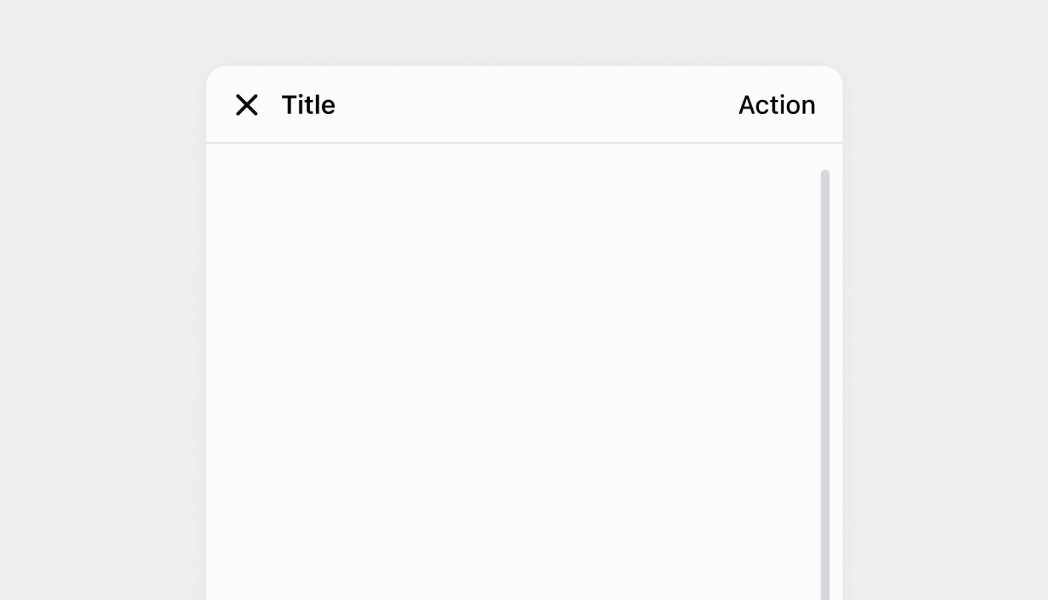
Create a scrollable container for content that exceeds the display area. This example shows how to implement a ScrollView that enables smooth scrolling for long lists or detailed information, supporting pull-to-refresh and lazy loading for optimal performance.
##### React
```tsx
import React, {ReactNode} from 'react';
import {
Text,
Navigator,
Screen,
ScrollView,
Stack,
reactExtension,
} from '@shopify/ui-extensions-react/point-of-sale';
const ModalComponent = () => {
const textElement = (
count: number,
): ReactNode => {
return (
{`Text element ${count}`}
);
};
return (
{Array.from(Array(25)).map((_, count) =>
textElement(count),
)}
);
};
export default reactExtension(
'pos.home.modal.render',
() => {
return ;
},
);
```
##### TS
```ts
import {
extension,
Screen,
ScrollView,
Stack,
Navigator,
Text,
} from '@shopify/ui-extensions/point-of-sale';
export default extension(
'pos.home.modal.render',
(root) => {
const screen = root.createComponent(Screen, {
name: 'ScrollView',
title: 'ScrollView',
});
const scrollView =
root.createComponent(ScrollView);
for (let i = 0; i < 25; i++) {
const stack = root.createComponent(Stack, {
paddingVertical: 'Small',
direction: 'vertical',
paddingHorizontal: 'Small',
});
const textElement =
root.createComponent(Text);
textElement.append(`Text element ${i}`);
stack.append(textElement);
scrollView.append(stack);
}
screen.append(scrollView);
const navigator =
root.createComponent(Navigator);
navigator.append(screen);
root.append(navigator);
},
);
```
## Preview
## Best practices
* **Organize content for efficient scrolling:** Structure your scrollable content logically with clear visual hierarchy, consistent spacing, and logical grouping. This helps users navigate efficiently through longer content areas.
* **Consider touch interface optimization:** `ScrollView` is optimized for touch-based POS devices, providing smooth scrolling with appropriate momentum and bounce effects. Design your content layout to take advantage of these touch-optimized behaviors.
* **Combine with other layout components strategically:** Use `ScrollView` in combination with other layout components like `Stack` or `Section` to create well-organized scrollable content areas. `ScrollView` handles the scrolling behavior while other components manage content arrangement.
* **Design for various content types:** `ScrollView` supports any valid POS UI extension components as children, allowing for flexible content organization. Use this flexibility to create rich, interactive scrollable experiences.
## Limitations
* `ScrollView` automatically manage scroll behavior—manual scroll control or custom scroll physics are not available.
* Scroll styling and behavior are controlled by the POS design system—custom scroll bar appearance or scroll interactions beyond the default behavior aren't supported.
* The component provides basic scrolling functionality without advanced features like pull-to-refresh, infinite scrolling, or scroll position management that would require custom implementation.