---
title: Heading
description: >-
The heading component renders hierarchical titles to communicate the structure
and organization of page content and help users navigate complex interfaces.
Heading levels adjust automatically based on nesting within parent section
components, ensuring a meaningful page outline.
api_version: 2025-10
api_name: pos-ui-extensions
source_url:
html: >-
https://shopify.dev/docs/api/pos-ui-extensions/2025-10/web-components/layout-and-structure/heading
md: >-
https://shopify.dev/docs/api/pos-ui-extensions/2025-10/web-components/layout-and-structure/heading.md
---
# Heading
The heading component renders hierarchical titles to communicate the structure and organization of page content and help users navigate complex interfaces.
Heading levels adjust automatically based on nesting within parent [section](https://shopify.dev/docs/api/pos-ui-extensions/2025-10/web-components/layout-and-structure/section) components, ensuring a meaningful page outline.
### Support Targets (16)
### Supported targets
* [pos.cart.line-item-details.action.render](https://shopify.dev/docs/api/pos-ui-extensions/2025-10/targets/cart-details#cart-details-action-modal-)
* [pos.customer-details.action.render](https://shopify.dev/docs/api/pos-ui-extensions/2025-10/targets/customer-details#customer-details-action-modal-)
* [pos.customer-details.block.render](https://shopify.dev/docs/api/pos-ui-extensions/2025-10/targets/customer-details#customer-details-targets)
* [pos.draft-order-details.action.render](https://shopify.dev/docs/api/pos-ui-extensions/2025-10/targets/draft-order-details#draft-order-details-action-modal-)
* [pos.draft-order-details.block.render](https://shopify.dev/docs/api/pos-ui-extensions/2025-10/targets/draft-order-details#draft-order-details-targets)
* [pos.exchange.post.action.render](https://shopify.dev/docs/api/pos-ui-extensions/2025-10/targets/post-exchange#post-exchange-action-modal-)
* [pos.exchange.post.block.render](https://shopify.dev/docs/api/pos-ui-extensions/2025-10/targets/post-exchange#post-exchange-targets)
* [pos.home.modal.render](https://shopify.dev/docs/api/pos-ui-extensions/2025-10/targets/home-screen#home-screen-action-modal-)
* [pos.order-details.action.render](https://shopify.dev/docs/api/pos-ui-extensions/2025-10/targets/order-details#order-details-action-modal-)
* [pos.order-details.block.render](https://shopify.dev/docs/api/pos-ui-extensions/2025-10/targets/order-details#order-details-targets)
* [pos.product-details.action.render](https://shopify.dev/docs/api/pos-ui-extensions/2025-10/targets/product-details#product-details-action-modal-)
* [pos.product-details.block.render](https://shopify.dev/docs/api/pos-ui-extensions/2025-10/targets/product-details#product-details-targets)
* [pos.purchase.post.action.render](https://shopify.dev/docs/api/pos-ui-extensions/2025-10/targets/post-purchase#post-purchase-action-modal-)
* [pos.purchase.post.block.render](https://shopify.dev/docs/api/pos-ui-extensions/2025-10/targets/post-purchase#post-purchase-targets)
* [pos.return.post.action.render](https://shopify.dev/docs/api/pos-ui-extensions/2025-10/targets/post-return#post-return-action-modal-)
* [pos.return.post.block.render](https://shopify.dev/docs/api/pos-ui-extensions/2025-10/targets/post-return#post-return-targets)
#### Use cases
* **Page titles:** Create clear page and section titles that establish content hierarchy.
* **Content organization:** Organize forms, settings, or information displays with logical heading structures.
* **Contextual titles:** Provide titles for POS workflow sections like transaction details, customer info, or catalogs.
***
## Properties
Configure the following properties on the Heading component.
* **id**
**string**
A unique identifier for the element used for targeting with CSS, JavaScript, or accessibility features.
***
## Examples
### Display hierarchical headings
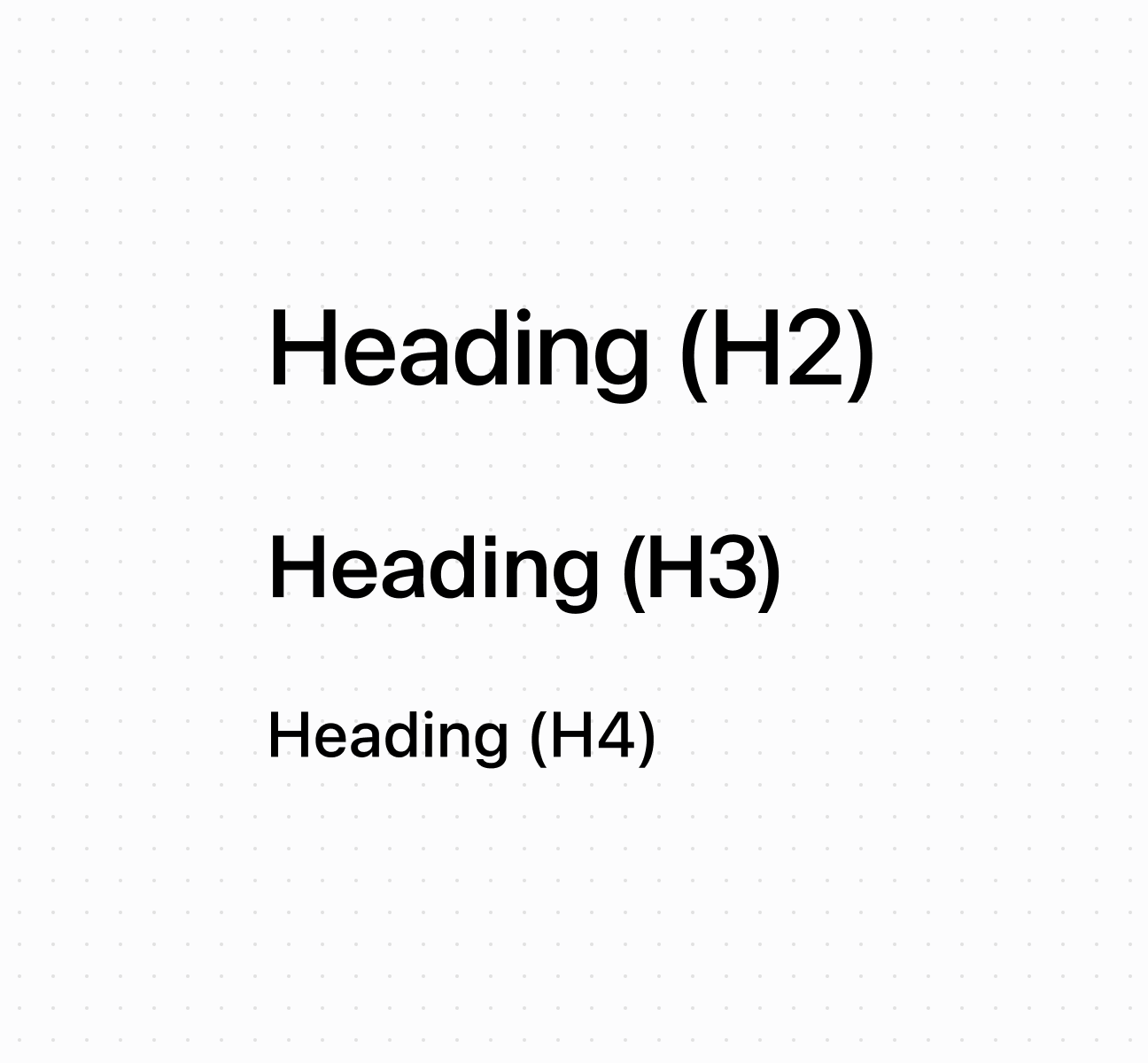
Create hierarchical titles using a heading component that adjusts levels automatically based on nesting. This example shows a basic heading with automatic level management.
## Display hierarchical headings
## Display hierarchical headings
```html
Heading (H2)
Heading (H3)
Heading (H4)
```
***
## Best practices
* **Create logical hierarchy:** Start with higher-level headings for main sections, nested headings for subsections. Nested sections automatically adjust heading levels.
* **Write specific headings:** Avoid generic terms like "Details." Use specific descriptions like "Customer Contact Information" or "Transaction Summary."
* **Keep text concise:** Headings don't truncate, so keep them brief enough to display across different screen sizes.
***