---
title: EmailField
description: >-
The `EmailField` component captures email address input. Use it to collect
email information in forms, customer profiles, or contact workflows.
`EmailField` doesn't perform automatic email validation. Implement your own
validation logic, and use the `error` property to display validation results.
api_version: 2025-10
api_name: pos-ui-extensions
source_url:
html: >-
https://shopify.dev/docs/api/pos-ui-extensions/latest/polaris-web-components/forms/emailfield
md: >-
https://shopify.dev/docs/api/pos-ui-extensions/latest/polaris-web-components/forms/emailfield.md
---
# EmailField
The `EmailField` component captures email address input. Use it to collect email information in forms, customer profiles, or contact workflows.
`EmailField` doesn't perform automatic email validation. Implement your own validation logic, and use the `error` property to display validation results.
Support
Targets (9)
### Supported targets
* [pos.cart.line-item-details.action.render](https://shopify.dev/docs/api/pos-ui-extensions/2025-10/targets/cart-details#cart-details-action-modal-)
* [pos.customer-details.action.render](https://shopify.dev/docs/api/pos-ui-extensions/2025-10/targets/customer-details#customer-details-action-modal-)
* [pos.draft-order-details.action.render](https://shopify.dev/docs/api/pos-ui-extensions/2025-10/targets/draft-order-details#draft-order-details-action-modal-)
* [pos.exchange.post.action.render](https://shopify.dev/docs/api/pos-ui-extensions/2025-10/targets/post-exchange#post-exchange-action-modal-)
* [pos.home.modal.render](https://shopify.dev/docs/api/pos-ui-extensions/2025-10/targets/home-screen#home-screen-action-modal-)
* [pos.order-details.action.render](https://shopify.dev/docs/api/pos-ui-extensions/2025-10/targets/order-details#order-details-action-modal-)
* [pos.product-details.action.render](https://shopify.dev/docs/api/pos-ui-extensions/2025-10/targets/product-details#product-details-action-modal-)
* [pos.purchase.post.action.render](https://shopify.dev/docs/api/pos-ui-extensions/2025-10/targets/post-purchase#post-purchase-action-modal-)
* [pos.return.post.action.render](https://shopify.dev/docs/api/pos-ui-extensions/2025-10/targets/post-return#post-return-action-modal-)
#### Use cases
* **Customer emails:** Collect customer email addresses during account creation or updates.
* **Merchant emails:** Capture merchant emails for notifications or receipts.
* **Email features:** Enable features like sending receipts or order confirmations.
* **Validation:** Support email validation in checkout or customer management interfaces.
## Examples
### Capture email addresses with an email field
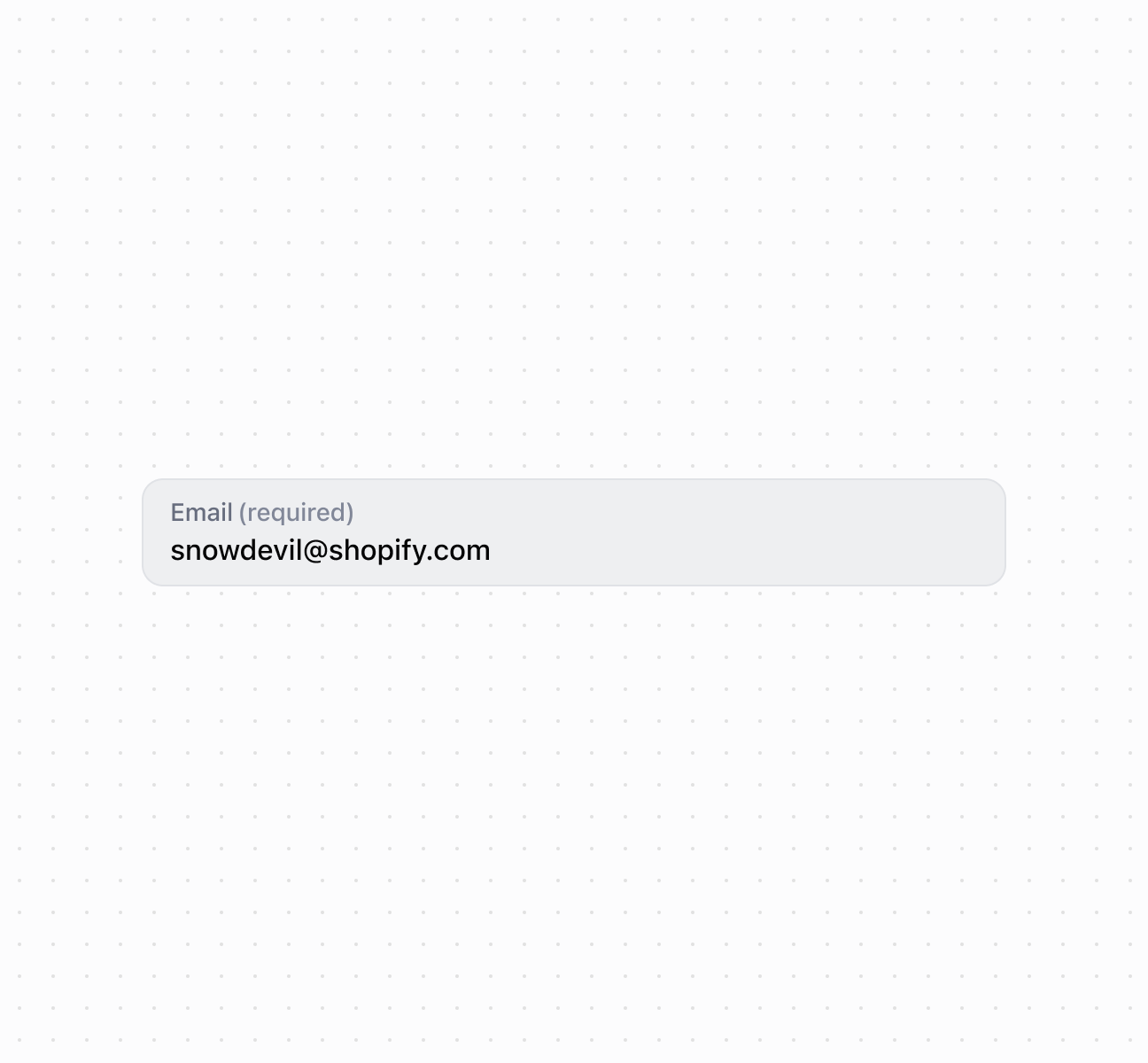
Capture email address input using an `EmailField` component. This example shows a basic email field with a label for collecting email information.
## Capture email addresses with an email field
### Add accessory buttons
Add action buttons to the email field using the accessory slot for quick actions like clearing input or verifying email addresses. This example shows how to use [`s-button`](https://shopify.dev/docs/api/pos-ui-extensions/2025-10/polaris-web-components/actions/button) and [`s-clickable`](https://shopify.dev/docs/api/pos-ui-extensions/2025-10/polaris-web-components/actions/clickable) components in the accessory slot, providing inline functionality within the email input context.
### Handle email input events
Subscribe to email input events to respond when merchants enter email addresses. This example demonstrates handling `onChange`, `onInput`, `onFocus`, and `onBlur` events for real-time email validation, duplicate checking, or autosave functionality.
### Examples
* #### Capture email addresses with an email field
##### Description
Capture email address input using an \`EmailField\` component. This example shows a basic email field with a label for collecting email information.
##### Default
```html
```
* #### Add accessory buttons
##### Description
Add action buttons to the email field using the accessory slot for quick actions like clearing input or verifying email addresses. This example shows how to use \[\`s-button\`]\(/docs/api/pos-ui-extensions/2025-10/polaris-web-components/actions/button) and \[\`s-clickable\`]\(/docs/api/pos-ui-extensions/2025-10/polaris-web-components/actions/clickable) components in the accessory slot, providing inline functionality within the email input context.
##### Default
```jsx
console.log('Subscribe')}>
Subscribe
;
```
* #### Handle email input events
##### Description
Subscribe to email input events to respond when merchants enter email addresses. This example demonstrates handling \`onChange\`, \`onInput\`, \`onFocus\`, and \`onBlur\` events for real-time email validation, duplicate checking, or autosave functionality.
##### Default
```jsx
console.log('Input:', event.currentTarget.value)}
onChange={(event) => console.log('Change:', event.currentTarget.value)}
onFocus={(event) => console.log('Focus')}
onBlur={(event) => console.log('Blur')}
/>
```
## Properties
Configure the following properties on the `EmailField` component.
* details
string
The additional text to provide context or guidance for the field. This text is displayed along with the field and its label to offer more information or instructions to the user. This will also be exposed to screen reader users.
* disabled
boolean
Default: false
Whether the field is disabled, preventing user interaction. Use when the field is temporarily unavailable due to application state, permissions, or dependencies.
* error
string
An error message to indicate a problem to the user. The field will be given specific stylistic treatment to communicate issues that must be resolved immediately.
* id
string
A unique identifier for the element used for targeting with CSS, JavaScript, or accessibility features.
* label
string
The content to use as the field label that describes the email information being requested.
* maxLength
number
Default: Infinity
The maximum number of characters allowed in the text field.
* placeholder
string
A short hint that provides guidance about the expected value of the field.
* required
boolean
Default: false
Whether the field needs a value. This requirement adds semantic value to the field but doesn't cause an error to appear automatically. Use the `error` property to present validation errors.
* value
string
The current email address entered in the field. An empty string means no email is entered.
## Slots
The `EmailField` component supports slots for additional content placement within the field. Learn more about [using slots](https://shopify.dev/docs/api/polaris/using-polaris-web-components#slots).
* accessory
HTMLElement
The additional content to be displayed in the field. Commonly used to display clickable text or action elements. Only `Button` and `Clickable` components with text content only are supported in this slot. Use the `slot="accessory"` attribute to place elements in this area.
## Events
The `EmailField` component provides event callbacks for handling user interactions. Learn more about [handling events](https://shopify.dev/docs/api/polaris/using-polaris-web-components#handling-events).
* blur
(event: CallbackEvent<"s-email-field">) => void
Called when the element loses focus.
* change
(event: CallbackEvent<"s-email-field">) => void
Called after editing completes, typically on blur.
* focus
(event: CallbackEvent<"s-email-field">) => void
Called when the element receives focus.
* input
(event: CallbackEvent<"s-email-field">) => void
Called when the user makes any changes in the field.
### CallbackEvent
Represents the event object passed to callback functions when interactive events occur. Contains metadata about the event, including the target element, event phase, and propagation behavior.
* bubbles
Whether the event bubbles up through the DOM tree.
```ts
boolean
```
* cancelable
Whether the event can be canceled.
```ts
boolean
```
* composed
Whether the event will trigger listeners outside of a shadow root.
```ts
boolean
```
* currentTarget
The element that the event listener is attached to.
```ts
HTMLElementTagNameMap[T]
```
* detail
Additional data associated with the event.
```ts
any
```
* eventPhase
The current phase of the event flow.
```ts
number
```
* target
The element that triggered the event.
```ts
HTMLElementTagNameMap[T] | null
```
```ts
interface CallbackEvent {
/**
* The element that the event listener is attached to.
*/
currentTarget: HTMLElementTagNameMap[T];
/**
* Whether the event bubbles up through the DOM tree.
*/
bubbles?: boolean;
/**
* Whether the event can be canceled.
*/
cancelable?: boolean;
/**
* Whether the event will trigger listeners outside of a shadow root.
*/
composed?: boolean;
/**
* Additional data associated with the event.
*/
detail?: any;
/**
* The current phase of the event flow.
*/
eventPhase: number;
/**
* The element that triggered the event.
*/
target: HTMLElementTagNameMap[T] | null;
}
```
## Best practices
* **Write descriptive labels:** Use specific labels like "Customer Email" or "Receipt Email Address" rather than generic "Email."
* **Provide context in details:** Use `details` for additional context like "Required for digital receipts" or "We'll send order updates to this address."
* **Write actionable error messages:** Provide clear validation messages like "Please enter a valid email address" that help users correct their input.
## Limitations
The `accessory` slot supports only [`Button`](https://shopify.dev/docs/api/pos-ui-extensions/2025-10/polaris-web-components/actions/button) and [`Clickable`](https://shopify.dev/docs/api/pos-ui-extensions/2025-10/polaris-web-components/actions/clickable) components—other component types can't be used in the accessory slot.