---
title: Stack
description: >-
The `Stack` component organizes elements along the block (vertical) or inline
(horizontal) axis. Use it to structure layouts and control spacing between
elements.
The component automatically manages spacing through gap properties and
supports flexible alignment and wrapping behavior. Complex grid-like layouts
may require multiple nested `Stack` components or alternative layout
approaches.
api_version: 2025-10
api_name: pos-ui-extensions
source_url:
html: >-
https://shopify.dev/docs/api/pos-ui-extensions/latest/polaris-web-components/layout-and-structure/stack
md: >-
https://shopify.dev/docs/api/pos-ui-extensions/latest/polaris-web-components/layout-and-structure/stack.md
---
# Stack
The `Stack` component organizes elements along the block (vertical) or inline (horizontal) axis. Use it to structure layouts and control spacing between elements.
The component automatically manages spacing through gap properties and supports flexible alignment and wrapping behavior. Complex grid-like layouts may require multiple nested `Stack` components or alternative layout approaches.
Support
Targets (16)
### Supported targets
* [pos.cart.line-item-details.action.render](https://shopify.dev/docs/api/pos-ui-extensions/2025-10/targets/cart-details#cart-details-action-modal-)
* [pos.customer-details.action.render](https://shopify.dev/docs/api/pos-ui-extensions/2025-10/targets/customer-details#customer-details-action-modal-)
* [pos.customer-details.block.render](https://shopify.dev/docs/api/pos-ui-extensions/2025-10/targets/customer-details#customer-details-block-)
* [pos.draft-order-details.action.render](https://shopify.dev/docs/api/pos-ui-extensions/2025-10/targets/draft-order-details#draft-order-details-action-modal-)
* [pos.draft-order-details.block.render](https://shopify.dev/docs/api/pos-ui-extensions/2025-10/targets/draft-order-details#draft-order-details-block-)
* [pos.exchange.post.action.render](https://shopify.dev/docs/api/pos-ui-extensions/2025-10/targets/post-exchange#post-exchange-action-modal-)
* [pos.exchange.post.block.render](https://shopify.dev/docs/api/pos-ui-extensions/2025-10/targets/post-exchange#post-exchange-block-)
* [pos.home.modal.render](https://shopify.dev/docs/api/pos-ui-extensions/2025-10/targets/home-screen#home-screen-action-modal-)
* [pos.order-details.action.render](https://shopify.dev/docs/api/pos-ui-extensions/2025-10/targets/order-details#order-details-action-modal-)
* [pos.order-details.block.render](https://shopify.dev/docs/api/pos-ui-extensions/2025-10/targets/order-details#order-details-block-)
* [pos.product-details.action.render](https://shopify.dev/docs/api/pos-ui-extensions/2025-10/targets/product-details#product-details-action-modal-)
* [pos.product-details.block.render](https://shopify.dev/docs/api/pos-ui-extensions/2025-10/targets/product-details#product-details-block-)
* [pos.purchase.post.action.render](https://shopify.dev/docs/api/pos-ui-extensions/2025-10/targets/post-purchase#post-purchase-action-modal-)
* [pos.purchase.post.block.render](https://shopify.dev/docs/api/pos-ui-extensions/2025-10/targets/post-purchase#post-purchase-block-)
* [pos.return.post.action.render](https://shopify.dev/docs/api/pos-ui-extensions/2025-10/targets/post-return#post-return-action-modal-)
* [pos.return.post.block.render](https://shopify.dev/docs/api/pos-ui-extensions/2025-10/targets/post-return#post-return-block-)
#### Use cases
* **Layout arrangement:** Arrange form elements, buttons, or content in vertical or horizontal layouts.
* **Responsive design:** Create layouts that adapt to different screen sizes and orientations.
* **Spacing control:** Control spacing between elements using gap properties for visual hierarchy.
* **Content alignment:** Align content precisely using `justify` and `align` properties.
## Examples
### Organize elements with a stack
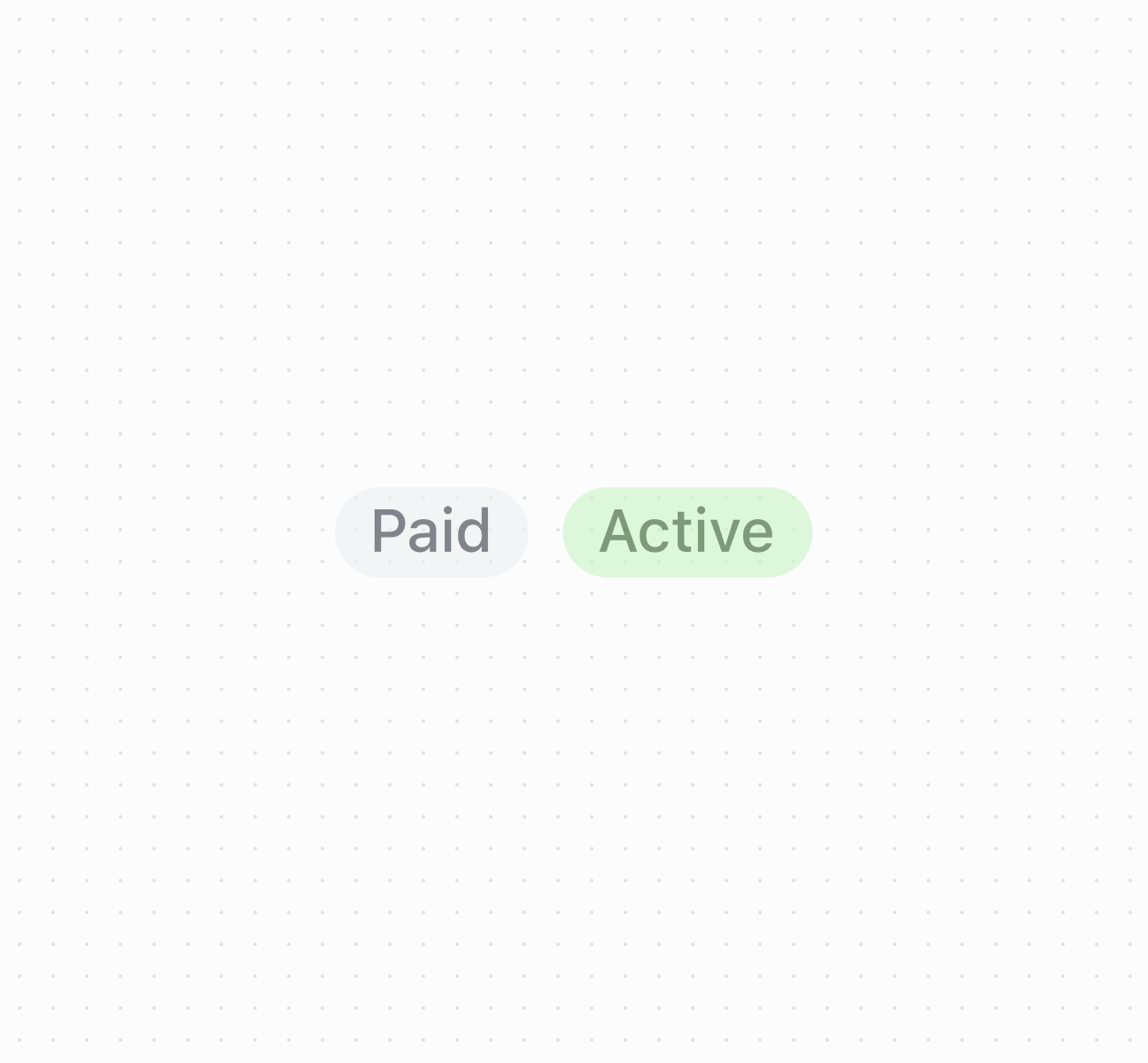
Organize elements using a `Stack` component. This example shows a basic stack with spacing between child elements.
## Organize elements with a stack
### Examples
* #### Organize elements with a stack
##### Description
Organize elements using a \`Stack\` component. This example shows a basic stack with spacing between child elements.
##### Default
```html
Paid
Active
```
## Properties
Configure the following properties on the `Stack` component.
* alignContent
AlignContentKeyword
Controls the distribution of space between and around lines of wrapped content along the cross axis.
* alignItems
AlignItemsKeyword
Controls the alignment of individual children along the cross axis (perpendicular to the main axis).
* blockSize
SizeUnitsOrAuto
Default: 'auto'
The block size of the container. Auto automatically sizes based on the container's children.
* columnGap
'' | SpacingKeyword
Default: '' - meaning no override
The spacing between elements in the inline axis. This overrides the column value of gap.
* direction
'block' | 'inline'
Default: 'block'
The direction in which children are laid out using logical properties:
* `'block'`: Vertical arrangement along the block axis (typically top to bottom) without wrapping
* `'inline'`: Horizontal arrangement along the inline axis (typically left to right) with automatic wrapping when space is insufficient
* gap
MaybeTwoValuesShorthandProperty\
Default: 'none'
The spacing between elements. A single value applies to both axes. A pair of values (eg large-100 large-500) can be used to set the inline and block axes respectively.
* id
string
A unique identifier for the element used for targeting with CSS, JavaScript, or accessibility features.
* inlineSize
SizeUnitsOrAuto
Default: 'auto'
The inline size (width in horizontal writing modes) of the element.
Learn more about [`inline-size` on MDN](https://developer.mozilla.org/en-US/docs/Web/CSS/inline-size).
* justifyContent
JustifyContentKeyword
Default: 'normal'
Controls the distribution and alignment of children along the main axis (the axis defined by the `direction` property).
Learn more about [`justify-content` on MDN](https://developer.mozilla.org/en-US/docs/Web/CSS/justify-content).
* maxBlockSize
SizeUnitsOrNone
Default: 'none'
The maximum block size constraint for the container.
* maxInlineSize
SizeUnitsOrNone
Default: 'none'
The maximum inline size constraint for the container.
* minBlockSize
SizeUnits
Default: '0'
The minimum block size constraint for the container.
* minInlineSize
SizeUnits
Default: '0'
The minimum inline size constraint for the container.
* padding
MaybeAllValuesShorthandProperty\
Default: 'none'
The padding applied to all edges of the container. Supports [1-to-4-value syntax](https://developer.mozilla.org/en-US/docs/Web/CSS/Guides/Cascade/Shorthand_properties#edges_of_a_box) using flow-relative values in the order:
* 4 values: `block-start inline-end block-end inline-start`
* 3 values: `block-start inline block-end`
* 2 values: `block inline`
For example:
* `large` means block-start, inline-end, block-end and inline-start paddings are `large`.
* `large none` means block-start and block-end paddings are `large`, inline-start and inline-end paddings are `none`.
* `large none large` means block-start padding is `large`, inline-end padding is `none`, block-end padding is `large` and inline-start padding is `none`.
* `large none large small` means block-start padding is `large`, inline-end padding is `none`, block-end padding is `large` and inline-start padding is `small`.
An `auto` value inherits the default padding from the closest container that has removed its usual padding.
* paddingBlock
MaybeTwoValuesShorthandProperty<'' | PaddingKeyword>
Default: '' - meaning no override
The block-axis padding for the container. Overrides the block value of the `padding` property.
* paddingBlockEnd
'' | PaddingKeyword
Default: '' - meaning no override
The block-end padding for the container. Overrides the block-end value of the `paddingBlock` property.
* paddingBlockStart
'' | PaddingKeyword
Default: '' - meaning no override
The block-start padding for the container. Overrides the block-start value of the `paddingBlock` property.
* paddingInline
MaybeTwoValuesShorthandProperty<'' | PaddingKeyword>
Default: '' - meaning no override
The inline-axis padding for the container. Supports two-value syntax where `large none` sets inline-start to `large` and inline-end to `none`. Overrides the inline value of the `padding` property.
* paddingInlineEnd
'' | PaddingKeyword
Default: '' - meaning no override
The inline-end padding for the container. Overrides the inline-end value of the `paddingInline` property.
* paddingInlineStart
'' | PaddingKeyword
Default: '' - meaning no override
The inline-start padding for the container. Overrides the inline-start value of the `paddingInline` property.
* rowGap
'' | SpacingKeyword
Default: '' - meaning no override
The spacing between elements in the block axis. This overrides the row value of gap.
### AlignContentKeyword
A type that defines the distribution of space between and around content items along a flexbox's cross axis, or a grid or block-level element's block axis. Learn more about \[\`align-content\` on MDN]\(https://developer.mozilla.org/en-US/docs/Web/CSS/align-content).
```ts
'normal' | BaselinePosition | ContentDistribution | OverflowPosition | ContentPosition
```
### BaselinePosition
A baseline alignment position keyword.
```ts
'baseline' | 'first baseline' | 'last baseline'
```
### ContentDistribution
A content distribution strategy keyword for spacing.
```ts
'space-between' | 'space-around' | 'space-evenly' | 'stretch'
```
### OverflowPosition
A content position with optional overflow safety modifier.
```ts
`unsafe ${ContentPosition}` | `safe ${ContentPosition}`
```
### ContentPosition
A content position alignment keyword.
```ts
'center' | 'start' | 'end'
```
### AlignItemsKeyword
A type that defines how children are aligned along the cross axis. Sets the align-self value on all direct children as a group. Learn more about \[\`align-items\` on MDN]\(https://developer.mozilla.org/en-US/docs/Web/CSS/align-items).
```ts
'normal' | 'stretch' | BaselinePosition | OverflowPosition | ContentPosition
```
### SizeUnitsOrAuto
Defines size values that can be specified as exact measurements or automatic sizing. Supports pixel values, percentages, zero, or automatic sizing based on content.
```ts
SizeUnits | 'auto'
```
### SizeUnits
Defines exact size measurements without automatic or unconstrained options. Limited to specific pixel values, percentages, or zero.
```ts
`${number}px` | `${number}%` | `0`
```
### SpacingKeyword
A spacing size keyword including the option for no spacing.
```ts
SizeKeyword | 'none'
```
### SizeKeyword
Defines the available size options for icons using a semantic scale. Provides granular control over icon dimensions from compact inline sizes to prominent display sizes.
```ts
'small-500' | 'small-400' | 'small-300' | 'small-200' | 'small-100' | 'small' | 'base' | 'large' | 'large-100' | 'large-200' | 'large-300' | 'large-400' | 'large-500'
```
### MaybeTwoValuesShorthandProperty
Defines a shorthand property that accepts either a single value or two space-separated values for directional properties like padding and spacing.
```ts
T | `${T} ${T}`
```
### JustifyContentKeyword
A type that defines how the browser distributes space between and around content items along the main-axis of a flex container, and the inline axis of a grid container. Learn more about \[\`justify-content\` on MDN]\(https://developer.mozilla.org/en-US/docs/Web/CSS/justify-content).
```ts
'normal' | ContentDistribution | OverflowPosition | ContentPosition
```
### SizeUnitsOrNone
Defines size values that can be specified as exact measurements or no constraint. Supports pixel values, percentages, zero, or no maximum limit.
```ts
SizeUnits | 'none'
```
### MaybeAllValuesShorthandProperty
A utility type for properties that support \[1-to-4-value shorthand syntax]\(https://developer.mozilla.org/en-US/docs/Web/CSS/Guides/Cascade/Shorthand\_properties#edges\_of\_a\_box).
```ts
T | `${T} ${T}` | `${T} ${T} ${T}` | `${T} ${T} ${T} ${T}`
```
### PaddingKeyword
Defines the available padding size options using a semantic scale. Provides consistent spacing values that align with the POS design system.
```ts
SizeKeyword | 'none'
```
## Best practices
* **Choose appropriate direction:** Use `block` for vertical arrangements like forms. Use `inline` for horizontal arrangements like button groups. Note that inline wraps while block doesn't.
* **Use design system spacing:** Use `SpacingKeyword` values for consistency. Start with `base` and adjust as needed.
* **Apply alignment properties:** Use `justifyContent` for main axis distribution, `alignItems` for cross axis positioning, `alignContent` for extra space distribution.
* **Avoid percentages on mobile:** Don't use percentage-based sizing within scrollable containers on mobile surfaces.
* **Use gap for spacing control:** Use `gap` for uniform spacing, `rowGap` for block axis, `columnGap` for inline axis.