---
title: Tile
description: >-
The `Tile` component displays interactive buttons for the POS smart grid. Use
tiles as customizable shortcuts that allow merchants to quickly access
workflows, actions, and information from the smart grid.
Tiles can change their appearance, content, and enabled state based on
surrounding context such as cart contents, device conditions, or runtime
state. They can display contextual information through titles, subtitles, and
badge values.
Each POS UI extension can only render one `Tile` component for each [home
screen tile
target](/docs/api/pos-ui-extensions/2025-10/targets/home-screen#home-screen-tile-).
api_version: 2025-10
api_name: pos-ui-extensions
source_url:
html: >-
https://shopify.dev/docs/api/pos-ui-extensions/latest/polaris-web-components/actions/tile
md: >-
https://shopify.dev/docs/api/pos-ui-extensions/latest/polaris-web-components/actions/tile.md
---
# Tile
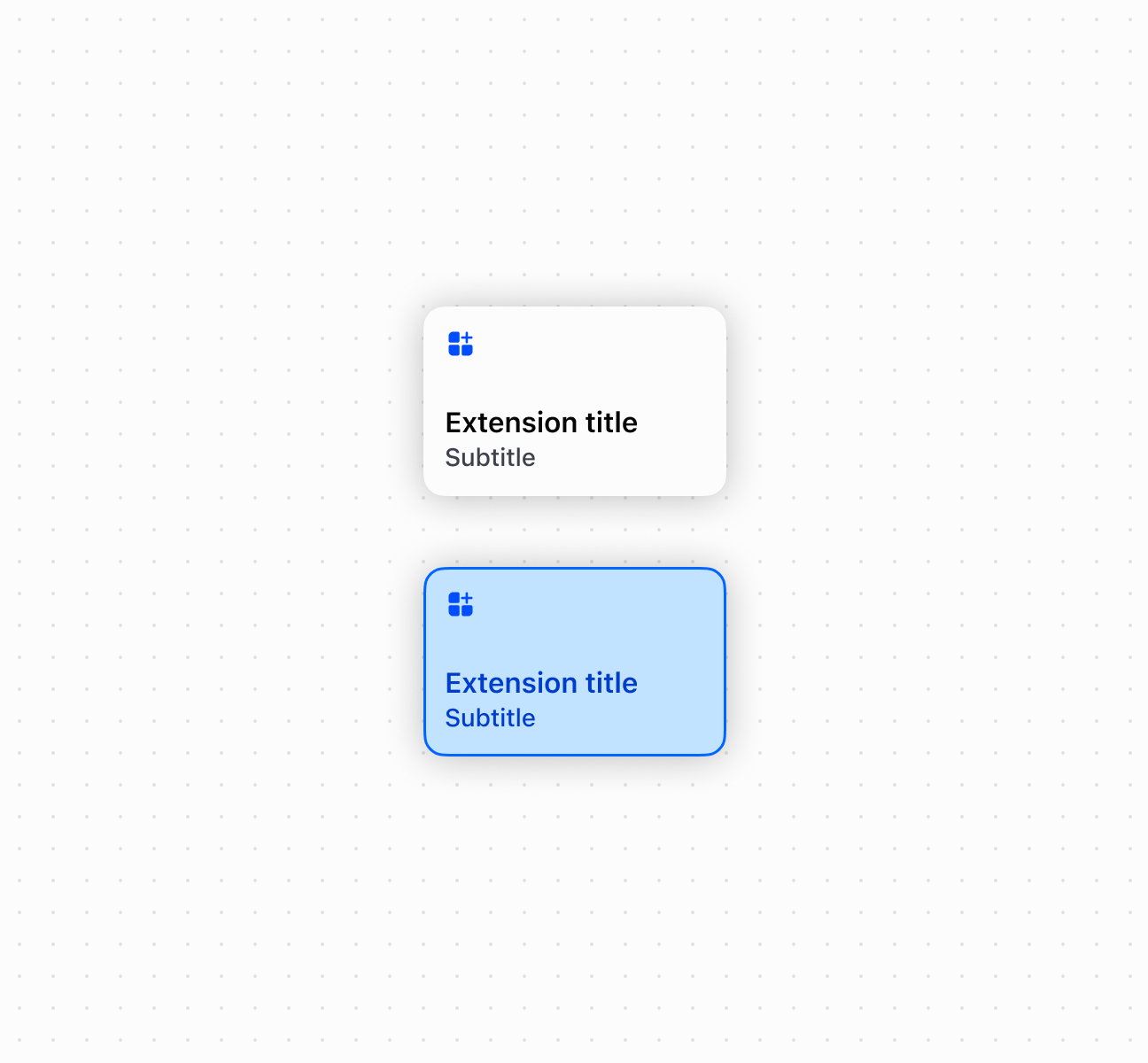
The `Tile` component displays interactive buttons for the POS smart grid. Use tiles as customizable shortcuts that allow merchants to quickly access workflows, actions, and information from the smart grid.
Tiles can change their appearance, content, and enabled state based on surrounding context such as cart contents, device conditions, or runtime state. They can display contextual information through titles, subtitles, and badge values.
Each POS UI extension can only render one `Tile` component for each [home screen tile target](https://shopify.dev/docs/api/pos-ui-extensions/2025-10/targets/home-screen#home-screen-tile-).
Support
Targets (1)
### Supported targets
* [pos.home.tile.render](https://shopify.dev/docs/api/pos-ui-extensions/2025-10/targets/home-screen#home-screen-tile-)
#### Use cases
* **Quick actions:** Create action shortcuts like "Apply 10% discount" or "Add popular item."
* **Contextual info:** Display dynamic subtitles showing cart totals or item counts.
* **Notifications:** Show badges for pending items, alerts, or status indicators.
* **Workflow entry:** Provide entry points to launch detailed modal workflows.
## Examples
### Create a smart grid tile
Create interactive smart grid shortcuts using a `Tile` component with customizable title, subtitle, and badge. This example shows a basic tile for the POS smart grid.
## Create a smart grid tile
### Examples
* #### Create a smart grid tile
##### Description
Create interactive smart grid shortcuts using a \`Tile\` component with customizable title, subtitle, and badge. This example shows a basic tile for the POS smart grid.
##### Default
```html
```
## Properties
Configure the following properties on the `Tile` component.
* disabled
boolean
Default: false
Whether the field is disabled, preventing user interaction. Use when the field is temporarily unavailable due to application state, permissions, or dependencies.
* heading
string
Default: ''
A title that describes the content of the section. If omitted and no secondary actions are provided, the section will be rendered without a header.
* id
string
A unique identifier for the element used for targeting with CSS, JavaScript, or accessibility features.
* itemCount
number
A numeric value displayed as a counter or badge. Used for showing quantities, notifications, or step numbers.
* subheading
string
Default: ''
A secondary page heading displayed under the main heading in the action bar.
* tone
'auto' | 'neutral' | 'accent'
Default: 'auto'
Sets the visual tone of the tile based on the intention of the information being conveyed. Use `'accent'` to highlight important or primary actions, `'neutral'` for standard actions, or `'auto'` (default) to let the system determine the appropriate tone based on context.
## Events
The `Tile` component provides event callbacks for handling user interactions. Learn more about [handling events](https://shopify.dev/docs/api/polaris/using-polaris-web-components#handling-events).
* click
(event: CallbackEvent<"s-tile">) => void
The callback when the element is activated.
### CallbackEvent
Represents the event object passed to callback functions when interactive events occur. Contains metadata about the event, including the target element, event phase, and propagation behavior.
* bubbles
Whether the event bubbles up through the DOM tree.
```ts
boolean
```
* cancelable
Whether the event can be canceled.
```ts
boolean
```
* composed
Whether the event will trigger listeners outside of a shadow root.
```ts
boolean
```
* currentTarget
The element that the event listener is attached to.
```ts
HTMLElementTagNameMap[T]
```
* detail
Additional data associated with the event.
```ts
any
```
* eventPhase
The current phase of the event flow.
```ts
number
```
* target
The element that triggered the event.
```ts
HTMLElementTagNameMap[T] | null
```
```ts
interface CallbackEvent {
/**
* The element that the event listener is attached to.
*/
currentTarget: HTMLElementTagNameMap[T];
/**
* Whether the event bubbles up through the DOM tree.
*/
bubbles?: boolean;
/**
* Whether the event can be canceled.
*/
cancelable?: boolean;
/**
* Whether the event will trigger listeners outside of a shadow root.
*/
composed?: boolean;
/**
* Additional data associated with the event.
*/
detail?: any;
/**
* The current phase of the event flow.
*/
eventPhase: number;
/**
* The element that triggered the event.
*/
target: HTMLElementTagNameMap[T] | null;
}
```
## Best practices
* **Write action-oriented headings:** Use specific language like "Apply loyalty discount" rather than generic terms like "Loyalty app."
* **Provide contextual subheadings:** Show dynamic information like cart totals, eligibility requirements, or current status.
* **Use meaningful item counts:** Display counts for actionable items like pending notifications or items requiring action, not just informational counts.
* **Launch modals for workflows:** Use `onClick` with `shopify.action.presentModal()` rather than performing complex operations directly.
## Limitations
The `Tile` component supports click and long press interactions only. Swipe, drag, and other gestures aren't supported.