---
title: Resolution targets
description: Use a resolution target to build the interface where staff address the Required and Recommended findings that an Intercept API callback returns. Your target reads the intercepted event and saves pending work through the Resolution API.
api_version: 2026-10
source_url:
html: https://shopify.dev/docs/api/pos-ui-extensions/latest/targets/resolution-targets
md: https://shopify.dev/docs/api/pos-ui-extensions/latest/targets/resolution-targets.md
---
# Resolution targets
**Feature preview:**
This feature is available only to approved apps and is subject to change.
Use a resolution target to build the interface where staff address the Required and Recommended findings that an [Intercept API](https://shopify.dev/docs/api/pos-ui-extensions/latest/target-apis/contextual-apis/intercept-api) callback returns. Your target reads the intercepted event and saves pending work through the [Resolution API](https://shopify.dev/docs/api/pos-ui-extensions/latest/target-apis/contextual-apis/resolution-api). Shopify Point of Sale (POS) provides the surrounding navigation and proceed controls, and runs validation again after staff proceed.
Each intercept event requires a resolution target, even when staff fix the issue with a native Shopify POS action, such as adding a cart note. In that case, use the target to tell staff what to do.
### Use cases
* **Check each cart line**: Collect a required serial check and recommended inspection notes for each cart line in the same interface. See [Build a cart validation UI extension](https://shopify.dev/docs/apps/build/pos/tutorials/build-cart-validation-extension).
* **Confirm a cash count**: Let staff confirm a count before Shopify POS accepts a large cash payment. See [Build a payment validation UI extension](https://shopify.dev/docs/apps/build/pos/tutorials/build-payment-validation-extension).
***
## Available targets
Each target needs a matching `intercepts` declaration under `pos.app.ready.data`. See [Configuration rules](https://shopify.dev/docs/api/pos-ui-extensions/latest/target-apis/contextual-apis/intercept-api#configuration-rules).
### Cart validations resolution target
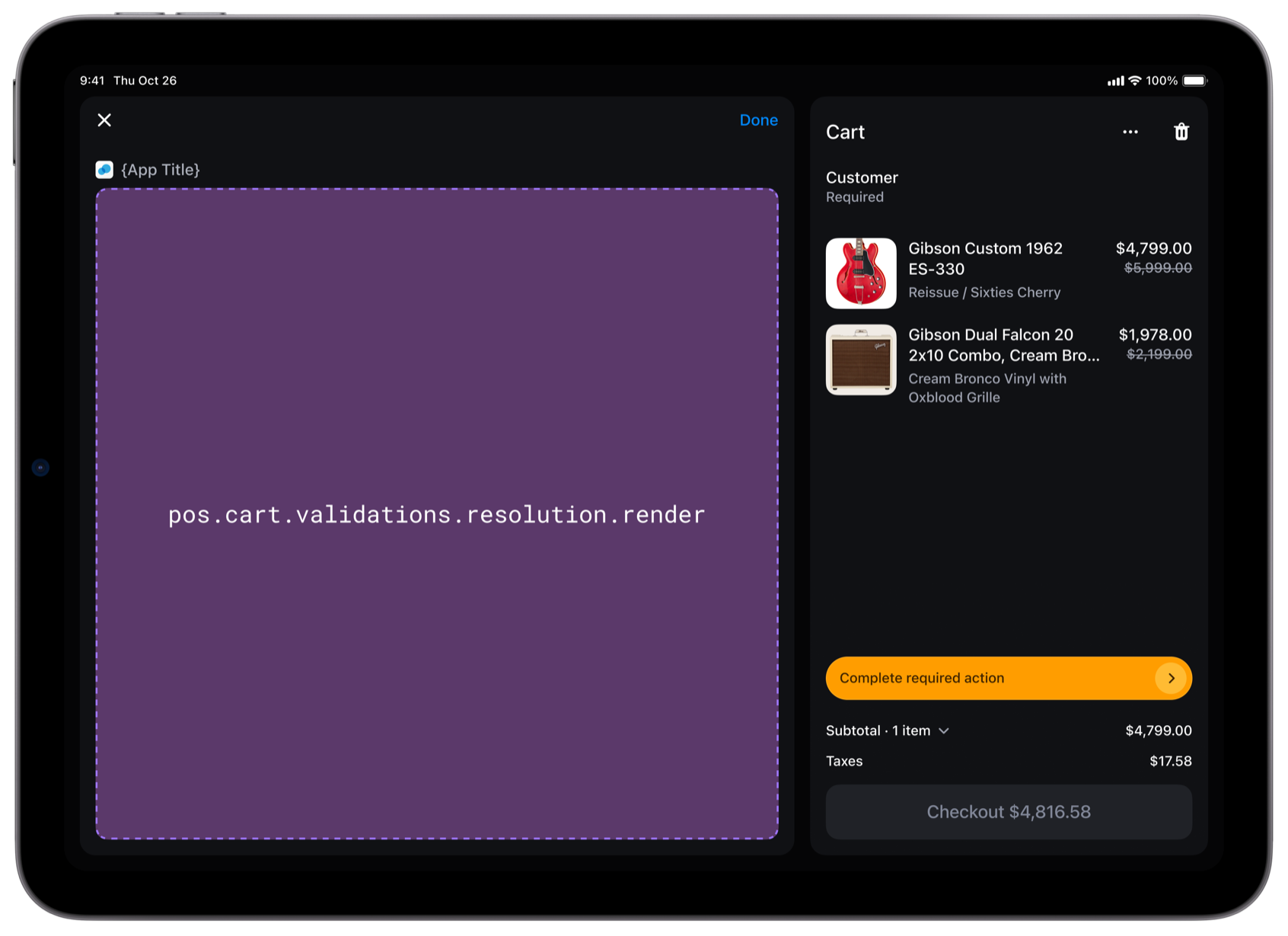
`pos.cart.validations.resolution.render`
Renders an interface for staff to address cart findings before checkout. Staff can tap the cart validation banner to open it.
The [Resolution API](https://shopify.dev/docs/api/pos-ui-extensions/latest/target-apis/contextual-apis/resolution-api) event contains `{cart}`.
### Examples
* #### Show the cart that needs review
##### Description
Show staff which cart they're reviewing. This example shows how to use \`shopify.resolution.event.value\` to read \`{cart}\` from the event that opened cart resolution, and render the number of line items.
##### jsx
```jsx
import '@shopify/ui-extensions/preact';
import {render} from 'preact';
export default async () => {
render(, document.body);
};
const Extension = () => {
const {cart} = shopify.resolution.event.value;
return Items to review: {cart.lineItems.length};
};
```
### Payment validations resolution target
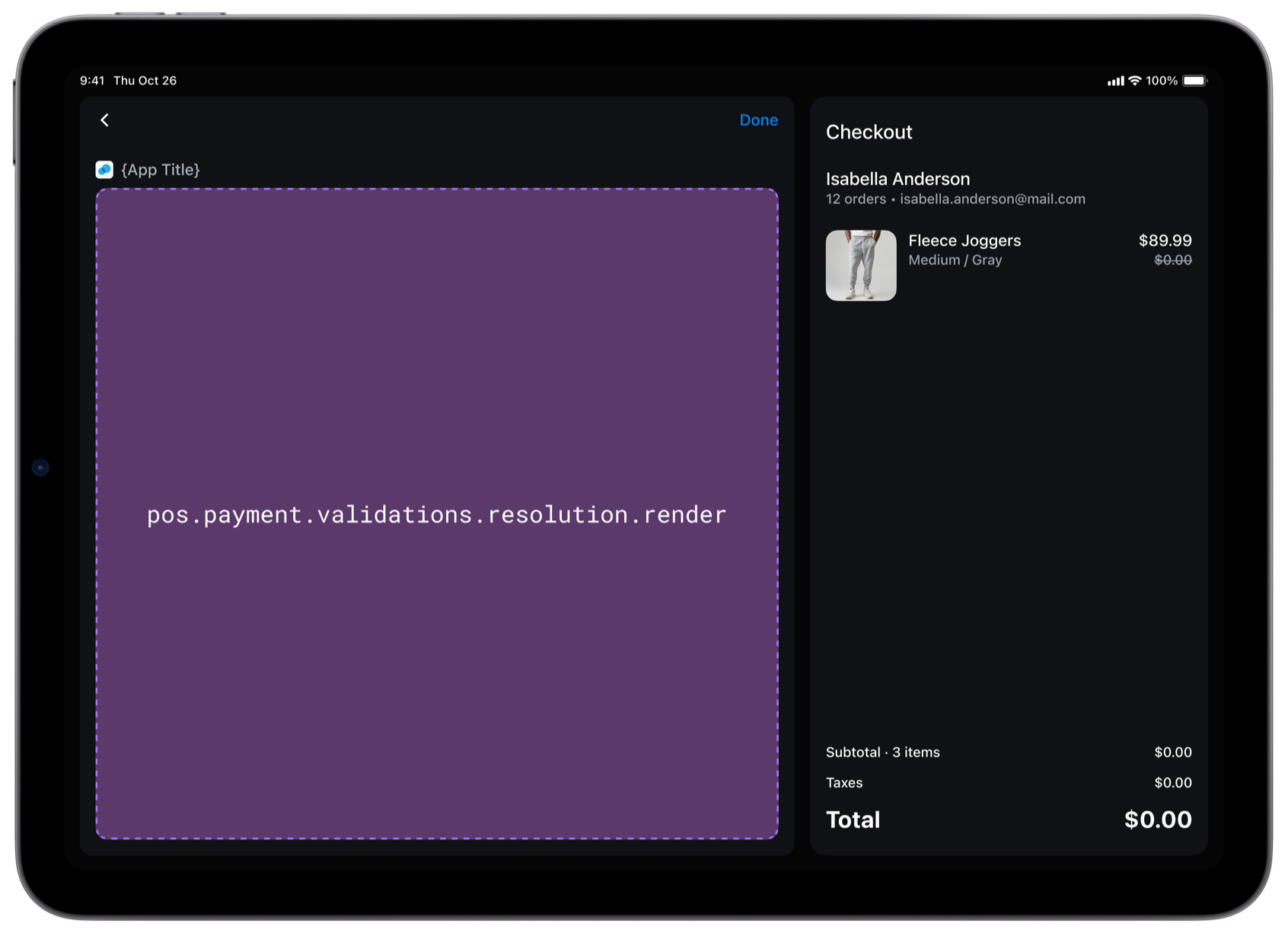
`pos.payment.validations.resolution.render`
Renders an interface for staff to address findings before a payment proceeds.
The [Resolution API](https://shopify.dev/docs/api/pos-ui-extensions/latest/target-apis/contextual-apis/resolution-api) event contains `{paymentMethod, amount}`.
### Examples
* #### Read the payment method and amount
##### Description
Show staff the payment they're reviewing. This example shows how to use \`shopify.resolution.event.value\` to read \`{paymentMethod, amount}\` from the event that opened payment resolution.
##### jsx
```jsx
import '@shopify/ui-extensions/preact';
import {render} from 'preact';
export default async () => {
render(, document.body);
};
const Extension = () => {
const {paymentMethod, amount} = shopify.resolution.event.value;
return (
{paymentMethod.type}: {amount.amount} {amount.currencyCode}
);
};
```
***
## Supported APIs
| Availability | APIs |
| - | - |
| Both resolution targets | [Camera API](https://shopify.dev/docs/api/pos-ui-extensions/latest/target-apis/platform-apis/camera-api), [Connectivity API](https://shopify.dev/docs/api/pos-ui-extensions/latest/target-apis/platform-apis/connectivity-api), [Device API](https://shopify.dev/docs/api/pos-ui-extensions/latest/target-apis/platform-apis/device-api), extension metadata (`shopify.extension`), internationalization (`shopify.i18n`), [Locale API](https://shopify.dev/docs/api/pos-ui-extensions/latest/target-apis/standard-apis/locale-api), [PinPad API](https://shopify.dev/docs/api/pos-ui-extensions/latest/target-apis/platform-apis/pinpad-api), [Print API](https://shopify.dev/docs/api/pos-ui-extensions/latest/target-apis/platform-apis/print-api), [Printing API](https://shopify.dev/docs/api/pos-ui-extensions/latest/target-apis/platform-apis/printing-api), [Product Search API](https://shopify.dev/docs/api/pos-ui-extensions/latest/target-apis/standard-apis/product-search-api), [Resolution API](https://shopify.dev/docs/api/pos-ui-extensions/latest/target-apis/contextual-apis/resolution-api), [Scanner API](https://shopify.dev/docs/api/pos-ui-extensions/latest/target-apis/platform-apis/scanner-api), [Session API](https://shopify.dev/docs/api/pos-ui-extensions/latest/target-apis/standard-apis/session-api), [Storage API](https://shopify.dev/docs/api/pos-ui-extensions/latest/target-apis/platform-apis/storage-api), and [Toast API](https://shopify.dev/docs/api/pos-ui-extensions/latest/target-apis/standard-apis/toast-api) |
| Cart resolution | Mutable [Cart API](https://shopify.dev/docs/api/pos-ui-extensions/latest/target-apis/contextual-apis/cart-api) |
| Payment resolution | Read-only [Cart API](https://shopify.dev/docs/api/pos-ui-extensions/latest/target-apis/contextual-apis/cart-api) through `ReadonlyCartApi` |
***
## Supported components
Both resolution targets support these components: `Badge`, `Banner`, `Box`, `Button`, `Choice`, `ChoiceList`, `Clickable`, `DateField`, `DatePicker`, `DateSpinner`, `Divider`, `EmailField`, `Embed`, `EmptyState`, `Heading`, `Icon`, `Image`, `Link`, `Modal`, `NumberField`, `POSList`, `ScrollBox`, `SearchField`, `Section`, `Spinner`, `Stack`, `Switch`, `Tab`, `TabList`, `TabPanel`, `Tabs`, `Text`, `TextArea`, `TextField`, `TimeField`, and `TimePicker`.
***
## Limitations
* In resolution targets, `Button` doesn't support the `primary` variant. A button with `variant="primary"` renders with the default `auto` variant.
***
## Related
[Tutorial - Build a cart validation UI extension](https://shopify.dev/docs/apps/build/pos/tutorials/build-cart-validation-extension)
[Tutorial - Build a payment validation UI extension](https://shopify.dev/docs/apps/build/pos/tutorials/build-payment-validation-extension)
[Reference - Intercept API](https://shopify.dev/docs/api/pos-ui-extensions/2026-10/target-apis/contextual-apis/intercept-api)
[Reference - Resolution API](https://shopify.dev/docs/api/pos-ui-extensions/2026-10/target-apis/contextual-apis/resolution-api)
***