Badge
The badge component uses color and text to communicate status information for orders, products, customers, and other business data. Use badges to create visual hierarchy and help merchants quickly identify important information or status changes.
Badges aren't interactive elements. They display information but don't respond to user interactions like clicks or taps.
Support
Targets (14)
Supported targets
- pos.
cart. line-item-details. action. render - pos.
customer-details. action. render - pos.
customer-details. block. render - pos.
draft-order-details. action. render - pos.
draft-order-details. block. render - pos.
home. modal. render - pos.
order-details. action. render - pos.
order-details. block. render - pos.
product-details. action. render - pos.
product-details. block. render - pos.
purchase. post. action. render - pos.
purchase. post. block. render - pos.
register-details. action. render - pos.
register-details. block. render
Supported targets
- pos.
cart. line-item-details. action. render - pos.
customer-details. action. render - pos.
customer-details. block. render - pos.
draft-order-details. action. render - pos.
draft-order-details. block. render - pos.
home. modal. render - pos.
order-details. action. render - pos.
order-details. block. render - pos.
product-details. action. render - pos.
product-details. block. render - pos.
purchase. post. action. render - pos.
purchase. post. block. render - pos.
register-details. action. render - pos.
register-details. block. render
Anchor to Use casesUse cases
- Order status: Display status indicators like "Paid," "Pending," or "Refunded" for quick visibility.
- Inventory states: Show availability like "In Stock," "Low Stock," or "Out of Stock."
- Customer status: Indicate account status like "VIP," "New Customer," or "Loyalty Member."
- Labels: Categorize items with labels like "Featured," "Sale," or "New."
Anchor to PropertiesProperties
Displays compact status text with optional semantic tone.
- Anchor to idididstringstring
A unique identifier for the element.
- Anchor to tonetonetone| 'auto' | 'neutral' | 'info' | 'success' | 'caution' | 'warning' | 'critical'| 'auto' | 'neutral' | 'info' | 'success' | 'caution' | 'warning' | 'critical'Default: 'auto'Default: 'auto'
Sets the tone of the badge, based on the intention of the information being conveyed.
Anchor to ExamplesExamples
Anchor to Display status information with a badgeDisplay status information with a badge
Display status information using a badge component with customizable tone and content. This example shows a basic badge with a tone property to indicate status through color.Display status information with a badge
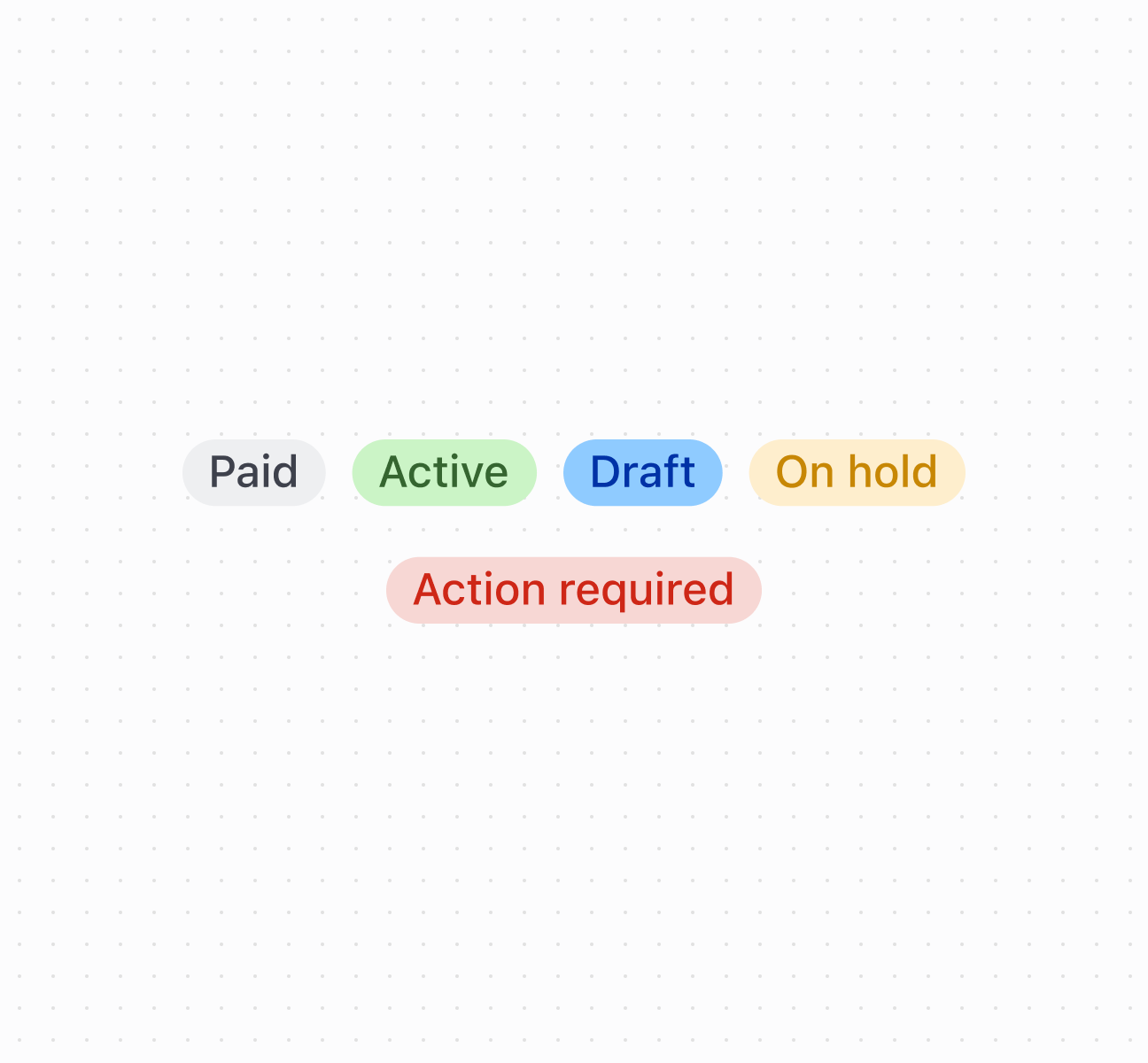
Display status information with a badge
<s-badge tone="neutral">Paid</s-badge>
<s-badge tone="success">Active</s-badge>
<s-badge tone="info">Draft</s-badge>
<s-badge tone="warning">On hold</s-badge>
<s-badge tone="critical">Action required</s-badge>
Anchor to Best practicesBest practices
- Apply appropriate tones: Use
successfor positive states,criticalfor urgent issues,warningfor attention-needed states,infofor neutral information. - Keep text brief: Use single words or short phrases. Avoid lengthy descriptions that don't fit the compact design.
- Position near related content: Place badges next to the items they describe for clear associations.
- Use for status, not actions: Badges display information only. For interactive elements, use buttons or clickable components.
Anchor to LimitationsLimitations
Very long text content may be truncated or cause layout issues depending on the container and screen size.
Was this page helpful?