App surfaces
Shopify apps can surface functionality across multiple areas of the platform, from the Shopify admin to checkout to Point of Sale. Each area where your app can appear is called a surface, and a single app can add functionality to multiple surfaces.
All UI surfaces share Polaris, Shopify's unified system for building app interfaces. For UI extensions, Polaris provides three core building blocks: targets that define where your extension appears, target APIs that give your extension access to surface-specific data and functionality, and web components that render the UI.
Regardless of where you surface your app, you need to be a user with app development permissions and create a dev store to test your app.
Regardless of where you surface your app, you need to be a user with app development permissions and create a dev store to test your app.
Anchor to App HomeApp Home
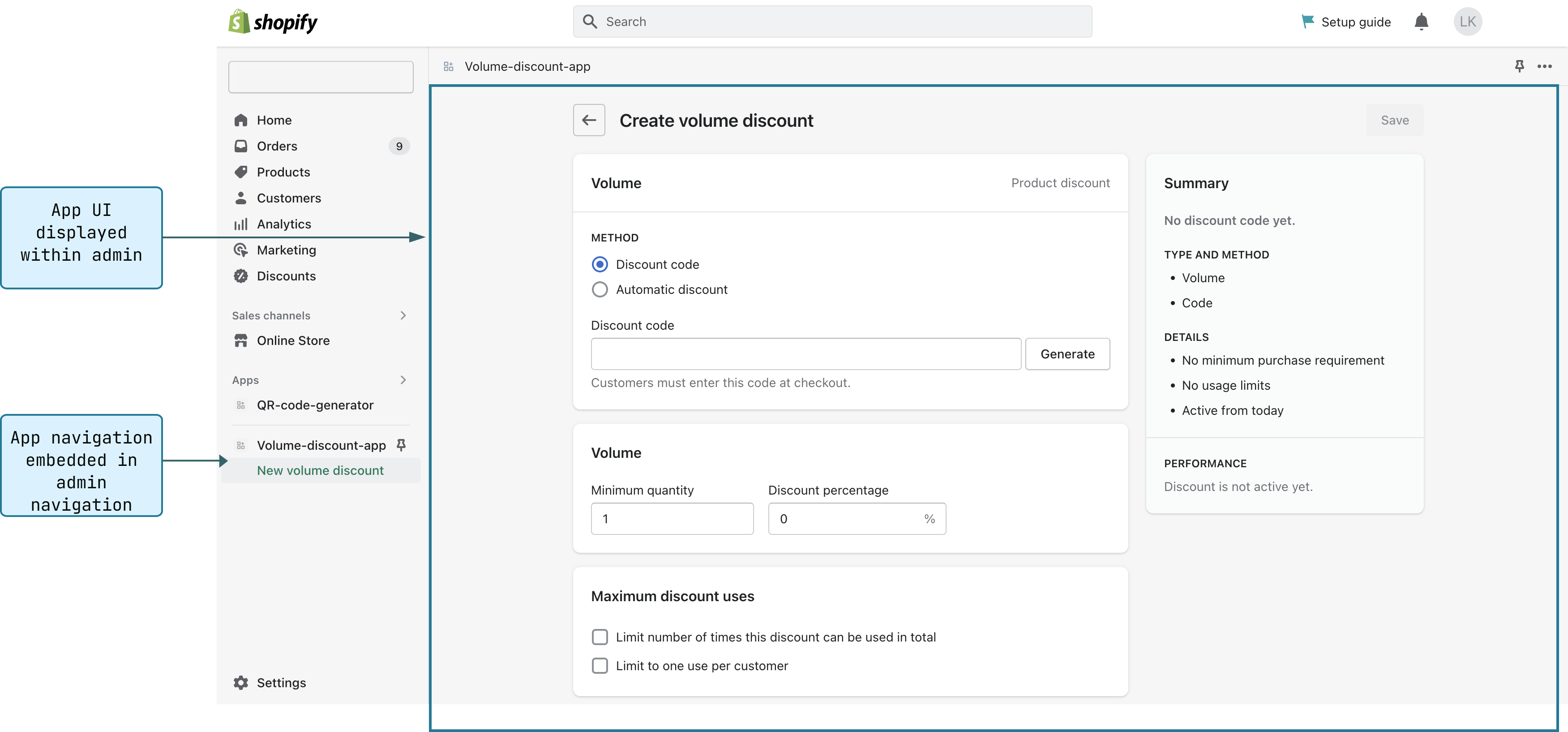
App Home is a dedicated area in the Shopify admin for your app to render its landing page and UI. It's where merchants interact with your app's core functionality, such as configuring settings, viewing data, and managing workflows.
You build your app's App Home pages using web components and APIs. Polaris web components provide the UI elements that make your app look and feel like a native part of the admin, while APIs handle communication between your app and the Shopify admin.
There are two ways to build for App Home. You can either build your app's pages using iframes with any web framework, or you can build your app as a Shopify-hosted UI extension. For most apps, we recommend using the iframe model. To learn more about these two approaches, see Apps in App Home.
For the full API reference, see the App Home reference or the App Home UI extension reference.
Anchor to AdminAdmin
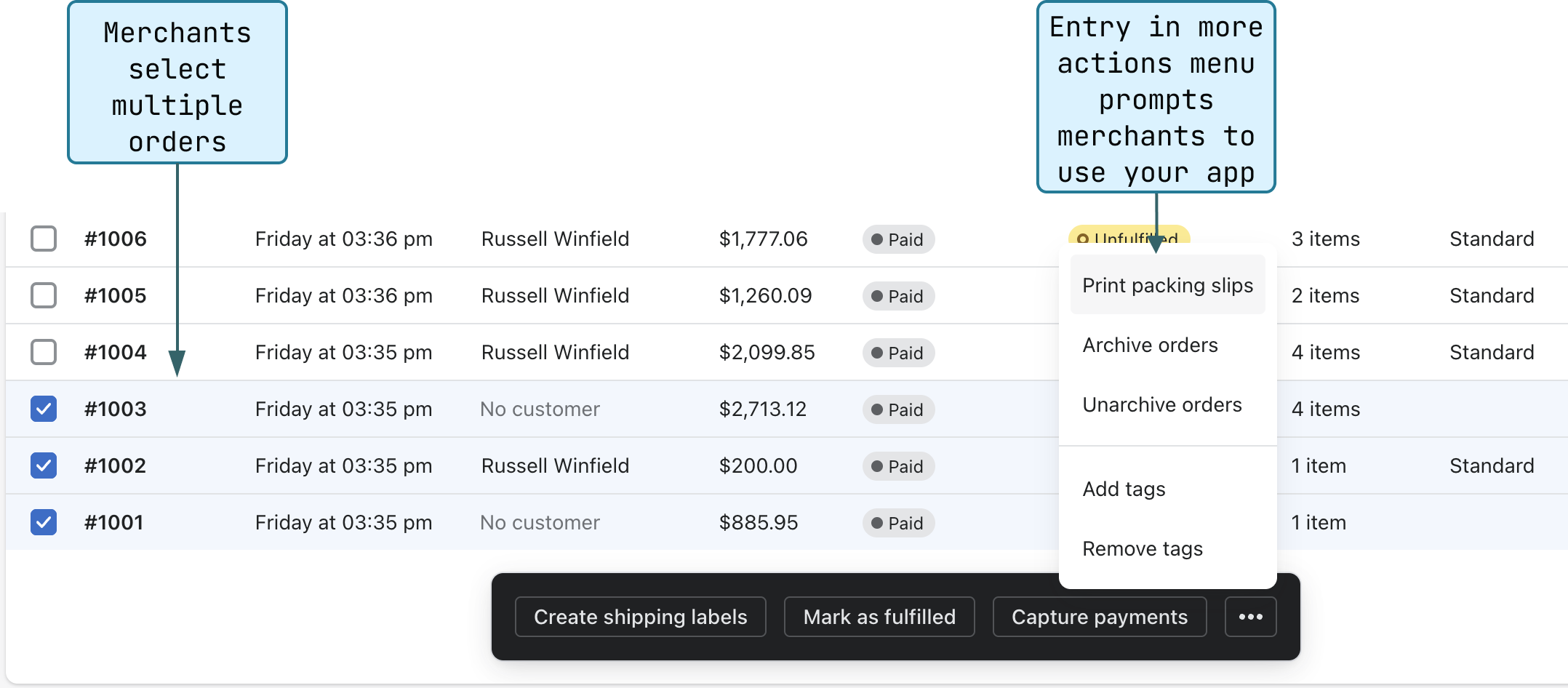
Admin UI extensions let you surface your app's functionality directly on resource pages in the Shopify admin, such as products, orders, and customers.
You build admin UI extensions with Polaris targets, target APIs, and web components. You can also build custom settings interfaces for Shopify Functions and extend the Shopify admin's data model using metafields and metaobjects.
To get started, build an admin action or explore the admin UI extensions and the Shopify Functions references.
Anchor to CheckoutCheckout
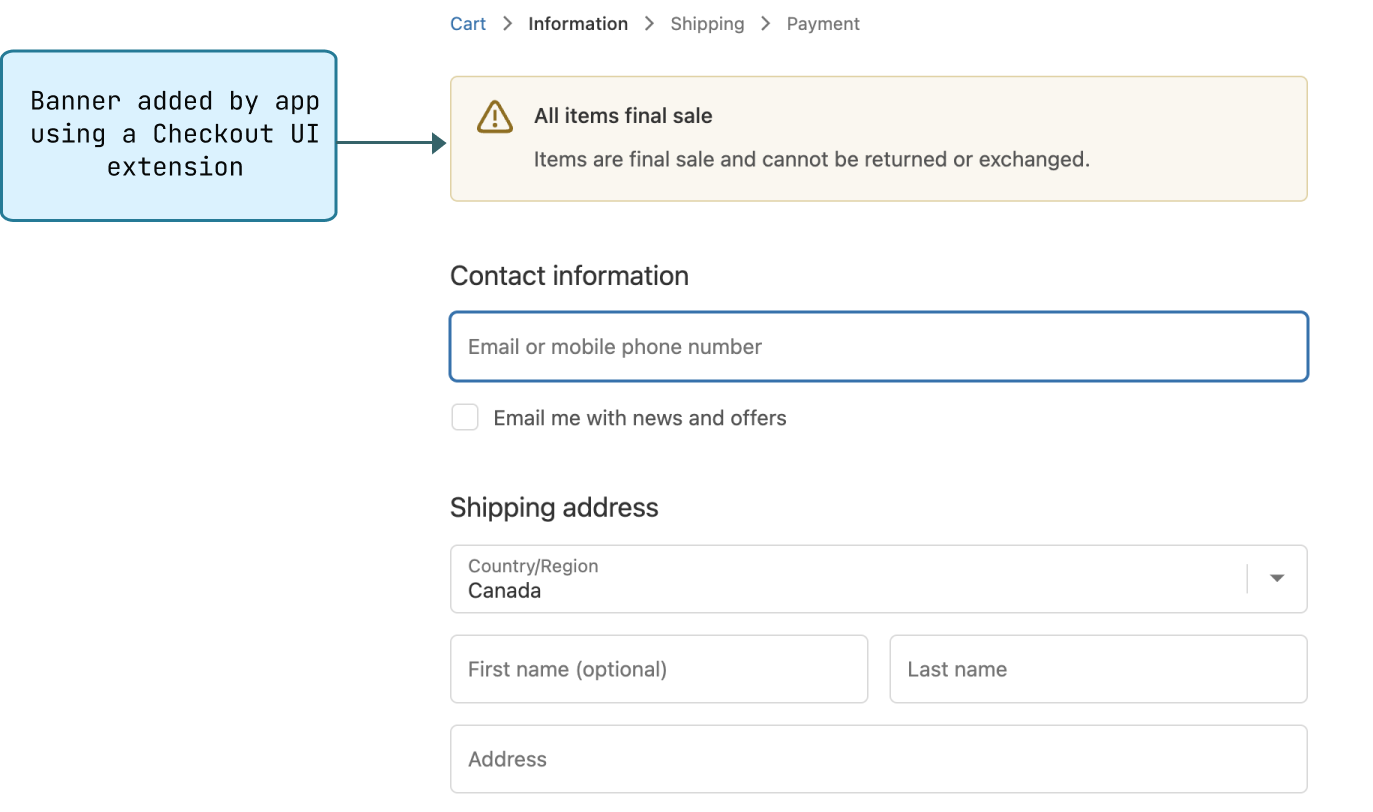
Checkout is where customers complete their purchases. You can customize the checkout experience by adding UI elements and modifying backend logic.
You build checkout UI extensions with Polaris targets, target APIs, and web components. You can also customize backend logic like discounts, delivery options, payment options, and cart validation using Shopify Functions.
To get started, add a banner to checkout or explore the Checkout UI extensions and Shopify Function APIs references.
Anchor to Customer accountsCustomer accounts
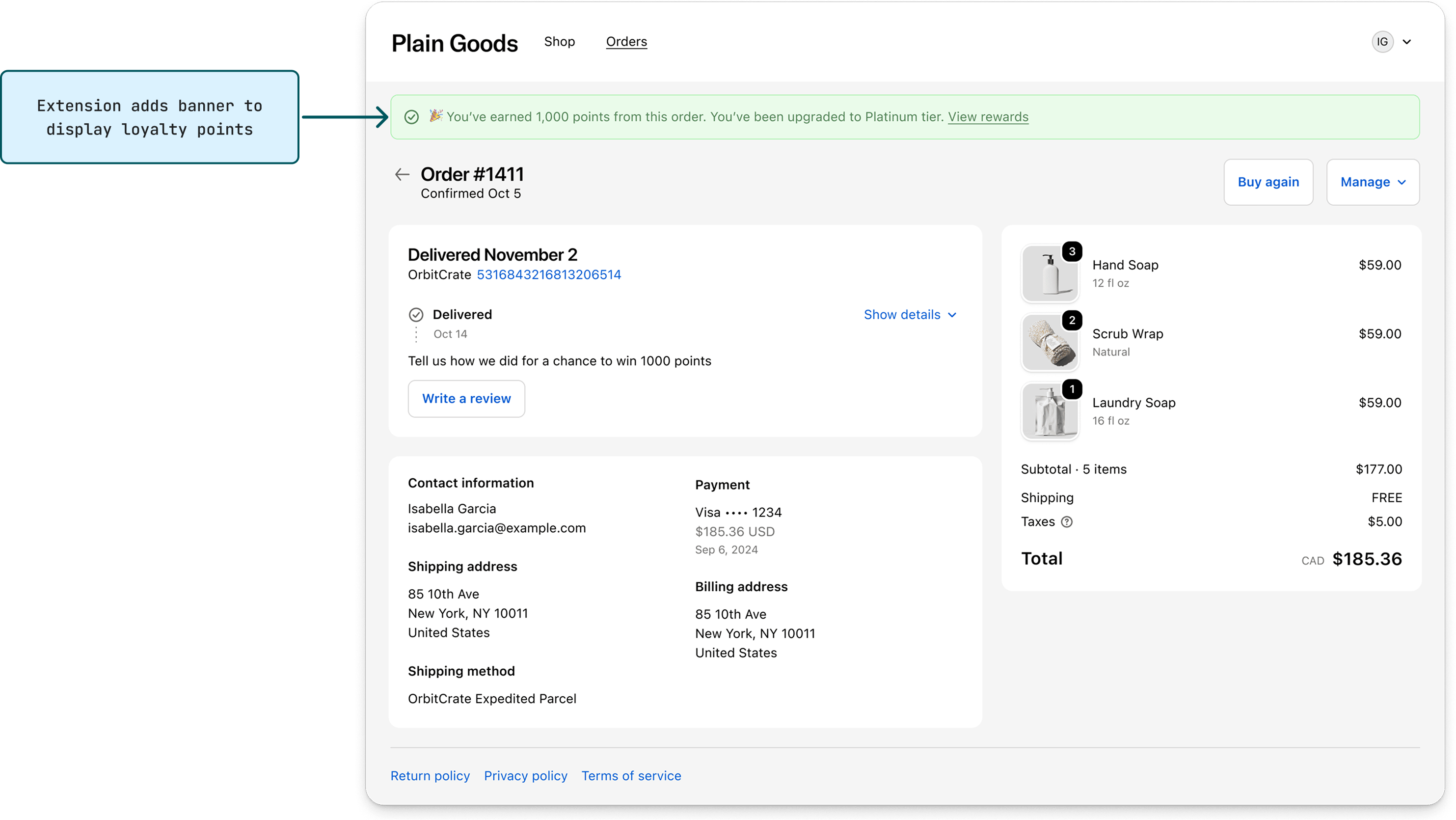
Customer accounts are where customers view their order history, check order statuses, and manage their profile. You can extend these pages with custom functionality, such as loyalty programs, product reviews, or order tracking.
You build customer account UI extensions with Polaris targets, target APIs, and web components. You can also create entirely new pages using full-page extensions.
To get started, build an order status extension or explore the Customer account UI extensions reference.
Anchor to Point of SalePoint of Sale
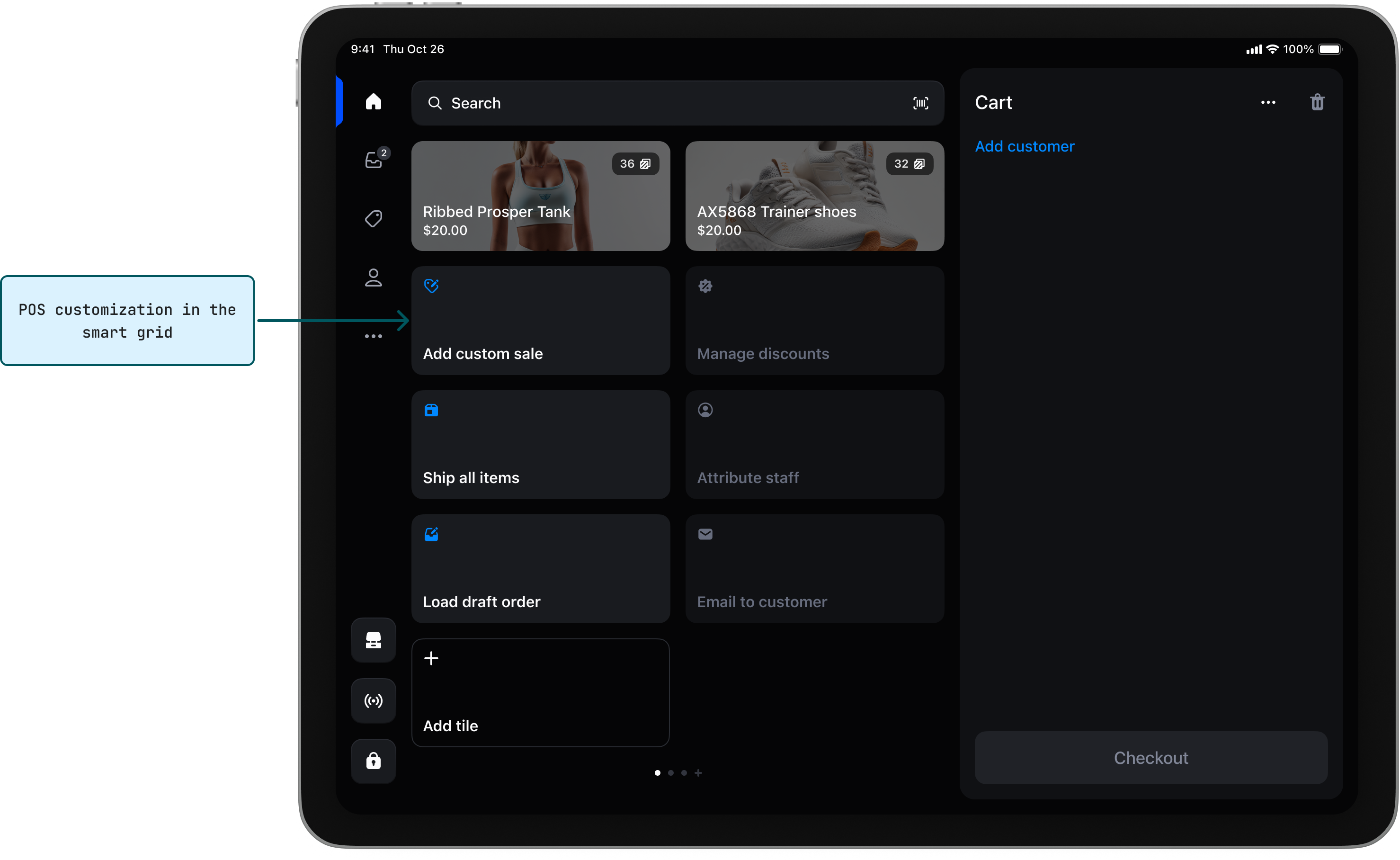
Shopify Point of Sale (POS) is the interface merchants use to sell products in person. You can add custom functionality to POS, such as loyalty program enrollment, custom discounts, inventory alerts, or customer relationship tools.
You build POS UI extensions with Polaris targets, target APIs, and web components. Extensions render natively across both iOS and Android.
To get started, build a POS UI extension or explore the POS UI extensions reference.
Anchor to Online storeOnline store
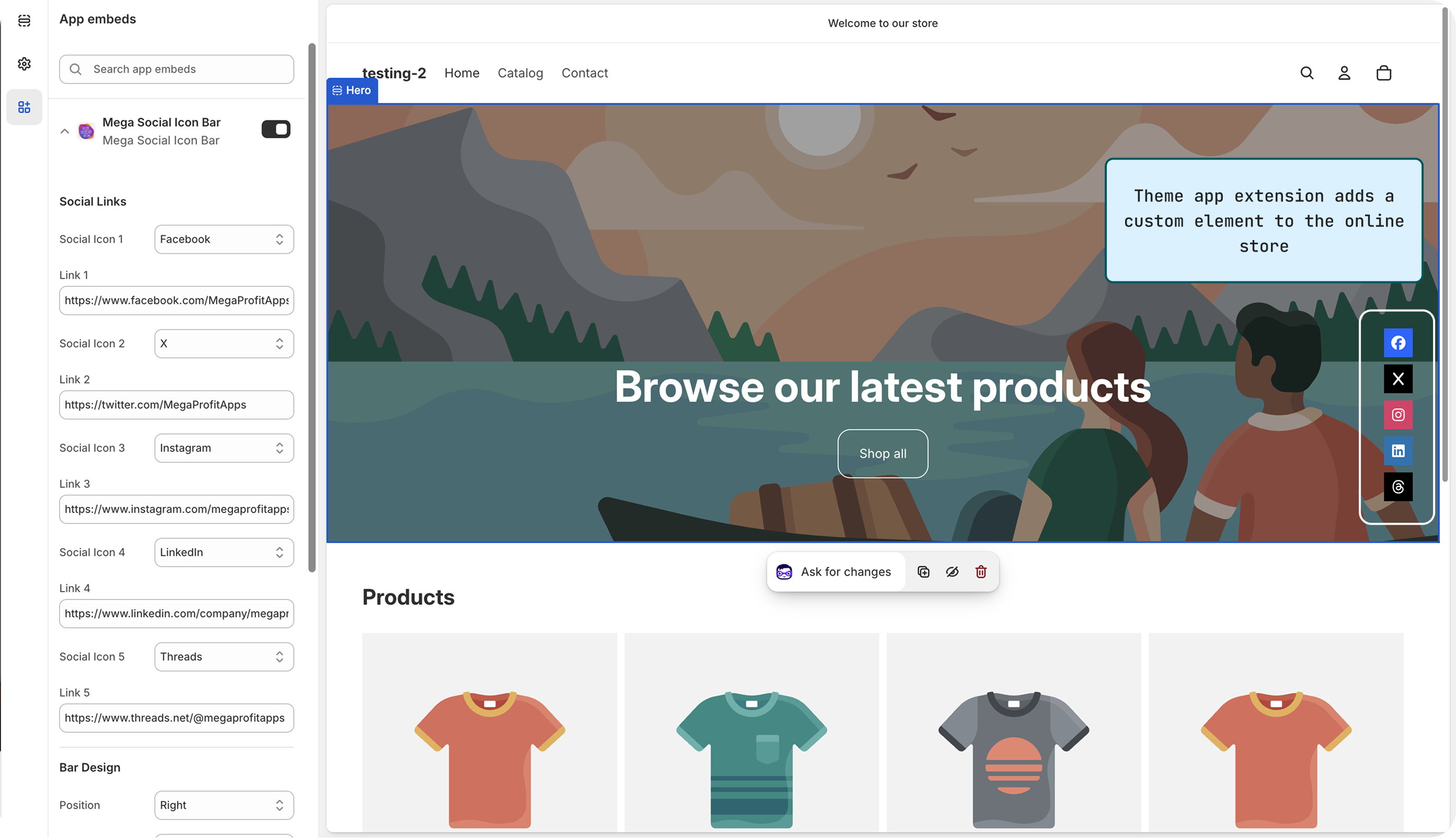
The online store is the merchant's storefront where customers browse and buy products. You can extend the online store by adding custom elements to themes and collecting behavioral data for marketing and analytics.
You build online store integrations primarily using theme app extensions, which let merchants add dynamic elements to their themes through the theme editor without editing Liquid code. You can also use web pixels to collect customer behavior data on the storefront.
To get started, build a theme app extension or explore the Storefront API reference.
Anchor to Shopify FlowShopify Flow
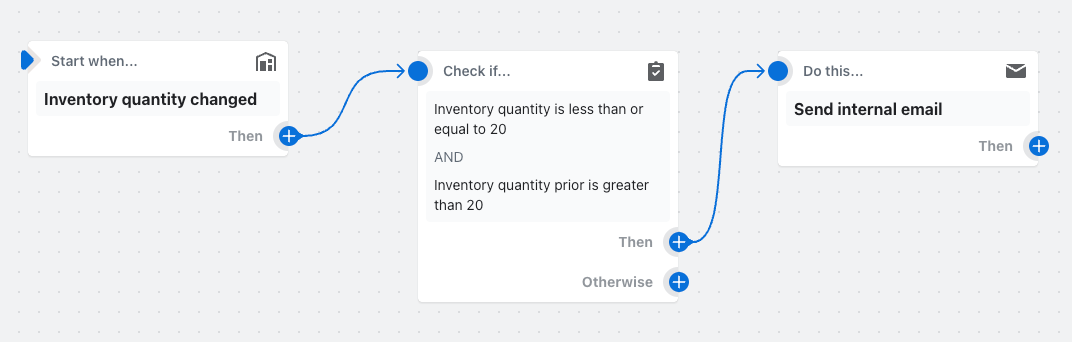
Shopify Flow is an automation platform you can use to build custom workflows for merchants. Workflows automate tasks in their store, such as sending notifications, tagging customers, or managing inventory.
You can integrate your app with Flow by building triggers that send events from your app to start workflows, actions that let Flow call your app to perform tasks when conditions are met, and templates that give merchants pre-built workflows they can install from Flow's template library.
To get started, build a Flow trigger or explore the Flow templates reference.
Anchor to Server-only appsServer-only apps
Server-only apps run entirely in the background without a merchant-facing user interface. They're useful when you need to sync data between Shopify and external systems, run scheduled tasks, or respond to webhooks without requiring any merchant interaction.
Because server-only apps have no UI, they're typically distributed as custom apps installed on a single store rather than through the Shopify App Store.
To get started, subscribe to a webhook topic.
Anchor to HostingHosting
Depending on how you integrate with Shopify, Shopify might host your code, or you might need to arrange hosting yourself.
Shopify-hosted components run on Shopify's infrastructure and are deployed using Shopify CLI and the Dev Dashboard. For components like your app server, you manage the infrastructure. App Home pages can be either developer-hosted (iframe model) or Shopify-hosted (App Home UI extension model).
To learn about deploying developer-hosted components, refer to About deployment.
Even when an extension is hosted by Shopify, your app might still need a developer-hosted backend to handle tasks like calling third-party APIs or storing custom data.
Even when an extension is hosted by Shopify, your app might still need a developer-hosted backend to handle tasks like calling third-party APIs or storing custom data.
| Surface | Component | Hosted by Shopify | Hosted by developer |
|---|---|---|---|
| App Home | App Home pages (iframe) | ✓ | |
| App Home UI extensions | ✓ | ||
| Admin | Custom data | ✓ | |
| Admin UI extensions | ✓ | ||
| Shopify Functions | ✓ | ||
| Checkout | Checkout UI extensions | ✓ | |
| Shopify Functions | ✓ | ||
| Customer accounts | Customer account UI extensions | ✓ | |
| Online store | Theme app extensions | ✓ | |
| Web pixels | ✓ | ||
| Shopify Flow | Actions | ✓ | |
| Triggers | ✓ | ||
| Templates | ✓ | ||
| Point of Sale | POS UI extensions | ✓ | |
| Server-only apps | ✓ |


