Theme editor best practices
The theme editor lets merchants easily customize their online store without touching code. It provides a visual interface for modifying themes, previewing changes, and publishing updates. Merchants use the editor to add, remove, and rearrange sections and blocks, adjust settings, and preview their store on multiple devices.
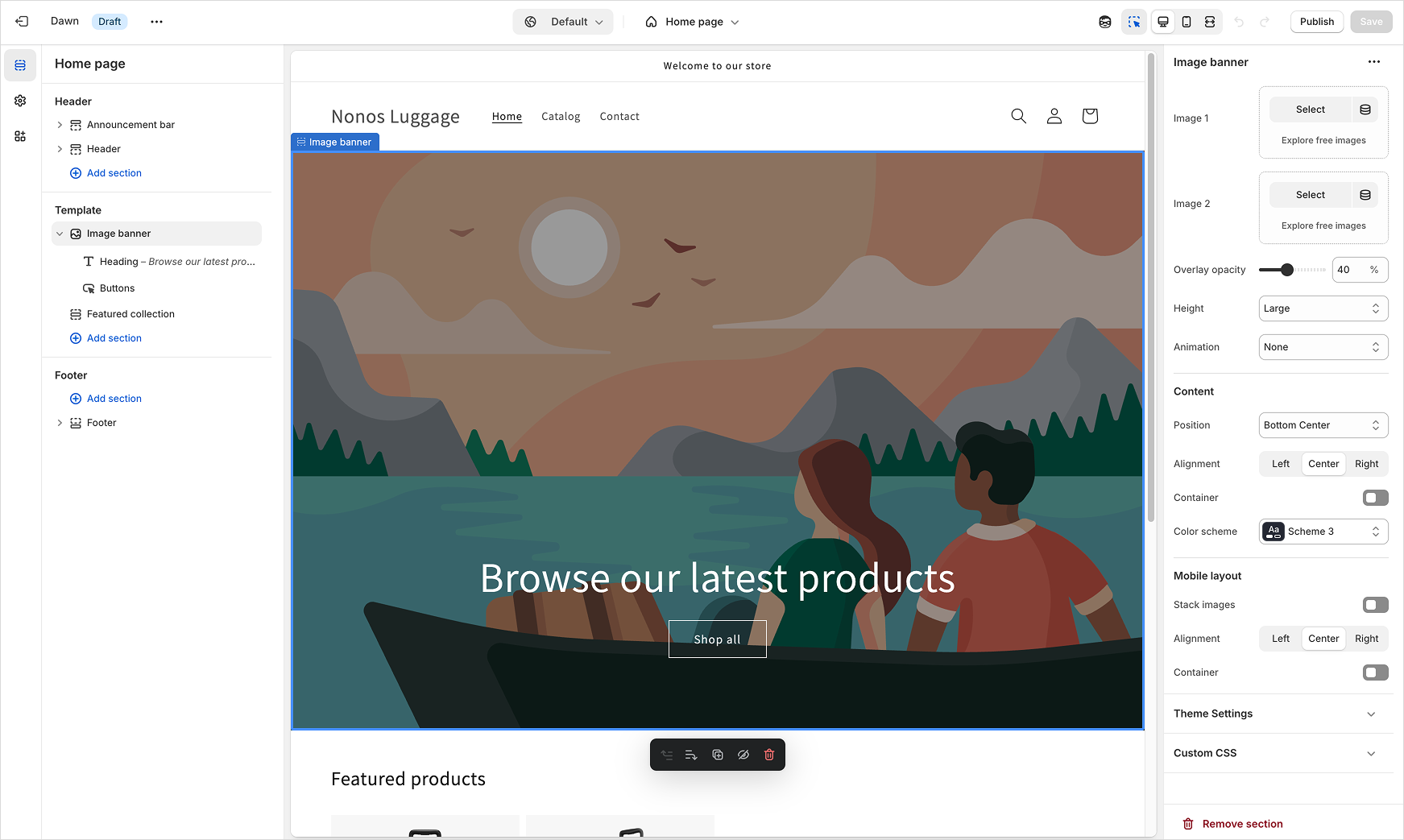
As a theme developer, your goal is to build themes that integrate smoothly with the theme editor, providing merchants with a clear, intuitive, and powerful editing experience.
Anchor to Integrate sections and blocks with the theme editorIntegrate sections and blocks with the theme editor
When merchants customize sections and blocks using the theme editor, content dynamically updates without reloading the entire page. To ensure a seamless editing experience, your theme should respond correctly to theme editor actions, such as adding, removing, selecting, or reordering elements. You can also detect when the theme editor or its visual preview mode is active, and adjust your theme's behavior accordingly.
Learn more about integrating blocks and sections with the theme editor.
Anchor to Integrate with the preview inspectorIntegrate with the preview inspector
The preview inspector lets merchants quickly identify and edit sections and blocks directly from the theme preview. By properly integrating your theme with the preview inspector, you help merchants instantly see which settings affect specific elements. This integration streamlines the editing process and improves merchant confidence when customizing their store.
Learn more about integrating with the preview inspector.