Today we're sharing the newest wave of improvements to the Dev Dashboard. You told us, in the community forums and in support conversations, that common work like managing collaborator access or understanding app health took too much juggling.
This release brings that work into one home for your apps and the stores you work in: store management, collaborator access, and app health—one place to see how your business is doing and act on whatever needs attention, across all your apps and stores.
Here's what's new, and where we're headed next.
Anchor to What's changedWhat's changed
A new home for building
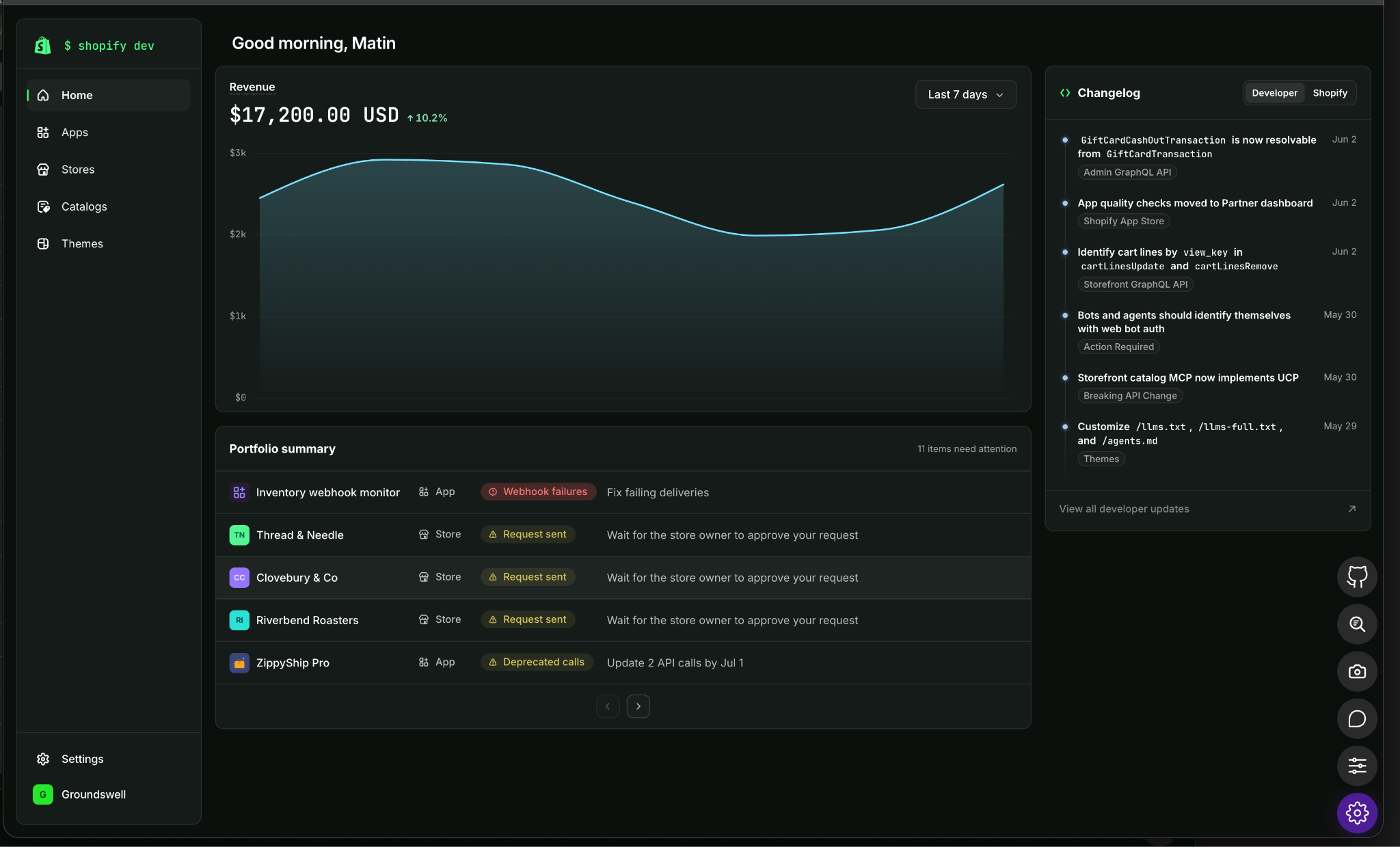
The new Dev Dashboard Home helps you answer two questions as soon as you sign in: how's my business doing, and what needs my attention? So you can find out about app problems before a merchant tells you.
The newest additions:
- Revenue: View topline revenue across your entire portfolio. Revenue visibility follows your existing permissions, so you don’t have to worry about additional requirements.
- Business status: The portfolio summary collects errors and warnings from across your apps and stores into one table, urgency first. Triage critical issues like a suspended app or failing webhooks, then warnings like deprecated API calls. Store problems appear here too, such as expired collaborator access or a transfer in progress.
- Changelog: View the developer changelog right from Home, so API updates and breaking changes reach you where you already work.
Apps index and metrics
The new apps index puts your whole portfolio in one sortable list: each app's revenue, installs, distribution status, and active alerts. Sorting by revenue or by alerts tells you which app to look at today without opening any of them.
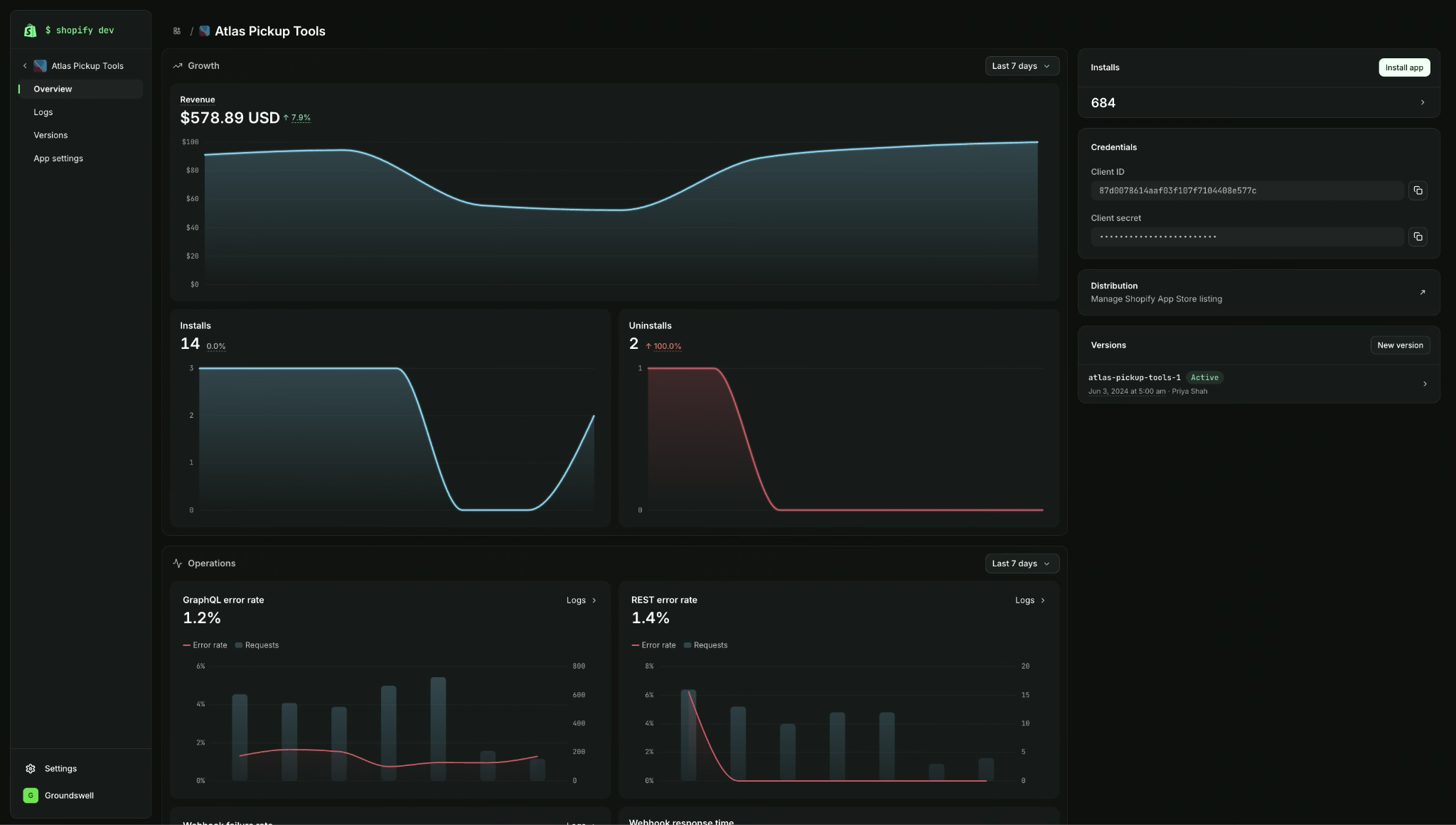
Click into an app for a closer look at both business and technical performance. Find revenue, installs and uninstalls over time, API request volume and error rates, logs for each API, and how your app performs in the merchant admin. The Installs card counts every store your app is on today, including your own development stores and stores with no active plan. Select the count to see every store that installed your app. If you release on Tuesday and installs dip by Friday, the install and uninstall charts let you know whether merchants left or new installs just slowed.
An error rate on its own is hard to read, so each chart plots the rate against the volume underneath it. A 50% error rate across four calls is noise, but the same rate across forty thousand is an incident. Each chart links into Logs, already filtered to that API and to failures, so a spike on the chart is one click from the requests behind it.
Stores index
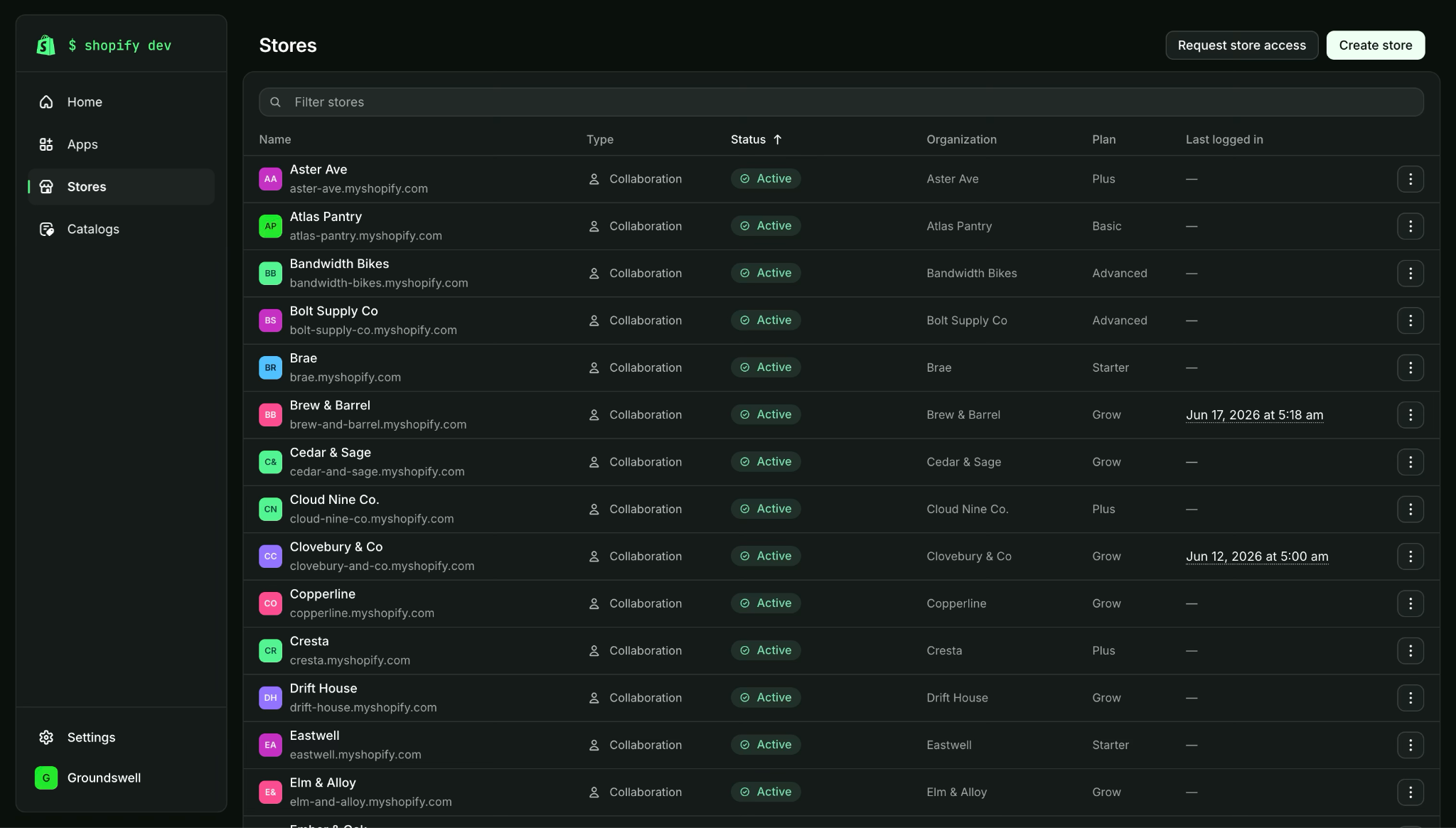
Your stores are no longer spread across three separate tabs. The new store index brings client stores, development stores, and collaborator stores into a single list, and you can search and filter across every store you own or have access to. If you build for clients, this is where your day starts.
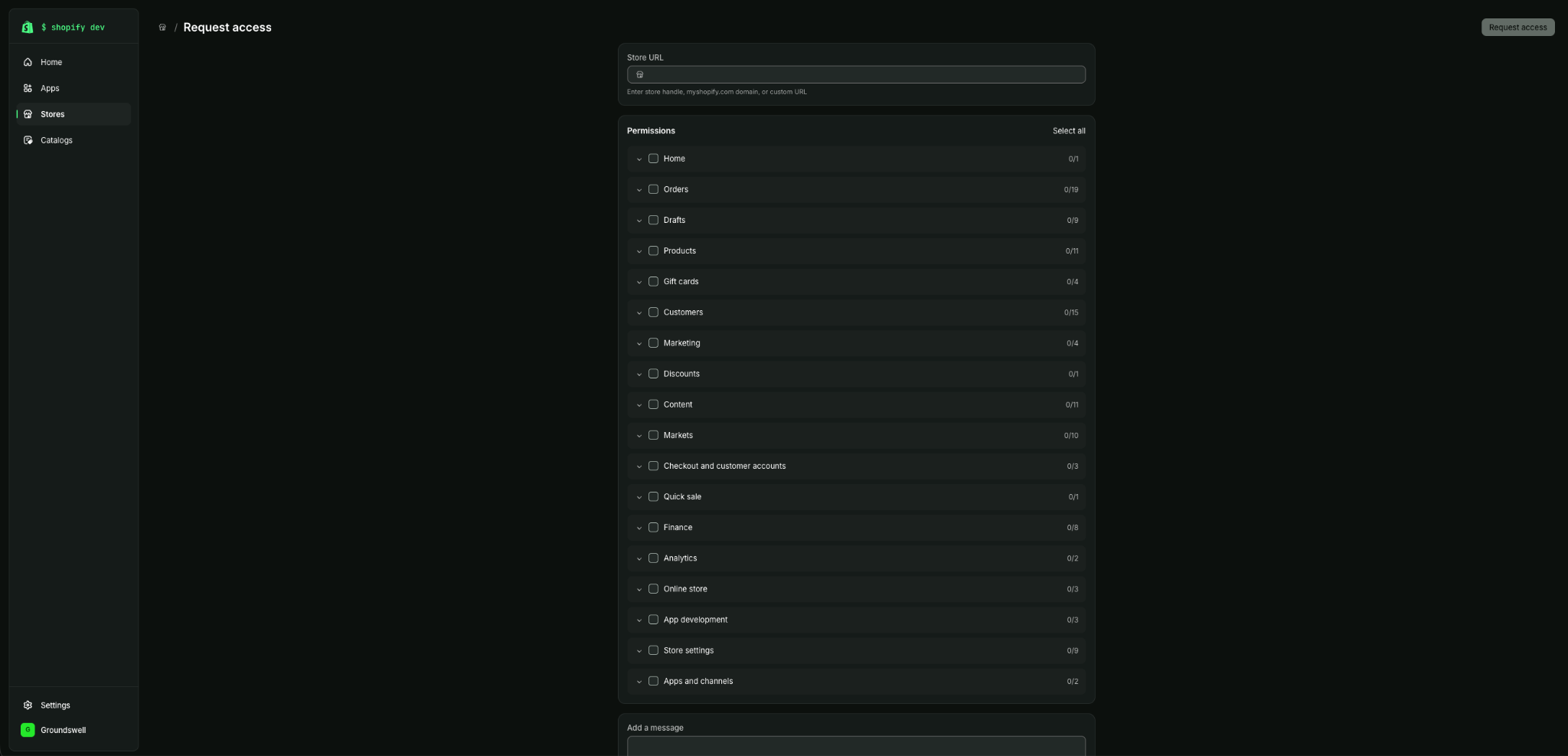
When a merchant who installed your app asks for help, you can request access without leaving the list of stores that installed it or going to look up the store's domain. Requesting access from the store index works the same way.
Logs
When a merchant reports a problem, you need to know what your app actually did. Logs answers that: every API request, webhook delivery, and app event, across every store that installed your app. The new Log page flags errors, and search and filter narrow the stream to the calls you're investigating, so finding one failed webhook no longer means reading everything your app did that afternoon.
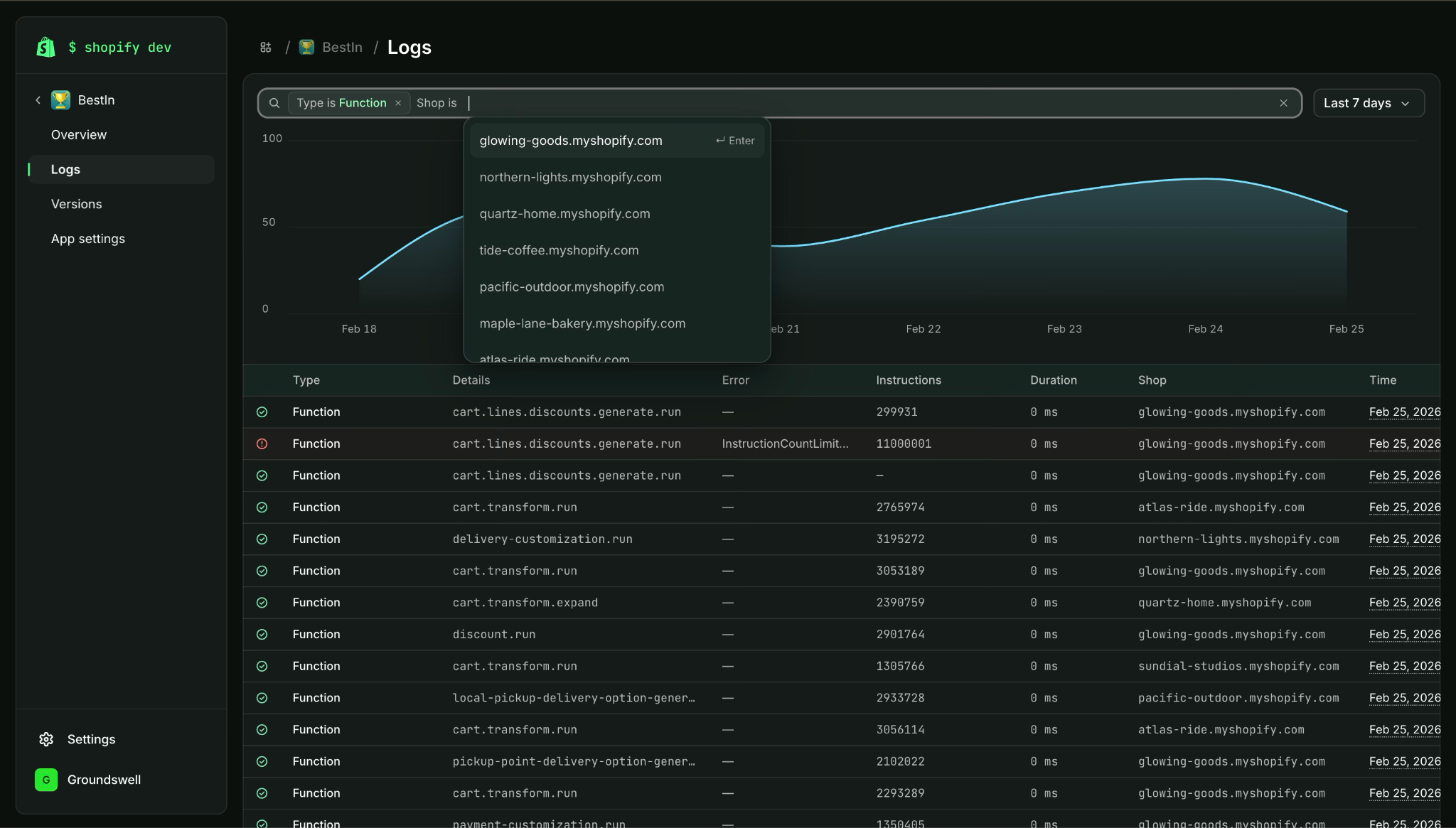
The Logs page is also much faster than it was during early access. Logs are kept for 30 days, and one filtered window covers up to 7 days, so step through a longer period in a few windows. If a discount from your Function stops applying for one merchant, filter to Function runs for that shop, and open the run that failed.
Anchor to The future visionThe future vision
More is coming. The Dev Dashboard should make your everyday work faster, so you spend less time administering your apps and more time solving merchant problems.
Here's a taste of what's coming:
Apps
- Everything in one place: Complete every app task in one place: manage your distribution, move through app review, and create your listing and pricing.
- App history: A full log of your app installs, uninstalls, and billing events.
- App access requests: Request access to protected scopes from the Dev Dashboard, instead of switching to the Partner Dashboard.
Stores
- Referral stores: See your referral stores in your stores list, alongside the stores you already work in, with a direct path to the earnings each referral generates.
Organization
- Payouts and billing: See what you've earned, know when you'll be paid, and manage your billing, right from the Dev Dashboard.
Anchor to Get buildingGet building
Come see what's new:
- Explore the new experience at dev.shopify.com/dashboard.
- Read more in the docs.
- Tell us what you think in the Shopify Dev Community. Your feedback helped us shape this release.