Query container
The query container component establishes a container query context for responsive design. Use query container to define an element as a containment context, enabling child components or styles to adapt based on the container's size rather than viewport width.
Query containers support modern responsive patterns where components respond to their container dimensions, creating more flexible and reusable layouts. For static layouts that don't need to respond to container size, use stack or grid directly.
Query container uses inline-size containment only — block-size (height) queries aren't supported. Applying contain: inline-size can affect child elements that depend on their parent's intrinsic size, and not all component properties accept container query expressions.
Supported targets
- customer-account.
footer. render-after - customer-account.
order-index. announcement. render - customer-account.
order-index. block. render - customer-account.
order-status. announcement. render - customer-account.
order-status. block. render - customer-account.
order-status. cart-line-item. render-after - customer-account.
order-status. cart-line-list. render-after - customer-account.
order-status. customer-information. render-after - customer-account.
order-status. fulfillment-details. render-after - customer-account.
order-status. payment-details. render-after - customer-account.
order-status. return-details. render-after - customer-account.
order-status. unfulfilled-items. render-after - customer-account.
order. action. menu-item. render - customer-account.
order. action. render - customer-account.
order. page. render - customer-account.
page. render - customer-account.
profile. addresses. render-after - customer-account.
profile. announcement. render - customer-account.
profile. block. render - customer-account.
profile. company-details. render-after - customer-account.
profile. company-location-addresses. render-after - customer-account.
profile. company-location-payment. render-after - customer-account.
profile. company-location-staff. render-after - customer-account.
profile. payment. render-after
Supported targets
- customer-account.
footer. render-after - customer-account.
order-index. announcement. render - customer-account.
order-index. block. render - customer-account.
order-status. announcement. render - customer-account.
order-status. block. render - customer-account.
order-status. cart-line-item. render-after - customer-account.
order-status. cart-line-list. render-after - customer-account.
order-status. customer-information. render-after - customer-account.
order-status. fulfillment-details. render-after - customer-account.
order-status. payment-details. render-after - customer-account.
order-status. return-details. render-after - customer-account.
order-status. unfulfilled-items. render-after - customer-account.
order. action. menu-item. render - customer-account.
order. action. render - customer-account.
order. page. render - customer-account.
page. render - customer-account.
profile. addresses. render-after - customer-account.
profile. announcement. render - customer-account.
profile. block. render - customer-account.
profile. company-details. render-after - customer-account.
profile. company-location-addresses. render-after - customer-account.
profile. company-location-payment. render-after - customer-account.
profile. company-location-staff. render-after - customer-account.
profile. payment. render-after
Anchor to Use casesUse cases
- Responsive padding: Adjust spacing based on the container's width so content has comfortable padding in both wide and narrow contexts.
- Adaptive layouts: Switch a stack between horizontal and vertical directions depending on available space, so the same component works in a sidebar or main content area.
- Collapsible grids: Transform a multi-column grid into a single-column layout when the container is too narrow for side-by-side content.
- Contextual styling: Apply different background colors, border treatments, or font sizes based on the container's inline size.
Anchor to PropertiesProperties
Configure the following properties on the query container component.
- Anchor to containerNamecontainer
Namecontainer Name stringstringDefault: ''Default: '' A custom name for the container, used in container queries to target this container specifically. The value is added alongside the default name
s-default.- Anchor to idididstringstring
A unique identifier for the element. Use this to reference the element in JavaScript, link labels to form controls, or target specific elements for styling or scripting.
Anchor to ExamplesExamples
Anchor to Apply responsive paddingApply responsive padding
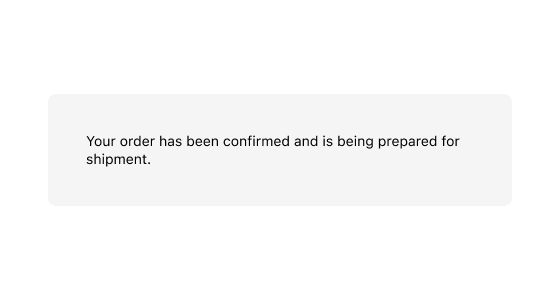
Wrap content in a query container and use container query syntax in the padding property. This example applies larger padding when the container is wider than 500px.
Apply responsive padding
html
Anchor to Adapt layout based on container sizeAdapt layout based on container size
Use container query syntax in the direction property of a stack to switch between horizontal and vertical layouts based on the container's width.
html
Anchor to Switch grid columns based on container widthSwitch grid columns based on container width
Use container query syntax in the gridTemplateColumns property of a grid to switch between a single column and two columns based on the container's width.
html
Anchor to Best practicesBest practices
- Use container queries instead of viewport queries: Container queries make components responsive to their parent's size, which is more reliable than viewport width in extension contexts where your component doesn't control the full page.
- Name containers for clarity: Set
containerNamewhen you have nested query containers so child components can target a specific ancestor. - Test at multiple sizes: Verify that your container query breakpoints produce good layouts at small, medium, and large container widths.