Build a tax app
Shopify's Tax Platform is available by invitation only to select tax software companies integrating with Shopify.
Shopify's Tax Platform is available by invitation only to select tax software companies integrating with Shopify.
Anchor to What you'll learnWhat you'll learn
- How to create a partner account and dev store.
- How to create and deploy a tax app extension.
- How to test and publish your app.
- How to submit your tax app for review.
Anchor to Before StartingBefore Starting
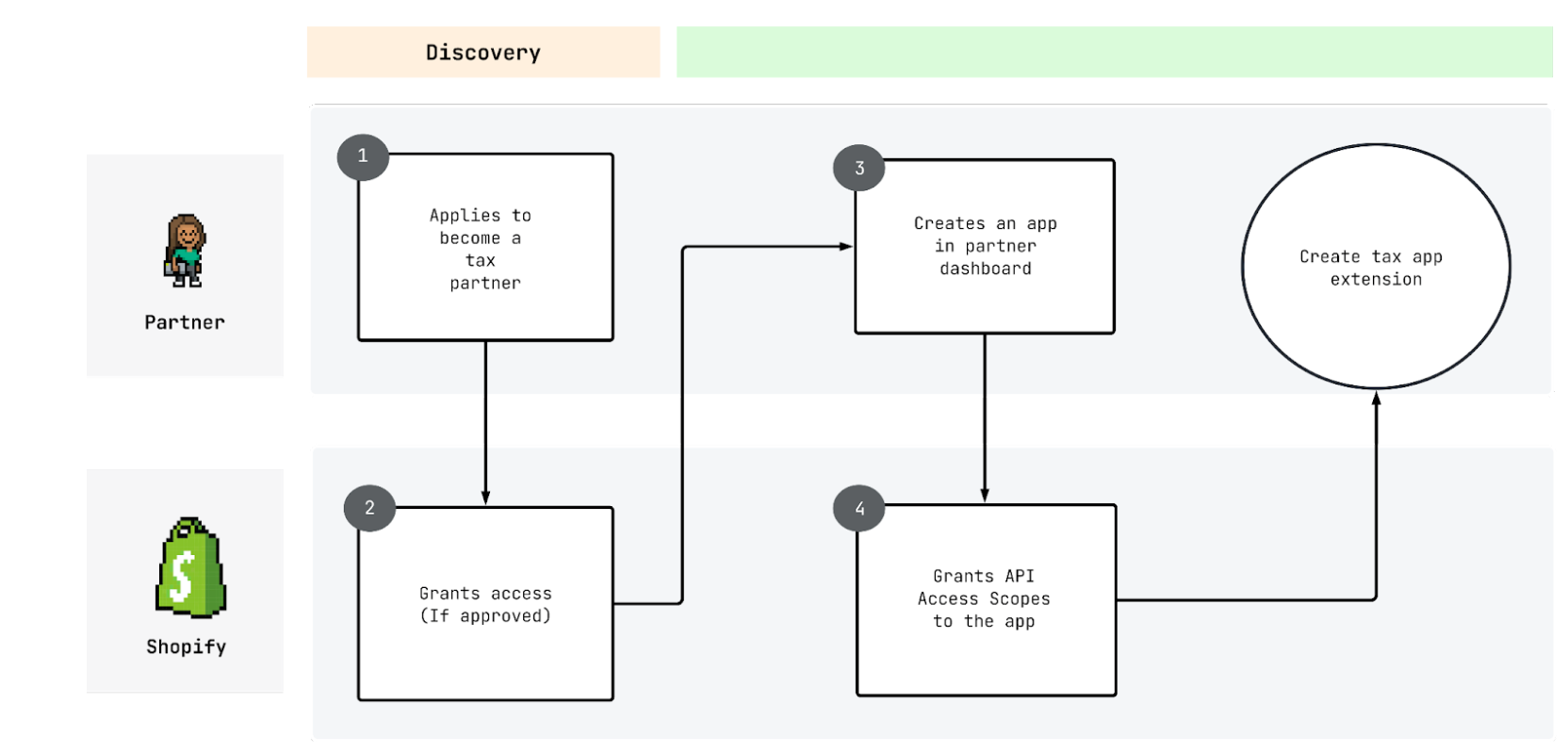
- Create a partner account and a dev store.
- Shopify will need to grant you access to create a tax app extension via the CLI once completed.
- Create a new app in the Dev Dashboard or Shopify CLI.
- Shopify will need to grant you access to the
write_taxesaccess scope once completed.
- Shopify will need to grant you access to the
Anchor to Step 1: Generate a new tax appStep 1: Generate a new tax app
- Generate a new tax calculation app extension with template files via the Shopify CLI
- Run the following Shopify CLI command from a terminal inside your app's repository:
shopify app generate extension
If the terminal prompts you to log into the Shopify Partners portal to authenticate a session from Shopify CLI, press any key to open a page in your browser to log in. You may also be prompted to select a Partners Organization or to create a new app. If your app was previously deployed to your Partner account, choose the organization under which your deployed app is associated with, and connect the app extension to the existing app.
If the terminal prompts you to log into the Shopify Partners portal to authenticate a session from Shopify CLI, press any key to open a page in your browser to log in. You may also be prompted to select a Partners Organization or to create a new app. If your app was previously deployed to your Partner account, choose the organization under which your deployed app is associated with, and connect the app extension to the existing app.
-
When prompted, select
Tax Calculationas the extension type. -
Name the new Tax Calculation extension and select
JavaScript Reactas the extension's working type.- The name you provide is internal and won't be exposed to merchants.
- The working type is not important, your extension will only be used to contain your tax app's configuration.
-
At this point, newly generated template files will be created for your tax app extension under the directory
Anchor to Step 2: Configure your tax app extensionStep 2: Configure your tax app extension
Fill in the following details in the generated extension file
| Field | Description |
|---|---|
production_api_base_url | The base URL of your app that merchants will use. Ex: https://shopify_app.company.com/ |
benchmark_api_base_url | The base URL of your app that Shopify will use for running load tests. Ex: https://benchmark_app.company.com/ |
calculate_taxes_api_endpoint | A relative URL path indicating your tax calculation endpoint. Shopify will combine this with your production URL or benchmark URL. For example, if production_api_base_url was configured as https://shopify_app.company.com and calculate_taxes_api_endpoint was configured as api/calculate_taxes, the full URL Shopify calls during tax calculations would be https://shopify_app.company.com/api/calculate_taxes |
metafields | (Optional) Used for metafields configuration. |
input.metafield_identifiers | (Optional) Used for metafields configuration. |
cart_line_properties | (Optional) Used for cart line properties configuration. Available as of API version 2026-04. |
api_version | (Optional) This indicates the API version of the calculation request specified by the app. |
Here's an example of the configuration:
shopify.ui.extension.toml
Anchor to Step 3: Deploy and release a new version of your Tax AppStep 3: Deploy and release a new version of your Tax App
Caution: You can't edit a version after it's created. If you want to change the settings on your tax calculation app extension, then you need to create and publish a new version by changing the configuration file that was generated in Step 1, and redeploy the app by following the instructions in this step.
We currently don't support testing the app using
shopify app dev.
Deploy and release a new version of your tax app and extension using Shopify CLI:
- Run the following command that will deploy your app and extension as a new version:
Terminal
At this point, a new version of your tax app has been deployed to Shopify and is now live.
Anchor to Next stepNext step
To get your app reviewed, refer to the app review process.