Voice and tone
Learn how to apply Shopify’s voice and choose the right tone in your app, no matter what you’re building.
Anchor to What are voice and toneWhat are voice and tone
Voice is a reflection of who Shopify is. Your app is part of a merchant’s Shopify experience, so it should sound like Shopify.
Tone is different. Some aspects of that personality are more or less apparent depending on the audience and their context. Voice stays the same across your whole app. Tone changes with the situation.
Anchor to Shopify’s voiceShopify’s voice
Shopify is a company, built by real people who understand this business and care about helping others succeed. That should be clear every time a merchant uses your app.
Most often you show this through well-crafted tools that help merchants get their jobs done efficiently. But there are times when personality and perspective should be more apparent. In those moments, adapt your tone to respond to merchants in an appropriate and meaningful way.
Anchor to Voice guidelinesVoice guidelines
Anchor to Be real, but not too tough or overly familiarBe real, but not too tough or overly familiar
- Use business casual language. Be plain-spoken, not pretentious or overly playful.
- Be upfront and honest with merchants, even when your app makes a mistake.
- Communicate with clarity and empathy. Be direct, not insensitive.
Anchor to Be proactive, but not needy or pushyBe proactive, but not needy or pushy
- Offer merchants sincere encouragement and practical advice.
- Clearly explain how merchants are impacted when something goes wrong, but don’t overexplain with redundant content.
Anchor to Be dynamic, but not scattered or impulsiveBe dynamic, but not scattered or impulsive
- Communicate in a way that respects merchant emotion and context.
- Avoid words that generalize success, such as “every,” “all,” and “most.”
- Use language that supports action, movement, and progress.
Anchor to Guide, but don’t handhold or prescribeGuide, but don’t handhold or prescribe
- Use your expertise to help merchants succeed. Don’t talk down to them.
- Be specific when explaining benefits, without making things sound better than they are.
- Teach merchants the “why” and “how” behind actions. Don’t just tell them to do something.
Anchor to Adapting your tone to the situationAdapting your tone to the situation
Your tone adapts to the context. You’ll use certain voice attributes more or less depending on the situation.
Tone guidance is often framed around adapting to the emotional state of the audience. In reality you never know a merchant’s emotional state. Even when things seem the most positive, you can’t be sure.
It’s helpful to consider how merchants are likely to feel, but don’t assume or tell them how to feel. Focus on the specifics of the situation and less on the emotions. The following are the most common situations to consider.
Anchor to Everyday tasks and activitiesEveryday tasks and activities
When everything is working as it should, your goal is to give merchants what they need to get work done, without getting in the way or drawing attention to your app. Merchants should know what something is, or that something has happened as expected.
Do
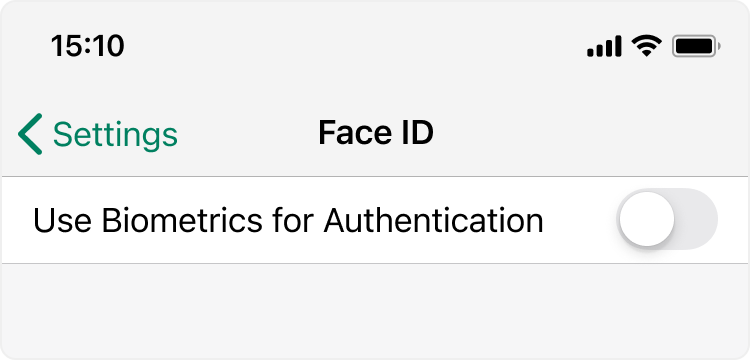
Look for the simplest way to communicate information. Words aren’t always necessary.

Don’t
Use overly complicated or intimidating language.
Do
Be consistent for identical actions or destinations when possible, such as “Delete product” and “Delete collection”.
Don’t
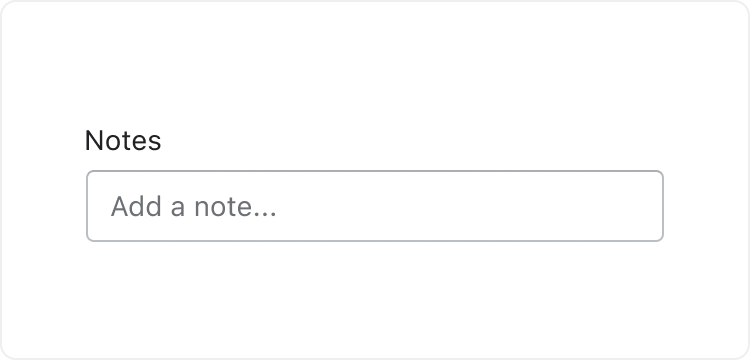
Add extra text just to fill space, such as “Add a note…”
Anchor to Learning and educationLearning and education
Sometimes it helps to give more explanation or education. In these situations, make sure merchants feel confident in their actions and in your app’s capabilities.
Some merchants want to be guided step by step through a process, while others just want to try it out and learn on their own. Look for ways to give them both options.
Merchants might have sought out a feature specifically, or your app might have recommended it, so don’t assume that they want or need to use it.
Do
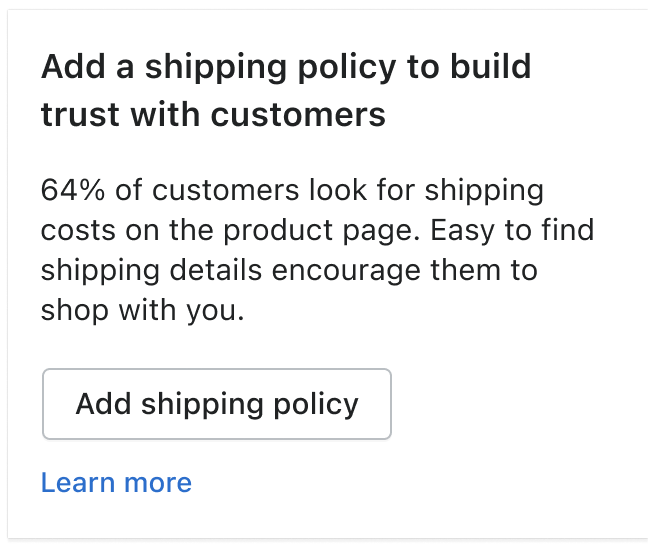
Help merchants understand why they should do something, not just how.
Don’t
Oversell or overpromise, such as “Create a new campaign and you could double your sales this holiday season.”
Do
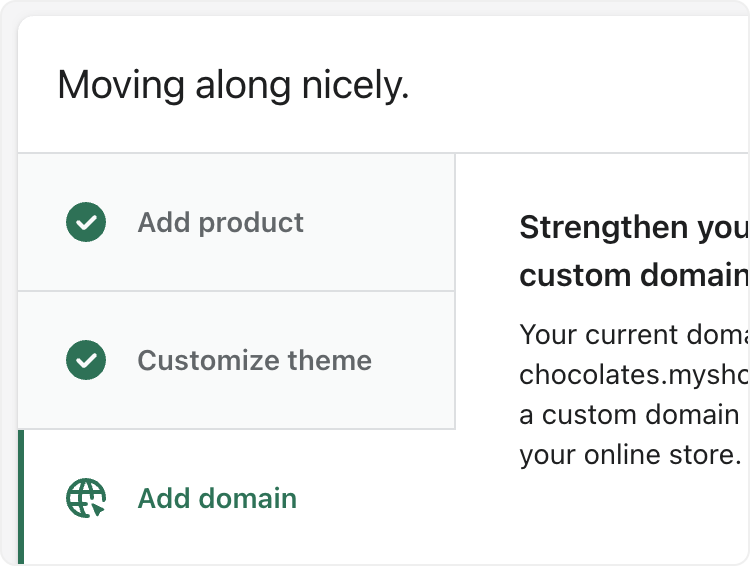
Break complicated tasks into steps that help merchants focus on one thing at a time.
Don’t
Be overly prescriptive about how someone should use a feature, such as “You need to add at least 10 products before opening your store.”
Anchor to Simple errorsSimple errors
Unexpected events happen even when you’re proactive about protecting against them. These are often simple mistakes or roadblocks that merchants can fix easily. They aren’t necessarily errors or problems, but they can feel that way at first.
Help merchants understand what happened so that they can get back to work as quickly as possible.
Do
Clearly explain the situation and how to resolve it, such as “Product weight needs to be positive. Change the product weight to be greater than or equal to 0 and try again.”
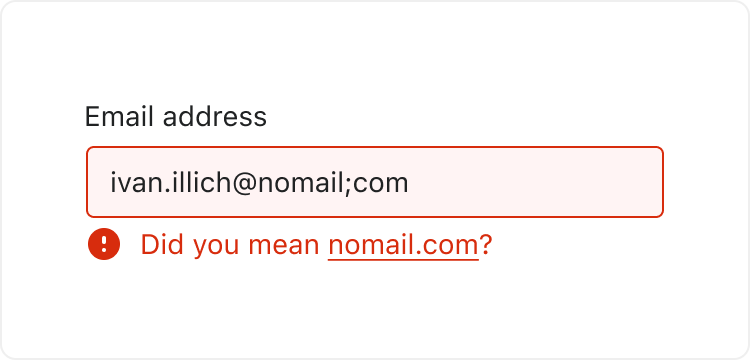
Don’t
Use overly dramatic or scary words for simple errors, such as “bad request,” “forbidden,” “fatal,” “expectation failed,” “unresolved,” or “invalid.”
Do
Look for ways to help merchants resolve problems automatically.
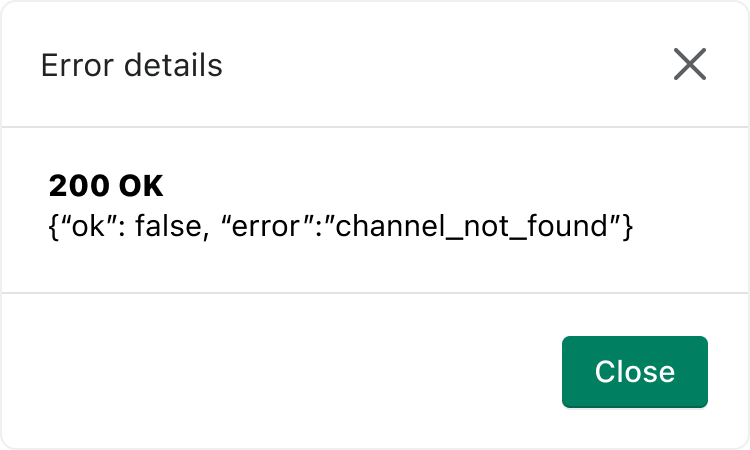
Don’t
Use error numbers or codes unless merchants recognize them and they help solve the problem.
Anchor to Acknowledging effort, progress, or completionAcknowledging effort, progress, or completion
Sometimes you want to acknowledge that a merchant completed a complex activity or difficult task.
You don’t need to celebrate the accomplishment, but you should recognize that they put in the time and effort. Depending on the level of effort, these can be simple confirmations or more active recognition that they completed something difficult.
Do
- For a task merchants do regularly, confirm the step simply and non-intrusively, such as a Toast that reads “Product saved”. Consider ways to confirm completion without words.
- When the task was something you initiated or required, thank merchants for their time, such as “Thanks for taking the time to share your feedback.”
Don’t
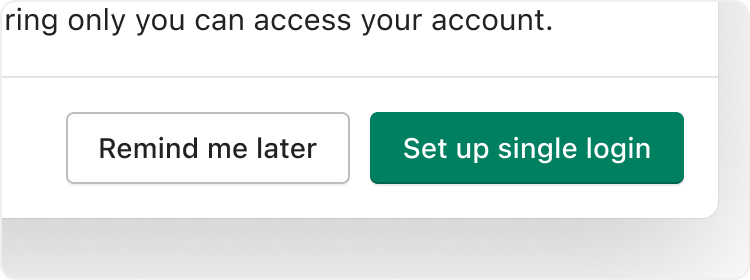
- Assume merchants are excited or celebrating. They might be annoyed if the process was long or the benefits aren’t clear, such as “Congrats! You set up your single login for Shopify.”
- Refer to simple actions or completed steps as “successes,” such as “You successfully added a product.”
Anchor to Motivating actionMotivating action
In some situations you want to keep merchants moving along a path. In most cases you do that with direct information and clear steps.
Don’t be too overzealous or action-driven here. It’s more about helping merchants understand the next step and giving them the context they need to take it.
Do
- Help merchants understand what the next steps are and why they should take them, such as “Your email address is connected to 8 accounts. Set up a single login to switch between stores faster and log in less often.”
- Provide guidance that helps merchants understand whether a decision is right for them, such as “Based on your type of business, this is the POS hardware we recommend.”
Don’t
Assume the next step or outcome is guaranteed, such as “You’re just a few steps away from receiving your first order.”
Anchor to Serious problems or errorsSerious problems or errors
Sometimes you need to share bad news. It might be an outage, an error, or a feature you’re no longer supporting. These situations are hopefully rare, but they happen.
There’s a serious risk of damaging trust and hurting your relationship with merchants, so be careful about how you communicate.
Do
- Explain the impact on their business clearly, without using confusing or scary language, such as “Some of today’s sales data hasn’t been updated yet. This will be fixed shortly. Your data is safe, and your sales are not affected.”
- Apologize and empathize when you’re at fault, but within reason.
- Provide clear steps to resolve issues. If there’s no solution, be direct about what that means for the merchant and what you’re doing about it.
Don’t
Ask merchants to trust you without providing data or context, such as “Today’s sales data might not be accurate, but don’t worry—it’s just temporary.”
Anchor to Announcing new features and updatesAnnouncing new features and updates
Launching a new feature or update is exciting, but consider the merchant’s perspective first. You might be excited about the benefits and capabilities, but change can be intimidating or annoying for merchants.
When you announce something new, focus on educating and explaining what it is, what it’s used for, and what merchants can expect.
Do
- Pitch your product by explaining the specific merchant benefits, such as “Make it your own with custom fonts, colors, and styles. It also loads 50% faster so your visitors won’t miss it.”
- Where possible, let merchants dismiss announcements or postpone changes until they’re ready.
Don’t
Talk only about yourself and assume the experience for merchants will be easy, such as “It’s never been easier to customize the fonts, colors, and styles of Buy Buttons.”
Anchor to Celebrations and congratulationsCelebrations and congratulations
Occasionally you want to celebrate an event or milestone, or congratulate a merchant on an important accomplishment. This should be one of the least common situations you encounter.
Let merchants know that you understand it’s an important moment and you’re excited for them, but be careful not to take credit for it. Even if your app played a role in their success, this isn’t about your app.
Do
- Only celebrate truly important or monumental situations, when merchants likely feel proud, excited, or satisfied, such as “Your store is 1 year old today! Here’s to many more.”
- Express genuine happiness for merchants and congratulate them on a job well done, such as “You launched your store! Nice work.”
Don’t
- Celebrate completing tasks or processes that merchants don’t want to celebrate, such as “You set up your payment providers, congrats!”
- Take credit for a merchant’s success or presume to know what they need, such as “We did it! Congrats on your first sale.”
Anchor to Next stepsNext steps
- Follow the grammar and mechanics guidelines for spelling, punctuation, capitalization, and formatting.
- Review the content guidelines for writing product content in your app.