Targets
Targets define where your customer account UI extensions appear within customer account pages and what capabilities they receive.
Targets serve specific purposes: some create full custom pages, others display contextual information as blocks or announcements, and some provide order-specific actions that customers can trigger.
Use this reference to explore all available targets and understand where they appear in customer accounts.
Even when a target renders for all customers by default, merchants can use the checkout and accounts editor to scope any extension to specific markets, including B2B company locations.
Even when a target renders for all customers by default, merchants can use the checkout and accounts editor to scope any extension to specific markets, including B2B company locations.

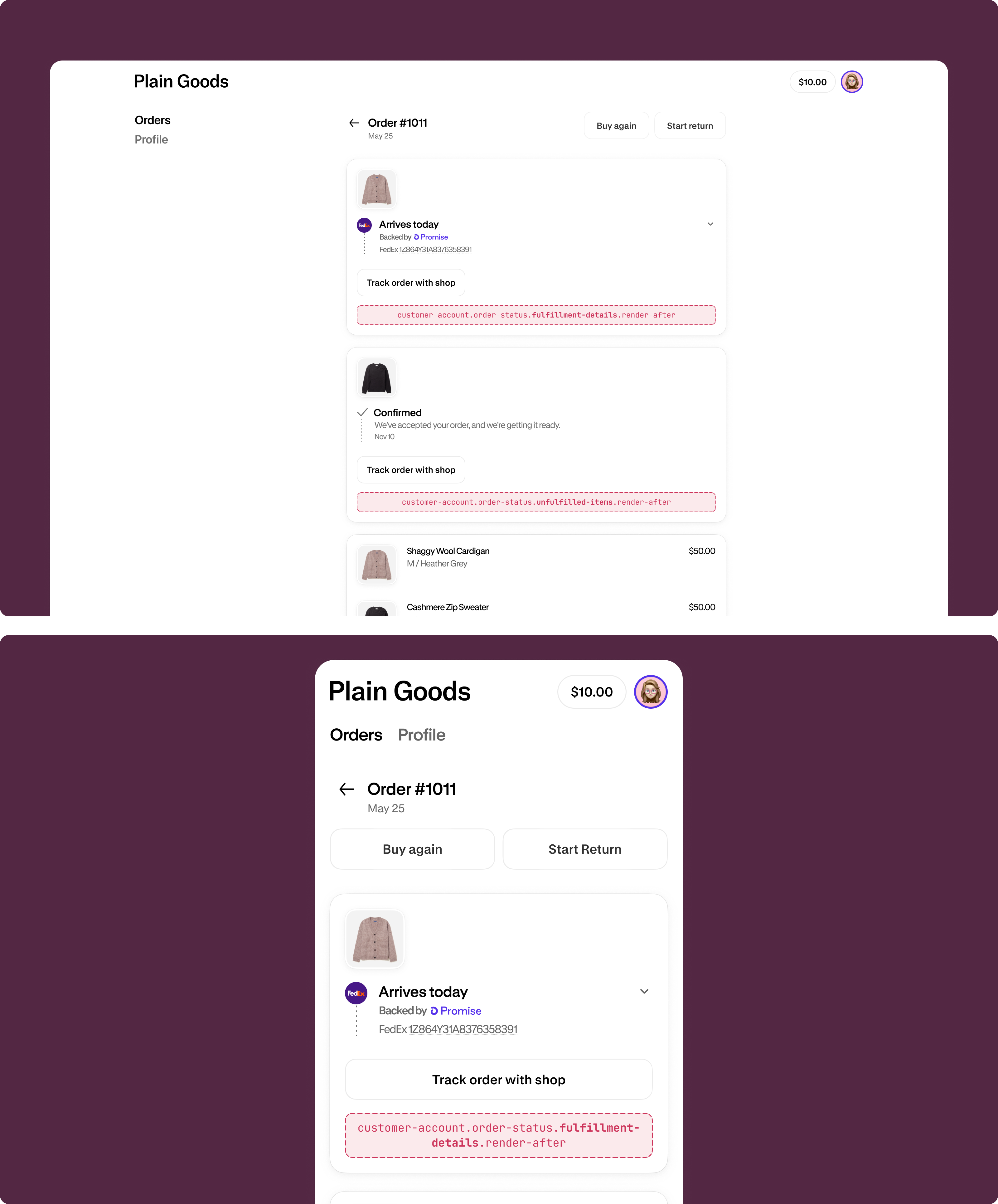
Footers appear at the bottom of all customer account pages, including order index, order status, profile, settings, and custom full page extensions.
Use cases: Cookie consent collection, global announcements, accessibility aids, or legal compliance.
Anchor to Fulfillment statusFulfillment status
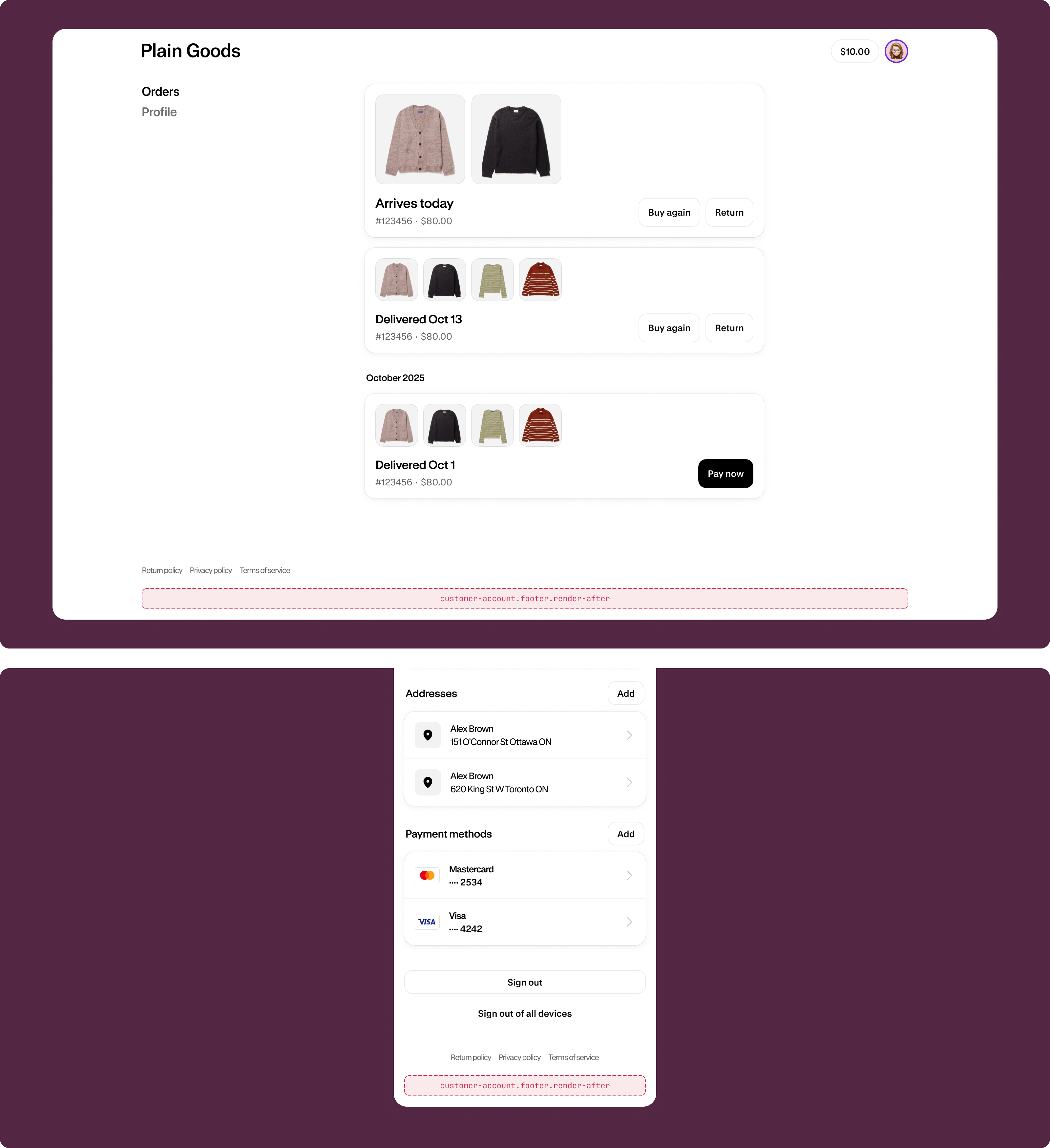
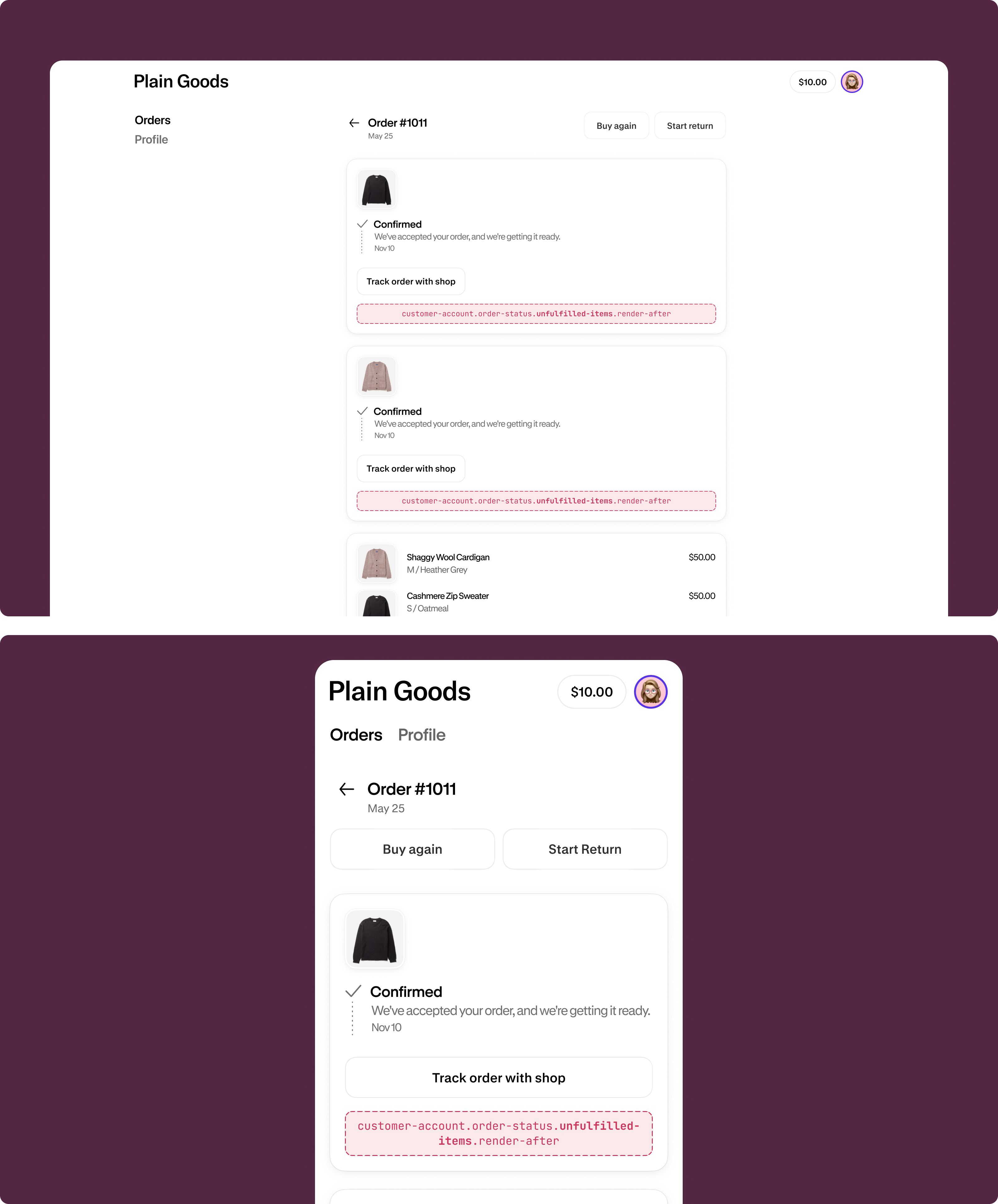
Fulfillment sections show shipping and delivery information for orders, including completed shipments and items still awaiting fulfillment on the Order status page.
Use cases: Tracking links, delivery instructions, carrier information, shipping notifications, or fulfillment status updates for both shipped and pending items.
Fulfillment details (render after)
customer-account.order-status.fulfillment-details.render-after
A static target that renders after the fulfillment details on the Order status page.
Unfulfilled items (render after)
customer-account.order-status.unfulfilled-items.render-after
A static target that renders after the unfulfilled items section on the Order status page.
Anchor to Full pageFull page
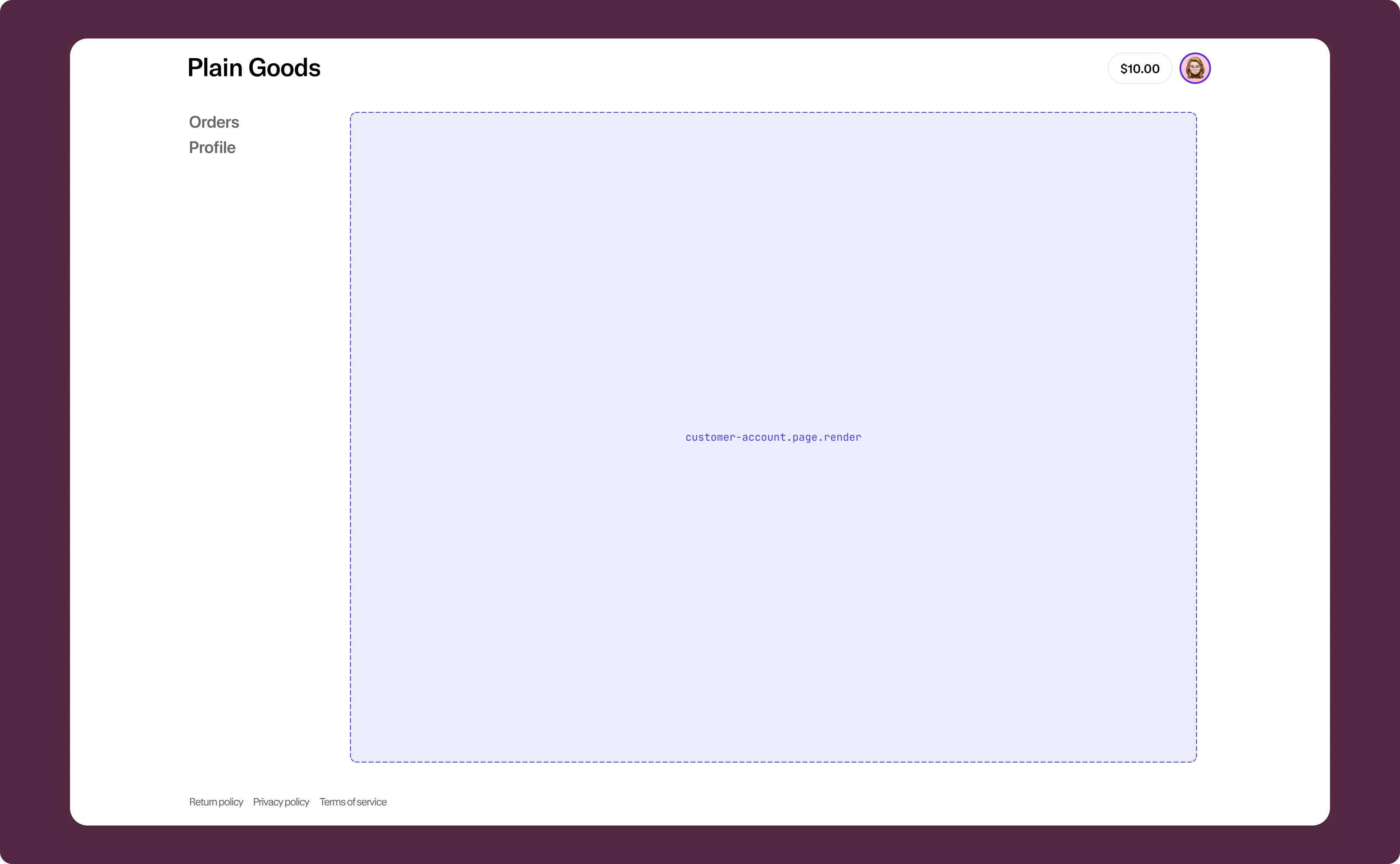
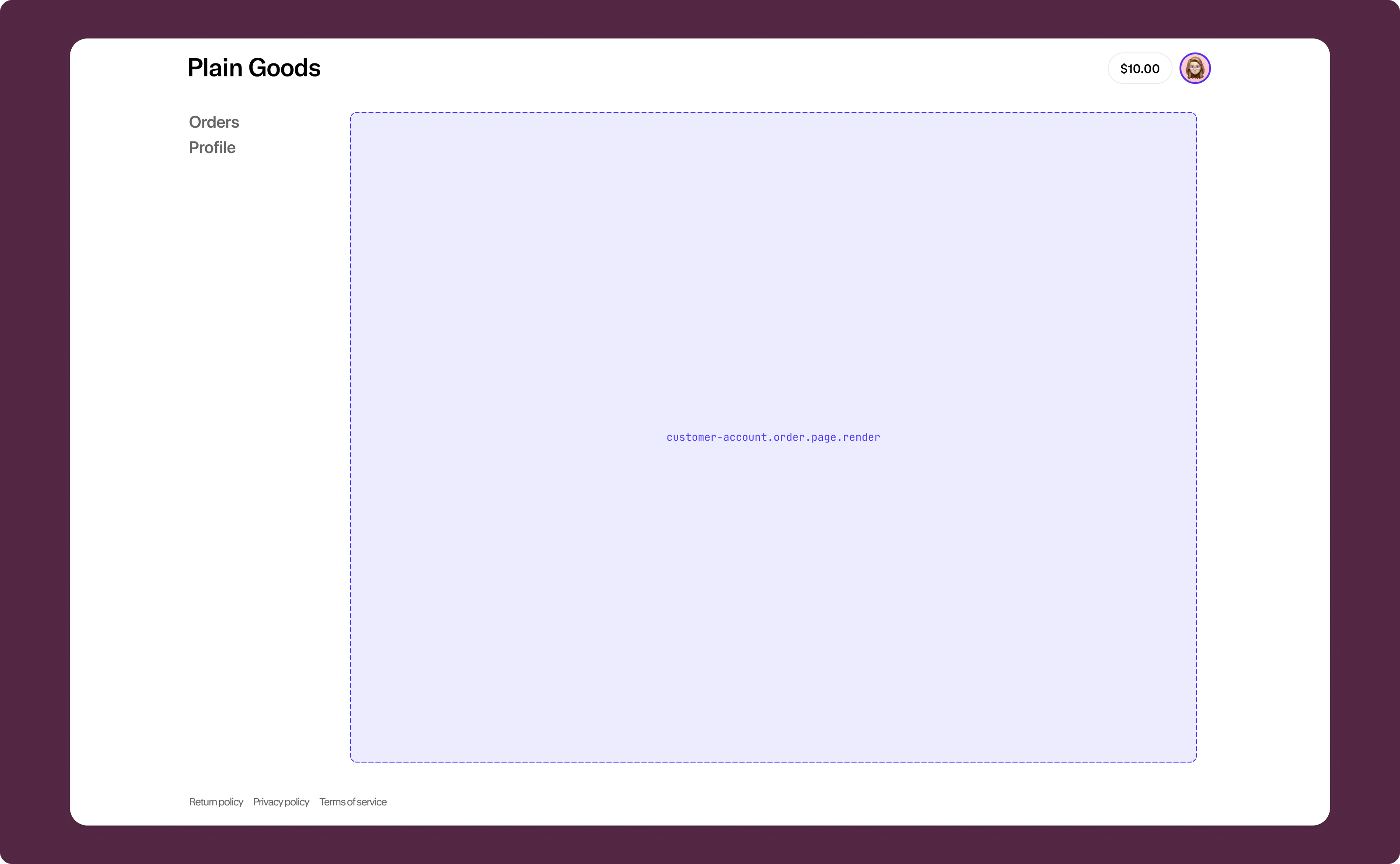
Full page targets let you create entirely new pages within customer accounts. These pages render in the main content area below the header and above the footer.
Use cases: Custom return request pages, wishlists, loyalty dashboards, subscription management, or order-specific workflows.
Customer account full page
customer-account.page.render
A full page target that creates a new page in customer accounts. Use this for pages that aren't tied to a specific order.
Order-specific full page
customer-account.order.page.render
A full page target that creates a new page in customer accounts tied to a specific order. Use this for order-specific workflows like return requests.
Anchor to Order actionsOrder actions
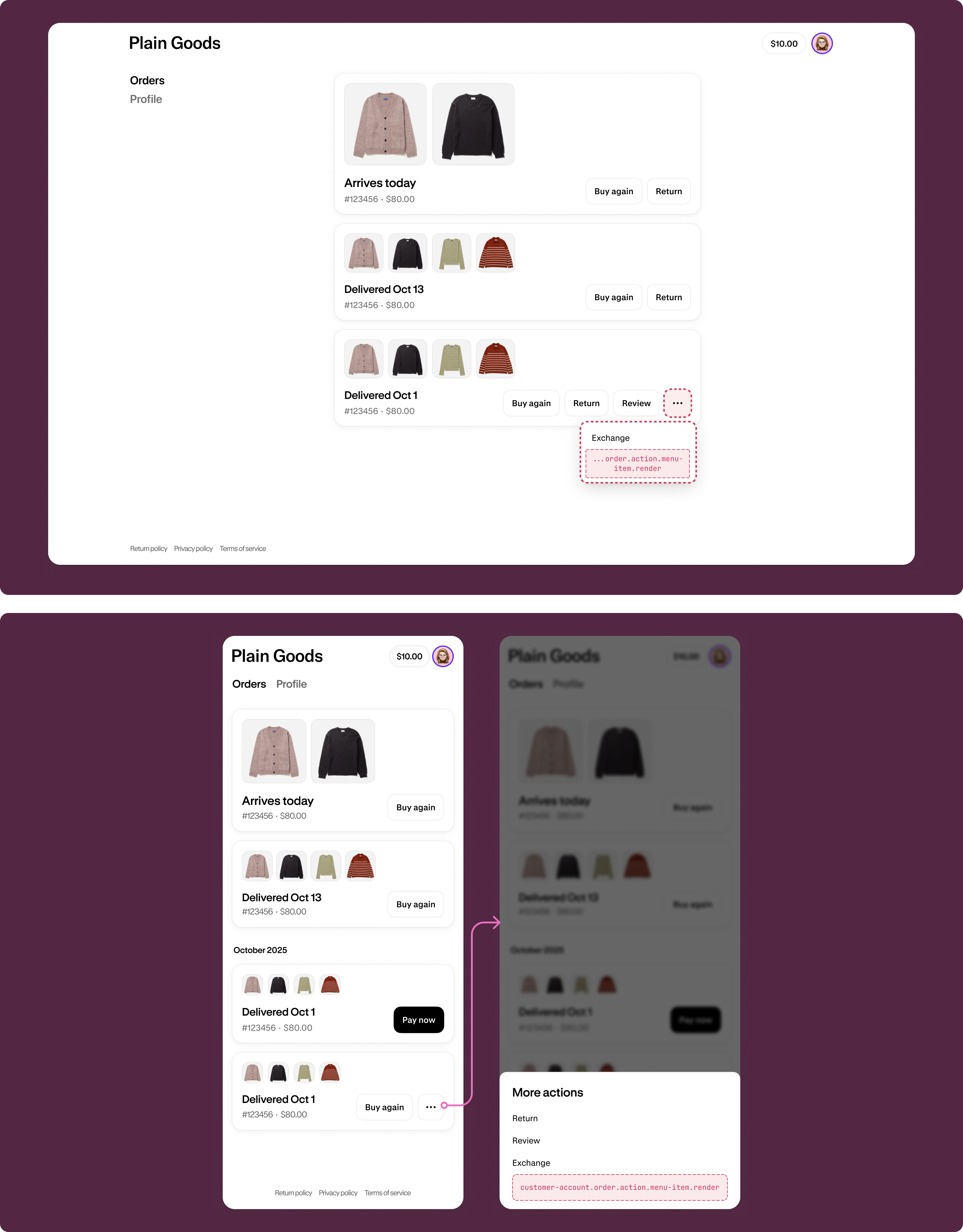
Order pages allow customers to view their order history and take actions on orders. Extensions on these pages help customers access order-specific features or view their complete order list.
Use cases: Return request buttons, reorder functionality, export order data, or manage subscriptions.
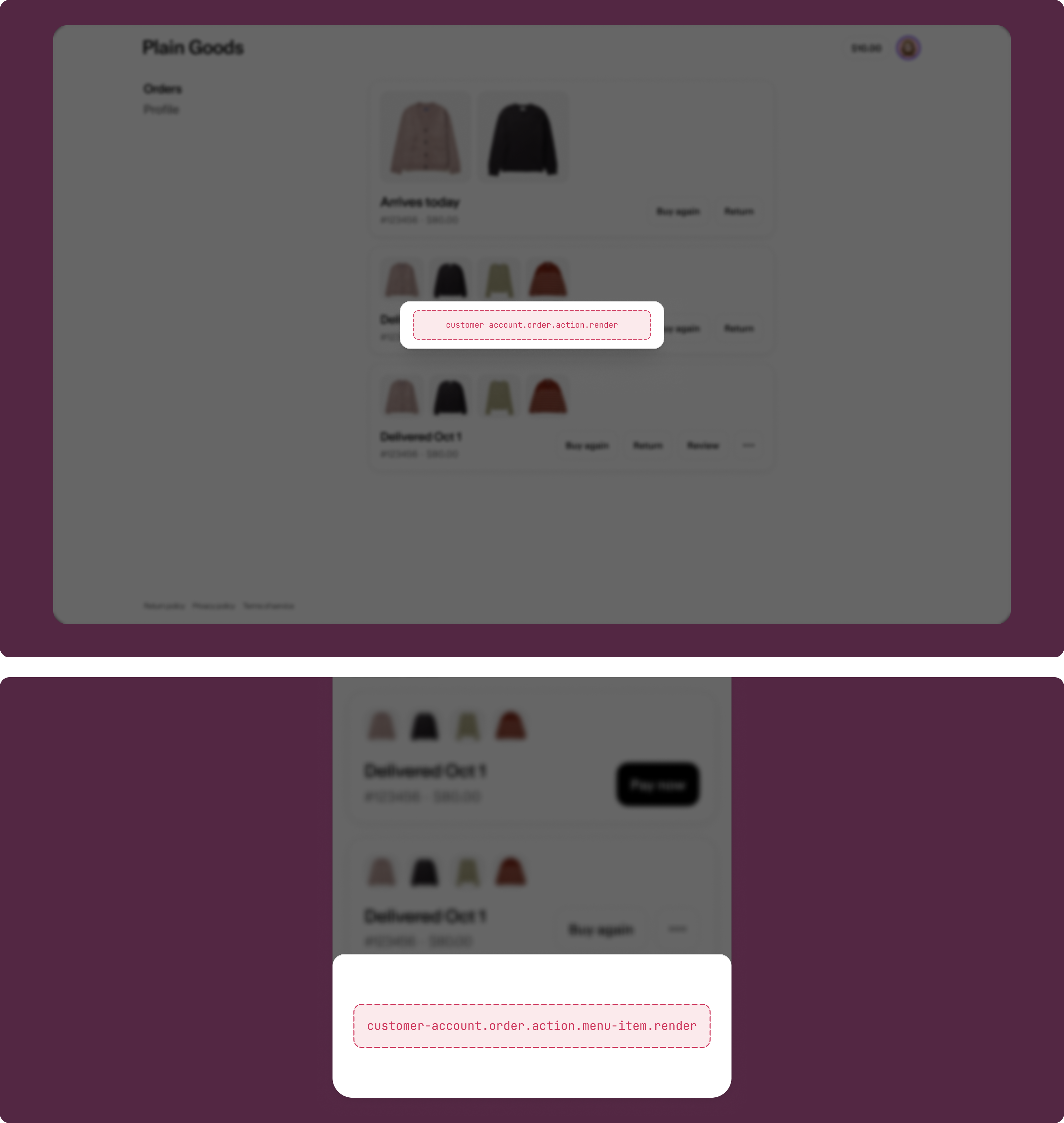
Order action
customer-account.order.action.render
A static target that renders inside a modal when a customer clicks an order action button.
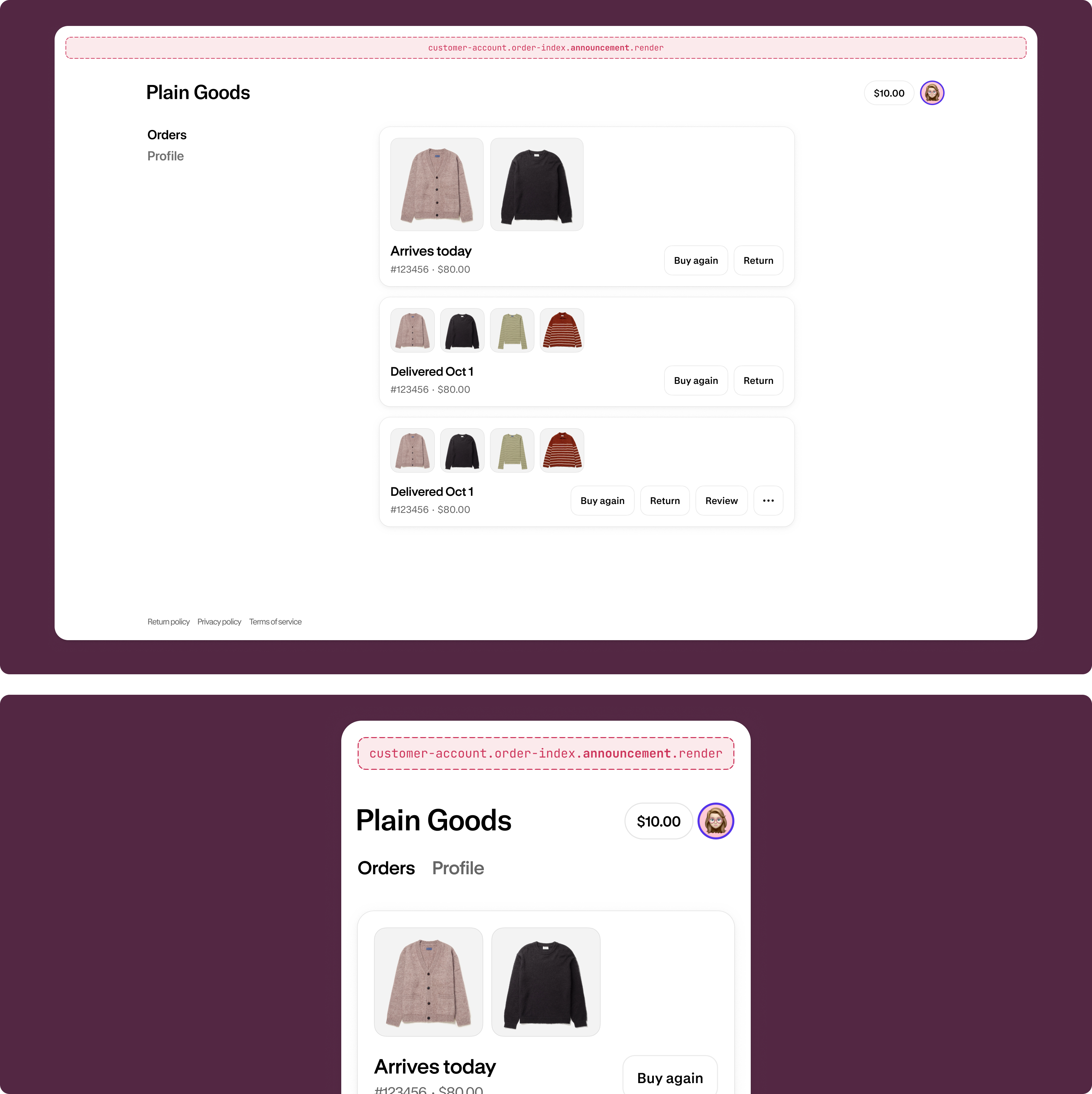
Order index announcement
customer-account.order-index.announcement.render
A static target that renders as a dismissable announcement on the order index page.
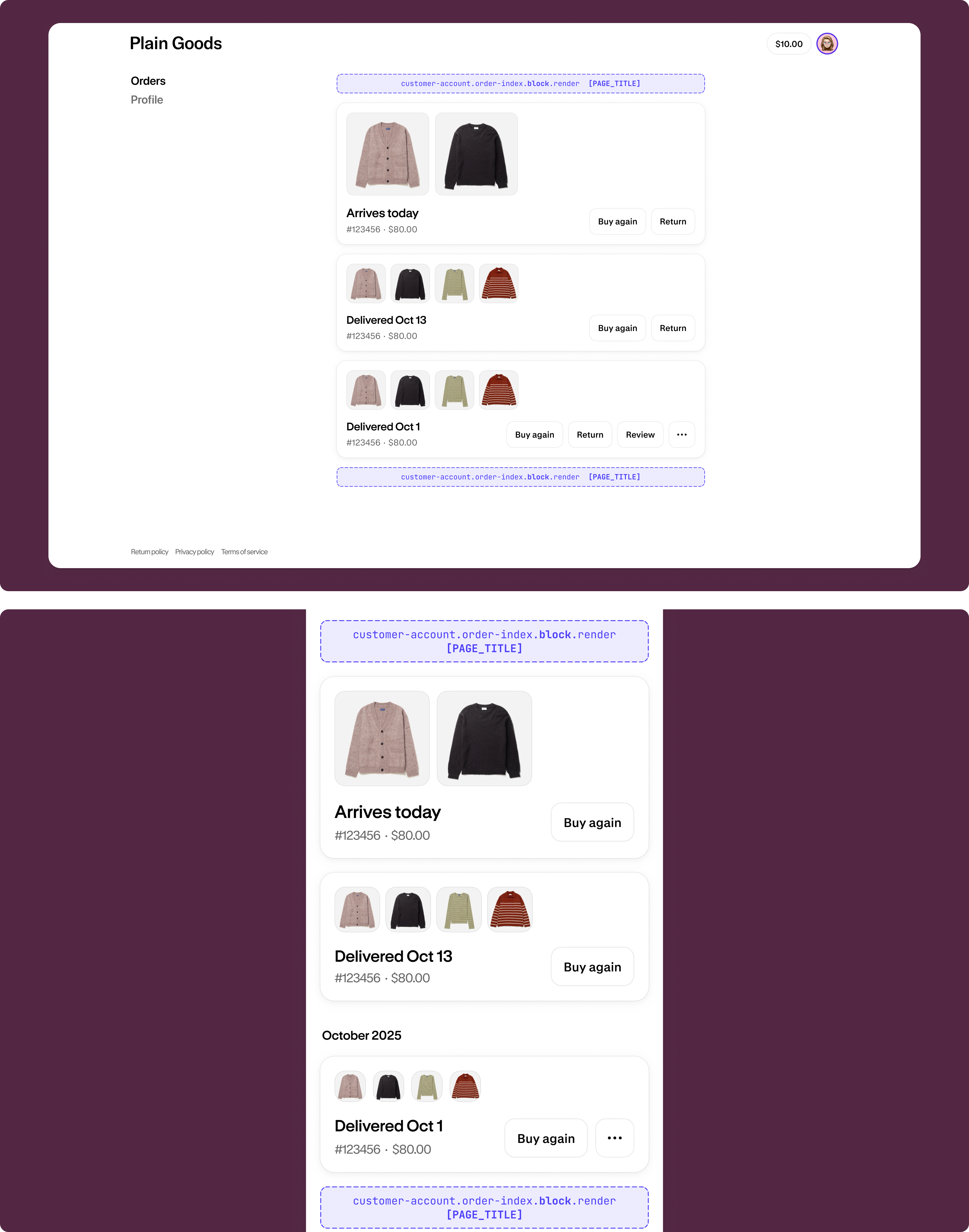
Order index block
customer-account.order-index.block.render
A block target that renders exclusively on the order index page. Merchants can choose to place this extension in any of the supported locations.
Anchor to Order statusOrder status
Order status pages show individual order details and tracking information. Extensions on these pages help customers view order progress, access contextual information, or see who placed the order.
Use cases: Order tracking, loyalty and rewards context, custom line item details, or post-purchase upsells.
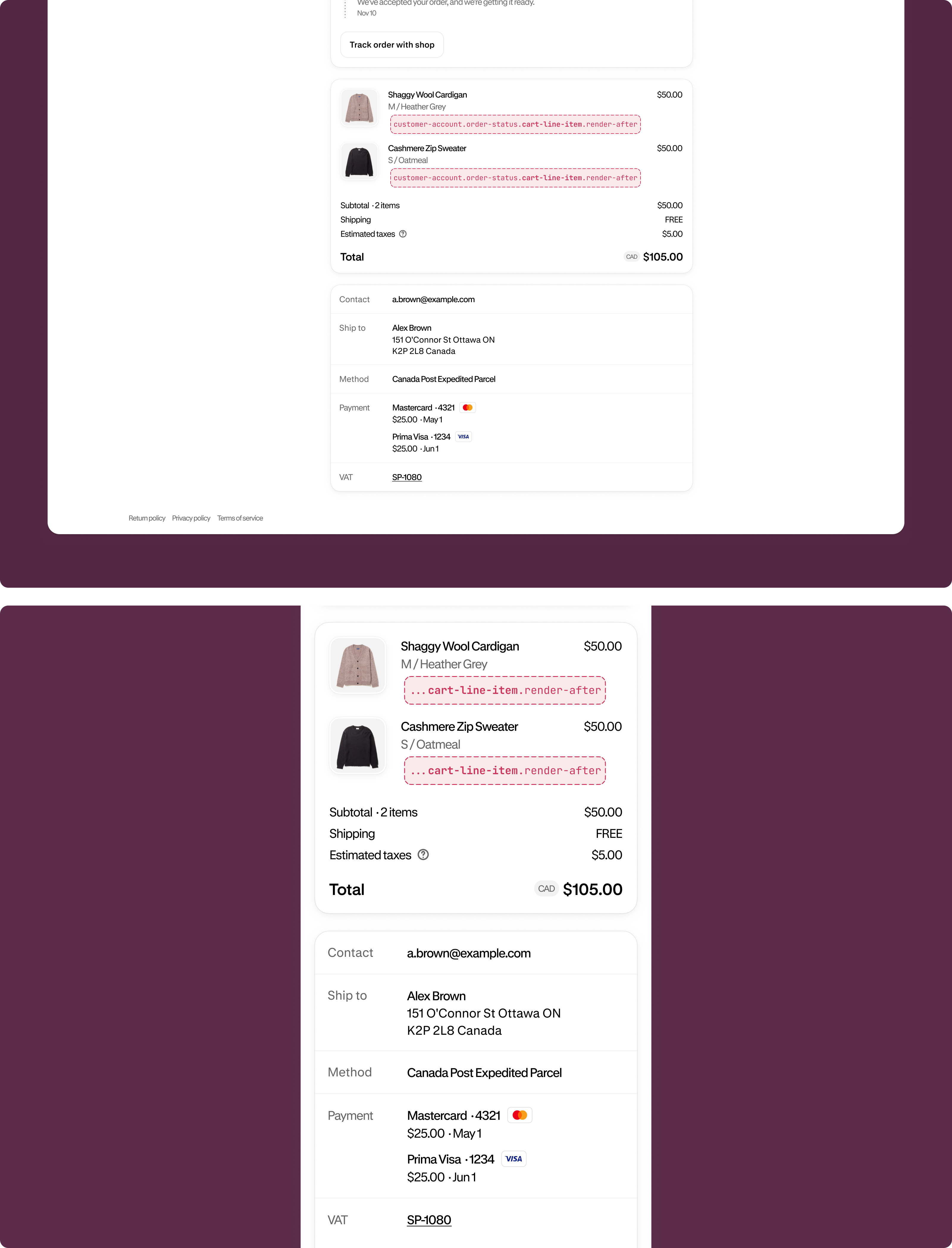
Cart line item (render after)
customer-account.order-status.cart-line-item.render-after
A static target that renders on every line item, inside the details under the line item properties element on the Order status page.
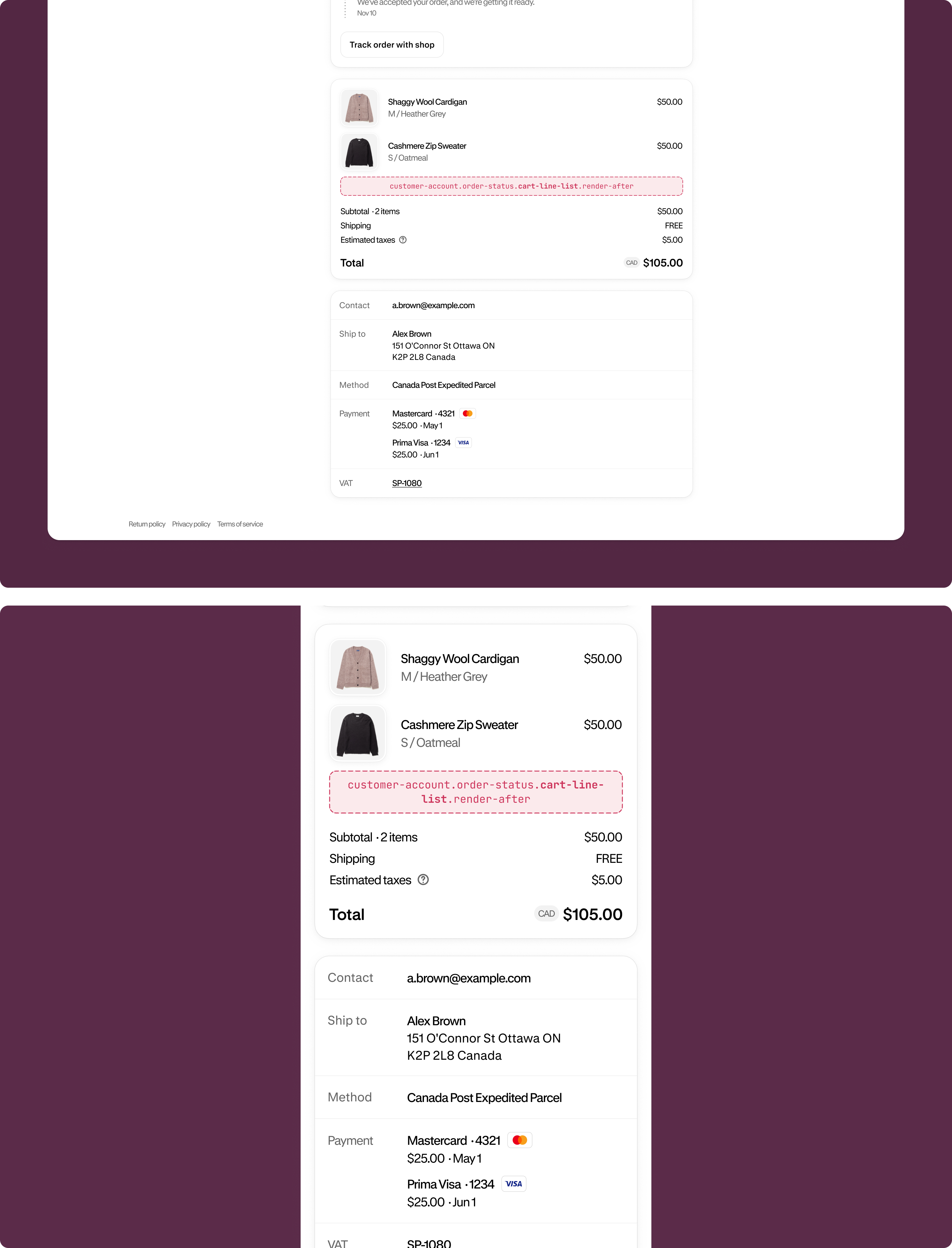
Cart line list (render after)
customer-account.order-status.cart-line-list.render-after
A static target that renders after all line items on the Order status page.
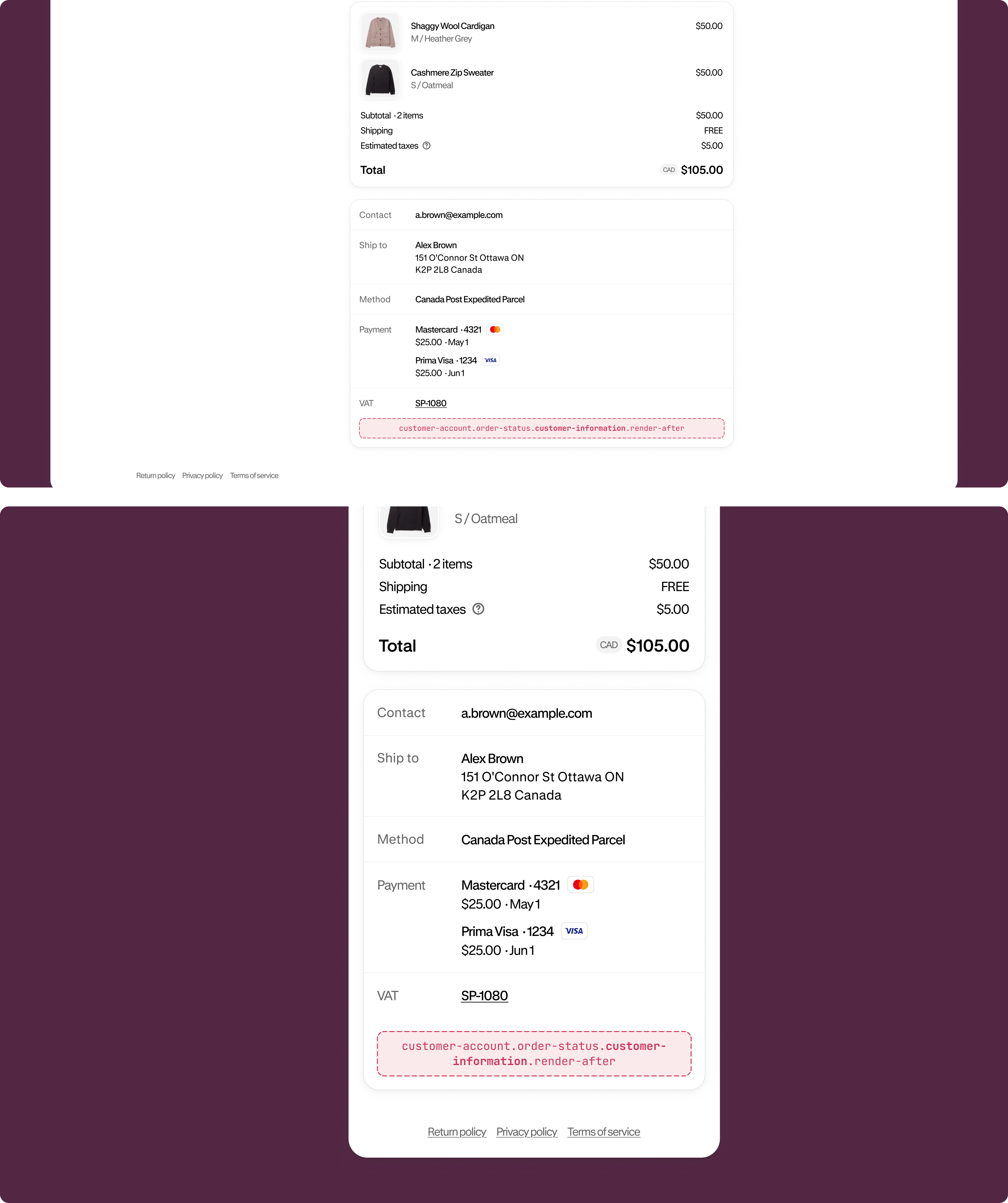
Customer information (render after)
customer-account.order-status.customer-information.render-after
A static target that renders after the customer information on the Order status page.
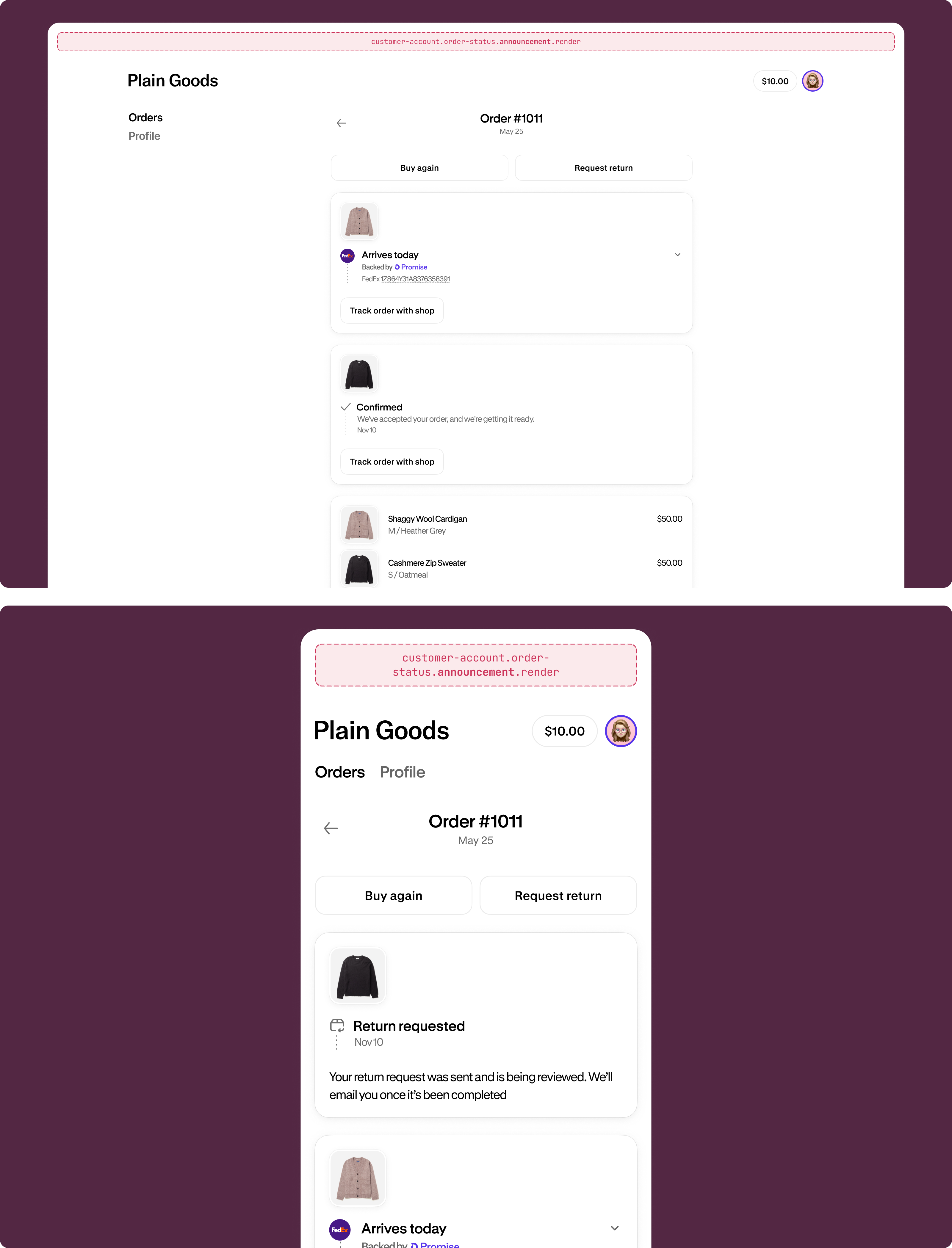
Order status announcement
customer-account.order-status.announcement.render
A static target that renders as a dismissable announcement on the Order status page.
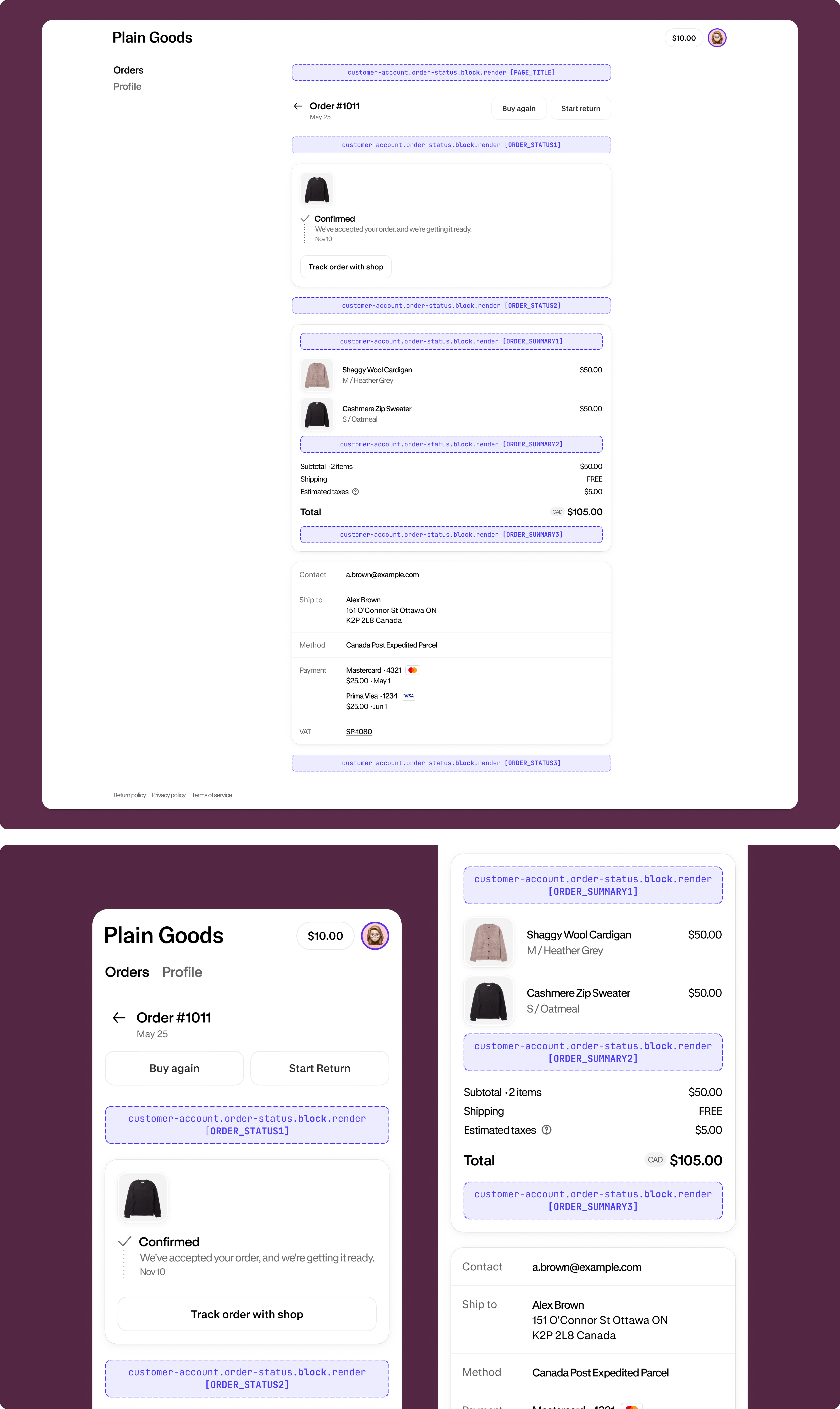
Order status block
customer-account.order-status.block.render
A block target that renders exclusively on the Order status page. Merchants can choose to place this extension in any of the supported locations.
Anchor to Payments and returnsPayments and returns
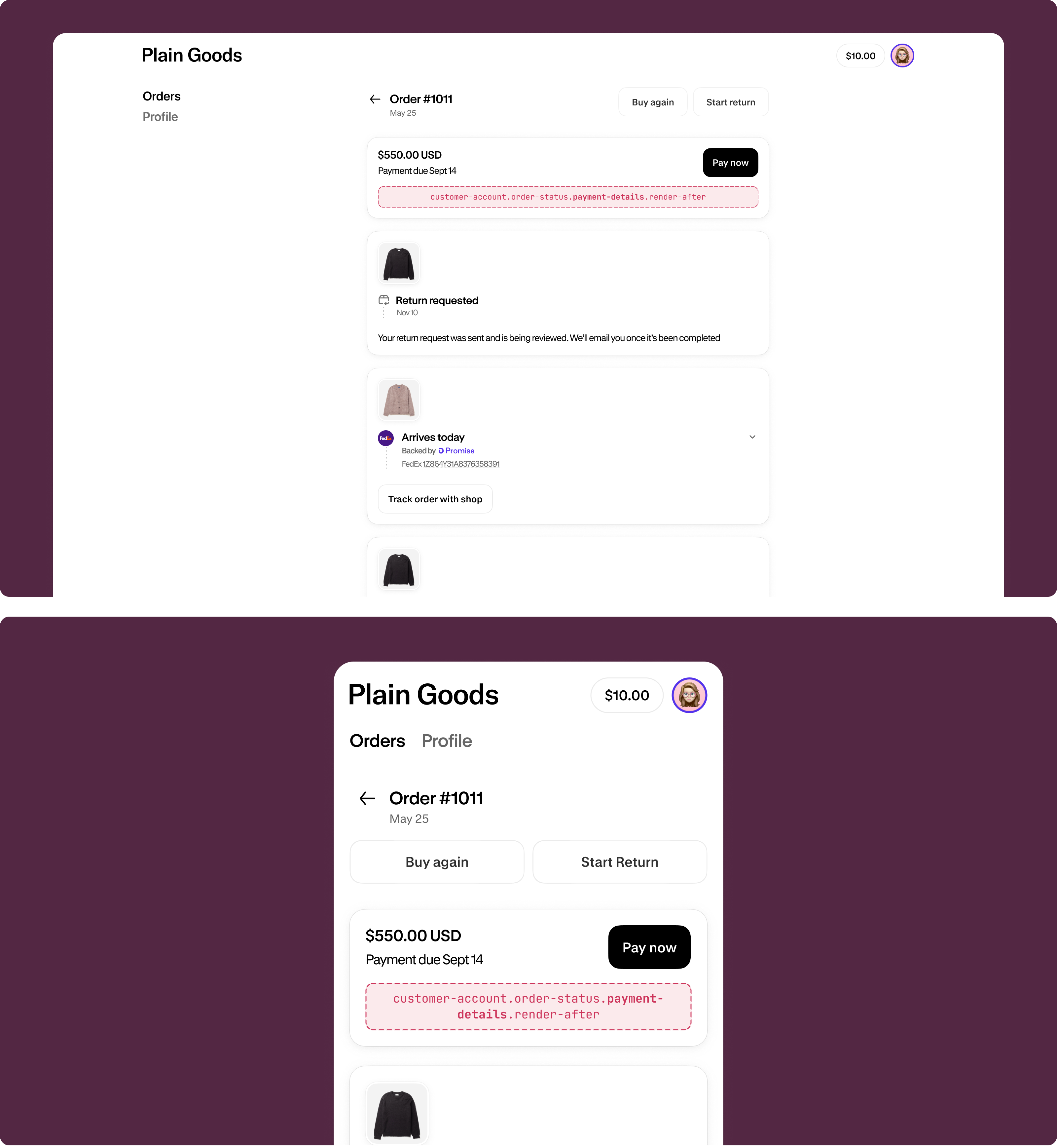
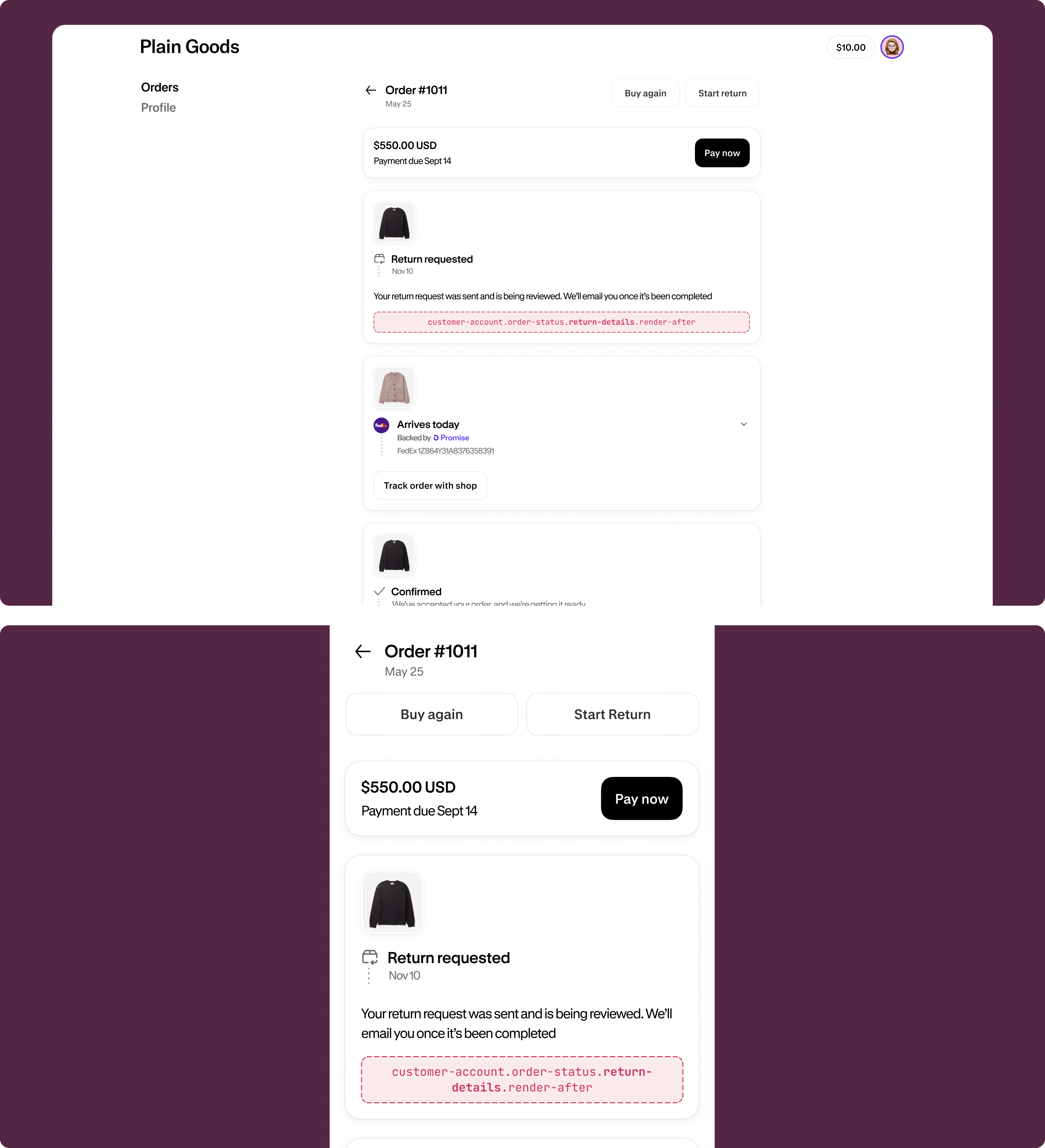
Payments and returns show post-purchase transaction information, including payment details and return information on the Order status page.
Use cases: Payment method details, transaction history, return tracking, or refund status.
View payments and returns targets →
Payment details (render after)
customer-account.order-status.payment-details.render-after
A static target that renders after the payment details on the Order status page.
Return details (render after)
customer-account.order-status.return-details.render-after
A static target that renders after the return details on the Order status page.
Anchor to Profile page (B2B)Profile page (B2B)
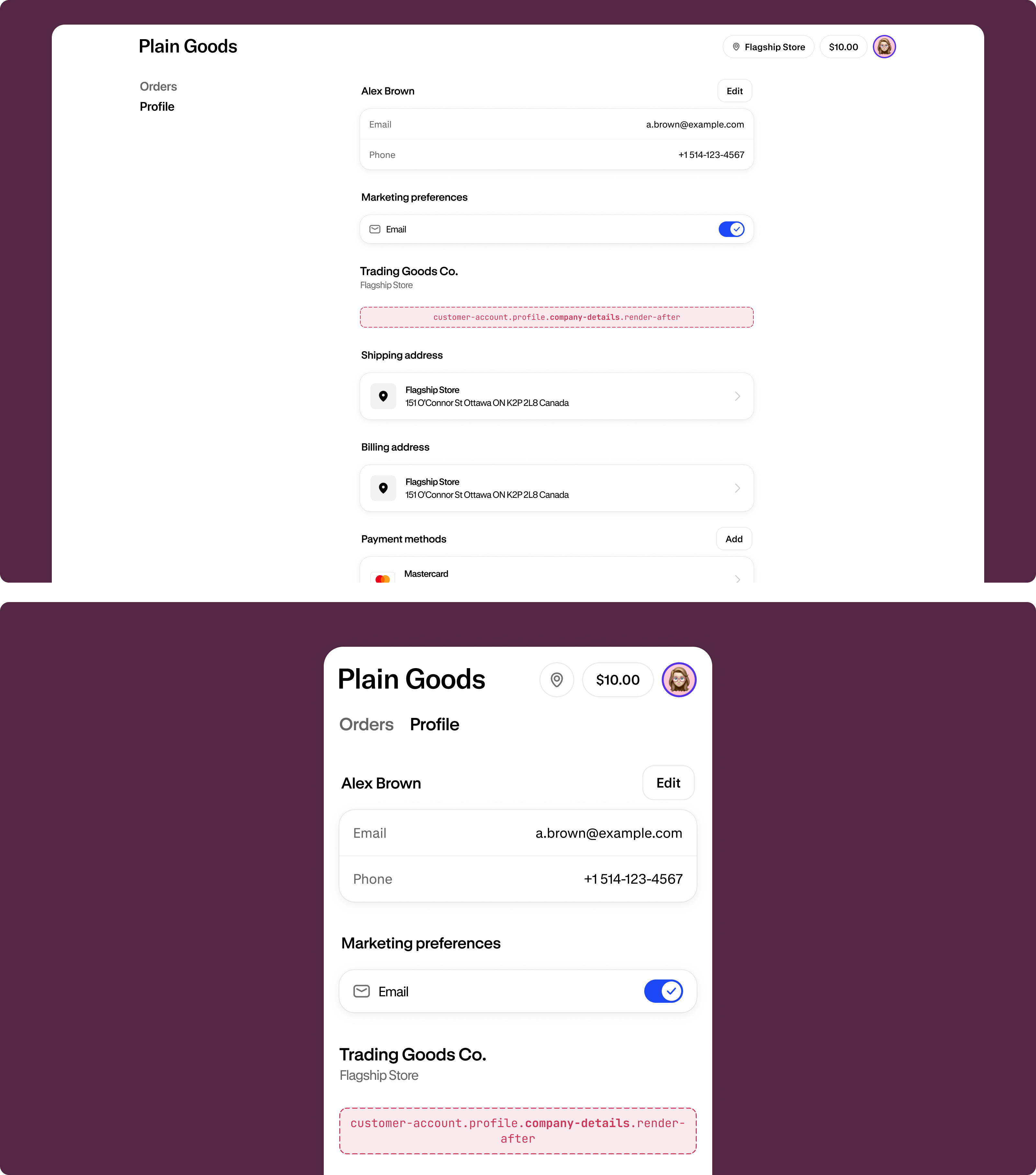
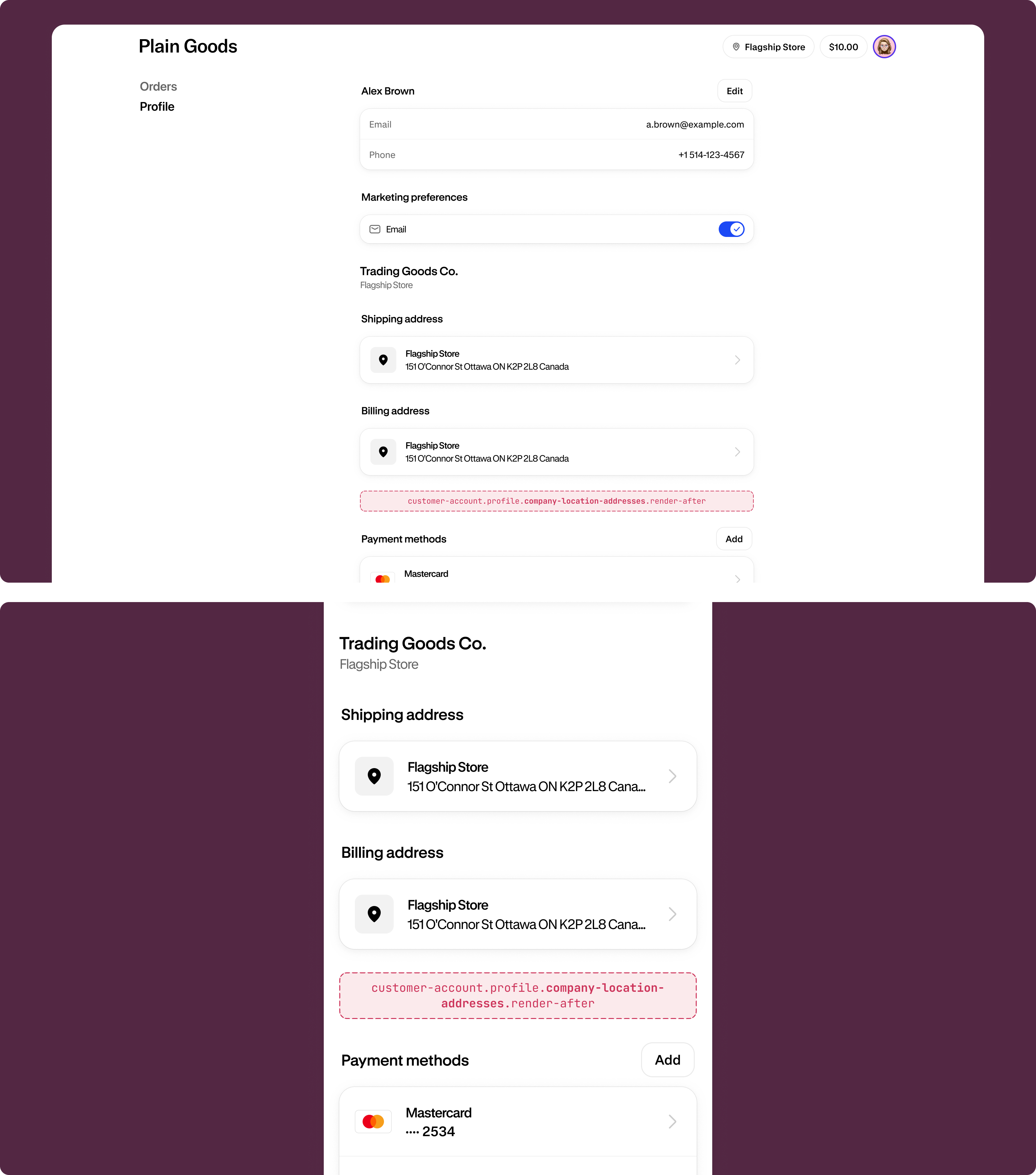
Profile pages (B2B) provide additional functionality for business customers, including company information, location management, and payment methods specific to B2B accounts. These targets are only visible when the customer is associated with a company location.
Use cases: Company credit management, location-specific settings, staff management, or B2B payment options.
View profile page B2B targets →
Company details (render after)
customer-account.profile.company-details.render-after
A static target that renders after the company details section on the profile page for B2B customers.
Company location addresses (render after)
customer-account.profile.company-location-addresses.render-after
A static target that renders after the company location addresses section on the profile page for B2B customers.
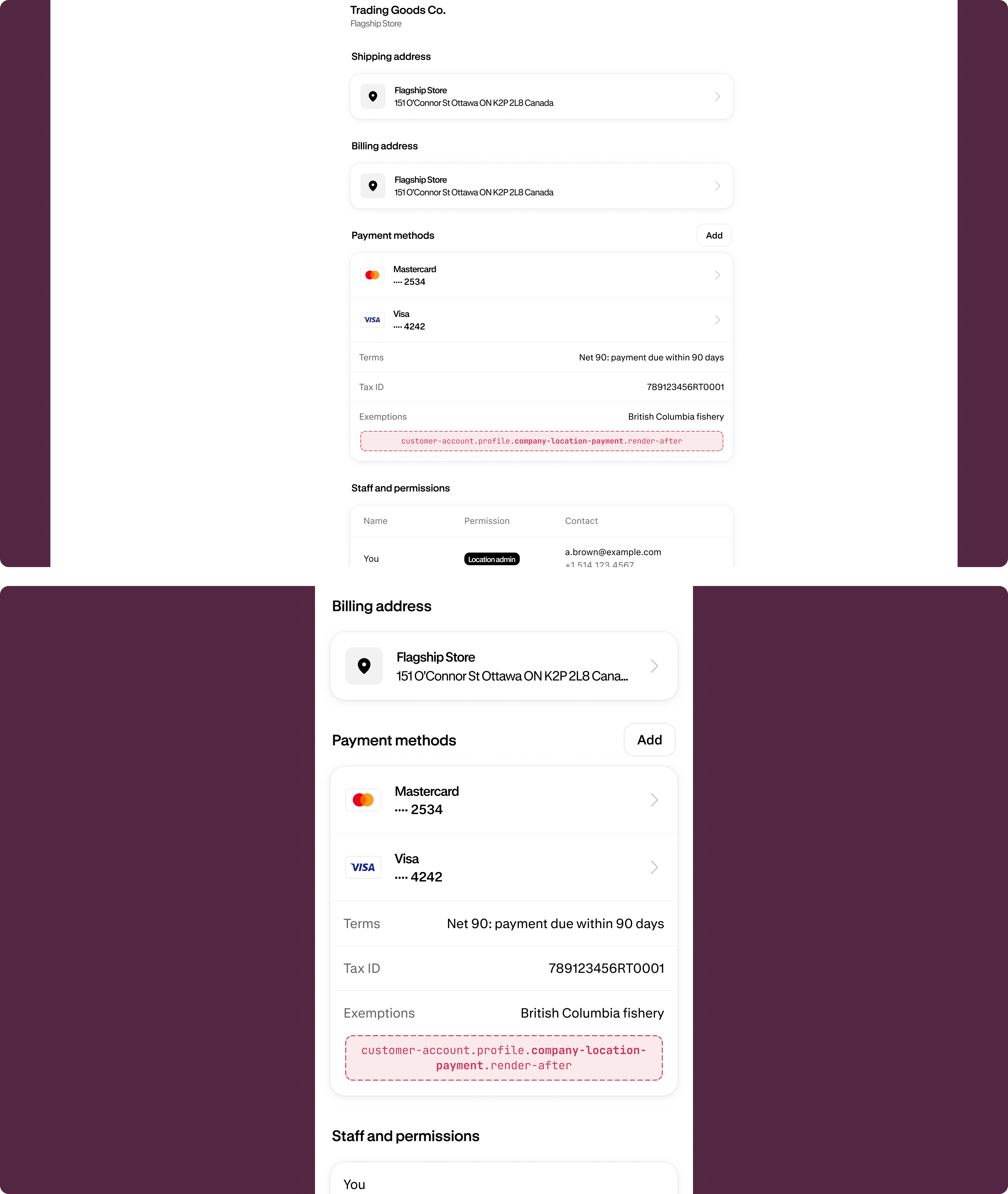
Company location payment (render after)
customer-account.profile.company-location-payment.render-after
A static target that renders after the company location payment section on the profile page for B2B customers.
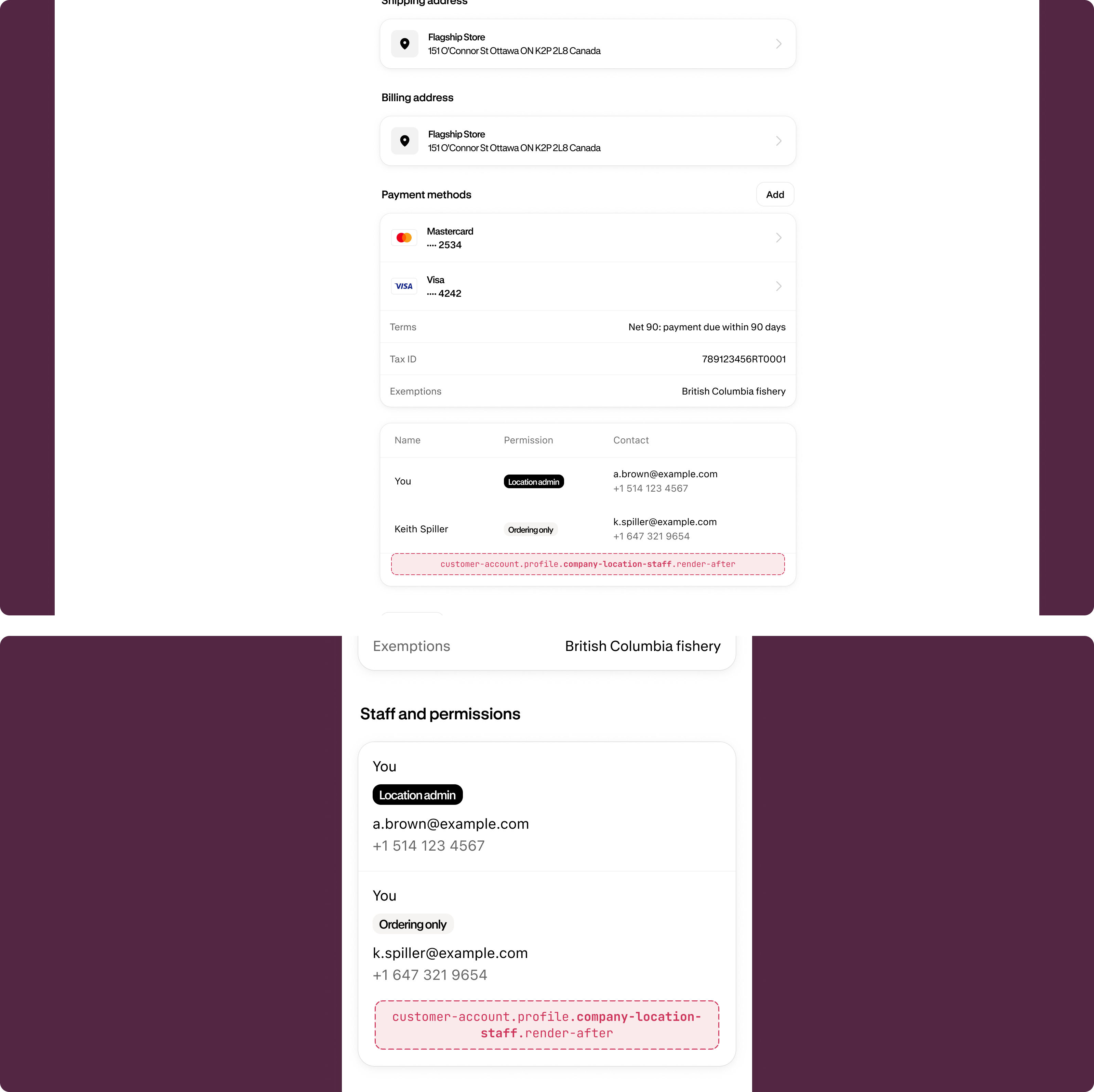
Company location staff (render after)
customer-account.profile.company-location-staff.render-after
A static target that renders after the company location staff section on the profile page for B2B customers.
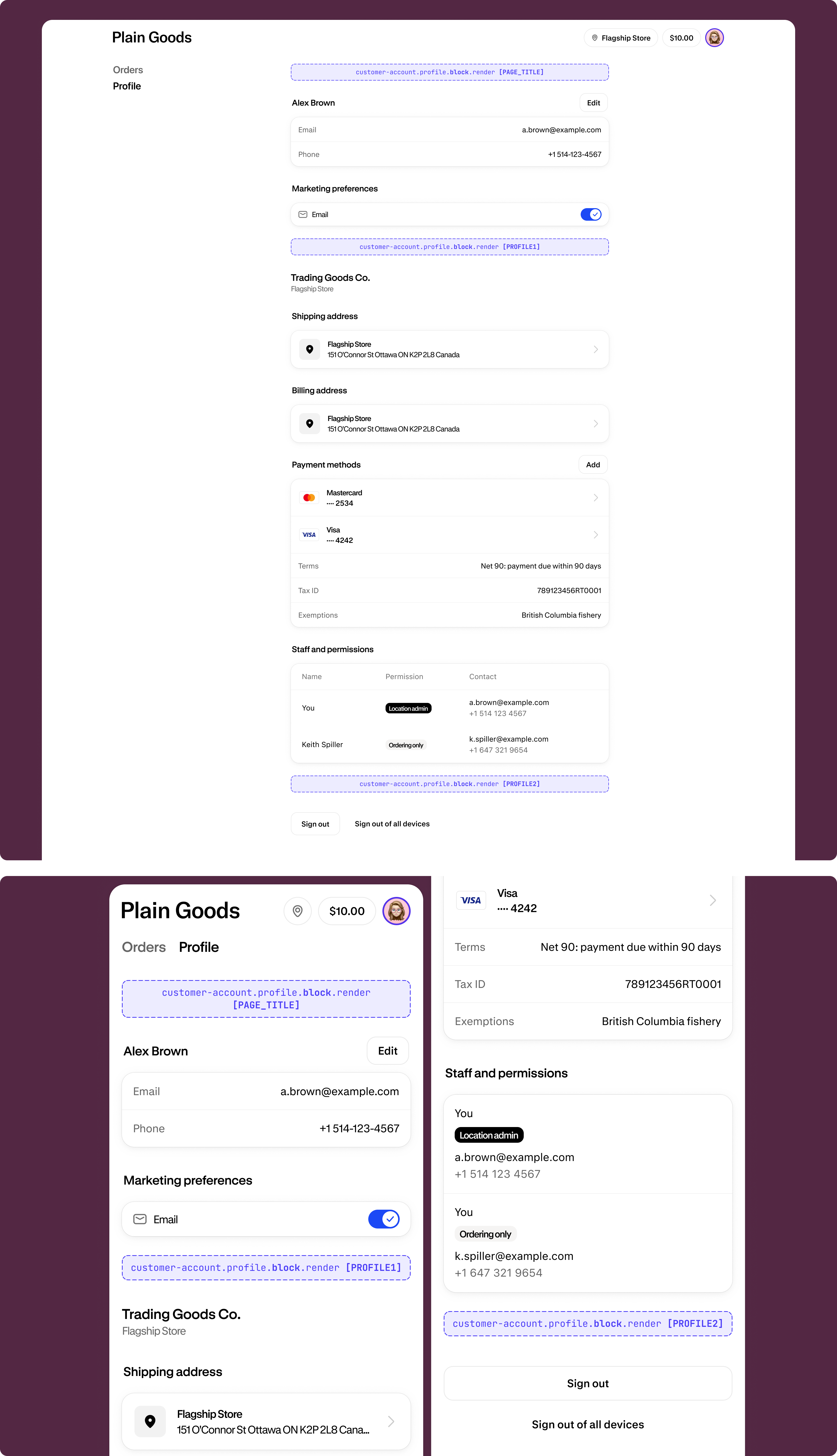
Profile block
customer-account.profile.block.render
A block target that renders on the profile page for all customers, including B2B customers. Merchants can choose to place this extension in any of the supported locations.
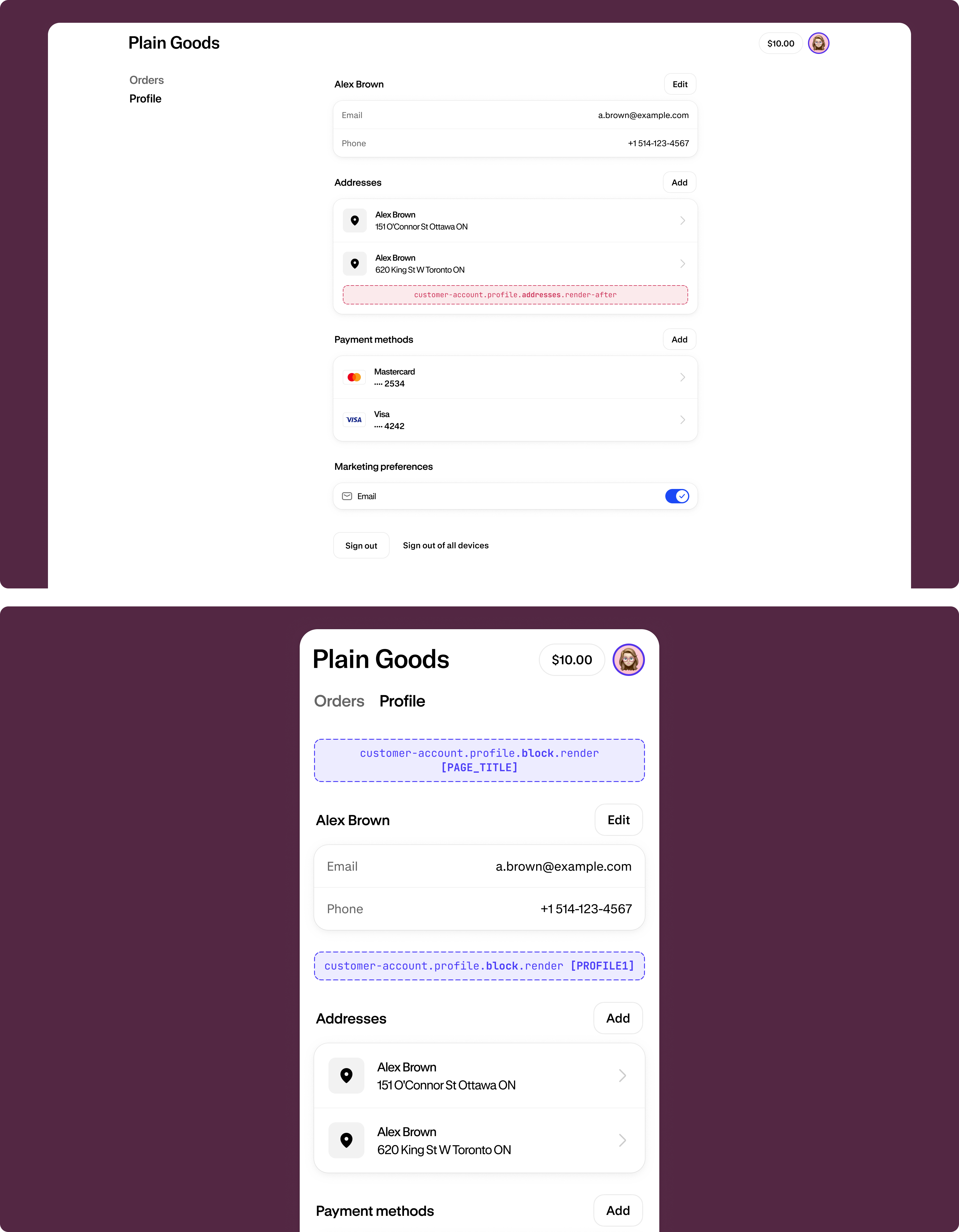
Anchor to Profile page (default)Profile page (default)
Profile pages display customer account information including contact details, addresses, and account settings. Most of these targets render for all customers, but some are specific to D2C customers — see each target's description for details.
Use cases: Custom profile fields, address validation, loyalty program information, or account preferences.
View profile page default targets →
Profile addresses (render after)
customer-account.profile.addresses.render-after
A static target that renders in the addresses section of the profile page. This doesn't show to B2B customers.
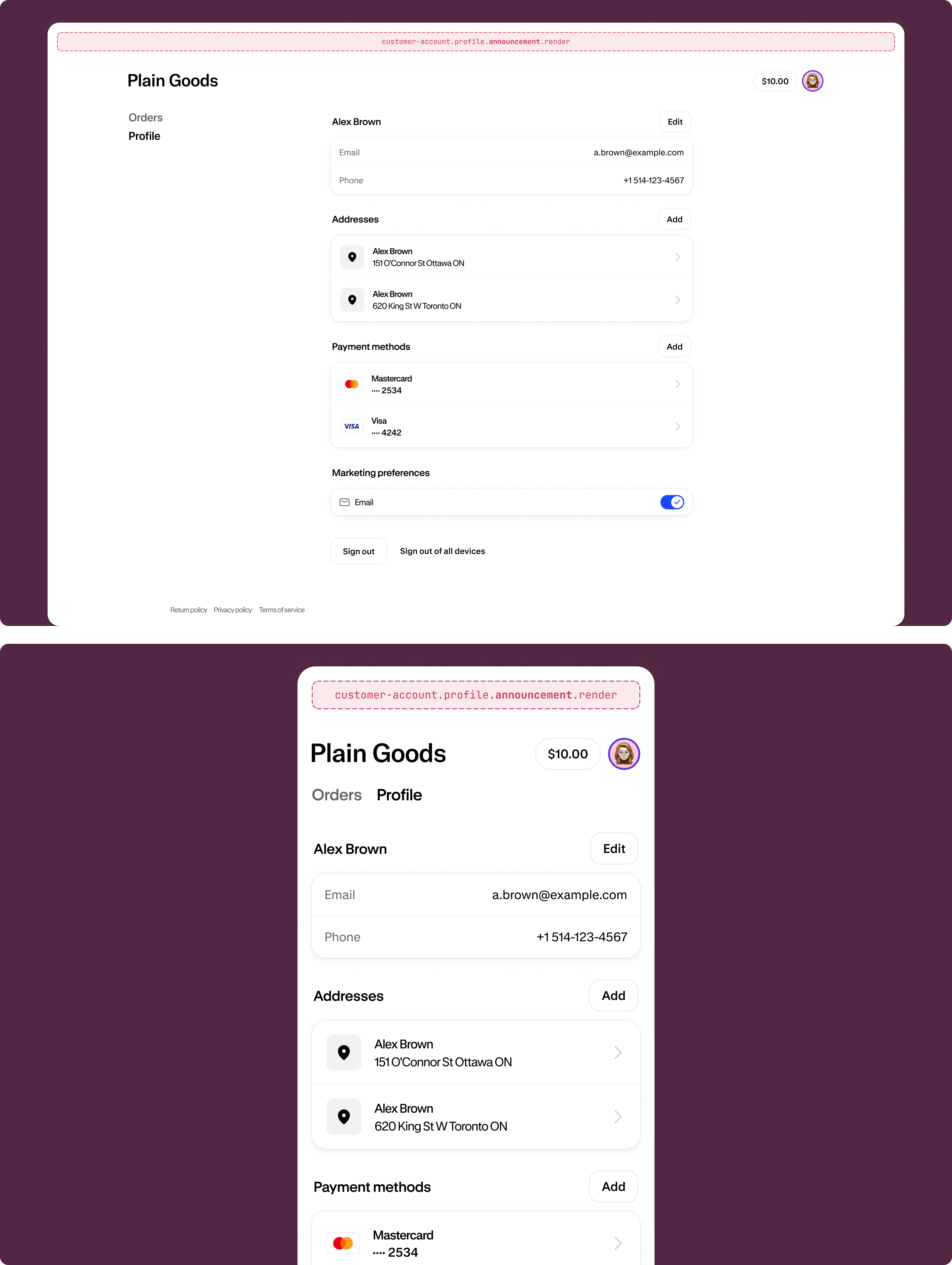
Profile announcement
customer-account.profile.announcement.render
A static target that renders as a dismissable announcement on the profile page.
Profile block
customer-account.profile.block.render
A block target that renders on the profile page for all customers, including B2B customers. Merchants can choose to place this extension in any of the supported locations.