Choice
The choiceList component presents multiple options for single or multiple selections. Use it when merchants need to choose from a defined set of options, such as filtering results or collecting preferences.
The component supports both single selection (radio button behavior) and multiple selection (checkbox behavior) modes. It offers multiple layout variants including list, inline, block, and grid formats to suit different space constraints and visual requirements.
Anchor to PropertiesProperties
Configure the following properties on the choiceList component.
Configure the following properties on the choice list component.
- Anchor to idididstringstring
A unique identifier for the element.
- Anchor to multiplemultiplemultiplebooleanbooleanDefault: falseDefault: false
Whether multiple choices can be selected.
- Anchor to valuesvaluesvaluesstring[]string[]
An array of the
values of the selected options.This is a convenience prop for setting the
selectedprop on child options.
Anchor to EventsEvents
The choiceList component provides event callbacks for handling user interactions. Learn more about handling events.
The choice list component provides event callbacks for handling user interactions. Learn more about handling events.
- Anchor to changechangechange(event: CallbackEvent<"s-choice-list">) => void(event: CallbackEvent<"s-choice-list">) => void
Callback when the user changes a choice. Fires simultaneously with onInput.
- Anchor to inputinputinput(event: CallbackEvent<"s-choice-list">) => void(event: CallbackEvent<"s-choice-list">) => void
Callback when the user changes a choice. Fires simultaneously with onChange.
CallbackEvent
- bubbles
boolean - cancelable
boolean - composed
boolean - currentTarget
HTMLElementTagNameMap[T] - detail
any - eventPhase
number - target
HTMLElementTagNameMap[T] | null
Anchor to ChoiceChoice
The Choice component creates options that let merchants select one or multiple items from a list of choices.
The choice component creates options that let merchants select one or multiple items from a list of choices.
- Anchor to disableddisableddisabledbooleanbooleanDefault: falseDefault: false
Disables the control, disallowing any interaction.
- Anchor to idididstringstring
A unique identifier for the element.
- Anchor to selectedselectedselectedbooleanbooleanDefault: falseDefault: false
Whether the control is active.
- Anchor to valuevaluevaluestringstring
The value used in form data when the control is checked.
Anchor to ExamplesExamples
Create a choice list for selections
Preview
Examples
Create a choice list for selections
Description
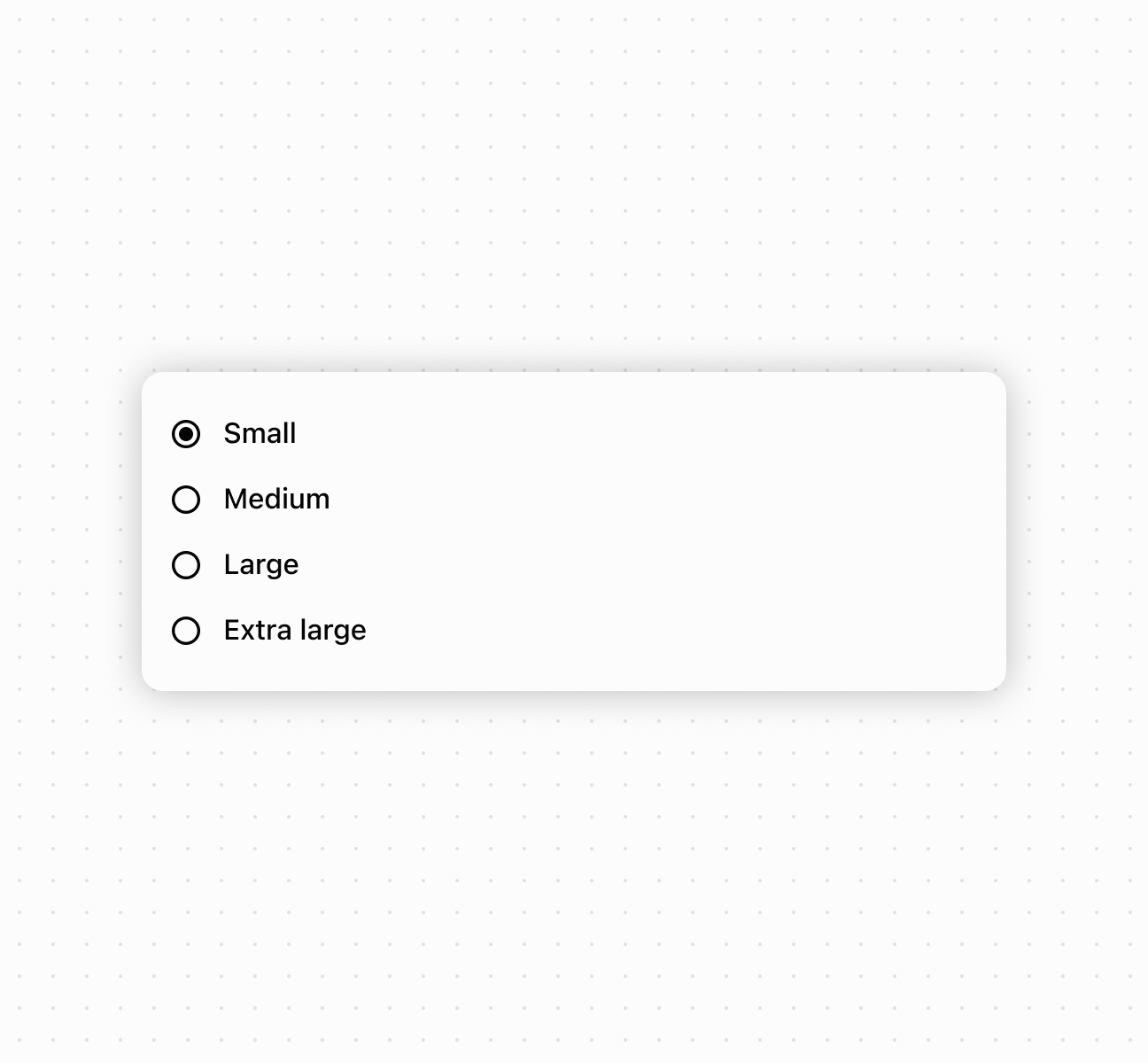
Present options using a choiceList component. This example shows a basic choice list for single selection.
Create a choice list for selections
<s-choice-list>
  <s-choice value="s" selected>Small</s-choice>
  <s-choice value="m">Medium</s-choice>
  <s-choice value="l">Large</s-choice>
  <s-choice value="xl">Extra large</s-choice>
</s-choice-list>
Enable multiple selection mode
Description
Enable multiple selection mode to allow merchants to select multiple options from the list. This example demonstrates using controlled values with the `multiple` property, perfect for filtering interfaces or collecting multiple preferences in forms.
Enable multiple selection mode
<s-choice-list
  multiple
  values={['small', 'medium']}
  onChange={(event) => console.log('Selected:', event.currentTarget.values)}
>
  <s-choice value="small">Small</s-choice>
  <s-choice value="medium">Medium</s-choice>
  <s-choice value="large">Large</s-choice>
</s-choice-list>
Handle selection events
Description
Subscribe to `onChange` and `onInput` events to respond when merchants select options. This example shows how to handle selection changes and capture user input in real time, enabling dynamic behavior and form validation based on merchant choices.
Handle selection events
<s-choice-list
  onChange={(event) => console.log('onChange:', event.currentTarget.values)}
  onInput={(event) => console.log('onInput:', event.currentTarget.values)}
>
  <s-choice value="option1">Option 1</s-choice>
  <s-choice value="option2" disabled>Option 2 (disabled)</s-choice>
  <s-choice value="option3">Option 3</s-choice>
</s-choice-list>
Compose rich choice content
Description
Compose rich choice content by nesting other components within `Choice` elements. This example demonstrates combining images, text, and layout components to create visually enhanced choice options with descriptions and supporting images.
Compose rich choice content
<s-choice-list>
  {/* Composed choice with image and text */}
  <s-choice value="option1">
    <s-stack gap="small-200" alignItems="center" direction="inline">
      <s-box blockSize="40px" inlineSize="40px">
        <s-image src="https://placehold.co/60x60" inlineSize="fill" objectFit="cover" />
      </s-box>
      <s-box>
        <s-text>Option 1</s-text>
        <s-text type="small" color="subdued">
          Additional details for option 1
        </s-text>
      </s-box>
    </s-stack>
  </s-choice>

  {/* Composed choice with nested text */}
  <s-choice value="option2">
    <s-text type="strong">
      Option 2
      <s-text type="small" color="subdued">
        Additional details for option 2
      </s-text>
    </s-text>
  </s-choice>

  {/* Mix of text and composed elements */}
  <s-choice value="option3" disabled>
    Option 3
    <s-text type="small" color="subdued">
      (disabled)
    </s-text>
    <s-text type="strong">Additional details for option 3</s-text>
  </s-choice>
</s-choice-list>
Anchor to Best practicesBest practices
- Choose appropriate selection modes: Use single selection for mutually exclusive options. Enable
multiplewhen merchants can select more than one. - Write clear, concise choice labels: Keep labels short but descriptive enough that merchants understand each option without additional explanation.
Anchor to LimitationsLimitations
choiceList component types other than Choice can't be used as options within the choice list.