Time
The timePicker component allows merchants to select times using an interactive picker interface. Use it when merchants benefit from visual time selection rather than typing exact times.
For direct text entry when merchants know the exact time, use timeField.
Supported targets
- pos.
cart. line-item-details. action. render - pos.
customer-details. action. render - pos.
customer-details. block. render - pos.
draft-order-details. action. render - pos.
draft-order-details. block. render - pos.
home. modal. render - pos.
order-details. action. render - pos.
order-details. block. render - pos.
product-details. action. render - pos.
product-details. block. render - pos.
purchase. post. action. render - pos.
purchase. post. block. render - pos.
register-details. action. render - pos.
register-details. block. render
Supported targets
- pos.
cart. line-item-details. action. render - pos.
customer-details. action. render - pos.
customer-details. block. render - pos.
draft-order-details. action. render - pos.
draft-order-details. block. render - pos.
home. modal. render - pos.
order-details. action. render - pos.
order-details. block. render - pos.
product-details. action. render - pos.
product-details. block. render - pos.
purchase. post. action. render - pos.
purchase. post. block. render - pos.
register-details. action. render - pos.
register-details. block. render
Anchor to PropertiesProperties
Configure the following properties on the timePicker component.
Configure the following properties on the time picker component.
- Anchor to idididstringstring
A unique identifier for the element.
- Anchor to valuevaluevaluestringstringDefault: ''Default: ''
Current selected value.
The default,
'', means no time is selected.The value must be a 24-hour time in
HH:mm:ssformat, with leading zeros.Examples:
"00:00:00","09:05:00","23:59:00","14:03:30".This follows the HTML time input value format, which is always 24-hour with leading zeros regardless of UI presentation.
See: https://developer.mozilla.org/docs/Web/HTML/Element/input/time
If the provided value is invalid, '' is used as the value.
Anchor to EventsEvents
The timePicker component provides event callbacks for handling user interactions. Learn more about handling events.
The time picker component provides event callbacks for handling user interactions. Learn more about handling events.
- Anchor to blurblurblur(event: CallbackEvent<"s-time-picker">) => void(event: CallbackEvent<"s-time-picker">) => void
Callback when the time picker is dismissed.
- Anchor to changechangechange(event: CallbackEvent<"s-time-picker">) => void(event: CallbackEvent<"s-time-picker">) => void
Callback when the user selects a time from the picker that is different to the current value.
- Anchor to focusfocusfocus(event: CallbackEvent<"s-time-picker">) => void(event: CallbackEvent<"s-time-picker">) => void
Callback when the time picker is revealed.
- Anchor to inputinputinput(event: CallbackEvent<"s-time-picker">) => void(event: CallbackEvent<"s-time-picker">) => void
Callback when the user selects a time from the picker.
CallbackEvent
- bubbles
boolean - cancelable
boolean - composed
boolean - currentTarget
HTMLElementTagNameMap[T] - detail
any - eventPhase
number - target
HTMLElementTagNameMap[T] | null
Anchor to ExamplesExamples
Select times with a time picker
Preview
Examples
Select times with a time picker
Description
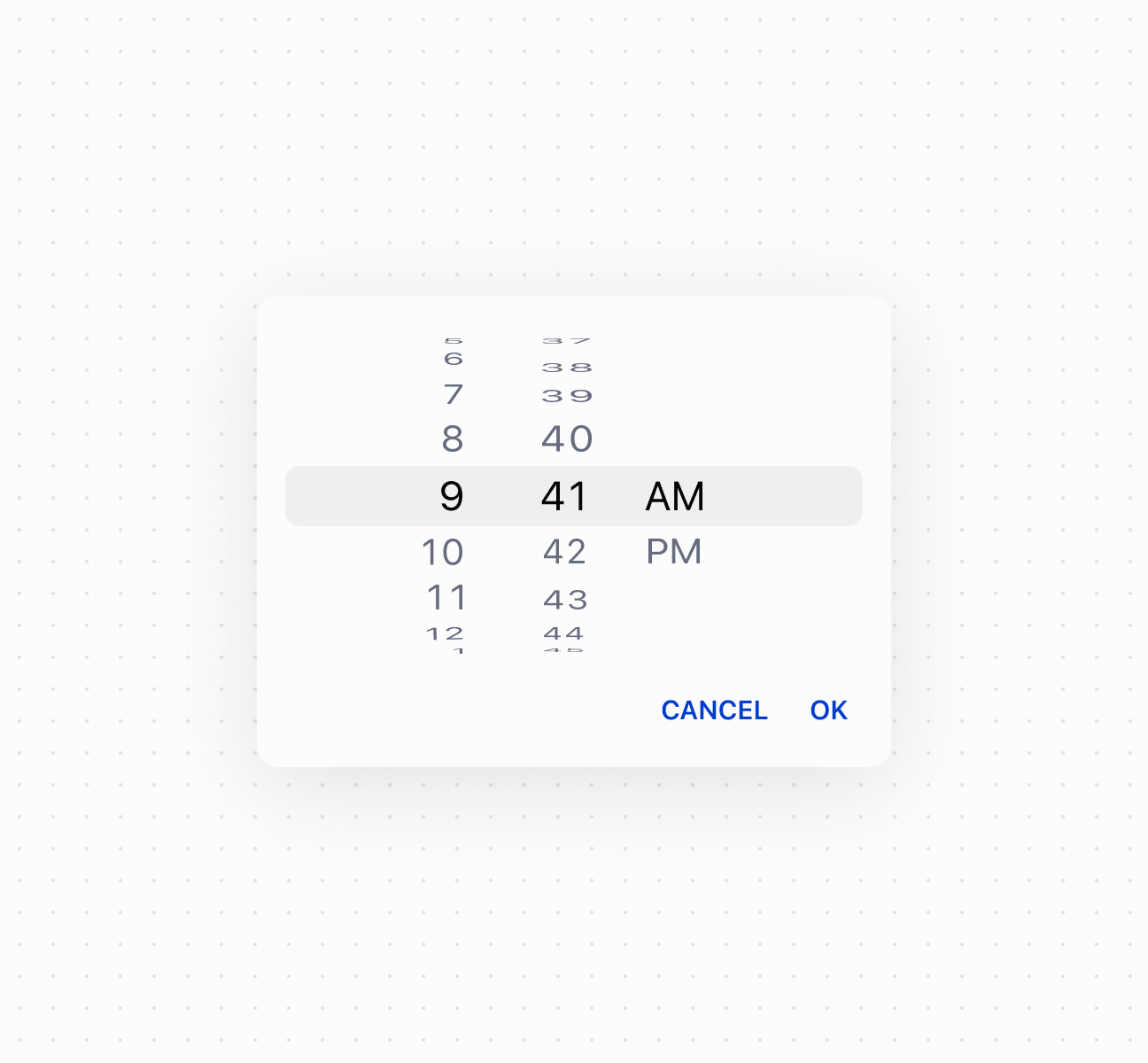
Select times using a timePicker component. This example shows a basic time picker for selecting hours and minutes.
Select times with a time picker
<s-button command="--show" commandFor="time-picker">
  Show
</s-button>
<s-time-picker
  value="9:41"
  id="time-picker"
/>
Control picker visibility
Description
Control timePicker visibility programmatically using the command system with `show` and `hide` methods. This example demonstrates using button commands to display or dismiss the time picker, enabling custom trigger patterns for time selection workflows.
Control picker visibility
<>
  <s-button command="--show" commandFor="time-picker">
    Select Time
  </s-button>
  <s-time-picker
    id="time-picker"
    value="14:30"
    onChange={(event) => console.log('Time selected:', event.currentTarget.value)}
  />
</>;
Handle time selection events
Description
Subscribe to time selection events to respond when merchants pick a time. This example shows how to handle `onChange` events to capture selected times, enabling validation, scheduling logic, or dynamic updates based on the chosen time.
Handle time selection events
<s-time-picker
  value="14:30"
  onInput={(event) => console.log('Input:', event.currentTarget.value)}
  onChange={(event) => console.log('Change:', event.currentTarget.value)}
  onFocus={(event) => console.log('Focused')}
  onBlur={(event) => console.log('Blurred')}
/>
Anchor to Best practicesBest practices
- Choose for visual time selection: Use timePicker when users benefit from a visual picker interface. Use timeField when users know the exact time.
- Use correct format: Always use
HH:mm:ssformat with leading zeros. The internal format is always 24-hour regardless of UI presentation. - Validate before setting values: Invalid values reset to empty string. Implement validation to show appropriate error messages.