Order status script tags
Shopify has already removed script tags from the Order status page for most stores, and will remove them from the rest on August 26, 2026. If your app customized that page with a script tag, then it needs a customer account UI extension or a web pixel instead.
This deprecation runs ahead of the one for storefront script tags, and it only covers script tags with a display_scope of order_status or all.
Anchor to TimelineTimeline
| Date | What happens |
|---|---|
| February 1, 2025 | Apps can't create script tags with a display_scope of order_status or all. |
| August 28, 2025 | Script tags stop running on the Order status page for Plus stores. |
| August 26, 2026 | Script tags stop running on the Order status page for all other stores. |
After a store's date passes, any customization that your app made to the Order status page with a script tag stops working for that store.
Anchor to What to use insteadWhat to use instead
| If your app uses a script tag to... | Then use |
|---|---|
| Render content on the Order status page | Customer account UI extensions |
| Track analytics, conversions, or customer behavior | Web pixels |
Web pixels work on any store, but can't render UI. Customer account UI extensions can, but only on upgraded stores, so a visual customization has no replacement until the store upgrades. For a full comparison, refer to Thank you and Order status pages.
Anchor to Check whether a store has upgradedCheck whether a store has upgraded
Query the CheckoutProfile object to find out whether a store has upgraded its Thank you and Order status pages. Use the result to decide which experience your app offers.
Read and delete operations still work, so you can find any script tags that your app left behind:
- The
scriptTagsquery returns your app's script tags, including theirdisplayScope. - The
scriptTagDeletemutation removes a script tag.
You don't need to delete sunset script tags, because Shopify ignores them on the Order status page. A script tag with a display_scope of all keeps running on storefronts until March 1, 2027 though, so refer to Storefront script tags.
Anchor to What app users seeWhat app users see
When an app user installs an app that relies on script tags for the Order status page, Shopify shows a dismissible banner explaining what won't work.
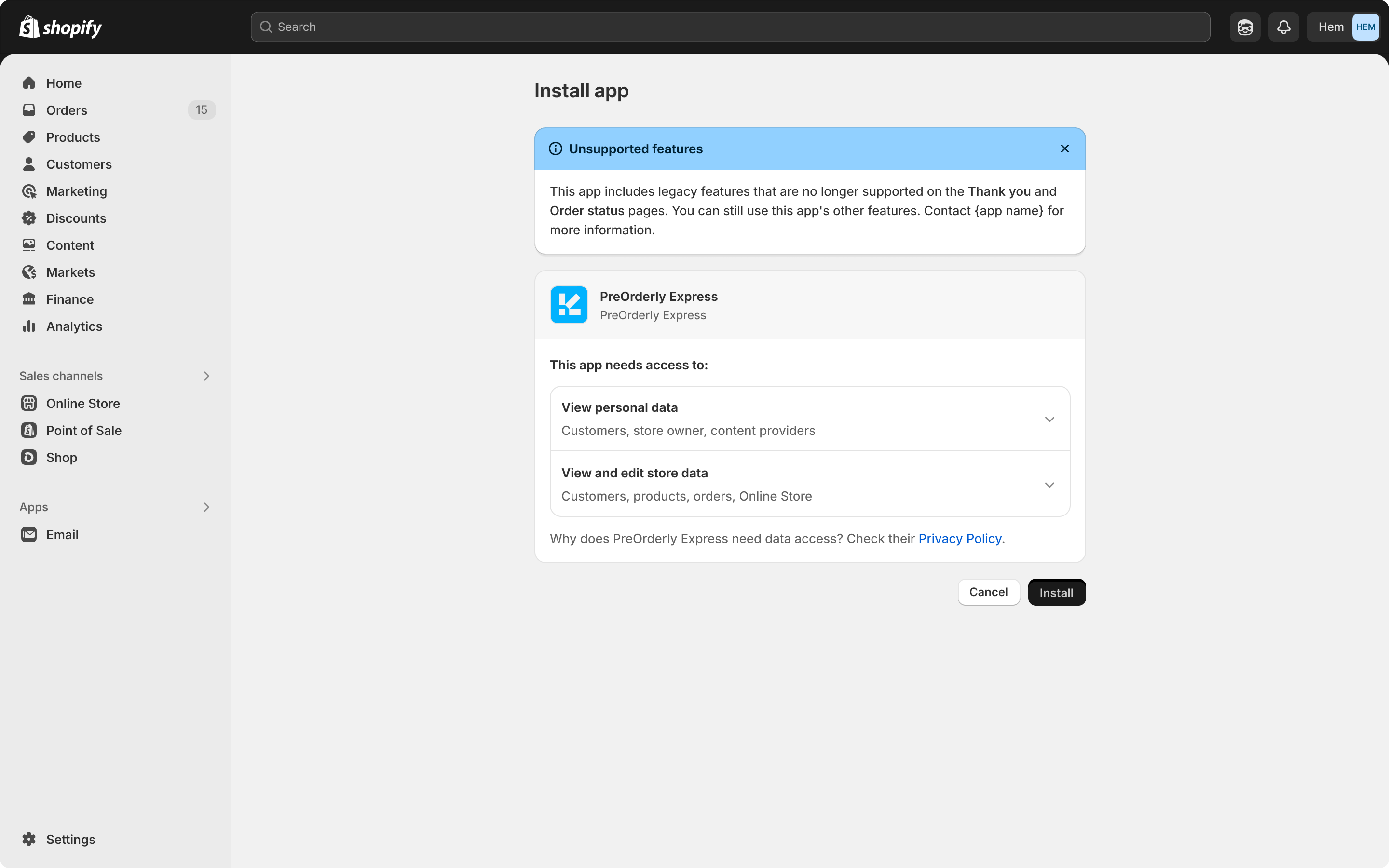
The banner content depends on the store's upgrade state and on whether your app includes customer account UI extensions or web pixels:
| App migration status | Store hasn't upgraded | Store has upgraded |
|---|---|---|
| No UI extensions or web pixels | App user is encouraged to contact you about building them | App user is encouraged to contact you about building them |
| UI extensions only | App user is encouraged to upgrade to access all app functionality | No banner |
| UI extensions and web pixels | App user is encouraged to upgrade to access all app functionality | No banner |
| Web pixels only | No banner | No banner |
Anchor to Customizations reportCustomizations report
The checkout upgrade guide summarizes a store's customizations on the Thank you and Order status pages and walks the app user through upgrading.
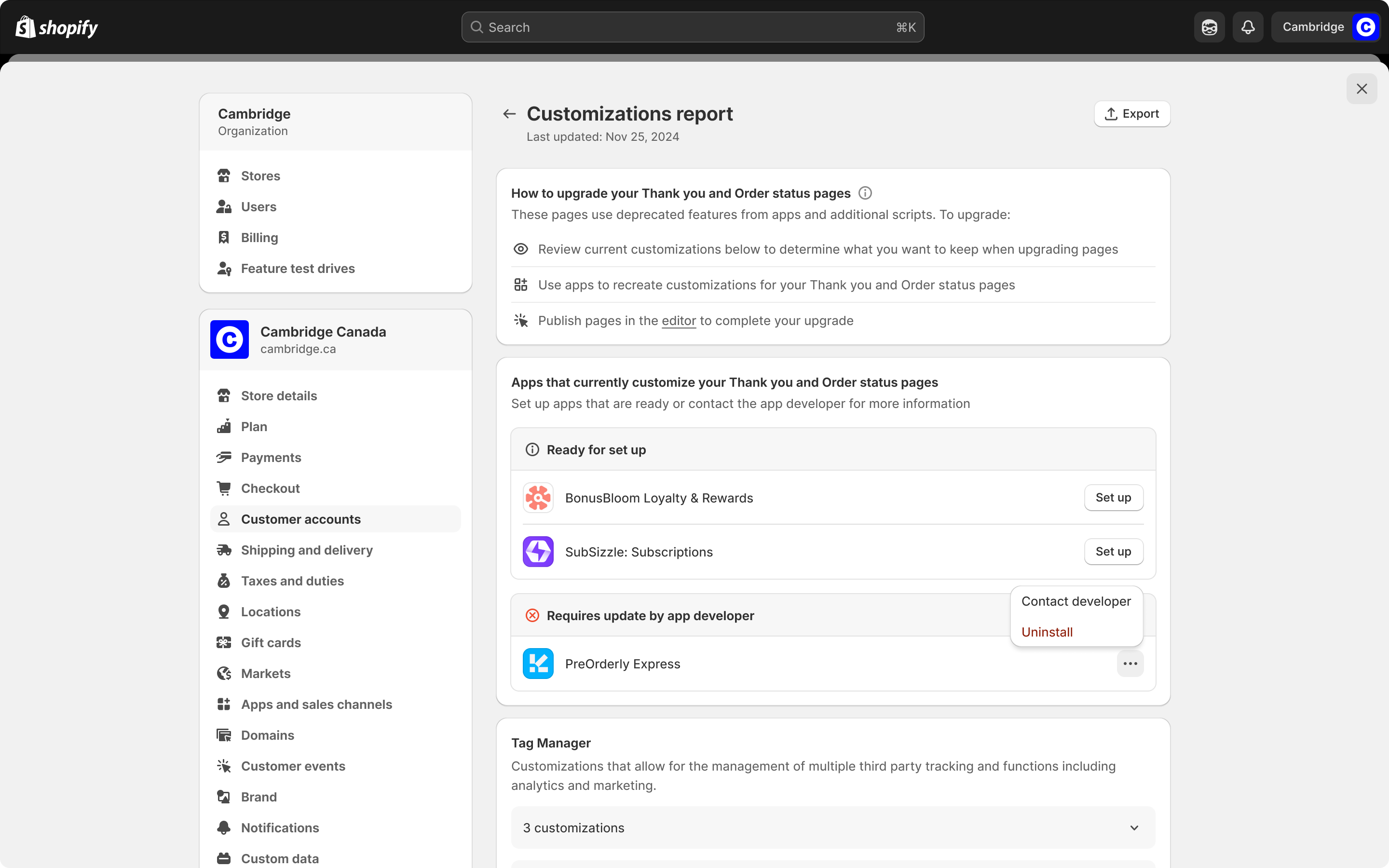
If your app uses script tags with a display_scope of order_status or all and doesn't include customer account UI extensions or web pixels, then it appears under Requires update by app developer in this report for every store that has your app installed. Some app users uninstall the apps listed there to unblock their own upgrade, so appearing in the report can cost you installs.
Anchor to Next stepsNext steps
- Migrate off storefront script tags before the storefront dates in 2026 and 2027.
- Build customer account UI extensions to customize the Order status page.
- Build a web pixel to collect analytics and conversion data.