Create saved catalogs in the Dev Dashboard
Catalogs in the Dev Dashboard is where you build a saved catalog, test it against real products, and get the credentials your agents authenticate with. A saved catalog is a named, reusable set of search parameters, so your agents don't have to send the same filters on every request.
For what catalogs are and how agents query them, refer to About Catalogs.
Anchor to Configure a catalogConfigure a catalog
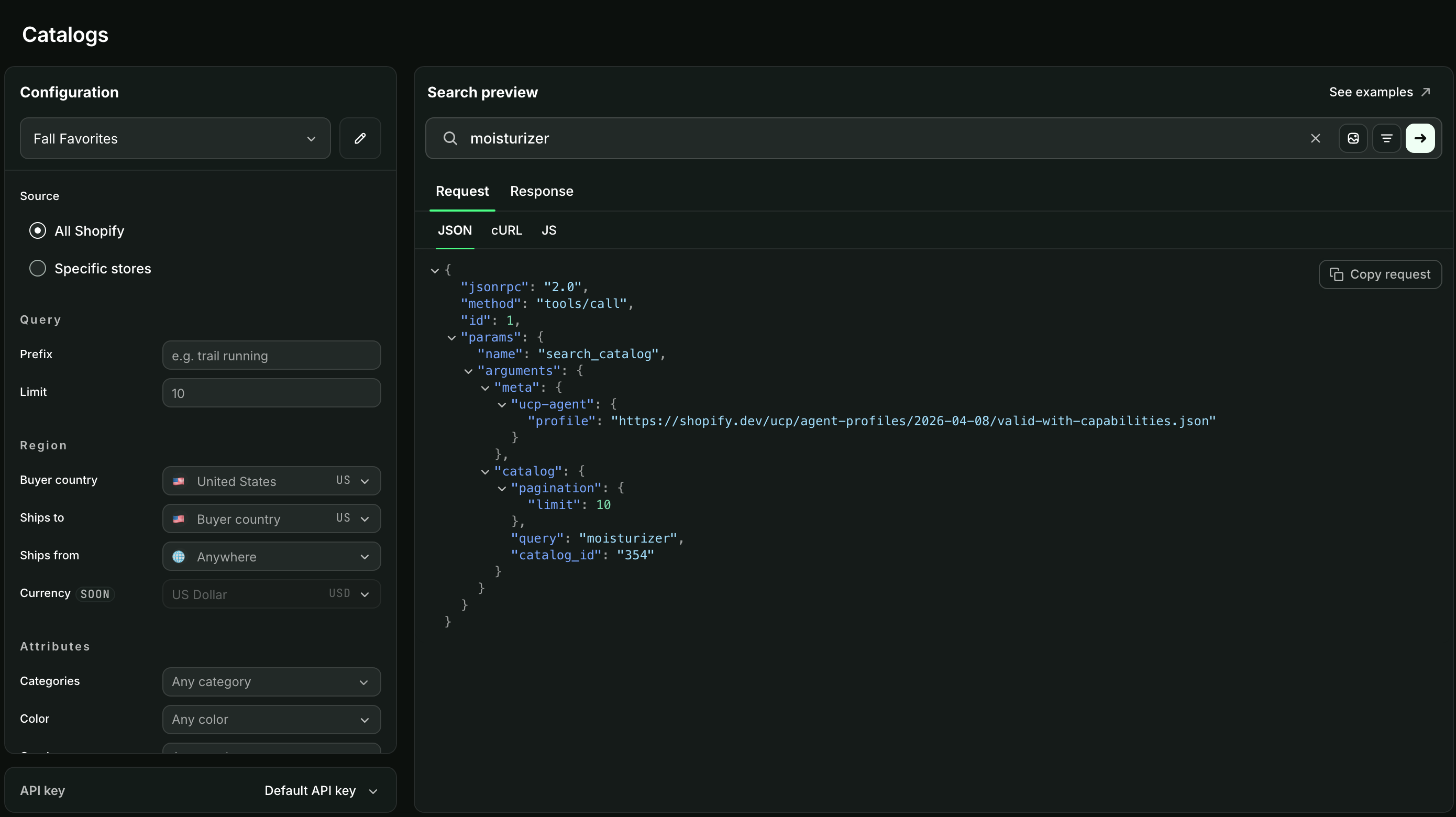
A saved catalog narrows the Global Catalog to the products you want an agent to see, scoped by things like source, region, product attributes, and availability.
Each saved catalog has an ID, which your agents send as catalog.catalog_id to apply the catalog's settings to a search. catalog.saved_catalog_slug carries the same value but is a deprecated alias, so use catalog.catalog_id in new integrations.
Anchor to Preview a searchPreview a search
Search preview runs a query against your catalog and shows you both the request and the response, so you can check what your filters return before an agent depends on them.
You can search by text, or attach an image to find visually similar products. Images must be PNG, JPEG, WebP, or HEIC, and 4 MB or smaller.
Search preview runs on your organization's first Catalogs API key. If a preview fails because of a rate limit, that reflects how much traffic the key is handling, not a problem with your catalog's configuration.
Search preview runs on your organization's first Catalogs API key. If a preview fails because of a rate limit, that reflects how much traffic the key is handling, not a problem with your catalog's configuration.
Anchor to Get API credentialsGet API credentials
Your agents authenticate to the Catalogs API with the Client ID and Client secret from an API key created here, which they exchange for an access token. Refer to Authentication. A key also carries the Redirect URLs used by flows that send a buyer back to your app. Redirect URLs must be https://, except on localhost.
Anchor to Next stepsNext steps
- About Catalogs to compare the Global and Storefront Catalog interfaces before pointing an agent at one.
- Discover products with Shopify Catalog to run your first search and walk a buyer through selecting a variant.