Version 2025-07 is the last API version to support React-based UI components. Later versions use web components, native UI elements with built-in accessibility, better performance, and consistent styling with Shopify's design system. Check out the upgrade guide to upgrade your extension.
Functions settings
Function settings targets provide configuration interfaces for Shopify Functions within the Shopify admin. These extensions allow merchants to configure function behavior through forms and input fields, storing configuration data as metafields that your function can read at runtime.
Functions settings extensions use the FunctionSettings component to handle form submission and error handling. Configuration values are stored as metafields on the function's parent resource (discount, order routing rule, or validation).
Anchor to Use casesUse cases
- Discount configuration: Create custom interfaces for merchants to configure discount functions, such as setting percentage thresholds, quantity requirements, or product selection rules for complex discount logic.
- Order routing rules: Build configuration forms for order routing functions that help merchants define location priority, capacity constraints, fulfillment preferences, or custom routing criteria.
- Checkout validation: Design validation rule configuration interfaces for checkout validation functions that let merchants set validation thresholds, define blocking versus warning rules, customize error messages, or configure validation logic for cart and checkout operations.
- Dynamic function behavior: Store configuration values as metafields that your function reads at runtime, enabling merchants to adjust function behavior without code changes or redeployment.
- Multi-field configuration: Build forms with multiple input types (text, numbers, toggles, selections) to capture complex configuration requirements for sophisticated function logic.
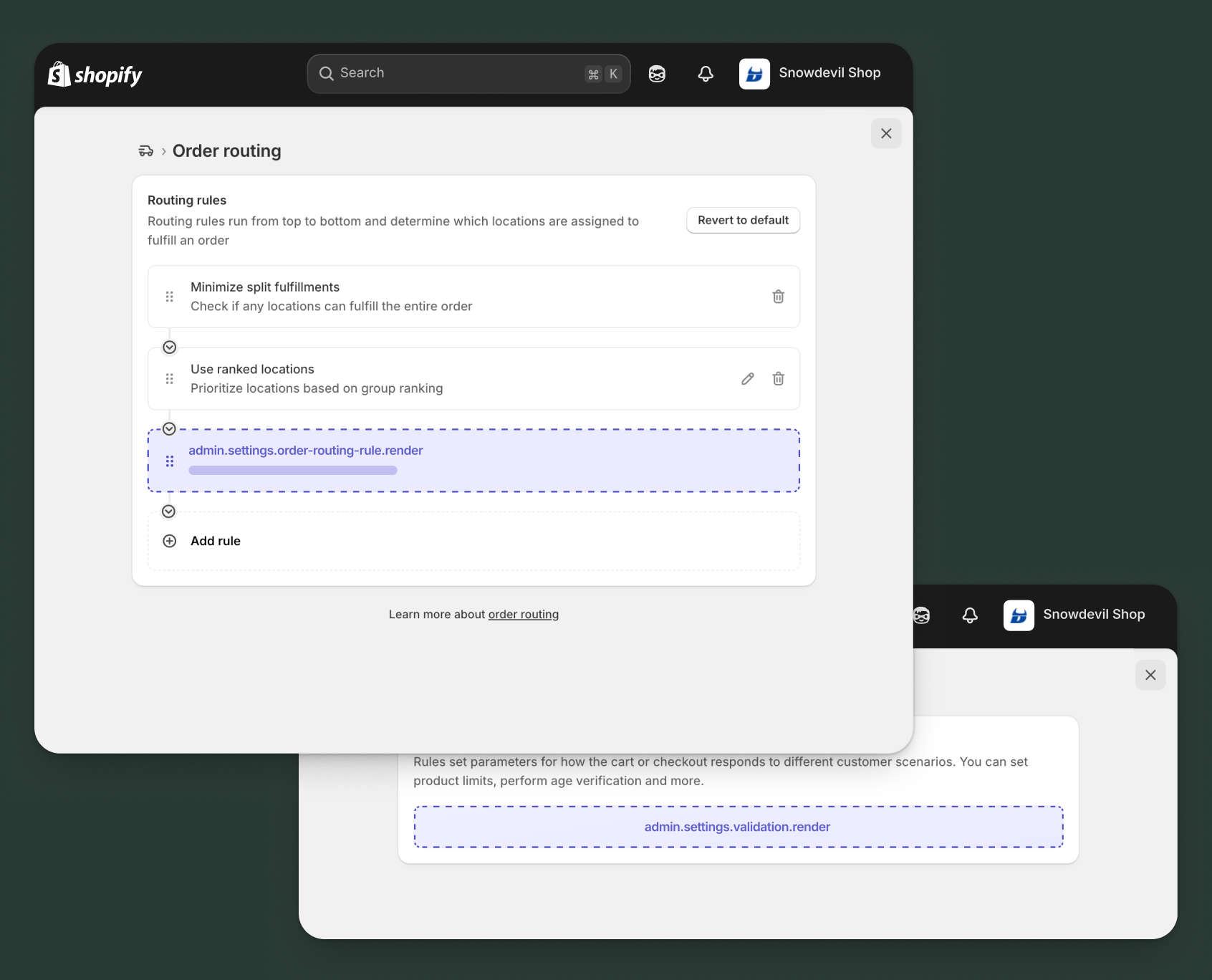
Anchor to Discount details function settings ,[object Object]Discount details function settings target
admin.discount-details.function-settings.render
Renders a function settings extension for discount functions within the discount details page. Use this target to create configuration interfaces that let merchants customize discount behavior, such as setting percentage limits, quantity requirements, customer eligibility rules, or product selection criteria.
Extensions at this target can access the discount ID and existing metafields through the Discount Function Settings API. The extension must use the FunctionSettings component as its root element. Configuration values are saved as metafields on the discount, which your function can read when processing discount calculations.
Supported components
- Admin
Action - Admin
Block - Admin
Print Action - Badge
- Banner
- Block
Stack - Box
- Button
- Checkbox
- Choice
List - Color
Picker - Date
Field - Date
Picker - Divider
- Email
Field - Form
- Function
Settings - Heading
- Heading
Group - Icon
- Image
- Inline
Stack - Link
- Money
Field - Number
Field - Paragraph
- Password
Field - Pressable
- Progress
Indicator - Section
- Select
- Text
- Text
Area - Text
Field - URLField
Available APIs
Supported components
- Admin
Action - Admin
Block - Admin
Print Action - Badge
- Banner
- Block
Stack - Box
- Button
- Checkbox
- Choice
List - Color
Picker - Date
Field - Date
Picker - Divider
- Email
Field - Form
- Function
Settings - Heading
- Heading
Group - Icon
- Image
- Inline
Stack - Link
- Money
Field - Number
Field - Paragraph
- Password
Field - Pressable
- Progress
Indicator - Section
- Select
- Text
- Text
Area - Text
Field - URLField
Available APIs
Examples
Description
Create a configuration interface for a discount function that applies percentage-based discounts with configurable limits. This example demonstrates how to store configuration as metafields.
React
import React from 'react';
import {useState} from 'react';
import {
  reactExtension,
  useApi,
  FunctionSettings,
  BlockStack,
  Banner,
  NumberField,
  Text,
} from '@shopify/ui-extensions-react/admin';

const TARGET = 'admin.discount-details.function-settings.render';

export default reactExtension(TARGET, () => <App />);

function App() {
  const {data, applyMetafieldChange} = useApi(TARGET);
  const [percentage, setPercentage] = useState(
    data.metafields[0]?.value || '10'
  );
  const [maxAmount, setMaxAmount] = useState(
    data.metafields[1]?.value || '100'
  );
  const [error, setError] = useState();

  const handlePercentageChange = async (value) => {
    setPercentage(value);
    setError(undefined);

    await applyMetafieldChange({
      type: 'updateMetafield',
      namespace: '$app:discount-config',
      key: 'percentage',
      value,
      valueType: 'number_decimal',
    });
  };

  const handleMaxAmountChange = async (value) => {
    setMaxAmount(value);
    setError(undefined);

    await applyMetafieldChange({
      type: 'updateMetafield',
      namespace: '$app:discount-config',
      key: 'max-amount',
      value,
      valueType: 'money',
    });
  };

  return (
    <FunctionSettings
      onError={(errors) => setError(errors[0]?.message)}
    >
      <BlockStack>
        <Banner tone="info">
          Configure the discount percentage and maximum discount amount. These
          settings will be applied when your function runs.
        </Banner>

        <NumberField
          step={1}
          min={1}
          max={100}
          suffix="%"
          label="Discount percentage"
          value={percentage}
          onChange={handlePercentageChange}
          error={error}
        />

        <NumberField
          step={0.01}
          min={0}
          prefix="$"
          label="Maximum discount amount"
          value={maxAmount}
          onChange={handleMaxAmountChange}
          error={error}
        />

        <Text>
          Your function will read these configuration values when calculating
          discounts.
        </Text>
      </BlockStack>
    </FunctionSettings>
  );
}
TS
import {
  extension,
  FunctionSettings,
  BlockStack,
  Banner,
  NumberField,
  Text,
} from '@shopify/ui-extensions/admin';

export default extension(
  'admin.discount-details.function-settings.render',
  (root, api) => {
    let percentage = api.data.metafields[0]?.value || '10';
    let maxAmount = api.data.metafields[1]?.value || '100';
    let error;

    const handlePercentageChange = async (value) => {
      percentage = value;
      error = undefined;
      updateUI();

      await api.applyMetafieldChange({
        type: 'updateMetafield',
        namespace: '$app:discount-config',
        key: 'percentage',
        value,
        valueType: 'number_decimal',
      });
    };

    const handleMaxAmountChange = async (value) => {
      maxAmount = value;
      error = undefined;
      updateUI();

      await api.applyMetafieldChange({
        type: 'updateMetafield',
        namespace: '$app:discount-config',
        key: 'max-amount',
        value,
        valueType: 'money',
      });
    };

    const updateUI = () => {
      functionSettings.replaceChildren();

      const blockStack = root.createComponent(BlockStack);

      blockStack.appendChild(
        root.createComponent(
          Banner,
          {tone: 'info'},
          'Configure the discount percentage and maximum discount amount. These settings will be applied when your function runs.'
        )
      );

      blockStack.appendChild(
        root.createComponent(NumberField, {
          step: 1,
          min: 1,
          max: 100,
          suffix: '%',
          label: 'Discount percentage',
          value: percentage,
          onChange: handlePercentageChange,
          error,
        })
      );

      blockStack.appendChild(
        root.createComponent(NumberField, {
          step: 0.01,
          min: 0,
          prefix: '$',
          label: 'Maximum discount amount',
          value: maxAmount,
          onChange: handleMaxAmountChange,
          error,
        })
      );

      blockStack.appendChild(
        root.createComponent(
          Text,
          {},
          'Your function will read these configuration values when calculating discounts.'
        )
      );

      functionSettings.appendChild(blockStack);
    };

    const functionSettings = root.createComponent(FunctionSettings, {
      onError: (errors) => {
        error = errors[0]?.message;
        updateUI();
      },
    });

    updateUI();

    root.appendChild(functionSettings);
    root.mount();
  }
);
Description
Build a configuration interface for a discount function that applies tiered discounts based on quantity. This example shows how to create a more complex configuration with multiple tiers.
React
import React from 'react';
import {useState} from 'react';
import {
  reactExtension,
  useApi,
  FunctionSettings,
  BlockStack,
  Banner,
  Section,
  NumberField,
  Checkbox,
  Text,
  Divider,
} from '@shopify/ui-extensions-react/admin';

const TARGET = 'admin.discount-details.function-settings.render';

export default reactExtension(TARGET, () => <App />);

function App() {
  const {data, applyMetafieldChange} = useApi(TARGET);

  // Parse existing tier configuration from metafields
  const existingConfig = data.metafields[0]?.value
    ? JSON.parse(data.metafields[0].value)
    : {tier1: 5, tier2: 10, tier3: 15, minQty1: 3, minQty2: 6, minQty3: 10, applyToWholeOrder: false};

  const [tier1Discount, setTier1Discount] = useState(existingConfig.tier1);
  const [tier2Discount, setTier2Discount] = useState(existingConfig.tier2);
  const [tier3Discount, setTier3Discount] = useState(existingConfig.tier3);
  const [tier1MinQty, setTier1MinQty] = useState(existingConfig.minQty1);
  const [tier2MinQty, setTier2MinQty] = useState(existingConfig.minQty2);
  const [tier3MinQty, setTier3MinQty] = useState(existingConfig.minQty3);
  const [applyToWholeOrder, setApplyToWholeOrder] = useState(existingConfig.applyToWholeOrder);
  const [error, setError] = useState();

  const saveConfiguration = async (updates) => {
    const configuration = {
      tier1: parseFloat(tier1Discount),
      tier2: parseFloat(tier2Discount),
      tier3: parseFloat(tier3Discount),
      minQty1: parseInt(tier1MinQty),
      minQty2: parseInt(tier2MinQty),
      minQty3: parseInt(tier3MinQty),
      applyToWholeOrder,
      ...updates,
    };

    setError(undefined);

    await applyMetafieldChange({
      type: 'updateMetafield',
      namespace: '$app:tiered-discount',
      key: 'configuration',
      value: JSON.stringify(configuration),
      valueType: 'json',
    });
  };

  return (
    <FunctionSettings
      onError={(errors) => setError(errors[0]?.message)}
    >
      <BlockStack>
        <Banner tone="info">
          Set up quantity-based discount tiers. Higher quantities unlock larger
          discounts.
        </Banner>

        <Section heading="Tier 1 - Starter discount">
          <BlockStack>
            <NumberField
              label="Minimum quantity"
              value={tier1MinQty}
              onChange={(value) => {
                setTier1MinQty(value);
                saveConfiguration({minQty1: parseInt(value)});
              }}
              min={1}
              step={1}
              error={error}
            />
            <NumberField
              label="Discount percentage"
              value={tier1Discount}
              onChange={(value) => {
                setTier1Discount(value);
                saveConfiguration({tier1: parseFloat(value)});
              }}
              min={0}
              max={100}
              step={1}
              suffix="%"
              error={error}
            />
          </BlockStack>
        </Section>

        <Section heading="Tier 2 - Better discount">
          <BlockStack>
            <NumberField
              label="Minimum quantity"
              value={tier2MinQty}
              onChange={(value) => {
                setTier2MinQty(value);
                saveConfiguration({minQty2: parseInt(value)});
              }}
              min={1}
              step={1}
              error={error}
            />
            <NumberField
              label="Discount percentage"
              value={tier2Discount}
              onChange={(value) => {
                setTier2Discount(value);
                saveConfiguration({tier2: parseFloat(value)});
              }}
              min={0}
              max={100}
              step={1}
              suffix="%"
              error={error}
            />
          </BlockStack>
        </Section>

        <Section heading="Tier 3 - Best discount">
          <BlockStack>
            <NumberField
              label="Minimum quantity"
              value={tier3MinQty}
              onChange={(value) => {
                setTier3MinQty(value);
                saveConfiguration({minQty3: parseInt(value)});
              }}
              min={1}
              step={1}
              error={error}
            />
            <NumberField
              label="Discount percentage"
              value={tier3Discount}
              onChange={(value) => {
                setTier3Discount(value);
                saveConfiguration({tier3: parseFloat(value)});
              }}
              min={0}
              max={100}
              step={1}
              suffix="%"
              error={error}
            />
          </BlockStack>
        </Section>

        <Divider />

        <Checkbox
          checked={applyToWholeOrder}
          onChange={(value) => {
            setApplyToWholeOrder(value);
            saveConfiguration({applyToWholeOrder: value});
          }}
        >
          Apply discount to entire order when threshold is met
        </Checkbox>

        <Text>
          Customers will see the highest tier they qualify for based on their
          cart quantity.
        </Text>
      </BlockStack>
    </FunctionSettings>
  );
}
TS
import {
  extension,
  FunctionSettings,
  BlockStack,
  Banner,
  Section,
  NumberField,
  Checkbox,
  Text,
  Divider,
} from '@shopify/ui-extensions/admin';

export default extension(
  'admin.discount-details.function-settings.render',
  (root, api) => {
    const existingConfig = api.data.metafields[0]?.value
      ? JSON.parse(api.data.metafields[0].value)
      : {tier1: 5, tier2: 10, tier3: 15, minQty1: 3, minQty2: 6, minQty3: 10, applyToWholeOrder: false};

    let tier1Discount = existingConfig.tier1;
    let tier2Discount = existingConfig.tier2;
    let tier3Discount = existingConfig.tier3;
    let tier1MinQty = existingConfig.minQty1;
    let tier2MinQty = existingConfig.minQty2;
    let tier3MinQty = existingConfig.minQty3;
    let applyToWholeOrder = existingConfig.applyToWholeOrder;
    let error;

    const saveConfiguration = async (updates) => {
      const configuration = {
        tier1: parseFloat(tier1Discount),
        tier2: parseFloat(tier2Discount),
        tier3: parseFloat(tier3Discount),
        minQty1: parseInt(tier1MinQty),
        minQty2: parseInt(tier2MinQty),
        minQty3: parseInt(tier3MinQty),
        applyToWholeOrder,
        ...updates,
      };

      error = undefined;
      updateUI();

      await api.applyMetafieldChange({
        type: 'updateMetafield',
        namespace: '$app:tiered-discount',
        key: 'configuration',
        value: JSON.stringify(configuration),
        valueType: 'json',
      });
    };

    const updateUI = () => {
      functionSettings.replaceChildren();

      const blockStack = root.createComponent(BlockStack);

      blockStack.appendChild(
        root.createComponent(
          Banner,
          {tone: 'info'},
          'Set up quantity-based discount tiers. Higher quantities unlock larger discounts.'
        )
      );

      // Tier 1
      const tier1Section = root.createComponent(Section, {heading: 'Tier 1 - Starter discount'});
      const tier1Stack = root.createComponent(BlockStack);

      tier1Stack.appendChild(
        root.createComponent(NumberField, {
          label: 'Minimum quantity',
          value: tier1MinQty,
          onChange: (value) => {
            tier1MinQty = value;
            saveConfiguration({minQty1: parseInt(value)});
          },
          min: 1,
          step: 1,
          error,
        })
      );

      tier1Stack.appendChild(
        root.createComponent(NumberField, {
          label: 'Discount percentage',
          value: tier1Discount,
          onChange: (value) => {
            tier1Discount = value;
            saveConfiguration({tier1: parseFloat(value)});
          },
          min: 0,
          max: 100,
          step: 1,
          suffix: '%',
          error,
        })
      );

      tier1Section.appendChild(tier1Stack);
      blockStack.appendChild(tier1Section);

      // Tier 2
      const tier2Section = root.createComponent(Section, {heading: 'Tier 2 - Better discount'});
      const tier2Stack = root.createComponent(BlockStack);

      tier2Stack.appendChild(
        root.createComponent(NumberField, {
          label: 'Minimum quantity',
          value: tier2MinQty,
          onChange: (value) => {
            tier2MinQty = value;
            saveConfiguration({minQty2: parseInt(value)});
          },
          min: 1,
          step: 1,
          error,
        })
      );

      tier2Stack.appendChild(
        root.createComponent(NumberField, {
          label: 'Discount percentage',
          value: tier2Discount,
          onChange: (value) => {
            tier2Discount = value;
            saveConfiguration({tier2: parseFloat(value)});
          },
          min: 0,
          max: 100,
          step: 1,
          suffix: '%',
          error,
        })
      );

      tier2Section.appendChild(tier2Stack);
      blockStack.appendChild(tier2Section);

      // Tier 3
      const tier3Section = root.createComponent(Section, {heading: 'Tier 3 - Best discount'});
      const tier3Stack = root.createComponent(BlockStack);

      tier3Stack.appendChild(
        root.createComponent(NumberField, {
          label: 'Minimum quantity',
          value: tier3MinQty,
          onChange: (value) => {
            tier3MinQty = value;
            saveConfiguration({minQty3: parseInt(value)});
          },
          min: 1,
          step: 1,
          error,
        })
      );

      tier3Stack.appendChild(
        root.createComponent(NumberField, {
          label: 'Discount percentage',
          value: tier3Discount,
          onChange: (value) => {
            tier3Discount = value;
            saveConfiguration({tier3: parseFloat(value)});
          },
          min: 0,
          max: 100,
          step: 1,
          suffix: '%',
          error,
        })
      );

      tier3Section.appendChild(tier3Stack);
      blockStack.appendChild(tier3Section);

      blockStack.appendChild(root.createComponent(Divider));

      blockStack.appendChild(
        root.createComponent(
          Checkbox,
          {
            checked: applyToWholeOrder,
            onChange: (value) => {
              applyToWholeOrder = value;
              saveConfiguration({applyToWholeOrder: value});
            },
          },
          'Apply discount to entire order when threshold is met'
        )
      );

      blockStack.appendChild(
        root.createComponent(
          Text,
          {},
          'Customers will see the highest tier they qualify for based on their cart quantity.'
        )
      );

      functionSettings.appendChild(blockStack);
    };

    const functionSettings = root.createComponent(FunctionSettings, {
      onError: (errors) => {
        error = errors[0]?.message;
        updateUI();
      },
    });

    updateUI();

    root.appendChild(functionSettings);
    root.mount();
  }
);
Anchor to Order routing rule function settings ,[object Object]Order routing rule function settings target
admin.settings.order-routing-rule.render
Renders a function settings extension for order routing functions within the order routing settings page. Use this target to create configuration interfaces that let merchants customize order routing behavior, such as setting location priorities, capacity constraints, distance thresholds, or custom routing criteria.
Extensions at this target can access the routing rule details through the Order Routing Rule API. The extension must use the FunctionSettings component as its root element. Configuration values are saved as metafields on the order routing rule, which your function can read when determining order routing.
Supported components
- Admin
Action - Admin
Block - Admin
Print Action - Badge
- Banner
- Block
Stack - Box
- Button
- Checkbox
- Choice
List - Color
Picker - Date
Field - Date
Picker - Divider
- Email
Field - Form
- Function
Settings - Heading
- Heading
Group - Icon
- Image
- Inline
Stack - Link
- Money
Field - Number
Field - Paragraph
- Password
Field - Pressable
- Progress
Indicator - Section
- Select
- Text
- Text
Area - Text
Field - URLField
Available APIs
Supported components
- Admin
Action - Admin
Block - Admin
Print Action - Badge
- Banner
- Block
Stack - Box
- Button
- Checkbox
- Choice
List - Color
Picker - Date
Field - Date
Picker - Divider
- Email
Field - Form
- Function
Settings - Heading
- Heading
Group - Icon
- Image
- Inline
Stack - Link
- Money
Field - Number
Field - Paragraph
- Password
Field - Pressable
- Progress
Indicator - Section
- Select
- Text
- Text
Area - Text
Field - URLField
Available APIs
Examples
Description
Create a configuration interface for an order routing function that routes orders based on location priorities. This example demonstrates how to configure location-based routing rules.
React
import React from 'react';
import {useState} from 'react';
import {
  reactExtension,
  useApi,
  FunctionSettings,
  BlockStack,
  Banner,
  Section,
  NumberField,
  Checkbox,
  Text,
} from '@shopify/ui-extensions-react/admin';

const TARGET = 'admin.settings.order-routing-rule.render';

export default reactExtension(TARGET, () => <App />);

function App() {
  const {data, applyMetafieldsChange} = useApi(TARGET);

  const existingConfig = data.rule.metafields[0]?.value
    ? JSON.parse(data.rule.metafields[0].value)
    : {prioritizeNearestLocation: true, maxDistanceKm: 50, considerInventory: true};

  const [prioritizeNearest, setPrioritizeNearest] = useState(
    existingConfig.prioritizeNearestLocation
  );
  const [maxDistance, setMaxDistance] = useState(
    existingConfig.maxDistanceKm
  );
  const [considerInventory, setConsiderInventory] = useState(
    existingConfig.considerInventory
  );
  const [error, setError] = useState();

  const saveConfiguration = async (updates) => {
    const configuration = {
      prioritizeNearestLocation: prioritizeNearest,
      maxDistanceKm: parseFloat(maxDistance),
      considerInventory,
      ...updates,
    };

    setError(undefined);

    await applyMetafieldsChange([{
      type: 'updateMetafield',
      namespace: '$app:routing-config',
      key: 'location-priority',
      value: JSON.stringify(configuration),
      valueType: 'json',
    }]);
  };

  return (
    <FunctionSettings
      onError={(errors) => setError(errors[0]?.message)}
    >
      <BlockStack>
        <Banner tone="info">
          Configure how orders are routed to fulfillment locations based on
          distance and inventory.
        </Banner>

        <Section heading="Routing rules">
          <Text>Rule: {data.rule.label}</Text>
          <Text>{data.rule.description}</Text>
        </Section>

        <Section heading="Location selection">
          <BlockStack>
            <Checkbox
              checked={prioritizeNearest}
              onChange={(value) => {
                setPrioritizeNearest(value);
                saveConfiguration({prioritizeNearestLocation: value});
              }}
            >
              Prioritize nearest fulfillment location
            </Checkbox>

            <NumberField
              label="Maximum distance (km)"
              value={maxDistance}
              onChange={(value) => {
                setMaxDistance(value);
                saveConfiguration({maxDistanceKm: parseFloat(value)});
              }}
              min={1}
              step={1}
              suffix="km"
              error={error}
            />

            <Checkbox
              checked={considerInventory}
              onChange={(value) => {
                setConsiderInventory(value);
                saveConfiguration({considerInventory: value});
              }}
            >
              Only route to locations with available inventory
            </Checkbox>
          </BlockStack>
        </Section>

        <Text>
          Your routing function will use these rules to determine the optimal
          fulfillment location for each order.
        </Text>
      </BlockStack>
    </FunctionSettings>
  );
}
TS
import {
  extension,
  FunctionSettings,
  BlockStack,
  Banner,
  Section,
  NumberField,
  Checkbox,
  Text,
} from '@shopify/ui-extensions/admin';

export default extension(
  'admin.settings.order-routing-rule.render',
  (root, api) => {
    const existingConfig = api.data.rule.metafields[0]?.value
      ? JSON.parse(api.data.rule.metafields[0].value)
      : {prioritizeNearestLocation: true, maxDistanceKm: 50, considerInventory: true};

    let prioritizeNearest = existingConfig.prioritizeNearestLocation;
    let maxDistance = existingConfig.maxDistanceKm;
    let considerInventory = existingConfig.considerInventory;
    let error;

    const saveConfiguration = async (updates) => {
      const configuration = {
        prioritizeNearestLocation: prioritizeNearest,
        maxDistanceKm: parseFloat(maxDistance),
        considerInventory,
        ...updates,
      };

      error = undefined;
      updateUI();

      await api.applyMetafieldsChange([{
        type: 'updateMetafield',
        namespace: '$app:routing-config',
        key: 'location-priority',
        value: JSON.stringify(configuration),
        valueType: 'json',
      }]);
    };

    const updateUI = () => {
      functionSettings.replaceChildren();

      const blockStack = root.createComponent(BlockStack);

      blockStack.appendChild(
        root.createComponent(
          Banner,
          {tone: 'info'},
          'Configure how orders are routed to fulfillment locations based on distance and inventory.'
        )
      );

      const rulesSection = root.createComponent(Section, {heading: 'Routing rules'});
      rulesSection.appendChild(
        root.createComponent(Text, {}, `Rule: ${api.data.rule.label}`)
      );
      rulesSection.appendChild(
        root.createComponent(Text, {}, api.data.rule.description)
      );
      blockStack.appendChild(rulesSection);

      const locationSection = root.createComponent(Section, {heading: 'Location selection'});
      const locationStack = root.createComponent(BlockStack);

      locationStack.appendChild(
        root.createComponent(
          Checkbox,
          {
            checked: prioritizeNearest,
            onChange: (value) => {
              prioritizeNearest = value;
              saveConfiguration({prioritizeNearestLocation: value});
            },
          },
          'Prioritize nearest fulfillment location'
        )
      );

      locationStack.appendChild(
        root.createComponent(NumberField, {
          label: 'Maximum distance (km)',
          value: maxDistance,
          onChange: (value) => {
            maxDistance = value;
            saveConfiguration({maxDistanceKm: parseFloat(value)});
          },
          min: 1,
          step: 1,
          suffix: 'km',
          error,
        })
      );

      locationStack.appendChild(
        root.createComponent(
          Checkbox,
          {
            checked: considerInventory,
            onChange: (value) => {
              considerInventory = value;
              saveConfiguration({considerInventory: value});
            },
          },
          'Only route to locations with available inventory'
        )
      );

      locationSection.appendChild(locationStack);
      blockStack.appendChild(locationSection);

      blockStack.appendChild(
        root.createComponent(
          Text,
          {},
          'Your routing function will use these rules to determine the optimal fulfillment location for each order.'
        )
      );

      functionSettings.appendChild(blockStack);
    };

    const functionSettings = root.createComponent(FunctionSettings, {
      onError: (errors) => {
        error = errors[0]?.message;
        updateUI();
      },
    });

    updateUI();

    root.appendChild(functionSettings);
    root.mount();
  }
);
Description
Build a configuration interface for an order routing function that considers location capacity and workload. This example shows how to configure capacity constraints for routing decisions.
React
import React from 'react';
import {useState} from 'react';
import {
  reactExtension,
  useApi,
  FunctionSettings,
  BlockStack,
  Banner,
  Section,
  NumberField,
  Select,
  Checkbox,
  Text,
} from '@shopify/ui-extensions-react/admin';

const TARGET = 'admin.settings.order-routing-rule.render';

export default reactExtension(TARGET, () => <App />);

function App() {
  const {data, applyMetafieldsChange} = useApi(TARGET);

  const existingConfig = data.rule.metafields[0]?.value
    ? JSON.parse(data.rule.metafields[0].value)
    : {
        maxDailyOrders: 100,
        loadBalancing: 'round-robin',
        respectBusinessHours: true,
        priorityThreshold: 80,
      };

  const [maxDailyOrders, setMaxDailyOrders] = useState(existingConfig.maxDailyOrders);
  const [loadBalancing, setLoadBalancing] = useState(existingConfig.loadBalancing);
  const [respectBusinessHours, setRespectBusinessHours] = useState(existingConfig.respectBusinessHours);
  const [priorityThreshold, setPriorityThreshold] = useState(existingConfig.priorityThreshold);
  const [error, setError] = useState();

  const loadBalancingOptions = [
    {value: 'round-robin', label: 'Round robin'},
    {value: 'least-loaded', label: 'Least loaded first'},
    {value: 'weighted', label: 'Weighted by capacity'},
  ];

  const saveConfiguration = async (updates) => {
    const configuration = {
      maxDailyOrders: parseInt(maxDailyOrders),
      loadBalancing,
      respectBusinessHours,
      priorityThreshold: parseInt(priorityThreshold),
      ...updates,
    };

    setError(undefined);

    await applyMetafieldsChange([{
      type: 'updateMetafield',
      namespace: '$app:routing-capacity',
      key: 'configuration',
      value: JSON.stringify(configuration),
      valueType: 'json',
    }]);
  };

  return (
    <FunctionSettings
      onError={(errors) => setError(errors[0]?.message)}
    >
      <BlockStack>
        <Banner tone="info">
          Configure capacity constraints and load balancing for order routing.
        </Banner>

        <Section heading="Capacity limits">
          <BlockStack>
            <NumberField
              label="Maximum daily orders per location"
              value={maxDailyOrders}
              onChange={(value) => {
                setMaxDailyOrders(value);
                saveConfiguration({maxDailyOrders: parseInt(value)});
              }}
              min={1}
              step={1}
              error={error}
            />

            <NumberField
              label="Capacity threshold (%)"
              value={priorityThreshold}
              onChange={(value) => {
                setPriorityThreshold(value);
                saveConfiguration({priorityThreshold: parseInt(value)});
              }}
              min={0}
              max={100}
              step={5}
              suffix="%"
              error={error}
            />
          </BlockStack>
        </Section>

        <Section heading="Load balancing strategy">
          <BlockStack>
            <Select
              label="Load balancing method"
              value={loadBalancing}
              onChange={(value) => {
                setLoadBalancing(value);
                saveConfiguration({loadBalancing: value});
              }}
              options={loadBalancingOptions}
            />

            <Checkbox
              checked={respectBusinessHours}
              onChange={(value) => {
                setRespectBusinessHours(value);
                saveConfiguration({respectBusinessHours: value});
              }}
            >
              Only route to locations during their business hours
            </Checkbox>
          </BlockStack>
        </Section>

        <Text>
          Orders will be distributed across locations based on these capacity
          and load balancing rules.
        </Text>
      </BlockStack>
    </FunctionSettings>
  );
}
TS
import {
  extension,
  FunctionSettings,
  BlockStack,
  Banner,
  Section,
  NumberField,
  Select,
  Checkbox,
  Text,
} from '@shopify/ui-extensions/admin';

export default extension(
  'admin.settings.order-routing-rule.render',
  (root, api) => {
    const existingConfig = api.data.rule.metafields[0]?.value
      ? JSON.parse(api.data.rule.metafields[0].value)
      : {
          maxDailyOrders: 100,
          loadBalancing: 'round-robin',
          respectBusinessHours: true,
          priorityThreshold: 80,
        };

    let maxDailyOrders = existingConfig.maxDailyOrders;
    let loadBalancing = existingConfig.loadBalancing;
    let respectBusinessHours = existingConfig.respectBusinessHours;
    let priorityThreshold = existingConfig.priorityThreshold;
    let error;

    const loadBalancingOptions = [
      {value: 'round-robin', label: 'Round robin'},
      {value: 'least-loaded', label: 'Least loaded first'},
      {value: 'weighted', label: 'Weighted by capacity'},
    ];

    const saveConfiguration = async (updates) => {
      const configuration = {
        maxDailyOrders: parseInt(maxDailyOrders),
        loadBalancing,
        respectBusinessHours,
        priorityThreshold: parseInt(priorityThreshold),
        ...updates,
      };

      error = undefined;
      updateUI();

      await api.applyMetafieldsChange([{
        type: 'updateMetafield',
        namespace: '$app:routing-capacity',
        key: 'configuration',
        value: JSON.stringify(configuration),
        valueType: 'json',
      }]);
    };

    const updateUI = () => {
      functionSettings.replaceChildren();

      const blockStack = root.createComponent(BlockStack);

      blockStack.appendChild(
        root.createComponent(
          Banner,
          {tone: 'info'},
          'Configure capacity constraints and load balancing for order routing.'
        )
      );

      const capacitySection = root.createComponent(Section, {heading: 'Capacity limits'});
      const capacityStack = root.createComponent(BlockStack);

      capacityStack.appendChild(
        root.createComponent(NumberField, {
          label: 'Maximum daily orders per location',
          value: maxDailyOrders,
          onChange: (value) => {
            maxDailyOrders = value;
            saveConfiguration({maxDailyOrders: parseInt(value)});
          },
          min: 1,
          step: 1,
          error,
        })
      );

      capacityStack.appendChild(
        root.createComponent(NumberField, {
          label: 'Capacity threshold (%)',
          value: priorityThreshold,
          onChange: (value) => {
            priorityThreshold = value;
            saveConfiguration({priorityThreshold: parseInt(value)});
          },
          min: 0,
          max: 100,
          step: 5,
          suffix: '%',
          error,
        })
      );

      capacitySection.appendChild(capacityStack);
      blockStack.appendChild(capacitySection);

      const balancingSection = root.createComponent(Section, {heading: 'Load balancing strategy'});
      const balancingStack = root.createComponent(BlockStack);

      balancingStack.appendChild(
        root.createComponent(Select, {
          label: 'Load balancing method',
          value: loadBalancing,
          onChange: (value) => {
            loadBalancing = value;
            saveConfiguration({loadBalancing: value});
          },
          options: loadBalancingOptions,
        })
      );

      balancingStack.appendChild(
        root.createComponent(
          Checkbox,
          {
            checked: respectBusinessHours,
            onChange: (value) => {
              respectBusinessHours = value;
              saveConfiguration({respectBusinessHours: value});
            },
          },
          'Only route to locations during their business hours'
        )
      );

      balancingSection.appendChild(balancingStack);
      blockStack.appendChild(balancingSection);

      blockStack.appendChild(
        root.createComponent(
          Text,
          {},
          'Orders will be distributed across locations based on these capacity and load balancing rules.'
        )
      );

      functionSettings.appendChild(blockStack);
    };

    const functionSettings = root.createComponent(FunctionSettings, {
      onError: (errors) => {
        error = errors[0]?.message;
        updateUI();
      },
    });

    updateUI();

    root.appendChild(functionSettings);
    root.mount();
  }
);
Anchor to Validation function settings ,[object Object]Validation function settings target
admin.settings.validation.render
Renders a function settings extension for checkout validation functions within the checkout rules settings page. Use this target to create configuration interfaces that let merchants customize checkout validation rules, such as setting minimum order values, quantity limits, product restrictions, or custom validation criteria.
Extensions at this target can access the validation details through the Validation Settings API. The extension must use the FunctionSettings component as its root element. Configuration values are saved as metafields on the validation, which your function can read when validating cart and checkout operations.
Supported components
- Admin
Action - Admin
Block - Admin
Print Action - Badge
- Banner
- Block
Stack - Box
- Button
- Checkbox
- Choice
List - Color
Picker - Date
Field - Date
Picker - Divider
- Email
Field - Form
- Function
Settings - Heading
- Heading
Group - Icon
- Image
- Inline
Stack - Link
- Money
Field - Number
Field - Paragraph
- Password
Field - Pressable
- Progress
Indicator - Section
- Select
- Text
- Text
Area - Text
Field - URLField
Available APIs
Supported components
- Admin
Action - Admin
Block - Admin
Print Action - Badge
- Banner
- Block
Stack - Box
- Button
- Checkbox
- Choice
List - Color
Picker - Date
Field - Date
Picker - Divider
- Email
Field - Form
- Function
Settings - Heading
- Heading
Group - Icon
- Image
- Inline
Stack - Link
- Money
Field - Number
Field - Paragraph
- Password
Field - Pressable
- Progress
Indicator - Section
- Select
- Text
- Text
Area - Text
Field - URLField
Available APIs
Examples
Description
Create a configuration interface for a validation function that enforces minimum order values. This example demonstrates how to configure validation rules with customizable error messages.
React
import React from 'react';
import {useState} from 'react';
import {
  reactExtension,
  useApi,
  FunctionSettings,
  BlockStack,
  Banner,
  Section,
  NumberField,
  TextField,
  Checkbox,
  Text,
} from '@shopify/ui-extensions-react/admin';

const TARGET = 'admin.settings.validation.render';

export default reactExtension(TARGET, () => <App />);

function App() {
  const {data, applyMetafieldChange} = useApi(TARGET);

  const existingConfig = data.validation?.metafields[0]?.value
    ? JSON.parse(data.validation.metafields[0].value)
    : {minOrderValue: 50, errorMessage: 'Minimum order value not met', blockCheckout: true};

  const [minOrderValue, setMinOrderValue] = useState(existingConfig.minOrderValue);
  const [errorMessage, setErrorMessage] = useState(existingConfig.errorMessage);
  const [blockCheckout, setBlockCheckout] = useState(existingConfig.blockCheckout);
  const [error, setError] = useState();

  const saveConfiguration = async (updates) => {
    const configuration = {
      minOrderValue: parseFloat(minOrderValue),
      errorMessage,
      blockCheckout,
      ...updates,
    };

    setError(undefined);

    await applyMetafieldChange({
      type: 'updateMetafield',
      namespace: '$app:validation-config',
      key: 'min-order-value',
      value: JSON.stringify(configuration),
      valueType: 'json',
    });
  };

  return (
    <FunctionSettings
      onError={(errors) => setError(errors[0]?.message)}
    >
      <BlockStack>
        <Banner tone="info">
          Configure minimum order value requirements for checkout. Customers
          must meet this threshold to complete their purchase.
        </Banner>

        <Section heading="Validation rules">
          <BlockStack>
            <NumberField
              label="Minimum order value"
              value={minOrderValue}
              onChange={(value) => {
                setMinOrderValue(value);
                saveConfiguration({minOrderValue: parseFloat(value)});
              }}
              min={0}
              step={0.01}
              prefix="$"
              error={error}
            />

            <TextField
              label="Error message"
              value={errorMessage}
              onChange={(value) => {
                setErrorMessage(value);
                saveConfiguration({errorMessage: value});
              }}
              placeholder="Your order must be at least $50"
            />

            <Checkbox
              checked={blockCheckout}
              onChange={(value) => {
                setBlockCheckout(value);
                saveConfiguration({blockCheckout: value});
              }}
            >
              Block checkout when validation fails
            </Checkbox>

            {!blockCheckout && (
              <Banner tone="warning">
                When unchecked, customers will see a warning but can still
                proceed to checkout.
              </Banner>
            )}
          </BlockStack>
        </Section>

        <Text>
          Your validation function will use these settings to validate orders
          during checkout.
        </Text>
      </BlockStack>
    </FunctionSettings>
  );
}
TS
import {
  extension,
  FunctionSettings,
  BlockStack,
  Banner,
  Section,
  NumberField,
  TextField,
  Checkbox,
  Text,
} from '@shopify/ui-extensions/admin';

export default extension(
  'admin.settings.validation.render',
  (root, api) => {
    const existingConfig = api.data.validation?.metafields[0]?.value
      ? JSON.parse(api.data.validation.metafields[0].value)
      : {minOrderValue: 50, errorMessage: 'Minimum order value not met', blockCheckout: true};

    let minOrderValue = existingConfig.minOrderValue;
    let errorMessage = existingConfig.errorMessage;
    let blockCheckout = existingConfig.blockCheckout;
    let error;

    const saveConfiguration = async (updates) => {
      const configuration = {
        minOrderValue: parseFloat(minOrderValue),
        errorMessage,
        blockCheckout,
        ...updates,
      };

      error = undefined;
      updateUI();

      await api.applyMetafieldChange({
        type: 'updateMetafield',
        namespace: '$app:validation-config',
        key: 'min-order-value',
        value: JSON.stringify(configuration),
        valueType: 'json',
      });
    };

    const updateUI = () => {
      functionSettings.replaceChildren();

      const blockStack = root.createComponent(BlockStack);

      blockStack.appendChild(
        root.createComponent(
          Banner,
          {tone: 'info'},
          'Configure minimum order value requirements for checkout. Customers must meet this threshold to complete their purchase.'
        )
      );

      const rulesSection = root.createComponent(Section, {heading: 'Validation rules'});
      const rulesStack = root.createComponent(BlockStack);

      rulesStack.appendChild(
        root.createComponent(NumberField, {
          label: 'Minimum order value',
          value: minOrderValue,
          onChange: (value) => {
            minOrderValue = value;
            saveConfiguration({minOrderValue: parseFloat(value)});
          },
          min: 0,
          step: 0.01,
          prefix: '$',
          error,
        })
      );

      rulesStack.appendChild(
        root.createComponent(TextField, {
          label: 'Error message',
          value: errorMessage,
          onChange: (value) => {
            errorMessage = value;
            saveConfiguration({errorMessage: value});
          },
          placeholder: 'Your order must be at least $50',
        })
      );

      rulesStack.appendChild(
        root.createComponent(
          Checkbox,
          {
            checked: blockCheckout,
            onChange: (value) => {
              blockCheckout = value;
              saveConfiguration({blockCheckout: value});
            },
          },
          'Block checkout when validation fails'
        )
      );

      if (!blockCheckout) {
        rulesStack.appendChild(
          root.createComponent(
            Banner,
            {tone: 'warning'},
            'When unchecked, customers will see a warning but can still proceed to checkout.'
          )
        );
      }

      rulesSection.appendChild(rulesStack);
      blockStack.appendChild(rulesSection);

      blockStack.appendChild(
        root.createComponent(
          Text,
          {},
          'Your validation function will use these settings to validate orders during checkout.'
        )
      );

      functionSettings.appendChild(blockStack);
    };

    const functionSettings = root.createComponent(FunctionSettings, {
      onError: (errors) => {
        error = errors[0]?.message;
        updateUI();
      },
    });

    updateUI();

    root.appendChild(functionSettings);
    root.mount();
  }
);
Description
Build a configuration interface for a validation function that enforces product quantity limits. This example shows how to create validation rules with per-product and per-order limits.
React
import React from 'react';
import {useState} from 'react';
import {
  reactExtension,
  useApi,
  FunctionSettings,
  BlockStack,
  Banner,
  Section,
  NumberField,
  Checkbox,
  TextArea,
  Text,
  Divider,
} from '@shopify/ui-extensions-react/admin';

const TARGET = 'admin.settings.validation.render';

export default reactExtension(TARGET, () => <App />);

function App() {
  const {data, applyMetafieldChange} = useApi(TARGET);

  const existingConfig = data.validation?.metafields[0]?.value
    ? JSON.parse(data.validation.metafields[0].value)
    : {
        maxQuantityPerProduct: 10,
        maxTotalQuantity: 50,
        applyToAllProducts: true,
        warningThreshold: 80,
        customMessage: 'Quantity limit exceeded. Please reduce your order quantity.',
      };

  const [maxPerProduct, setMaxPerProduct] = useState(existingConfig.maxQuantityPerProduct);
  const [maxTotal, setMaxTotal] = useState(existingConfig.maxTotalQuantity);
  const [applyToAll, setApplyToAll] = useState(existingConfig.applyToAllProducts);
  const [warningThreshold, setWarningThreshold] = useState(existingConfig.warningThreshold);
  const [customMessage, setCustomMessage] = useState(existingConfig.customMessage);
  const [error, setError] = useState();

  const saveConfiguration = async (updates) => {
    const configuration = {
      maxQuantityPerProduct: parseInt(maxPerProduct),
      maxTotalQuantity: parseInt(maxTotal),
      applyToAllProducts: applyToAll,
      warningThreshold: parseInt(warningThreshold),
      customMessage,
      ...updates,
    };

    setError(undefined);

    await applyMetafieldChange({
      type: 'updateMetafield',
      namespace: '$app:quantity-validation',
      key: 'configuration',
      value: JSON.stringify(configuration),
      valueType: 'json',
    });
  };

  return (
    <FunctionSettings
      onError={(errors) => setError(errors[0]?.message)}
    >
      <BlockStack>
        <Banner tone="info">
          Set quantity limits to prevent customers from ordering excessive
          amounts of products.
        </Banner>

        <Section heading="Quantity limits">
          <BlockStack>
            <NumberField
              label="Maximum quantity per product"
              value={maxPerProduct}
              onChange={(value) => {
                setMaxPerProduct(value);
                saveConfiguration({maxQuantityPerProduct: parseInt(value)});
              }}
              min={1}
              step={1}
              error={error}
            />

            <NumberField
              label="Maximum total quantity per order"
              value={maxTotal}
              onChange={(value) => {
                setMaxTotal(value);
                saveConfiguration({maxTotalQuantity: parseInt(value)});
              }}
              min={1}
              step={1}
              error={error}
            />

            <Checkbox
              checked={applyToAll}
              onChange={(value) => {
                setApplyToAll(value);
                saveConfiguration({applyToAllProducts: value});
              }}
            >
              Apply limits to all products
            </Checkbox>

            {!applyToAll && (
              <Text>
                Limits will only apply to products with specific tags or
                metafields configured in your function.
              </Text>
            )}
          </BlockStack>
        </Section>

        <Section heading="Warning settings">
          <BlockStack>
            <NumberField
              label="Warning threshold (%)"
              value={warningThreshold}
              onChange={(value) => {
                setWarningThreshold(value);
                saveConfiguration({warningThreshold: parseInt(value)});
              }}
              min={0}
              max={100}
              step={5}
              suffix="%"
              error={error}
            />

            <TextArea
              label="Custom validation message"
              value={customMessage}
              onChange={(value) => {
                setCustomMessage(value);
                saveConfiguration({customMessage: value});
              }}
              rows={3}
            />
          </BlockStack>
        </Section>

        <Divider />

        <Text>
          Validation will run during cart updates and checkout to enforce these
          quantity limits.
        </Text>
      </BlockStack>
    </FunctionSettings>
  );
}
TS
import {
  extension,
  FunctionSettings,
  BlockStack,
  Banner,
  Section,
  NumberField,
  Checkbox,
  TextArea,
  Text,
  Divider,
} from '@shopify/ui-extensions/admin';

export default extension(
  'admin.settings.validation.render',
  (root, api) => {
    const existingConfig = api.data.validation?.metafields[0]?.value
      ? JSON.parse(api.data.validation.metafields[0].value)
      : {
          maxQuantityPerProduct: 10,
          maxTotalQuantity: 50,
          applyToAllProducts: true,
          warningThreshold: 80,
          customMessage: 'Quantity limit exceeded. Please reduce your order quantity.',
        };

    let maxPerProduct = existingConfig.maxQuantityPerProduct;
    let maxTotal = existingConfig.maxTotalQuantity;
    let applyToAll = existingConfig.applyToAllProducts;
    let warningThreshold = existingConfig.warningThreshold;
    let customMessage = existingConfig.customMessage;
    let error;

    const saveConfiguration = async (updates) => {
      const configuration = {
        maxQuantityPerProduct: parseInt(maxPerProduct),
        maxTotalQuantity: parseInt(maxTotal),
        applyToAllProducts: applyToAll,
        warningThreshold: parseInt(warningThreshold),
        customMessage,
        ...updates,
      };

      error = undefined;
      updateUI();

      await api.applyMetafieldChange({
        type: 'updateMetafield',
        namespace: '$app:quantity-validation',
        key: 'configuration',
        value: JSON.stringify(configuration),
        valueType: 'json',
      });
    };

    const updateUI = () => {
      functionSettings.replaceChildren();

      const blockStack = root.createComponent(BlockStack);

      blockStack.appendChild(
        root.createComponent(
          Banner,
          {tone: 'info'},
          'Set quantity limits to prevent customers from ordering excessive amounts of products.'
        )
      );

      const limitsSection = root.createComponent(Section, {heading: 'Quantity limits'});
      const limitsStack = root.createComponent(BlockStack);

      limitsStack.appendChild(
        root.createComponent(NumberField, {
          label: 'Maximum quantity per product',
          value: maxPerProduct,
          onChange: (value) => {
            maxPerProduct = value;
            saveConfiguration({maxQuantityPerProduct: parseInt(value)});
          },
          min: 1,
          step: 1,
          error,
        })
      );

      limitsStack.appendChild(
        root.createComponent(NumberField, {
          label: 'Maximum total quantity per order',
          value: maxTotal,
          onChange: (value) => {
            maxTotal = value;
            saveConfiguration({maxTotalQuantity: parseInt(value)});
          },
          min: 1,
          step: 1,
          error,
        })
      );

      limitsStack.appendChild(
        root.createComponent(
          Checkbox,
          {
            checked: applyToAll,
            onChange: (value) => {
              applyToAll = value;
              saveConfiguration({applyToAllProducts: value});
            },
          },
          'Apply limits to all products'
        )
      );

      if (!applyToAll) {
        limitsStack.appendChild(
          root.createComponent(
            Text,
            {},
            'Limits will only apply to products with specific tags or metafields configured in your function.'
          )
        );
      }

      limitsSection.appendChild(limitsStack);
      blockStack.appendChild(limitsSection);

      const warningSection = root.createComponent(Section, {heading: 'Warning settings'});
      const warningStack = root.createComponent(BlockStack);

      warningStack.appendChild(
        root.createComponent(NumberField, {
          label: 'Warning threshold (%)',
          value: warningThreshold,
          onChange: (value) => {
            warningThreshold = value;
            saveConfiguration({warningThreshold: parseInt(value)});
          },
          min: 0,
          max: 100,
          step: 5,
          suffix: '%',
          error,
        })
      );

      warningStack.appendChild(
        root.createComponent(TextArea, {
          label: 'Custom validation message',
          value: customMessage,
          onChange: (value) => {
            customMessage = value;
            saveConfiguration({customMessage: value});
          },
          rows: 3,
        })
      );

      warningSection.appendChild(warningStack);
      blockStack.appendChild(warningSection);

      blockStack.appendChild(root.createComponent(Divider));

      blockStack.appendChild(
        root.createComponent(
          Text,
          {},
          'Validation will run during cart updates and checkout to enforce these quantity limits.'
        )
      );

      functionSettings.appendChild(blockStack);
    };

    const functionSettings = root.createComponent(FunctionSettings, {
      onError: (errors) => {
        error = errors[0]?.message;
        updateUI();
      },
    });

    updateUI();

    root.appendChild(functionSettings);
    root.mount();
  }
);
Anchor to Best practicesBest practices
- Use consistent metafield namespaces: Prefix your app's metafield namespaces with
$app:to ensure they're owned by your app. Use descriptive namespace and key names that clearly indicate their purpose. - Handle errors appropriately: The FunctionSettings component provides an
onErrorcallback. Use it to display validation errors and help merchants correct their configuration. - Set sensible default values: Initialize form fields with reasonable defaults from existing metafields or fallback values. This prevents errors when merchants haven't configured the function yet.
Anchor to LimitationsLimitations
- Single target per module: Each
[[extensions.targeting]]entry in your TOML configuration maps one target to one module file. - Root component requirement: All function settings extensions must use the FunctionSettings component as their root element. This component handles integration with the native save bar.
- Limited component set: Function settings extensions can only use form components (for example, TextField, NumberField, Select, or Checkbox). They can't use resource pickers, modals, or action extensions available to other extension types.
- Metafield storage only: Configuration values must be stored as metafields. You can't use other storage mechanisms. Metafields have size limits, so large configurations may need to be split across multiple metafields.
- Configuration is separate from execution: Function settings extensions only store configuration as metafields. Your Shopify Function reads this configuration at runtime through metafields for input queries. The extension can't directly modify function code, enforce validation rules, or preview function behavior.
- Metafield type constraints: When using
applyMetafieldsChange, you must specify a valid metafield type. Complex configurations often require usingjsontype and serializing/deserializing configuration objects.