Version 2025-07 is the last API version to support React-based UI components. Later versions use web components, native UI elements with built-in accessibility, better performance, and consistent styling with Shopify's design system. Check out the upgrade guide to upgrade your extension.
Admin
The AdminPrintAction component specifies a URL for print operations in admin print action extensions. Use AdminPrintAction to define the print target when merchants trigger print actions from the Shopify admin, enabling custom print views optimized for physical or PDF printing.
Learn how to build an admin print action extension.
Supported targets
- admin.
abandoned-checkout-details. action. render - admin.
abandoned-checkout-details. block. render - admin.
catalog-details. action. render - admin.
catalog-details. block. render - admin.
collection-details. action. render - admin.
collection-details. block. render - admin.
collection-index. action. render - admin.
company-details. action. render - admin.
company-details. block. render - admin.
company-location-details. block. render - admin.
customer-details. action. render - admin.
customer-details. block. render - admin.
customer-index. action. render - admin.
customer-index. selection-action. render - admin.
customer-segment-details. action. render - admin.
discount-details. action. render - admin.
discount-details. function-settings. render - admin.
discount-index. action. render - admin.
draft-order-details. action. render - admin.
draft-order-details. block. render - admin.
draft-order-index. action. render - admin.
draft-order-index. selection-action. render - admin.
gift-card-details. action. render - admin.
gift-card-details. block. render - admin.
order-details. action. render - admin.
order-details. block. render - admin.
order-details. print-action. render - admin.
order-fulfilled-card. action. render - admin.
order-index. action. render - admin.
order-index. selection-action. render - admin.
order-index. selection-print-action. render - admin.
product-details. action. render - admin.
product-details. block. render - admin.
product-details. configuration. render - admin.
product-details. print-action. render - admin.
product-details. reorder. render - admin.
product-index. action. render - admin.
product-index. selection-action. render - admin.
product-index. selection-print-action. render - admin.
product-purchase-option. action. render - admin.
product-variant-details. action. render - admin.
product-variant-details. block. render - admin.
product-variant-details. configuration. render - admin.
product-variant-purchase-option. action. render - admin.
settings. order-routing-rule. render - admin.
settings. validation. render
Supported targets
- admin.
abandoned-checkout-details. action. render - admin.
abandoned-checkout-details. block. render - admin.
catalog-details. action. render - admin.
catalog-details. block. render - admin.
collection-details. action. render - admin.
collection-details. block. render - admin.
collection-index. action. render - admin.
company-details. action. render - admin.
company-details. block. render - admin.
company-location-details. block. render - admin.
customer-details. action. render - admin.
customer-details. block. render - admin.
customer-index. action. render - admin.
customer-index. selection-action. render - admin.
customer-segment-details. action. render - admin.
discount-details. action. render - admin.
discount-details. function-settings. render - admin.
discount-index. action. render - admin.
draft-order-details. action. render - admin.
draft-order-details. block. render - admin.
draft-order-index. action. render - admin.
draft-order-index. selection-action. render - admin.
gift-card-details. action. render - admin.
gift-card-details. block. render - admin.
order-details. action. render - admin.
order-details. block. render - admin.
order-details. print-action. render - admin.
order-fulfilled-card. action. render - admin.
order-index. action. render - admin.
order-index. selection-action. render - admin.
order-index. selection-print-action. render - admin.
product-details. action. render - admin.
product-details. block. render - admin.
product-details. configuration. render - admin.
product-details. print-action. render - admin.
product-details. reorder. render - admin.
product-index. action. render - admin.
product-index. selection-action. render - admin.
product-index. selection-print-action. render - admin.
product-purchase-option. action. render - admin.
product-variant-details. action. render - admin.
product-variant-details. block. render - admin.
product-variant-details. configuration. render - admin.
product-variant-purchase-option. action. render - admin.
settings. order-routing-rule. render - admin.
settings. validation. render
Anchor to Use casesUse cases
- Print document wrapper: Wrap your print extension UI to create print action extensions.
- Custom printables: Build interfaces for generating custom printable documents.
- Document configuration: Create UIs for configuring print options before generation.
- Print workflows: Implement workflows for selecting and customizing printed materials.
Anchor to PropertiesProperties
Props for the AdminPrintAction component, used by Admin Print Action extensions to configure a source document to preview and print.
- Anchor to srcsrcsrcstringstring
The URL of the document to preview and print. Supported formats include HTML, PDF, and image files. If not provided, then the preview displays an empty state and the print button is disabled.
Set this to the URL of the generated document once it's ready for the merchant to review and print.
Anchor to ExamplesExamples
Anchor to Generate product packing slipGenerate product packing slip
Generate a printable document from a product details page. This example configures an AdminPrintAction with a src prop that builds a packing slip URL from the selected product ID, and shows a status message while the document loads.
Generate product packing slip
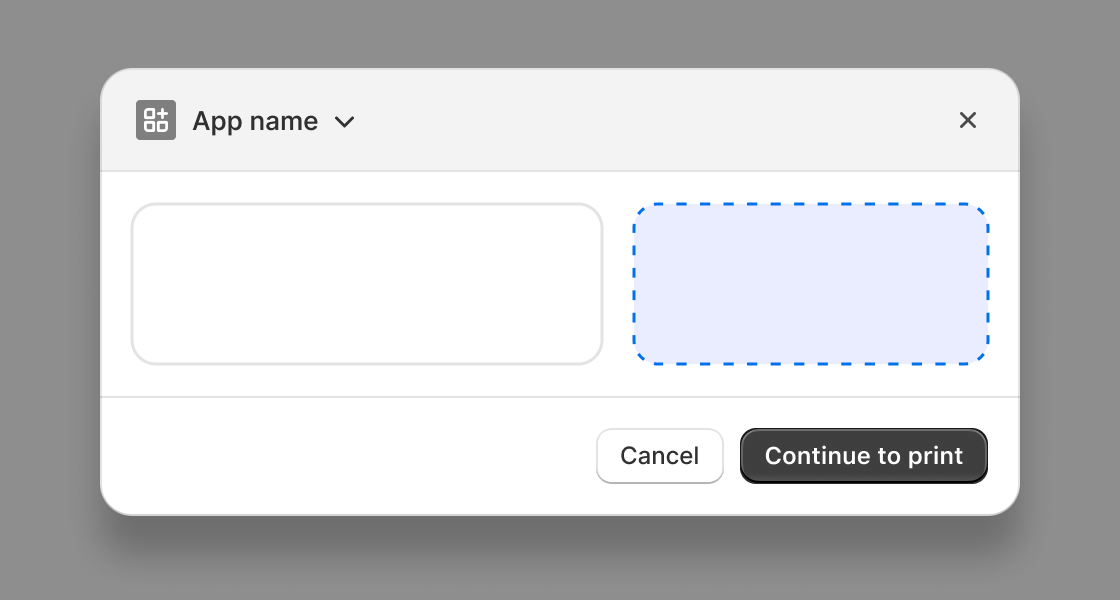
Generate product packing slip
React
import React from 'react';
import {reactExtension, useApi, AdminPrintAction, Text, BlockStack} from '@shopify/ui-extensions-react/admin';

function App() {
  const {data} = useApi('admin.product-details.action.render');
  const productId = data.selected[0]?.id;

  return (
    <AdminPrintAction
      src={`https://your-app.com/print/packing-slip?product=${productId}`}
    >
      <BlockStack gap>
        <Text>Generating packing slip for this product...</Text>
      </BlockStack>
    </AdminPrintAction>
  );
}

export default reactExtension(
  'admin.product-details.action.render',
  () => <App />,
);
TS
import {extension, AdminPrintAction, Text, BlockStack} from '@shopify/ui-extensions/admin';

export default extension(
  'admin.product-details.action.render',
  (root, api) => {
    const {data} = api;
    const productId = data.selected[0]?.id;

    const content = root.createComponent(BlockStack, {gap: true});
    const message = root.createComponent(
      Text,
      {},
      'Generating packing slip for this product...',
    );
    content.appendChild(message);

    const printAction = root.createComponent(AdminPrintAction, {
      src: `https://your-app.com/print/packing-slip?product=${productId}`,
    });
    printAction.appendChild(content);
    root.appendChild(printAction);
  },
);
Anchor to Print formatted shipping labelPrint formatted shipping label
Print a shipping label by passing format parameters in the src URL query string. This example constructs a URL with the product's numeric ID and a 4x6 format parameter, letting your print endpoint generate labels in the correct dimensions.
Print formatted shipping label
React
import React from 'react';
import {reactExtension, useApi, AdminPrintAction, Text, BlockStack} from '@shopify/ui-extensions-react/admin';

function App() {
  const {data} = useApi('admin.product-details.action.render');
  const productId = data.selected[0]?.id;
  const numericId = productId?.split('/').pop();

  return (
    <AdminPrintAction
      src={`https://your-app.com/print/shipping-label?product=${numericId}&format=4x6`}
    >
      <BlockStack gap>
        <Text>Preparing shipping label with warehouse barcode...</Text>
      </BlockStack>
    </AdminPrintAction>
  );
}

export default reactExtension(
  'admin.product-details.action.render',
  () => <App />,
);
TS
import {extension, AdminPrintAction, Text, BlockStack} from '@shopify/ui-extensions/admin';

export default extension(
  'admin.product-details.action.render',
  (root, api) => {
    const {data} = api;
    const productId = data.selected[0]?.id;
    const numericId = productId?.split('/').pop();

    const content = root.createComponent(BlockStack, {gap: true});
    const message = root.createComponent(
      Text,
      {},
      'Preparing shipping label with warehouse barcode...',
    );
    content.appendChild(message);

    const printAction = root.createComponent(AdminPrintAction, {
      src: `https://your-app.com/print/shipping-label?product=${numericId}&format=4x6`,
    });
    printAction.appendChild(content);
    root.appendChild(printAction);
  },
);
Anchor to Generate wholesale invoice with loadingGenerate wholesale invoice with loading
Show a ProgressIndicator while your app generates a complex wholesale invoice. This example displays a spinner alongside a status message while the src endpoint prepares the invoice document with pricing and tax details.
Generate wholesale invoice with loading
React
import React from 'react';
import {reactExtension, useApi, AdminPrintAction, Text, ProgressIndicator, BlockStack} from '@shopify/ui-extensions-react/admin';

function App() {
  const {data} = useApi('admin.product-details.action.render');
  const productId = data.selected[0]?.id;

  return (
    <AdminPrintAction
      src={`https://your-app.com/print/invoice?product=${productId}&type=wholesale`}
    >
      <BlockStack gap>
        <ProgressIndicator size="small-200" accessibilityLabel="Generating invoice" />
        <Text>
          Generating wholesale invoice with pricing and tax details...
        </Text>
      </BlockStack>
    </AdminPrintAction>
  );
}

export default reactExtension(
  'admin.product-details.action.render',
  () => <App />,
);
TS
import {extension, AdminPrintAction, Text, ProgressIndicator, BlockStack} from '@shopify/ui-extensions/admin';

export default extension(
  'admin.product-details.action.render',
  (root, api) => {
    const {data} = api;
    const productId = data.selected[0]?.id;

    const content = root.createComponent(BlockStack, {gap: true});

    const loader = root.createComponent(ProgressIndicator, {
      size: 'small-200',
      accessibilityLabel: 'Generating invoice',
    });

    const message = root.createComponent(
      Text,
      {},
      'Generating wholesale invoice with pricing and tax details...',
    );

    content.appendChild(loader);
    content.appendChild(message);

    const printAction = root.createComponent(AdminPrintAction, {
      src: `https://your-app.com/print/invoice?product=${productId}&type=wholesale`,
    });
    printAction.appendChild(content);
    root.appendChild(printAction);
  },
);
Anchor to Best practicesBest practices
- Optimize content for print: Design the content at the source URL with print in mind. Use appropriate page sizes, avoid interactive elements, and ensure text is readable when printed.
- Ensure fast response times: The print preview loads synchronously, so the source URL should respond quickly to avoid a slow merchant experience.
- Serve publicly accessible content: The source URL must be accessible without authentication from the merchant's browser. Private or authenticated endpoints won't load in the print preview.
Anchor to LimitationsLimitations
- The print dialog, preview rendering, and print behavior are all controlled by the Shopify admin and can't be customized.
- This component doesn't support custom print headers, footers, or page size configuration. The print layout depends on the content served by the source URL and the merchant's browser print settings.