Embed Checkout Kit
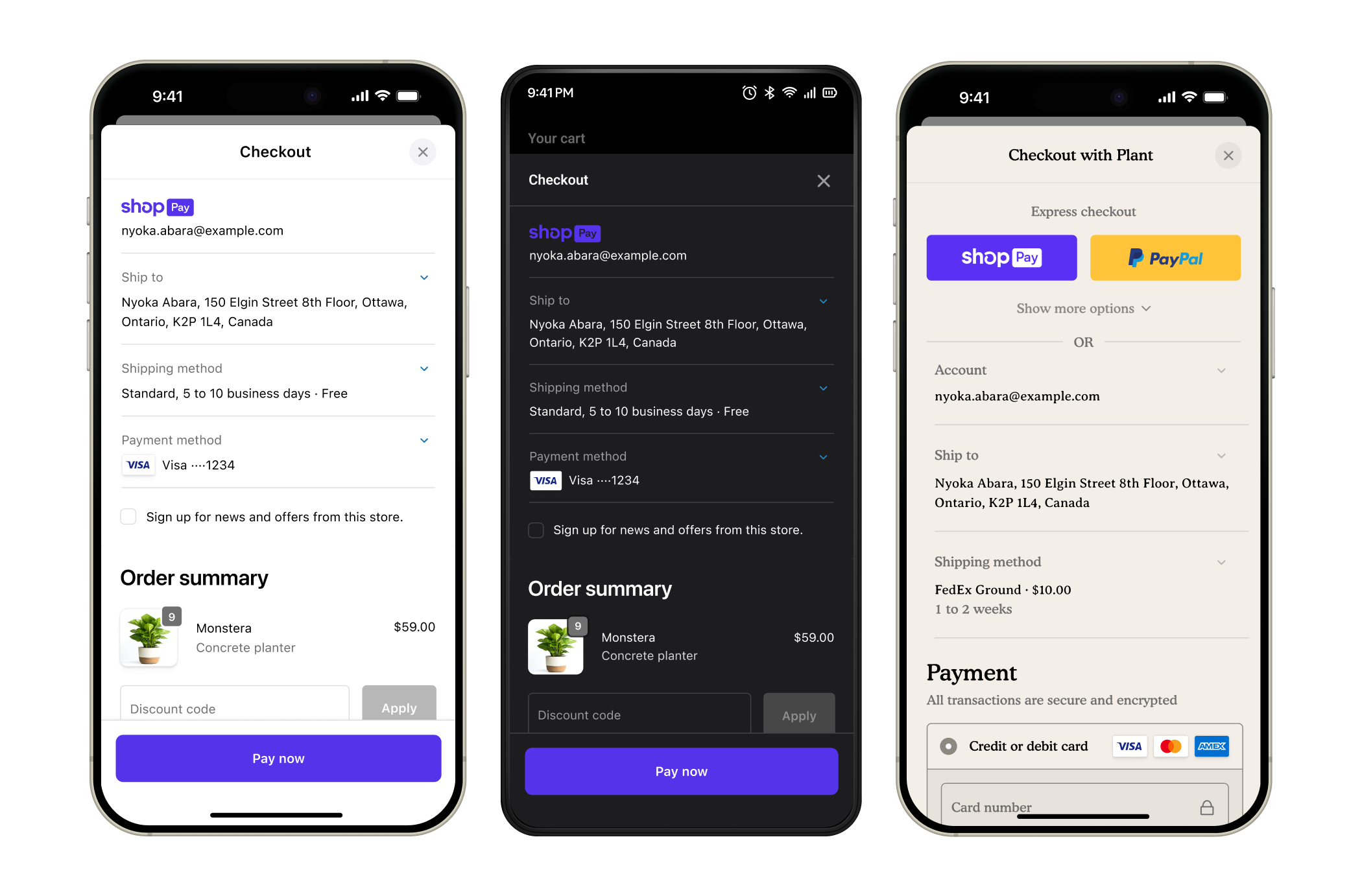
Checkout Kit is an open-source SDK for Swift, Android, and React Native that embeds Shopify checkout inside your mobile app. Pass a checkoutUrl, and buyers get the same checkout they see on the web, with your store's branding, payment methods, and extensions. Shopify processes the payment, applies tax and regulatory rules, and creates the order.
Anchor to Quick startQuick start
Install the SDK, pass a checkoutUrl, and Checkout Kit presents your store's checkout in a native sheet over your app:
Install and present checkout
Swift
// Add to Package.swift:
// .package(url: "https://github.com/Shopify/checkout-sheet-kit-swift", from: "3.0.0")

import ShopifyCheckoutSheetKit

ShopifyCheckoutSheetKit.present(checkout: checkoutUrl, from: self, delegate: self)
Kotlin
// Add to build.gradle.kts:
// implementation("com.shopify:checkout-sheet-kit:3.0.0")

import com.shopify.checkoutsheetkit.ShopifyCheckoutSheetKit

ShopifyCheckoutSheetKit.present(checkoutUrl, this, checkoutEventProcessor)
React Native
// npm install @shopify/checkout-sheet-kit

import { useShopifyCheckoutSheet } from '@shopify/checkout-sheet-kit';

const shopifyCheckout = useShopifyCheckoutSheet();
shopifyCheckout.present(checkoutUrl);
For event handling, see Monitor checkout lifecycle. For branding options, see Configure checkout branding.
Anchor to How it worksHow it works
Checkout Kit takes a checkoutUrl and presents checkout inside your app. A checkoutUrl comes from either a cartCreate mutation or a cart permalink that redirects to checkout.
- Get a
checkoutUrland pass it to Checkout Kit. - Checkout Kit presents your store's checkout inside the app.
- The buyer enters shipping and payment details.
- Shopify processes the payment and creates the order.
- Checkout Kit fires callbacks when checkout completes, fails, or the buyer cancels.
Checkout Kit supports iOS, Android, and React Native:
| Platform | SDK | Min version |
|---|---|---|
| iOS | ShopifyCheckoutSheetKit | iOS 13.0, Swift 5.7 |
| Android | ShopifyCheckoutSheetKit | Android SDK 23, JDK 17 |
| React Native | @shopify/checkout-sheet-kit | React Native 0.70 |
Anchor to Checkout Kit featuresCheckout Kit features
After you've embedded Checkout Kit in your app, you can customize and optimize the checkout experience:
- Preload checkout: Fetch checkout in the background so it opens immediately when the buyer is ready to pay.
- Monitor checkout lifecycle: Respond when checkout completes, fails, or the buyer cancels. Use callbacks to update your UI and reset cart state.
- Authenticate checkouts: Sign buyers in to prefill checkout with saved addresses and payment methods.
- Privacy compliance: Pass General Data Protection Regulation (GDPR), California Consumer Privacy Act (CCPA), and App Tracking Transparency (ATT) consent to Shopify so the right tracking rules apply during checkout.
Anchor to Store customizations in checkoutStore customizations in checkout
Checkout Kit renders the same checkout that buyers see on the web:
- Branding: Match your store's colors, logos, and fonts. Pick the
.automatictheme for light and dark mode support, or.webto pull your store's custom branding from the Shopify admin. - UI extensions: Add custom fields, banners, and logic with checkout UI extensions.
- Shopify Functions: Run discounts, payment customizations, and delivery rules at checkout.
- Payment methods: Accept all configured payment providers, including Shop Pay and Apple Pay.
Checkout UI extensions and checkout branding require Shopify Plus.
Checkout UI extensions and checkout branding require Shopify Plus.