Page layouts
Page layouts determine how checkout steps are organized and presented to buyers. Each layout affects how and when extensions render, and how the Buyer Journey API reports the current step.
Shopify checkout supports two merchant-configurable layouts: three-page and one-page. Accelerated checkout flows, such as Shop Pay, use the one-page layout. When buyer data is pre-filled, sections collapse into rollups. See Shop Pay for the merchant opt-in control that's unique to that flow.
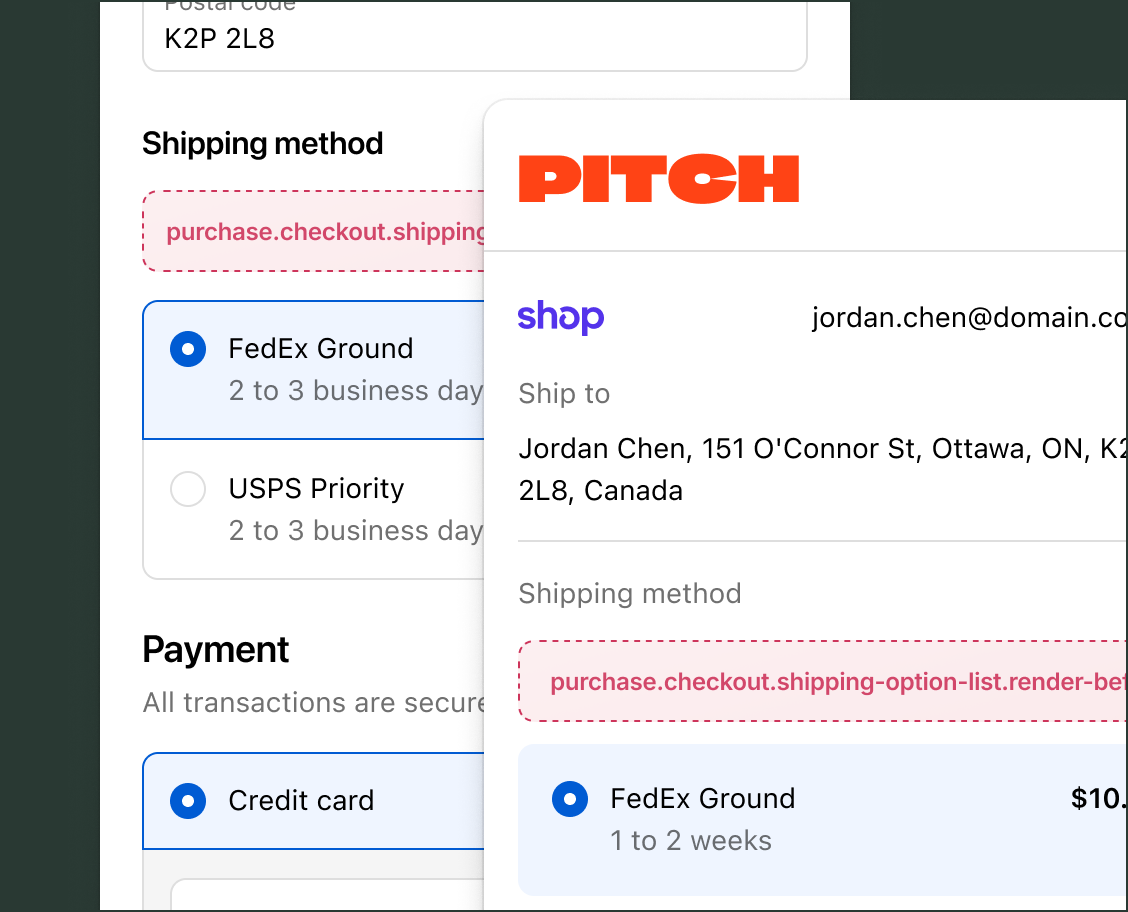
Anchor to Where targets render across layoutsWhere targets render across layouts
Header, footer, order summary, and navigation targets always render regardless of layout. Section-specific targets, such as contact information or shipping, render one step at a time in three-page checkout and all at once in one-page checkout. When buyer data is pre-filled, sections may collapse into rollups. See Rollups for how this affects extensions.
The following table shows where each target category renders and how it behaves in each layout:
| Target category | Three-page behavior | One-page behavior |
|---|---|---|
| Header and footer | Every page | Single page |
| Order summary | Every page | Single page |
| Block | Page containing the merchant-configured placement | All placements visible at once |
| Information | Information page only | Single page |
| Shipping | Shipping page only | Single page |
| Payment | Payment page only | Single page |
| Navigation | Every page, before the step's action buttons | Single page, before the action buttons |
| Local pickup | Shipping page, when applicable | Single page, when applicable |
| Pickup points | Shipping page, when applicable | Single page, when applicable |
Anchor to Three-page checkoutThree-page checkout
Three-page checkout separates checkout into distinct pages for information, shipping, and payment. Buyers progress through each page sequentially.
Extensions that target a specific section, such as contact information or shipping, render only on the page that contains that section. Block targets render wherever the merchant places them using the checkout and accounts editor.
The Buyer Journey API returns information, shipping, or payment as the handle value depending on which page the buyer is on.
Anchor to One-page checkoutOne-page checkout
One-page checkout displays all checkout steps (information, shipping, and payment) on a single scrollable page alongside the order summary. Merchants can enable this layout in the Shopify admin.
Because all sections are visible at the same time, all section-specific extensions mount simultaneously. Block targets at every placement location are visible from page load.
The Buyer Journey API returns a single checkout handle for the entire page.
Anchor to RollupsRollups
When buyer data is pre-filled, checkout collapses sections into rollups. This applies to one-page checkout and accelerated flows (such as Shop Pay), but not to three-page checkout. Any authenticated or pre-filled identity can trigger rollups, including Shop Pay, customer accounts, Apple Pay, Google Pay, and others.
When a section collapses into a rollup, its native UI (for example, the contact form or shipping address form) is replaced by a collapsed summary. Static extensions targeting that section still mount, but render inside the rollup rather than in their usual position. Block extensions from collapsed sections are relocated toward the bottom of the page, after the rollup summaries.
Merchants can set an extension to automatically expand its rollup by enabling Automatically expand sections to show app in the checkout and accounts editor. Rollups also expand automatically when an extension inside them is actively blocking checkout progress.
Anchor to Shop PayShop Pay
Shop Pay is the only accelerated checkout flow where merchants control which extensions render. Merchants enable each extension individually through Include app in Shop Pay in the checkout and accounts editor. Extensions that aren't enabled don't render during Shop Pay checkout.
Shop Pay uses the one-page layout with its own authentication flow and shell UI. The buyer's Shop Pay identity provides the pre-filled data that triggers section rollups. The Buyer Journey API returns a checkout handle, which is the same value used for one-page checkout.
Anchor to Agentic storefront checkoutsAgentic storefront checkouts
Agentic storefront checkouts display through Checkout Kit, which controls whether certain UI elements and extensions render. Not all checkout blocks are supported in agentic storefront checkouts. For a full list of limitations, refer to agentic storefront requirements.
Anchor to Testing extensions across layoutsTesting extensions across layouts
For instructions on testing your extension in each layout, refer to the testing checkout UI extensions guide. That page covers setup for three-page checkout, one-page checkout, and Shop Pay.