Version 2025-07 is the last API version to support React-based UI components. Later versions use Polaris web components, native UI elements with built-in accessibility, better performance, and consistent styling with Shopify's design system. Check out the upgrade guide to upgrade your extension and avoid being blocked from updating your extension after October 1st 2026.
Map
The MapMarker component represents a specific location or point of interest on a map. Use MapMarker within a Map component to highlight addresses, stores, or delivery points.
Markers support popovers for displaying details, clustering for dense maps, and custom icons for visual differentiation.
Supported targets
- Customer
Account::Kitchen Sink - customer-account.
footer. render-after - customer-account.
order-index. announcement. render - customer-account.
order-index. block. render - customer-account.
order-status. announcement. render - customer-account.
order-status. block. render - customer-account.
order-status. cart-line-item. render-after - customer-account.
order-status. cart-line-list. render-after - customer-account.
order-status. customer-information. render-after - customer-account.
order-status. fulfillment-details. render-after - customer-account.
order-status. payment-details. render-after - customer-account.
order-status. return-details. render-after - customer-account.
order-status. unfulfilled-items. render-after - customer-account.
order. action. menu-item. render - customer-account.
order. action. render - customer-account.
order. page. render - customer-account.
page. render - customer-account.
profile. addresses. render-after - customer-account.
profile. announcement. render - customer-account.
profile. block. render - customer-account.
profile. company-details. render-after - customer-account.
profile. company-location-addresses. render-after - customer-account.
profile. company-location-payment. render-after - customer-account.
profile. company-location-staff. render-after - customer-account.
profile. payment. render-after
Supported targets
- Customer
Account::Kitchen Sink - customer-account.
footer. render-after - customer-account.
order-index. announcement. render - customer-account.
order-index. block. render - customer-account.
order-status. announcement. render - customer-account.
order-status. block. render - customer-account.
order-status. cart-line-item. render-after - customer-account.
order-status. cart-line-list. render-after - customer-account.
order-status. customer-information. render-after - customer-account.
order-status. fulfillment-details. render-after - customer-account.
order-status. payment-details. render-after - customer-account.
order-status. return-details. render-after - customer-account.
order-status. unfulfilled-items. render-after - customer-account.
order. action. menu-item. render - customer-account.
order. action. render - customer-account.
order. page. render - customer-account.
page. render - customer-account.
profile. addresses. render-after - customer-account.
profile. announcement. render - customer-account.
profile. block. render - customer-account.
profile. company-details. render-after - customer-account.
profile. company-location-addresses. render-after - customer-account.
profile. company-location-payment. render-after - customer-account.
profile. company-location-staff. render-after - customer-account.
profile. payment. render-after
Anchor to Use casesUse cases
- Store markers: Mark store or warehouse locations on a map for pickup or delivery.
- Delivery pins: Highlight the customer's delivery destination on order tracking maps.
- Multi-location selection: Let customers choose from several locations by tapping different markers.
- Location clustering: Group nearby markers to prevent visual clutter on dense maps.
Anchor to PropertiesProperties
Configure the following properties on the MapMarker component.
- Anchor to accessibilityLabelaccessibility
Labelaccessibility Label stringstringrequiredrequired A label that describes the purpose or contents of the marker. It will be announced to users using assistive technologies and will provide them with more context.
- Anchor to latitudelatitudelatitudenumbernumberrequiredrequired
The latitude of the marker, in degrees. Valid values range from -90 (south pole) to 90 (north pole).
- Anchor to longitudelongitudelongitudenumbernumberrequiredrequired
The longitude of the marker, in degrees. Valid values range from -180 (west) to 180 (east).
- Anchor to blockSizeblock
Sizeblock Size numbernumber The block size (height in horizontal writing modes) of the custom icon, in pixels. Only used when the
iconproperty is set.- Anchor to clusterableclusterableclusterablebooleanboolean
A flag that indicates whether the marker can be grouped into clusters when the map is zoomed out. When
true, nearby markers are visually combined into a single cluster icon to reduce visual clutter at lower zoom levels.- Anchor to iconiconiconstringstring
The URL of a custom icon image to display for the marker. When set, the default marker pin is replaced with the provided image. Use
andto control the icon's dimensions.- Anchor to inlineSizeinline
Sizeinline Size numbernumber The inline size (width in horizontal writing modes) of the custom icon, in pixels. Only used when the
iconproperty is set.- Anchor to onPresson
Presson Press () => void() => void A callback that fires when the user presses (clicks or taps) the marker. The event does not propagate to the parent map's
handler.- Anchor to overlayoverlayoverlayRemoteFragmentRemoteFragment
An overlay component to render when the user interacts with the component.
Anchor to ExamplesExamples
Anchor to Add a map markerAdd a map marker
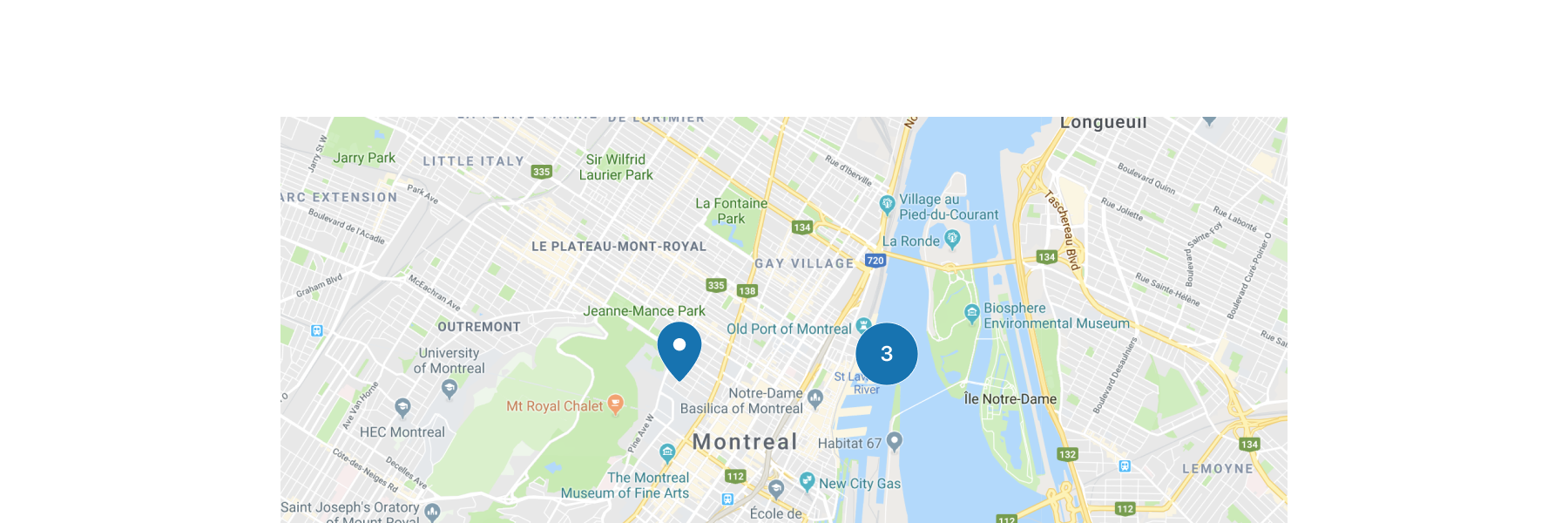
Place a marker on a map at a specific latitude and longitude. This example pins a single location with an accessibility label describing the place.
Add a map marker
Add a map marker
React
import {
  reactExtension,
  Map,
  MapMarker,
} from '@shopify/ui-extensions-react/customer-account';

export default reactExtension(
  'customer-account.page.render',
  () => <Extension />,
);

function Extension() {
  return (
    <Map
      apiKey="YOUR_GOOGLE_MAPS_API_KEY"
      latitude={-28.024}
      longitude={140.887}
      zoom={4}
      accessibilityLabel="Map"
    >
      <MapMarker
        latitude={-28.024}
        longitude={140.887}
        accessibilityLabel="Map marker for Innamincka, Australia"
      />
    </Map>
  );
}
JS
import {extension, Map, MapMarker} from '@shopify/ui-extensions/customer-account';

export default extension('customer-account.page.render', (root) => {
  const map = root.createComponent(
    Map,
    {
      apiKey: 'YOUR_API_KEY',
      accessibilityLabel: 'Map',
      latitude: -28.024,
      longitude: 140.887,
      zoom: 4,
    },
    [
      root.createComponent(MapMarker, {
        latitude: -28.024,
        longitude: 140.887,
        accessibilityLabel: 'Map marker for Innamincka, Australia',
      }),
    ],
  );

  root.appendChild(map);
});
Anchor to Mark store locationsMark store locations
Display multiple markers on a map with clusterable enabled. This example shows three store locations in New York City. When markers overlap at low zoom levels, they group into a cluster indicator.
Mark store locations
React
import {
  reactExtension,
  Map,
  MapMarker,
} from '@shopify/ui-extensions-react/customer-account';

export default reactExtension(
  'customer-account.page.render',
  () => <Extension />,
);

function Extension() {
  return (
    <Map
      apiKey="YOUR_GOOGLE_MAPS_API_KEY"
      latitude={40.73}
      longitude={-73.99}
      zoom={11}
      accessibilityLabel="Map of New York City stores"
    >
      <MapMarker
        latitude={40.7128}
        longitude={-74.006}
        accessibilityLabel="Downtown Manhattan store"
      />
      <MapMarker
        latitude={40.7549}
        longitude={-73.984}
        accessibilityLabel="Midtown Manhattan store"
      />
      <MapMarker
        latitude={40.7282}
        longitude={-73.7949}
        accessibilityLabel="Queens store"
        clusterable
      />
    </Map>
  );
}
JS
import {extension, Map, MapMarker} from '@shopify/ui-extensions/customer-account';

export default extension('customer-account.page.render', (root) => {
  const locations = [
    {lat: 40.7128, lng: -74.006, label: 'Downtown Manhattan store'},
    {lat: 40.7549, lng: -73.984, label: 'Midtown Manhattan store'},
    {lat: 40.7282, lng: -73.7949, label: 'Queens store'},
  ];

  const map = root.createComponent(Map, {
    apiKey: 'YOUR_GOOGLE_MAPS_API_KEY',
    latitude: 40.73,
    longitude: -73.99,
    zoom: 11,
    accessibilityLabel: 'Map of New York City stores',
  });

  locations.forEach(({lat, lng, label}) => {
    map.append(root.createComponent(MapMarker, {
      latitude: lat,
      longitude: lng,
      accessibilityLabel: label,
      clusterable: true,
    }));
  });

  root.append(map);
});
Anchor to Best practicesBest practices
- Use distinct icons for interactive markers: Make sure the selected marker's icon is visually different from non-selected markers so customers can identify their selection.
- Cluster markers for dense maps: If there are many markers obscuring important features, set the markers to
clusterableto improve readability. - Provide descriptive labels: Each marker should convey its purpose, such as a store name or address.
Anchor to LimitationsLimitations
- Map markers must be used as children of the Map component. They can't be rendered independently.
- Custom marker icons are limited to the options provided by the component.