Unordered list
The unordered list component displays a bulleted list of related items where sequence isn't critical. Use unordered list to present collections of features, options, requirements, or any group of items where order doesn't affect meaning.
Unordered lists automatically add bullet points and support nested lists for hierarchical content organization. For sequential items where order is important, use ordered list.
List items must be direct children of s-unordered-list — wrapping them in other elements breaks bullet rendering.
Supported targets
- customer-account.
footer. render-after - customer-account.
order-index. announcement. render - customer-account.
order-index. block. render - customer-account.
order-status. announcement. render - customer-account.
order-status. block. render - customer-account.
order-status. cart-line-item. render-after - customer-account.
order-status. cart-line-list. render-after - customer-account.
order-status. customer-information. render-after - customer-account.
order-status. fulfillment-details. render-after - customer-account.
order-status. payment-details. render-after - customer-account.
order-status. return-details. render-after - customer-account.
order-status. unfulfilled-items. render-after - customer-account.
order. action. menu-item. render - customer-account.
order. action. render - customer-account.
order. page. render - customer-account.
page. render - customer-account.
profile. addresses. render-after - customer-account.
profile. announcement. render - customer-account.
profile. block. render - customer-account.
profile. company-details. render-after - customer-account.
profile. company-location-addresses. render-after - customer-account.
profile. company-location-payment. render-after - customer-account.
profile. company-location-staff. render-after - customer-account.
profile. payment. render-after
Supported targets
- customer-account.
footer. render-after - customer-account.
order-index. announcement. render - customer-account.
order-index. block. render - customer-account.
order-status. announcement. render - customer-account.
order-status. block. render - customer-account.
order-status. cart-line-item. render-after - customer-account.
order-status. cart-line-list. render-after - customer-account.
order-status. customer-information. render-after - customer-account.
order-status. fulfillment-details. render-after - customer-account.
order-status. payment-details. render-after - customer-account.
order-status. return-details. render-after - customer-account.
order-status. unfulfilled-items. render-after - customer-account.
order. action. menu-item. render - customer-account.
order. action. render - customer-account.
order. page. render - customer-account.
page. render - customer-account.
profile. addresses. render-after - customer-account.
profile. announcement. render - customer-account.
profile. block. render - customer-account.
profile. company-details. render-after - customer-account.
profile. company-location-addresses. render-after - customer-account.
profile. company-location-payment. render-after - customer-account.
profile. company-location-staff. render-after - customer-account.
profile. payment. render-after
Anchor to Use casesUse cases
- Store policies: Summarize return, shipping, warranty, and price-match policies as scannable bullets.
- Product benefits: List included features or perks alongside a product description.
- Bundle contents: Itemize what's included in a product bundle or subscription box.
- Order perks: Highlight account incentives like free shipping, rewards points, or gift wrapping.
Anchor to PropertiesProperties
Configure the following properties on the unordered list component.
- Anchor to idididstringstring
A unique identifier for the element. Use this to reference the element in JavaScript, link labels to form controls, or target specific elements for styling or scripting.
Anchor to List itemList item
Represents a single item within a list. Use only as a child of s-ordered-list or s-unordered-list components.
- Anchor to idididstringstring
A unique identifier for the element. Use this to reference the element in JavaScript, link labels to form controls, or target specific elements for styling or scripting.
Anchor to ExamplesExamples
Anchor to Display an unordered listDisplay an unordered list
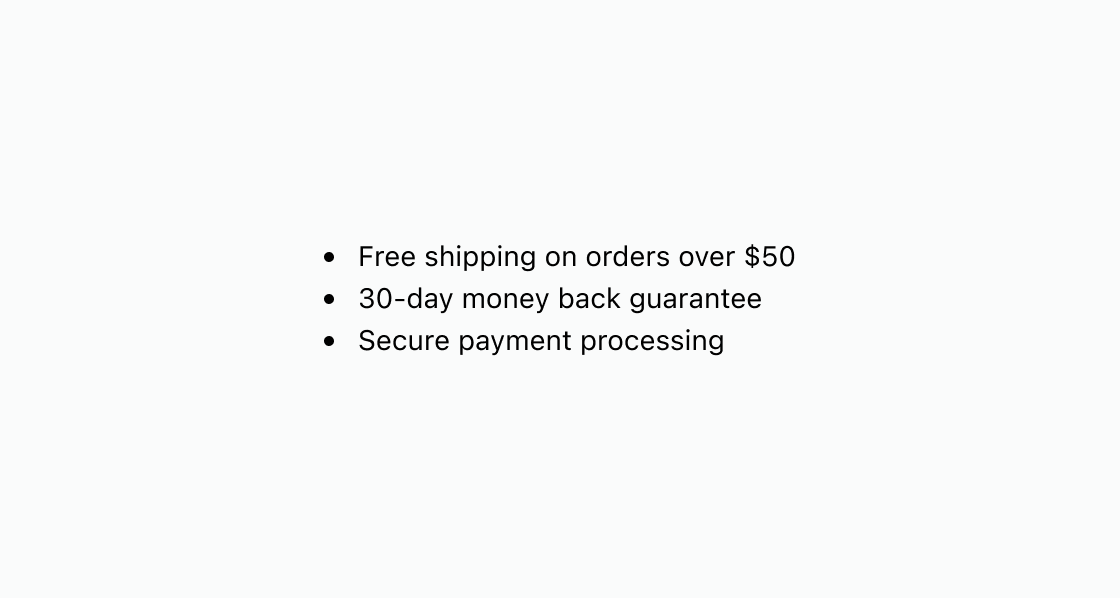
Surface short incentives customers can scan at a glance. This example renders three s-list-item entries inside s-unordered-list for perks like free shipping and easy returns.
Display an unordered list
html
Anchor to Display an unordered list with nested itemsDisplay an unordered list with nested items
Organize related items into groups using nested lists. This example nests s-unordered-list elements inside parent list items to break shipping options into domestic and international categories.
html
Anchor to Best practicesBest practices
- Keep items concise: Write short, parallel list items so customers can scan the list quickly.
- Limit nesting depth: Avoid deeply nested lists, as they become hard to scan on small account screens.
- Keep descriptions consistent: Start each item with the same grammatical pattern so the list feels cohesive.