Version 2025-07 is the last API version to support React-based UI components. Later versions use web components, native UI elements with built-in accessibility, better performance, and consistent styling with Shopify's design system. Check out the upgrade guide to upgrade your extension.
Dialog
The Dialog component displays a modal that requires user attention and interaction. Use dialogs to present important information, confirm actions, or collect input from merchants in a focused overlay that interrupts the current workflow until resolved.
The component creates a modal overlay that focuses user attention on important decisions or information, blocking interaction with underlying content until dismissed. It supports various configurations including alert dialogs, confirmation dialogs, and custom content dialogs, with built-in button layouts and keyboard shortcuts for efficient navigation and decision-making.
Dialog components provide customizable button layouts and keyboard shortcuts that follow platform conventions, ensuring merchants can quickly approve or dismiss dialogs through familiar interaction patterns.
Supported targets
- pos.
cart. line-item-details. action. render - pos.
customer-details. action. render - pos.
customer-details. block. render - pos.
draft-order-details. action. render - pos.
draft-order-details. block. render - pos.
home. modal. render - pos.
order-details. action. render - pos.
order-details. block. render - pos.
product-details. action. render - pos.
product-details. block. render - pos.
purchase. post. action. render - pos.
purchase. post. block. render
Supported targets
- pos.
cart. line-item-details. action. render - pos.
customer-details. action. render - pos.
customer-details. block. render - pos.
draft-order-details. action. render - pos.
draft-order-details. block. render - pos.
home. modal. render - pos.
order-details. action. render - pos.
order-details. block. render - pos.
product-details. action. render - pos.
product-details. block. render - pos.
purchase. post. action. render - pos.
purchase. post. block. render
Anchor to Use casesUse cases
- Confirmations: Confirm destructive actions like deleting orders, refunding payments, or removing data.
- Error acknowledgment: Display critical errors that require acknowledgment before continuing.
- Data collection: Collect essential information like refund reasons or discount codes.
- Success confirmations: Show success confirmations for completed transactions or updates.
Anchor to PropertiesProperties
Configure the following properties on the Dialog component.
- Anchor to actionTextaction
Textaction Text stringstringrequiredrequired The text displayed on the primary action button of the dialog. Use clear, action-oriented language like "Delete," "Confirm," "Save," or "Continue."
- Anchor to isVisibleis
Visibleis Visible booleanbooleanrequiredrequired Controls whether the dialog is displayed or hidden. Set to
trueto show the dialog,falseto hide it. Use this to manage dialog visibility based on user interactions or application state.- Anchor to onActionon
Actionon Action () => void() => voidrequiredrequired Callback function executed when the primary action button is pressed. This should handle the main action the dialog is confirming or requesting.
- Anchor to titletitletitlestringstringrequiredrequired
The text displayed in the title of the dialog. This should be concise and clearly communicate the purpose or action being confirmed.
- Anchor to contentcontentcontentstringstring
The text displayed in the body of the dialog. Use this to provide additional context, instructions, or details about the action being confirmed.
- Anchor to onSecondaryActionon
Secondary Actionon Secondary Action () => void() => void The callback function executed when the secondary action button is pressed. Typically used to cancel the dialog or provide an alternative action path.
- Anchor to secondaryActionTextsecondary
Action Textsecondary Action Text stringstring The text displayed on the secondary action button, typically used for "Cancel," "Go Back," or alternative actions. Only displayed when
istrue.- Anchor to showSecondaryActionshow
Secondary Actionshow Secondary Action booleanboolean Controls whether a secondary action button is displayed alongside the primary action. Set to
trueto show both buttons,falseto show only the primary action.- Anchor to typetypetypeDialogTypeDialogType
Determines the dialog's visual appearance and semantic meaning. Available options:
'default'- Standard styling for general-purpose dialogs and confirmations'alert'- Warning styling for important notices that require attention'error'- Error styling for critical issues and failure notifications'destructive'- Destructive styling for actions that can't be undone, like deletions
DialogType
'default' | 'alert' | 'error' | 'destructive'Anchor to ExamplesExamples
Anchor to Show a confirmation dialogShow a confirmation dialog
Present important information or confirmations that require user attention. This example demonstrates a Dialog that overlays the interface to display alerts, confirmations, or input prompts with customizable buttons and actions, blocking interaction until merchants respond.Show a confirmation dialog
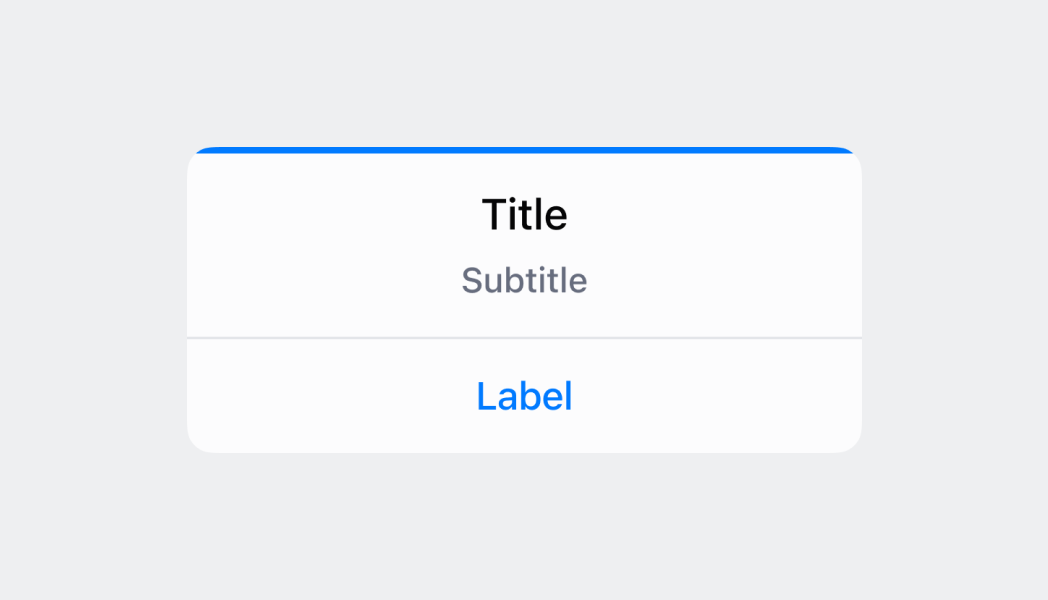
Show a confirmation dialog
React
import React, {useState} from 'react';
import {
  Button,
  Dialog,
  Screen,
  reactExtension,
} from '@shopify/ui-extensions-react/point-of-sale';

const SmartGridModal = () => {
  const [visible, setVisible] = useState(false);

  const handlePrimaryAction = () => {
    setVisible(false);
    console.log('Primary action pressed');
  };

  const handleSecondaryAction = () => {
    setVisible(false);
    console.log('Secondary action pressed');
  };

  return (
    <Screen name="Dialog" title="Dialog Title">
      <Button
        title="Show dialog"
        onPress={() => setVisible(true)}
      />
      <Dialog
        type="error"
        title="Dialog title"
        content="Dialog content"
        actionText="Primary action"
        onAction={handlePrimaryAction}
        secondaryActionText="Secondary action"
        onSecondaryAction={handleSecondaryAction}
        isVisible={visible}
      />
    </Screen>
  );
};

export default reactExtension(
  'pos.home.modal.render',
  () => <SmartGridModal />,
);
TS
import {
  Button,
  Dialog,
  Screen,
  extension,
} from '@shopify/ui-extensions/point-of-sale';

export default extension(
  'pos.home.modal.render',
  (root) => {
    const mainScreen = root.createComponent(
      Screen,
      {
        name: 'Dialog',
        title: 'Dialog Title',
      },
    );

    const button = root.createComponent(Button, {
      title: 'Show dialog',
      onPress: () =>
        dialog.updateProps({visible: true}),
    });

    const handlePrimaryAction = () => {
      dialog.updateProps({visible: false});
      console.log('Primary action pressed');
    };

    const handleSecondaryAction = () => {
      dialog.updateProps({visible: false});
      console.log('Secondary action pressed');
    };

    const dialog = root.createComponent(Dialog, {
      type: 'error',
      title: 'Dialog title',
      content: 'Dialog content',
      actionText: 'Primary action',
      onAction: handlePrimaryAction,
      secondaryActionText: 'Secondary action',
      onSecondaryAction: handleSecondaryAction,
      isVisible: false,
    });

    mainScreen.append(button);
    mainScreen.append(dialog);
    root.append(mainScreen);
  },
);
Anchor to Best practicesBest practices
- Write clear, concise content: Use brief, action-oriented titles and essential context without overwhelming users.
- Use meaningful button text: Use specific text like Delete Order and Keep Order rather than generic OK and Cancel.
- Frame confirmations as questions: For confirmations, use questions like Delete this order? rather than Are you sure?
- Use destructive type for irreversible actions: Set
destructivefor deletions to display red buttons as visual warnings. - Use OK for informational dialogs: For acknowledgment-only dialogs, use a single OK button.
- Structure error dialogs effectively: Use the header to communicate the problem, body and button to communicate the solution.
Anchor to LimitationsLimitations
- Content space is limited, so keep dialog text concise and avoid lengthy explanations that might not fit properly on smaller POS displays.
- Dialogs require explicit visibility management through the
isVisibleproperty and don`t automatically dismiss based on time or external events. - Multiple dialogs can't be displayed simultaneously—showing a new dialog while another is visible may cause unexpected behavior.