Version 2025-07 is the last API version to support React-based UI components. Later versions use web components, native UI elements with built-in accessibility, better performance, and consistent styling with Shopify's design system. Check out the upgrade guide to upgrade your extension.
Section
The SectionHeader component displays a title with an optional action button and divider line. Use it to create consistent section headings with interactive elements that organize content and provide contextual actions.
The component provides a consistent header layout for section groupings with support for titles, actions, and dividers following POS design specifications. It ensures proper visual hierarchy and spacing within forms and settings interfaces, helping merchants understand content organization and providing quick access to section-level actions.
SectionHeader components ensure consistent header styling and spacing across all sections while allowing action button customization, maintaining visual unity while supporting context-specific functionality.
Anchor to Use casesUse cases
- Section headings: Create section headings for forms or settings with clear titles.
- Content organization: Organize content into logical groups with consistent header styling.
- Contextual actions: Provide contextual actions like edit or configure buttons.
- Visual hierarchy: Establish visual hierarchy by clearly delineating content areas.
Anchor to PropertiesProperties
Configure the following properties on the SectionHeader component.
- Anchor to titletitletitlestringstringrequiredrequired
The title text displayed in the section header. Provide clear, descriptive text that accurately represents the content section below.
- Anchor to actionactionaction{ label: string; onPress: () => void; disabled?: boolean; }{ label: string; onPress: () => void; disabled?: boolean; }
An optional action button configuration to be displayed alongside the title. The SectionHeader must have a title for the action to work properly.
- Anchor to hideDividerhide
Dividerhide Divider booleanboolean A boolean that controls whether the divider line under the SectionHeader should be hidden.
Anchor to ExamplesExamples
Anchor to Add a section header with actionsAdd a section header with actions
Create consistent section headings with titles, optional action buttons, and divider lines. This example shows a SectionHeader that organizes content with proper visual hierarchy, helping merchants understand content structure and providing quick access to section-level actions.Add a section header with actions
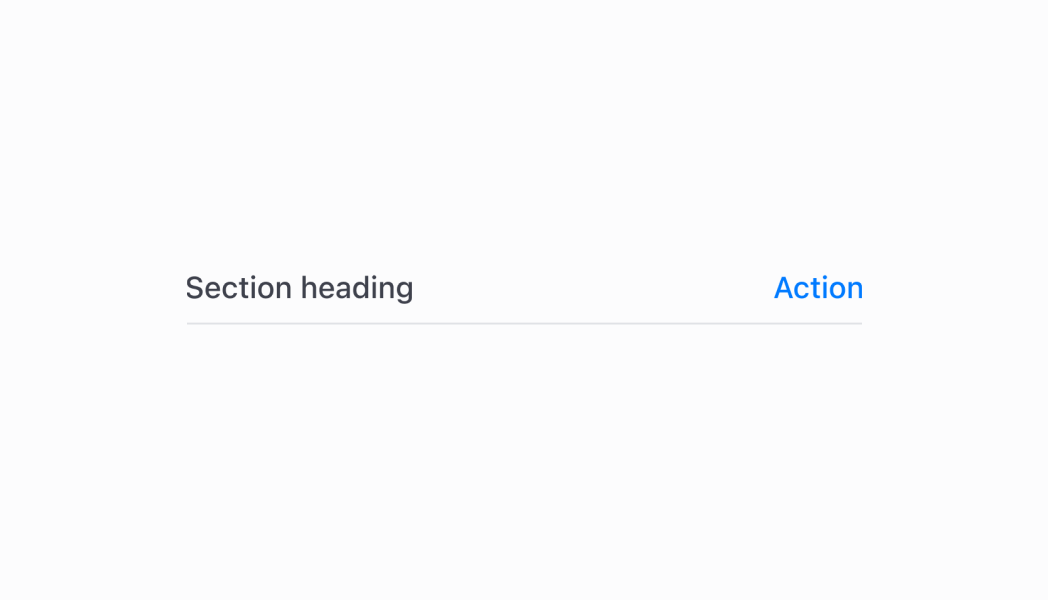
Add a section header with actions
React
import React from 'react'
import { Navigator, Screen, ScrollView, Stack, reactExtension, useApi, SectionHeader } from '@shopify/ui-extensions-react/point-of-sale'

const ModalComponent = () => {
  const api = useApi<'pos.home.modal.render'>();

  return (
    <Navigator>
      <Screen title="SectionHeader" name="SectionHeader">
        <ScrollView>
          <Stack direction="vertical" paddingHorizontal="HalfPoint">
            <SectionHeader title='Default' />
            <SectionHeader title='With action' action={{label: 'Action', onPress: () => { }}} />
            <SectionHeader title='Without divider' hideDivider />
          </Stack>
        </ScrollView>
      </Screen>
    </Navigator>
  )
}

export default reactExtension('pos.home.modal.render', () => {
  return <ModalComponent />
})
TS
import {
  extension,
  Screen,
  ScrollView,
  Stack,
  Navigator,
  SectionHeader,
} from '@shopify/ui-extensions/point-of-sale';

export default extension(
  'pos.home.modal.render',
  (root, api) => {
    const screen = root.createComponent(Screen, {
      name: 'SectionHeader',
      title: 'SectionHeader',
    });

    const scrollView =
      root.createComponent(ScrollView);

    const defaultSectionHeader = root.createComponent(
      SectionHeader,
      {
        title: 'Default',
      },
    );

    const actionSectionHeader =
      root.createComponent(SectionHeader, {
        title: 'With action',
        action: {
          label: 'Show toast',
          onPress: () =>
            api.toast.show('Hello world!'),
        },
      });

    const noDividerSectionHeader =
      root.createComponent(SectionHeader, {
        title: 'Without divider',
        hideDivider: true,
      });

    const rootStack = root.createComponent(
      Stack,
      {
        paddingHorizontal: 'HalfPoint',
        direction: 'vertical',
      },
    );
    rootStack.append(defaultSectionHeader);
    rootStack.append(actionSectionHeader);
    rootStack.append(noDividerSectionHeader);

    scrollView.append(rootStack);
    screen.append(scrollView);
    const navigator =
      root.createComponent(Navigator);
    navigator.append(screen);
    root.append(navigator);
  },
);
Anchor to Best practicesBest practices
- Design meaningful action buttons: When providing an action, use clear and descriptive button labels that indicate exactly what will happen when pressed. Avoid generic terms like "Action" in favor of specific actions like "Edit Settings" or "Add Item."
- Control divider visibility strategically: Use the
hideDividerproperty to control visual separation based on your layout needs. Show dividers when you need clear section boundaries, and hide them when the visual separation might create unnecessary visual clutter. - Maintain consistent header patterns: Establish consistent patterns for how you use SectionHeader across your POS UI extension. Similar types of content should have similar header structures, helping users develop familiarity with your interface organization.
Anchor to LimitationsLimitations
- Action buttons require a title to function properly—SectionHeader can't display actions without an accompanying title.
- Only one action button is supported per SectionHeader to maintain clean, focused interfaces that don't overwhelm users.
- The component's visual styling and layout are controlled by the POS design system—custom header styling beyond the provided properties is not supported.
- SectionHeader is a standalone component separate from Section—it doesn't automatically integrate with Section component functionality or provide the same semantic benefits.