Dev Dashboard
The Dev Dashboard is your central hub for building on Shopify. Whether you're building apps, setting up stores for clients, or managing collaborator access to merchant stores, it all lives here.


Anchor to Monitor your organizationMonitor your organization
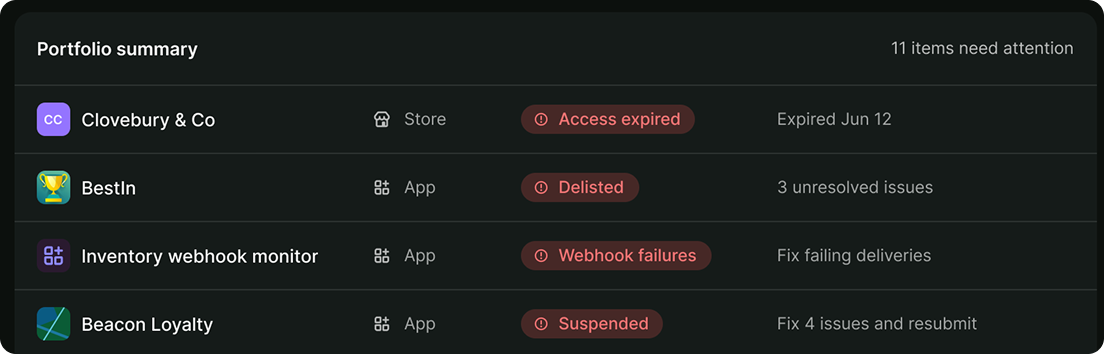
The Dev Dashboard Home answers what needs you right now. Portfolio summary lists five rows at a time, flagged apps and stores first, ranked by severity, and each badge maps to an alert status. Rows left over fill with recent apps and stores, so a row without a badge isn't asking for anything.
Revenue is what your apps earned after revenue share, fees, refunds, and chargebacks.
Home requires app development access. If your role covers stores but not apps, the Dev Dashboard opens on Stores. Refer to If you can't open the Dev Dashboard.
Anchor to Create and manage appsCreate and manage apps
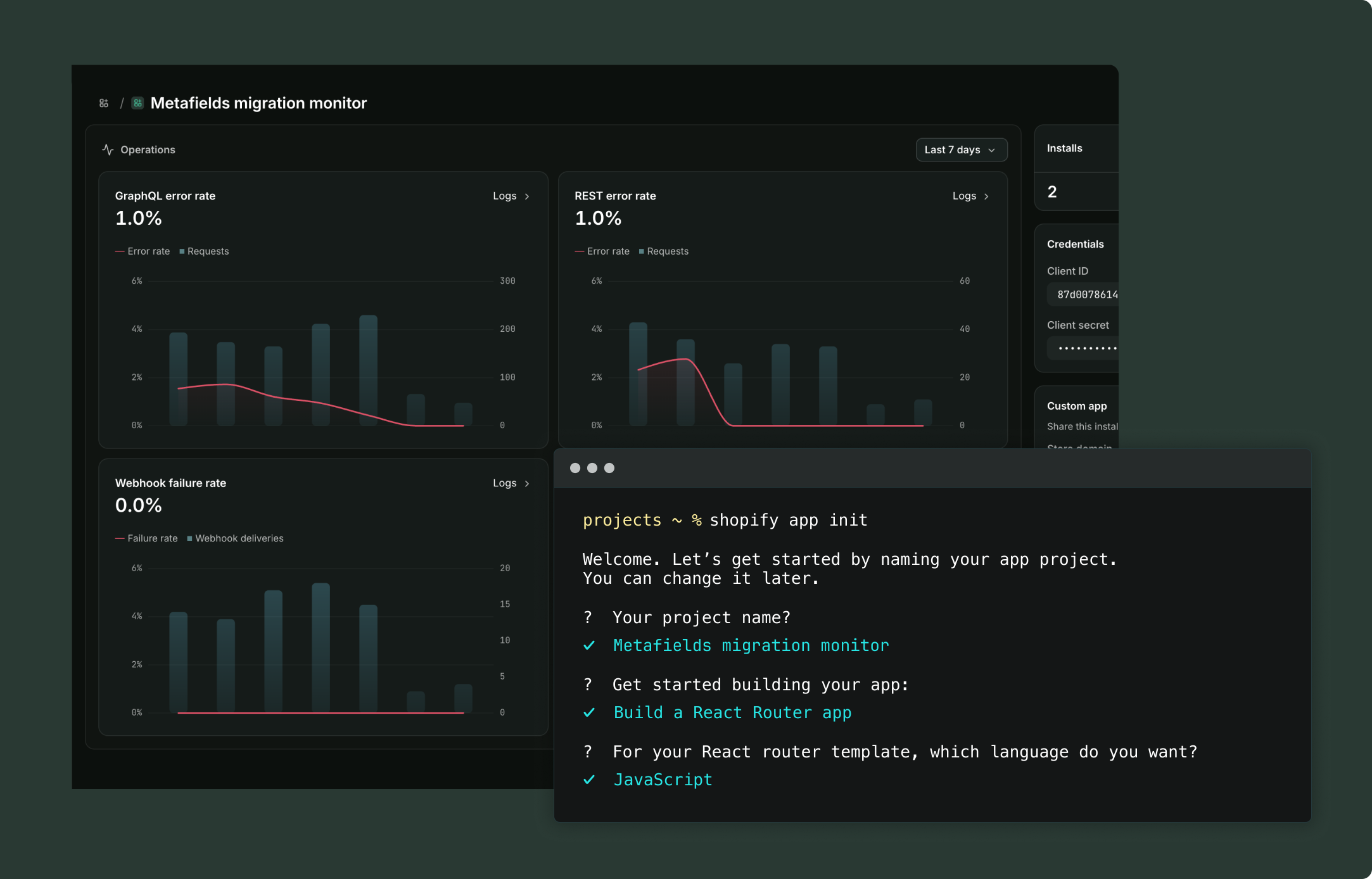
Every app in your organization lives in one list, whether you created it with Shopify CLI or in the Dev Dashboard. Some settings only live here, outside your shopify.app.toml: client ID and secrets, the icon and contact email merchants see, App Automation Tokens, and an Amazon EventBridge destination for webhook delivery.
Install counts show how many stores your app is installed on right now, including your own dev stores and stores with no active plan, so they run ahead of the number of merchants paying you. For how that differs from the install and uninstall charts, refer to Growth.
Releasing a version here does the same thing as shopify app release, so you can deploy from CI and release when you're ready.
To create an app, pick the path that matches what you're building:


Anchor to Drill down into app performanceDrill down into app performance
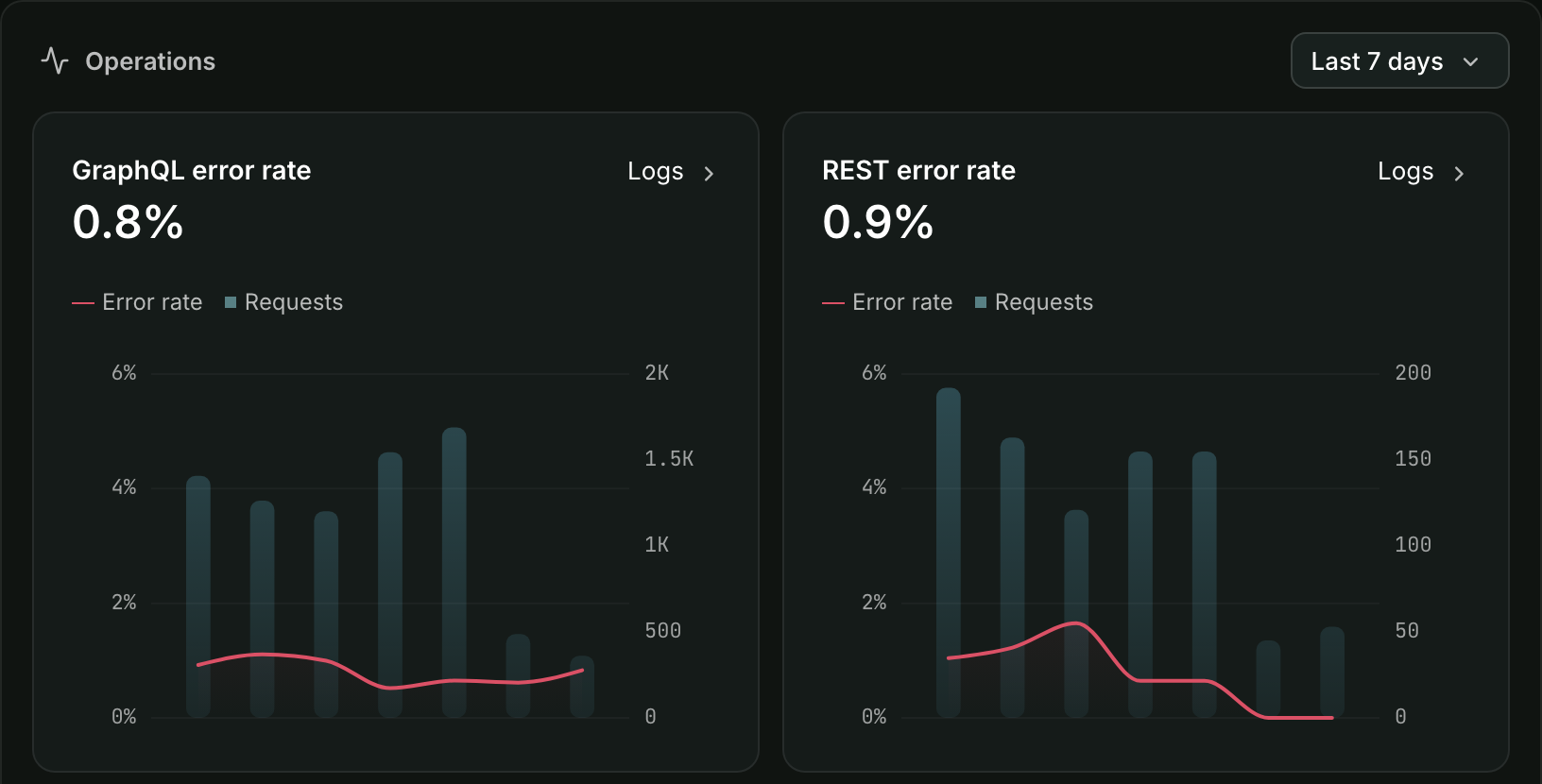
Shopify measures your app for you, with no instrumentation on your side. An app's Overview charts how your app is performing for merchants. Logs puts API requests, webhook deliveries, Function runs, and your own app events on one timeline. For example:
- A merchant reports a problem: filter Logs to their shop and read what your app actually did there.
- Webhook failures climb: the error-rate charts link straight to the failed deliveries behind them.
- You shipped a change: send an app event at release time and it sits on the timeline next to the requests and deliveries around it.
These are also the numbers behind your app's alerts. Admin performance uses the same Core Web Vitals that Built for Shopify assesses.


Anchor to Manage storesManage stores
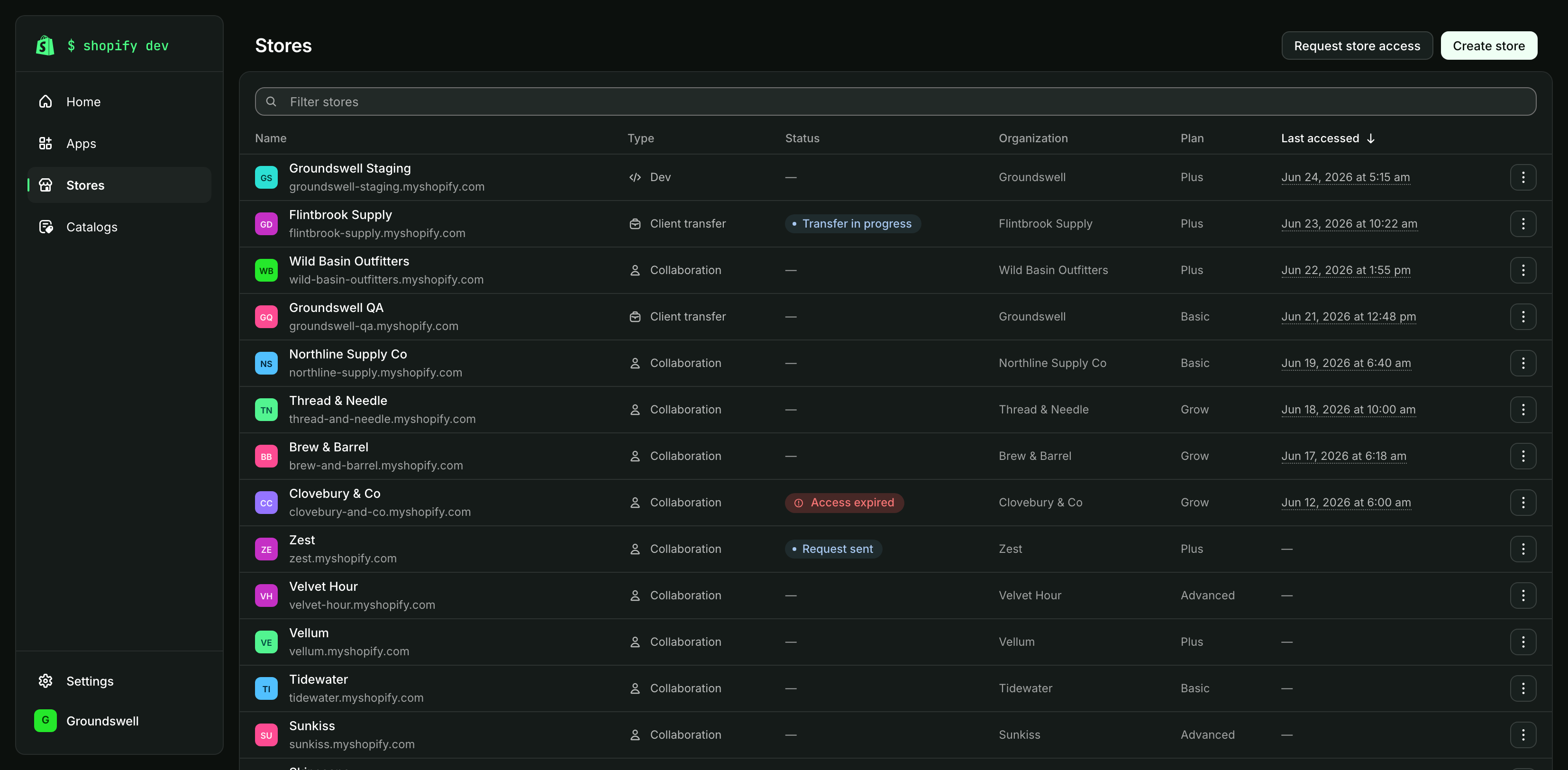
Stores lists every store your organization can reach in one place, so you can find a store by name without first remembering how you got access to it. Which type you create depends on who ends up owning the store:
- Dev stores: Owned by you, for building and testing against a real Shopify environment without touching a live store.
- Client transfer stores: Owned by you while you build, then by the client once they accept the transfer.
- Collaborations: Owned by the merchant, opened to you by a request they approve.

Anchor to Create saved catalogsCreate saved catalogs
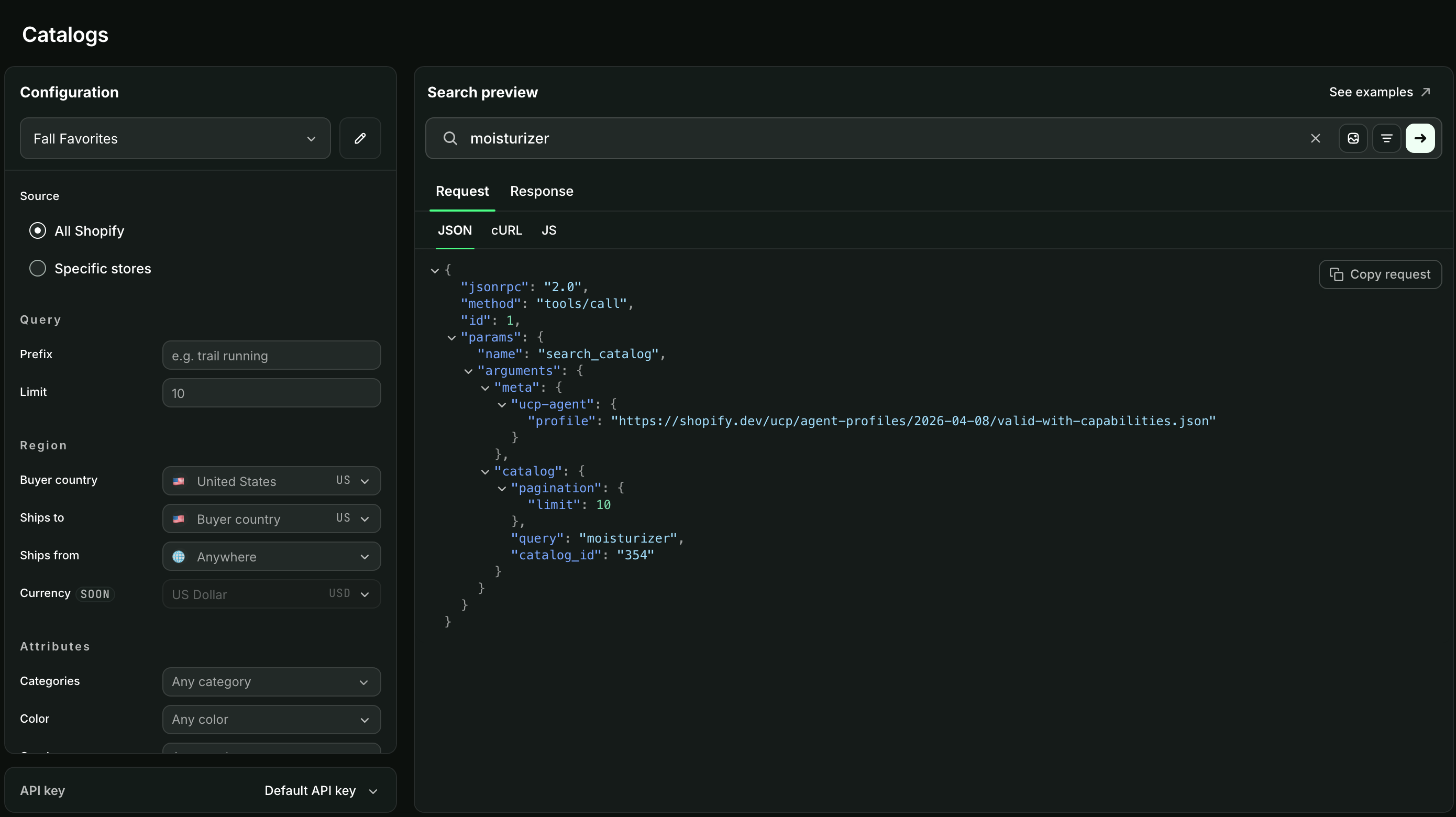
A saved catalog is a filtered view of the Global Catalog, narrowed to the product taxonomies, price ranges, or shops you choose. Point your AI agents at one and those are the only products they can find.
Build the filters here, preview what a search returns, then hand your agents the catalog's ID instead of the same filters on every request.