QR code
The QR code component renders a scannable pattern that encodes URLs or text. Use QR codes for app installs, order tracking, digital receipts, and other quick mobile actions.
QR codes support sizing, center logos, borders, and accessibilityLabel for assistive technology. When scanning isn't required, use link for a tappable destination instead.
Supported targets
- purchase.
checkout. actions. render-before - purchase.
checkout. block. render - purchase.
checkout. cart-line-item. render-after - purchase.
checkout. cart-line-list. render-after - purchase.
checkout. contact. render-after - purchase.
checkout. delivery-address. render-after - purchase.
checkout. delivery-address. render-before - purchase.
checkout. footer. render-after - purchase.
checkout. header. render-after - purchase.
checkout. payment-method-list. render-after - purchase.
checkout. payment-method-list. render-before - purchase.
checkout. pickup-location-list. render-after - purchase.
checkout. pickup-location-list. render-before - purchase.
checkout. pickup-location-option-item. render-after - purchase.
checkout. pickup-point-list. render-after - purchase.
checkout. pickup-point-list. render-before - purchase.
checkout. reductions. render-after - purchase.
checkout. reductions. render-before - purchase.
checkout. shipping-option-item. details. render - purchase.
checkout. shipping-option-item. render-after - purchase.
checkout. shipping-option-list. render-after - purchase.
checkout. shipping-option-list. render-before - purchase.
thank-you. announcement. render - purchase.
thank-you. block. render - purchase.
thank-you. cart-line-item. render-after - purchase.
thank-you. cart-line-list. render-after - purchase.
thank-you. customer-information. render-after - purchase.
thank-you. footer. render-after - purchase.
thank-you. header. render-after
Supported targets
- purchase.
checkout. actions. render-before - purchase.
checkout. block. render - purchase.
checkout. cart-line-item. render-after - purchase.
checkout. cart-line-list. render-after - purchase.
checkout. contact. render-after - purchase.
checkout. delivery-address. render-after - purchase.
checkout. delivery-address. render-before - purchase.
checkout. footer. render-after - purchase.
checkout. header. render-after - purchase.
checkout. payment-method-list. render-after - purchase.
checkout. payment-method-list. render-before - purchase.
checkout. pickup-location-list. render-after - purchase.
checkout. pickup-location-list. render-before - purchase.
checkout. pickup-location-option-item. render-after - purchase.
checkout. pickup-point-list. render-after - purchase.
checkout. pickup-point-list. render-before - purchase.
checkout. reductions. render-after - purchase.
checkout. reductions. render-before - purchase.
checkout. shipping-option-item. details. render - purchase.
checkout. shipping-option-item. render-after - purchase.
checkout. shipping-option-list. render-after - purchase.
checkout. shipping-option-list. render-before - purchase.
thank-you. announcement. render - purchase.
thank-you. block. render - purchase.
thank-you. cart-line-item. render-after - purchase.
thank-you. cart-line-list. render-after - purchase.
thank-you. customer-information. render-after - purchase.
thank-you. footer. render-after - purchase.
thank-you. header. render-after
Anchor to Use casesUse cases
- App install links: Generate a scannable code that directs buyers to install a mobile app for order tracking or loyalty programs.
- Order tracking: Display a QR code linked to the order's tracking page so buyers can scan it from a confirmation email or receipt.
- Branded codes: Add a center logo and border to the QR code for visual consistency with the store's brand.
- Digital receipts: Provide a scannable code that links to a digital receipt or invoice after purchase.
Anchor to PropertiesProperties
Configure the following properties on the qr code component.
- Anchor to accessibilityLabelaccessibility
Labelaccessibility Label stringstringDefault: 'QR code' (translated to the user's locale)Default: 'QR code' (translated to the user's locale) A label that describes the purpose or contents of the QR code for accessibility. When set, it will be announced to users using assistive technologies such as screen readers.
- Anchor to borderborderborder'base' | 'none''base' | 'none'Default: 'base'Default: 'base'
Whether to display a border around the QR code.
'base': Applies a standard border to frame the QR code.'none': Removes the border for seamless integration with the surrounding layout.
- Anchor to contentcontentcontentstringstring
The content to be encoded in the QR code, such as a URL, email address, or plain text. When scanned, the user's device will process this content — typically by opening a URL in a browser or prompting an action based on the content type.
- Anchor to idididstringstring
A unique identifier for the element. Use this to reference the element in JavaScript, link labels to form controls, or target specific elements for styling or scripting.
- Anchor to logologologostringstring
The URL of an image to display in the center of the QR code, typically used for branding. The image should be small enough not to interfere with the QR code's scannability.
- Anchor to onErroron
Erroron Error (event: Event) => void(event: Event) => void A callback fired when the conversion of
contentto a QR code fails. This can happen when the content is too long or contains unsupported characters.- Anchor to sizesizesize'base' | 'fill''base' | 'fill'Default: 'base'Default: 'base'
The displayed size of the QR code.
'base': The QR code is displayed at its default fixed size.'fill': The QR code takes up 100% of the available inline size, useful for responsive layouts.
Anchor to EventsEvents
The QR code component provides event callbacks for handling user interactions. Learn more about handling events.
- Anchor to errorerrorerrorCallbackEventListener<typeof tagName>CallbackEventListener<typeof tagName>
A callback that's fired when the conversion of
contentto a QR code fails.
CallbackEventListener
A typed event listener for custom element events. The listener receives a `CallbackEvent` with the correct `currentTarget` type for the associated custom element tag.
(EventListener & {
    (event: CallbackEvent<TTagName, Event> & TData): void;
}) | null
CallbackEvent
An event type that narrows the `currentTarget` to the specific HTML element associated with the custom element tag. This provides type-safe event handling in callback listeners.
TEvent & {
    currentTarget: HTMLElementTagNameMap[TTagName];
}
Anchor to ExamplesExamples
Anchor to Generate a scannable QR codeGenerate a scannable QR code
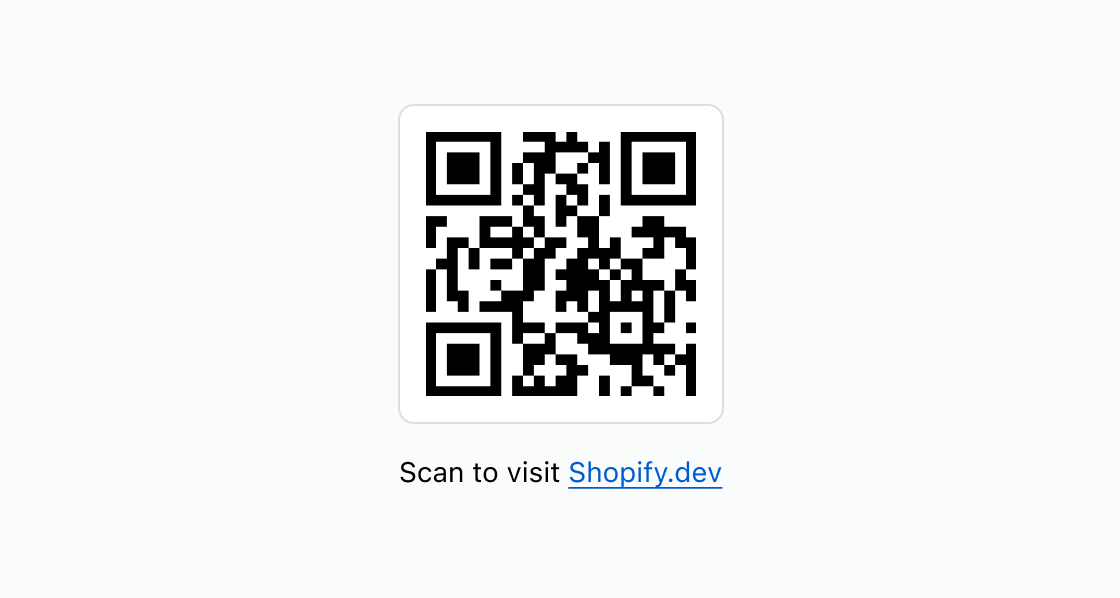
Generate a scannable QR code linked to a URL. This example renders an s-qr-code pointing to Shopify.com with a text label and link below it.Generate a scannable QR code
html
Anchor to Add branding and an accessibility labelAdd branding and an accessibility label
Add center branding and a screen-reader label to a QR code. This example uses logo for visual identity, accessibilityLabel for assistive technology, and border for a visible frame.html
Anchor to Display a compact order tracking codeDisplay a compact order tracking code
Display a QR code for order tracking alongside a descriptive label. This example pairs the code with subdued helper text to explain what buyers should scan.html
Anchor to Best practicesBest practices
- Test that QR codes scan correctly: Verify that the code scans from a smartphone before publishing. Test at different sizes and screen brightness levels.
- Provide an alternative way to access the content: Provide a clickable link using the
s-linkcomponent for URLs for buyers who can't scan the code. For data, uses-buttonto copy it to the clipboard. - Add a description and accessibility label: Include a brief label or heading near the QR code indicating the code's purpose, and set
accessibilityLabelto describe the code's destination. - Keep destination URLs short: Where possible, use shorter URLs to produce less dense QR codes that are easier to scan, especially at smaller sizes.
- Choose logos carefully: If using a logo, limit the size to 15-20% of the QR code, and select a simple image with a white background and high contrast. Busy logos with low contrast can confuse the scanner.