Clickable
The clickable component wraps content to make it interactive and clickable. Use it when you need more styling control than button or link provide, such as custom backgrounds, padding, or borders around your clickable content.
Clickable supports button, link, and submit modes with built-in accessibility properties for keyboard navigation and screen reader support.
Supported targets
- purchase.
checkout. actions. render-before - purchase.
checkout. block. render - purchase.
checkout. cart-line-item. render-after - purchase.
checkout. cart-line-list. render-after - purchase.
checkout. contact. render-after - purchase.
checkout. delivery-address. render-after - purchase.
checkout. delivery-address. render-before - purchase.
checkout. footer. render-after - purchase.
checkout. header. render-after - purchase.
checkout. payment-method-list. render-after - purchase.
checkout. payment-method-list. render-before - purchase.
checkout. pickup-location-list. render-after - purchase.
checkout. pickup-location-list. render-before - purchase.
checkout. pickup-location-option-item. render-after - purchase.
checkout. pickup-point-list. render-after - purchase.
checkout. pickup-point-list. render-before - purchase.
checkout. reductions. render-after - purchase.
checkout. reductions. render-before - purchase.
checkout. shipping-option-item. details. render - purchase.
checkout. shipping-option-item. render-after - purchase.
checkout. shipping-option-list. render-after - purchase.
checkout. shipping-option-list. render-before - purchase.
thank-you. announcement. render - purchase.
thank-you. block. render - purchase.
thank-you. cart-line-item. render-after - purchase.
thank-you. cart-line-list. render-after - purchase.
thank-you. customer-information. render-after - purchase.
thank-you. footer. render-after - purchase.
thank-you. header. render-after
Supported targets
- purchase.
checkout. actions. render-before - purchase.
checkout. block. render - purchase.
checkout. cart-line-item. render-after - purchase.
checkout. cart-line-list. render-after - purchase.
checkout. contact. render-after - purchase.
checkout. delivery-address. render-after - purchase.
checkout. delivery-address. render-before - purchase.
checkout. footer. render-after - purchase.
checkout. header. render-after - purchase.
checkout. payment-method-list. render-after - purchase.
checkout. payment-method-list. render-before - purchase.
checkout. pickup-location-list. render-after - purchase.
checkout. pickup-location-list. render-before - purchase.
checkout. pickup-location-option-item. render-after - purchase.
checkout. pickup-point-list. render-after - purchase.
checkout. pickup-point-list. render-before - purchase.
checkout. reductions. render-after - purchase.
checkout. reductions. render-before - purchase.
checkout. shipping-option-item. details. render - purchase.
checkout. shipping-option-item. render-after - purchase.
checkout. shipping-option-list. render-after - purchase.
checkout. shipping-option-list. render-before - purchase.
thank-you. announcement. render - purchase.
thank-you. block. render - purchase.
thank-you. cart-line-item. render-after - purchase.
thank-you. cart-line-list. render-after - purchase.
thank-you. customer-information. render-after - purchase.
thank-you. footer. render-after - purchase.
thank-you. header. render-after
Anchor to Use casesUse cases
- Product cards: Wrap product thumbnails or detail cards in a tappable area that navigates to a product page.
- Custom navigation: Build styled navigation elements with custom backgrounds, borders, and padding that link to other pages.
- Form submissions: Create custom submit buttons with full layout control by setting
type="submit". - Interactive containers: Make any group of content respond to clicks or taps without inheriting default button or link styling.
Anchor to PropertiesProperties
Configure the following properties on the clickable component.
- Anchor to accessibilityLabelaccessibility
Labelaccessibility Label stringstring A label announced by assistive technologies that describes the purpose or contents of the element. Only set this when the element's visible content doesn't provide enough context on its own.
- Anchor to accessibilityVisibilityaccessibility
Visibilityaccessibility Visibility 'visible' | 'hidden' | 'exclusive''visible' | 'hidden' | 'exclusive'Default: 'visible'Default: 'visible' Controls how the element is exposed to sighted users and to assistive technologies such as screen readers.
visible: The element is visible to all users (both sighted users and screen readers).hidden: The element is visually visible but hidden from screen readers. Use this for decorative elements that don't provide meaningful information.exclusive: The element is visually hidden but announced by screen readers. Use this for screen-reader-only content like skip links or additional context.
- Anchor to backgroundbackgroundbackground'base' | 'subdued' | 'transparent''base' | 'subdued' | 'transparent'Default: 'transparent'Default: 'transparent'
The background color of the element.
base: The standard background color for general content areas.subdued: A muted background for secondary or supporting content.transparent: No background color (the default).strong: An emphasized background for prominent sections.'transparent': No visible background.'subdued': A subtle, low-emphasis background.'base': The standard background color.'strong': A high-emphasis background for prominence.
- Anchor to blockSizeblock
Sizeblock Size MaybeResponsive<SizeUnitsOrAuto>MaybeResponsive<SizeUnitsOrAuto>Default: 'auto'Default: 'auto' The block size of the element (height in horizontal writing modes). Learn more about the block-size property.
: Specific size values in pixels, percentages, or zero for precise control.auto: Automatically sizes based on content and layout constraints.
- Anchor to borderborderborderBorderShorthandBorderShorthandDefault: 'none' - equivalent to `none base auto`.Default: 'none' - equivalent to `none base auto`.
Applies a border using shorthand syntax to specify width, color, and style in a single property.
Accepts a size value, optionally followed by a color, optionally followed by a style. Omitted values use defaults: color defaults to
base, style defaults toauto.Individual properties (
,,) can override values set here.- Anchor to borderRadiusborder
Radiusborder Radius MaybeAllValuesShorthandProperty<Extract<ClickableProps$1['borderRadius'], 'none' | 'small-100' | 'small' | 'base' | 'large' | 'large-100' | 'max'>>MaybeAllValuesShorthandProperty<Extract<ClickableProps$1['borderRadius'], 'none' | 'small-100' | 'small' | 'base' | 'large' | 'large-100' | 'max'>>Default: 'none'Default: 'none' Controls the roundedness of the element's corners using the design system's radius scale.
Supports 1-to-4-value syntax using flow-relative values:
- One value: applies to all corners
- Two values: applies to start corners (top-left & bottom-right) and end corners (top-right & bottom-left) respectively
- Three values: applies to start-start (top-left), end corners (top-right & bottom-left), and end-end (bottom-right) respectively
- Four values: applies to start-start (top-left), start-end (top-right), end-end (bottom-right), and end-start (bottom-left) respectively
Examples:
small-100: All corners havesmall-100radiussmall-100 none: Top-left and bottom-right aresmall-100, top-right and bottom-left arenonesmall-100 none large-100: Top-left issmall-100, top-right and bottom-left arenone, bottom-right islarge-100small-100 none large-100 base: Each corner has its specified radius value
- Anchor to borderStyleborder
Styleborder Style MaybeAllValuesShorthandProperty<BorderStyleKeyword> | ""MaybeAllValuesShorthandProperty<BorderStyleKeyword> | ""Default: '' - meaning no overrideDefault: '' - meaning no override Controls the visual style of the border on all sides, such as solid, dashed, or dotted.
When set, this overrides the style value specified in the
borderproperty.Supports 1-to-4-value syntax for specifying different styles per side:
- One value: applies to all sides
- Two values: applies to block sides (top/bottom) and inline sides (left/right) respectively
- Three values: applies to block-start (top), inline sides (left/right), and block-end (bottom) respectively
- Four values: applies to block-start (top), inline-end (right), block-end (bottom), and inline-start (left) respectively
- Anchor to borderWidthborder
Widthborder Width MaybeAllValuesShorthandProperty<ReducedBorderSizeKeyword> | ''MaybeAllValuesShorthandProperty<ReducedBorderSizeKeyword> | ''Default: '' - meaning no overrideDefault: '' - meaning no override Controls the thickness of the border on all sides. When set, this overrides the width value specified in the
borderproperty.Supports 1-to-4-value syntax for specifying different widths per side:
- One value: applies to all sides
- Two values: applies to block sides (top/bottom) and inline sides (left/right) respectively
- Three values: applies to block-start (top), inline sides (left/right), and block-end (bottom) respectively
- Four values: applies to block-start (top), inline-end (right), block-end (bottom), and inline-start (left) respectively
- Anchor to commandcommandcommand'--auto' | '--show' | '--hide' | '--toggle' | '--copy''--auto' | '--show' | '--hide' | '--toggle' | '--copy'Default: '--auto'Default: '--auto'
Sets the action the
target should take when this component is activated. Available options:'--auto': Performs the default action appropriate for the target component.'--show': Displays the target component if it's currently hidden.'--hide': Conceals the target component from view.'--toggle': Alternates the target component between visible and hidden states.'--copy': Copies the target clipboard item.
The supported actions vary by target component type. Learn more about the
commandattribute.- Anchor to commandForcommand
Forcommand For stringstring The ID of the component to control when this component is activated. Pair with the
commandproperty to specify what action to perform on the target component. Learn more about theattribute.When both
andhrefare set,takes precedence. The command runs and the link doesn't navigate.- Anchor to disableddisableddisabledbooleanbooleanDefault: falseDefault: false
Disables the clickable, meaning it cannot be clicked or receive focus.
In this state, the
clickevent will not fire. If the click event originates from a child element, the event will immediately stop propagating from this element.However, items within the clickable can still receive focus and be interacted with.
This has no impact on the visual state by default, but developers are encouraged to style the clickable accordingly.
- Anchor to displaydisplaydisplayMaybeResponsive<"auto" | "none">MaybeResponsive<"auto" | "none">Default: 'auto'Default: 'auto'
Sets the outer display type of the component. The outer type sets a component’s participation in flow layout.
auto: The component’s initial value. The actual value depends on the component and context.none: Hides the component from display and removes it from the accessibility tree, making it invisible to screen readers.
Learn more about the display property.
- Anchor to hrefhrefhrefstringstring
The URL to navigate to when clicked, including
mailto:andtel:URLs. Theclickevent fires first, then navigation occurs. Ifis also set, the command executes instead of navigation.- Anchor to idididstringstring
A unique identifier for the element. Use this to reference the element in JavaScript, link labels to form controls, or target specific elements for styling or scripting.
- Anchor to inlineSizeinline
Sizeinline Size MaybeResponsive<SizeUnitsOrAuto>MaybeResponsive<SizeUnitsOrAuto>Default: 'auto'Default: 'auto' The inline size of the element (width in horizontal writing modes). Learn more about the inline-size property.
: Specific size values in pixels, percentages, or zero for precise control.auto: Automatically sizes based on content and layout constraints.
- Anchor to interestForinterest
Forinterest For stringstring The ID of the component to show when users hover over or focus on this component. Pair with a target component that supports interest-based interactions. Learn more about the interestFor attribute.
- Anchor to langlanglangstringstringDefault: ''Default: ''
The language of the text content. Use this when the text is in a different language than the rest of the page, allowing assistive technologies such as screen readers to invoke the correct pronunciation.
The value should be a valid language subtag from the IANA language subtag registry.
- Anchor to loadingloadingloadingbooleanbooleanDefault: falseDefault: false
Disables the clickable, and indicates to assistive technology that the loading is in progress.
This also disables the clickable.
- Anchor to maxBlockSizemax
Block Sizemax Block Size MaybeResponsive<SizeUnitsOrNone>MaybeResponsive<SizeUnitsOrNone>Default: 'none'Default: 'none' The maximum block size of the element (maximum height in horizontal writing modes). Learn more about the max-block-size property.
- Anchor to maxInlineSizemax
Inline Sizemax Inline Size MaybeResponsive<SizeUnitsOrNone>MaybeResponsive<SizeUnitsOrNone>Default: 'none'Default: 'none' The maximum inline size of the element (maximum width in horizontal writing modes). Learn more about the max-inline-size property.
- Anchor to minBlockSizemin
Block Sizemin Block Size MaybeResponsive<SizeUnits>MaybeResponsive<SizeUnits>Default: '0'Default: '0' The minimum block size of the element (minimum height in horizontal writing modes). Learn more about the min-block-size property.
- Anchor to minInlineSizemin
Inline Sizemin Inline Size MaybeResponsive<SizeUnits>MaybeResponsive<SizeUnits>Default: '0'Default: '0' The minimum inline size of the element (minimum width in horizontal writing modes). Learn more about the min-inline-size property.
- Anchor to overflowoverflowoverflow'hidden' | 'visible''hidden' | 'visible'Default: 'visible'Default: 'visible'
The overflow behavior of the element.
visible: Content that extends beyond the container is visible.hidden: Content that extends beyond the container is clipped and not scrollable.
- Anchor to paddingpaddingpaddingMaybeResponsive<MaybeAllValuesShorthandProperty<PaddingKeyword>>MaybeResponsive<MaybeAllValuesShorthandProperty<PaddingKeyword>>Default: 'none'Default: 'none'
The padding applied to all edges of the component.
Supports 1-to-4-value syntax using flow-relative values:
- 1 value applies to all sides
- 2 values apply to block (top/bottom) and inline (left/right)
- 3 values apply to block-start (top), inline (left/right), and block-end (bottom)
- 4 values apply to block-start (top), inline-end (right), block-end (bottom), and inline-start (left)
Examples:
base,large none,base large-100 base smallUse
autoto inherit padding from the nearest container with removed padding.- Anchor to paddingBlockpadding
Blockpadding Block MaybeResponsive<MaybeTwoValuesShorthandProperty<PaddingKeyword> | "">MaybeResponsive<MaybeTwoValuesShorthandProperty<PaddingKeyword> | "">Default: '' - meaning no overrideDefault: '' - meaning no override The block-direction padding (top and bottom in horizontal writing modes).
Accepts a single value for both sides or two space-separated values for block-start and block-end.
Example:
large noneapplieslargeto the top andnoneto the bottom.Overrides the block value from
padding.- Anchor to paddingBlockEndpadding
Block Endpadding Block End MaybeResponsive<PaddingKeyword | "">MaybeResponsive<PaddingKeyword | "">Default: '' - meaning no overrideDefault: '' - meaning no override The block-end padding (bottom in horizontal writing modes).
Overrides the block-end value from
.- Anchor to paddingBlockStartpadding
Block Startpadding Block Start MaybeResponsive<PaddingKeyword | "">MaybeResponsive<PaddingKeyword | "">Default: '' - meaning no overrideDefault: '' - meaning no override The block-start padding (top in horizontal writing modes).
Overrides the block-start value from
.- Anchor to paddingInlinepadding
Inlinepadding Inline MaybeResponsive<MaybeTwoValuesShorthandProperty<PaddingKeyword> | "">MaybeResponsive<MaybeTwoValuesShorthandProperty<PaddingKeyword> | "">Default: '' - meaning no overrideDefault: '' - meaning no override The inline-direction padding (left and right in horizontal writing modes).
Accepts a single value for both sides or two space-separated values for inline-start and inline-end.
Example:
large noneapplieslargeto the left andnoneto the right.Overrides the inline value from
padding.- Anchor to paddingInlineEndpadding
Inline Endpadding Inline End MaybeResponsive<PaddingKeyword | "">MaybeResponsive<PaddingKeyword | "">Default: '' - meaning no overrideDefault: '' - meaning no override The inline-end padding (right in LTR writing modes, left in RTL).
Overrides the inline-end value from
.- Anchor to paddingInlineStartpadding
Inline Startpadding Inline Start MaybeResponsive<PaddingKeyword | "">MaybeResponsive<PaddingKeyword | "">Default: '' - meaning no overrideDefault: '' - meaning no override The inline-start padding (left in LTR writing modes, right in RTL).
Overrides the inline-start value from
.- Anchor to targettargettarget'auto' | '_blank''auto' | '_blank'Default: 'auto'Default: 'auto'
Specifies where to display the linked URL. Learn more about the target attribute.
'auto': Opens the URL in the current frame or a new tab, depending on the context.'_blank': Opens the URL in a new tab or window.
- Anchor to typetypetype'submit' | 'button''submit' | 'button'Default: 'button'Default: 'button'
The behavioral type of the clickable component, which determines what action it performs when activated.
submit: Submits the nearest containing form.button: Performs no default action, relying on theclickevent handler for behavior.
This property is ignored if
hrefor/commandis set.
MaybeResponsive
Makes a property responsive by allowing it to be set conditionally based on container query conditions. The value can be either a base value or a container query string. - `T`: Base value that applies in all conditions. - `@container${string}`: Container query string for conditional responsive styling based on container size.
T | `@container${string}`SizeUnitsOrAuto
Represents size values that can also be set to `auto` for automatic sizing. - `SizeUnits`: Specific size values in pixels, percentages, or zero for precise control. - `auto`: Automatically sizes based on content and layout constraints. Learn more about the [auto value](https://developer.mozilla.org/en-US/docs/Web/CSS/width#auto).
SizeUnits | "auto"SizeUnits
Represents size values in pixels, percentages, or zero. - `` `${number}px` ``: Absolute size in pixels for fixed dimensions (such as `100px`, `24px`). - `` `${number}%` ``: Relative size as a percentage of the parent container (such as `50%`, `100%`). - `0`: Zero size, equivalent to no dimension.
`${number}px` | `${number}%` | `0`BorderShorthand
A shorthand string for specifying border properties. Accepts a size alone (`'base'`), size with color (`'base base'`), or size with color and style (`'base base dashed'`). Omitted values use their defaults.
ReducedBorderSizeKeyword | `${ReducedBorderSizeKeyword} ${ReducedColorKeyword}` | `${ReducedBorderSizeKeyword} ${ReducedColorKeyword} ${BorderStyleKeyword}`ReducedBorderSizeKeyword
The subset of border size values available for this component. - `base`: Standard border width. - `large`: Thick border for strong emphasis. - `large-100`: Extra thick border for maximum prominence. - `large-200`: The thickest available border. - `none`: No border.
'large' | 'base' | 'large-100' | 'large-200' | 'none'ReducedColorKeyword
The subset of border color values available for this component. - `base`: The standard border color for most contexts.
'base'BorderStyleKeyword
The visual style of a border. Learn more about [border-style](https://developer.mozilla.org/en-US/docs/Web/CSS/border-style). - `none`: No border is rendered. - `solid`: A single continuous line. - `dashed`: A series of short dashes. - `dotted`: A series of round dots. - `auto`: The border style is determined automatically based on the surface's design system.
"none" | "solid" | "dashed" | "dotted" | "auto"MaybeAllValuesShorthandProperty
Represents CSS shorthand properties that accept one to four values, following the [CSS shorthand syntax](https://developer.mozilla.org/en-US/docs/Web/CSS/Shorthand_properties#edges_of_a_box). Supports specifying values for all four sides: top, right, bottom, and left. - `T`: Single value that applies to all four sides. - `${T} ${T}`: Two values for block axis (top/bottom) and inline axis (left/right). - `${T} ${T} ${T}`: Three values for block-start (top), inline axis (left/right), and block-end (bottom). - `${T} ${T} ${T} ${T}`: Four values for block-start (top), inline-end (right), block-end (bottom), and inline-start (left).
T | `${T} ${T}` | `${T} ${T} ${T}` | `${T} ${T} ${T} ${T}`ClickableProps
- accessibilityLabel
A label announced by assistive technologies that describes the purpose or contents of the element. Only set this when the element's visible content doesn't provide enough context on its own.
string - accessibilityVisibility
Controls how the element is exposed to sighted users and to assistive technologies such as screen readers. - `visible`: The element is visible to all users (both sighted users and screen readers). - `hidden`: The element is visually visible but hidden from screen readers. Use this for decorative elements that don't provide meaningful information. - `exclusive`: The element is visually hidden but announced by screen readers. Use this for screen-reader-only content like skip links or additional context.
'visible' | 'hidden' | 'exclusive' - background
The background color of the element. - `base`: The standard background color for general content areas. - `subdued`: A muted background for secondary or supporting content. - `transparent`: No background color (the default). - `strong`: An emphasized background for prominent sections. - `'transparent'`: No visible background. - `'subdued'`: A subtle, low-emphasis background. - `'base'`: The standard background color. - `'strong'`: A high-emphasis background for prominence.
'base' | 'subdued' | 'transparent' - blockSize
The block size of the element (height in horizontal writing modes). Learn more about the [block-size property](https://developer.mozilla.org/en-US/docs/Web/CSS/block-size). - `SizeUnits`: Specific size values in pixels, percentages, or zero for precise control. - `auto`: Automatically sizes based on content and layout constraints.
MaybeResponsive<SizeUnitsOrAuto> - border
Applies a border using shorthand syntax to specify width, color, and style in a single property. Accepts a size value, optionally followed by a color, optionally followed by a style. Omitted values use defaults: color defaults to `base`, style defaults to `auto`. Individual properties (`borderWidth`, `borderStyle`, `borderColor`) can override values set here.
BorderShorthand - borderRadius
Controls the roundedness of the element's corners using the design system's radius scale. Supports [1-to-4-value syntax](https://developer.mozilla.org/en-US/docs/Web/CSS/Shorthand_properties#edges_of_a_box) using flow-relative values: - One value: applies to all corners - Two values: applies to start corners (top-left & bottom-right) and end corners (top-right & bottom-left) respectively - Three values: applies to start-start (top-left), end corners (top-right & bottom-left), and end-end (bottom-right) respectively - Four values: applies to start-start (top-left), start-end (top-right), end-end (bottom-right), and end-start (bottom-left) respectively Examples: - `small-100`: All corners have `small-100` radius - `small-100 none`: Top-left and bottom-right are `small-100`, top-right and bottom-left are `none` - `small-100 none large-100`: Top-left is `small-100`, top-right and bottom-left are `none`, bottom-right is `large-100` - `small-100 none large-100 base`: Each corner has its specified radius value
MaybeAllValuesShorthandProperty<Extract<ClickableProps$1['borderRadius'], 'none' | 'small-100' | 'small' | 'base' | 'large' | 'large-100' | 'max'>> - borderStyle
Controls the visual style of the border on all sides, such as solid, dashed, or dotted. When set, this overrides the style value specified in the `border` property. Supports [1-to-4-value syntax](https://developer.mozilla.org/en-US/docs/Web/CSS/Shorthand_properties#edges_of_a_box) for specifying different styles per side: - One value: applies to all sides - Two values: applies to block sides (top/bottom) and inline sides (left/right) respectively - Three values: applies to block-start (top), inline sides (left/right), and block-end (bottom) respectively - Four values: applies to block-start (top), inline-end (right), block-end (bottom), and inline-start (left) respectively
MaybeAllValuesShorthandProperty<BorderStyleKeyword> | "" - borderWidth
Controls the thickness of the border on all sides. When set, this overrides the width value specified in the `border` property. Supports [1-to-4-value syntax](https://developer.mozilla.org/en-US/docs/Web/CSS/Shorthand_properties#edges_of_a_box) for specifying different widths per side: - One value: applies to all sides - Two values: applies to block sides (top/bottom) and inline sides (left/right) respectively - Three values: applies to block-start (top), inline sides (left/right), and block-end (bottom) respectively - Four values: applies to block-start (top), inline-end (right), block-end (bottom), and inline-start (left) respectively
MaybeAllValuesShorthandProperty<ReducedBorderSizeKeyword> | '' - command
Sets the action the `commandFor` target should take when this component is activated. Available options: - `'--auto'`: Performs the default action appropriate for the target component. - `'--show'`: Displays the target component if it's currently hidden. - `'--hide'`: Conceals the target component from view. - `'--toggle'`: Alternates the target component between visible and hidden states. - `'--copy'`: Copies the target clipboard item. The supported actions vary by target component type. Learn more about the [`command` attribute](https://developer.mozilla.org/en-US/docs/Web/HTML/Element/button#command).
'--auto' | '--show' | '--hide' | '--toggle' | '--copy' - commandFor
The ID of the component to control when this component is activated. Pair with the `command` property to specify what action to perform on the target component. Learn more about the [`commandFor` attribute](https://developer.mozilla.org/en-US/docs/Web/HTML/Element/button#commandfor). When both `commandFor` and `href` are set, `commandFor` takes precedence. The command runs and the link doesn't navigate.
string - disabled
Disables the clickable, meaning it cannot be clicked or receive focus. In this state, the `click` event will not fire. If the click event originates from a child element, the event will immediately stop propagating from this element. However, items within the clickable can still receive focus and be interacted with. This has no impact on the visual state by default, but developers are encouraged to style the clickable accordingly.
boolean - display
Sets the outer display type of the component. The outer type sets a component’s participation in [flow layout](https://developer.mozilla.org/en-US/docs/Web/CSS/CSS_flow_layout). - `auto`: The component’s initial value. The actual value depends on the component and context. - `none`: Hides the component from display and removes it from the accessibility tree, making it invisible to screen readers. Learn more about the [display property](https://developer.mozilla.org/en-US/docs/Web/CSS/display).
MaybeResponsive<"auto" | "none"> - href
The URL to navigate to when clicked, including `mailto:` and `tel:` URLs. The `click` event fires first, then navigation occurs. If `commandFor` is also set, the command executes instead of navigation.
string - id
A unique identifier for the element. Use this to reference the element in JavaScript, link labels to form controls, or target specific elements for styling or scripting.
string - inlineSize
The inline size of the element (width in horizontal writing modes). Learn more about the [inline-size property](https://developer.mozilla.org/en-US/docs/Web/CSS/inline-size). - `SizeUnits`: Specific size values in pixels, percentages, or zero for precise control. - `auto`: Automatically sizes based on content and layout constraints.
MaybeResponsive<SizeUnitsOrAuto> - interestFor
The ID of the component to show when users hover over or focus on this component. Pair with a target component that supports interest-based interactions. Learn more about the [interestFor attribute](https://open-ui.org/components/interest-invokers.explainer/#the-pitch-in-code).
string - lang
The language of the text content. Use this when the text is in a different language than the rest of the page, allowing assistive technologies such as screen readers to invoke the correct pronunciation. The value should be a valid language subtag from the [IANA language subtag registry](https://www.iana.org/assignments/language-subtag-registry/language-subtag-registry).
string - loading
Disables the clickable, and indicates to assistive technology that the loading is in progress. This also disables the clickable.
boolean - maxBlockSize
The maximum block size of the element (maximum height in horizontal writing modes). Learn more about the [max-block-size property](https://developer.mozilla.org/en-US/docs/Web/CSS/max-block-size).
MaybeResponsive<SizeUnitsOrNone> - maxInlineSize
The maximum inline size of the element (maximum width in horizontal writing modes). Learn more about the [max-inline-size property](https://developer.mozilla.org/en-US/docs/Web/CSS/max-inline-size).
MaybeResponsive<SizeUnitsOrNone> - minBlockSize
The minimum block size of the element (minimum height in horizontal writing modes). Learn more about the [min-block-size property](https://developer.mozilla.org/en-US/docs/Web/CSS/min-block-size).
MaybeResponsive<SizeUnits> - minInlineSize
The minimum inline size of the element (minimum width in horizontal writing modes). Learn more about the [min-inline-size property](https://developer.mozilla.org/en-US/docs/Web/CSS/min-inline-size).
MaybeResponsive<SizeUnits> - onBlur
A callback fired when the element loses focus. Learn more about the [blur event](https://developer.mozilla.org/en-US/docs/Web/API/Element/blur_event).
(event: FocusEvent) => void - onClick
A callback fired when the button is activated, before performing the action indicated by `type`. Learn more about the [click event](https://developer.mozilla.org/en-US/docs/Web/API/Element/click_event).
(event: Event) => void - onFocus
A callback fired when the element receives focus. Learn more about the [focus event](https://developer.mozilla.org/en-US/docs/Web/API/Element/focus_event).
(event: FocusEvent) => void - overflow
The overflow behavior of the element. - `visible`: Content that extends beyond the container is visible. - `hidden`: Content that extends beyond the container is clipped and not scrollable.
'hidden' | 'visible' - padding
The padding applied to all edges of the component. Supports [1-to-4-value syntax](https://developer.mozilla.org/en-US/docs/Web/CSS/Shorthand_properties#edges_of_a_box) using flow-relative values: - 1 value applies to all sides - 2 values apply to block (top/bottom) and inline (left/right) - 3 values apply to block-start (top), inline (left/right), and block-end (bottom) - 4 values apply to block-start (top), inline-end (right), block-end (bottom), and inline-start (left) **Examples:** `base`, `large none`, `base large-100 base small` Use `auto` to inherit padding from the nearest container with removed padding.
MaybeResponsive<MaybeAllValuesShorthandProperty<PaddingKeyword>> - paddingBlock
The block-direction padding (top and bottom in horizontal writing modes). Accepts a single value for both sides or two space-separated values for block-start and block-end. **Example:** `large none` applies `large` to the top and `none` to the bottom. Overrides the block value from `padding`.
MaybeResponsive<MaybeTwoValuesShorthandProperty<PaddingKeyword> | ""> - paddingBlockEnd
The block-end padding (bottom in horizontal writing modes). Overrides the block-end value from `paddingBlock`.
MaybeResponsive<PaddingKeyword | ""> - paddingBlockStart
The block-start padding (top in horizontal writing modes). Overrides the block-start value from `paddingBlock`.
MaybeResponsive<PaddingKeyword | ""> - paddingInline
The inline-direction padding (left and right in horizontal writing modes). Accepts a single value for both sides or two space-separated values for inline-start and inline-end. **Example:** `large none` applies `large` to the left and `none` to the right. Overrides the inline value from `padding`.
MaybeResponsive<MaybeTwoValuesShorthandProperty<PaddingKeyword> | ""> - paddingInlineEnd
The inline-end padding (right in LTR writing modes, left in RTL). Overrides the inline-end value from `paddingInline`.
MaybeResponsive<PaddingKeyword | ""> - paddingInlineStart
The inline-start padding (left in LTR writing modes, right in RTL). Overrides the inline-start value from `paddingInline`.
MaybeResponsive<PaddingKeyword | ""> - target
Specifies where to display the linked URL. Learn more about the [target attribute](https://developer.mozilla.org/en-US/docs/Web/HTML/Element/a#target). - `'auto'`: Opens the URL in the current frame or a new tab, depending on the context. - `'_blank'`: Opens the URL in a new tab or window.
'auto' | '_blank' - type
The behavioral type of the clickable component, which determines what action it performs when activated. - `submit`: Submits the nearest containing form. - `button`: Performs no default action, relying on the `click` event handler for behavior. This property is ignored if `href` or `commandFor`/`command` is set.
'submit' | 'button'
SizeUnitsOrNone
Represents size values that can also be set to `none` to remove the size constraint. - `SizeUnits`: Specific size values in pixels, percentages, or zero for precise control. - `none`: No size constraint, allowing unlimited growth. Learn more about the [none value](https://developer.mozilla.org/en-US/docs/Web/CSS/max-width#none).
SizeUnits | "none"PaddingKeyword
Defines the padding size for elements, using the standard size scale or `none` for no padding. - `SizeKeyword`: Standard padding sizes from the size scale for consistent spacing. - `none`: No padding.
SizeKeyword | "none"SizeKeyword
The design system's size scale, used to control the dimensions of components like avatars, icons, and thumbnails. Values range from `"small-500"` (smallest) through `"base"` (standard) to `"large-500"` (largest). Not all components support every size — check the component's `size` property type for its available options.
"small-500" | "small-400" | "small-300" | "small-200" | "small-100" | "small" | "base" | "large" | "large-100" | "large-200" | "large-300" | "large-400" | "large-500"MaybeTwoValuesShorthandProperty
Represents CSS shorthand properties that accept one or two values. Supports specifying the same value for both dimensions or different values. - `T`: Single value that applies to both dimensions. - `${T} ${T}`: Two values for block axis (vertical) and inline axis (horizontal).
T | `${T} ${T}`Anchor to EventsEvents
The clickable component provides event callbacks for handling user interactions. Learn more about handling events.
- Anchor to blurblurblurCallbackEventListener<typeof tagName>CallbackEventListener<typeof tagName>
A callback fired when the component loses focus.
Learn more about the blur event.
- Anchor to clickclickclickCallbackEventListener<typeof tagName>CallbackEventListener<typeof tagName>
A callback fired when the component is clicked. This will be called before the action indicated by
type.Learn more about the click event.
- Anchor to focusfocusfocusCallbackEventListener<typeof tagName>CallbackEventListener<typeof tagName>
A callback fired when the component receives focus.
Learn more about the focus event.
CallbackEventListener
A typed event listener for custom element events. The listener receives a `CallbackEvent` with the correct `currentTarget` type for the associated custom element tag.
(EventListener & {
    (event: CallbackEvent<TTagName, Event> & TData): void;
}) | null
CallbackEvent
An event type that narrows the `currentTarget` to the specific HTML element associated with the custom element tag. This provides type-safe event handling in callback listeners.
TEvent & {
    currentTarget: HTMLElementTagNameMap[TTagName];
}
Anchor to ExamplesExamples
Anchor to Create a custom interactive elementCreate a custom interactive element
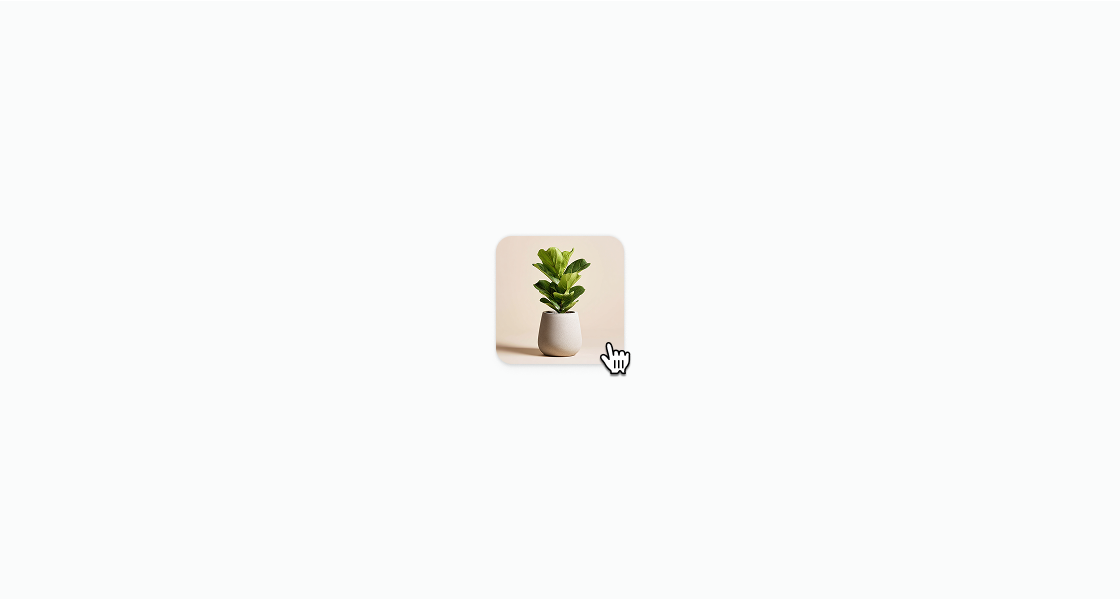
Build custom interactive elements with flexible styling that button or link don't support. This example wraps a product thumbnail in an s-clickable element to create a tappable product card.Create a custom interactive element
html
Anchor to Create a linked cardCreate a linked card
Create a styled tappable card that navigates to an external page. This example uses an s-clickable with padding, border, and borderRadius containing stacked text.html
Create a custom submit button with your own styles. This example shows an
s-clickable with type="submit" styled with a subdued background and rounded corners.html
Anchor to Best practicesBest practices
- Set appropriate modes: Use
hreffor link behavior,type="submit"for form submission, and the default mode for general interactivity. - Provide accessibility labels: Set
accessibilityLabelwhen the wrapped content doesn't include visible text that describes the action. - Use for custom layouts only: If a standard button or link meets your needs, prefer those components for consistent styling and accessibility.
- Avoid nesting interactive elements: Don't place buttons or links inside a clickable area, as this creates conflicting interaction targets.