Embed Checkout Kit
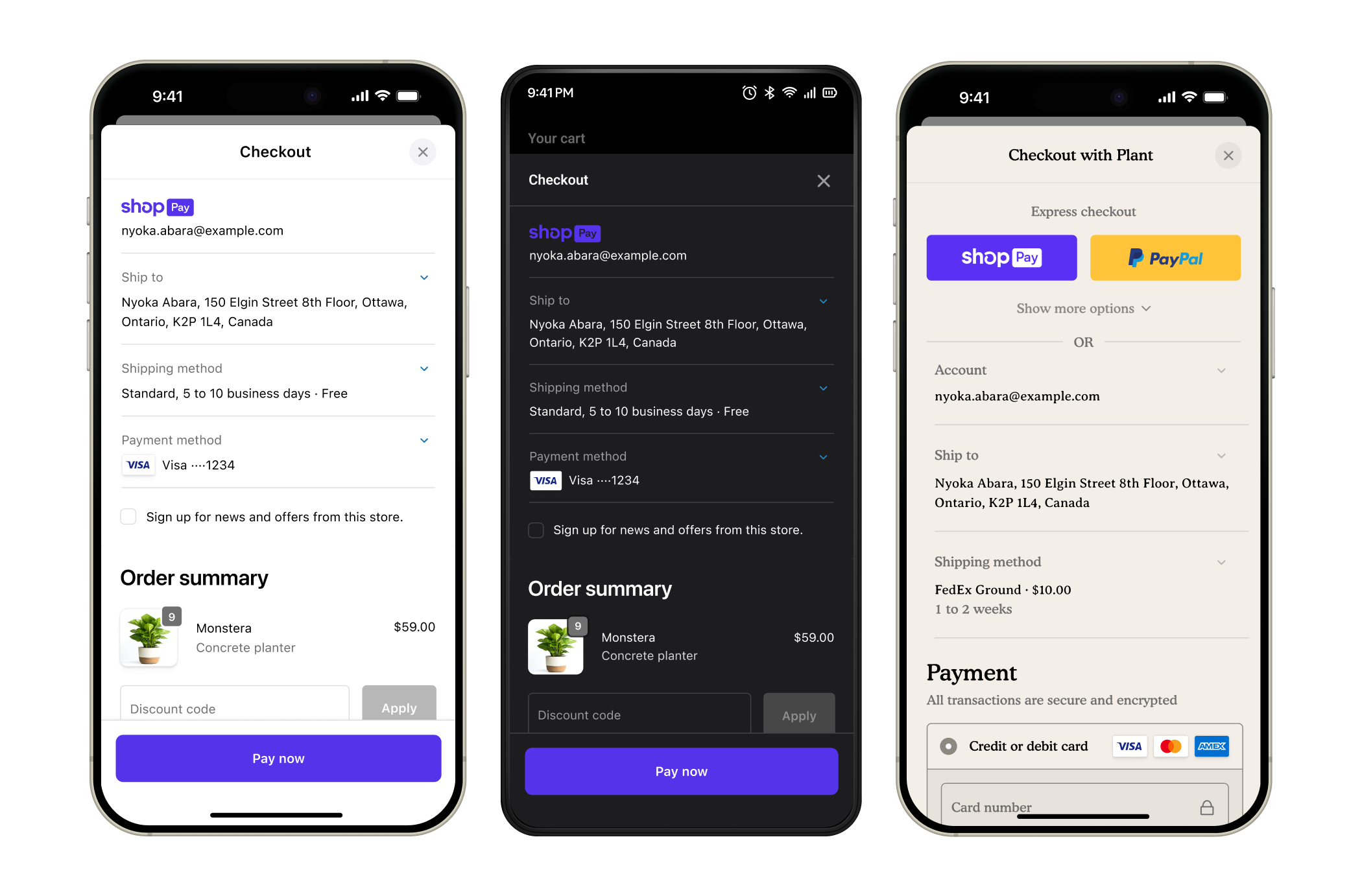
Checkout Kit is an open-source SDK for Swift, Android, and React Native that embeds Shopify checkout inside your mobile app. Pass a checkoutUrl, and buyers get Shopify checkout with your store's branding, payment methods, and extensions in an app-adapted layout. Shopify processes the payment, applies tax and regulatory rules, and creates the order.
Anchor to Quick startQuick start
Install the SDK, pass a checkoutUrl, and Checkout Kit presents your store's checkout in a native sheet over your app:
Install and present checkout
Swift
// Add to Package.swift:
// .package(url: "https://github.com/Shopify/checkout-kit", from: "4.0.0")

import ShopifyCheckoutKit

ShopifyCheckout.present(checkout: checkoutUrl, from: self, delegate: self)
Kotlin
// Add to build.gradle.kts:
// implementation("com.shopify:checkout-kit:4.0.0")

import com.shopify.checkoutkit.checkout.ShopifyCheckout

ShopifyCheckout.present(checkoutUrl, activity) {
    onDismiss { /* buyer closed checkout */ }
    onFail { error -> /* checkout failed */ }
}
React Native
// npm install @shopify/checkout-kit-react-native

import { useShopifyCheckout } from '@shopify/checkout-kit-react-native';

const shopifyCheckout = useShopifyCheckout();
shopifyCheckout.present(checkoutUrl, {
  onDismiss: () => { /* buyer closed checkout */ },
  onFail: ({error}) => { /* checkout failed */ },
});
For event handling, see Monitor checkout lifecycle. For branding options, see Configure checkout branding.
Anchor to How it worksHow it works
Checkout Kit takes a checkoutUrl and presents checkout inside your app. A checkoutUrl comes from either a cartCreate mutation or a cart permalink that redirects to checkout.
- Get a
checkoutUrland pass it to Checkout Kit. - Checkout Kit presents your store's checkout inside the app.
- The buyer enters shipping and payment details.
- Shopify processes the payment and creates the order.
- Checkout Kit fires lifecycle events throughout:
startwhen checkout is ready,updateas checkout state changes,completewhen checkout reports success,failwhen checkout can't continue, anddismisswhen the buyer closes it, with or without an order. Onlycompletesignals success.
Checkout Kit supports iOS, Android, and React Native:
| Platform | SDK | Min version |
|---|---|---|
| iOS | ShopifyCheckoutKit | iOS 15.0, Swift 6 |
| Android | com.shopify:checkout-kit | Android SDK 23, JDK 17 |
| React Native | @shopify/checkout-kit-react-native | React Native 0.77 with the New Architecture |
Anchor to Checkout Kit featuresCheckout Kit features
After you've embedded Checkout Kit in your app, you can customize and optimize the checkout experience:
- Preload checkout: Fetch checkout in the background to reduce loading time when the buyer is ready to pay.
- Monitor checkout lifecycle: Respond when checkout completes, fails, or the buyer cancels. Use callbacks to update your UI and reset cart state.
- Authenticate checkouts: Sign buyers in to prefill checkout with saved addresses and payment methods.
- Privacy compliance: Pass General Data Protection Regulation (GDPR), California Consumer Privacy Act (CCPA), and App Tracking Transparency (ATT) consent to Shopify so the right tracking rules apply during checkout.
Anchor to Store customizations in checkoutStore customizations in checkout
Checkout Kit renders your store's checkout in an app-adapted layout:
- Branding: Match your store's colors, logos, and fonts. Pick the
.app(.automatic())appearance for light and dark mode support, or.storefrontto pull your store's custom branding from the Shopify admin. - UI extensions: Add custom fields, banners, and logic with checkout UI extensions.
- Shopify Functions: Run discounts, payment customizations, and delivery rules at checkout.
- Payment methods: Accept all configured payment providers, including Shop Pay and Apple Pay.
Checkout UI extensions and checkout branding require Shopify Plus.
Checkout UI extensions and checkout branding require Shopify Plus.