Account component
The <shopify-account> component displays a customer avatar in your theme. When customers click the avatar, an account sheet opens with menu links. For signed-out customers, sign-in options appear above the menu.
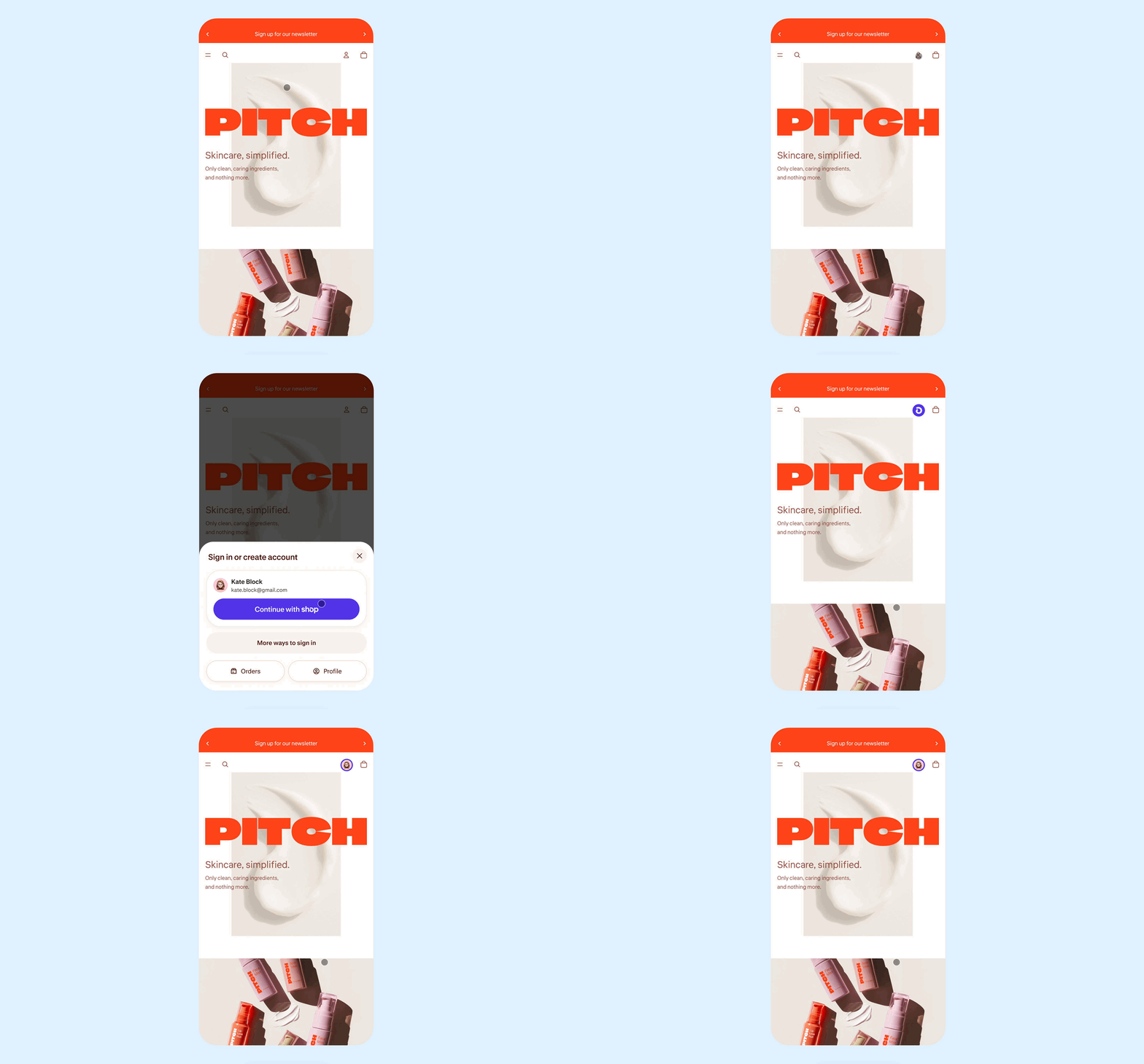
The account component is designed to drive customer sign-ins to accelerate checkout and unlock storefront personalization. It supports the following sign-in methods: passwordless sign-in, automatic sign-in with Shop recognition, and social sign-in providers. Customers can also opt in to email marketing when signing in through the component.
Customers can sign in and stay on the storefront, without being diverted to their account. The account sheet displays menu links such as Orders and Profile upfront, helping customers understand what they can access before signing in.
The avatar displays differently based on customer state:
- Signed out: Displays a default account icon, customizable through the
signed-out-avatarslot. - Signed in: Displays the customer's initial or Shop profile picture.
When sign-in links are enabled, the avatar displays in the header. For shops using the latest version of customer accounts, clicking the avatar opens the account sheet. For shops using legacy customer accounts, the avatar links directly to the sign-in page instead.
Shopify controls this component and can update it independently of your theme. While you can apply basic styling to match your theme, the component maintains a consistent appearance across shops.
Shopify controls this component and can update it independently of your theme. While you can apply basic styling to match your theme, the component maintains a consistent appearance across shops.
Anchor to Implementing the account component in your theme headerImplementing the account component in your theme header
Add the <shopify-account> component to your site header and ensure it's visible on both mobile and desktop so customers can access their account from any page.
Anchor to Customize the account componentCustomize the account component
You can style the component to match your theme. The customization options depend on whether the user is signed in or signed out:
Anchor to Signed-out avatarSigned-out avatar
The component includes a default signed-out avatar. You can style it using the CSS part, or replace the markup entirely using the slot.
Anchor to Signed-in avatar and account sheetSigned-in avatar and account sheet
The signed-in avatar and the account sheet are controlled by the component. You can customize the look and feel by setting CSS variables in your theme.
For the list of available CSS variables, refer to the shopify-account documentation.
We recommend adding a theme setting so that merchants can change which menu is used. Add this into your theme settings:
Using customer-account-main-menu keeps links consistent between the component and customer account pages. This menu includes links to Orders and Profile.
Merchants can add, remove, or reorder links in the Shopify admin under Content > Menus. For more information, see the Help Center.