Building apps for customer accounts
Merchants use customer accounts to enable their customers to view their order history, check order statuses, edit their profile, and take actions related to their order. You build customer account extensions with Polaris, Shopify's unified system for building app interfaces. Polaris provides targets that define where your extension appears, target APIs that give your extension access to customer account data and functionality, and web components that render the UI.
Customer account UI extensions are only supported on the new version of customer accounts. Legacy customer accounts don't support customer account UI extensions. Learn more about customer accounts.
Determine the customer account version that a merchant's using by querying the CustomerAccountsV2 object.
Determine the customer account version that a merchant's using by querying the CustomerAccountsV2 object.
Anchor to How it worksHow it works
Customers can navigate to their account from the online store, from order notification emails, or any custom entrypoint placed by the merchant.
If the customer isn't already logged in, clicking a link from an order notification email to view their order brings them to the pre-authenticated Order status page. From there, if the customer tries to navigate to another page in their account, or tries to take an action, then Shopify prompts them to log in. After the customer logs in, they can access all customer account pages. Learn more about Order status page authentication states.
If you're building an app that directs customers to the pre-authenticated Order status page, then you need to obtain level 2 permission for protected customer data. If you're sending transactional SMS on behalf of merchants, then you should include the customer's order number alongside any links to the Order status page.
If you're building an app that directs customers to the pre-authenticated Order status page, then you need to obtain level 2 permission for protected customer data. If you're sending transactional SMS on behalf of merchants, then you should include the customer's order number alongside any links to the Order status page.
Using customer account UI extensions, apps can extend the functionality of existing customer account pages, as well as create new pages (full-page extensions).
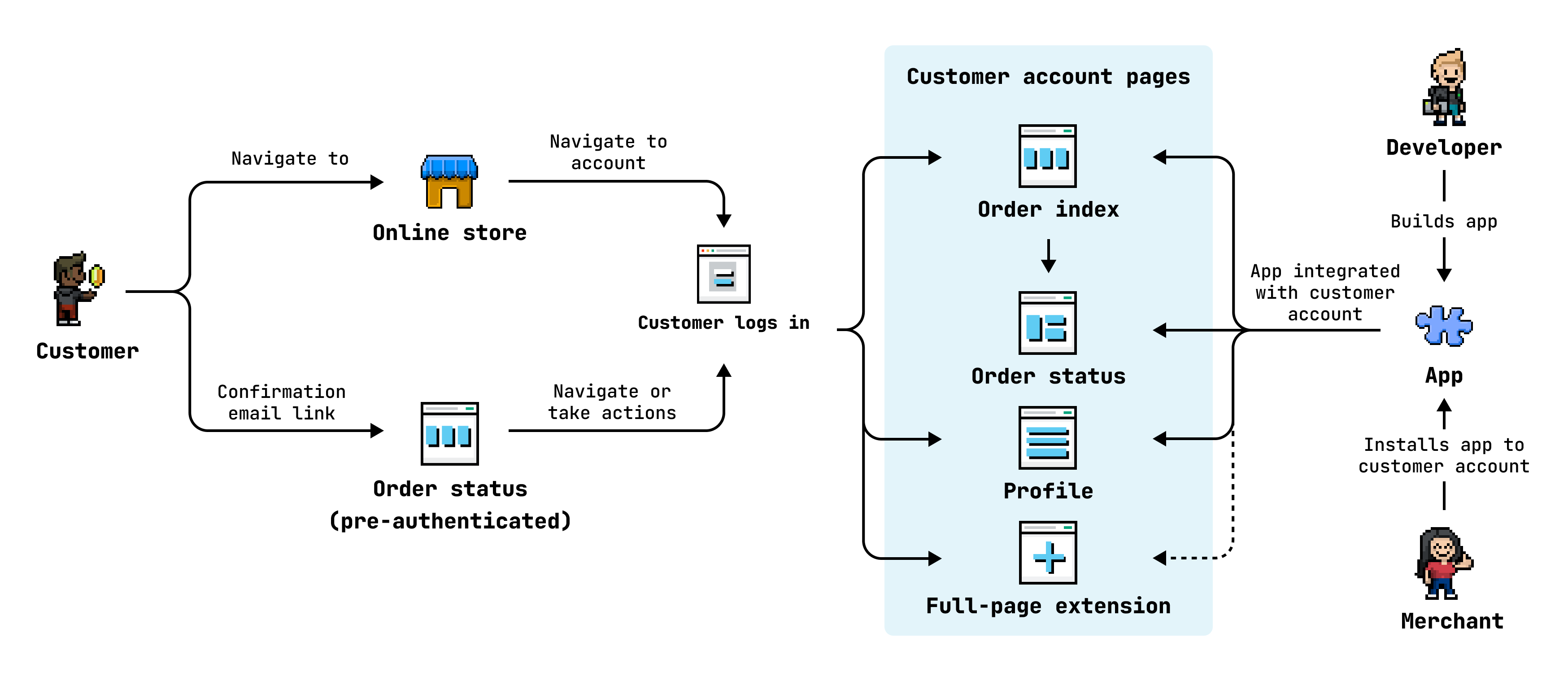
You can extend the following pages in customer accounts at defined targets:
| Page | Description | Example use cases |
|---|---|---|
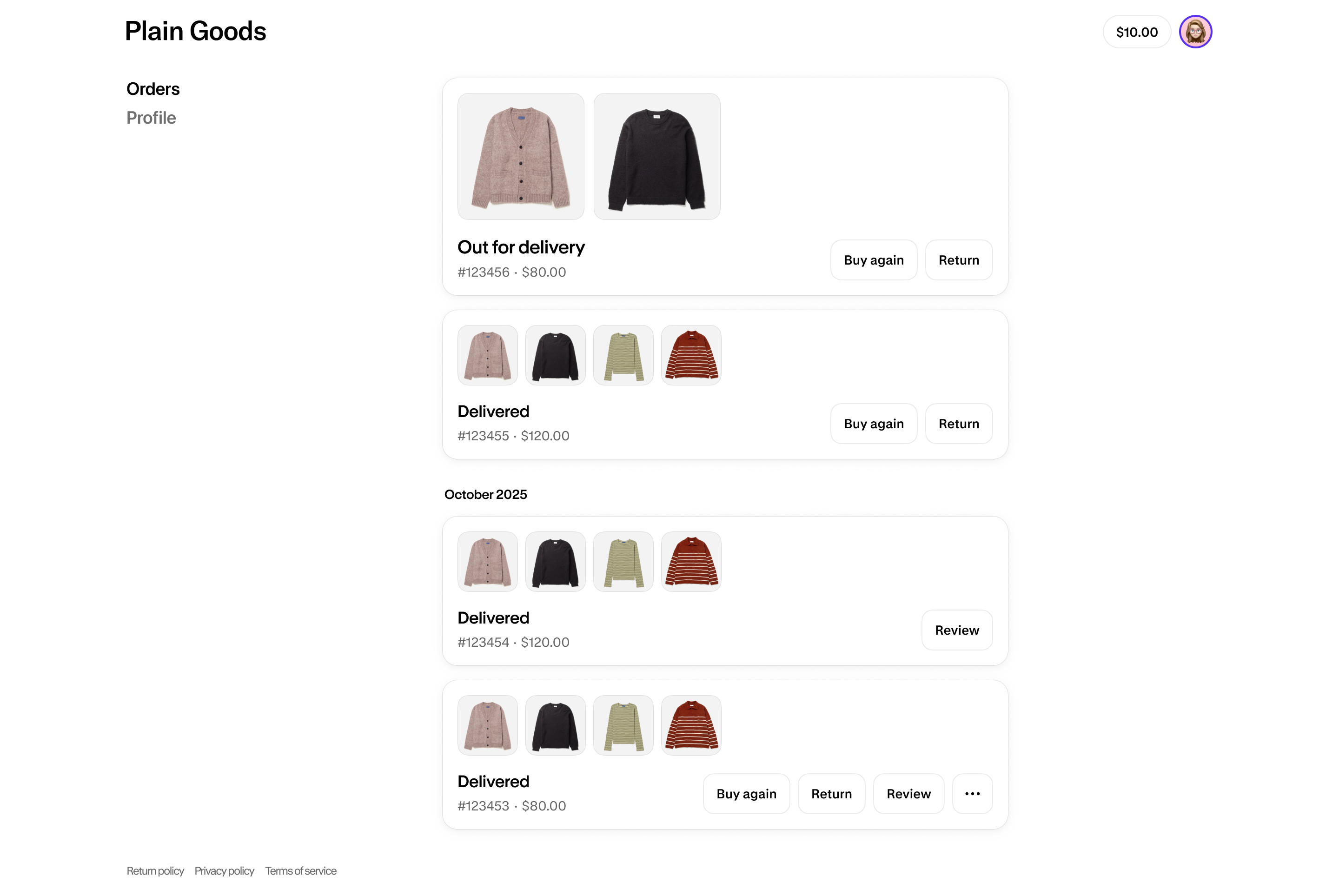
| Order index | The page that customers land on when they log in to their account. Provides a list of all the customer's orders, including draft orders that they've been invoiced for. Customers can take action on an order from this page, such as requesting a return. | Order actions, product suggestions based on order history, loyalty discount offers. |
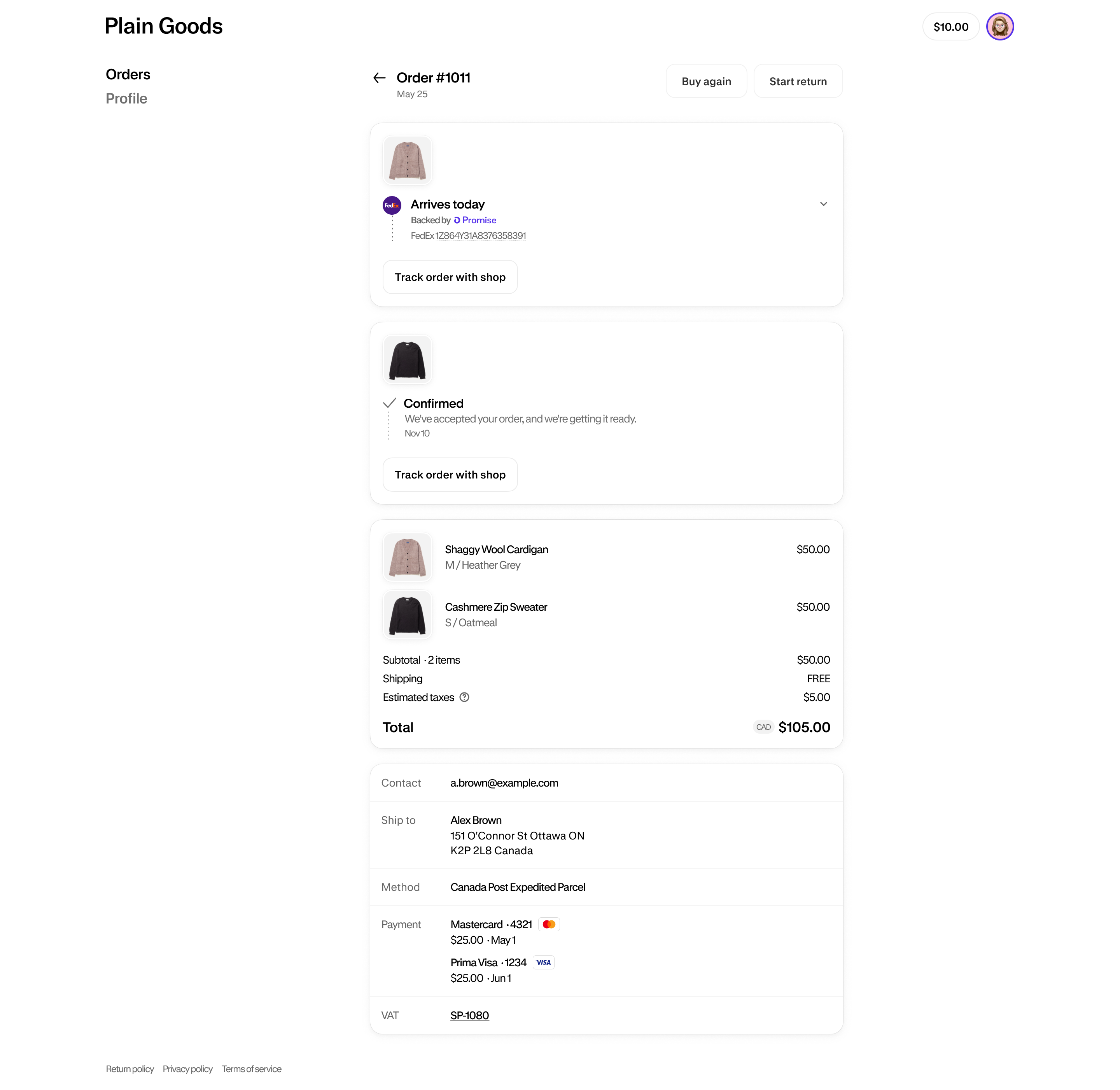
| Order status | The page where customers can view, track, and manage a specific order. Customers can take action on an order from this page, such as requesting a return. | Order actions, product reviews, surveys, order tracking, loyalty points earned. |
| Profile | The page where customers can manage their personal information, such as name and addresses. For B2B customers, this page also includes company information. | Membership level, loyalty point balance, customer metafields. |
| New pages | Apps can create new pages using full-page extensions, to support use cases that aren't suited to native pages. | Wishlist, subscriptions, rewards, offers. |
Anchor to Order indexOrder index
Anchor to Order statusOrder status
Anchor to ProfileProfile

Anchor to Build for customer accountsBuild for customer accounts
The following guides walk through common use cases for customer account UI extensions. For the full reference, see customer account UI extensions.
Anchor to Extension typesExtension types


Anchor to Purchase optionsPurchase options
Let customers manage subscriptions and deferred purchase options from their account. See all purchase options guides.


Anchor to Orders and fulfillmentOrders and fulfillment
Let customers take self-serve actions on their orders. See all orders and fulfillment guides.


Anchor to Next stepsNext steps
- Start building for customer accounts to set up your development environment and scaffold your first extension.
- Explore the customer account UI extensions reference for available targets, target APIs, and web components.
Anchor to Product roadmapProduct roadmap
As of February 26, 2026, legacy customer accounts are deprecated. They're no longer available to new stores, and existing stores that weren't using them no longer have access. All merchants must upgrade to the latest version of customer accounts. The following customer account features are on our roadmap with estimated launch dates:
This roadmap is being shared for informational purposes and is subject to change. Bug fixes and improvements will be added as we hear from the community. Share your feedback or request new features by creating a new issue in the Shopify developer community forum.
This roadmap is being shared for informational purposes and is subject to change. Bug fixes and improvements will be added as we hear from the community. Share your feedback or request new features by creating a new issue in the Shopify developer community forum.
| Feature | Target release |
|---|---|
| Customer account web component for storefronts | February 2026 (shipped) |
| 365-day sign-in duration | March 2026 (shipped) |
| Collect marketing consent on the customer sign-in page | March 2026 (shipped) |
| Automatically sync customer data from your identity provider | March 2026 (shipped) |
| Checkout and Accounts Configuration API for greater control over branding across checkout, customer accounts, and sign-in | May 2026 (shipped) |
| Sign-in page now customizable in the checkout & accounts editor | May 2026 (shipped) |
| Customer account design improvements | June 2026 (shipped) |
| Sign in with Apple | Q3 2026 |
| Support for customer state and first sign-in detection | Q4 2026 |
| Collect customer fields after sign-in | Q4 2026 |
| Social sign-in configuration APIs | Q1 2027 |