union

Types of resources that may use metafields to reference other resources.

•OBJECT

An app installed on a shop. Each installation tracks the permissions granted to the app through AccessScope objects, along with billing subscriptions and Metafield objects.

The installation provides metafields that only the owning App can access. These metafields store app-specific configuration that merchants and other apps can't modify. The installation also provides URLs for launching and uninstalling the app, along with any active AppSubscription objects or AppPurchaseOneTime purchases.

•[AccessScope!]!
non-null

The access scopes granted to the application by a merchant during installation.

•[AppSubscription!]!
non-null

The active application subscriptions billed to the shop on a recurring basis.

•AppSubscriptionConnection!
non-null

All subscriptions created for a shop.

Arguments

•String

The elements that come after the specified cursor.

•String

The elements that come before the specified cursor.

•Int

The first n elements from the paginated list.

•Int

The last n elements from the paginated list.

•Boolean
Default:false

Reverse the order of the underlying list.

•AppSubscriptionSortKeys
Default:CREATED_AT

Sort the underlying list using a key. If your query is slow or returns an error, then try specifying a sort key that matches the field used in the search.


•App!
non-null

Application which is installed.

•AppCreditConnection!
non-null

Credits that can be used towards future app purchases.

Arguments

•String

The elements that come after the specified cursor.

•String

The elements that come before the specified cursor.

•Int

The first n elements from the paginated list.

•Int

The last n elements from the paginated list.

•Boolean
Default:false

Reverse the order of the underlying list.

•AppTransactionSortKeys
Default:CREATED_AT

Sort the underlying list using a key. If your query is slow or returns an error, then try specifying a sort key that matches the field used in the search.


•ID!
non-null

A globally-unique ID.

•URL!
non-null

The URL to launch the application.

•Metafield

A custom field, including its namespace and key, that's associated with a Shopify resource for the purposes of adding and storing additional information.

Arguments

•String!
required

The key for the metafield.

•String

The container the metafield belongs to. If omitted, the app-reserved namespace will be used.


•MetafieldConnection!
non-null

A list of custom fields that a merchant associates with a Shopify resource.

Arguments

•String

The elements that come after the specified cursor.

•String

The elements that come before the specified cursor.

•Int

The first n elements from the paginated list.

•[String!]

List of keys of metafields in the format namespace.key, will be returned in the same format.

•Int

The last n elements from the paginated list.

•String

The metafield namespace to filter by. If omitted, all metafields are returned.

•Boolean
Default:false

Reverse the order of the underlying list.


•AppPurchaseOneTimeConnection!
non-null

One-time purchases to a shop.

Arguments

•String

The elements that come after the specified cursor.

•String

The elements that come before the specified cursor.

•Int

The first n elements from the paginated list.

•Int

The last n elements from the paginated list.

•Boolean
Default:false

Reverse the order of the underlying list.

•AppTransactionSortKeys
Default:CREATED_AT

Sort the underlying list using a key. If your query is slow or returns an error, then try specifying a sort key that matches the field used in the search.


Anchor to revenueAttributionRecordsrevenueAttributionRecords
•AppRevenueAttributionRecordConnection!
non-null

The records that track the externally-captured revenue for the app. The records are used for revenue attribution purposes.

Arguments

•String

The elements that come after the specified cursor.

•String

The elements that come before the specified cursor.

•Int

The first n elements from the paginated list.

•Int

The last n elements from the paginated list.

•Boolean
Default:false

Reverse the order of the underlying list.

•AppRevenueAttributionRecordSortKeys
Default:CREATED_AT

Sort the underlying list using a key. If your query is slow or returns an error, then try specifying a sort key that matches the field used in the search.


•URL

The URL to uninstall the application.

•Channel
Deprecated
•Publication
Deprecated
•[AppSubscription!]!
non-nullDeprecated
Anchor to ArticleArticle
•OBJECT

An article that contains content, author information, and metadata. Articles belong to a Blog and can include HTML-formatted body text, summary text, and an associated image. Merchants publish articles to share content, drive traffic, and engage customers.

Articles can be organized with tags and published immediately or scheduled for future publication using the publishedAt timestamp. The API manages comments on articles when the blog's comment policy enables them.

•ArticleAuthor

The name of the author of the article.

•Blog!
non-null

The blog containing the article.

•HTML!
non-null

The text of the article's body, complete with HTML markup.

•CommentConnection!
non-null

List of the article's comments.

Arguments

•String

The elements that come after the specified cursor.

•String

The elements that come before the specified cursor.

•Int

The first n elements from the paginated list.

•Int

The last n elements from the paginated list.

•String

A filter made up of terms, connectives, modifiers, and comparators.

nametypedescriptionacceptable_valuesdefault_valueexample_use
defaultstringFilter by a case-insensitive search of multiple fields
in a document.- query=Bob Norman
- query=title:green hoodie
created_attimeFilter by the date and time when the comment was
created.- created_at:>'2020-10-21T23:39:20Z'
-
created_at:<now
- created_at:<=2024
ididFilter by id range.- id:1234
- id:>=1234
- id:<=1234
published_attimeFilter by the date and time when the comment was
published.- published_at:>'2020-10-21T23:39:20Z'
-
published_at:<now
- published_at:<=2024
published_statusstringFilter by published status- any
-
published
- unpublished
- published_status:any
-
published_status:published
- published_status:unpublished
statusstring
updated_attimeFilter by the date and time when the comment was last
updated.- updated_at:>'2020-10-21T23:39:20Z'
-
updated_at:<now
- updated_at:<=2024
You can apply one or more filters to a query. Learn more about [Shopify API
search syntax](https://shopify.dev/api/usage/search-syntax).
•Boolean
Default:false

Reverse the order of the underlying list.


•Count

Count of comments. Limited to a maximum of 10000 by default.

Arguments

•Int
Default:10000

The upper bound on count value before returning a result. Use null to have no limit.

•String

A filter made up of terms, connectives, modifiers, and comparators.

nametypedescriptionacceptable_valuesdefault_valueexample_use
defaultstringFilter by a case-insensitive search of multiple fields
in a document.- query=Bob Norman
- query=title:green hoodie
created_attimeFilter by the date and time when the comment was
created.- created_at:>'2020-10-21T23:39:20Z'
-
created_at:<now
- created_at:<=2024
ididFilter by id range.- id:1234
- id:>=1234
- id:<=1234
published_attimeFilter by the date and time when the comment was
published.- published_at:>'2020-10-21T23:39:20Z'
-
published_at:<now
- published_at:<=2024
published_statusstringFilter by published status- any
-
published
- unpublished
- published_status:any
-
published_status:published
- published_status:unpublished
statusstring
updated_attimeFilter by the date and time when the comment was last
updated.- updated_at:>'2020-10-21T23:39:20Z'
-
updated_at:<now
- updated_at:<=2024
You can apply one or more filters to a query. Learn more about [Shopify API
search syntax](https://shopify.dev/api/usage/search-syntax).

•DateTime!
non-null

The date and time (ISO 8601 format) when the article was created.

•String!
non-null

A default cursor that returns the single next record, sorted ascending by ID.

•EventConnection!
non-null

The paginated list of events associated with the host subject.

Arguments

•String

The elements that come after the specified cursor.

•String

The elements that come before the specified cursor.

•Int

The first n elements from the paginated list.

•Int

The last n elements from the paginated list.

•String

A filter made up of terms, connectives, modifiers, and comparators. | comments | boolean | Whether or not to include comment-events in your search, passing false will exclude comment-events, any other value will include comment-events. | | | - false
- true | | created_at | time | Filter by the date and time when the event occurred. Event data is retained for 1 year. | | | - created_at:>2025-10-21
- created_at:<now | | id | id | Filter by id range. | | | - id:1234
- id:>=1234
- id:<=1234 | | subject_type | string | The resource type affected by this event. See EventSubjectType for possible values. | | | - PRODUCT_VARIANT
- PRODUCT
- COLLECTION | You can apply one or more filters to a query. Learn more about Shopify API search syntax.

•string

The action that occured.

Example:

  • action:create
•Boolean
Default:false

Reverse the order of the underlying list.

•EventSortKeys
Default:ID

Sort the underlying list using a key. If your query is slow or returns an error, then try specifying a sort key that matches the field used in the search.


•String!
non-null

A unique, human-friendly string for the article that's automatically generated from the article's title. The handle is used in the article's URL.

•ID!
non-null

A globally-unique ID.

•Image

The image associated with the article.

•Boolean!
non-null

Whether or not the article is visible.

•Metafield

A custom field, including its namespace and key, that's associated with a Shopify resource for the purposes of adding and storing additional information.

Arguments

•String!
required

The key for the metafield.

•String

The container the metafield belongs to. If omitted, the app-reserved namespace will be used.


•MetafieldConnection!
non-null

A list of custom fields that a merchant associates with a Shopify resource.

Arguments

•String

The elements that come after the specified cursor.

•String

The elements that come before the specified cursor.

•Int

The first n elements from the paginated list.

•[String!]

List of keys of metafields in the format namespace.key, will be returned in the same format.

•Int

The last n elements from the paginated list.

•String

The metafield namespace to filter by. If omitted, all metafields are returned.

•Boolean
Default:false

Reverse the order of the underlying list.


•DateTime

The date and time (ISO 8601 format) when the article became or will become visible. Returns null when the article isn't visible.

•HTML

A summary of the article, which can include HTML markup. The summary is used by the online store theme to display the article on other pages, such as the home page or the main blog page.

•[String!]!
non-null

A comma-separated list of tags. Tags are additional short descriptors formatted as a string of comma-separated values.

•String

The name of the template an article is using if it's using an alternate template. If an article is using the default article.liquid template, then the value returned is null.

•String!
non-null

The title of the article.

•[Translation!]!
non-null

The published translations associated with the resource.

Arguments

•String!
required

Filters translations locale.

•ID

Filters translations by market ID. Use this argument to retrieve content specific to a market.


•DateTime

The date and time (ISO 8601 format) when the article was last updated.

Anchor to metafieldDefinitionsmetafieldDefinitions
•MetafieldDefinitionConnection!
non-nullDeprecated

Arguments

•String

The elements that come after the specified cursor.

•String

The elements that come before the specified cursor.

•Int

The first n elements from the paginated list.

•Int

The last n elements from the paginated list.

•String

Filter metafield definitions by namespace.

•MetafieldDefinitionPinnedStatus
Default:ANY

Filter by the definition's pinned status.

•String

A filter made up of terms, connectives, modifiers, and comparators.

nametypedescriptionacceptable_valuesdefault_valueexample_use
defaultstringFilter by a case-insensitive search of multiple fields
in a document.- query=Bob Norman
- query=title:green hoodie
created_attimeFilter by the date and time when the metafield
definition was created.- created_at:>2020-10-21T23:39:20Z
-
created_at:<now
- created_at:<=2024
ididFilter by id range.- id:1234
- id:>=1234
- id:<=1234
keystringFilter by the metafield definition key
field.- key:some-key
namespacestringFilter by the metafield definition namespace
field.- namespace:some-namespace
owner_typestringFilter by the metafield definition ownerType
field.- owner_type:PRODUCT
typestringFilter by the metafield definition type
field.- type:single_line_text_field
updated_attimeFilter by the date and time when the metafield
definition was last updated.- updated_at:>2020-10-21T23:39:20Z
  • updated_at:<now
    - updated_at:<=2024 | You can apply one or more filters to a query. Learn more about Shopify API search syntax.
•Boolean
Default:false

Reverse the order of the underlying list.

•MetafieldDefinitionSortKeys
Default:ID

Sort the underlying list using a key. If your query is slow or returns an error, then try specifying a sort key that matches the field used in the search.


•OBJECT

A blog for publishing articles in the online store. Stores can have multiple blogs to organize content by topic or purpose.

Each blog contains articles with their associated comments, tags, and metadata. The comment policy controls whether readers can post comments and whether moderation is required. Blogs use customizable URL handles and can apply alternate templates for specialized layouts.

•ArticleConnection!
non-null

List of the blog's articles.

Arguments

•String

The elements that come after the specified cursor.

•String

The elements that come before the specified cursor.

•Int

The first n elements from the paginated list.

•Int

The last n elements from the paginated list.

•Boolean
Default:false

Reverse the order of the underlying list.


•Count

Count of articles. Limited to a maximum of 10000 by default.

Arguments

•Int
Default:10000

The upper bound on count value before returning a result. Use null to have no limit.


•CommentPolicy!
non-null

Indicates whether readers can post comments to the blog and if comments are moderated or not.

•DateTime!
non-null

The date and time when the blog was created.

•EventConnection!
non-null

The paginated list of events associated with the host subject.

Arguments

•String

The elements that come after the specified cursor.

•String

The elements that come before the specified cursor.

•Int

The first n elements from the paginated list.

•Int

The last n elements from the paginated list.

•String

A filter made up of terms, connectives, modifiers, and comparators. | comments | boolean | Whether or not to include comment-events in your search, passing false will exclude comment-events, any other value will include comment-events. | | | - false
- true | | created_at | time | Filter by the date and time when the event occurred. Event data is retained for 1 year. | | | - created_at:>2025-10-21
- created_at:<now | | id | id | Filter by id range. | | | - id:1234
- id:>=1234
- id:<=1234 | | subject_type | string | The resource type affected by this event. See EventSubjectType for possible values. | | | - PRODUCT_VARIANT
- PRODUCT
- COLLECTION | You can apply one or more filters to a query. Learn more about Shopify API search syntax.

•string

The action that occured.

Example:

  • action:create
•Boolean
Default:false

Reverse the order of the underlying list.

•EventSortKeys
Default:ID

Sort the underlying list using a key. If your query is slow or returns an error, then try specifying a sort key that matches the field used in the search.


•BlogFeed

FeedBurner provider details. Any blogs that aren't already integrated with FeedBurner can't use the service.

•String!
non-null

A unique, human-friendly string for the blog. If no handle is specified, a handle will be generated automatically from the blog title. The handle is customizable and is used by the Liquid templating language to refer to the blog.

•ID!
non-null

A globally-unique ID.

•Metafield

A custom field, including its namespace and key, that's associated with a Shopify resource for the purposes of adding and storing additional information.

Arguments

•String!
required

The key for the metafield.

•String

The container the metafield belongs to. If omitted, the app-reserved namespace will be used.


•MetafieldConnection!
non-null

A list of custom fields that a merchant associates with a Shopify resource.

Arguments

•String

The elements that come after the specified cursor.

•String

The elements that come before the specified cursor.

•Int

The first n elements from the paginated list.

•[String!]

List of keys of metafields in the format namespace.key, will be returned in the same format.

•Int

The last n elements from the paginated list.

•String

The metafield namespace to filter by. If omitted, all metafields are returned.

•Boolean
Default:false

Reverse the order of the underlying list.


•[String!]!
non-null

A list of tags associated with the 200 most recent blog articles.

•String

The name of the template a blog is using if it's using an alternate template. Returns null if a blog is using the default blog.liquid template.

•String!
non-null

The title of the blog.

•[Translation!]!
non-null

The published translations associated with the resource.

Arguments

•String!
required

Filters translations locale.

•ID

Filters translations by market ID. Use this argument to retrieve content specific to a market.


•DateTime

The date and time when the blog was update.

Anchor to metafieldDefinitionsmetafieldDefinitions
•MetafieldDefinitionConnection!
non-nullDeprecated

Arguments

•String

The elements that come after the specified cursor.

•String

The elements that come before the specified cursor.

•Int

The first n elements from the paginated list.

•Int

The last n elements from the paginated list.

•String

Filter metafield definitions by namespace.

•MetafieldDefinitionPinnedStatus
Default:ANY

Filter by the definition's pinned status.

•String

A filter made up of terms, connectives, modifiers, and comparators.

nametypedescriptionacceptable_valuesdefault_valueexample_use
defaultstringFilter by a case-insensitive search of multiple fields
in a document.- query=Bob Norman
- query=title:green hoodie
created_attimeFilter by the date and time when the metafield
definition was created.- created_at:>2020-10-21T23:39:20Z
-
created_at:<now
- created_at:<=2024
ididFilter by id range.- id:1234
- id:>=1234
- id:<=1234
keystringFilter by the metafield definition key
field.- key:some-key
namespacestringFilter by the metafield definition namespace
field.- namespace:some-namespace
owner_typestringFilter by the metafield definition ownerType
field.- owner_type:PRODUCT
typestringFilter by the metafield definition type
field.- type:single_line_text_field
updated_attimeFilter by the date and time when the metafield
definition was last updated.- updated_at:>2020-10-21T23:39:20Z
  • updated_at:<now
    - updated_at:<=2024 | You can apply one or more filters to a query. Learn more about Shopify API search syntax.
•Boolean
Default:false

Reverse the order of the underlying list.

•MetafieldDefinitionSortKeys
Default:ID

Sort the underlying list using a key. If your query is slow or returns an error, then try specifying a sort key that matches the field used in the search.


•OBJECT

The Collection object represents a group of products that merchants can organize to make their stores easier to browse and help customers find related products. Collections serve as the primary way to categorize and display products across online stores, sales channels, and marketing campaigns.

There are two types of collections:

The Collection object provides information to:

  • Organize products by category, season, or promotion.
  • Automate product grouping using rules (for example, by tag, type, or price).
  • Configure product sorting and display order (for example, alphabetical, best-selling, price, or manual).
  • Manage collection visibility and publication across sales channels.
  • Add rich descriptions, images, and metadata to enhance discovery.

Note

Collections are unpublished by default. To make them available to customers, use the publishablePublish mutation after creation.


Collections can be displayed in a store with Shopify's theme system through Liquid templates and can be customized with template suffixes for unique layouts. They also support advanced features like translated content, resource feedback, and contextual publication for location-based catalogs.

Learn about using metafields with smart collections.

•CollectionOperations!
non-null

Collection duplicate operations involving this collection, either as a source (copying products from this collection to another) or a target (copying products to this collection from another).

Anchor to availablePublicationsCountavailablePublicationsCount
•Count

The number of publications that a resource is published to, without feedback errors.

•String!
non-null

A single-line, text-only description of the collection, stripped of any HTML tags and formatting that were included in the description.

Arguments

•Int

Truncates a string after the given length.


•HTML!
non-null

The description of the collection, including any HTML tags and formatting. This content is typically displayed to customers, such as on an online store, depending on the theme.

•EventConnection!
non-null

The paginated list of events associated with the host subject.

Arguments

•String

The elements that come after the specified cursor.

•String

The elements that come before the specified cursor.

•Int

The first n elements from the paginated list.

•Int

The last n elements from the paginated list.

•String

A filter made up of terms, connectives, modifiers, and comparators. | comments | boolean | Whether or not to include comment-events in your search, passing false will exclude comment-events, any other value will include comment-events. | | | - false
- true | | created_at | time | Filter by the date and time when the event occurred. Event data is retained for 1 year. | | | - created_at:>2025-10-21
- created_at:<now | | id | id | Filter by id range. | | | - id:1234
- id:>=1234
- id:<=1234 | | subject_type | string | The resource type affected by this event. See EventSubjectType for possible values. | | | - PRODUCT_VARIANT
- PRODUCT
- COLLECTION | You can apply one or more filters to a query. Learn more about Shopify API search syntax.

•string

The action that occured.

Example:

  • action:create
•Boolean
Default:false

Reverse the order of the underlying list.

•EventSortKeys
Default:ID

Sort the underlying list using a key. If your query is slow or returns an error, then try specifying a sort key that matches the field used in the search.


•ResourceFeedback

Information about the collection that's provided through resource feedback.

•String!
non-null

A unique string that identifies the collection. If a handle isn't specified when a collection is created, it's automatically generated from the collection's original title, and typically includes words from the title separated by hyphens. For example, a collection that was created with the title Summer Catalog 2022 might have the handle summer-catalog-2022.

If the title is changed, the handle doesn't automatically change.

The handle can be used in themes by the Liquid templating language to refer to the collection, but using the ID is preferred because it never changes.

•Boolean!
non-null

Whether the collection includes the specified product.

Arguments

•ID!
required

The ID of the product to check.


•ID!
non-null

A globally-unique ID.

•Image

The image associated with the collection.

Arguments

•CropRegion
Deprecated
•Int
Deprecated
•Int
Deprecated
•Int
DeprecatedDefault:1

•UnsignedInt64!
non-null

The ID of the corresponding resource in the REST Admin API.

•Metafield

A custom field, including its namespace and key, that's associated with a Shopify resource for the purposes of adding and storing additional information.

Arguments

•String!
required

The key for the metafield.

•String

The container the metafield belongs to. If omitted, the app-reserved namespace will be used.


•MetafieldConnection!
non-null

A list of custom fields that a merchant associates with a Shopify resource.

Arguments

•String

The elements that come after the specified cursor.

•String

The elements that come before the specified cursor.

•Int

The first n elements from the paginated list.

•[String!]

List of keys of metafields in the format namespace.key, will be returned in the same format.

•Int

The last n elements from the paginated list.

•String

The metafield namespace to filter by. If omitted, all metafields are returned.

•Boolean
Default:false

Reverse the order of the underlying list.


•ProductConnection!
non-null

The products that are included in the collection.

Arguments

•String

The elements that come after the specified cursor.

•String

The elements that come before the specified cursor.

•Int

The first n elements from the paginated list.

•Int

The last n elements from the paginated list.

•Boolean
Default:false

Reverse the order of the underlying list.

•ProductCollectionSortKeys
Default:COLLECTION_DEFAULT

Sort the underlying list using a key. If your query is slow or returns an error, then try specifying a sort key that matches the field used in the search.


•Count

The number of products in the collection.

Anchor to publishedOnPublicationpublishedOnPublication
•Boolean!
non-null

Whether the resource is published to a specified publication.

Arguments

•ID!
required

The ID of the publication to check. For example, id: "gid://shopify/Publication/123".


Anchor to resourcePublicationsresourcePublications
•ResourcePublicationConnection!
non-null

The list of resources that are published to a publication.

Arguments

•String

The elements that come after the specified cursor.

•String

The elements that come before the specified cursor.

•Int

The first n elements from the paginated list.

•Int

The last n elements from the paginated list.

•Boolean
Default:true

Whether to return only the resources that are currently published. If false, then also returns the resources that are scheduled to be published.

•Boolean
Default:false

Reverse the order of the underlying list.


Anchor to resourcePublicationsCountresourcePublicationsCount
•Count

The total number of publications that a resource is published to, including publications with feedback errors. To get a count that excludes publications with feedback errors, use availablePublicationsCount.

Arguments

•Boolean
Default:true

Include only the resource's publications that are published. If false, then return all the resource's publications including future publications.


Anchor to resourcePublicationsV2resourcePublicationsV2
•ResourcePublicationV2Connection!
non-null

The list of resources that are either published or staged to be published to a publication. By default, only publications to APP catalog types are returned. For Product and ProductVariant, use the catalogType argument to retrieve publications for other catalog types, such as COMPANY_LOCATION (B2B) or MARKET. Collection only supports publications to APP catalog types.

Arguments

•String

The elements that come after the specified cursor.

•String

The elements that come before the specified cursor.

•CatalogType

Filter publications by catalog type. When not specified, defaults to APP. Has no effect on Collection, which only supports APP.

•Int

The first n elements from the paginated list.

•Int

The last n elements from the paginated list.

•Boolean
Default:true

Whether to return only the resources that are currently published. If false, then also returns the resources that are scheduled or staged to be published.

•Boolean
Default:false

Reverse the order of the underlying list.


•CollectionRuleSet

For a smart (automated) collection, specifies the rules that determine whether a product is included.

•SEO!
non-null

If the default SEO fields for page title and description have been modified, contains the modified information.

•CollectionSortOrder!
non-null

The order in which the products in the collection are displayed by default in the Shopify admin and in sales channels, such as an online store.

•String

The suffix of the Liquid template being used to show the collection in an online store. For example, if the value is custom, then the collection is using the collection.custom.liquid template. If the value is null, then the collection is using the default collection.liquid template.

•String!
non-null

The name of the collection. It's displayed in the Shopify admin and is typically displayed in sales channels, such as an online store.

•[Translation!]!
non-null

The published translations associated with the resource.

Arguments

•String!
required

Filters translations locale.

•ID

Filters translations by market ID. Use this argument to retrieve content specific to a market.


Anchor to unpublishedPublicationsunpublishedPublications
•PublicationConnection!
non-null

The list of publications that the resource isn't published to.

Arguments

•String

The elements that come after the specified cursor.

•String

The elements that come before the specified cursor.

•Int

The first n elements from the paginated list.

•Int

The last n elements from the paginated list.

•Boolean
Default:false

Reverse the order of the underlying list.


•DateTime!
non-null

The date and time (ISO 8601 format) when the collection was last modified.

Anchor to metafieldDefinitionsmetafieldDefinitions
•MetafieldDefinitionConnection!
non-nullDeprecated

Arguments

•String

The elements that come after the specified cursor.

•String

The elements that come before the specified cursor.

•Int

The first n elements from the paginated list.

•Int

The last n elements from the paginated list.

•String

Filter metafield definitions by namespace.

•MetafieldDefinitionPinnedStatus
Default:ANY

Filter by the definition's pinned status.

•String

A filter made up of terms, connectives, modifiers, and comparators.

nametypedescriptionacceptable_valuesdefault_valueexample_use
defaultstringFilter by a case-insensitive search of multiple fields
in a document.- query=Bob Norman
- query=title:green hoodie
created_attimeFilter by the date and time when the metafield
definition was created.- created_at:>2020-10-21T23:39:20Z
-
created_at:<now
- created_at:<=2024
ididFilter by id range.- id:1234
- id:>=1234
- id:<=1234
keystringFilter by the metafield definition key
field.- key:some-key
namespacestringFilter by the metafield definition namespace
field.- namespace:some-namespace
owner_typestringFilter by the metafield definition ownerType
field.- owner_type:PRODUCT
typestringFilter by the metafield definition type
field.- type:single_line_text_field
updated_attimeFilter by the date and time when the metafield
definition was last updated.- updated_at:>2020-10-21T23:39:20Z
  • updated_at:<now
    - updated_at:<=2024 | You can apply one or more filters to a query. Learn more about Shopify API search syntax.
•Boolean
Default:false

Reverse the order of the underlying list.

•MetafieldDefinitionSortKeys
Default:ID

Sort the underlying list using a key. If your query is slow or returns an error, then try specifying a sort key that matches the field used in the search.


•Int!
non-nullDeprecated

Arguments

•Boolean
Default:true

Include only the resource's publications that are published. If false, then return all the resource's publications including future publications.


•CollectionPublicationConnection!
non-nullDeprecated

Arguments

•String

The elements that come after the specified cursor.

•String

The elements that come before the specified cursor.

•Int

The first n elements from the paginated list.

•Int

The last n elements from the paginated list.

•Boolean
Default:true

Whether or not to return only the collection publications that are published.

•Boolean
Default:false

Reverse the order of the underlying list.


•Boolean!
non-nullDeprecated

Arguments

•ID!
required

The ID of the channel to check.


Anchor to publishedOnCurrentChannelpublishedOnCurrentChannel
•Boolean!
non-nullDeprecated
Anchor to publishedOnCurrentPublicationpublishedOnCurrentPublication
•Boolean!
non-nullDeprecated
•StorefrontID!
non-nullDeprecated
•ChannelConnection!
non-nullDeprecated

Arguments

•String

The elements that come after the specified cursor.

•String

The elements that come before the specified cursor.

•Int

The first n elements from the paginated list.

•Int

The last n elements from the paginated list.

•Boolean
Default:false

Reverse the order of the underlying list.


•OBJECT

A business entity that purchases from the shop as part of B2B commerce. Companies organize multiple locations and contacts who can place orders on behalf of the organization. CompanyLocation objects can have custom pricing through Catalog and PriceList configurations.

•CompanyContactRoleConnection!
non-null

The list of roles for the company contacts.

Arguments

•String

The elements that come after the specified cursor.

•String

The elements that come before the specified cursor.

•Int

The first n elements from the paginated list.

•Int

The last n elements from the paginated list.

•Boolean
Default:false

Reverse the order of the underlying list.

•CompanyContactRoleSortKeys
Default:ID

Sort the underlying list by the given key.


•CompanyContactConnection!
non-null

The list of contacts in the company.

Arguments

•String

The elements that come after the specified cursor.

•String

The elements that come before the specified cursor.

•Int

The first n elements from the paginated list.

•Int

The last n elements from the paginated list.

•String

A filter made up of terms, connectives, modifiers, and comparators.

nametypedescriptionacceptable_valuesdefault_valueexample_use
defaultstringFilter by a case-insensitive search of multiple fields
in a document.- query=Bob Norman
- query=title:green hoodie
company_idid
company_location_idid
created_attime
emailstring
ididFilter by id range.- id:1234
- id:>=1234
- id:<=1234
location_namestring
namestring
role_namestring
statusstring
updated_attime
You can apply one or more filters to a query. Learn more about [Shopify API
search syntax](https://shopify.dev/api/usage/search-syntax).
•Boolean
Default:false

Reverse the order of the underlying list.

•CompanyContactSortKeys
Default:ID

Sort the underlying list by the given key.


•Count

The number of contacts that belong to the company.

•DateTime!
non-null

The date and time (ISO 8601 format) at which the company was created in Shopify.

•DateTime!
non-null

The date and time (ISO 8601 format) at which the company became the customer.

•String!
non-null

A default cursor that returns the single next record, sorted ascending by ID.

•CompanyContactRole

The role proposed by default for a contact at the company.

•DraftOrderConnection!
non-null

The list of the company's draft orders.

Arguments

•String

The elements that come after the specified cursor.

•String

The elements that come before the specified cursor.

•Int

The first n elements from the paginated list.

•Int

The last n elements from the paginated list.

•String

A filter made up of terms, connectives, modifiers, and comparators.

nametypedescriptionacceptable_valuesdefault_valueexample_use
defaultstringFilter by a case-insensitive search of multiple fields
in a document.- query=Bob Norman
- query=title:green hoodie
created_attime
customer_idid
ididFilter by id range.- id:1234
- id:>=1234
- id:<=1234
sourcestring
statusstring
tagstring
updated_attime
You can apply one or more filters to a query. Learn more about [Shopify API
search syntax](https://shopify.dev/api/usage/search-syntax).
•Boolean
Default:false

Reverse the order of the underlying list.

•DraftOrderSortKeys
Default:ID

Sort the underlying list using a key. If your query is slow or returns an error, then try specifying a sort key that matches the field used in the search.


•EventConnection!
non-null

The paginated list of events associated with the host subject.

Arguments

•String

The elements that come after the specified cursor.

•String

The elements that come before the specified cursor.

•Int

The first n elements from the paginated list.

•Int

The last n elements from the paginated list.

•String

A filter made up of terms, connectives, modifiers, and comparators. | comments | boolean | Whether or not to include comment-events in your search, passing false will exclude comment-events, any other value will include comment-events. | | | - false
- true | | created_at | time | Filter by the date and time when the event occurred. Event data is retained for 1 year. | | | - created_at:>2025-10-21
- created_at:<now | | id | id | Filter by id range. | | | - id:1234
- id:>=1234
- id:<=1234 | | subject_type | string | The resource type affected by this event. See EventSubjectType for possible values. | | | - PRODUCT_VARIANT
- PRODUCT
- COLLECTION | You can apply one or more filters to a query. Learn more about Shopify API search syntax.

•string

The action that occured.

Example:

  • action:create
•Boolean
Default:false

Reverse the order of the underlying list.

•EventSortKeys
Default:ID

Sort the underlying list using a key. If your query is slow or returns an error, then try specifying a sort key that matches the field used in the search.


•String

A unique externally-supplied ID for the company.

•Boolean!
non-null

Whether the merchant added a timeline comment to the company.

•ID!
non-null

A globally-unique ID.

•String!
non-null

The lifetime duration of the company, since it became a customer of the shop. Examples: 2 days, 3 months, 1 year.

•CompanyLocationConnection!
non-null

The list of locations in the company.

Arguments

•String

The elements that come after the specified cursor.

•String

The elements that come before the specified cursor.

•Int

The first n elements from the paginated list.

•Int

The last n elements from the paginated list.

•String

A filter made up of terms, connectives, modifiers, and comparators.

nametypedescriptionacceptable_valuesdefault_valueexample_use
defaultstringFilter by a case-insensitive search of multiple fields
in a document.- query=Bob Norman
- query=title:green hoodie
company_idid
created_attime
external_idstring
ididFilter by id range.- id:1234
- id:>=1234
- id:<=1234
idsstring
metafields.{namespace}.{key}mixedFilters resources by metafield
value. Format: metafields.{namespace}.{key}:{value}. Learn more about
querying by metafield value.
- metafields.custom.on_sale:true
-
metafields.product.material:"gid://shopify/Metaobject/43458085"
namestring
updated_attime
You can apply one or more filters to a query. Learn more about [Shopify API
search syntax](https://shopify.dev/api/usage/search-syntax).
•Boolean
Default:false

Reverse the order of the underlying list.

•CompanyLocationSortKeys
Default:ID

Sort the underlying list by the given key.


•Count

The number of locations that belong to the company.

•CompanyContact

The main contact for the company.

•Metafield

A custom field, including its namespace and key, that's associated with a Shopify resource for the purposes of adding and storing additional information.

Arguments

•String!
required

The key for the metafield.

•String

The container the metafield belongs to. If omitted, the app-reserved namespace will be used.


•MetafieldConnection!
non-null

A list of custom fields that a merchant associates with a Shopify resource.

Arguments

•String

The elements that come after the specified cursor.

•String

The elements that come before the specified cursor.

•Int

The first n elements from the paginated list.

•[String!]

List of keys of metafields in the format namespace.key, will be returned in the same format.

•Int

The last n elements from the paginated list.

•String

The metafield namespace to filter by. If omitted, all metafields are returned.

•Boolean
Default:false

Reverse the order of the underlying list.


•String!
non-null

The name of the company.

•String

A note about the company.

•OrderConnection!
non-null

The list of the company's orders.

Arguments

•String

The elements that come after the specified cursor.

•String

The elements that come before the specified cursor.

•Int

The first n elements from the paginated list.

•Int

The last n elements from the paginated list.

•Boolean
Default:false

Reverse the order of the underlying list.

•OrderSortKeys
Default:ID

Sort the underlying list using a key. If your query is slow or returns an error, then try specifying a sort key that matches the field used in the search.


•Count

The total number of orders placed for this company, across all its locations.

•MoneyV2!
non-null

The total amount spent by this company, across all its locations.

•DateTime!
non-null

The date and time (ISO 8601 format) at which the company was last modified.

•Int!
non-nullDeprecated
Anchor to metafieldDefinitionsmetafieldDefinitions
•MetafieldDefinitionConnection!
non-nullDeprecated

Arguments

•String

The elements that come after the specified cursor.

•String

The elements that come before the specified cursor.

•Int

The first n elements from the paginated list.

•Int

The last n elements from the paginated list.

•String

Filter metafield definitions by namespace.

•MetafieldDefinitionPinnedStatus
Default:ANY

Filter by the definition's pinned status.

•String

A filter made up of terms, connectives, modifiers, and comparators.

nametypedescriptionacceptable_valuesdefault_valueexample_use
defaultstringFilter by a case-insensitive search of multiple fields
in a document.- query=Bob Norman
- query=title:green hoodie
created_attimeFilter by the date and time when the metafield
definition was created.- created_at:>2020-10-21T23:39:20Z
-
created_at:<now
- created_at:<=2024
ididFilter by id range.- id:1234
- id:>=1234
- id:<=1234
keystringFilter by the metafield definition key
field.- key:some-key
namespacestringFilter by the metafield definition namespace
field.- namespace:some-namespace
owner_typestringFilter by the metafield definition ownerType
field.- owner_type:PRODUCT
typestringFilter by the metafield definition type
field.- type:single_line_text_field
updated_attimeFilter by the date and time when the metafield
definition was last updated.- updated_at:>2020-10-21T23:39:20Z
  • updated_at:<now
    - updated_at:<=2024 | You can apply one or more filters to a query. Learn more about Shopify API search syntax.
•Boolean
Default:false

Reverse the order of the underlying list.

•MetafieldDefinitionSortKeys
Default:ID

Sort the underlying list using a key. If your query is slow or returns an error, then try specifying a sort key that matches the field used in the search.


•OBJECT

A location or branch of a Company that's a customer of the shop. Company locations enable B2B customers to manage multiple branches with distinct billing and shipping addresses, tax settings, and checkout configurations.

Each location can have its own Catalog objects that determine which products are published and their pricing. The BuyerExperienceConfiguration determines checkout behavior including PaymentTerms, and whether orders require merchant review. B2B customers select which location they're purchasing for, which determines the applicable catalogs, pricing, TaxExemption values, and checkout settings for their Order objects.

•CompanyAddress

The address used as billing address for the location.

Anchor to buyerExperienceConfigurationbuyerExperienceConfiguration
•BuyerExperienceConfiguration

The configuration for the buyer's B2B checkout.

•CatalogConnection!
non-null

The list of catalogs associated with the company location.

Arguments

•String

The elements that come after the specified cursor.

•String

The elements that come before the specified cursor.

•Int

The first n elements from the paginated list.

•Int

The last n elements from the paginated list.

•Boolean
Default:false

Reverse the order of the underlying list.


•Count

The number of catalogs associated with the company location. Limited to a maximum of 10000 by default.

Arguments

•Int
Default:10000

The upper bound on count value before returning a result. Use null to have no limit.


•Company!
non-null

The company that the company location belongs to.

•DateTime!
non-null

The date and time (ISO 8601 format) at which the company location was created in Shopify.

•CurrencyCode!
non-null

The location's currency based on the shipping address. If the shipping address is empty, then the value is the shop's primary market.

•String!
non-null

A default cursor that returns the single next record, sorted ascending by ID.

•DraftOrderConnection!
non-null

The list of draft orders for the company location.

Arguments

•String

The elements that come after the specified cursor.

•String

The elements that come before the specified cursor.

•Int

The first n elements from the paginated list.

•Int

The last n elements from the paginated list.

•String

A filter made up of terms, connectives, modifiers, and comparators.

nametypedescriptionacceptable_valuesdefault_valueexample_use
defaultstringFilter by a case-insensitive search of multiple fields
in a document.- query=Bob Norman
- query=title:green hoodie
created_attime
customer_idid
ididFilter by id range.- id:1234
- id:>=1234
- id:<=1234
sourcestring
statusstring
tagstring
updated_attime
You can apply one or more filters to a query. Learn more about [Shopify API
search syntax](https://shopify.dev/api/usage/search-syntax).
•Boolean
Default:false

Reverse the order of the underlying list.

•DraftOrderSortKeys
Default:ID

Sort the underlying list using a key. If your query is slow or returns an error, then try specifying a sort key that matches the field used in the search.


•EventConnection!
non-null

The paginated list of events associated with the host subject.

Arguments

•String

The elements that come after the specified cursor.

•String

The elements that come before the specified cursor.

•Int

The first n elements from the paginated list.

•Int

The last n elements from the paginated list.

•String

A filter made up of terms, connectives, modifiers, and comparators. | comments | boolean | Whether or not to include comment-events in your search, passing false will exclude comment-events, any other value will include comment-events. | | | - false
- true | | created_at | time | Filter by the date and time when the event occurred. Event data is retained for 1 year. | | | - created_at:>2025-10-21
- created_at:<now | | id | id | Filter by id range. | | | - id:1234
- id:>=1234
- id:<=1234 | | subject_type | string | The resource type affected by this event. See EventSubjectType for possible values. | | | - PRODUCT_VARIANT
- PRODUCT
- COLLECTION | You can apply one or more filters to a query. Learn more about Shopify API search syntax.

•string

The action that occured.

Example:

  • action:create
•Boolean
Default:false

Reverse the order of the underlying list.

•EventSortKeys
Default:ID

Sort the underlying list using a key. If your query is slow or returns an error, then try specifying a sort key that matches the field used in the search.


•String

A unique externally-supplied ID for the company location.

•Boolean!
non-null

Whether the merchant added a timeline comment to the company location.

•ID!
non-null

A globally-unique ID.

•Boolean!
non-null

Whether the company location is assigned a specific catalog.

Arguments

•ID!
required

The ID of the catalog.


•String

The preferred locale of the company location.

•Metafield

A custom field, including its namespace and key, that's associated with a Shopify resource for the purposes of adding and storing additional information.

Arguments

•String!
required

The key for the metafield.

•String

The container the metafield belongs to. If omitted, the app-reserved namespace will be used.


•MetafieldConnection!
non-null

A list of custom fields that a merchant associates with a Shopify resource.

Arguments

•String

The elements that come after the specified cursor.

•String

The elements that come before the specified cursor.

•Int

The first n elements from the paginated list.

•[String!]

List of keys of metafields in the format namespace.key, will be returned in the same format.

•Int

The last n elements from the paginated list.

•String

The metafield namespace to filter by. If omitted, all metafields are returned.

•Boolean
Default:false

Reverse the order of the underlying list.


•String!
non-null

The name of the company location.

•String

A note about the company location.

•OrderConnection!
non-null

The list of orders for the company location.

Arguments

•String

The elements that come after the specified cursor.

•String

The elements that come before the specified cursor.

•Int

The first n elements from the paginated list.

•Int

The last n elements from the paginated list.

•Boolean
Default:false

Reverse the order of the underlying list.

•OrderSortKeys
Default:ID

Sort the underlying list using a key. If your query is slow or returns an error, then try specifying a sort key that matches the field used in the search.


•Count

The total number of orders placed for the location.

•String

The phone number of the company location.

•CompanyContactRoleAssignmentConnection!
non-null

The list of roles assigned to the company location.

Arguments

•String

The elements that come after the specified cursor.

•String

The elements that come before the specified cursor.

•Int

The first n elements from the paginated list.

•Int

The last n elements from the paginated list.

•String

A filter made up of terms, connectives, modifiers, and comparators.

nametypedescriptionacceptable_valuesdefault_valueexample_use
defaultstringFilter by a case-insensitive search of multiple fields
in a document.- query=Bob Norman
- query=title:green hoodie
company_contact_idid
company_contact_role_idid
company_idid
company_location_idid
created_attime
ididFilter by id range.- id:1234
- id:>=1234
- id:<=1234
location_namestring
role_namestring
updated_attime
You can apply one or more filters to a query. Learn more about [Shopify API
search syntax](https://shopify.dev/api/usage/search-syntax).
•Boolean
Default:false

Reverse the order of the underlying list.

•CompanyContactRoleAssignmentSortKeys
Default:ID

Sort the underlying list by the given key.


•CompanyAddress

The address used as shipping address for the location.

Anchor to staffMemberAssignmentsstaffMemberAssignments
•CompanyLocationStaffMemberAssignmentConnection!
non-null

The list of staff members assigned to the company location.

Arguments

•String

The elements that come after the specified cursor.

•String

The elements that come before the specified cursor.

•Int

The first n elements from the paginated list.

•Int

The last n elements from the paginated list.

•String

A filter made up of terms, connectives, modifiers, and comparators. You can apply one or more filters to a query. Learn more about Shopify API search syntax.

Anchor to company_location_id
•id
Anchor to created_at
•time
•id

Filter by id range.

Example:

  • id:1234
  • id:>=1234
  • id:<=1234
Anchor to staff_member_id
•id
Anchor to updated_at
•time
•Boolean
Default:false

Reverse the order of the underlying list.

•CompanyLocationStaffMemberAssignmentSortKeys
Default:ID

Sort the underlying list by the given key.


•StoreCreditAccountConnection!
non-null

Returns a list of store credit accounts that belong to the owner resource. A store credit account owner can hold multiple accounts each with a different currency.

Arguments

•String

The elements that come after the specified cursor.

•String

The elements that come before the specified cursor.

•Int

The first n elements from the paginated list.

•Int

The last n elements from the paginated list.

•String

A filter made up of terms, connectives, modifiers, and comparators. You can apply one or more filters to a query. Learn more about Shopify API search syntax.

Anchor to currency_code
•string
•id

Filter by id range.

Example:

  • id:1234
  • id:>=1234
  • id:<=1234

•CompanyLocationTaxSettings!
non-null

The tax settings for the company location.

•MoneyV2!
non-null

The total amount spent by the location.

•DateTime!
non-null

The date and time (ISO 8601 format) at which the company location was last modified.

•Market!
non-nullDeprecated
Anchor to metafieldDefinitionsmetafieldDefinitions
•MetafieldDefinitionConnection!
non-nullDeprecated

Arguments

•String

The elements that come after the specified cursor.

•String

The elements that come before the specified cursor.

•Int

The first n elements from the paginated list.

•Int

The last n elements from the paginated list.

•String

Filter metafield definitions by namespace.

•MetafieldDefinitionPinnedStatus
Default:ANY

Filter by the definition's pinned status.

•String

A filter made up of terms, connectives, modifiers, and comparators.

nametypedescriptionacceptable_valuesdefault_valueexample_use
defaultstringFilter by a case-insensitive search of multiple fields
in a document.- query=Bob Norman
- query=title:green hoodie
created_attimeFilter by the date and time when the metafield
definition was created.- created_at:>2020-10-21T23:39:20Z
-
created_at:<now
- created_at:<=2024
ididFilter by id range.- id:1234
- id:>=1234
- id:<=1234
keystringFilter by the metafield definition key
field.- key:some-key
namespacestringFilter by the metafield definition namespace
field.- namespace:some-namespace
owner_typestringFilter by the metafield definition ownerType
field.- owner_type:PRODUCT
typestringFilter by the metafield definition type
field.- type:single_line_text_field
updated_attimeFilter by the date and time when the metafield
definition was last updated.- updated_at:>2020-10-21T23:39:20Z
  • updated_at:<now
    - updated_at:<=2024 | You can apply one or more filters to a query. Learn more about Shopify API search syntax.
•Boolean
Default:false

Reverse the order of the underlying list.

•MetafieldDefinitionSortKeys
Default:ID

Sort the underlying list using a key. If your query is slow or returns an error, then try specifying a sort key that matches the field used in the search.


•Int!
non-nullDeprecated
•[TaxExemption!]!
non-nullDeprecated
•String
Deprecated
•OBJECT

Information about a customer of the shop, such as the customer's contact details, purchase history, and marketing preferences.

Tracks the customer's total spending through the amountSpent field and provides access to associated data such as payment methods and subscription contracts.


Caution

Only use this data if it's required for your app's functionality. Shopify will restrict access to scopes for apps that don't have a legitimate use for the associated data.


•MailingAddressConnection!
non-null

The addresses associated with the customer.

Arguments

•String

The elements that come after the specified cursor.

•String

The elements that come before the specified cursor.

•Int

The first n elements from the paginated list.

•Int

The last n elements from the paginated list.

•Boolean
Default:false

Reverse the order of the underlying list.


•MoneyV2!
non-null

The total amount that the customer has spent on orders in their lifetime.

•Boolean!
non-null

Whether the merchant can delete the customer from their store.

A customer can be deleted from a store only if they haven't yet made an order. After a customer makes an order, they can't be deleted from a store.

Anchor to companyContactProfilescompanyContactProfiles
•[CompanyContact!]!
non-null

A list of the customer's company contact profiles.

•DateTime!
non-null

The date and time when the customer was added to the store.

•Boolean!
non-null

Whether the customer has opted out of having their data sold.

•MailingAddress

The default address associated with the customer.

•CustomerEmailAddress

The customer's default email address.

•CustomerPhoneNumber

The customer's default phone number.

•String!
non-null

The full name of the customer, based on the values for first_name and last_name. If the first_name and last_name are not available, then this falls back to the customer's email address, and if that is not available, the customer's phone number.

•EventConnection!
non-null

A list of events associated with the customer.

Arguments

•String

The elements that come after the specified cursor.

•String

The elements that come before the specified cursor.

•Int

The first n elements from the paginated list.

•Int

The last n elements from the paginated list.

•String

A filter made up of terms, connectives, modifiers, and comparators. | comments | boolean | Whether or not to include comment-events in your search, passing false will exclude comment-events, any other value will include comment-events. | | | - false
- true | | created_at | time | Filter by the date and time when the event occurred. Event data is retained for 1 year. | | | - created_at:>2025-10-21
- created_at:<now | | id | id | Filter by id range. | | | - id:1234
- id:>=1234
- id:<=1234 | | subject_type | string | The resource type affected by this event. See EventSubjectType for possible values. | | | - PRODUCT_VARIANT
- PRODUCT
- COLLECTION | You can apply one or more filters to a query. Learn more about Shopify API search syntax.

•string

The action that occured.

Example:

  • action:create
•Boolean
Default:false

Reverse the order of the underlying list.

•EventSortKeys
Default:ID

Sort the underlying list using a key. If your query is slow or returns an error, then try specifying a sort key that matches the field used in the search.


•String

The customer's first name.

•ID!
non-null

A globally-unique ID.

•Image!
non-null

The image associated with the customer.

Arguments

•Int
Deprecated

•String

The customer's last name.

•Order

The customer's last order.

•UnsignedInt64!
non-null

The ID of the corresponding resource in the REST Admin API.

•String!
non-null

The amount of time since the customer was first added to the store.

Example: 'about 12 years'.

•String!
non-null

The customer's locale.

•CustomerMergeable!
non-null

Whether the customer can be merged with another customer.

•Metafield

A custom field, including its namespace and key, that's associated with a Shopify resource for the purposes of adding and storing additional information.

Arguments

•String!
required

The key for the metafield.

•String

The container the metafield belongs to. If omitted, the app-reserved namespace will be used.


•MetafieldConnection!
non-null

A list of custom fields that a merchant associates with a Shopify resource.

Arguments

•String

The elements that come after the specified cursor.

•String

The elements that come before the specified cursor.

•Int

The first n elements from the paginated list.

•[String!]

List of keys of metafields in the format namespace.key, will be returned in the same format.

•Int

The last n elements from the paginated list.

•String

The metafield namespace to filter by. If omitted, all metafields are returned.

•Boolean
Default:false

Reverse the order of the underlying list.


•String

A unique identifier for the customer that's used with Multipass login.

•String

A note about the customer.

•UnsignedInt64!
non-null

The number of orders that the customer has made at the store in their lifetime.

•OrderConnection!
non-null

A list of the customer's orders.

Arguments

•String

The elements that come after the specified cursor.

•String

The elements that come before the specified cursor.

•Int

The first n elements from the paginated list.

•Int

The last n elements from the paginated list.

•String

A filter made up of terms, connectives, modifiers, and comparators.

nametypedescriptionacceptable_valuesdefault_valueexample_use
defaultstringFilter by a case-insensitive search of multiple fields
in a document.- query=Bob Norman
- query=title:green hoodie
cart_tokenstringFilter by the cart token's unique value to track
abandoned cart conversions or troubleshoot checkout issues. The token
references the cart that's associated with an order.-
cart_token:abc123
channelstringFilter by the channel information handle
(ChannelInformation.channelDefinition.handle) field.-
channel:web
- channel:web,pos
channel_ididFilter by the channel id
field.- channel_id:123
chargeback_statusstringFilter by the order's chargeback status. A
chargeback occurs when a customer questions the legitimacy of a charge with
their financial institution.- accepted
- charge_refunded
-
lost
- needs_response
- under_review
- won
-
chargeback_status:accepted
checkout_tokenstringFilter by the checkout token's unique value to
analyze conversion funnels or resolve payment issues. The checkout token's
value references the checkout that's associated with an order.-
checkout_token:abc123
confirmation_numberstringFilter by the randomly generated
alpha-numeric identifier for an order that can be displayed to the customer
instead of the sequential order name. This value isn't guaranteed to be
unique.- confirmation_number:ABC123
created_attimeFilter by the date and time when the order was created
in Shopify's system.- created_at:2020-10-21T23:39:20Z
-
created_at:<now
- created_at:<=2024
credit_card_last4stringFilter by the last four digits of the payment
card that was used to pay for the order. This filter matches only the last
four digits of the card for heightened security.-
credit_card_last4:1234
current_total_pricefloatFilter by the current total price of the
order in the shop currency, including any returns/refunds/removals. This
filter supports both exact values and ranges.-
current_total_price:10
- `current_total_price:>=5.00
current_total_price:<=20.99`
customer_ididFilter orders by the customer id
field.- customer_id:123
delivery_methodstringFilter by the delivery methodType
field.- shipping
- pick-up
- retail
- local
-
pickup-point
- none
- delivery_method:shipping
discount_codestringFilter by the case-insensitive discount code that
was applied to the order at checkout. Limited to the first discount code
used on an order. Maximum characters: 255.- discount_code:ABC123
emailstringFilter by the email address that's associated with the
order to provide customer support or analyze purchasing patterns.-
email:example@shopify.com
financial_statusstringFilter by the order displayFinancialStatus
field.- paid
- pending
- authorized
-
partially_paid
- partially_refunded
- refunded
-
voided
- expired
- financial_status:authorized
fraud_protection_levelstringFilter by the level of fraud protection
that's applied to the order. Use this filter to manage risk or handle
disputes.- fully_protected
- partially_protected
-
not_protected
- pending
- not_eligible
-
not_available- fraud_protection_level:fully_protected
fulfillment_location_ididFilter by the fulfillment location id
(Fulfillment.location.id) field.- fulfillment_location_id:123
fulfillment_statusstringFilter by the displayFulfillmentStatus
field to prioritize shipments or monitor order processing.-
unshipped
- shipped
- fulfilled
- partial
-
scheduled
- on_hold
- unfulfilled
- request_declined
- fulfillment_status:fulfilled
gatewaystringFilter by the paymentGatewayNames
field. Use this filter to find orders that were processed through specific
payment providers like Shopify Payments, PayPal, or other custom payment
gateways.- gateway:shopify_payments
ididFilter by id range.- id:1234
- id:>=1234
- id:<=1234
location_ididFilter by the location id
that's associated with the order to view and manage orders for specific
locations. For POS orders, locations must be defined in the Shopify admin
under Settings > Locations. If no ID is provided, then the primary
location of the shop is returned.- location_id:123
metafields.{namespace}.{key}mixedFilters resources by metafield
value. Format: metafields.{namespace}.{key}:{value}. Learn more about
querying by metafield value.
- metafields.custom.on_sale:true
-
metafields.product.material:"gid://shopify/Metaobject/43458085"
namestringFilter by the order name
field.- name:1001-A
payment_idstringFilter by the payment ID that's associated with the
order to reconcile financial records or troubleshoot payment issues.-
payment_id:abc123
payment_provider_ididFilter by the ID of the payment provider that's
associated with the order to manage payment methods or troubleshoot
transactions.- payment_provider_id:123
po_numberstringFilter by the order poNumber
field.- po_number:P01001
processed_attimeFilter by the order processedAt
field.- processed_at:2021-01-01T00:00:00Z
reference_location_ididFilter by the ID of a location that's
associated with the order, such as locations from fulfillments, refunds, or
the shop's primary location.- reference_location_id:123
return_statusstringFilter by the order's returnStatus
to monitor returns processing and track which orders have active returns.
  • return_requested
    - in_progress
    - inspection_complete
  • returned
    - return_failed
    - no_return | | - return_status:in_progress | | risk_level | string | Filter by the order risk assessment riskLevel field. | - high
    - medium
    - low
    - none
    - pending | | - risk_level:high | | sales_channel | string | Filter by the sales channel where the order was made to analyze performance or manage fulfillment processes. | | | - sales_channel: some_sales_channel | | sku | string | Filter by the product variant sku field. Learn more about SKUs. | | | - sku:ABC123 | | source_identifier | string | Filter by the ID of the order placed on the originating platform, such as a unique POS or third-party identifier. This value doesn't correspond to the Shopify ID that's generated from a completed draft order. | | | - source_identifier:1234-12-1000 | | source_name | string | Filter by the platform where the order was placed to distinguish between web orders, POS sales, draft orders, or third-party channels. Use this filter to analyze sales performance across different ordering methods. | | | - source_name:web
    - source_name:shopify_draft_order | | status | string | Filter by the order's status to manage workflows or analyze the order lifecycle. | - open
    - closed
    - cancelled
    - not_closed | | - status:open | | subtotal_line_items_quantity | string | Filter by the total number of items across all line items in an order. This filter supports both exact values and ranges, and is useful for identifying bulk orders or analyzing purchase volume patterns. | | | - subtotal_line_items_quantity:10
    - subtotal_line_items_quantity:5..20 | | tag | string | Filter objects by the tag field. | | | - tag:my_tag | | tag_not | string | Filter by objects that don’t have the specified tag. | | | - tag_not:my_tag | | test | boolean | Filter by test orders. Test orders are made using the Shopify Bogus Gateway or a payment provider with test mode enabled. | | | - test:true | | total_weight | string | Filter by the order weight. This filter supports both exact values and ranges, and is to be used to filter orders by the total weight of all items (excluding packaging). It takes a unit of measurement as a suffix. It accepts the following units: g, kg, lb, oz. | | | - total_weight:10.5kg
    - total_weight:>=5g total_weight:<=20g
  • total_weight:.5 lb | | updated_at | time | Filter by the date and time when the order was last updated in Shopify's system. | | | - updated_at:2020-10-21T23:39:20Z
  • updated_at:<now
    - updated_at:<=2024 | You can apply one or more filters to a query. Learn more about Shopify API search syntax.
•Boolean
Default:false

Reverse the order of the underlying list.

•OrderSortKeys
Default:ID

Sort the underlying list using a key. If your query is slow or returns an error, then try specifying a sort key that matches the field used in the search.


•CustomerPaymentMethodConnection!
non-null

A list of the customer's payment methods.

Arguments

•String

The elements that come after the specified cursor.

•String

The elements that come before the specified cursor.

•Int

The first n elements from the paginated list.

•Int

The last n elements from the paginated list.

•Boolean
Default:false

Reverse the order of the underlying list.

•Boolean
Default:false

Whether to show the customer's revoked payment method.


Anchor to productSubscriberStatusproductSubscriberStatus
•CustomerProductSubscriberStatus!
non-null

Possible subscriber states of a customer defined by their subscription contracts.

•CustomerState!
non-null

The state of the customer's account with the shop.

Please note that this only meaningful when Classic Customer Accounts is active.

•CustomerStatistics!
non-null

The statistics for a given customer.

•StoreCreditAccountConnection!
non-null

Returns a list of store credit accounts that belong to the owner resource. A store credit account owner can hold multiple accounts each with a different currency.

Arguments

•String

The elements that come after the specified cursor.

•String

The elements that come before the specified cursor.

•Int

The first n elements from the paginated list.

•Int

The last n elements from the paginated list.

•String

A filter made up of terms, connectives, modifiers, and comparators. You can apply one or more filters to a query. Learn more about Shopify API search syntax.

Anchor to currency_code
•string
•id

Filter by id range.

Example:

  • id:1234
  • id:>=1234
  • id:<=1234

Anchor to subscriptionContractssubscriptionContracts
•SubscriptionContractConnection!
non-null

A list of the customer's subscription contracts.

Arguments

•String

The elements that come after the specified cursor.

•String

The elements that come before the specified cursor.

•Int

The first n elements from the paginated list.

•Int

The last n elements from the paginated list.

•Boolean
Default:false

Reverse the order of the underlying list.


•[String!]!
non-null

A comma separated list of tags that have been added to the customer.

•Boolean!
non-null

Whether the customer is exempt from being charged taxes on their orders.

•[TaxExemption!]!
non-null

The list of tax exemptions applied to the customer.

•DateTime!
non-null

The date and time when the customer was last updated.

•Boolean!
non-null

Whether the customer has verified their email address. Defaults to true if the customer is created through the Shopify admin or API.

•[MailingAddress!]!
non-nullDeprecated

Arguments

•Int

Truncate the array result to this size.


•String
Deprecated
Anchor to emailMarketingConsentemailMarketingConsent
•CustomerEmailMarketingConsentState
Deprecated
•Boolean!
non-nullDeprecated
•Market
Deprecated
Anchor to metafieldDefinitionsmetafieldDefinitions
•MetafieldDefinitionConnection!
non-nullDeprecated

Arguments

•String

The elements that come after the specified cursor.

•String

The elements that come before the specified cursor.

•Int

The first n elements from the paginated list.

•Int

The last n elements from the paginated list.

•String

Filter metafield definitions by namespace.

•MetafieldDefinitionPinnedStatus
Default:ANY

Filter by the definition's pinned status.

•String

A filter made up of terms, connectives, modifiers, and comparators.

nametypedescriptionacceptable_valuesdefault_valueexample_use
defaultstringFilter by a case-insensitive search of multiple fields
in a document.- query=Bob Norman
- query=title:green hoodie
created_attimeFilter by the date and time when the metafield
definition was created.- created_at:>2020-10-21T23:39:20Z
-
created_at:<now
- created_at:<=2024
ididFilter by id range.- id:1234
- id:>=1234
- id:<=1234
keystringFilter by the metafield definition key
field.- key:some-key
namespacestringFilter by the metafield definition namespace
field.- namespace:some-namespace
owner_typestringFilter by the metafield definition ownerType
field.- owner_type:PRODUCT
typestringFilter by the metafield definition type
field.- type:single_line_text_field
updated_attimeFilter by the date and time when the metafield
definition was last updated.- updated_at:>2020-10-21T23:39:20Z
  • updated_at:<now
    - updated_at:<=2024 | You can apply one or more filters to a query. Learn more about Shopify API search syntax.
•Boolean
Default:false

Reverse the order of the underlying list.

•MetafieldDefinitionSortKeys
Default:ID

Sort the underlying list using a key. If your query is slow or returns an error, then try specifying a sort key that matches the field used in the search.


•String
Deprecated
•CustomerSmsMarketingConsentState
Deprecated
•URL!
non-nullDeprecated
•Boolean!
non-nullDeprecated
•OBJECT

A delivery customization.

•Boolean!
non-null

The enabled status of the delivery customization.

•FunctionsErrorHistory

The error history on the most recent version of the delivery customization.

•String!
non-null

The ID of the Shopify Function implementing the delivery customization.

•ID!
non-null

A globally-unique ID.

•Metafield

A custom field, including its namespace and key, that's associated with a Shopify resource for the purposes of adding and storing additional information.

Arguments

•String!
required

The key for the metafield.

•String

The container the metafield belongs to. If omitted, the app-reserved namespace will be used.


•MetafieldConnection!
non-null

A list of custom fields that a merchant associates with a Shopify resource.

Arguments

•String

The elements that come after the specified cursor.

•String

The elements that come before the specified cursor.

•Int

The first n elements from the paginated list.

•[String!]

List of keys of metafields in the format namespace.key, will be returned in the same format.

•Int

The last n elements from the paginated list.

•String

The metafield namespace to filter by. If omitted, all metafields are returned.

•Boolean
Default:false

Reverse the order of the underlying list.


•ShopifyFunction!
non-null

The Shopify Function implementing the delivery customization.

•String!
non-null

The title of the delivery customization.

Anchor to metafieldDefinitionsmetafieldDefinitions
•MetafieldDefinitionConnection!
non-nullDeprecated

Arguments

•String

The elements that come after the specified cursor.

•String

The elements that come before the specified cursor.

•Int

The first n elements from the paginated list.

•Int

The last n elements from the paginated list.

•String

Filter metafield definitions by namespace.

•MetafieldDefinitionPinnedStatus
Default:ANY

Filter by the definition's pinned status.

•String

A filter made up of terms, connectives, modifiers, and comparators.

nametypedescriptionacceptable_valuesdefault_valueexample_use
defaultstringFilter by a case-insensitive search of multiple fields
in a document.- query=Bob Norman
- query=title:green hoodie
created_attimeFilter by the date and time when the metafield
definition was created.- created_at:>2020-10-21T23:39:20Z
-
created_at:<now
- created_at:<=2024
ididFilter by id range.- id:1234
- id:>=1234
- id:<=1234
keystringFilter by the metafield definition key
field.- key:some-key
namespacestringFilter by the metafield definition namespace
field.- namespace:some-namespace
owner_typestringFilter by the metafield definition ownerType
field.- owner_type:PRODUCT
typestringFilter by the metafield definition type
field.- type:single_line_text_field
updated_attimeFilter by the date and time when the metafield
definition was last updated.- updated_at:>2020-10-21T23:39:20Z
  • updated_at:<now
    - updated_at:<=2024 | You can apply one or more filters to a query. Learn more about Shopify API search syntax.
•Boolean
Default:false

Reverse the order of the underlying list.

•MetafieldDefinitionSortKeys
Default:ID

Sort the underlying list using a key. If your query is slow or returns an error, then try specifying a sort key that matches the field used in the search.


•OBJECT

The DiscountAutomaticNode object enables you to manage automatic discounts that are applied when an order meets specific criteria. You can create amount off, free shipping, or buy X get Y automatic discounts. For example, you can offer customers a free shipping discount that applies when conditions are met. Or you can offer customers a buy X get Y discount that's automatically applied when customers spend a specified amount of money, or a specified quantity of products.

Learn more about working with Shopify's discount model, including related queries, mutations, limitations, and considerations.

•DiscountAutomatic!
non-null

A discount that's applied automatically when an order meets specific criteria. Learn more about automatic discounts.

•EventConnection!
non-null

The paginated list of events associated with the host subject.

Arguments

•String

The elements that come after the specified cursor.

•String

The elements that come before the specified cursor.

•Int

The first n elements from the paginated list.

•Int

The last n elements from the paginated list.

•String

A filter made up of terms, connectives, modifiers, and comparators. | comments | boolean | Whether or not to include comment-events in your search, passing false will exclude comment-events, any other value will include comment-events. | | | - false
- true | | created_at | time | Filter by the date and time when the event occurred. Event data is retained for 1 year. | | | - created_at:>2025-10-21
- created_at:<now | | id | id | Filter by id range. | | | - id:1234
- id:>=1234
- id:<=1234 | | subject_type | string | The resource type affected by this event. See EventSubjectType for possible values. | | | - PRODUCT_VARIANT
- PRODUCT
- COLLECTION | You can apply one or more filters to a query. Learn more about Shopify API search syntax.

•string

The action that occured.

Example:

  • action:create
•Boolean
Default:false

Reverse the order of the underlying list.

•EventSortKeys
Default:ID

Sort the underlying list using a key. If your query is slow or returns an error, then try specifying a sort key that matches the field used in the search.


•ID!
non-null

A globally-unique ID.

•Metafield

A custom field, including its namespace and key, that's associated with a Shopify resource for the purposes of adding and storing additional information.

Arguments

•String!
required

The key for the metafield.

•String

The container the metafield belongs to. If omitted, the app-reserved namespace will be used.


•MetafieldConnection!
non-null

A list of custom fields that a merchant associates with a Shopify resource.

Arguments

•String

The elements that come after the specified cursor.

•String

The elements that come before the specified cursor.

•Int

The first n elements from the paginated list.

•[String!]

List of keys of metafields in the format namespace.key, will be returned in the same format.

•Int

The last n elements from the paginated list.

•String

The metafield namespace to filter by. If omitted, all metafields are returned.

•Boolean
Default:false

Reverse the order of the underlying list.


Anchor to metafieldDefinitionsmetafieldDefinitions
•MetafieldDefinitionConnection!
non-nullDeprecated

Arguments

•String

The elements that come after the specified cursor.

•String

The elements that come before the specified cursor.

•Int

The first n elements from the paginated list.

•Int

The last n elements from the paginated list.

•String

Filter metafield definitions by namespace.

•MetafieldDefinitionPinnedStatus
Default:ANY

Filter by the definition's pinned status.

•String

A filter made up of terms, connectives, modifiers, and comparators.

nametypedescriptionacceptable_valuesdefault_valueexample_use
defaultstringFilter by a case-insensitive search of multiple fields
in a document.- query=Bob Norman
- query=title:green hoodie
created_attimeFilter by the date and time when the metafield
definition was created.- created_at:>2020-10-21T23:39:20Z
-
created_at:<now
- created_at:<=2024
ididFilter by id range.- id:1234
- id:>=1234
- id:<=1234
keystringFilter by the metafield definition key
field.- key:some-key
namespacestringFilter by the metafield definition namespace
field.- namespace:some-namespace
owner_typestringFilter by the metafield definition ownerType
field.- owner_type:PRODUCT
typestringFilter by the metafield definition type
field.- type:single_line_text_field
updated_attimeFilter by the date and time when the metafield
definition was last updated.- updated_at:>2020-10-21T23:39:20Z
  • updated_at:<now
    - updated_at:<=2024 | You can apply one or more filters to a query. Learn more about Shopify API search syntax.
•Boolean
Default:false

Reverse the order of the underlying list.

•MetafieldDefinitionSortKeys
Default:ID

Sort the underlying list using a key. If your query is slow or returns an error, then try specifying a sort key that matches the field used in the search.


•OBJECT

The DiscountCodeNode object enables you to manage code discounts that are applied when customers enter a code at checkout. For example, you can offer discounts where customers have to enter a code to redeem an amount off discount on products, variants, or collections in a store. Or, you can offer discounts where customers have to enter a code to get free shipping. Merchants can create and share discount codes individually with customers.

Learn more about working with Shopify's discount model, including related queries, mutations, limitations, and considerations.

•DiscountCode!
non-null

The underlying code discount object.

•EventConnection!
non-null

The paginated list of events associated with the host subject.

Arguments

•String

The elements that come after the specified cursor.

•String

The elements that come before the specified cursor.

•Int

The first n elements from the paginated list.

•Int

The last n elements from the paginated list.

•String

A filter made up of terms, connectives, modifiers, and comparators. | comments | boolean | Whether or not to include comment-events in your search, passing false will exclude comment-events, any other value will include comment-events. | | | - false
- true | | created_at | time | Filter by the date and time when the event occurred. Event data is retained for 1 year. | | | - created_at:>2025-10-21
- created_at:<now | | id | id | Filter by id range. | | | - id:1234
- id:>=1234
- id:<=1234 | | subject_type | string | The resource type affected by this event. See EventSubjectType for possible values. | | | - PRODUCT_VARIANT
- PRODUCT
- COLLECTION | You can apply one or more filters to a query. Learn more about Shopify API search syntax.

•string

The action that occured.

Example:

  • action:create
•Boolean
Default:false

Reverse the order of the underlying list.

•EventSortKeys
Default:ID

Sort the underlying list using a key. If your query is slow or returns an error, then try specifying a sort key that matches the field used in the search.


•ID!
non-null

A globally-unique ID.

•Metafield

A custom field, including its namespace and key, that's associated with a Shopify resource for the purposes of adding and storing additional information.

Arguments

•String!
required

The key for the metafield.

•String

The container the metafield belongs to. If omitted, the app-reserved namespace will be used.


•MetafieldConnection!
non-null

A list of custom fields that a merchant associates with a Shopify resource.

Arguments

•String

The elements that come after the specified cursor.

•String

The elements that come before the specified cursor.

•Int

The first n elements from the paginated list.

•[String!]

List of keys of metafields in the format namespace.key, will be returned in the same format.

•Int

The last n elements from the paginated list.

•String

The metafield namespace to filter by. If omitted, all metafields are returned.

•Boolean
Default:false

Reverse the order of the underlying list.


Anchor to metafieldDefinitionsmetafieldDefinitions
•MetafieldDefinitionConnection!
non-nullDeprecated

Arguments

•String

The elements that come after the specified cursor.

•String

The elements that come before the specified cursor.

•Int

The first n elements from the paginated list.

•Int

The last n elements from the paginated list.

•String

Filter metafield definitions by namespace.

•MetafieldDefinitionPinnedStatus
Default:ANY

Filter by the definition's pinned status.

•String

A filter made up of terms, connectives, modifiers, and comparators.

nametypedescriptionacceptable_valuesdefault_valueexample_use
defaultstringFilter by a case-insensitive search of multiple fields
in a document.- query=Bob Norman
- query=title:green hoodie
created_attimeFilter by the date and time when the metafield
definition was created.- created_at:>2020-10-21T23:39:20Z
-
created_at:<now
- created_at:<=2024
ididFilter by id range.- id:1234
- id:>=1234
- id:<=1234
keystringFilter by the metafield definition key
field.- key:some-key
namespacestringFilter by the metafield definition namespace
field.- namespace:some-namespace
owner_typestringFilter by the metafield definition ownerType
field.- owner_type:PRODUCT
typestringFilter by the metafield definition type
field.- type:single_line_text_field
updated_attimeFilter by the date and time when the metafield
definition was last updated.- updated_at:>2020-10-21T23:39:20Z
  • updated_at:<now
    - updated_at:<=2024 | You can apply one or more filters to a query. Learn more about Shopify API search syntax.
•Boolean
Default:false

Reverse the order of the underlying list.

•MetafieldDefinitionSortKeys
Default:ID

Sort the underlying list using a key. If your query is slow or returns an error, then try specifying a sort key that matches the field used in the search.


•OBJECT

The DiscountNode object enables you to manage discounts, which are applied at checkout or on a cart.

Discounts are a way for merchants to promote sales and special offers, or as customer loyalty rewards. Discounts can apply to orders, products, or shipping, and can be either automatic or code-based. For example, you can offer customers a buy X get Y discount that's automatically applied when purchases meet specific criteria. Or, you can offer discounts where customers have to enter a code to redeem an amount off discount on products, variants, or collections in a store.

Learn more about working with Shopify's discount model, including related mutations, limitations, and considerations.

•Discount!
non-null

A discount that's applied at checkout or on cart.

Discounts can be automatic or code-based.

•EventConnection!
non-null

The paginated list of events associated with the host subject.

Arguments

•String

The elements that come after the specified cursor.

•String

The elements that come before the specified cursor.

•Int

The first n elements from the paginated list.

•Int

The last n elements from the paginated list.

•String

A filter made up of terms, connectives, modifiers, and comparators. | comments | boolean | Whether or not to include comment-events in your search, passing false will exclude comment-events, any other value will include comment-events. | | | - false
- true | | created_at | time | Filter by the date and time when the event occurred. Event data is retained for 1 year. | | | - created_at:>2025-10-21
- created_at:<now | | id | id | Filter by id range. | | | - id:1234
- id:>=1234
- id:<=1234 | | subject_type | string | The resource type affected by this event. See EventSubjectType for possible values. | | | - PRODUCT_VARIANT
- PRODUCT
- COLLECTION | You can apply one or more filters to a query. Learn more about Shopify API search syntax.

•string

The action that occured.

Example:

  • action:create
•Boolean
Default:false

Reverse the order of the underlying list.

•EventSortKeys
Default:ID

Sort the underlying list using a key. If your query is slow or returns an error, then try specifying a sort key that matches the field used in the search.


•ID!
non-null

A globally-unique ID.

•Metafield

A custom field, including its namespace and key, that's associated with a Shopify resource for the purposes of adding and storing additional information.

Arguments

•String!
required

The key for the metafield.

•String

The container the metafield belongs to. If omitted, the app-reserved namespace will be used.


•MetafieldConnection!
non-null

A list of custom fields that a merchant associates with a Shopify resource.

Arguments

•String

The elements that come after the specified cursor.

•String

The elements that come before the specified cursor.

•Int

The first n elements from the paginated list.

•[String!]

List of keys of metafields in the format namespace.key, will be returned in the same format.

•Int

The last n elements from the paginated list.

•String

The metafield namespace to filter by. If omitted, all metafields are returned.

•Boolean
Default:false

Reverse the order of the underlying list.


Anchor to metafieldDefinitionsmetafieldDefinitions
•MetafieldDefinitionConnection!
non-nullDeprecated

Arguments

•String

The elements that come after the specified cursor.

•String

The elements that come before the specified cursor.

•Int

The first n elements from the paginated list.

•Int

The last n elements from the paginated list.

•String

Filter metafield definitions by namespace.

•MetafieldDefinitionPinnedStatus
Default:ANY

Filter by the definition's pinned status.

•String

A filter made up of terms, connectives, modifiers, and comparators.

nametypedescriptionacceptable_valuesdefault_valueexample_use
defaultstringFilter by a case-insensitive search of multiple fields
in a document.- query=Bob Norman
- query=title:green hoodie
created_attimeFilter by the date and time when the metafield
definition was created.- created_at:>2020-10-21T23:39:20Z
-
created_at:<now
- created_at:<=2024
ididFilter by id range.- id:1234
- id:>=1234
- id:<=1234
keystringFilter by the metafield definition key
field.- key:some-key
namespacestringFilter by the metafield definition namespace
field.- namespace:some-namespace
owner_typestringFilter by the metafield definition ownerType
field.- owner_type:PRODUCT
typestringFilter by the metafield definition type
field.- type:single_line_text_field
updated_attimeFilter by the date and time when the metafield
definition was last updated.- updated_at:>2020-10-21T23:39:20Z
  • updated_at:<now
    - updated_at:<=2024 | You can apply one or more filters to a query. Learn more about Shopify API search syntax.
•Boolean
Default:false

Reverse the order of the underlying list.

•MetafieldDefinitionSortKeys
Default:ID

Sort the underlying list using a key. If your query is slow or returns an error, then try specifying a sort key that matches the field used in the search.


•OBJECT

An order that a merchant creates on behalf of a customer. Draft orders are useful for merchants that need to do the following tasks:

  • Create new orders for sales made by phone, in person, by chat, or elsewhere. When a merchant accepts payment for a draft order, an order is created.
  • Send invoices to customers to pay with a secure checkout link.
  • Use custom items to represent additional costs or products that aren't displayed in a shop's inventory.
  • Re-create orders manually from active sales channels.
  • Sell products at discount or wholesale rates.
  • Take pre-orders.

For draft orders in multiple currencies presentment_money is the source of truth for what a customer is going to be charged and shop_money is an estimate of what the merchant might receive in their shop currency.

Caution: Only use this data if it's required for your app's functionality. Shopify will restrict access to scopes for apps that don't have a legitimate use for the associated data.

Draft orders created on or after April 1, 2025 will be automatically purged after one year of inactivity.

Anchor to acceptAutomaticDiscountsacceptAutomaticDiscounts
•Boolean

Whether or not to accept automatic discounts on the draft order during calculation. If false, only discount codes and custom draft order discounts (see appliedDiscount) will be applied. If true, eligible automatic discounts will be applied in addition to discount codes and custom draft order discounts.

Anchor to allowDiscountCodesInCheckoutallowDiscountCodesInCheckout
•Boolean!
non-null

Whether discount codes are allowed during checkout of this draft order.

Anchor to allVariantPricesOverriddenallVariantPricesOverridden
•Boolean!
non-null

Whether all variant prices have been overridden.

Anchor to anyVariantPricesOverriddenanyVariantPricesOverridden
•Boolean!
non-null

Whether any variant prices have been overridden.

•DraftOrderAppliedDiscount

The custom order-level discount applied.

•MailingAddress

The billing address of the customer.

Anchor to billingAddressMatchesShippingAddressbillingAddressMatchesShippingAddress
•Boolean!
non-null

Whether the billing address matches the shipping address.

•DateTime

The date and time when the draft order was converted to a new order, and had it's status changed to Completed.

•DateTime!
non-null

The date and time when the draft order was created in Shopify.

•CurrencyCode!
non-null

The shop currency used for calculation.

•[Attribute!]!
non-null

The custom information added to the draft order on behalf of the customer.

•Customer

The customer who will be sent an invoice.

•String!
non-null

A default cursor that returns the single next record, sorted ascending by ID.

•[String!]!
non-null

All discount codes applied.

•String

The email address of the customer, which is used to send notifications.

•EventConnection!
non-null

The list of events associated with the draft order.

Arguments

•String

The elements that come after the specified cursor.

•String

The elements that come before the specified cursor.

•Int

The first n elements from the paginated list.

•Int

The last n elements from the paginated list.

•String

A filter made up of terms, connectives, modifiers, and comparators. | comments | boolean | Whether or not to include comment-events in your search, passing false will exclude comment-events, any other value will include comment-events. | | | - false
- true | | created_at | time | Filter by the date and time when the event occurred. Event data is retained for 1 year. | | | - created_at:>2025-10-21
- created_at:<now | | id | id | Filter by id range. | | | - id:1234
- id:>=1234
- id:<=1234 | | subject_type | string | The resource type affected by this event. See EventSubjectType for possible values. | | | - PRODUCT_VARIANT
- PRODUCT
- COLLECTION | You can apply one or more filters to a query. Learn more about Shopify API search syntax.

•string

The action that occured.

Example:

  • action:create
•Boolean
Default:false

Reverse the order of the underlying list.

•EventSortKeys
Default:ID

Sort the underlying list using a key. If your query is slow or returns an error, then try specifying a sort key that matches the field used in the search.


•Boolean!
non-null

Whether the merchant has added timeline comments to the draft order.

•ID!
non-null

A globally-unique ID.

Anchor to invoiceEmailTemplateSubjectinvoiceEmailTemplateSubject
•String!
non-null

The subject defined for the draft invoice email template.

•DateTime

The date and time when the invoice was last emailed to the customer.

•URL

The link to the checkout, which is sent to the customer in the invoice email.

•UnsignedInt64!
non-null

The ID of the corresponding resource in the REST Admin API.

•DraftOrderLineItemConnection!
non-null

The list of the line items in the draft order.

Arguments

•String

The elements that come after the specified cursor.

•String

The elements that come before the specified cursor.

•Int

The first n elements from the paginated list.

•Int

The last n elements from the paginated list.

•Boolean
Default:false

Reverse the order of the underlying list.


Anchor to lineItemsSubtotalPricelineItemsSubtotalPrice
•MoneyBag!
non-null

A subtotal of the line items and corresponding discounts, excluding shipping charges, shipping discounts, taxes, or order discounts.

•LocalizedFieldConnection!
non-null

List of localized fields for the resource.

Arguments

•String

The elements that come after the specified cursor.

•String

The elements that come before the specified cursor.

•[CountryCode!]

The country codes of the extensions.

•Int

The first n elements from the paginated list.

•Int

The last n elements from the paginated list.

•[LocalizedFieldPurpose!]

The purpose of the extensions.

•Boolean
Default:false

Reverse the order of the underlying list.


•Metafield

A custom field, including its namespace and key, that's associated with a Shopify resource for the purposes of adding and storing additional information.

Arguments

•String!
required

The key for the metafield.

•String

The container the metafield belongs to. If omitted, the app-reserved namespace will be used.


•MetafieldConnection!
non-null

A list of custom fields that a merchant associates with a Shopify resource.

Arguments

•String

The elements that come after the specified cursor.

•String

The elements that come before the specified cursor.

•Int

The first n elements from the paginated list.

•[String!]

List of keys of metafields in the format namespace.key, will be returned in the same format.

•Int

The last n elements from the paginated list.

•String

The metafield namespace to filter by. If omitted, all metafields are returned.

•Boolean
Default:false

Reverse the order of the underlying list.


•String!
non-null

The identifier for the draft order, which is unique within the store. For example, #D1223.

•String

The text from an optional note attached to the draft order.

•Order

The order that was created from the draft order.

•PaymentTerms

The associated payment terms for this draft order.

•String

The assigned phone number.

•[DraftOrderPlatformDiscount!]!
non-null

The list of platform discounts applied.

•String

The purchase order number.

Anchor to presentmentCurrencyCodepresentmentCurrencyCode
•CurrencyCode!
non-null

The payment currency used for calculation.

•PurchasingEntity

The purchasing entity.

•Boolean!
non-null

Whether the draft order is ready and can be completed. Draft orders might have asynchronous operations that can take time to finish.

Anchor to reserveInventoryUntilreserveInventoryUntil
•DateTime

The time after which inventory will automatically be restocked.

•MailingAddress

The shipping address of the customer.

•ShippingLine

The line item containing the shipping information and costs.

•DraftOrderStatus!
non-null

The status of the draft order.

•MoneyBag!
non-null

The subtotal, of the line items and their discounts, excluding shipping charges, shipping discounts, and taxes.

•[String!]!
non-null

The comma separated list of tags associated with the draft order. Updating tags overwrites any existing tags that were previously added to the draft order. To add new tags without overwriting existing tags, use the tagsAdd mutation.

•Boolean!
non-null

Whether the line item prices include taxes.

•Boolean!
non-null

Whether the draft order is tax exempt.

•[TaxLine!]!
non-null

The list of of taxes lines charged for each line item and shipping line.

•MoneyBag!
non-null

Total discounts.

Anchor to totalLineItemsPriceSettotalLineItemsPriceSet
•MoneyBag!
non-null

Total price of line items, excluding discounts.

•MoneyBag!
non-null

The total price, includes taxes, shipping charges, and discounts.

Anchor to totalQuantityOfLineItemstotalQuantityOfLineItems
•Int!
non-null

The sum of individual line item quantities. If the draft order has bundle items, this is the sum containing the quantities of individual items in the bundle.

Anchor to totalShippingPriceSettotalShippingPriceSet
•MoneyBag!
non-null

The total shipping price.

•MoneyBag!
non-null

The total tax.

•UnsignedInt64!
non-null

The total weight in grams of the draft order.

Anchor to transformerFingerprinttransformerFingerprint
•String

Fingerprint of the current cart. In order to have bundles work, the fingerprint must be passed to each request as it was previously returned, unmodified.

•DateTime!
non-null

The date and time when the draft order was last changed. The format is YYYY-MM-DD HH:mm:ss. For example, 2016-02-05 17:04:01.

•Boolean!
non-null

Whether the draft order will be visible to the customer on the self-serve portal.

•[DraftOrderWarning!]!
non-null

The list of warnings raised while calculating.

Anchor to localizationExtensionslocalizationExtensions
•LocalizationExtensionConnection!
non-nullDeprecated

Arguments

•String

The elements that come after the specified cursor.

•String

The elements that come before the specified cursor.

•[CountryCode!]

The country codes of the extensions.

•Int

The first n elements from the paginated list.

•Int

The last n elements from the paginated list.

•[LocalizationExtensionPurpose!]

The purpose of the extensions.

•Boolean
Default:false

Reverse the order of the underlying list.


•String!
non-nullDeprecated
Anchor to marketRegionCountryCodemarketRegionCountryCode
•CountryCode!
non-nullDeprecated
•Money!
non-nullDeprecated
•Money!
non-nullDeprecated
•Money!
non-nullDeprecated
•Money!
non-nullDeprecated
•OBJECT

The FulfillmentOrder object represents either an item or a group of items in an Order that are expected to be fulfilled from the same location. There can be more than one fulfillment order for an order at a given location.
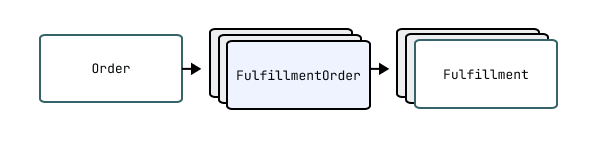
Fulfillment orders represent the work which is intended to be done in relation to an order. When fulfillment has started for one or more line items, a Fulfillment is created by a merchant or third party to represent the ongoing or completed work of fulfillment.

See below for more details on creating fulfillments.


Note

Shopify creates fulfillment orders automatically when an order is created. It is not possible to manually create fulfillment orders.

See below for more details on the lifecycle of a fulfillment order.


Retrieving fulfillment orders

Fulfillment orders from an order

All fulfillment orders related to a given order can be retrieved with the Order.fulfillmentOrders connection.

API access scopes govern which fulfillments orders are returned to clients. An API client will only receive a subset of the fulfillment orders which belong to an order if they don't have the necessary access scopes to view all of the fulfillment orders.

Fulfillment orders assigned to the app for fulfillment

Fulfillment service apps can retrieve the fulfillment orders which have been assigned to their locations with the assignedFulfillmentOrders connection. Use the assignmentStatus argument to control whether all assigned fulfillment orders should be returned or only those where a merchant has sent a fulfillment request and it has yet to be responded to.

The API client must be granted the read_assigned_fulfillment_orders access scope to access the assigned fulfillment orders.

All fulfillment orders

Apps can retrieve all fulfillment orders with the fulfillmentOrders query. This query returns all assigned, merchant-managed, and third-party fulfillment orders on the shop, which are accessible to the app according to the fulfillment order access scopes it was granted with.

The lifecycle of a fulfillment order

Fulfillment Order Creation

After an order is created, a background worker performs the order routing process which determines which locations will be responsible for fulfilling the purchased items. Once the order routing process is complete, one or more fulfillment orders will be created and assigned to these locations. It is not possible to manually create fulfillment orders.

Once a fulfillment order has been created, it will have one of two different lifecycles depending on the type of location which the fulfillment order is assigned to.

The lifecycle of a fulfillment order at a merchant managed location

Fulfillment orders are completed by creating fulfillments. Fulfillments represents the work done.

For digital products a merchant or an order management app would create a fulfilment once the digital asset has been provisioned. For example, in the case of a digital gift card, a merchant would to do this once the gift card has been activated - before the email has been shipped.

On the other hand, for a traditional shipped order, a merchant or an order management app would create a fulfillment after picking and packing the items relating to a fulfillment order, but before the courier has collected the goods.

Learn about managing fulfillment orders as an order management app.

The lifecycle of a fulfillment order at a location which is managed by a fulfillment service

For fulfillment orders which are assigned to a location that is managed by a fulfillment service, a merchant or an Order Management App can send a fulfillment request to the fulfillment service which operates the location to request that they fulfill the associated items. A fulfillment service has the option to accept or reject this fulfillment request.

Once the fulfillment service has accepted the request, the request can no longer be cancelled by the merchant or order management app and instead a cancellation request must be submitted to the fulfillment service.

Once a fulfillment service accepts a fulfillment request, then after they are ready to pack items and send them for delivery, they create fulfillments with the fulfillmentCreate mutation. They can provide tracking information right away or create fulfillments without it and then update the tracking information for fulfillments with the fulfillmentTrackingInfoUpdate mutation.

Learn about managing fulfillment orders as a fulfillment service.

API access scopes

Fulfillment orders are governed by the following API access scopes:

  • The read_merchant_managed_fulfillment_orders and write_merchant_managed_fulfillment_orders access scopes grant access to fulfillment orders assigned to merchant-managed locations.
  • The read_assigned_fulfillment_orders and write_assigned_fulfillment_orders access scopes are intended for fulfillment services. These scopes grant access to fulfillment orders assigned to locations that are being managed by fulfillment services.
  • The read_third_party_fulfillment_orders and write_third_party_fulfillment_orders access scopes grant access to fulfillment orders assigned to locations managed by other fulfillment services.

Fulfillment service app access scopes

Usually, fulfillment services have the write_assigned_fulfillment_orders access scope and don't have the *_third_party_fulfillment_orders or *_merchant_managed_fulfillment_orders access scopes. The app will only have access to the fulfillment orders assigned to their location (or multiple locations if the app registers multiple fulfillment services on the shop). The app will not have access to fulfillment orders assigned to merchant-managed locations or locations owned by other fulfillment service apps.

Order management app access scopes

Order management apps will usually request write_merchant_managed_fulfillment_orders and write_third_party_fulfillment_orders access scopes. This will allow them to manage all fulfillment orders on behalf of a merchant.

If an app combines the functions of an order management app and a fulfillment service, then the app should request all access scopes to manage all assigned and all unassigned fulfillment orders.

Notifications about fulfillment orders

Fulfillment services are required to register a self-hosted callback URL which has a number of uses. One of these uses is that this callback URL will be notified whenever a merchant submits a fulfillment or cancellation request.

Both merchants and apps can subscribe to the fulfillment order webhooks to be notified whenever fulfillment order related domain events occur.

Learn about fulfillment workflows.

•FulfillmentOrderAssignedLocation!
non-null

The fulfillment order's assigned location. This is the location where the fulfillment is expected to happen.

The fulfillment order's assigned location might change in the following cases:

  • The fulfillment order has been entirely moved to a new location. For example, the fulfillmentOrderMove mutation has been called, and you see the original fulfillment order in the movedFulfillmentOrder field within the mutation's response.
  • Work on the fulfillment order hasn't yet begun, which means that the fulfillment order has the OPEN, SCHEDULED, or ON_HOLD status, and the shop's location properties might be undergoing edits (for example, in the Shopify admin).
•ID

ID of the channel that created the order.

•DateTime!
non-null

Date and time when the fulfillment order was created.

•DeliveryMethod

Delivery method of this fulfillment order.

•FulfillmentOrderDestination

The destination where the items should be sent.

•DateTime

The date and time at which the fulfillment order will be fulfillable. When this date and time is reached, the scheduled fulfillment order is automatically transitioned to open. For example, the fulfill_at date for a subscription order might be the 1st of each month, a pre-order fulfill_at date would be nil, and a standard order fulfill_at date would be the order creation date.

•DateTime

The latest date and time by which all items in the fulfillment order need to be fulfilled.

•[FulfillmentHold!]!
non-null

The fulfillment holds applied on the fulfillment order.

Anchor to fulfillmentOrdersForMergefulfillmentOrdersForMerge
•FulfillmentOrderConnection!
non-null

Fulfillment orders eligible for merging with the given fulfillment order.

Arguments

•String

The elements that come after the specified cursor.

•String

The elements that come before the specified cursor.

•Int

The first n elements from the paginated list.

•Int

The last n elements from the paginated list.

•Boolean
Default:false

Reverse the order of the underlying list.


•FulfillmentConnection!
non-null

A list of fulfillments for the fulfillment order.

Arguments

•String

The elements that come after the specified cursor.

•String

The elements that come before the specified cursor.

•Int

The first n elements from the paginated list.

•Int

The last n elements from the paginated list.

•Boolean
Default:false

Reverse the order of the underlying list.


•ID!
non-null

A globally-unique ID.

•FulfillmentOrderInternationalDuties

The duties delivery method of this fulfillment order.

•FulfillmentOrderLineItemConnection!
non-null

A list of the fulfillment order's line items.

Arguments

•String

The elements that come after the specified cursor.

•String

The elements that come before the specified cursor.

•Int

The first n elements from the paginated list.

•Int

The last n elements from the paginated list.

•Boolean
Default:false

Reverse the order of the underlying list.


•FulfillmentOrderLocationForMoveConnection!
non-null

A list of locations that the fulfillment order can potentially move to.

Arguments

•String

The elements that come after the specified cursor.

•String

The elements that come before the specified cursor.

•Int

The first n elements from the paginated list.

•Int

The last n elements from the paginated list.

•[ID!]
Default:[]

Filter to a list of Fulfillment Order Line Items.

•[ID!]

Specific Location ids to check for the movability for a fulfillment order.

•String

A filter made up of terms, connectives, modifiers, and comparators.

nametypedescriptionacceptable_valuesdefault_valueexample_use
defaultstringFilter by a case-insensitive search of multiple fields
in a document.- query=Bob Norman
- query=title:green hoodie
activestring
address1string
address2string
citystring
countrystring
created_attime
geolocatedboolean
ididFilter by id range.- id:1234
- id:>=1234
- id:<=1234
legacyboolean
location_idid
namestring
pickup_in_storestring- enabled
- disabled
provincestring
zipstring
You can apply one or more filters to a query. Learn more about [Shopify API
search syntax](https://shopify.dev/api/usage/search-syntax).
•Boolean
Default:false

Reverse the order of the underlying list.


•FulfillmentOrderMerchantRequestConnection!
non-null

A list of requests sent by the merchant or an order management app to the fulfillment service for the fulfillment order.

Arguments

•String

The elements that come after the specified cursor.

•String

The elements that come before the specified cursor.

•Int

The first n elements from the paginated list.

•FulfillmentOrderMerchantRequestKind

The kind of request the merchant sent.

•Int

The last n elements from the paginated list.

•Boolean
Default:false

Reverse the order of the underlying list.


•Order!
non-null

The order that's associated with the fulfillment order.

•ID!
non-null

ID of the order that's associated with the fulfillment order.

•String!
non-null

The unique identifier for the order that appears on the order page in the Shopify admin and the Order status page. For example, "#1001", "EN1001", or "1001-A". This value isn't unique across multiple stores.

•DateTime!
non-null

The date and time when the order was processed. This date and time might not match the date and time when the order was created.

Anchor to remainingLineItemsWeightremainingLineItemsWeight
•Weight

The total weight of all line items in the fulfillment order that aren't yet fulfilled.

•FulfillmentOrderRequestStatus!
non-null

The request status of the fulfillment order.

•FulfillmentOrderStatus!
non-null

The status of the fulfillment order.

•[FulfillmentOrderSupportedAction!]!
non-null

The actions that can be performed on this fulfillment order.

•DateTime!
non-null

The date and time when the fulfillment order was last updated.

•OBJECT

A physical location where merchants store and fulfill inventory. Locations include retail stores, warehouses, popups, dropshippers, or other places where inventory is managed or stocked.

Active locations can fulfill online orders when configured with shipping rates, local pickup, or local delivery options. Locations track inventory quantities for products and process order fulfillment. Third-party apps using FulfillmentService can create and manage their own locations.

•Boolean!
non-null

Whether the location can be reactivated. If false, then trying to activate the location with the LocationActivate mutation will return an error that describes why the location can't be activated.

•LocationAddress!
non-null

The address of this location.

•Boolean!
non-null

Whether the location address has been verified.

•DateTime!
non-null

The date and time (ISO 8601 format) that the location was added to a shop.

•Boolean!
non-null

Whether this location can be deactivated. If true, then the location can be deactivated by calling the LocationDeactivate mutation. If false, then calling the mutation to deactivate it will return an error that describes why the location can't be deactivated.

•String

The date and time (ISO 8601 format) that the location was deactivated at. For example, 3:30 pm on September 7, 2019 in the time zone of UTC (Universal Time Coordinated) is represented as "2019-09-07T15:50:00Z".

•Boolean!
non-null

Whether this location can be deleted.

•FulfillmentService

Name of the service provider that fulfills from this location.

Anchor to fulfillsOnlineOrdersfulfillsOnlineOrders
•Boolean!
non-null

Whether this location can fulfill online orders.

•Boolean!
non-null

Whether this location has active inventory.

Anchor to hasUnfulfilledOrdershasUnfulfilledOrders
•Boolean!
non-null

Whether this location has orders that need to be fulfilled.

•ID!
non-null

A globally-unique ID.

•InventoryLevel

The quantities of an inventory item at this location.

Arguments

•Boolean
Default:false

Whether to return the inventory level if it is inactive.

•ID!
required

The ID of the inventory item to obtain the inventory level for.


•InventoryLevelConnection!
non-null

A list of the quantities of the inventory items that can be stocked at this location.

Arguments

•String

The elements that come after the specified cursor.

•String

The elements that come before the specified cursor.

•Int

The first n elements from the paginated list.

•Boolean
Default:false

Whether to include inactive inventory levels.

•Int

The last n elements from the paginated list.

•String

A filter made up of terms, connectives, modifiers, and comparators. You can apply one or more filters to a query. Learn more about Shopify API search syntax.

Anchor to created_at
•time
•id

Filter by id range.

Example:

  • id:1234
  • id:>=1234
  • id:<=1234
Anchor to inventory_group_id
•id
Anchor to inventory_item_id
•id
Anchor to updated_at
•time
•Boolean
Default:false

Reverse the order of the underlying list.


•Boolean!
non-null

Whether the location is active. A deactivated location can be activated (change isActive: true) if it has activatable set to true by calling the locationActivate mutation.

Anchor to isFulfillmentServiceisFulfillmentService
•Boolean!
non-null

Whether this location is a fulfillment service.

•UnsignedInt64!
non-null

The ID of the corresponding resource in the REST Admin API.

Anchor to localPickupSettingsV2localPickupSettingsV2
•DeliveryLocalPickupSettings

Local pickup settings for the location.

•Metafield

A custom field, including its namespace and key, that's associated with a Shopify resource for the purposes of adding and storing additional information.

Arguments

•String!
required

The key for the metafield.

•String

The container the metafield belongs to. If omitted, the app-reserved namespace will be used.


•MetafieldConnection!
non-null

A list of custom fields that a merchant associates with a Shopify resource.

Arguments

•String

The elements that come after the specified cursor.

•String

The elements that come before the specified cursor.

•Int

The first n elements from the paginated list.

•[String!]

List of keys of metafields in the format namespace.key, will be returned in the same format.

•Int

The last n elements from the paginated list.

•String

The metafield namespace to filter by. If omitted, all metafields are returned.

•Boolean
Default:false

Reverse the order of the underlying list.


•String!
non-null

The name of the location.

•Boolean!
non-null

Legacy field indicating this location was designated for shipping. All locations with valid addresses can now ship.

•[LocationSuggestedAddress!]!
non-null

List of suggested addresses for this location (empty if none).

•DateTime!
non-null

The date and time (ISO 8601 format) when the location was last updated.

•Boolean!
non-nullDeprecated
Anchor to metafieldDefinitionsmetafieldDefinitions
•MetafieldDefinitionConnection!
non-nullDeprecated

Arguments

•String

The elements that come after the specified cursor.

•String

The elements that come before the specified cursor.

•Int

The first n elements from the paginated list.

•Int

The last n elements from the paginated list.

•String

Filter metafield definitions by namespace.

•MetafieldDefinitionPinnedStatus
Default:ANY

Filter by the definition's pinned status.

•String

A filter made up of terms, connectives, modifiers, and comparators.

nametypedescriptionacceptable_valuesdefault_valueexample_use
defaultstringFilter by a case-insensitive search of multiple fields
in a document.- query=Bob Norman
- query=title:green hoodie
created_attimeFilter by the date and time when the metafield
definition was created.- created_at:>2020-10-21T23:39:20Z
-
created_at:<now
- created_at:<=2024
ididFilter by id range.- id:1234
- id:>=1234
- id:<=1234
keystringFilter by the metafield definition key
field.- key:some-key
namespacestringFilter by the metafield definition namespace
field.- namespace:some-namespace
owner_typestringFilter by the metafield definition ownerType
field.- owner_type:PRODUCT
typestringFilter by the metafield definition type
field.- type:single_line_text_field
updated_attimeFilter by the date and time when the metafield
definition was last updated.- updated_at:>2020-10-21T23:39:20Z
  • updated_at:<now
    - updated_at:<=2024 | You can apply one or more filters to a query. Learn more about Shopify API search syntax.
•Boolean
Default:false

Reverse the order of the underlying list.

•MetafieldDefinitionSortKeys
Default:ID

Sort the underlying list using a key. If your query is slow or returns an error, then try specifying a sort key that matches the field used in the search.


•OBJECT

A merchant-defined group of buyers identified by conditions such as their region, retail location, or company location. Each market allows configuration of a distinct, localized buyer experience. Customizations include, but are not limited to, currency, pricing and product availability, web presence, and content translations.

Anchor to assignedCustomizationassignedCustomization
•Boolean!
non-null

Whether the market has a customization with the given ID.

Arguments

•ID!
required

The ID of the customization that the market has been assigned to.


•MarketCatalogConnection!
non-null

The catalogs that belong to the market.

Arguments

•String

The elements that come after the specified cursor.

•String

The elements that come before the specified cursor.

•Int

The first n elements from the paginated list.

•Int

The last n elements from the paginated list.

•Boolean
Default:false

Reverse the order of the underlying list.


•Count

The number of catalogs that belong to the market.

•MarketConditions

The conditions under which a visitor is in the market.

•MarketCurrencySettings

The market’s currency settings.

•String!
non-null

A short, human-readable unique identifier for the market. This is changeable by the merchant.

•ID!
non-null

A globally-unique ID.

•Metafield

A custom field, including its namespace and key, that's associated with a Shopify resource for the purposes of adding and storing additional information.

Arguments

•String!
required

The key for the metafield.

•String

The container the metafield belongs to. If omitted, the app-reserved namespace will be used.


•MetafieldConnection!
non-null

A list of custom fields that a merchant associates with a Shopify resource.

Arguments

•String

The elements that come after the specified cursor.

•String

The elements that come before the specified cursor.

•Int

The first n elements from the paginated list.

•[String!]

List of keys of metafields in the format namespace.key, will be returned in the same format.

•Int

The last n elements from the paginated list.

•String

The metafield namespace to filter by. If omitted, all metafields are returned.

•Boolean
Default:false

Reverse the order of the underlying list.


•String!
non-null

The name of the market. Not shown to customers.

•MarketPriceInclusions

The inclusive pricing strategy for a market. This determines if prices include duties and / or taxes.

•MarketStatus!
non-null

Status of the market. Replaces the enabled field.

•MarketType!
non-null

The type of the market.

•MarketWebPresenceConnection!
non-null

The market’s web presences, which defines its SEO strategy. This can be a different domain, subdomain, or subfolders of the primary domain. Each web presence comprises one or more language variants. If a market doesn't have any web presences, then the market is accessible on the primary market's domains using country selectors.

Arguments

•String

The elements that come after the specified cursor.

•String

The elements that come before the specified cursor.

•Int

The first n elements from the paginated list.

•Int

The last n elements from the paginated list.

•Boolean
Default:false

Reverse the order of the underlying list.


•Boolean!
non-nullDeprecated
Anchor to metafieldDefinitionsmetafieldDefinitions
•MetafieldDefinitionConnection!
non-nullDeprecated

Arguments

•String

The elements that come after the specified cursor.

•String

The elements that come before the specified cursor.

•Int

The first n elements from the paginated list.

•Int

The last n elements from the paginated list.

•String

Filter metafield definitions by namespace.

•MetafieldDefinitionPinnedStatus
Default:ANY

Filter by the definition's pinned status.

•String

A filter made up of terms, connectives, modifiers, and comparators.

nametypedescriptionacceptable_valuesdefault_valueexample_use
defaultstringFilter by a case-insensitive search of multiple fields
in a document.- query=Bob Norman
- query=title:green hoodie
created_attimeFilter by the date and time when the metafield
definition was created.- created_at:>2020-10-21T23:39:20Z
-
created_at:<now
- created_at:<=2024
ididFilter by id range.- id:1234
- id:>=1234
- id:<=1234
keystringFilter by the metafield definition key
field.- key:some-key
namespacestringFilter by the metafield definition namespace
field.- namespace:some-namespace
owner_typestringFilter by the metafield definition ownerType
field.- owner_type:PRODUCT
typestringFilter by the metafield definition type
field.- type:single_line_text_field
updated_attimeFilter by the date and time when the metafield
definition was last updated.- updated_at:>2020-10-21T23:39:20Z
  • updated_at:<now
    - updated_at:<=2024 | You can apply one or more filters to a query. Learn more about Shopify API search syntax.
•Boolean
Default:false

Reverse the order of the underlying list.

•MetafieldDefinitionSortKeys
Default:ID

Sort the underlying list using a key. If your query is slow or returns an error, then try specifying a sort key that matches the field used in the search.


•PriceList
Deprecated
•Boolean!
non-nullDeprecated
•MarketRegionConnection!
non-nullDeprecated

Arguments

•String

The elements that come after the specified cursor.

•String

The elements that come before the specified cursor.

•Int

The first n elements from the paginated list.

•Int

The last n elements from the paginated list.

•Boolean
Default:false

Reverse the order of the underlying list.


•MarketWebPresence
Deprecated
•OBJECT

An instance of custom structured data defined by a MetaobjectDefinition. Metaobjects store reusable data that extends beyond Shopify's standard resources, such as product highlights, size charts, or custom content sections.

Each metaobject includes fields that match the field types and validation rules specified in its definition, which also determines the metaobject's capabilities, such as storefront visibility, publishing and translation support. Metafields can reference metaobjects to connect custom data with Product objects, Collection objects, and other Shopify resources.

•MetaobjectCapabilityData!
non-null

Metaobject capabilities for this Metaobject.

•DateTime!
non-null

When the object was created.

•App!
non-null

The app used to create the object.

•App!
non-null

The app used to create the object.

•StaffMember

The staff member who created the metaobject.

•MetaobjectDefinition!
non-null

The MetaobjectDefinition that models this object type.

•String!
non-null

The preferred display name field value of the metaobject.

•MetaobjectField

The field for an object key, or null if the key has no field definition.

Arguments

•String!
required

The metaobject key to access.


•[MetaobjectField!]!
non-null

All ordered fields of the metaobject with their definitions and values.

•String!
non-null

The unique handle of the object, useful as a custom ID.

•ID!
non-null

A globally-unique ID.

•MetafieldRelationConnection!
non-null

List of back references metafields that belong to the resource.

Arguments

•String

The elements that come after the specified cursor.

•String

The elements that come before the specified cursor.

•Int

The first n elements from the paginated list.

•Int

The last n elements from the paginated list.

•Boolean
Default:false

Reverse the order of the underlying list.


•MetaobjectField

The recommended field to visually represent this metaobject. May be a file reference or color field.

•String!
non-null

The type of the metaobject.

•DateTime!
non-null

When the object was last updated.

•StaffMember
Deprecated
•OBJECT

The Order object represents a customer's request to purchase one or more products from a store. Use the Order object to handle the complete purchase lifecycle from checkout to fulfillment.

Use the Order object when you need to:

  • Display order details on customer account pages or admin dashboards.
  • Create orders for phone sales, wholesale customers, or subscription services.
  • Update order information like shipping addresses, notes, or fulfillment status.
  • Process returns, exchanges, and partial refunds.
  • Generate invoices, receipts, and shipping labels.

The Order object serves as the central hub connecting customer information, product details, payment processing, and fulfillment data within the GraphQL Admin API schema.


Note

Only the last 60 days' worth of orders from a store are accessible from the Order object by default. If you want to access older records, then you need to request access to all orders. If your app is granted access, then you can add the read_all_orders, read_orders, and write_orders scopes.


Caution

Only use orders data if it's required for your app's functionality. Shopify will restrict access to scopes for apps that don't have a legitimate use for the associated data.


Learn more about building apps for orders and fulfillment.

•[AdditionalFee!]!
non-null

A list of additional fees applied to an order, such as duties, import fees, or tax lines.

•SalesAgreementConnection!
non-null

A list of sales agreements associated with the order, such as contracts defining payment terms, or delivery schedules between merchants and customers.

Arguments

•String

The elements that come after the specified cursor.

•String

The elements that come before the specified cursor.

•Int

The first n elements from the paginated list.

•Int

The last n elements from the paginated list.

•String

A filter made up of terms, connectives, modifiers, and comparators. You can apply one or more filters to a query. Learn more about Shopify API search syntax.

Anchor to happened_at
•time
•id

Filter by id range.

Example:

  • id:1234
  • id:>=1234
  • id:<=1234
•Boolean
Default:false

Reverse the order of the underlying list.


•[ResourceAlert!]!
non-null

A list of messages that appear on the Orders page in the Shopify admin. These alerts provide merchants with important information about an order's status or required actions.

•OrderApp

The application that created the order. For example, "Online Store", "Point of Sale", or a custom app name. Use this to identify the order source for attribution and fulfillment workflows. Learn more about building apps for orders and fulfillment.

•MailingAddress

The billing address associated with the payment method selected by the customer for an order. Returns null if no billing address was provided during checkout.

Anchor to billingAddressMatchesShippingAddressbillingAddressMatchesShippingAddress
•Boolean!
non-null

Whether the billing address matches the shipping address. Returns true if both addresses are the same, and false if they're different or if an address is missing.

•OrderCancellation

Details of an order's cancellation, if it has been canceled. This includes the reason, date, and any staff notes.

•DateTime

The date and time in ISO 8601 format when an order was canceled. Returns null if the order hasn't been canceled.

•OrderCancelReason

The reason provided for an order cancellation. For example, a merchant might cancel an order if there's insufficient inventory. Returns null if the order hasn't been canceled.

•Boolean!
non-null

Whether an order can be manually marked as paid. Returns false if the order is already paid, is canceled, has pending Shopify Payments transactions, or has a negative payment amount.

•Boolean!
non-null

Whether order notifications can be sent to the customer. Returns true if the customer has a valid email address.

•Boolean!
non-null

Whether an authorized payment for an order can be captured. Returns true if an authorized payment exists that hasn't been fully captured yet. Learn more about capturing payments.

Anchor to cartDiscountAmountSetcartDiscountAmountSet
•MoneyBag

The total discount amount applied at the time the order was created, displayed in both shop and presentment currencies, before returns, refunds, order edits, and cancellations. This field only includes discounts applied to the entire order.

•ChannelInformation

Details about the sales channel that created the order, such as the channel app type and channel name, which helps to track order sources.

•String

The IP address of the customer who placed the order. Useful for fraud detection and geographic analysis.

•Boolean!
non-null

Whether an order is closed. An order is considered closed if all its line items have been fulfilled or canceled, and all financial transactions are complete.

•DateTime

The date and time ISO 8601 format when an order was closed. Shopify automatically records this timestamp when all items have been fulfilled or canceled, and all financial transactions are complete. Returns null if the order isn't closed.

•String

A customer-facing order identifier, often shown instead of the sequential order name. It uses a random alphanumeric format (for example, XPAV284CT) and isn't guaranteed to be unique across orders.

•Boolean!
non-null

Whether inventory has been reserved for an order. Returns true if inventory quantities for an order's line items have been reserved. Learn more about managing inventory quantities and states.

•DateTime!
non-null

The date and time in ISO 8601 format when an order was created. This timestamp is set when the customer completes checkout and remains unchanged throughout an order's lifecycle.

•CurrencyCode!
non-null

The shop currency when the order was placed. For example, "USD" or "CAD".

Anchor to currentCartDiscountAmountSetcurrentCartDiscountAmountSet
•MoneyBag!
non-null

The current total of all discounts applied to the entire order, after returns, refunds, order edits, and cancellations. This includes discount codes, automatic discounts, and other promotions that affect the whole order rather than individual line items. To get the original discount amount at the time of order creation, use the cartDiscountAmountSet field.

Anchor to currentShippingPriceSetcurrentShippingPriceSet
•MoneyBag!
non-null

The current shipping price after applying refunds and discounts. If the parent order.taxesIncluded field is true, then this price includes taxes. Otherwise, this field is the pre-tax price.

Anchor to currentSubtotalLineItemsQuantitycurrentSubtotalLineItemsQuantity
•Int!
non-null

The current sum of the quantities for all line items that contribute to the order's subtotal price, after returns, refunds, order edits, and cancellations.

Anchor to currentSubtotalPriceSetcurrentSubtotalPriceSet
•MoneyBag!
non-null

The total price of the order, after returns and refunds, in shop and presentment currencies. This includes taxes and discounts.

•[TaxLine!]!
non-null

A list of all tax lines applied to line items on the order, after returns. Tax line prices represent the total price for all tax lines with the same rate and title.

Anchor to currentTotalAdditionalFeesSetcurrentTotalAdditionalFeesSet
•MoneyBag

The current total of all additional fees for an order, after any returns or modifications. Modifications include returns, refunds, order edits, and cancellations. Additional fees can include charges such as duties, import fees, and special handling.

Anchor to currentTotalDiscountsSetcurrentTotalDiscountsSet
•MoneyBag!
non-null

The total amount discounted on the order after returns and refunds, in shop and presentment currencies. This includes both order and line level discounts.

Anchor to currentTotalDutiesSetcurrentTotalDutiesSet
•MoneyBag

The current total duties amount for an order, after any returns or modifications. Modifications include returns, refunds, order edits, and cancellations.

Anchor to currentTotalPriceSetcurrentTotalPriceSet
•MoneyBag!
non-null

The total price of the order, after returns, in shop and presentment currencies. This includes taxes and discounts.

•MoneyBag!
non-null

The sum of the prices of all tax lines applied to line items on the order, after returns and refunds, in shop and presentment currencies.

•UnsignedInt64!
non-null

The total weight of the order after returns and refunds, in grams.

•[Attribute!]!
non-null

A list of additional information that has been attached to the order. For example, gift message, delivery instructions, or internal notes.

•Customer

The customer who placed an order. Returns null if an order was created through a checkout without customer authentication, such as a guest checkout. Learn more about customer accounts.

Anchor to customerAcceptsMarketingcustomerAcceptsMarketing
•Boolean!
non-null

Whether the customer agreed to receive marketing emails at the time of purchase. Use this to ensure compliance with marketing consent laws and to segment customers for email campaigns. Learn more about building customer segments.

Anchor to customerJourneySummarycustomerJourneySummary
•CustomerJourneySummary

The customer's visits and interactions with the online store before placing the order. Use this to understand customer behavior, attribution sources, and marketing effectiveness to optimize your sales funnel.

•String

The customer's language and region preference at the time of purchase. For example, "en" for English, "fr-CA" for French (Canada), or "es-MX" for Spanish (Mexico). Use this to provide localized customer service and targeted marketing in the customer's preferred language.

Anchor to discountApplicationsdiscountApplications
•DiscountApplicationConnection!
non-null

A list of discounts that are applied to the order, excluding order edits and refunds. Includes discount codes, automatic discounts, and other promotions that reduce the order total.

Arguments

•String

The elements that come after the specified cursor.

•String

The elements that come before the specified cursor.

•Int

The first n elements from the paginated list.

•Int

The last n elements from the paginated list.

•Boolean
Default:false

Reverse the order of the underlying list.


•String

The discount code used for an order. Returns null if no discount code was applied.

•[String!]!
non-null

The discount codes used for the order. Multiple codes can be applied to a single order.

•MailingAddress

The primary address of the customer, prioritizing shipping address over billing address when both are available. Returns null if neither shipping address nor billing address was provided.

Anchor to displayFinancialStatusdisplayFinancialStatus
•OrderDisplayFinancialStatus

An order's financial status for display in the Shopify admin.

Anchor to displayFulfillmentStatusdisplayFulfillmentStatus
•OrderDisplayFulfillmentStatus!
non-null

The order's fulfillment status that displays in the Shopify admin to merchants. For example, an order might be unfulfilled or scheduled. For detailed processing, use the FulfillmentOrder object.

•[OrderDisputeSummary!]!
non-null

A list of payment disputes associated with the order, such as chargebacks or payment inquiries. Disputes occur when customers challenge transactions with their bank or payment provider.

•Boolean!
non-null

Whether duties are included in the subtotal price of the order. Duties are import taxes charged by customs authorities when goods cross international borders.

•Boolean!
non-null

Whether the order has had any edits applied. For example, adding or removing line items, updating quantities, or changing prices.

•String

The email address associated with the customer for this order. Used for sending order confirmations, shipping notifications, and other order-related communications. Returns null if no email address was provided during checkout.

•Boolean!
non-null

Whether taxes on the order are estimated. This field returns false when taxes on the order are finalized and aren't subject to any changes.

•EventConnection!
non-null

A list of events associated with the order. Events track significant changes and activities related to the order, such as creation, payment, fulfillment, and cancellation.

Arguments

•String

The elements that come after the specified cursor.

•String

The elements that come before the specified cursor.

•Int

The first n elements from the paginated list.

•Int

The last n elements from the paginated list.

•String

A filter made up of terms, connectives, modifiers, and comparators. | comments | boolean | Whether or not to include comment-events in your search, passing false will exclude comment-events, any other value will include comment-events. | | | - false
- true | | created_at | time | Filter by the date and time when the event occurred. Event data is retained for 1 year. | | | - created_at:>2025-10-21
- created_at:<now | | id | id | Filter by id range. | | | - id:1234
- id:>=1234
- id:<=1234 | | subject_type | string | The resource type affected by this event. See EventSubjectType for possible values. | | | - PRODUCT_VARIANT
- PRODUCT
- COLLECTION | You can apply one or more filters to a query. Learn more about Shopify API search syntax.

•string

The action that occured.

Example:

  • action:create
•Boolean
Default:false

Reverse the order of the underlying list.

•EventSortKeys
Default:ID

Sort the underlying list using a key. If your query is slow or returns an error, then try specifying a sort key that matches the field used in the search.


•Boolean!
non-null

Whether there are line items that can be fulfilled. This field returns false when the order has no fulfillable line items. For a more granular view of the fulfillment status, refer to the FulfillmentOrder object.

•FulfillmentOrderConnection!
non-null

A list of fulfillment orders for an order. Each fulfillment order groups line items that are fulfilled together, allowing an order to be processed in parts if needed.

Arguments

•String

The elements that come after the specified cursor.

•String

The elements that come before the specified cursor.

•Boolean
Default:false

If false, all fulfillment orders will be returned. If true, fulfillment orders that are normally hidden from the merchant will be excluded. For example, fulfillment orders that were closed after being combined or moved are hidden.

•Int

The first n elements from the paginated list.

•Int

The last n elements from the paginated list.

•String

A filter made up of terms, connectives, modifiers, and comparators.

nametypedescriptionacceptable_valuesdefault_valueexample_use
defaultstringFilter by a case-insensitive search of multiple fields
in a document.- query=Bob Norman
- query=title:green hoodie
assigned_location_idid
ididFilter by id range.- id:1234
- id:>=1234
- id:<=1234
statusstring
updated_attime
You can apply one or more filters to a query. Learn more about [Shopify API
search syntax](https://shopify.dev/api/usage/search-syntax).
•Boolean
Default:false

Reverse the order of the underlying list.


•[Fulfillment!]!
non-null

A list of shipments for the order. Fulfillments represent the physical shipment of products to customers.

Arguments

•Int

Truncate the array result to this size.

•String

Optional query string to filter fulfillments by timestamps. Examples: created_at:>='2024-05-07T08:37:00Z' updated_at:<'2025-05-07T08:37:00Z', created_at:'2024-05-07T08:37:00Z'


•Count

The total number of fulfillments for the order, including canceled ones.

•Boolean!
non-null

Whether the order has been paid in full. This field returns true when the total amount received equals or exceeds the order total.

•Boolean!
non-null

Whether the merchant has added a timeline comment to the order.

•ID!
non-null

A globally-unique ID.

•UnsignedInt64!
non-null

The ID of the corresponding resource in the REST Admin API.

•LineItemConnection!
non-null

A list of the order's line items. Line items represent the individual products and quantities that make up the order.

Arguments

•String

The elements that come after the specified cursor.

•String

The elements that come before the specified cursor.

•Int

The first n elements from the paginated list.

•Int

The last n elements from the paginated list.

•Boolean
Default:false

Reverse the order of the underlying list.


•LocalizedFieldConnection!
non-null

List of localized fields for the resource.

Arguments

•String

The elements that come after the specified cursor.

•String

The elements that come before the specified cursor.

•[CountryCode!]

The country codes of the extensions.

•Int

The first n elements from the paginated list.

•Int

The last n elements from the paginated list.

•[LocalizedFieldPurpose!]

The purpose of the extensions.

•Boolean
Default:false

Reverse the order of the underlying list.


Anchor to merchantBusinessEntitymerchantBusinessEntity
•BusinessEntity!
non-null

The legal business structure that the merchant operates under for this order, such as an LLC, corporation, or partnership. Used for tax reporting, legal compliance, and determining which business entity is responsible for the order.

•Boolean!
non-null

Whether the order can be edited by the merchant. Returns false for orders that can't be modified, such as canceled orders or orders with specific payment statuses.

Anchor to merchantEditableErrorsmerchantEditableErrors
•[String!]!
non-null

A list of reasons why the order can't be edited. For example, canceled orders can't be edited.

•OrderApp

The application acting as the Merchant of Record for the order. The Merchant of Record is responsible for tax collection and remittance.

•Metafield

A custom field, including its namespace and key, that's associated with a Shopify resource for the purposes of adding and storing additional information.

Arguments

•String!
required

The key for the metafield.

•String

The container the metafield belongs to. If omitted, the app-reserved namespace will be used.


•MetafieldConnection!
non-null

A list of custom fields that a merchant associates with a Shopify resource.

Arguments

•String

The elements that come after the specified cursor.

•String

The elements that come before the specified cursor.

•Int

The first n elements from the paginated list.

•[String!]

List of keys of metafields in the format namespace.key, will be returned in the same format.

•Int

The last n elements from the paginated list.

•String

The metafield namespace to filter by. If omitted, all metafields are returned.

•Boolean
Default:false

Reverse the order of the underlying list.


•String!
non-null

The unique identifier for the order that appears on the order page in the Shopify admin and the Order status page. For example, "#1001", "EN1001", or "1001-A". This value isn't unique across multiple stores. Use this field to identify orders in the Shopify admin and for order tracking.

•MoneyBag!
non-null

The net payment for the order, based on the total amount received minus the total amount refunded, in shop and presentment currencies.

Anchor to nonFulfillableLineItemsnonFulfillableLineItems
•LineItemConnection!
non-null

A list of line items that can't be fulfilled. For example, tips and fully refunded line items can't be fulfilled. For a more granular view of the fulfillment status, refer to the FulfillmentOrder object.

Arguments

•String

The elements that come after the specified cursor.

•String

The elements that come before the specified cursor.

•Int

The first n elements from the paginated list.

•Int

The last n elements from the paginated list.

•Boolean
Default:false

Reverse the order of the underlying list.


•String

The note associated with the order. Contains additional information or instructions added by merchants or customers during the order process. Commonly used for special delivery instructions, gift messages, or internal processing notes.

•Int!
non-null

The order number used to generate the name using the store's configured order number prefix/suffix. This number isn't guaranteed to follow a consecutive integer sequence (e.g. 1, 2, 3..), nor is it guaranteed to be unique across multiple stores, or even for a single store.

Anchor to originalTotalAdditionalFeesSetoriginalTotalAdditionalFeesSet
•MoneyBag

The total amount of all additional fees, such as import fees or taxes, that were applied when an order was created. Returns null if additional fees aren't applicable.

Anchor to originalTotalDutiesSetoriginalTotalDutiesSet
•MoneyBag

The total amount of duties calculated when an order was created, before any modifications. Modifications include returns, refunds, order edits, and cancellations. Use currentTotalDutiesSet to retrieve the current duties amount after adjustments.

Anchor to originalTotalPriceSetoriginalTotalPriceSet
•MoneyBag!
non-null

The total price of the order at the time of order creation, in shop and presentment currencies. Use this to compare the original order value against the current total after edits, returns, or refunds.

Anchor to paymentCollectionDetailspaymentCollectionDetails
•OrderPaymentCollectionDetails!
non-null

The payment collection details for the order, including payment status, outstanding amounts, and collection information. Use this to understand when and how payments should be collected, especially for orders with deferred or installment payment terms.

•[String!]!
non-null

A list of the names of all payment gateways used for the order. For example, "Shopify Payments" and "Cash on Delivery (COD)".

•PaymentTerms

The payment terms associated with the order, such as net payment due dates or early payment discounts. Payment terms define when and how an order should be paid. Returns null if no specific payment terms were set for the order.

•String

The phone number associated with the customer for this order. Useful for contacting customers about shipping updates, delivery notifications, or order issues. Returns null if no phone number was provided during checkout.

•String

The purchase order (PO) number that's associated with an order. This is typically provided by business customers who require a PO number for their procurement.

Anchor to presentmentCurrencyCodepresentmentCurrencyCode
•CurrencyCode!
non-null

The currency used by the customer when placing the order. For example, "USD", "EUR", or "CAD". This may differ from the shop's base currency when serving international customers or using multi-currency pricing.

•DateTime!
non-null

The date and time in ISO 8601 format when the order was processed. This date and time might not match the date and time when the order was created.

•Boolean!
non-null

Whether the customer also purchased items from other stores in the network.

•Publication

The sales channel that the order was created from, such as the Online Store or Shopify POS.

•PurchasingEntity

The business entity that placed the order, including company details and purchasing relationships. Used for B2B transactions to track which company or organization is responsible for the purchase and payment terms.

•Boolean!
non-null

Whether the order can be refunded based on its payment transactions. Returns false for orders with no eligible payment transactions, such as fully refunded orders or orders with non-refundable payment methods.

Anchor to refundDiscrepancySetrefundDiscrepancySet
•MoneyBag!
non-null

The difference between the suggested and actual refund amount of all refunds that have been applied to the order. A positive value indicates a difference in the merchant's favor, and a negative value indicates a difference in the customer's favor.

•[Refund!]!
non-null

A list of refunds that have been applied to the order. Refunds represent money returned to customers for returned items, cancellations, or adjustments.

Arguments

•Int

Truncate the array result to this size.


•URL

The URL of the source that the order originated from, if found in the domain registry. Returns null if the source URL isn't in the domain registry.

•Boolean!
non-null

Whether the order requires physical shipping to the customer. Returns false for digital-only orders (such as gift cards or downloadable products) and true for orders with physical products that need delivery. Use this to determine shipping workflows and logistics requirements.

•Boolean!
non-null

Whether any line items on the order can be restocked into inventory. Returns false for digital products, custom items, or items that can't be resold.

•Location

The physical location where a retail order is created or completed, except for draft POS orders completed using the "mark as paid" flow in the Shopify admin, which return null. Transactions associated with the order might have been processed at a different location.

•ReturnConnection!
non-null

The returns associated with the order. Contains information about items that customers have requested to return, including return reasons, status, and refund details. Use this to track and manage the return process for order items.

Arguments

•String

The elements that come after the specified cursor.

•String

The elements that come before the specified cursor.

•Int

The first n elements from the paginated list.

•Int

The last n elements from the paginated list.

•String

A filter made up of terms, connectives, modifiers, and comparators. You can apply one or more filters to a query. Learn more about Shopify API search syntax.

•id

Filter by id range.

Example:

  • id:1234
  • id:>=1234
  • id:<=1234
•string
•Boolean
Default:false

Reverse the order of the underlying list.


•OrderReturnStatus!
non-null

The order's aggregated return status for display purposes. Indicates the overall state of returns for the order, helping merchants track and manage the return process.

•OrderRiskSummary!
non-null

The risk assessment summary for the order. Provides fraud analysis and risk scoring to help you identify potentially fraudulent orders. Use this to make informed decisions about order fulfillment and payment processing.

•MailingAddress

The shipping address where the order will be delivered. Contains the customer's delivery location for fulfillment and shipping label generation. Returns null for digital orders or orders that don't require shipping.

•ShippingLine

A summary of all shipping costs on the order. Aggregates shipping charges, discounts, and taxes to provide a single view of delivery costs.

•ShippingLineConnection!
non-null

The shipping methods applied to the order. Each shipping line represents a shipping option chosen during checkout, including the carrier, service level, and cost. Use this to understand shipping charges and delivery options for the order.

Arguments

•String

The elements that come after the specified cursor.

•String

The elements that come before the specified cursor.

•Int

The first n elements from the paginated list.

•Boolean
Default:false

Whether results should contain removed shipping lines.

•Int

The last n elements from the paginated list.

•Boolean
Default:false

Reverse the order of the underlying list.


•ShopifyProtectOrderSummary

The Shopify Protect details for the order, including fraud protection status and coverage information. Shopify Protect helps protect eligible orders against fraudulent chargebacks. Returns null if Shopify Protect is disabled for the shop or the order isn't eligible for protection. Learn more about Shopify Protect.

•String

A unique POS or third party order identifier. For example, "1234-12-1000" or "111-98567-54". The receiptNumber field is derived from this value for POS orders.

•String

The name of the source associated with the order, such as "web", "mobile_app", or "pos". Use this field to identify the platform where the order was placed.

•StaffMember

The staff member who created or is responsible for the order. Useful for tracking which team member handled phone orders, manual orders, or order modifications. Returns null for orders created directly by customers through the online store.

•URL!
non-null

The URL where customers can check their order's current status, including tracking information and delivery updates. Provides order tracking links in emails, apps, or customer communications.

Arguments

•Audience

Specifies the intended audience for the status page URL.

•NotificationUsage

Specifies the intended notification usage for the status page URL.


Anchor to subtotalLineItemsQuantitysubtotalLineItemsQuantity
•Int!
non-null

The sum of quantities for all line items that contribute to the order's subtotal price. This excludes quantities for items like tips, shipping costs, or gift cards that don't affect the subtotal. Use this to quickly understand the total item count for pricing calculations.

•MoneyBag

The sum of the prices for all line items after discounts and before returns, in shop and presentment currencies. If taxesIncluded is true, then the subtotal also includes tax.

•SuggestedRefund

A calculated refund suggestion for the order based on specified line items, shipping, and duties. Use this to preview refund amounts, taxes, and processing fees before creating an actual refund.

Arguments

•[RefundDutyInput!]

The duties from the order to include in the refund.

•[RefundLineItemInput!]

The line items from the order to include in the refund.

Anchor to refundMethodAllocationrefundMethodAllocation
•RefundMethodAllocation
Default:ORIGINAL_PAYMENT_METHODS

Specifies which refund methods to allocate the suggested refund amount to.

•Boolean

Whether to refund the full shipping amount.

•Money

The amount to refund for shipping. Overrides the refundShipping argument.

•Boolean
Default:false

Whether the suggested refund should be created from all refundable line items on the order. If true, the refundLineItems argument will be ignored.


•[String!]!
non-null

A comma separated list of tags associated with the order. Updating tags overwrites any existing tags that were previously added to the order. To add new tags without overwriting existing tags, use the tagsAdd mutation.

•Boolean!
non-null

Whether taxes are included in the subtotal price of the order. When true, the subtotal and line item prices include tax amounts. When false, taxes are calculated and displayed separately.

•Boolean!
non-null

Whether taxes are exempt on the order. Returns true for orders where the customer or business has a valid tax exemption, such as non-profit organizations or tax-free purchases. Use this to understand if tax calculations were skipped during checkout.

•[TaxLine!]!
non-null

A list of all tax lines applied to line items on the order, before returns. Tax line prices represent the total price for all tax lines with the same rate and title.

•Boolean!
non-null

Whether the order is a test. Test orders are made using the Shopify Bogus Gateway or a payment provider with test mode enabled. A test order can't be converted into a real order and vice versa.

•MoneyBag!
non-null

The authorized amount that's uncaptured or undercaptured, in shop and presentment currencies. This amount isn't adjusted for returns.

Anchor to totalCashRoundingAdjustmenttotalCashRoundingAdjustment
•CashRoundingAdjustment!
non-null

The total rounding adjustment applied to payments or refunds for an order involving cash payments. Applies to some countries where cash transactions are rounded to the nearest currency denomination.

•MoneyBag

The total amount discounted on the order before returns, in shop and presentment currencies. This includes both order and line level discounts.

•MoneyBag!
non-null

The total amount not yet transacted for the order, in shop and presentment currencies. A positive value indicates a difference in the merchant's favor (payment from customer to merchant) and a negative value indicates a difference in the customer's favor (refund from merchant to customer).

•MoneyBag!
non-null

The total price of the order, before returns, in shop and presentment currencies. This includes taxes and discounts.

•MoneyBag!
non-null

The total amount received from the customer before returns, in shop and presentment currencies.

•MoneyBag!
non-null

The total amount that was refunded, in shop and presentment currencies.

Anchor to totalRefundedShippingSettotalRefundedShippingSet
•MoneyBag!
non-null

The total amount of shipping that was refunded, in shop and presentment currencies.

Anchor to totalShippingPriceSettotalShippingPriceSet
•MoneyBag!
non-null

The total shipping costs returned to the customer, in shop and presentment currencies. This includes fees and any related discounts that were refunded.

•MoneyBag

The total tax amount before returns, in shop and presentment currencies.

•MoneyBag!
non-null

The sum of all tip amounts for the order, in shop and presentment currencies.

•UnsignedInt64

The total weight of the order before returns, in grams.

•[OrderTransaction!]!
non-null

A list of transactions associated with the order.

Arguments

•Boolean

Filter transactions by whether they are capturable.

•Int

Truncate the array result to this size.

•Boolean

Filter transactions by whether they can be resolved manually. For example, fully captured or voided transactions aren't manually resolvable.


•Count

The number of transactions associated with the order.

•Boolean!
non-null

Whether no payments have been made for the order.

•DateTime!
non-null

The date and time in ISO 8601 format when the order was last modified.

•Money
Deprecated
•Channel
Deprecated
•CustomerJourney
Deprecated
•ExchangeV2Connection!
non-nullDeprecated

Arguments

•String

The elements that come after the specified cursor.

•String

The elements that come before the specified cursor.

•Int

The first n elements from the paginated list.

•Int

The last n elements from the paginated list.

•String

A filter made up of terms, connectives, modifiers, and comparators. You can apply one or more filters to a query. Learn more about Shopify API search syntax.

Anchor to completed_at
•time
•id

Filter by id range.

Example:

  • id:1234
  • id:>=1234
  • id:<=1234
Anchor to include_mirrored_exchanges
•boolean
•Boolean
Default:false

Reverse the order of the underlying list.


Anchor to landingPageDisplayTextlandingPageDisplayText
•String
Deprecated
•URL
Deprecated
Anchor to localizationExtensionslocalizationExtensions
•LocalizationExtensionConnection!
non-nullDeprecated

Arguments

•String

The elements that come after the specified cursor.

•String

The elements that come before the specified cursor.

•[CountryCode!]

The country codes of the extensions.

•Int

The first n elements from the paginated list.

•Int

The last n elements from the paginated list.

•[LocalizationExtensionPurpose!]

The purpose of the extensions.

•Boolean
Default:false

Reverse the order of the underlying list.


Anchor to metafieldDefinitionsmetafieldDefinitions
•MetafieldDefinitionConnection!
non-nullDeprecated

Arguments

•String

The elements that come after the specified cursor.

•String

The elements that come before the specified cursor.

•Int

The first n elements from the paginated list.

•Int

The last n elements from the paginated list.

•String

Filter metafield definitions by namespace.

•MetafieldDefinitionPinnedStatus
Default:ANY

Filter by the definition's pinned status.

•String

A filter made up of terms, connectives, modifiers, and comparators.

nametypedescriptionacceptable_valuesdefault_valueexample_use
defaultstringFilter by a case-insensitive search of multiple fields
in a document.- query=Bob Norman
- query=title:green hoodie
created_attimeFilter by the date and time when the metafield
definition was created.- created_at:>2020-10-21T23:39:20Z
-
created_at:<now
- created_at:<=2024
ididFilter by id range.- id:1234
- id:>=1234
- id:<=1234
keystringFilter by the metafield definition key
field.- key:some-key
namespacestringFilter by the metafield definition namespace
field.- namespace:some-namespace
owner_typestringFilter by the metafield definition ownerType
field.- owner_type:PRODUCT
typestringFilter by the metafield definition type
field.- type:single_line_text_field
updated_attimeFilter by the date and time when the metafield
definition was last updated.- updated_at:>2020-10-21T23:39:20Z
  • updated_at:<now
    - updated_at:<=2024 | You can apply one or more filters to a query. Learn more about Shopify API search syntax.
•Boolean
Default:false

Reverse the order of the underlying list.

•MetafieldDefinitionSortKeys
Default:ID

Sort the underlying list using a key. If your query is slow or returns an error, then try specifying a sort key that matches the field used in the search.


•Money!
non-nullDeprecated
•Location
Deprecated
•String
Deprecated
•String
Deprecated
•URL
Deprecated
•OrderRiskLevel!
non-nullDeprecated
•[OrderRisk!]!
non-nullDeprecated

Arguments

•Int

Truncate the array result to this size.


•Money
Deprecated
•Money!
non-nullDeprecated
•Money
Deprecated
•Money!
non-nullDeprecated
•Money!
non-nullDeprecated
•Money!
non-nullDeprecated
•Money!
non-nullDeprecated
•Money
Deprecated
•MoneyV2!
non-nullDeprecated
•OBJECT

A standalone content page in the online store. Pages display HTML-formatted content for informational pages like "About Us", contact information, or shipping policies.

Each page has a unique handle for URL routing and supports custom template suffixes for specialized layouts. Pages can be published or hidden, and include creation and update timestamps.

•HTML!
non-null

The text content of the page, complete with HTML markup.

•String!
non-null

The first 150 characters of the page body. If the page body contains more than 150 characters, additional characters are truncated by ellipses.

•DateTime!
non-null

The date and time (ISO 8601 format) of the page creation.

•String!
non-null

A default cursor that returns the single next record, sorted ascending by ID.

•EventConnection!
non-null

The paginated list of events associated with the host subject.

Arguments

•String

The elements that come after the specified cursor.

•String

The elements that come before the specified cursor.

•Int

The first n elements from the paginated list.

•Int

The last n elements from the paginated list.

•String

A filter made up of terms, connectives, modifiers, and comparators. | comments | boolean | Whether or not to include comment-events in your search, passing false will exclude comment-events, any other value will include comment-events. | | | - false
- true | | created_at | time | Filter by the date and time when the event occurred. Event data is retained for 1 year. | | | - created_at:>2025-10-21
- created_at:<now | | id | id | Filter by id range. | | | - id:1234
- id:>=1234
- id:<=1234 | | subject_type | string | The resource type affected by this event. See EventSubjectType for possible values. | | | - PRODUCT_VARIANT
- PRODUCT
- COLLECTION | You can apply one or more filters to a query. Learn more about Shopify API search syntax.

•string

The action that occured.

Example:

  • action:create
•Boolean
Default:false

Reverse the order of the underlying list.

•EventSortKeys
Default:ID

Sort the underlying list using a key. If your query is slow or returns an error, then try specifying a sort key that matches the field used in the search.


•String!
non-null

A unique, human-friendly string for the page. In themes, the Liquid templating language refers to a page by its handle.

•ID!
non-null

A globally-unique ID.

•Boolean!
non-null

Whether or not the page is visible.

•Metafield

A custom field, including its namespace and key, that's associated with a Shopify resource for the purposes of adding and storing additional information.

Arguments

•String!
required

The key for the metafield.

•String

The container the metafield belongs to. If omitted, the app-reserved namespace will be used.


•MetafieldConnection!
non-null

A list of custom fields that a merchant associates with a Shopify resource.

Arguments

•String

The elements that come after the specified cursor.

•String

The elements that come before the specified cursor.

•Int

The first n elements from the paginated list.

•[String!]

List of keys of metafields in the format namespace.key, will be returned in the same format.

•Int

The last n elements from the paginated list.

•String

The metafield namespace to filter by. If omitted, all metafields are returned.

•Boolean
Default:false

Reverse the order of the underlying list.


•DateTime

The date and time (ISO 8601 format) when the page became or will become visible. Returns null when the page isn't visible.

•String

The suffix of the template that's used to render the page.

•String!
non-null

Title of the page.

•[Translation!]!
non-null

The published translations associated with the resource.

Arguments

•String!
required

Filters translations locale.

•ID

Filters translations by market ID. Use this argument to retrieve content specific to a market.


•DateTime!
non-null

The date and time (ISO 8601 format) of the latest page update.

Anchor to metafieldDefinitionsmetafieldDefinitions
•MetafieldDefinitionConnection!
non-nullDeprecated

Arguments

•String

The elements that come after the specified cursor.

•String

The elements that come before the specified cursor.

•Int

The first n elements from the paginated list.

•Int

The last n elements from the paginated list.

•String

Filter metafield definitions by namespace.

•MetafieldDefinitionPinnedStatus
Default:ANY

Filter by the definition's pinned status.

•String

A filter made up of terms, connectives, modifiers, and comparators.

nametypedescriptionacceptable_valuesdefault_valueexample_use
defaultstringFilter by a case-insensitive search of multiple fields
in a document.- query=Bob Norman
- query=title:green hoodie
created_attimeFilter by the date and time when the metafield
definition was created.- created_at:>2020-10-21T23:39:20Z
-
created_at:<now
- created_at:<=2024
ididFilter by id range.- id:1234
- id:>=1234
- id:<=1234
keystringFilter by the metafield definition key
field.- key:some-key
namespacestringFilter by the metafield definition namespace
field.- namespace:some-namespace
owner_typestringFilter by the metafield definition ownerType
field.- owner_type:PRODUCT
typestringFilter by the metafield definition type
field.- type:single_line_text_field
updated_attimeFilter by the date and time when the metafield
definition was last updated.- updated_at:>2020-10-21T23:39:20Z
  • updated_at:<now
    - updated_at:<=2024 | You can apply one or more filters to a query. Learn more about Shopify API search syntax.
•Boolean
Default:false

Reverse the order of the underlying list.

•MetafieldDefinitionSortKeys
Default:ID

Sort the underlying list using a key. If your query is slow or returns an error, then try specifying a sort key that matches the field used in the search.


•OBJECT

A payment customization.

•Boolean!
non-null

The enabled status of the payment customization.

•FunctionsErrorHistory

The error history on the most recent version of the payment customization.

•String!
non-null

The ID of the Shopify Function implementing the payment customization.

•ID!
non-null

A globally-unique ID.

•Metafield

A custom field, including its namespace and key, that's associated with a Shopify resource for the purposes of adding and storing additional information.

Arguments

•String!
required

The key for the metafield.

•String

The container the metafield belongs to. If omitted, the app-reserved namespace will be used.


•MetafieldConnection!
non-null

A list of custom fields that a merchant associates with a Shopify resource.

Arguments

•String

The elements that come after the specified cursor.

•String

The elements that come before the specified cursor.

•Int

The first n elements from the paginated list.

•[String!]

List of keys of metafields in the format namespace.key, will be returned in the same format.

•Int

The last n elements from the paginated list.

•String

The metafield namespace to filter by. If omitted, all metafields are returned.

•Boolean
Default:false

Reverse the order of the underlying list.


•ShopifyFunction!
non-null

The Shopify Function implementing the payment customization.

•String!
non-null

The title of the payment customization.

Anchor to metafieldDefinitionsmetafieldDefinitions
•MetafieldDefinitionConnection!
non-nullDeprecated

Arguments

•String

The elements that come after the specified cursor.

•String

The elements that come before the specified cursor.

•Int

The first n elements from the paginated list.

•Int

The last n elements from the paginated list.

•String

Filter metafield definitions by namespace.

•MetafieldDefinitionPinnedStatus
Default:ANY

Filter by the definition's pinned status.

•String

A filter made up of terms, connectives, modifiers, and comparators.

nametypedescriptionacceptable_valuesdefault_valueexample_use
defaultstringFilter by a case-insensitive search of multiple fields
in a document.- query=Bob Norman
- query=title:green hoodie
created_attimeFilter by the date and time when the metafield
definition was created.- created_at:>2020-10-21T23:39:20Z
-
created_at:<now
- created_at:<=2024
ididFilter by id range.- id:1234
- id:>=1234
- id:<=1234
keystringFilter by the metafield definition key
field.- key:some-key
namespacestringFilter by the metafield definition namespace
field.- namespace:some-namespace
owner_typestringFilter by the metafield definition ownerType
field.- owner_type:PRODUCT
typestringFilter by the metafield definition type
field.- type:single_line_text_field
updated_attimeFilter by the date and time when the metafield
definition was last updated.- updated_at:>2020-10-21T23:39:20Z
  • updated_at:<now
    - updated_at:<=2024 | You can apply one or more filters to a query. Learn more about Shopify API search syntax.
•Boolean
Default:false

Reverse the order of the underlying list.

•MetafieldDefinitionSortKeys
Default:ID

Sort the underlying list using a key. If your query is slow or returns an error, then try specifying a sort key that matches the field used in the search.


•OBJECT

The Product object lets you manage products in a merchant’s store.

Products are the goods and services that merchants offer to customers. They can include various details such as title, description, price, images, and options such as size or color. You can use product variants to create or update different versions of the same product. You can also add or update product media. Products can be organized by grouping them into a collection.

Learn more about working with Shopify's product model, including limitations and considerations.

Anchor to availablePublicationsCountavailablePublicationsCount
•Count

The number of publications that a resource is published to, without feedback errors.

•ProductBundleComponentConnection!
non-null

A list of components that are associated with a product in a bundle.

Arguments

•String

The elements that come after the specified cursor.

•String

The elements that come before the specified cursor.

•Int

The first n elements from the paginated list.

•Int

The last n elements from the paginated list.

•Boolean
Default:false

Reverse the order of the underlying list.


Anchor to bundleConsolidatedOptionsbundleConsolidatedOptions
•[ComponentizedProductsBundleConsolidatedOption!]

A list of consolidated options for a product in a bundle.

•TaxonomyCategory

The category of a product from Shopify's Standard Product Taxonomy.

•CollectionConnection!
non-null

A list of collections that include the product.

Arguments

•String

The elements that come after the specified cursor.

•String

The elements that come before the specified cursor.

•Int

The first n elements from the paginated list.

•Int

The last n elements from the paginated list.

•String

A filter made up of terms, connectives, modifiers, and comparators.

nametypedescriptionacceptable_valuesdefault_valueexample_use
defaultstringFilter by a case-insensitive search of multiple fields
in a document.- query=Bob Norman
- query=title:green hoodie
collection_typestring- custom
- smart
handlestring
ididFilter by id range.- id:1234
- id:>=1234
- id:<=1234
product_ididFilter by collections containing a product by its ID.
product_publication_statusstringFilter by channel approval process
status of the resource on a channel, such as the online store. The value is
a composite of the channel app ID
(Channel.app.id) and one of the valid values. For simple visibility checks, use published_status
instead.- * {channel_app_id}-approved
- `*
{channel_app_id}-rejected<br/> - * {channel_app_id}-needs_action`
-
* {channel_app_id}-awaiting_review
- `*
{channel_app_id}-published<br/> - * {channel_app_id}-demoted<br/> - *
{channel_app_id}-scheduled<br/> - *
{channel_app_id}-provisionally_published`-
product_publication_status:189769876-approved
publishable_statusstringDeprecated: This parameter is deprecated
as of 2025-12 and will be removed in a future API version. Use published_status
for visibility checks. Filter by the publishable status of the resource on a
channel. The value is a composite of the [channel app
ID](https://shopify.dev/api/admin-graphql/latest/objects/Channel#app-price)
(Channel.app.id) and one of the valid status values.- `*
{channel_app_id}-unset<br/> - * {channel_app_id}-pending<br/> - *
{channel_app_id}-approved<br/> - * {channel_app_id}-not_approved`-
publishable_status:580111-unset
- publishable_status:580111-pending
published_attimeFilter by the date and time when the collection was published to the Online Store.
published_statusstringFilter resources by their visibility and
publication state on a channel. Online store channel filtering: -
online_store_channel: Returns all resources in the online store channel,
regardless of publication status. - published/visible: Returns resources
that are published to the online store. - unpublished: Returns resources
that are not published to the online store. Channel-specific filtering using
a channel ID, channel handle, [channel app
ID](https://shopify.dev/api/admin-graphql/latest/objects/Channel#app-price)
(Channel.app.id), or app handle with suffixes: -
{id_or_handle}-published: Returns resources published to the specified
channel. - {id_or_handle}-visible: Same as {id_or_handle}-published
(kept for backwards compatibility). - {id_or_handle}-intended: Returns
resources added to the channel but not yet published. -
{id_or_handle}-hidden: Returns resources not added to the channel or not
published. Other: - unavailable: Returns resources not published to any
channel.- online_store_channel
- published
- visible
  • unpublished
    - * {channel_id_or_handle}-published
    - * {channel_id_or_handle}-visible
    - * {channel_id_or_handle}-intended
    - * {channel_id_or_handle}-hidden
    - * {channel_app_id_or_handle}-published
    - * {channel_app_id_or_handle}-visible
    - * {channel_app_id_or_handle}-intended
    - * {channel_app_id_or_handle}-hidden
    - unavailable | | - published_status:online_store_channel
    - published_status:published
    - published_status:580111-published
  • published_status:580111-hidden
    - published_status:my-channel-handle-published
    - published_status:unavailable | | title | string | | updated_at | time | You can apply one or more filters to a query. Learn more about Shopify API search syntax.
•Boolean
Default:false

Reverse the order of the underlying list.

•CollectionSortKeys
Default:ID

Sort the underlying list using a key. If your query is slow or returns an error, then try specifying a sort key that matches the field used in the search.


•CombinedListing

A special product type that combines separate products from a store into a single product listing. Combined listings are connected by a shared option, such as color, model, or dimension.

•CombinedListingsRole

The role of the product in a combined listing.

If null, then the product isn't part of any combined listing.

•ProductCompareAtPriceRange

The compare-at price range of the product in the shop's default currency.

•ProductContextualPricing!
non-null

The pricing that applies to a customer in a specific context. For example, a price might vary depending on the customer's location. Only active markets are considered in the price resolution.

Arguments

•ContextualPricingContext!
required

The context used to generate contextual pricing for the variant.


•DateTime!
non-null

The date and time when the product was created.

•String!
non-null

A default cursor that returns the single next record, sorted ascending by ID.

•String!
non-null

A single-line description of the product, with HTML tags removed.

Arguments

•Int

Truncates a string after the given length.


•HTML!
non-null

The description of the product, with HTML tags. For example, the description might include bold <strong></strong> and italic <i></i> text.

•EventConnection!
non-null

The paginated list of events associated with the host subject.

Arguments

•String

The elements that come after the specified cursor.

•String

The elements that come before the specified cursor.

•Int

The first n elements from the paginated list.

•Int

The last n elements from the paginated list.

•String

A filter made up of terms, connectives, modifiers, and comparators. | comments | boolean | Whether or not to include comment-events in your search, passing false will exclude comment-events, any other value will include comment-events. | | | - false
- true | | created_at | time | Filter by the date and time when the event occurred. Event data is retained for 1 year. | | | - created_at:>2025-10-21
- created_at:<now | | id | id | Filter by id range. | | | - id:1234
- id:>=1234
- id:<=1234 | | subject_type | string | The resource type affected by this event. See EventSubjectType for possible values. | | | - PRODUCT_VARIANT
- PRODUCT
- COLLECTION | You can apply one or more filters to a query. Learn more about Shopify API search syntax.

•string

The action that occured.

Example:

  • action:create
•Boolean
Default:false

Reverse the order of the underlying list.

•EventSortKeys
Default:ID

Sort the underlying list using a key. If your query is slow or returns an error, then try specifying a sort key that matches the field used in the search.


•Media

The featured media associated with the product.

•ResourceFeedback

The information that lets merchants know what steps they need to take to make sure that the app is set up correctly.

For example, if a merchant hasn't set up a product correctly in the app, then the feedback might include a message that says "You need to add a price to this product".

Anchor to giftCardTemplateSuffixgiftCardTemplateSuffix
•String

The theme template that's used when customers view the gift card in a store.

•String!
non-null

A unique, human-readable string of the product's title. A handle can contain letters, hyphens (-), and numbers, but no spaces. The handle is used in the online store URL for the product.

Anchor to hasOnlyDefaultVarianthasOnlyDefaultVariant
•Boolean!
non-null

Whether the product has only a single variant with the default option and value.

Anchor to hasOutOfStockVariantshasOutOfStockVariants
•Boolean!
non-null

Whether the product has variants that are out of stock.

Anchor to hasVariantsThatRequiresComponentshasVariantsThatRequiresComponents
•Boolean!
non-null

Whether at least one of the product variants requires bundle components.

Learn more about store eligibility for bundles.

•ID!
non-null

A globally-unique ID.

•Boolean!
non-null

Whether the product is in a specified collection.

Arguments

•ID!
required

The ID of the collection to check. For example, id: "gid://shopify/Collection/123".


•Boolean!
non-null

Whether the product is a gift card.

•UnsignedInt64!
non-null

The ID of the corresponding resource in the REST Admin API.

•MediaConnection!
non-null

The media associated with the product. Valid media are images, 3D models, videos.

Arguments

•String

The elements that come after the specified cursor.

•String

The elements that come before the specified cursor.

•Int

The first n elements from the paginated list.

•Int

The last n elements from the paginated list.

•String

A filter made up of terms, connectives, modifiers, and comparators. You can apply one or more filters to a query. Learn more about Shopify API search syntax.

•id

Filter by id range.

Example:

  • id:1234
  • id:>=1234
  • id:<=1234
Anchor to media_type
•string

Valid values:

  • IMAGE
  • VIDEO
  • MODEL_3D
  • EXTERNAL_VIDEO
•Boolean
Default:false

Reverse the order of the underlying list.

•ProductMediaSortKeys
Default:POSITION

Sort the underlying list using a key. If your query is slow or returns an error, then try specifying a sort key that matches the field used in the search.


•Count

The total count of media that's associated with a product.

•Metafield

A custom field, including its namespace and key, that's associated with a Shopify resource for the purposes of adding and storing additional information.

Arguments

•String!
required

The key for the metafield.

•String

The container the metafield belongs to. If omitted, the app-reserved namespace will be used.


•MetafieldConnection!
non-null

A list of custom fields that a merchant associates with a Shopify resource.

Arguments

•String

The elements that come after the specified cursor.

•String

The elements that come before the specified cursor.

•Int

The first n elements from the paginated list.

•[String!]

List of keys of metafields in the format namespace.key, will be returned in the same format.

•Int

The last n elements from the paginated list.

•String

The metafield namespace to filter by. If omitted, all metafields are returned.

•Boolean
Default:false

Reverse the order of the underlying list.


Anchor to onlineStorePreviewUrlonlineStorePreviewUrl
•URL

The preview URL for the online store.

•URL

The product's URL on the online store. If null, then the product isn't published to the online store sales channel.

•[ProductOption!]!
non-null

A list of product options. The limit is defined by the shop's resource limits for product options (Shop.resourceLimits.maxProductOptions).

Arguments

•Int

Truncate the array result to this size.


•ProductPriceRangeV2!
non-null

The minimum and maximum prices of a product, expressed in decimal numbers. For example, if the product is priced between $10.00 and $50.00, then the price range is $10.00 - $50.00.

•ProductComponentTypeConnection!
non-null

A list of products that contain at least one variant associated with at least one of the current products' variants via group relationship.

Arguments

•String

The elements that come after the specified cursor.

•String

The elements that come before the specified cursor.

•Int

The first n elements from the paginated list.

•Int

The last n elements from the paginated list.

•Boolean
Default:false

Reverse the order of the underlying list.


Anchor to productComponentsCountproductComponentsCount
•Count

A count of unique products that contain at least one variant associated with at least one of the current products' variants via group relationship.

•ProductConnection!
non-null

A list of products that has a variant that contains any of this product's variants as a component.

Arguments

•String

The elements that come after the specified cursor.

•String

The elements that come before the specified cursor.

•Int

The first n elements from the paginated list.

•Int

The last n elements from the paginated list.

•String

A filter made up of terms, connectives, modifiers, and comparators.

nametypedescriptionacceptable_valuesdefault_valueexample_use
defaultstringFilter by a case-insensitive search of multiple fields
in a document.- query=Bob Norman
- query=title:green hoodie
barcodestringFilter by the product variant barcode
field.- barcode:ABC-abc-1234
bundlesbooleanFilter by a [product
bundle](https://shopify.dev/docs/apps/build/product-merchandising/bundles).
A product bundle is a set of two or more related products, which are
commonly offered at a discount.- bundles:true
category_idstringFilter by the product category ID
(product.category.id). A product category is the category of a product
from Shopify's Standard Product Taxonomy.
- category_id:sg-4-17-2-17
collection_ididFilter by the collection id
field.- collection_id:108179161409
combined_listing_rolestringFilter by the role of the product in a combined listing.
- parent
- child
- no_role
-
combined_listing_role:parent
created_attimeFilter by the date and time when the product was
created.- created_at:>'2020-10-21T23:39:20Z'
-
created_at:<now
- created_at:<='2024'
delivery_profile_ididFilter by the delivery profile id
field.- delivery_profile_id:108179161409
error_feedbackstringFilter by products with publishing errors.
gift_cardbooleanFilter by the product isGiftCard
field.- gift_card:true
handlestringFilter by a comma-separated list of product handles.
- handle:the-minimal-snowboard
has_only_compositesbooleanFilter by products that have only
composite variants.- has_only_composites:true
has_only_default_variantbooleanFilter by products that have only a
default variant. A default variant is the only variant if no other variants
are specified.- has_only_default_variant:true
has_variant_with_componentsbooleanFilter by products that have
variants with associated components.-
has_variant_with_components:true
ididFilter by id range.- id:1234
- id:>=1234
- id:<=1234
inventory_totalintegerFilter by inventory count.-
inventory_total:0
- inventory_total:>150
-
inventory_total:>=200
is_price_reducedbooleanFilter by products that have a reduced price.
For more information, refer to the CollectionRule
object.- is_price_reduced:true
metafields.{namespace}.{key}mixedFilters resources by metafield
value. Format: metafields.{namespace}.{key}:{value}. Learn more about
querying by metafield value.
- metafields.custom.on_sale:true
-
metafields.product.material:"gid://shopify/Metaobject/43458085"
out_of_stock_somewherebooleanFilter by products that are out of
stock in at least one location.- out_of_stock_somewhere:true
pricebigdecimalFilter by the product variant price
field.- price:100.57
product_configuration_ownerstringFilter by the app
id
field.- product_configuration_owner:10001
product_publication_statusstringFilter by channel approval process
status of the resource on a channel, such as the online store. The value is
a composite of the channel app ID
(Channel.app.id) and one of the valid values. For simple visibility checks, use published_status
instead.- * {channel_app_id}-approved
- `*
{channel_app_id}-rejected<br/> - * {channel_app_id}-needs_action`
-
* {channel_app_id}-awaiting_review
- `*
{channel_app_id}-published<br/> - * {channel_app_id}-demoted<br/> - *
{channel_app_id}-scheduled<br/> - *
{channel_app_id}-provisionally_published`-
product_publication_status:189769876-approved
product_typestringFilter by a comma-separated list of [product
types](https://help.shopify.com/manual/products/details/product-type).
  • product_type:snowboard | | publication_ids | string | Filter by a comma-separated list of publication IDs that are associated with the product. | | | - publication_ids:184111530305,184111694145 | | publishable_status | string | Deprecated: This parameter is deprecated as of 2025-12 and will be removed in a future API version. Use published_status for visibility checks. Filter by the publishable status of the resource on a channel. The value is a composite of the channel app ID (Channel.app.id) and one of the valid status values. | - * {channel_app_id}-unset
    - * {channel_app_id}-pending
    - * {channel_app_id}-approved
    - * {channel_app_id}-not_approved | | - publishable_status:580111-unset
    - publishable_status:580111-pending | | published_at | time | Filter by the date and time when the product was published to the online store and other sales channels. | | | - published_at:>2020-10-21T23:39:20Z
    - published_at:<now
    - published_at:<=2024 | | published_status | string | Filter resources by their visibility and publication state on a channel. Online store channel filtering: - online_store_channel: Returns all resources in the online store channel, regardless of publication status. - published/visible: Returns resources that are published to the online store. - unpublished: Returns resources that are not published to the online store. Channel-specific filtering using a channel ID, channel handle, channel app ID (Channel.app.id), or app handle with suffixes: - {id_or_handle}-published: Returns resources published to the specified channel. - {id_or_handle}-visible: Same as {id_or_handle}-published (kept for backwards compatibility). - {id_or_handle}-intended: Returns resources added to the channel but not yet published. - {id_or_handle}-hidden: Returns resources not added to the channel or not published. Other: - unavailable: Returns resources not published to any channel. | - online_store_channel
    - published
    - visible
  • unpublished
    - * {channel_id_or_handle}-published
    - * {channel_id_or_handle}-visible
    - * {channel_id_or_handle}-intended
    - * {channel_id_or_handle}-hidden
    - * {channel_app_id_or_handle}-published
    - * {channel_app_id_or_handle}-visible
    - * {channel_app_id_or_handle}-intended
    - * {channel_app_id_or_handle}-hidden
    - unavailable | | - published_status:online_store_channel
    - published_status:published
    - published_status:580111-published
  • published_status:580111-hidden
    - published_status:my-channel-handle-published
    - published_status:unavailable | | sku | string | Filter by the product variant sku field. Learn more about SKUs. | | | - sku:XYZ-12345 | | status | string | Filter by a comma-separated list of statuses. You can use statuses to manage inventory. Shopify only displays products with an ACTIVE status in online stores, sales channels, and apps. | - active
    - archived
    - draft | active | - status:active,draft | | tag | string | Filter objects by the tag field. | | | - tag:my_tag | | tag_not | string | Filter by objects that don’t have the specified tag. | | | - tag_not:my_tag | | title | string | Filter by the product title field. | | | - title:The Minimal Snowboard | | tracks_inventory | boolean | Filter by products that have inventory tracking enabled. | | | - tracks_inventory:true | | updated_at | time | Filter by the date and time when the product was last updated. | | | - updated_at:>'2020-10-21T23:39:20Z'
    - updated_at:<now
    - updated_at:<='2024' | | variant_id | id | Filter by the product variant id field. | | | - variant_id:45779434701121 | | variant_title | string | Filter by the product variant title field. | | | - variant_title:'Special ski wax' | | vendor | string | Filter by the origin or source of the product. Learn more about vendors and managing vendor information. | | | - vendor:Snowdevil
    - vendor:Snowdevil OR vendor:Icedevil | You can apply one or more filters to a query. Learn more about Shopify API search syntax.
•Boolean
Default:false

Reverse the order of the underlying list.


•String!
non-null

The product type that merchants define.

•DateTime

The date and time when the product was published to the online store.

•Boolean!
non-null

Whether the product is published for a customer only in a specified context. For example, a product might be published for a customer only in a specific location.

Arguments

•ContextualPublicationContext!
required

The context used to determine publication status.


Anchor to publishedOnPublicationpublishedOnPublication
•Boolean!
non-null

Whether the resource is published to a specified publication.

Arguments

•ID!
required

The ID of the publication to check. For example, id: "gid://shopify/Publication/123".


•Boolean!
non-null

Whether the product can only be purchased with a selling plan. Products that are sold on subscription (requiresSellingPlan: true) can be updated only for online stores. If you update a product to be subscription-only (requiresSellingPlan:false), then the product is unpublished from all channels, except the online store.

Anchor to resourcePublicationsresourcePublications
•ResourcePublicationConnection!
non-null

The list of resources that are published to a publication.

Arguments

•String

The elements that come after the specified cursor.

•String

The elements that come before the specified cursor.

•Int

The first n elements from the paginated list.

•Int

The last n elements from the paginated list.

•Boolean
Default:true

Whether to return only the resources that are currently published. If false, then also returns the resources that are scheduled to be published.

•Boolean
Default:false

Reverse the order of the underlying list.


Anchor to resourcePublicationsCountresourcePublicationsCount
•Count

The total number of publications that a resource is published to, including publications with feedback errors. To get a count that excludes publications with feedback errors, use availablePublicationsCount.

Arguments

•Boolean
Default:true

Include only the resource's publications that are published. If false, then return all the resource's publications including future publications.


Anchor to resourcePublicationsV2resourcePublicationsV2
•ResourcePublicationV2Connection!
non-null

The list of resources that are either published or staged to be published to a publication. By default, only publications to APP catalog types are returned. For Product and ProductVariant, use the catalogType argument to retrieve publications for other catalog types, such as COMPANY_LOCATION (B2B) or MARKET. Collection only supports publications to APP catalog types.

Arguments

•String

The elements that come after the specified cursor.

•String

The elements that come before the specified cursor.

•CatalogType

Filter publications by catalog type. When not specified, defaults to APP. Has no effect on Collection, which only supports APP.

•Int

The first n elements from the paginated list.

•Int

The last n elements from the paginated list.

•Boolean
Default:true

Whether to return only the resources that are currently published. If false, then also returns the resources that are scheduled or staged to be published.

•Boolean
Default:false

Reverse the order of the underlying list.


Anchor to restrictedForResourcerestrictedForResource
•RestrictedForResource

Whether the merchant can make changes to the product when they edit the order associated with the product. For example, a merchant might be restricted from changing product details when they edit an order.

Arguments

•ID!
required

The resource Id of the order with edits applied but not saved.


•SellingPlanGroupConnection!
non-null

A list of all selling plan groups that are associated with the product either directly, or through the product's variants.

Arguments

•String

The elements that come after the specified cursor.

•String

The elements that come before the specified cursor.

•Int

The first n elements from the paginated list.

•Int

The last n elements from the paginated list.

•Boolean
Default:false

Reverse the order of the underlying list.


Anchor to sellingPlanGroupsCountsellingPlanGroupsCount
•Count

A count of selling plan groups that are associated with the product.

•SEO!
non-null

The SEO title and description that are associated with a product.

•ProductStatus!
non-null

The product status, which controls visibility across all sales channels.

•[String!]!
non-null

A comma-separated list of searchable keywords that are associated with the product. For example, a merchant might apply the sports and summer tags to products that are associated with sportwear for summer.

Updating tags overwrites any existing tags that were previously added to the product. To add new tags without overwriting existing tags, use the tagsAdd mutation.

•String

The theme template that's used when customers view the product in a store.

•String!
non-null

The name for the product that displays to customers. The title is used to construct the product's handle. For example, if a product is titled "Black Sunglasses", then the handle is black-sunglasses.

•Int!
non-null

The quantity of inventory that's in stock.

•Boolean!
non-null

Whether inventory tracking has been enabled for the product.

•[Translation!]!
non-null

The published translations associated with the resource.

Arguments

•String!
required

Filters translations locale.

•ID

Filters translations by market ID. Use this argument to retrieve content specific to a market.


Anchor to unpublishedPublicationsunpublishedPublications
•PublicationConnection!
non-null

The list of publications that the resource isn't published to.

Arguments

•String

The elements that come after the specified cursor.

•String

The elements that come before the specified cursor.

•Int

The first n elements from the paginated list.

•Int

The last n elements from the paginated list.

•Boolean
Default:false

Reverse the order of the underlying list.


•DateTime!
non-null

The date and time when the product was last modified. A product's updatedAt value can change for different reasons. For example, if an order is placed for a product that has inventory tracking set up, then the inventory adjustment is counted as an update.

•ProductVariantConnection!
non-null

A list of variants associated with the product. If querying a single product at the root, you can fetch up to 2048 variants.

Arguments

•String

The elements that come after the specified cursor.

•String

The elements that come before the specified cursor.

•Int

The first n elements from the paginated list.

•Int

The last n elements from the paginated list.

•Boolean
Default:false

Reverse the order of the underlying list.

•ProductVariantSortKeys
Default:POSITION

Sort the underlying list using a key. If your query is slow or returns an error, then try specifying a sort key that matches the field used in the search.


•Count

The number of variants that are associated with the product.

•String!
non-null

The name of the product's vendor.

•String
Deprecated
•String
Deprecated
Anchor to descriptionPlainSummarydescriptionPlainSummary
•String!
non-nullDeprecated
•Image
Deprecated
•ImageConnection!
non-nullDeprecated

Arguments

•String

The elements that come after the specified cursor.

•String

The elements that come before the specified cursor.

•CropRegion
Deprecated
•Int

The first n elements from the paginated list.

•Int

The last n elements from the paginated list.

•Int
Deprecated
•Int
Deprecated
•Boolean
Default:false

Reverse the order of the underlying list.

•Int
DeprecatedDefault:1
•ProductImageSortKeys
Default:POSITION

Sort the underlying list using a key. If your query is slow or returns an error, then try specifying a sort key that matches the field used in the search.


Anchor to metafieldDefinitionsmetafieldDefinitions
•MetafieldDefinitionConnection!
non-nullDeprecated

Arguments

•String

The elements that come after the specified cursor.

•String

The elements that come before the specified cursor.

•Int

The first n elements from the paginated list.

•Int

The last n elements from the paginated list.

•String

Filter metafield definitions by namespace.

•MetafieldDefinitionPinnedStatus
Default:ANY

Filter by the definition's pinned status.

•String

A filter made up of terms, connectives, modifiers, and comparators.

nametypedescriptionacceptable_valuesdefault_valueexample_use
defaultstringFilter by a case-insensitive search of multiple fields
in a document.- query=Bob Norman
- query=title:green hoodie
created_attimeFilter by the date and time when the metafield
definition was created.- created_at:>2020-10-21T23:39:20Z
-
created_at:<now
- created_at:<=2024
ididFilter by id range.- id:1234
- id:>=1234
- id:<=1234
keystringFilter by the metafield definition key
field.- key:some-key
namespacestringFilter by the metafield definition namespace
field.- namespace:some-namespace
owner_typestringFilter by the metafield definition ownerType
field.- owner_type:PRODUCT
typestringFilter by the metafield definition type
field.- type:single_line_text_field
updated_attimeFilter by the date and time when the metafield
definition was last updated.- updated_at:>2020-10-21T23:39:20Z
  • updated_at:<now
    - updated_at:<=2024 | You can apply one or more filters to a query. Learn more about Shopify API search syntax.
•Boolean
Default:false

Reverse the order of the underlying list.

•MetafieldDefinitionSortKeys
Default:ID

Sort the underlying list using a key. If your query is slow or returns an error, then try specifying a sort key that matches the field used in the search.


•ProductPriceRange!
non-nullDeprecated
•ProductCategory
Deprecated
•ProductPublicationConnection!
non-nullDeprecated

Arguments

•String

The elements that come after the specified cursor.

•String

The elements that come before the specified cursor.

•Int

The first n elements from the paginated list.

•Int

The last n elements from the paginated list.

•Boolean
Default:false

Reverse the order of the underlying list.


•Int!
non-nullDeprecated

Arguments

•Boolean
Default:true

Include only the resource's publications that are published. If false, then return all the resource's publications including future publications.


•ProductPublicationConnection!
non-nullDeprecated

Arguments

•String

The elements that come after the specified cursor.

•String

The elements that come before the specified cursor.

•Int

The first n elements from the paginated list.

•Int

The last n elements from the paginated list.

•Boolean
Default:true

Return only the publications that are published. If false, then return all publications.

•Boolean
Default:false

Reverse the order of the underlying list.


•Boolean!
non-nullDeprecated

Arguments

•ID!
required

The ID of the channel to check.


Anchor to publishedOnCurrentChannelpublishedOnCurrentChannel
•Boolean!
non-nullDeprecated
Anchor to publishedOnCurrentPublicationpublishedOnCurrentPublication
•Boolean!
non-nullDeprecated
Anchor to resourcePublicationOnCurrentPublicationresourcePublicationOnCurrentPublication
•ResourcePublicationV2
Deprecated
Anchor to sellingPlanGroupCountsellingPlanGroupCount
•Int!
non-nullDeprecated
Anchor to standardizedProductTypestandardizedProductType
•StandardizedProductType
Deprecated
•StorefrontID!
non-nullDeprecated
•Int!
non-nullDeprecated
•ChannelConnection!
non-nullDeprecated

Arguments

•String

The elements that come after the specified cursor.

•String

The elements that come before the specified cursor.

•Int

The first n elements from the paginated list.

•Int

The last n elements from the paginated list.

•Boolean
Default:false

Reverse the order of the underlying list.


•OBJECT

The ProductVariant object represents a version of a product that comes in more than one option, such as size or color. For example, if a merchant sells t-shirts with options for size and color, then a small, blue t-shirt would be one product variant and a large, blue t-shirt would be another.

Use the ProductVariant object to manage the full lifecycle and configuration of a product's variants. Common use cases for using the ProductVariant object include:

  • Tracking inventory for each variant
  • Setting unique prices for each variant
  • Assigning barcodes and SKUs to connect variants to fulfillment services
  • Attaching variant-specific images and media
  • Setting delivery and tax requirements
  • Supporting product bundles, subscriptions, and selling plans

A ProductVariant is associated with a parent Product object. ProductVariant serves as the central link between a product's merchandising configuration, inventory, pricing, fulfillment, and sales channels within the GraphQL Admin API schema. Each variant can reference other GraphQL types such as:

Learn more about Shopify's product model.

•Boolean!
non-null

Whether the product variant is available for sale.

•String

The value of the barcode associated with the product.

•Money

The compare-at price of the variant in the default shop currency.

•ProductVariantContextualPricing!
non-null

The pricing that applies for a customer in a given context. As of API version 2025-04, only active markets are considered in the price resolution.

Arguments

•ContextualPricingContext!
required

The context used to generate contextual pricing for the variant.


•DateTime!
non-null

The date and time when the variant was created.

•String!
non-null

A default cursor that returns the single next record, sorted ascending by ID.

•DeliveryProfile

The delivery profile for the variant.

•String!
non-null

Display name of the variant, based on product's title + variant's title.

•EventConnection!
non-null

The paginated list of events associated with the host subject.

Arguments

•String

The elements that come after the specified cursor.

•String

The elements that come before the specified cursor.

•Int

The first n elements from the paginated list.

•Int

The last n elements from the paginated list.

•String

A filter made up of terms, connectives, modifiers, and comparators. | comments | boolean | Whether or not to include comment-events in your search, passing false will exclude comment-events, any other value will include comment-events. | | | - false
- true | | created_at | time | Filter by the date and time when the event occurred. Event data is retained for 1 year. | | | - created_at:>2025-10-21
- created_at:<now | | id | id | Filter by id range. | | | - id:1234
- id:>=1234
- id:<=1234 | | subject_type | string | The resource type affected by this event. See EventSubjectType for possible values. | | | - PRODUCT_VARIANT
- PRODUCT
- COLLECTION | You can apply one or more filters to a query. Learn more about Shopify API search syntax.

•string

The action that occured.

Example:

  • action:create
•Boolean
Default:false

Reverse the order of the underlying list.

•EventSortKeys
Default:ID

Sort the underlying list using a key. If your query is slow or returns an error, then try specifying a sort key that matches the field used in the search.


•ID!
non-null

A globally-unique ID.

•InventoryItem!
non-null

The inventory item, which is used to query for inventory information.

•ProductVariantInventoryPolicy!
non-null

Whether customers are allowed to place an order for the product variant when it's out of stock.

•Int

The total sellable quantity of the variant.

•UnsignedInt64!
non-null

The ID of the corresponding resource in the REST Admin API.

•MediaConnection!
non-null

The media associated with the product variant.

Arguments

•String

The elements that come after the specified cursor.

•String

The elements that come before the specified cursor.

•Int

The first n elements from the paginated list.

•Int

The last n elements from the paginated list.

•Boolean
Default:false

Reverse the order of the underlying list.


•Metafield

A custom field, including its namespace and key, that's associated with a Shopify resource for the purposes of adding and storing additional information.

Arguments

•String!
required

The key for the metafield.

•String

The container the metafield belongs to. If omitted, the app-reserved namespace will be used.


•MetafieldConnection!
non-null

A list of custom fields that a merchant associates with a Shopify resource.

Arguments

•String

The elements that come after the specified cursor.

•String

The elements that come before the specified cursor.

•Int

The first n elements from the paginated list.

•[String!]

List of keys of metafields in the format namespace.key, will be returned in the same format.

•Int

The last n elements from the paginated list.

•String

The metafield namespace to filter by. If omitted, all metafields are returned.

•Boolean
Default:false

Reverse the order of the underlying list.


•Int!
non-null

The order of the product variant in the list of product variants. The first position in the list is 1.

•Money!
non-null

The price of the product variant in the default shop currency.

•Product!
non-null

The product that this variant belongs to.

•ProductConnection!
non-null

A list of products that have product variants that contain this variant as a product component.

Arguments

•String

The elements that come after the specified cursor.

•String

The elements that come before the specified cursor.

•Int

The first n elements from the paginated list.

•Int

The last n elements from the paginated list.

•String

A filter made up of terms, connectives, modifiers, and comparators.

nametypedescriptionacceptable_valuesdefault_valueexample_use
defaultstringFilter by a case-insensitive search of multiple fields
in a document.- query=Bob Norman
- query=title:green hoodie
barcodestringFilter by the product variant barcode
field.- barcode:ABC-abc-1234
bundlesbooleanFilter by a [product
bundle](https://shopify.dev/docs/apps/build/product-merchandising/bundles).
A product bundle is a set of two or more related products, which are
commonly offered at a discount.- bundles:true
category_idstringFilter by the product category ID
(product.category.id). A product category is the category of a product
from Shopify's Standard Product Taxonomy.
- category_id:sg-4-17-2-17
collection_ididFilter by the collection id
field.- collection_id:108179161409
combined_listing_rolestringFilter by the role of the product in a combined listing.
- parent
- child
- no_role
-
combined_listing_role:parent
created_attimeFilter by the date and time when the product was
created.- created_at:>'2020-10-21T23:39:20Z'
-
created_at:<now
- created_at:<='2024'
delivery_profile_ididFilter by the delivery profile id
field.- delivery_profile_id:108179161409
error_feedbackstringFilter by products with publishing errors.
gift_cardbooleanFilter by the product isGiftCard
field.- gift_card:true
handlestringFilter by a comma-separated list of product handles.
- handle:the-minimal-snowboard
has_only_compositesbooleanFilter by products that have only
composite variants.- has_only_composites:true
has_only_default_variantbooleanFilter by products that have only a
default variant. A default variant is the only variant if no other variants
are specified.- has_only_default_variant:true
has_variant_with_componentsbooleanFilter by products that have
variants with associated components.-
has_variant_with_components:true
ididFilter by id range.- id:1234
- id:>=1234
- id:<=1234
inventory_totalintegerFilter by inventory count.-
inventory_total:0
- inventory_total:>150
-
inventory_total:>=200
is_price_reducedbooleanFilter by products that have a reduced price.
For more information, refer to the CollectionRule
object.- is_price_reduced:true
metafields.{namespace}.{key}mixedFilters resources by metafield
value. Format: metafields.{namespace}.{key}:{value}. Learn more about
querying by metafield value.
- metafields.custom.on_sale:true
-
metafields.product.material:"gid://shopify/Metaobject/43458085"
out_of_stock_somewherebooleanFilter by products that are out of
stock in at least one location.- out_of_stock_somewhere:true
pricebigdecimalFilter by the product variant price
field.- price:100.57
product_configuration_ownerstringFilter by the app
id
field.- product_configuration_owner:10001
product_publication_statusstringFilter by channel approval process
status of the resource on a channel, such as the online store. The value is
a composite of the channel app ID
(Channel.app.id) and one of the valid values. For simple visibility checks, use published_status
instead.- * {channel_app_id}-approved
- `*
{channel_app_id}-rejected<br/> - * {channel_app_id}-needs_action`
-
* {channel_app_id}-awaiting_review
- `*
{channel_app_id}-published<br/> - * {channel_app_id}-demoted<br/> - *
{channel_app_id}-scheduled<br/> - *
{channel_app_id}-provisionally_published`-
product_publication_status:189769876-approved
product_typestringFilter by a comma-separated list of [product
types](https://help.shopify.com/manual/products/details/product-type).
  • product_type:snowboard | | publication_ids | string | Filter by a comma-separated list of publication IDs that are associated with the product. | | | - publication_ids:184111530305,184111694145 | | publishable_status | string | Deprecated: This parameter is deprecated as of 2025-12 and will be removed in a future API version. Use published_status for visibility checks. Filter by the publishable status of the resource on a channel. The value is a composite of the channel app ID (Channel.app.id) and one of the valid status values. | - * {channel_app_id}-unset
    - * {channel_app_id}-pending
    - * {channel_app_id}-approved
    - * {channel_app_id}-not_approved | | - publishable_status:580111-unset
    - publishable_status:580111-pending | | published_at | time | Filter by the date and time when the product was published to the online store and other sales channels. | | | - published_at:>2020-10-21T23:39:20Z
    - published_at:<now
    - published_at:<=2024 | | published_status | string | Filter resources by their visibility and publication state on a channel. Online store channel filtering: - online_store_channel: Returns all resources in the online store channel, regardless of publication status. - published/visible: Returns resources that are published to the online store. - unpublished: Returns resources that are not published to the online store. Channel-specific filtering using a channel ID, channel handle, channel app ID (Channel.app.id), or app handle with suffixes: - {id_or_handle}-published: Returns resources published to the specified channel. - {id_or_handle}-visible: Same as {id_or_handle}-published (kept for backwards compatibility). - {id_or_handle}-intended: Returns resources added to the channel but not yet published. - {id_or_handle}-hidden: Returns resources not added to the channel or not published. Other: - unavailable: Returns resources not published to any channel. | - online_store_channel
    - published
    - visible
  • unpublished
    - * {channel_id_or_handle}-published
    - * {channel_id_or_handle}-visible
    - * {channel_id_or_handle}-intended
    - * {channel_id_or_handle}-hidden
    - * {channel_app_id_or_handle}-published
    - * {channel_app_id_or_handle}-visible
    - * {channel_app_id_or_handle}-intended
    - * {channel_app_id_or_handle}-hidden
    - unavailable | | - published_status:online_store_channel
    - published_status:published
    - published_status:580111-published
  • published_status:580111-hidden
    - published_status:my-channel-handle-published
    - published_status:unavailable | | sku | string | Filter by the product variant sku field. Learn more about SKUs. | | | - sku:XYZ-12345 | | status | string | Filter by a comma-separated list of statuses. You can use statuses to manage inventory. Shopify only displays products with an ACTIVE status in online stores, sales channels, and apps. | - active
    - archived
    - draft | active | - status:active,draft | | tag | string | Filter objects by the tag field. | | | - tag:my_tag | | tag_not | string | Filter by objects that don’t have the specified tag. | | | - tag_not:my_tag | | title | string | Filter by the product title field. | | | - title:The Minimal Snowboard | | tracks_inventory | boolean | Filter by products that have inventory tracking enabled. | | | - tracks_inventory:true | | updated_at | time | Filter by the date and time when the product was last updated. | | | - updated_at:>'2020-10-21T23:39:20Z'
    - updated_at:<now
    - updated_at:<='2024' | | variant_id | id | Filter by the product variant id field. | | | - variant_id:45779434701121 | | variant_title | string | Filter by the product variant title field. | | | - variant_title:'Special ski wax' | | vendor | string | Filter by the origin or source of the product. Learn more about vendors and managing vendor information. | | | - vendor:Snowdevil
    - vendor:Snowdevil OR vendor:Icedevil | You can apply one or more filters to a query. Learn more about Shopify API search syntax.
•Boolean
Default:false

Reverse the order of the underlying list.


Anchor to productVariantComponentsproductVariantComponents
•ProductVariantComponentConnection!
non-null

A list of the product variant components.

Arguments

•String

The elements that come after the specified cursor.

•String

The elements that come before the specified cursor.

•Int

The first n elements from the paginated list.

•Int

The last n elements from the paginated list.

•Boolean
Default:false

Reverse the order of the underlying list.


•Boolean!
non-null

Whether a product variant requires components. The default value is false. If true, then the product variant can only be purchased as a parent bundle with components and it will be omitted from channels that don't support bundles.

•[SelectedOption!]!
non-null

List of product options applied to the variant.

Anchor to sellableOnlineQuantitysellableOnlineQuantity
•Int!
non-null

The total sellable quantity of the variant for online channels. This doesn't represent the total available inventory or capture limitations based on customer location.

•SellingPlanGroupConnection!
non-null

A list of all selling plan groups defined in the current shop associated with the product variant.

Arguments

•String

The elements that come after the specified cursor.

•String

The elements that come before the specified cursor.

•Int

The first n elements from the paginated list.

•Int

The last n elements from the paginated list.

•Boolean
Default:false

Reverse the order of the underlying list.


Anchor to sellingPlanGroupsCountsellingPlanGroupsCount
•Count

Count of selling plan groups associated with the product variant.

•Boolean!
non-null

Whether to show the unit price for this product variant.

•String

A case-sensitive identifier for the product variant in the shop. Required in order to connect to a fulfillment service.

•Boolean!
non-null

Whether a tax is charged when the product variant is sold.

•String!
non-null

The title of the product variant.

•[Translation!]!
non-null

The published translations associated with the resource.

Arguments

•String!
required

Filters translations locale.

•ID

Filters translations by market ID. Use this argument to retrieve content specific to a market.


•MoneyV2

The unit price value for the variant based on the variant measurement.

Anchor to unitPriceMeasurementunitPriceMeasurement
•UnitPriceMeasurement

The unit price measurement for the variant.

•DateTime!
non-null

The date and time (ISO 8601 format) when the product variant was last modified.

•Image
Deprecated

Arguments

•CropRegion
Deprecated
•Int
Deprecated
•Int
Deprecated
•Int
DeprecatedDefault:1

Anchor to metafieldDefinitionsmetafieldDefinitions
•MetafieldDefinitionConnection!
non-nullDeprecated

Arguments

•String

The elements that come after the specified cursor.

•String

The elements that come before the specified cursor.

•Int

The first n elements from the paginated list.

•Int

The last n elements from the paginated list.

•String

Filter metafield definitions by namespace.

•MetafieldDefinitionPinnedStatus
Default:ANY

Filter by the definition's pinned status.

•String

A filter made up of terms, connectives, modifiers, and comparators.

nametypedescriptionacceptable_valuesdefault_valueexample_use
defaultstringFilter by a case-insensitive search of multiple fields
in a document.- query=Bob Norman
- query=title:green hoodie
created_attimeFilter by the date and time when the metafield
definition was created.- created_at:>2020-10-21T23:39:20Z
-
created_at:<now
- created_at:<=2024
ididFilter by id range.- id:1234
- id:>=1234
- id:<=1234
keystringFilter by the metafield definition key
field.- key:some-key
namespacestringFilter by the metafield definition namespace
field.- namespace:some-namespace
owner_typestringFilter by the metafield definition ownerType
field.- owner_type:PRODUCT
typestringFilter by the metafield definition type
field.- type:single_line_text_field
updated_attimeFilter by the date and time when the metafield
definition was last updated.- updated_at:>2020-10-21T23:39:20Z
  • updated_at:<now
    - updated_at:<=2024 | You can apply one or more filters to a query. Learn more about Shopify API search syntax.
•Boolean
Default:false

Reverse the order of the underlying list.

•MetafieldDefinitionSortKeys
Default:ID

Sort the underlying list using a key. If your query is slow or returns an error, then try specifying a sort key that matches the field used in the search.


•ProductVariantPricePairConnection!
non-nullDeprecated

Arguments

•String

The elements that come after the specified cursor.

•String

The elements that come before the specified cursor.

•Int

The first n elements from the paginated list.

•Int

The last n elements from the paginated list.

Anchor to presentmentCurrenciespresentmentCurrencies
•[CurrencyCode!]

The presentment currencies prices should return in.

•Boolean
Default:false

Reverse the order of the underlying list.


Anchor to sellingPlanGroupCountsellingPlanGroupCount
•Int!
non-nullDeprecated
•StorefrontID!
non-nullDeprecated
•String
Deprecated
•OBJECT

The central configuration and settings hub for a Shopify store. Access business information, operational preferences, feature availability, and store-wide settings that control how the shop operates.

Includes core business details like the shop name, contact emails, billing address, and currency settings. The shop configuration determines customer account requirements, available sales channels, enabled features, payment settings, and policy documents. Also provides access to shop-level resources such as staff members, fulfillment services, navigation settings, and storefront access tokens.

•StaffMember!
non-null

Account owner information.

•[ShopAlert!]!
non-null

A list of the shop's active alert messages that appear in the Shopify admin.

Anchor to allProductCategoriesListallProductCategoriesList
•[TaxonomyCategory!]!
non-null

A list of the shop's product categories. Limit: 1000 product categories.

Anchor to availableChannelAppsavailableChannelApps
•AppConnection!
non-null

The list of sales channels not currently installed on the shop.

Arguments

•String

The elements that come after the specified cursor.

•String

The elements that come before the specified cursor.

•Int

The first n elements from the paginated list.

•Int

The last n elements from the paginated list.

•Boolean
Default:false

Reverse the order of the underlying list.


Anchor to channelDefinitionsForInstalledChannelschannelDefinitionsForInstalledChannels
•[AvailableChannelDefinitionsByChannel!]!
non-null

List of all channel definitions associated with a shop.

Anchor to checkoutApiSupportedcheckoutApiSupported
•Boolean!
non-null

Specifies whether the shop supports checkouts via Checkout API.

•String!
non-null

The public-facing contact email address for the shop. Customers will use this email to communicate with the shop owner.

Anchor to countriesInShippingZonescountriesInShippingZones
•CountriesInShippingZones!
non-null

Countries that have been defined in shipping zones for the shop.

•DateTime!
non-null

The date and time when the shop was created.

•CurrencyCode!
non-null

The three letter code for the currency that the shop sells in.

•CurrencyFormats!
non-null

How currencies are displayed on your store.

•CurrencySettingConnection!
non-null

The presentment currency settings for the shop excluding the shop's own currency.

Arguments

•String

The elements that come after the specified cursor.

•String

The elements that come before the specified cursor.

•Int

The first n elements from the paginated list.

•Int

The last n elements from the paginated list.

•Boolean
Default:false

Reverse the order of the underlying list.


•ShopCustomerAccountsSetting!
non-null

Whether customer accounts are required, optional, or disabled for the shop.

•CustomerAccountsV2!
non-null

Information about the shop's customer accounts.

•StringConnection!
non-null

A list of tags that have been added to customer accounts.

Arguments

•Int!
required

The first n elements from the paginated list.


•String

The shop's meta description used in search engine results.

•StringConnection!
non-null

A list of tags that have been added to draft orders.

Arguments

•Int!
required

The first n elements from the paginated list.


•String!
non-null

The shop owner's email address. Shopify will use this email address to communicate with the shop owner.

Anchor to enabledPresentmentCurrenciesenabledPresentmentCurrencies
•[CurrencyCode!]!
non-null

The presentment currencies enabled for the shop.

•EntitlementsType!
non-null

The entitlements for a shop.

•ShopFeatures!
non-null

The set of features enabled for the shop.

•[FulfillmentService!]!
non-null

List of the shop's installed fulfillment services.

•String!
non-null

The shop's time zone as defined by the IANA.

•ID!
non-null

A globally-unique ID.

Anchor to marketingSmsConsentEnabledAtCheckoutmarketingSmsConsentEnabledAtCheckout
•Boolean!
non-null

Whether SMS marketing has been enabled on the shop's checkout configuration settings.

Anchor to merchantApprovalSignalsmerchantApprovalSignals
•MerchantApprovalSignals

The approval signals for a shop to support onboarding to channel apps.

•Metafield

A custom field, including its namespace and key, that's associated with a Shopify resource for the purposes of adding and storing additional information.

Arguments

•String!
required

The key for the metafield.

•String

The container the metafield belongs to. If omitted, the app-reserved namespace will be used.


•MetafieldConnection!
non-null

A list of custom fields that a merchant associates with a Shopify resource.

Arguments

•String

The elements that come after the specified cursor.

•String

The elements that come before the specified cursor.

•Int

The first n elements from the paginated list.

•[String!]

List of keys of metafields in the format namespace.key, will be returned in the same format.

•Int

The last n elements from the paginated list.

•String

The metafield namespace to filter by. If omitted, all metafields are returned.

•Boolean
Default:false

Reverse the order of the underlying list.


•String!
non-null

The shop's .myshopify.com domain name.

•String!
non-null

The shop's name.

•[NavigationItem!]!
non-null

The shop's settings related to navigation.

Anchor to orderNumberFormatPrefixorderNumberFormatPrefix
•String!
non-null

The prefix that appears before order numbers.

Anchor to orderNumberFormatSuffixorderNumberFormatSuffix
•String!
non-null

The suffix that appears after order numbers.

•StringConnection!
non-null

A list of tags that have been added to orders.

Arguments

•Int!
required

The first n elements from the paginated list.

•ShopTagSort
Default:ALPHABETICAL

Sort type.


•PaymentSettings!
non-null

The shop's settings related to payments.

•ShopPlan!
non-null

The shop's billing plan.

•Domain!
non-null

The primary domain of the shop's online store.

•ShopResourceLimits!
non-null

The shop's limits for specific resources. For example, the maximum number ofvariants allowed per product, or the maximum number of locations allowed.

•URL!
non-null

The URL of the rich text editor that can be used for mobile devices.

•SearchResultConnection!
non-null

Fetches a list of admin search results by a specified query.

Arguments

•String

The elements that come after the specified cursor.

•Int!
required

The first n elements from the paginated list.

•String!
required

The search query to filter by.

•[SearchResultType!]

The search result types to filter by.


•SearchFilterOptions!
non-null

The list of search filter options for the shop. These can be used to filter productvisibility for the shop.

•Boolean!
non-null

Whether the shop has outstanding setup steps.

•[CountryCode!]!
non-null

The list of countries that the shop ships to.

•ShopAddress!
non-null

The shop's address information as it will appear to buyers.

•String!
non-null

The name of the shop owner.

•[ShopPolicy!]!
non-null

The list of all legal policies associated with a shop.

Anchor to storefrontAccessTokensstorefrontAccessTokens
•StorefrontAccessTokenConnection!
non-null

The storefront access token of a private application. These are scoped per-application.

Arguments

•String

The elements that come after the specified cursor.

•String

The elements that come before the specified cursor.

•Int

The first n elements from the paginated list.

•Int

The last n elements from the paginated list.

•Boolean
Default:false

Reverse the order of the underlying list.


•Boolean!
non-null

Whether applicable taxes are included in the shop's product prices.

•Boolean!
non-null

Whether the shop charges taxes for shipping.

Anchor to timezoneAbbreviationtimezoneAbbreviation
•String!
non-null

The shop's time zone abbreviation.

•String!
non-null

The shop's time zone offset.

Anchor to timezoneOffsetMinutestimezoneOffsetMinutes
•Int!
non-null

The shop's time zone offset expressed as a number of minutes.

Anchor to transactionalSmsDisabledtransactionalSmsDisabled
•Boolean!
non-null

Whether transactional SMS sent by Shopify have been disabled for a shop.

•[Translation!]!
non-null

The published translations associated with the resource.

Arguments

•String!
required

Filters translations locale.

•ID

Filters translations by market ID. Use this argument to retrieve content specific to a market.


•UnitSystem!
non-null

The shop's unit system for weights and measures.

•DateTime!
non-null

The date and time when the shop was last updated.

•URL!
non-null

The URL of the shop's online store.

•WeightUnit!
non-null

The shop's primary unit of weight for products and shipping.

Anchor to allProductCategoriesallProductCategories
•[ProductCategory!]!
non-nullDeprecated
•String!
non-nullDeprecated
Anchor to assignedFulfillmentOrdersassignedFulfillmentOrders
•FulfillmentOrderConnection!
non-nullDeprecated

Arguments

•String

The elements that come after the specified cursor.

•FulfillmentOrderAssignmentStatus

The assigment status of the fulfillment orders that should be returned. If assignmentStatus argument is not provided, then the query will return all assigned fulfillment orders, except those that have the CLOSED status.

•String

The elements that come before the specified cursor.

•Int

The first n elements from the paginated list.

•Int

The last n elements from the paginated list.

•[ID!]

Returns fulfillment orders only for certain locations, specified by a list of location IDs.

•Boolean
Default:false

Reverse the order of the underlying list.

•FulfillmentOrderSortKeys
Default:ID

Sort the underlying list using a key. If your query is slow or returns an error, then try specifying a sort key that matches the field used in the search.


•ShopAddress!
non-nullDeprecated
•ChannelConnection!
non-nullDeprecated

Arguments

•String

The elements that come after the specified cursor.

•String

The elements that come before the specified cursor.

•Int

The first n elements from the paginated list.

•Int

The last n elements from the paginated list.

•Boolean
Default:false

Reverse the order of the underlying list.


•CollectionConnection!
non-nullDeprecated

Arguments

•String

The elements that come after the specified cursor.

•String

The elements that come before the specified cursor.

•Int

The first n elements from the paginated list.

•Int

The last n elements from the paginated list.

•String

A filter made up of terms, connectives, modifiers, and comparators.

nametypedescriptionacceptable_valuesdefault_valueexample_use
defaultstringFilter by a case-insensitive search of multiple fields
in a document.- query=Bob Norman
- query=title:green hoodie
collection_typestring- custom
- smart
handlestring
ididFilter by id range.- id:1234
- id:>=1234
- id:<=1234
product_ididFilter by collections containing a product by its ID.
product_publication_statusstringFilter by channel approval process
status of the resource on a channel, such as the online store. The value is
a composite of the channel app ID
(Channel.app.id) and one of the valid values. For simple visibility checks, use published_status
instead.- * {channel_app_id}-approved
- `*
{channel_app_id}-rejected<br/> - * {channel_app_id}-needs_action`
-
* {channel_app_id}-awaiting_review
- `*
{channel_app_id}-published<br/> - * {channel_app_id}-demoted<br/> - *
{channel_app_id}-scheduled<br/> - *
{channel_app_id}-provisionally_published`-
product_publication_status:189769876-approved
publishable_statusstringDeprecated: This parameter is deprecated
as of 2025-12 and will be removed in a future API version. Use published_status
for visibility checks. Filter by the publishable status of the resource on a
channel. The value is a composite of the [channel app
ID](https://shopify.dev/api/admin-graphql/latest/objects/Channel#app-price)
(Channel.app.id) and one of the valid status values.- `*
{channel_app_id}-unset<br/> - * {channel_app_id}-pending<br/> - *
{channel_app_id}-approved<br/> - * {channel_app_id}-not_approved`-
publishable_status:580111-unset
- publishable_status:580111-pending
published_attimeFilter by the date and time when the collection was published to the Online Store.
published_statusstringFilter resources by their visibility and
publication state on a channel. Online store channel filtering: -
online_store_channel: Returns all resources in the online store channel,
regardless of publication status. - published/visible: Returns resources
that are published to the online store. - unpublished: Returns resources
that are not published to the online store. Channel-specific filtering using
a channel ID, channel handle, [channel app
ID](https://shopify.dev/api/admin-graphql/latest/objects/Channel#app-price)
(Channel.app.id), or app handle with suffixes: -
{id_or_handle}-published: Returns resources published to the specified
channel. - {id_or_handle}-visible: Same as {id_or_handle}-published
(kept for backwards compatibility). - {id_or_handle}-intended: Returns
resources added to the channel but not yet published. -
{id_or_handle}-hidden: Returns resources not added to the channel or not
published. Other: - unavailable: Returns resources not published to any
channel.- online_store_channel
- published
- visible
  • unpublished
    - * {channel_id_or_handle}-published
    - * {channel_id_or_handle}-visible
    - * {channel_id_or_handle}-intended
    - * {channel_id_or_handle}-hidden
    - * {channel_app_id_or_handle}-published
    - * {channel_app_id_or_handle}-visible
    - * {channel_app_id_or_handle}-intended
    - * {channel_app_id_or_handle}-hidden
    - unavailable | | - published_status:online_store_channel
    - published_status:published
    - published_status:580111-published
  • published_status:580111-hidden
    - published_status:my-channel-handle-published
    - published_status:unavailable | | title | string | | updated_at | time | You can apply one or more filters to a query. Learn more about Shopify API search syntax.
•Boolean
Default:false

Reverse the order of the underlying list.

•ID

The ID of a saved search. The search’s query string is used as the query argument.

•CollectionSortKeys
Default:ID

Sort the underlying list using a key. If your query is slow or returns an error, then try specifying a sort key that matches the field used in the search.


•CustomerConnection!
non-nullDeprecated

Arguments

•String

The elements that come after the specified cursor.

•String

The elements that come before the specified cursor.

•Int

The first n elements from the paginated list.

•Int

The last n elements from the paginated list.

•String

A filter made up of terms, connectives, modifiers, and comparators.

nametypedescriptionacceptable_valuesdefault_valueexample_use
defaultstringFilter by a case-insensitive search of multiple fields
in a document.- query=Bob Norman
- query=title:green hoodie
accepts_marketingbooleanFilter by whether a customer has consented
to receive marketing material.- accepts_marketing:true
countrystringFilter by the country associated with the customer's
address. Use either the country name or the two-letter country code.-
country:Canada
- country:JP
customer_datetimeFilter by the date and time when the customer
record was created. This query parameter filters by the createdAt
field.- customer_date:'2024-03-15T14:30:00Z'
- `customer_date:

='2024-01-01'| | email | string | The customer's email address, used to communicate information about orders and for the purposes of email marketing campaigns. You can use a wildcard value to filter the query by customers who have an email address specified. Please note that _email_ is a tokenized field: To retrieve exact matches, quote the email address (_phrase query_) as described in [Shopify API search syntax](https://shopify.dev/docs/api/usage/search-syntax). | | | -email:gmail.com<br/> - email:"bo.wang@example.com"<br/> - email:*| | first_name | string | Filter by the customer's first name. | | | -first_name:Jane| | id | id | Filter byidrange. | | | -id:1234<br/> - id:>=1234<br/> - id:<=1234| | last_abandoned_order_date | time | Filter by the date and time of the customer's most recent abandoned checkout. An abandoned checkout occurs when a customer adds items to their cart, begins the checkout process, but leaves the site without completing their purchase. | | | -last_abandoned_order_date:'2024-04-01T10:00:00Z'<br/> - last_abandoned_order_date: >='2024-01-01'| | last_name | string | Filter by the customer's last name. | | | -last_name:Reeves| | order_date | time | Filter by the date and time that the order was placed by the customer. Use this query filter to check if a customer has placed at least one order within a specified date range. | | | -order_date:'2024-02-20T00:00:00Z'&lt;br/&gt; - order_date: >='2024-01-01'`

  • order_date:'2024-01-01..2024-03-31' | | orders_count | integer | Filter by the total number of orders a customer has placed. | | | - orders_count:5 | | phone | string | The phone number of the customer, used to communicate information about orders and for the purposes of SMS marketing campaigns. You can use a wildcard value to filter the query by customers who have a phone number specified. | | | - phone:+18005550100
    - phone:* | | state | string | Filter by the state of the customer's account with the shop. This filter is only valid when Classic Customer Accounts is active. | | | - state:ENABLED
    - state:INVITED
    - state:DISABLED
    - state:DECLINED | | tag | string | Filter by the tags that are associated with the customer. This query parameter accepts multiple tags separated by commas. | | | - tag:'VIP'<br/> - tag:'Wholesale,Repeat' | | tag_not | string | Filter by the tags that aren't associated with the customer. This query parameter accepts multiple tags separated by commas. | | | - tag_not:'Prospect'<br/> - tag_not:'Test,Internal' | | total_spent | float | Filter by the total amount of money a customer has spent across all orders. | | | - total_spent:100.50
    - total_spent:50.00
    - total_spent:>100.50
    - total_spent:>50.00 | | updated_at | time | The date and time, matching a whole day, when the customer's information was last updated. | | | - updated_at:2024-01-01T00:00:00Z
    - updated_at:<now
    - updated_at:<=2024 | You can apply one or more filters to a query. Learn more about Shopify API search syntax.
•Boolean
Default:false

Reverse the order of the underlying list.

•CustomerSortKeys
Default:ID

Sort the underlying list using a key. If your query is slow or returns an error, then try specifying a sort key that matches the field used in the search.


•[Domain!]!
non-nullDeprecated
•FulfillmentOrderConnection!
non-nullDeprecated

Arguments

•String

The elements that come after the specified cursor.

•String

The elements that come before the specified cursor.

•Int

The first n elements from the paginated list.

•Boolean
Default:false

Whether to include closed fulfillment orders.

•Int

The last n elements from the paginated list.

•String

A filter made up of terms, connectives, modifiers, and comparators.

nametypedescriptionacceptable_valuesdefault_valueexample_use
defaultstringFilter by a case-insensitive search of multiple fields
in a document.- query=Bob Norman
- query=title:green hoodie
assigned_location_idid
ididFilter by id range.- id:1234
- id:>=1234
- id:<=1234
statusstring
updated_attime
You can apply one or more filters to a query. Learn more about [Shopify API
search syntax](https://shopify.dev/api/usage/search-syntax).
•Boolean
Default:false

Reverse the order of the underlying list.

•FulfillmentOrderSortKeys
Default:ID

Sort the underlying list using a key. If your query is slow or returns an error, then try specifying a sort key that matches the field used in the search.


•InventoryItemConnection!
non-nullDeprecated

Arguments

•String

The elements that come after the specified cursor.

•String

The elements that come before the specified cursor.

•Int

The first n elements from the paginated list.

•Int

The last n elements from the paginated list.

•String

A filter made up of terms, connectives, modifiers, and comparators. | sku | string | Filter by the inventory item sku field. Learn more about SKUs. | | | - sku:XYZ-12345 | | updated_at | time | You can apply one or more filters to a query. Learn more about Shopify API search syntax.

Anchor to created_at
•time
•id

Filter by id range.

Example:

  • id:1234
  • id:>=1234
  • id:<=1234
•Boolean
Default:false

Reverse the order of the underlying list.


Anchor to limitedPendingOrderCountlimitedPendingOrderCount
•LimitedPendingOrderCount!
non-nullDeprecated
•LocationConnection!
non-nullDeprecated

Arguments

•String

The elements that come after the specified cursor.

•String

The elements that come before the specified cursor.

•Int

The first n elements from the paginated list.

•Boolean
Default:false

Whether to include the locations that are deactivated.

•Boolean
Default:false

Whether to include the legacy locations of fulfillment services.

•Int

The last n elements from the paginated list.

•String

A filter made up of terms, connectives, modifiers, and comparators.

nametypedescriptionacceptable_valuesdefault_valueexample_use
defaultstringFilter by a case-insensitive search of multiple fields
in a document.- query=Bob Norman
- query=title:green hoodie
activestring
address1string
address2string
citystring
countrystring
created_attime
geolocatedboolean
ididFilter by id range.- id:1234
- id:>=1234
- id:<=1234
legacyboolean
location_idid
namestring
pickup_in_storestring- enabled
- disabled
provincestring
zipstring
You can apply one or more filters to a query. Learn more about [Shopify API
search syntax](https://shopify.dev/api/usage/search-syntax).
•Boolean
Default:false

Reverse the order of the underlying list.

•LocationSortKeys
Default:NAME

Sort the underlying list using a key. If your query is slow or returns an error, then try specifying a sort key that matches the field used in the search.


Anchor to metafieldDefinitionsmetafieldDefinitions
•MetafieldDefinitionConnection!
non-nullDeprecated

Arguments

•String

The elements that come after the specified cursor.

•String

The elements that come before the specified cursor.

•Int

The first n elements from the paginated list.

•Int

The last n elements from the paginated list.

•String

Filter metafield definitions by namespace.

•MetafieldDefinitionPinnedStatus
Default:ANY

Filter by the definition's pinned status.

•String

A filter made up of terms, connectives, modifiers, and comparators.

nametypedescriptionacceptable_valuesdefault_valueexample_use
defaultstringFilter by a case-insensitive search of multiple fields
in a document.- query=Bob Norman
- query=title:green hoodie
created_attimeFilter by the date and time when the metafield
definition was created.- created_at:>2020-10-21T23:39:20Z
-
created_at:<now
- created_at:<=2024
ididFilter by id range.- id:1234
- id:>=1234
- id:<=1234
keystringFilter by the metafield definition key
field.- key:some-key
namespacestringFilter by the metafield definition namespace
field.- namespace:some-namespace
owner_typestringFilter by the metafield definition ownerType
field.- owner_type:PRODUCT
typestringFilter by the metafield definition type
field.- type:single_line_text_field
updated_attimeFilter by the date and time when the metafield
definition was last updated.- updated_at:>2020-10-21T23:39:20Z
  • updated_at:<now
    - updated_at:<=2024 | You can apply one or more filters to a query. Learn more about Shopify API search syntax.
•Boolean
Default:false

Reverse the order of the underlying list.

•MetafieldDefinitionSortKeys
Default:ID

Sort the underlying list using a key. If your query is slow or returns an error, then try specifying a sort key that matches the field used in the search.


•OrderConnection!
non-nullDeprecated

Arguments

•String

The elements that come after the specified cursor.

•String

The elements that come before the specified cursor.

•Int

The first n elements from the paginated list.

•Int

The last n elements from the paginated list.

•String

A filter made up of terms, connectives, modifiers, and comparators.

nametypedescriptionacceptable_valuesdefault_valueexample_use
defaultstringFilter by a case-insensitive search of multiple fields
in a document.- query=Bob Norman
- query=title:green hoodie
cart_tokenstringFilter by the cart token's unique value to track
abandoned cart conversions or troubleshoot checkout issues. The token
references the cart that's associated with an order.-
cart_token:abc123
channelstringFilter by the channel information handle
(ChannelInformation.channelDefinition.handle) field.-
channel:web
- channel:web,pos
channel_ididFilter by the channel id
field.- channel_id:123
chargeback_statusstringFilter by the order's chargeback status. A
chargeback occurs when a customer questions the legitimacy of a charge with
their financial institution.- accepted
- charge_refunded
-
lost
- needs_response
- under_review
- won
-
chargeback_status:accepted
checkout_tokenstringFilter by the checkout token's unique value to
analyze conversion funnels or resolve payment issues. The checkout token's
value references the checkout that's associated with an order.-
checkout_token:abc123
confirmation_numberstringFilter by the randomly generated
alpha-numeric identifier for an order that can be displayed to the customer
instead of the sequential order name. This value isn't guaranteed to be
unique.- confirmation_number:ABC123
created_attimeFilter by the date and time when the order was created
in Shopify's system.- created_at:2020-10-21T23:39:20Z
-
created_at:<now
- created_at:<=2024
credit_card_last4stringFilter by the last four digits of the payment
card that was used to pay for the order. This filter matches only the last
four digits of the card for heightened security.-
credit_card_last4:1234
current_total_pricefloatFilter by the current total price of the
order in the shop currency, including any returns/refunds/removals. This
filter supports both exact values and ranges.-
current_total_price:10
- `current_total_price:>=5.00
current_total_price:<=20.99`
customer_ididFilter orders by the customer id
field.- customer_id:123
delivery_methodstringFilter by the delivery methodType
field.- shipping
- pick-up
- retail
- local
-
pickup-point
- none
- delivery_method:shipping
discount_codestringFilter by the case-insensitive discount code that
was applied to the order at checkout. Limited to the first discount code
used on an order. Maximum characters: 255.- discount_code:ABC123
emailstringFilter by the email address that's associated with the
order to provide customer support or analyze purchasing patterns.-
email:example@shopify.com
financial_statusstringFilter by the order displayFinancialStatus
field.- paid
- pending
- authorized
-
partially_paid
- partially_refunded
- refunded
-
voided
- expired
- financial_status:authorized
fraud_protection_levelstringFilter by the level of fraud protection
that's applied to the order. Use this filter to manage risk or handle
disputes.- fully_protected
- partially_protected
-
not_protected
- pending
- not_eligible
-
not_available- fraud_protection_level:fully_protected
fulfillment_location_ididFilter by the fulfillment location id
(Fulfillment.location.id) field.- fulfillment_location_id:123
fulfillment_statusstringFilter by the displayFulfillmentStatus
field to prioritize shipments or monitor order processing.-
unshipped
- shipped
- fulfilled
- partial
-
scheduled
- on_hold
- unfulfilled
- request_declined
- fulfillment_status:fulfilled
gatewaystringFilter by the paymentGatewayNames
field. Use this filter to find orders that were processed through specific
payment providers like Shopify Payments, PayPal, or other custom payment
gateways.- gateway:shopify_payments
ididFilter by id range.- id:1234
- id:>=1234
- id:<=1234
location_ididFilter by the location id
that's associated with the order to view and manage orders for specific
locations. For POS orders, locations must be defined in the Shopify admin
under Settings > Locations. If no ID is provided, then the primary
location of the shop is returned.- location_id:123
metafields.{namespace}.{key}mixedFilters resources by metafield
value. Format: metafields.{namespace}.{key}:{value}. Learn more about
querying by metafield value.
- metafields.custom.on_sale:true
-
metafields.product.material:"gid://shopify/Metaobject/43458085"
namestringFilter by the order name
field.- name:1001-A
payment_idstringFilter by the payment ID that's associated with the
order to reconcile financial records or troubleshoot payment issues.-
payment_id:abc123
payment_provider_ididFilter by the ID of the payment provider that's
associated with the order to manage payment methods or troubleshoot
transactions.- payment_provider_id:123
po_numberstringFilter by the order poNumber
field.- po_number:P01001
processed_attimeFilter by the order processedAt
field.- processed_at:2021-01-01T00:00:00Z
reference_location_ididFilter by the ID of a location that's
associated with the order, such as locations from fulfillments, refunds, or
the shop's primary location.- reference_location_id:123
return_statusstringFilter by the order's returnStatus
to monitor returns processing and track which orders have active returns.
  • return_requested
    - in_progress
    - inspection_complete
  • returned
    - return_failed
    - no_return | | - return_status:in_progress | | risk_level | string | Filter by the order risk assessment riskLevel field. | - high
    - medium
    - low
    - none
    - pending | | - risk_level:high | | sales_channel | string | Filter by the sales channel where the order was made to analyze performance or manage fulfillment processes. | | | - sales_channel: some_sales_channel | | sku | string | Filter by the product variant sku field. Learn more about SKUs. | | | - sku:ABC123 | | source_identifier | string | Filter by the ID of the order placed on the originating platform, such as a unique POS or third-party identifier. This value doesn't correspond to the Shopify ID that's generated from a completed draft order. | | | - source_identifier:1234-12-1000 | | source_name | string | Filter by the platform where the order was placed to distinguish between web orders, POS sales, draft orders, or third-party channels. Use this filter to analyze sales performance across different ordering methods. | | | - source_name:web
    - source_name:shopify_draft_order | | status | string | Filter by the order's status to manage workflows or analyze the order lifecycle. | - open
    - closed
    - cancelled
    - not_closed | | - status:open | | subtotal_line_items_quantity | string | Filter by the total number of items across all line items in an order. This filter supports both exact values and ranges, and is useful for identifying bulk orders or analyzing purchase volume patterns. | | | - subtotal_line_items_quantity:10
    - subtotal_line_items_quantity:5..20 | | tag | string | Filter objects by the tag field. | | | - tag:my_tag | | tag_not | string | Filter by objects that don’t have the specified tag. | | | - tag_not:my_tag | | test | boolean | Filter by test orders. Test orders are made using the Shopify Bogus Gateway or a payment provider with test mode enabled. | | | - test:true | | total_weight | string | Filter by the order weight. This filter supports both exact values and ranges, and is to be used to filter orders by the total weight of all items (excluding packaging). It takes a unit of measurement as a suffix. It accepts the following units: g, kg, lb, oz. | | | - total_weight:10.5kg
    - total_weight:>=5g total_weight:<=20g
  • total_weight:.5 lb | | updated_at | time | Filter by the date and time when the order was last updated in Shopify's system. | | | - updated_at:2020-10-21T23:39:20Z
  • updated_at:<now
    - updated_at:<=2024 | You can apply one or more filters to a query. Learn more about Shopify API search syntax.
•Boolean
Default:false

Reverse the order of the underlying list.

•OrderSortKeys
Default:PROCESSED_AT

Sort the underlying list using a key. If your query is slow or returns an error, then try specifying a sort key that matches the field used in the search.


•ImageConnection!
non-nullDeprecated

Arguments

•String

The elements that come after the specified cursor.

•String

The elements that come before the specified cursor.

•CropRegion
Deprecated
•Int

The first n elements from the paginated list.

•Int

The last n elements from the paginated list.

•Int
Deprecated
•Int
Deprecated
•Boolean
Default:false

Reverse the order of the underlying list.

•Int
DeprecatedDefault:1
•ProductImageSortKeys
Default:CREATED_AT

Sort the underlying list using a key. If your query is slow or returns an error, then try specifying a sort key that matches the field used in the search.


•ProductConnection!
non-nullDeprecated

Arguments

•String

The elements that come after the specified cursor.

•String

The elements that come before the specified cursor.

•Int

The first n elements from the paginated list.

•Int

The last n elements from the paginated list.

•String

A filter made up of terms, connectives, modifiers, and comparators.

nametypedescriptionacceptable_valuesdefault_valueexample_use
defaultstringFilter by a case-insensitive search of multiple fields
in a document.- query=Bob Norman
- query=title:green hoodie
barcodestringFilter by the product variant barcode
field.- barcode:ABC-abc-1234
bundlesbooleanFilter by a [product
bundle](https://shopify.dev/docs/apps/build/product-merchandising/bundles).
A product bundle is a set of two or more related products, which are
commonly offered at a discount.- bundles:true
category_idstringFilter by the product category ID
(product.category.id). A product category is the category of a product
from Shopify's Standard Product Taxonomy.
- category_id:sg-4-17-2-17
collection_ididFilter by the collection id
field.- collection_id:108179161409
combined_listing_rolestringFilter by the role of the product in a combined listing.
- parent
- child
- no_role
-
combined_listing_role:parent
created_attimeFilter by the date and time when the product was
created.- created_at:>'2020-10-21T23:39:20Z'
-
created_at:<now
- created_at:<='2024'
delivery_profile_ididFilter by the delivery profile id
field.- delivery_profile_id:108179161409
error_feedbackstringFilter by products with publishing errors.
gift_cardbooleanFilter by the product isGiftCard
field.- gift_card:true
handlestringFilter by a comma-separated list of product handles.
- handle:the-minimal-snowboard
has_only_compositesbooleanFilter by products that have only
composite variants.- has_only_composites:true
has_only_default_variantbooleanFilter by products that have only a
default variant. A default variant is the only variant if no other variants
are specified.- has_only_default_variant:true
has_variant_with_componentsbooleanFilter by products that have
variants with associated components.-
has_variant_with_components:true
ididFilter by id range.- id:1234
- id:>=1234
- id:<=1234
inventory_totalintegerFilter by inventory count.-
inventory_total:0
- inventory_total:>150
-
inventory_total:>=200
is_price_reducedbooleanFilter by products that have a reduced price.
For more information, refer to the CollectionRule
object.- is_price_reduced:true
metafields.{namespace}.{key}mixedFilters resources by metafield
value. Format: metafields.{namespace}.{key}:{value}. Learn more about
querying by metafield value.
- metafields.custom.on_sale:true
-
metafields.product.material:"gid://shopify/Metaobject/43458085"
out_of_stock_somewherebooleanFilter by products that are out of
stock in at least one location.- out_of_stock_somewhere:true
pricebigdecimalFilter by the product variant price
field.- price:100.57
product_configuration_ownerstringFilter by the app
id
field.- product_configuration_owner:10001
product_publication_statusstringFilter by channel approval process
status of the resource on a channel, such as the online store. The value is
a composite of the channel app ID
(Channel.app.id) and one of the valid values. For simple visibility checks, use published_status
instead.- * {channel_app_id}-approved
- `*
{channel_app_id}-rejected<br/> - * {channel_app_id}-needs_action`
-
* {channel_app_id}-awaiting_review
- `*
{channel_app_id}-published<br/> - * {channel_app_id}-demoted<br/> - *
{channel_app_id}-scheduled<br/> - *
{channel_app_id}-provisionally_published`-
product_publication_status:189769876-approved
product_typestringFilter by a comma-separated list of [product
types](https://help.shopify.com/manual/products/details/product-type).
  • product_type:snowboard | | publication_ids | string | Filter by a comma-separated list of publication IDs that are associated with the product. | | | - publication_ids:184111530305,184111694145 | | publishable_status | string | Deprecated: This parameter is deprecated as of 2025-12 and will be removed in a future API version. Use published_status for visibility checks. Filter by the publishable status of the resource on a channel. The value is a composite of the channel app ID (Channel.app.id) and one of the valid status values. | - * {channel_app_id}-unset
    - * {channel_app_id}-pending
    - * {channel_app_id}-approved
    - * {channel_app_id}-not_approved | | - publishable_status:580111-unset
    - publishable_status:580111-pending | | published_at | time | Filter by the date and time when the product was published to the online store and other sales channels. | | | - published_at:>2020-10-21T23:39:20Z
    - published_at:<now
    - published_at:<=2024 | | published_status | string | Filter resources by their visibility and publication state on a channel. Online store channel filtering: - online_store_channel: Returns all resources in the online store channel, regardless of publication status. - published/visible: Returns resources that are published to the online store. - unpublished: Returns resources that are not published to the online store. Channel-specific filtering using a channel ID, channel handle, channel app ID (Channel.app.id), or app handle with suffixes: - {id_or_handle}-published: Returns resources published to the specified channel. - {id_or_handle}-visible: Same as {id_or_handle}-published (kept for backwards compatibility). - {id_or_handle}-intended: Returns resources added to the channel but not yet published. - {id_or_handle}-hidden: Returns resources not added to the channel or not published. Other: - unavailable: Returns resources not published to any channel. | - online_store_channel
    - published
    - visible
  • unpublished
    - * {channel_id_or_handle}-published
    - * {channel_id_or_handle}-visible
    - * {channel_id_or_handle}-intended
    - * {channel_id_or_handle}-hidden
    - * {channel_app_id_or_handle}-published
    - * {channel_app_id_or_handle}-visible
    - * {channel_app_id_or_handle}-intended
    - * {channel_app_id_or_handle}-hidden
    - unavailable | | - published_status:online_store_channel
    - published_status:published
    - published_status:580111-published
  • published_status:580111-hidden
    - published_status:my-channel-handle-published
    - published_status:unavailable | | sku | string | Filter by the product variant sku field. Learn more about SKUs. | | | - sku:XYZ-12345 | | status | string | Filter by a comma-separated list of statuses. You can use statuses to manage inventory. Shopify only displays products with an ACTIVE status in online stores, sales channels, and apps. | - active
    - archived
    - draft | active | - status:active,draft | | tag | string | Filter objects by the tag field. | | | - tag:my_tag | | tag_not | string | Filter by objects that don’t have the specified tag. | | | - tag_not:my_tag | | title | string | Filter by the product title field. | | | - title:The Minimal Snowboard | | tracks_inventory | boolean | Filter by products that have inventory tracking enabled. | | | - tracks_inventory:true | | updated_at | time | Filter by the date and time when the product was last updated. | | | - updated_at:>'2020-10-21T23:39:20Z'
    - updated_at:<now
    - updated_at:<='2024' | | variant_id | id | Filter by the product variant id field. | | | - variant_id:45779434701121 | | variant_title | string | Filter by the product variant title field. | | | - variant_title:'Special ski wax' | | vendor | string | Filter by the origin or source of the product. Learn more about vendors and managing vendor information. | | | - vendor:Snowdevil
    - vendor:Snowdevil OR vendor:Icedevil | You can apply one or more filters to a query. Learn more about Shopify API search syntax.
•Boolean
Default:false

Reverse the order of the underlying list.

•ID

The ID of a saved search. The search’s query string is used as the query argument.

•ProductSortKeys
Default:ID

Sort the underlying list using a key. If your query is slow or returns an error, then try specifying a sort key that matches the field used in the search.


•StringConnection!
non-nullDeprecated

Arguments

•Int!
required

The first n elements from the paginated list.


•StringConnection!
non-nullDeprecated

Arguments

•Int!
required

The first n elements from the paginated list.


•ProductVariantConnection!
non-nullDeprecated

Arguments

•String

The elements that come after the specified cursor.

•String

The elements that come before the specified cursor.

•Int

The first n elements from the paginated list.

•Int

The last n elements from the paginated list.

•String

A filter made up of terms, connectives, modifiers, and comparators.

nametypedescriptionacceptable_valuesdefault_valueexample_use
defaultstringFilter by a case-insensitive search of multiple fields
in a document.- query=Bob Norman
- query=title:green hoodie
barcodestringFilter by the product variant barcode
field.- barcode:ABC-abc-123
collectionstringFilter by the ID of the collection
that the product variant belongs to.- collection:465903092033
delivery_profile_ididFilter by the product variant delivery profile ID
(ProductVariant.deliveryProfile.id).-
delivery_profile_id:108179161409
exclude_compositebooleanFilter by product variants that aren't composites.- exclude_composite:true
exclude_variants_with_componentsbooleanFilter by whether there are components
that are associated with the product variants in a bundle.-
exclude_variants_with_components:true
gift_cardbooleanFilter by the product isGiftCard
field.- gift_card:true
ididFilter by id range.- id:1234
- id:>=1234
- id:<=1234
inventory_quantityintegerFilter by an aggregate of inventory across
all locations where the product variant is stocked.-
inventory_quantity:10
location_ididFilter by the [location
ID](https://shopify.dev/api/admin-graphql/latest/objects/Location#field-id)
for the product variant.- location_id:88511152449
managedbooleanFilter by whether there is fulfillment service
tracking associated with the product variants.- managed:true
managed_bystringFilter by the fulfillment service that tracks the
number of items in stock for the product variant.-
managed_by:shopify
option1stringFilter by a custom property that a shop owner uses to
define product variants.- option1:small
option2stringFilter by a custom property that a shop owner uses to
define product variants.- option2:medium
option3stringFilter by a custom property that a shop owner uses to
define product variants.- option3:large
product_ididFilter by the product id
field.- product_id:8474977763649
product_idsstringFilter by a comma-separated list of product IDs.
- product_ids:8474977763649,8474977796417
product_publication_statusstringFilter by channel approval process
status of the resource on a channel, such as the online store. The value is
a composite of the channel app ID
(Channel.app.id) and one of the valid values. For simple visibility checks, use published_status
instead.- * {channel_app_id}-approved
- `*
{channel_app_id}-rejected<br/> - * {channel_app_id}-needs_action`
-
* {channel_app_id}-awaiting_review
- `*
{channel_app_id}-published<br/> - * {channel_app_id}-demoted<br/> - *
{channel_app_id}-scheduled<br/> - *
{channel_app_id}-provisionally_published`-
product_publication_status:189769876-approved
product_statusstringFilter by a comma-separated list of product statuses.
- product_status:ACTIVE,DRAFT
product_typestringFilter by the product type that's associated with
the product variants.- product_type:snowboard
-
product_type:snowboard,skis
- `product_type:snowboard OR
product_type:skis`
publishable_statusstringDeprecated: This parameter is deprecated
as of 2025-12 and will be removed in a future API version. Use published_status
for visibility checks. Filter by the publishable status of the resource on a
channel. The value is a composite of the [channel app
ID](https://shopify.dev/api/admin-graphql/latest/objects/Channel#app-price)
(Channel.app.id) and one of the valid status values.- `*
{channel_app_id}-unset<br/> - * {channel_app_id}-pending<br/> - *
{channel_app_id}-approved<br/> - * {channel_app_id}-not_approved`-
publishable_status:580111-unset
- publishable_status:580111-pending
published_statusstringFilter resources by their visibility and
publication state on a channel. Online store channel filtering: -
online_store_channel: Returns all resources in the online store channel,
regardless of publication status. - published/visible: Returns resources
that are published to the online store. - unpublished: Returns resources
that are not published to the online store. Channel-specific filtering using
a channel ID, channel handle, [channel app
ID](https://shopify.dev/api/admin-graphql/latest/objects/Channel#app-price)
(Channel.app.id), or app handle with suffixes: -
{id_or_handle}-published: Returns resources published to the specified
channel. - {id_or_handle}-visible: Same as {id_or_handle}-published
(kept for backwards compatibility). - {id_or_handle}-intended: Returns
resources added to the channel but not yet published. -
{id_or_handle}-hidden: Returns resources not added to the channel or not
published. Other: - unavailable: Returns resources not published to any
channel.- online_store_channel
- published
- visible
  • unpublished
    - * {channel_id_or_handle}-published
    - * {channel_id_or_handle}-visible
    - * {channel_id_or_handle}-intended
    - * {channel_id_or_handle}-hidden
    - * {channel_app_id_or_handle}-published
    - * {channel_app_id_or_handle}-visible
    - * {channel_app_id_or_handle}-intended
    - * {channel_app_id_or_handle}-hidden
    - unavailable | | - published_status:online_store_channel
    - published_status:published
    - published_status:580111-published
  • published_status:580111-hidden
    - published_status:my-channel-handle-published
    - published_status:unavailable | | requires_components | boolean | Filter by whether the product variant can only be purchased with components. Learn more. | | | - requires_components:true | | sku | string | Filter by the product variant sku field. Learn more about SKUs. | | | - sku:XYZ-12345 | | tag | string | Filter objects by the tag field. | | | - tag:my_tag | | tag_not | string | Filter by objects that don’t have the specified tag. | | | - tag_not:my_tag | | taxable | boolean | Filter by the product variant taxable field. | | | - taxable:false | | title | string | Filter by the product variant title field. | | | - title:ice | | updated_at | time | Filter by date and time when the product variant was updated. | | | - updated_at:>2020-10-21T23:39:20Z
    - updated_at:<now
    - updated_at:<=2024 | | vendor | string | Filter by the origin or source of the product variant. Learn more about vendors and managing vendor information. | | | - vendor:Snowdevil
    - vendor:Snowdevil,Icedevil
    - vendor:Snowdevil OR vendor:Icedevil | You can apply one or more filters to a query. Learn more about Shopify API search syntax.
•Boolean
Default:false

Reverse the order of the underlying list.

•ProductVariantSortKeys
Default:ID

Sort the underlying list using a key. If your query is slow or returns an error, then try specifying a sort key that matches the field used in the search.


•StringConnection!
non-nullDeprecated

Arguments

•Int!
required

The first n elements from the paginated list.


•Int!
non-nullDeprecated
•StaffMemberConnection!
non-nullDeprecated

Arguments

•String

The elements that come after the specified cursor.

•String

The elements that come before the specified cursor.

•Int

The first n elements from the paginated list.

•Int

The last n elements from the paginated list.

•Boolean
Default:false

Reverse the order of the underlying list.


•URL!
non-nullDeprecated

Was this section helpful?

Anchor to Fields with this unionFields with this union

•OBJECT

Defines a relation between two resources via a reference metafield. The referencer owns the joining field with a given namespace and key, while the target is referenced by the field.


Was this section helpful?